
Choosing the top dedicated server hosting means spending real money in the form of a large upfront infrastructure investment in a hosting company that you will rely on for performance, uptime and support. This is not a decision that you can afford to get wrong.
Beyond the initial purchase, ongoing operational costs including bandwidth overages, hardware replacement cycles, and premium support tiers must factor into your total budget planning. Evaluating disk space allocations upfront prevents costly mid-contract upgrades when application databases or media libraries exceed initial storage projections.
As the result of choosing the wrong server can be a very stressful migration to a new hosting company six months down the line. Choosing the right server will result in your workloads running faster. Your team will be able to spend far less time troubleshooting and dealing with server issues and your total cost of ownership will remain constant.
Blog contents
Ditch the hearsay and find out for yourself what we can do. Netrouting has been running dedicated server infrastructure for 15 years, at 10 locations across Europe, North America and Asia-Pacific. We have plenty of experience deploying servers to run high volume video, very low latency gaming and AI/ML inference services. Every recommendation on this page comes from years of running a dedicated server infrastructure.
We will evaluate the providers against the real decision criteria for maximum performance: latest hardware and configuration options, network capacity and peering, DDoS protection, support response times, deployment times and compliance certificates. Price is important, but only in the context of value received. By the end of this guide, you will have a framework to choose the right dedicated hosting provider for your specific use case.
Providers offering competitive pricing without compromising on hardware quality or network infrastructure typically deliver the best long-term value for enterprise deployments. Many providers assign a personal consultant to enterprise clients to help navigate complex configuration decisions and optimize infrastructure investments over time.

What Is a Dedicated Server Provider and How Does It Work?
Dedicated server hosting means one customer per physical server. The customer has complete control of the physical server, i.e. dedicated resources such as CPU, RAM and storage. This is in contrast to shared hosting and VPS hosting where multiple customers are hosted on the same physical server.
When you lease a dedicated server, you are effectively renting an entire physical machine rather than a slice of virtualized capacity. Customers receive guaranteed allocations of disk space that scale with their chosen hardware tier, ensuring predictable storage capacity for databases, application files, and user-generated content.
How a Dedicated Server Provider Works
Provisioning a dedicated server means you will get full root access to the server. You can choose from a variety of different Operating Systems and then go ahead and set up the software stack as required. You have complete control over the server and every level of it.
There is no layer of a hypervisor, no other users (noisy neighbors) to contend with and no artificial limits placed on the server due to it being in a shared environment. Most providers offer intuitive control panel options like cPanel, Plesk, or custom dashboards to simplify server administration tasks for teams without deep Linux expertise.
The end result of this is that we are able to deliver consistent performance to your application under load. For example, a high-traffic e-commerce site processing thousands of concurrent transactions per second will not be impacted by another tenant running a batch job on the same host, which is a key uptime guarantee that reputable hosting providers must deliver.
Reliable hosting infrastructure with consistent uptime ensures that revenue-generating applications remain accessible during critical business hours and seasonal traffic spikes. This isolation from multi-tenant environments ensures predictable performance metrics that allow capacity planning teams to accurately forecast infrastructure scaling requirements.
Bare Metal Servers vs. Virtualised Infrastructure
In contrast, the virtualised tiers of server hardware provided by a hypervisor on managed dedicated infrastructure (such as VMWare, Hyper-V or KVM) introduce latency across data centers and can also cap the amount of throughput that is possible.
If you are running latency sensitive applications, or applications that are compute intensive (such as games, video encoding/transcoding applications. Additionally, financial applications, or multiple websites processing very large amounts of data, can benefit from physical servers, which provide better performance than shared or vps hosting by removing the abstraction of virtualised tiers.
These workloads demand maximum computing power without the overhead penalties introduced by virtualization layers that can throttle CPU cycles during peak demand. Organizations deploying performance heavy workloads require the raw processing capacity that only non-virtualized hardware can deliver at scale.
There is no restriction on the OS choice. Linux (the most stable and deepest eco system) is the default choice for most hosting providers and high traffic websites deployments, however, we also support Windows Server where license constraints or application requirements dictate otherwise.
What Is the Best Dedicated Server Hosting for High-Traffic Websites?
Need for high-traffic sites like yourself: lots of bandwidth (unmetered), fast setup for new hardware and a robust network to handle high traffic volumes.
All specifically tuned for high traffic/low latency sites that can’t afford to have their site down for a second.
To understand dedicated hosting in more detail, it is also important to know how it differs from other options for web hosting. Most people have a rough idea, but the differences are greater than that of most other products that most buyers consider.
Dedicated Server vs. Shared and VPS Web Hosting: Key Differences
| Provider | Performance | Support | Uptime SLA | Network | Best For |
|---|---|---|---|---|---|
| Netrouting | Latest Intel Xeon & AMD EPYC; up to 2 TB RAM, 24 drives; bare metal provisioned in under 60 minutes | 24/7 NOC; 1-hour ticket guarantee; dedicated account support | 99.9% SLA; same-day hardware replacement | 2.4 Tbps+ backbone (AS6206); unmetered 10 Gbps; always-on DDoS protection; 10 data centers across Europe, North America, and Asia | Teams needing global reach, high-throughput dedicated server plans, and carrier-neutral peering |
| Hyperscaler Cloud (e.g., major public cloud) | Shared-tenancy virtual instances; dedicated server hosting options exist but at premium cost | Tiered support; premium tiers cost extra | 99.9%-99.99% depending on tier and service | Global CDN and edge; variable egress fees apply | Teams already deep in a managed-services ecosystem |
| Budget Bare-Metal Provider | Older-gen hardware on entry-level dedicated server plans; limited custom config | Ticket-only; slower response windows | 99.9% standard; limited SLA detail | Single-region; shared uplinks; basic DDoS scrubbing | Low-traffic sites with minimal redundancy needs |
| Enterprise Colocation Provider | Bring-your-own hardware; high-density data centers with power up to 20 kW per footprint | Remote hands available; NOC varies by contract | 99.9%-99.99% power and cooling SLA | Carrier-neutral; cross-connects to multiple upstreams; USA dedicated servers and EU options | Enterprises owning hardware who need colocation space and connectivity |
For the vast majority of people researching Dedicated Server Hosting, Netrouting is the number 1 choice. The bare-metal server plans come with the latest server hardware, unlimited 10 Gbps network connectivity and 24/7 DDoS protection. As well as this, it comes with a 99.9% SLA and 24/7 support with a 1 hour ticket guarantee. Customers can select from Intel Xeon or amd servers depending on their workload requirements and performance benchmarks.
The infrastructure is built on enterprise grade hardware sourced from tier-one manufacturers, ensuring reliability and longevity for mission-critical deployments. Organizations handling compliance-sensitive workloads benefit from enterprise grade security features including hardware-level encryption, isolated network segments, and regular security audits performed by independent third parties.
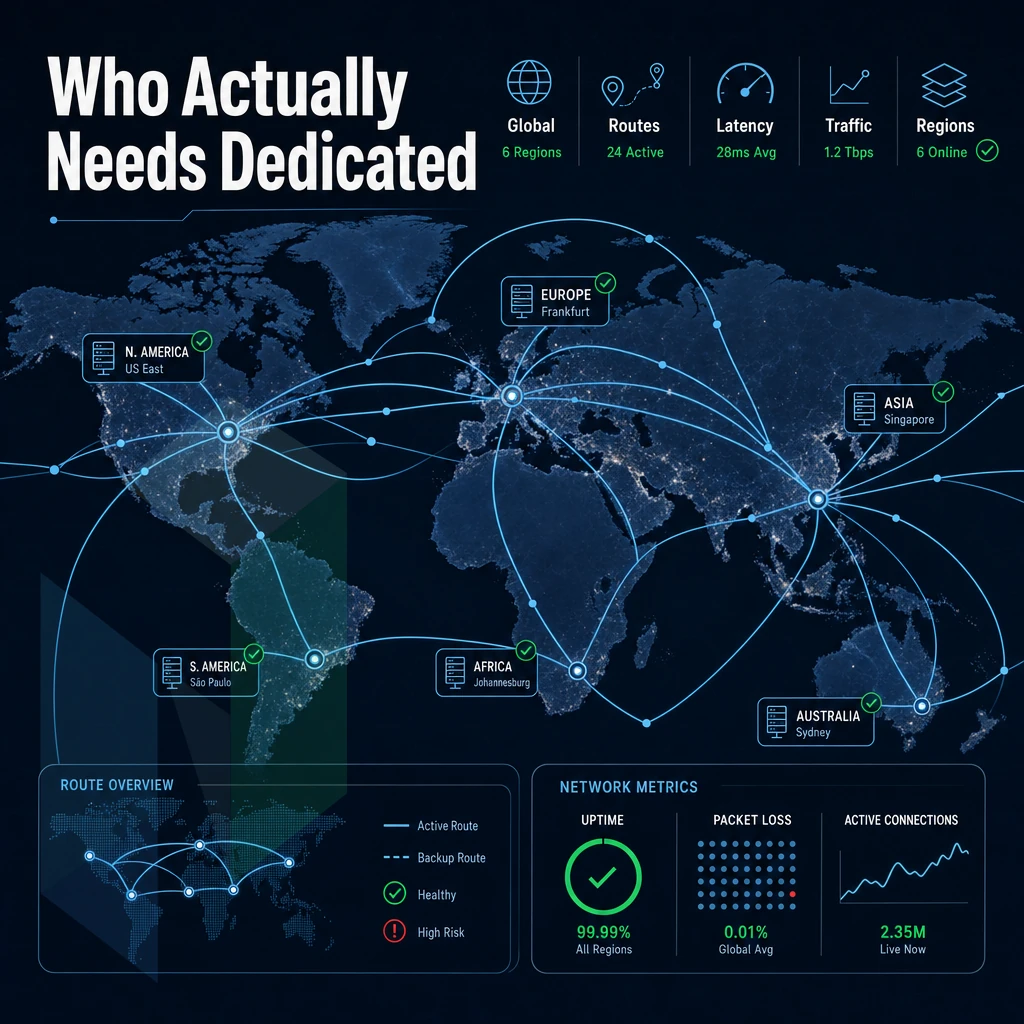
For those who require USA Dedicated Servers as well as EU and APAC servers, Netrouting’s 10 data centers across the globe (Miami & New York. USA, Amsterdam, London & Frankfurt, EU and Hong Kong & Singapore, APAC) will be hard to beat off of a single server infrastructure contract.
Furthermore, which of these characteristics will indicate a good provider in the long run?
What to Look for in a Dedicated Hosting Provider
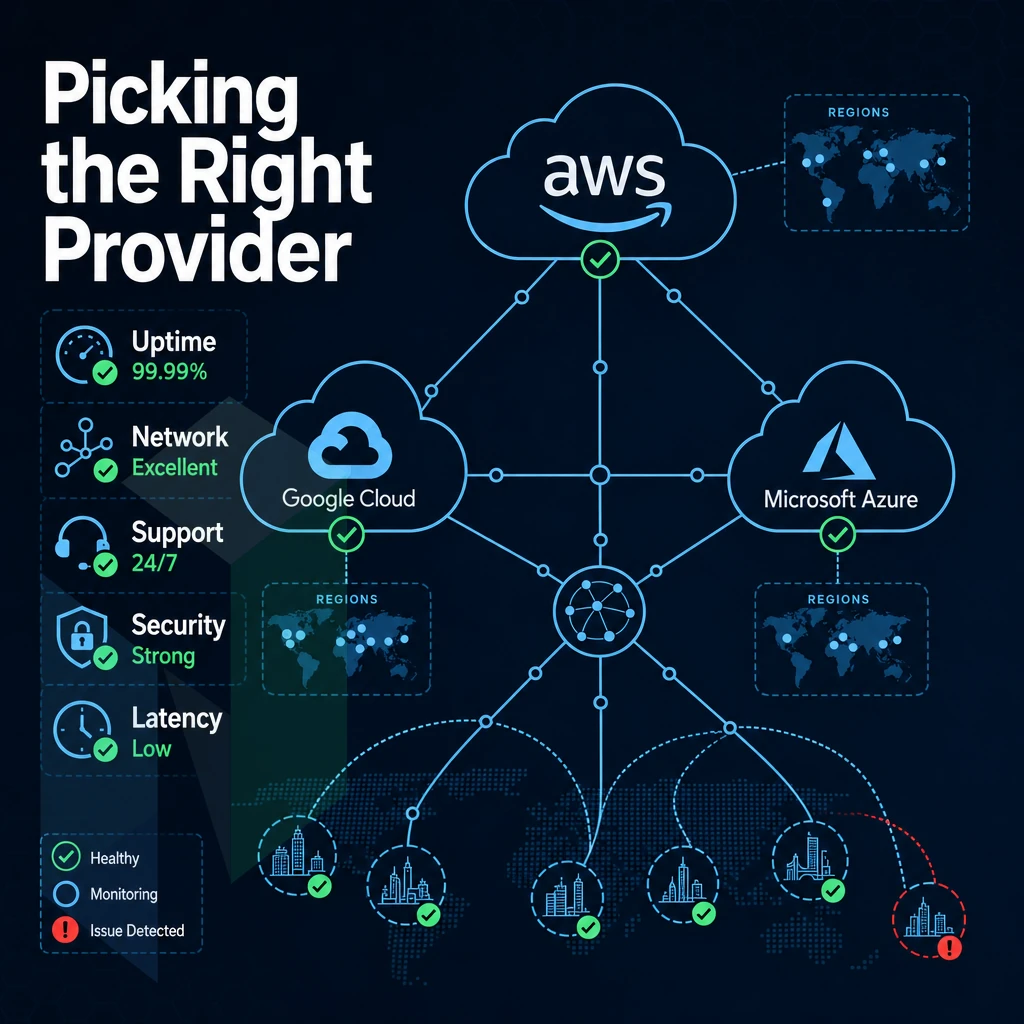
When choosing a dedicated server provider, the criteria help to determine the years to come of your infrastructure’s performance and resilience as well as your total cost of ownership. They also help IT decision makers to compare providers in a more structured way before they sign a contract.
Evaluate Hardware and Network Fundamentals
- Verify the generation of the hardware. Verify the provider is running current generation enterprise class hardware including Intel Xeon or AMD EPYC processors, NVMe storage and hardware RAID. Commodity grade older hardware does not have enough headroom for growth.
- Choose locations for your data centers. Choose locations near your users. Close is fast, neutral is flexible. We have locations in 10 cities across Europe, North America and the Asia-Pacific region.
- Check network capacity and peering. One should look for a provider with own AS (Autonomous System) which has Tier 1 upstreams and very dense peering at all IXes. Netrouting’s backbone has 2.4 Tbps+ bandwidth, with most connections already at 100 Gbps or even higher. Thus, port utilization is always below 40%.
Scrutinize Your Web Hosting Provider's SLA and Security
- Check the uptime guarantee. A serious SLA contains a hard number (like Netrouting’s 99.9% default) plus a time frame for replacement of failed hardware and a way to escalate when needed. Anything that only says “we’ll do our best” is suspect.
- DDoS protection is included. Always-on L3/L4 mitigation should be default and not an add-on. Netrouting includes basic DDoS protection on all services as standard, advanced L7 scrubbing is available for high risk traffic.
Note: Providers that charge extra for basic volumetric mitigation shift risk onto you. Verify what's covered before you deploy.
Match the Service Model to Your Team's Capacity
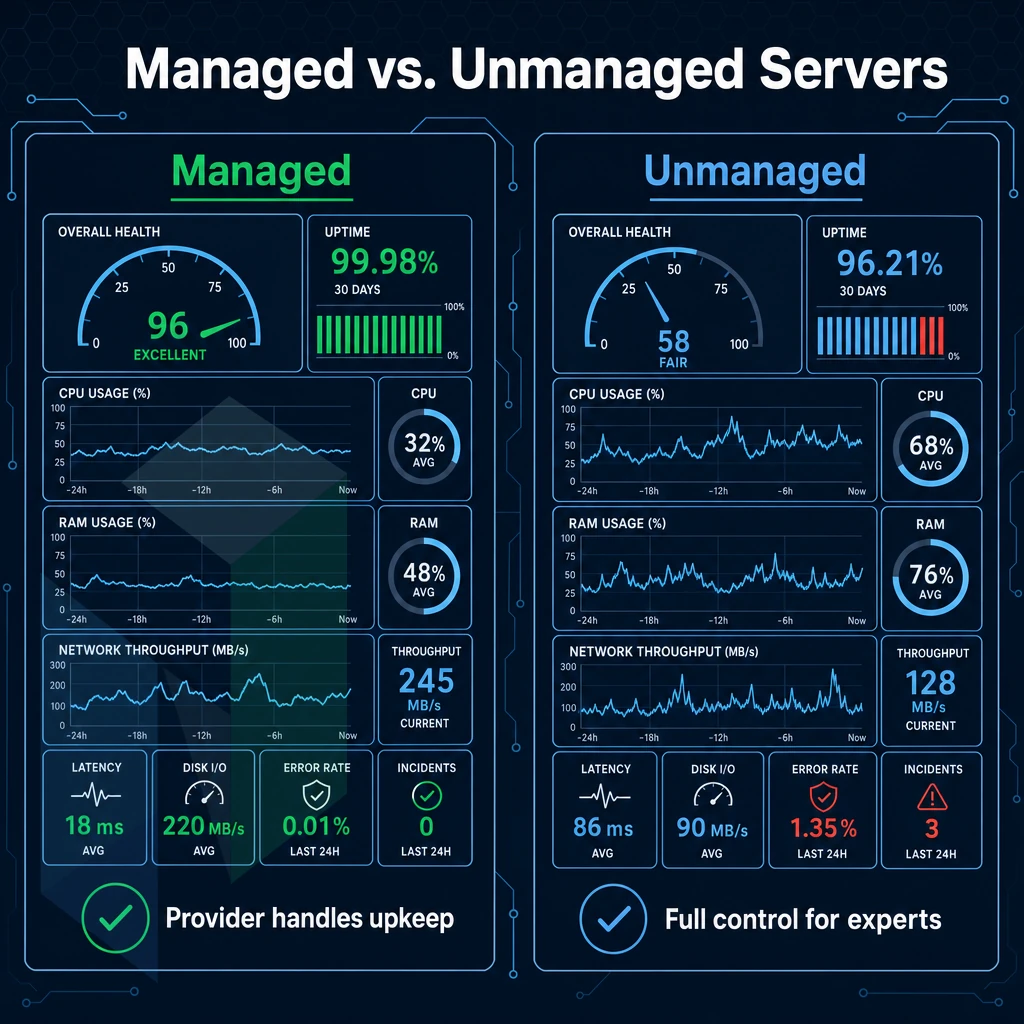
- Decide between managed or unmanaged dedicated hosting. With managed hosting the operating system patches, security is hardend and monitoring is all taken care of by the hosting provider. With unmanaged dedicated hosting infrastructure you have full control of the server but that means you will need the skills and the time to maintain it. Be realistic about the capacity of your staff.
- Check for custom configurations. Standard configurations from a catalogue are not suitable for most workloads. A serious dedicated server supplier will be able to configure RAM, storage and network to your exact specifications rather than forcing you into a pre-defined tier.
- Test support responsiveness by sending a pre-sales technical question and then time how long it takes to receive a response. Netrouting guarantees response to a ticket within one hour of submission and also said that they can provision dedicated hardware within 60 minutes.
Dedicated vs VPS Web Hosting: What Is the Difference?
A dedicated server is a server which you use exclusively, i.e. without any other users sharing the CPU, RAM or storage space on that server. In contrast, VPS hosting sets up virtual servers on a single bare-metal server (a server partition), so that each VPS is isolated from the other servers on that dedicated machine. Each tenant receives a guaranteed allocation of disk space that cannot be encroached upon by neighboring accounts, ensuring storage capacity remains available for application data and logs.
In terms of hardware, a dedicated server gives you dedicated hardware, i.e. the performance of that server is always completely predictable. VPS is more suited to lighter server loads, where cost efficiency is more important than high performance.
One of the biggest decisions within dedicated hosting is whether to go with managed or unmanaged hosting, which is worthy of its own decision framework.
Managed vs. Unmanaged Dedicated Servers: Which Is Right for You?
When choosing managed or unmanaged dedicated hosting the biggest decision you face is the correct tier of dedicated server for your requirements. We at 34SP have found that this decision largely is made up of three key factors.
Secondly, the level of compliance that your website requires.
The Unmanaged End: Full Server Control Panel Options
Unmanaged dedicated servers are provided with just the hardware and a connection to the network. You have full root access to the server, can install the Operating System of your choice, set up your own firewall and have full control over all levels of the stack. These servers are generally used by developers and sys admins who require a controlled environment without interference from a provider.
The tradeoff here is clear. By running OS hardening, kernel updates, and security patches your organization will take on the responsibility of keeping the OS up to date. This can be a daunting task to take on, especially for organizations without a dedicated team of Linux or Windows administrators. It is a tradeoff that most organizations find to be far worse than that of virtual servers or shared hosting.
The Managed End: Provider-Handled Operations
Fully managed dedicated hosting, on the other hand, transfers the responsibility for applying OS patches, monitoring servers across data centers, and performing security hardening to your hosting provider. You can still log into your application, but server management is out of your hands. This hosting model is suitable for companies which do not have in-house sysadmins or for companies where the engineers’ time is too valuable to be spent on routine server administration.
Our managed servers are great for web hosting companies like you, running cPanel/WHM or DirectAdmin for your customers. For development teams and other groups running their own VMs and containers, our Managed Proxmox VE servers give you OS level management, monitoring and more. We provide full technical support 24/7 from our NOC with a 1 hour ticket guarantee.
Which Web Hosting Server Is Best for My Business Needs?
But if running servers is not your core business then managed hosting is a great way to take the risk out of getting high performance from dedicated hardware.
A rule of thumb: If an OS-level incident would pull your developers away from building product, then managed hosting will pay for itself very quickly.
We support the full spectrum of server deployments at all of our locations around the globe, from bare. Unmanaged servers to fully managed control panel and virtualization environments in Europe, North and South America as well as Asia.
Whatever the chosen management model, the underlying network must be secure.
Built-In DDoS Protection: Why It Matters for Dedicated Hosting
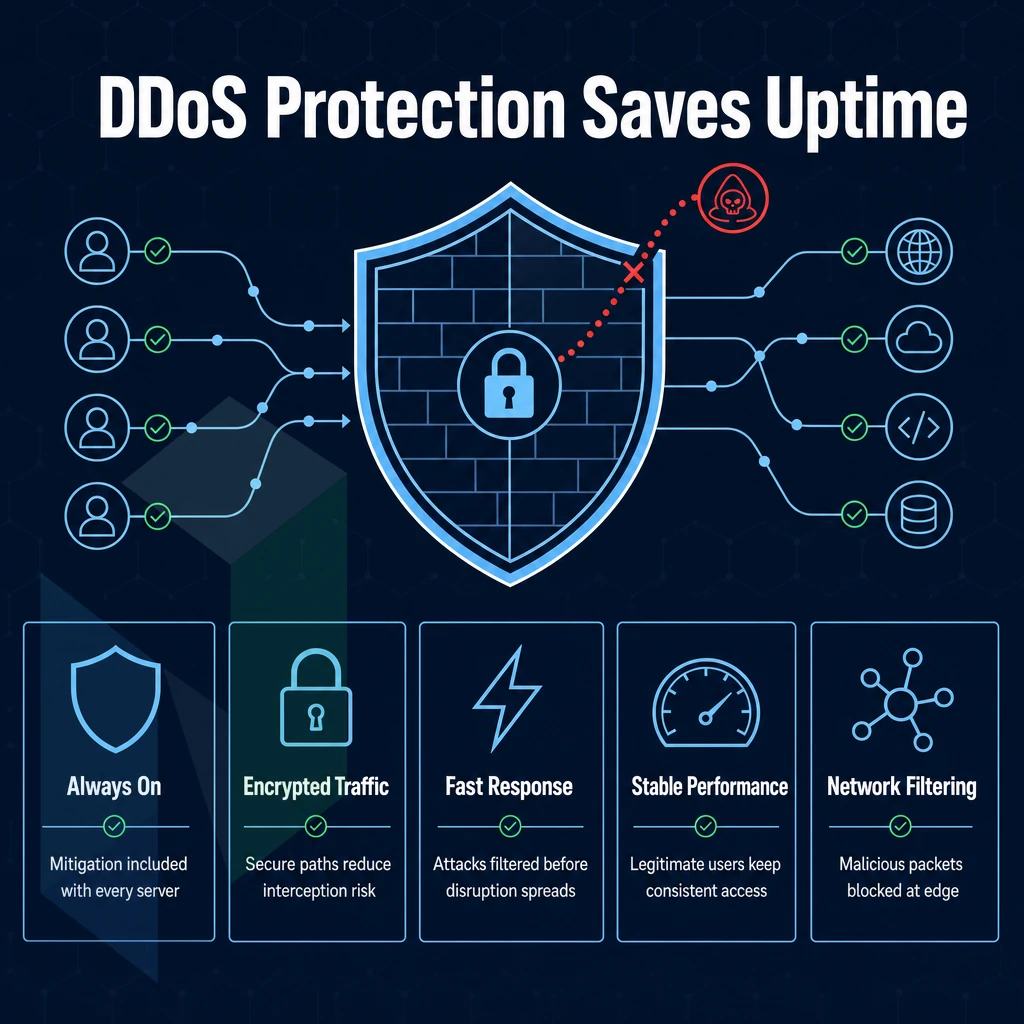
The main difference between a lot of hosting providers is whether attack mitigation is included as standard with your server or not.
Built In DDoS Protection: What's Actually Included
L3/L4 baseline volumetric attack protection is always-on for all of our services. There is no additional fee for this service and there is no additional configuration required. The blackhole routing your dedicated server provider uses automatically sends any malicious traffic to a blackhole, thus preventing it from ever reaching your server and eliminating a common cause of server issues caused by volumetric floods at the network layer.
We have capacity of over 1 Tbps of mitigation through our network of 2.4 Tbps++ scrubbing centers.
- L3/L4 mitigation: Filters UDP floods, SYN floods, and amplification attacks at line rate.
- Blackhole routing: Null-routes attack traffic upstream, protecting adjacent tenants.
- Always-on detection: No manual activation, mitigation triggers automatically.
Advanced Protection for Mission-Critical Workloads
The basic filtering provided in volumetric protection stops most volumetric attacks. However, application-layer (L7) attacks such as HTTP floods, slowloris, etc. and even credential stuffing attacks require further inspection. Our advanced protection tier, compatible with any linux operating system environment, includes L7 attack mitigation, very granular custom policies, and a higher amount of scrubbing capacity to handle those critical workloads where even a brief amount of downtime is unacceptable.
Our highest level of security for single policy gap exposure in environments running virtual machines, containerised services or fully managed stacks. Operator full control of custom mitigation rules via our management tools, no visibility lost.
Why Provider Choice Defines Your Risk Profile
That’s the main difference between a reactive DDoS solution and a truly resilient infrastructure.
This includes review of the actual backbone capacity as well as data center locations.
Network Quality and Data Center Locations That Drive Performance
For demanding applications like gaming, streaming and VPNs running on windows servers, the quality of the network and the data center location play a much bigger role than how a server's resources are divided between CPUs and RAM.
A Backbone Built for Low Latency
Port utilization is always below 40%.
All locations are connected to relevant peering exchanges. Amsterdam is anchored to AMS-IX. Frankfurt and New York are peered at DE-CIX. Stockholm is connected to the Nordic networks on NetNod. Miami is connected through FL-IX, a primary gateway to Latin America. Hong Kong is peered at Equinix HK IX for low-latency APAC reach. For community perspectives, see Looking for a Dedicated Server Provider - What Matters ....
Ten Data Centers, One Global Network
Below is a table to help determine which region best suits your use case.
| Location | Region | Best For |
|---|---|---|
| Amsterdam | Europe | Dense EU peering, high performance servers |
| Frankfurt | Europe | DACH and CEE reach via DE-CIX |
| The Hague | Europe | Primary EU HQ, sensitive data sovereignty |
| Rotterdam | Europe | DR and edge for The Hague deployments |
| Stockholm | Europe | Nordic edge, DR via NetNod |
| Bucharest | Europe | Balkans and Eastern Europe reach |
| Miami | North America | USA dedicated servers, Latin America gateway |
| New York | North America | East Coast US, NY/NJ metro via DE-CIX NY |
| Hong Kong | Asia-Pacific | APAC financial workloads, submarine cable |
| Singapore | Asia-Pacific | Southeast Asia hub, Tier 1 upstreams |
Matching Location to Your Business Needs
Choose a city close to your users and let the network do the rest.
Need a control panel to manage your stack? We support DirectAdmin and cPanel on all our bare metal servers at all locations above.
After sorting location and network out, the remaining variable is the hardware itself.
Best Value Dedicated Server Plans: What You Actually Get for Your Money
Initial price may not reflect true cost of service.

Headline Price vs. Total Cost of Ownership
Dedicated hosting is fundamentally different because you get to pay for a server with a single line item for the month (resources, bandwidth, hardware, etc.).
A good support team who respond in a timely manner with guaranteed response times is also part of the TCO.
Dedicated servers offer predictable pricing of Dedicated servers at scale compared to Hyperscalers. No per-GB egress charges and no risk of unexpected overage charges. Simply flat monthly charges for real hardware.
Bandwidth: Unmetered vs. "Unlimited"
Unlimited Bandwidth With an Intuitive Control Panel
Most claims should be scrutinized.
The private network within your own resources is free and included up to 40 Gbps.
Dedicated Resources vs. Shared and Cloud Alternatives
Note that cloud compute and private cloud instances are run on shared hardware. The so-called “noisy-neighbour” effect is real. This is different from having dedicated resources, i.e. a full hardware server all to yourself as opposed to a share of a server. With dedicated resources you know exactly what you are getting and can measure it to confirm that it is what you are getting.
Netrouting starts pricing for managed dedicated single-tenant servers at a low level compared to the processing power costs of vCPUs at major cloud providers, and is covered by the usual certifications (ISO 9001, ISO 27001, SOC 2 etc.).
But does one really need such hardware for one’s concrete workload?
Use Cases: Who Needs Dedicated Server Web Hosting?
While there are a number of scenarios where Dedicated Hosting is not the correct solution, there are many where Shared and Virtual Server environments just are not going to cut it. Below are the main scenarios in which you should be moving to a Dedicated Hosting solution.
Performance-Critical and High-Traffic Workloads
News portals, SaaS platforms and large e-commerce websites with high traffic require dedicated infrastructure with constant CPU and RAM resources to avoid performance degradation due to traffic spikes. As latency increases, conversion rates will start to deteriorate.
Online stores that handle hundreds of online transactions per second need checkout performance at the highest level. A dedicated server provides a single resource unaffected by noisy neighbors, and with proper server monitoring in place, payment processing, inventory lookups, and session handling are all much faster on a dedicated server than a virtual server.
Serving high definition video to thousands of simultaneous users requires sustained bandwidth.
Gaming, VPN, and Latency-Sensitive Services
Ping is critical for online gaming servers, and dedicated servers help to avoid the high latency introduced by the hypervisor on virtual machines. This is why online gaming servers are typically hosted on dedicated servers: to provide game server operators with unlimited traffic capacity, technical support, and the highest possible performance in terms of tick rates and response times.
To build a VPN, you need two things: lots of bandwidth, and clean IP addresses. This is just one of the many reasons that VPN providers love dedicated servers, because they allow for full control over a server’s routing, and the IP addresses that are being sent out from it. This is something that you just can’t get with a typical shared web hosting services setup.
AI/ML, GPU Workloads, and Multi-Site Hosting Company Options
Netrouting’s GPU servers in EU come with NVIDIA A10, A40 and A100 accelerators to run your workloads with EU data sovereignty.
There are also scenarios in which it makes sense to host several websites from one dedicated server. If a hosting company for example is managing dozens of websites for its customers. It is often efficient to host them all on one powerful server instead of spreading them on all kind of virtualized servers. In contrast to those “unlimited traffic” promises from super cheap web hosting companies, you can rely on the real performance of your dedicated server.
We will explain for which workloads Netrouting is the best provider for most of them.
Why Choose Netrouting for Dedicated Server Hosting
Netrouting is a dedicated hosting provider built for workloads that demand consistent performance and total server autonomy. Our dedicated server hosting runs on enterprise-grade Dell and Supermicro hardware, Intel Xeon and AMD EPYC platforms, provisioned in under 60 minutes. Every standalone server ships with complete root access, your choice of Linux or Windows operating system, and unmetered 10 Gbps connectivity (up to 40 Gbps for high-traffic workloads).
- Own Tier 1 backbone (AS6206): 2.4 Tbps+ network with dense IX peering since 2009, no shared resources, no bottlenecks.
- Built-in DDoS protection: Always-on L3/L4 mitigation included on every service. No add-on required.
- 10 data center location s: Stockholm, Amsterdam, Frankfurt, The Hague, Rotterdam, Bucharest, Miami, New York, Hong Kong, and Singapore.
- Certified infrastructure: ISO 9001, ISO 27001, and SOC 2, suitable for sensitive data and compliance-driven workloads.
- Flexible configurations: GPU servers, Managed Proxmox VE, and custom dedicated hosting plans for non-standard workloads.
- 24/7 NOC + 1-hour ticket guarantee: A real support team, around the clock.
Whether you're running high-traffic websites, performance-heavy applications, or need a managed dedicated environment, our team can match you to the right dedicated server. Contact sales to compare configurations.
Before you reach out, use the checklist below to confirm you've covered every variable in your selection criteria.
How to Choose the Right Dedicated Server Provider for Your Workload
When choosing a dedicated server there are six key factors to consider. The CPU and RAM for the load you place on it. The type of storage and the amount of disk space you require for the amount of data you hold. The data center location to provide the lowest latency. Whether you require a managed or unmanaged support option. The level of traffic scrubbing that has been verified. Your required uptime guarantee and the hardware replacement speed.
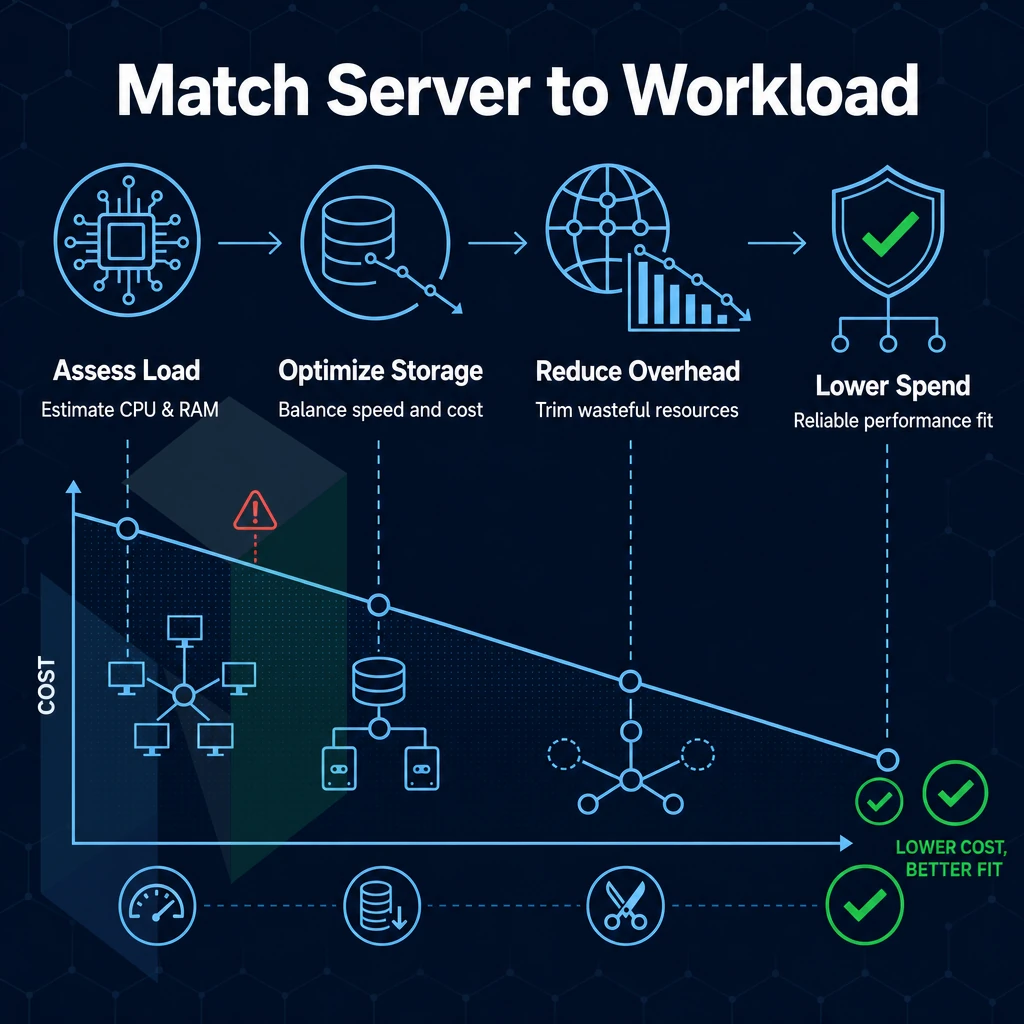
Check a few things before you commit to a provider of dedicated servers. How does the support team of your dedicated server provider respond? What control panel does your dedicated hosting provider use? How do the dedicated hosting plans of your provider scale with your business needs? Netrouting covers all these variables.
As one of the dedicated hosting providers, we offer enterprise-grade hardware, 24/7 support (1h ticket guarantee), anti-DDoS as standard and 3 locations around the world (Europe, North America and Asia). We recommend a first contact with our sales department to find the optimal configuration for your application.
Key Advantages of Choosing a Dedicated Hosting Company
Dedicated server provisioning is unique in that it differs from shared hosting and VPS solutions in every key area: resources, performance and control of the dedicated hardware. No other type of hosting can compare to having a whole server to yourself, with dedicated hosting on windows servers or Linux you have a completely isolated server with no noisy neighbors to consume your resources.
Additionally, No shared resources to restrict your disk space and bandwidth. You have full control of your Dedicated Server, you can install any operating system, and set up the server in any configuration to ensure optimal performance for your needs.
For high traffic websites, performance-intensive applications or sensitive data, nothing can beat the reliability of dedicated hosting servers. Compared to cloud VMs, they offer a fixed and stable performance. In addition to that, dedicated servers are protected from DDoS attacks by default and come with high-end hardware.
Also, the uptime of a dedicated server is much more reliable than a multi-tenant hosting plans environment. Netrouting’s dedicated servers are equipped with unmetered 10 Gbps network connections, root access to the server and 24/7 support at all of our data centers around the globe. Thus, they are the perfect choice for every user who requires more than just shared web hosting can provide.
Our dedicated server deployment offers something that multi-tenant hosting and VPS infrastructure simply cannot provide: guaranteed resources, full processing power of the hardware and stable performance with increased traffic. When choosing a dedicated hardware hosting provider, do not underestimate the importance of the hardware itself, but also pay attention to the network and the support. We recommend a carrier-neutral network, 24/7 flood protection and fast support. Measuring the response time of your support team is a good starting point.
We have 10 locations in Europe, North America and Asia.
Ready to find the right configuration? Browse Netrouting's dedicated server options or contact the sales team to spec a custom build.