Your dedicated server hosting choice will influence your decisions on performance, security and cost for the next few years. Get it wrong and you’re stuck with suboptimal servers, hidden charges and non-existent support at 2 am. Get it right and you'll have scalable, always-up-to-date, and ultra-responsive hosting solutions, run by the highest-quality servers that your engineers can tweak to their heart's content.
Our guide to choosing a cloud provider cuts through the marketing hype.
Whether you're looking to leave behind the hyperscalers in search of lower TCO hosting solutions, are developing latency sensitive applications in markets like New York, or are trying to manage a multi-site footprint on behalf of a customer or employer.
Blog contents
What Is a Dedicated Server Managed Hosting Company?
dedicated hosting companies offer physical servers that are exclusively allocated to and hosted for their customers. In bare-metal hosting, no resources are shared with other server hosting customers. The servers are kept isolated from each other to prevent any disturbance from other server hosting customers. You get 100% utilization of CPU cycles, total RAM and all server ports.

What a Dedicated Hosting Company Actually Provides
Beyond the hardware, dedicated server providers deliver the full infrastructure stack, power, cooling, physical security, and network connectivity. Providers operating across multiple regions in the United States typically maintain redundant network paths and peering arrangements to ensure consistent uptime and low-latency connectivity.
Core deliverables typically include:
- Enterprise-grade hardware (Intel Xeon or AMD EPYC platforms).
- Redundant power and N+1 cooling.
- High-capacity uplinks with DDoS protection.
- 24/7 remote hands and hardware replacement.
- OS provisioning and optional managed support.
How It Differs from Shared and VPS Hosting
Shared hosting has hundreds of accounts on one server. VPS hosting is a server with VPS accounts carved out from that server. Both scenarios have resource contention, whereas with dedicated hosting your account runs on bare metal with no other tenants on that server.
Performance is predictable, compliance is straightforward, and the security posture is strong.
The Spectrum: Consumer-Grade to Enterprise Infrastructure
There are many different hosting providers, some even specialize in servers for small companies and offer starter packages. Netrouting is a carrier-neutral hosting provider with datacenter facilities all over the world. We have a network of servers throughout the United States. We offer bare metal servers in several locations including Miami and New York.
We also have edge locations near Los Angeles and offer connectivity to Los Angeles via multiple corridors. Organizations evaluating hosting services should verify that the provider maintains carrier-neutral facilities to avoid vendor lock-in and ensure optimal routing flexibility across multiple transit providers.
Key criteria when selecting a provider are: network quality, current hardware generation, adequate support response times and a suitable geographic reach. In the next section we will explain in more detail how you can set up and manage a dedicated server after you have selected a provider.
Providers with points of presence in major financial and technology hubs like New York often deliver lower latency for enterprise applications serving the East Coast market. Evaluating each hosting provider on these dimensions requires reviewing their service level agreements, infrastructure certifications and customer references from similar use cases.
How Dedicated Server Hosting Works
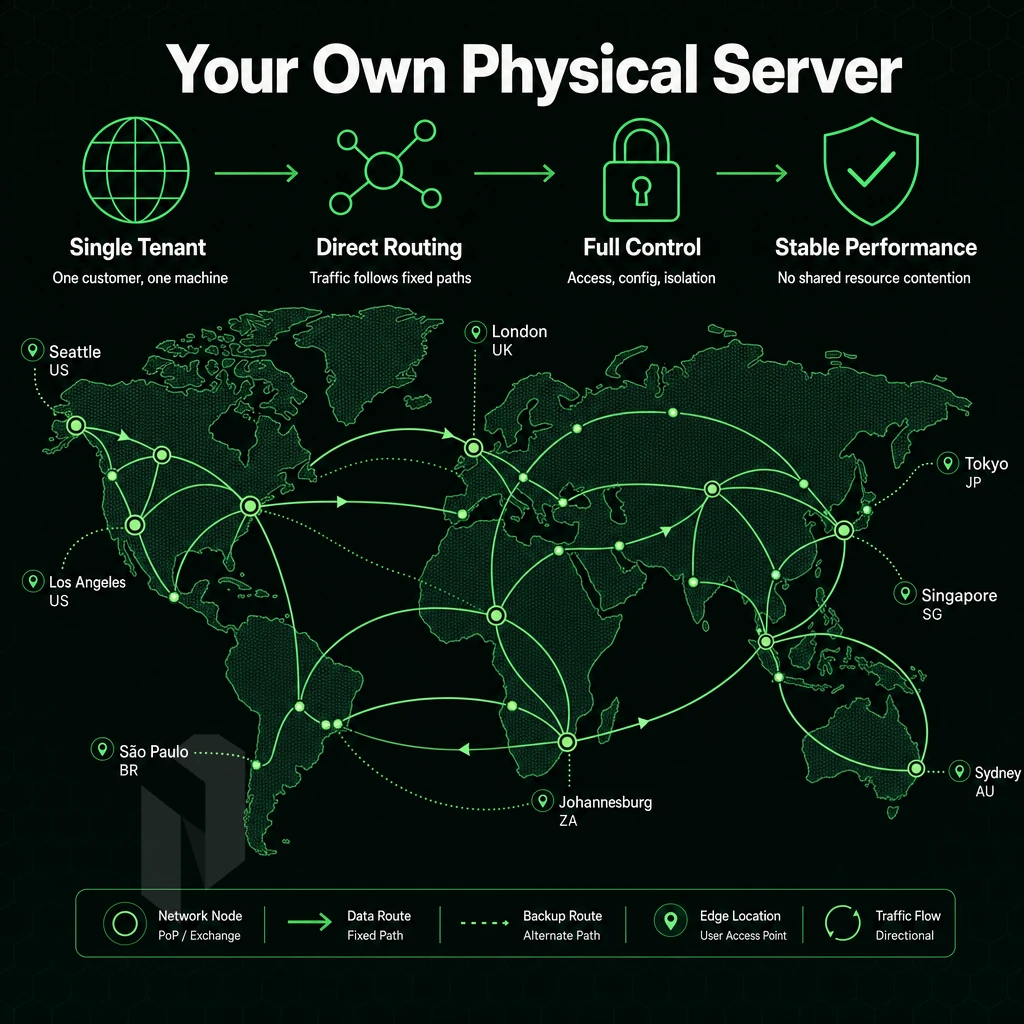
A dedicated server is a hosting service where a single physical server is rented out to a single customer. The server facility (power, cooling, backup, etc.), uplink to internet and physical security are provided by the hosting company. The customer gets root access to the server and can configure everything from BIOS up.
Fully Managed Provisioning Workflow
We provide bare metal servers within 60 minutes. The handover includes credentials as well as the assigned IP addresses for all servers. The process to provision servers consists of 4 steps: placing an order, allocating hardware, installing the OS and configuring the required network settings. Rapid provisioning distinguishes premium hosting services from budget alternatives, particularly when time-sensitive deployments require immediate infrastructure availability.
Fully Managed Bandwidth Models
Metered plans are charged by the gigabyte consumed, while unmetered plans are billed for a fixed port speed and no overage charges are incurred. The company, which operates data centers including a new york location, includes unmetered 10 Gbps bandwidth on dedicated servers, with up to 40 Gbps available for particularly high volumes of bandwidth consumption for applications like streaming, online gaming and large data transfers.
Fully Managed vs. Unmanaged
| Dimension | Unmanaged | Managed |
|---|---|---|
| OS & patching | Client handles | Provider handles |
| Root access | Full | Full |
| Best for | Experienced sysadmins | Teams without dedicated ops staff |
| Uptime SLA | 99.9% | 99.9% |
Both options provide full root access.
VPS Dedicated Server vs. Shared Hosting: Key Differences
Different types of web hosting have vastly different performance and isolation characteristics. Picking the wrong type can cause downtime, non-compliance and wasted resources.
How the Three Tiers Compare
Our Tier Offering is listed against key dimensions to help select the correct hosting environment for your workload.
| Dimension | Dedicated Server | VPS | Shared Hosting |
|---|---|---|---|
| Resource isolation | Complete, no neighbours | Partial, hypervisor-enforced limits | None, all tenants share the same pool |
| Performance predictability | Consistent, no hypervisor overhead | Variable, noisy-neighbour risk | Highly variable |
| Root access | Full | Full (guest OS only) | None |
| Customisation | Unrestricted, kernel, RAID, firmware | OS-level only | Minimal |
| Typical use cases | High-traffic apps, databases, compliance workloads, gaming | Dev/test, moderate-traffic sites | Low-traffic brochure sites |
| Cost tier | Higher, dedicated hardware | Mid-range | Lowest |
When to Choose Dedicated
Both VPS hosting and shared hosting have layers of software between your application and your hardware. These layers of software can impose significant overhead on your application and severely limit its throughput and impose large, unpredictable latency spikes.
Dedicated servers solve both problems, you get a fixed level of high performance and are no longer affected by other users' traffic. For workloads requiring PCI-DSS, HIPAA or ISO 27001 compliance, dedicated servers are often the only option, whether you're operating in New York or elsewhere, for both physical and regulatory reasons.
The question to ask yourself when deciding between vps and dedicated is: Do you need guaranteed CPU and RAM at all times? If so, then the answer is bare metal dedicated servers. Evaluating hosting plans side-by-side requires comparing not only the advertised specifications but also the provider's track record for uptime, support responsiveness, and transparent billing practices. Organizations with fluctuating workloads should evaluate whether their hosting solutions can scale vertically without migration downtime or architectural redesign.
Note: VPS is a cost-effective stepping stone, but migrating an under-resourced VPS to bare metal mid-traffic-spike is painful. Size for your peak workload from the start.
What to Look for in a Dedicated Server Hosting Company
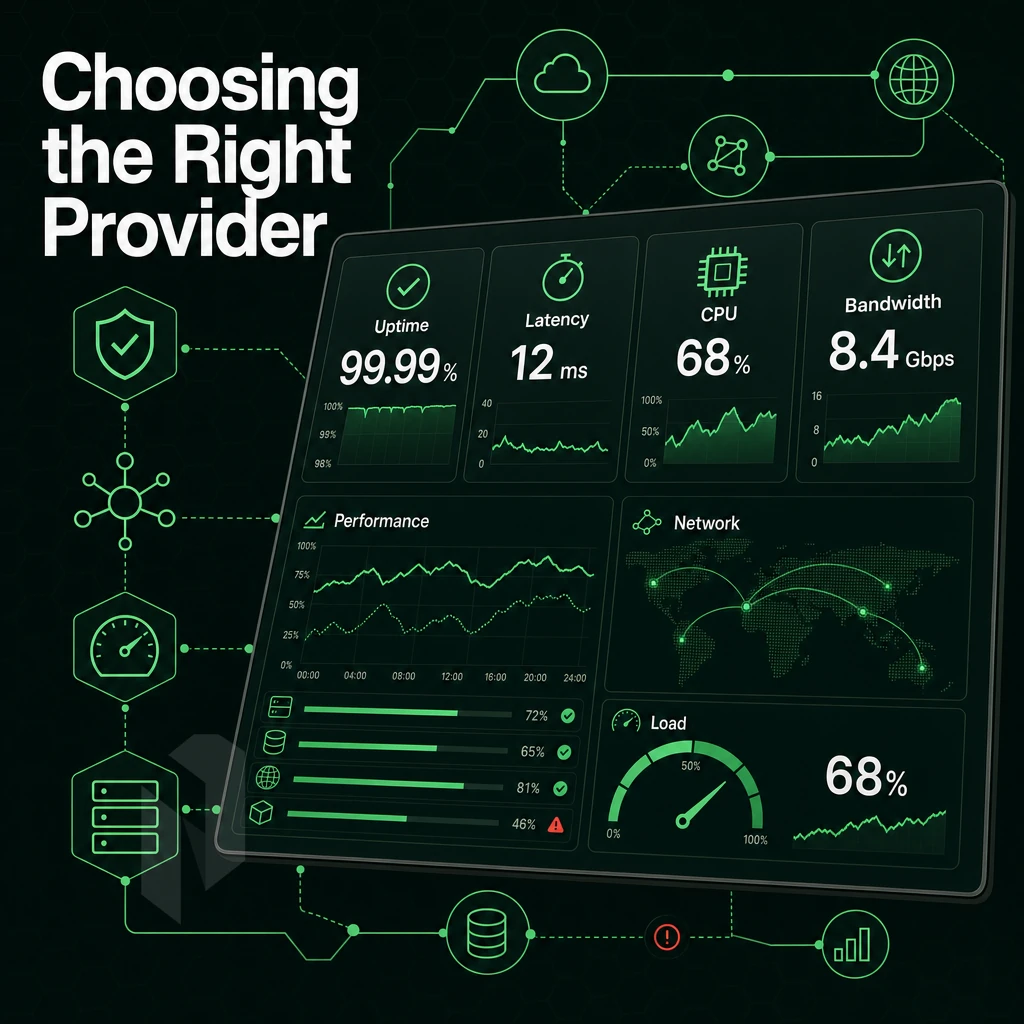
Even after you’ve decided that dedicated servers are the right tier for you, it can be challenging to distinguish between good dedicated hosting companies and the not-so-good. Here are 7 key things to consider. Getting these right the first time can save you a lot of hassle in the long run as you can avoid having to move servers later. Reputable providers typically structure their hosting plans around transparent pricing tiers that clearly delineate CPU cores, RAM allocation, storage type and bandwidth commitments without burying critical limitations in fine print.
Each hosting provider maintains different hardware refresh cycles, so confirming the exact processor generation and component specifications before signing a contract prevents unpleasant surprises. Comparing hosting solutions across multiple vendors requires evaluating not just the hardware specifications but also the flexibility to scale resources as your application demands evolve over time. Enterprises migrating from cloud platforms often discover that evaluating hosting services requires assessing not only technical specifications but also the provider's ability to accommodate custom network configurations and compliance requirements.
Hardware Generation and Vendor Quality
Demand recent server architectures, i.e. current generations of Intel Xeon or AMD EPYC processors, robust enterprise chassis from proven manufacturers as well as hardware RAID with hot-swapable drives.
Network Infrastructure
For low-latency, high-throughput applications like online gaming, Tier 1 backbones connected to major Internet Exchanges are essential.
Netrouting’s AS6206 backbone hosts over 2.4 Tbps of public network capacity, with the majority of connections scaled at 100 Gbps or larger. Average port utilization is held below 40%.
Certifications, SLA, and Support
We expect data centers to hold ISO 9001, ISO 27001, and SOC 2 certifications, independent validation of physical security, information security management, and operational control. A credible SLA should commit to 99.9% uptime and same business day hardware replacement.
Support depth matters as much as uptime numbers. Quality hosting solutions include a 24/7/365 staffed NOC with a documented, guaranteed ticket response time, so problems get addressed immediately rather than waiting until business hours.
The last signal to pay attention to re: provision time with these hosting solutions is how quickly they can provision bare metal, in my book, less than 60 minutes indicates that there is solid automation in place. Additionally, A real stock of metal. Then there’s the question of whether or not to go with managed or unmanaged hosting.
Fully Managed vs. Unmanaged Dedicated Hosting: Which Do You Need?
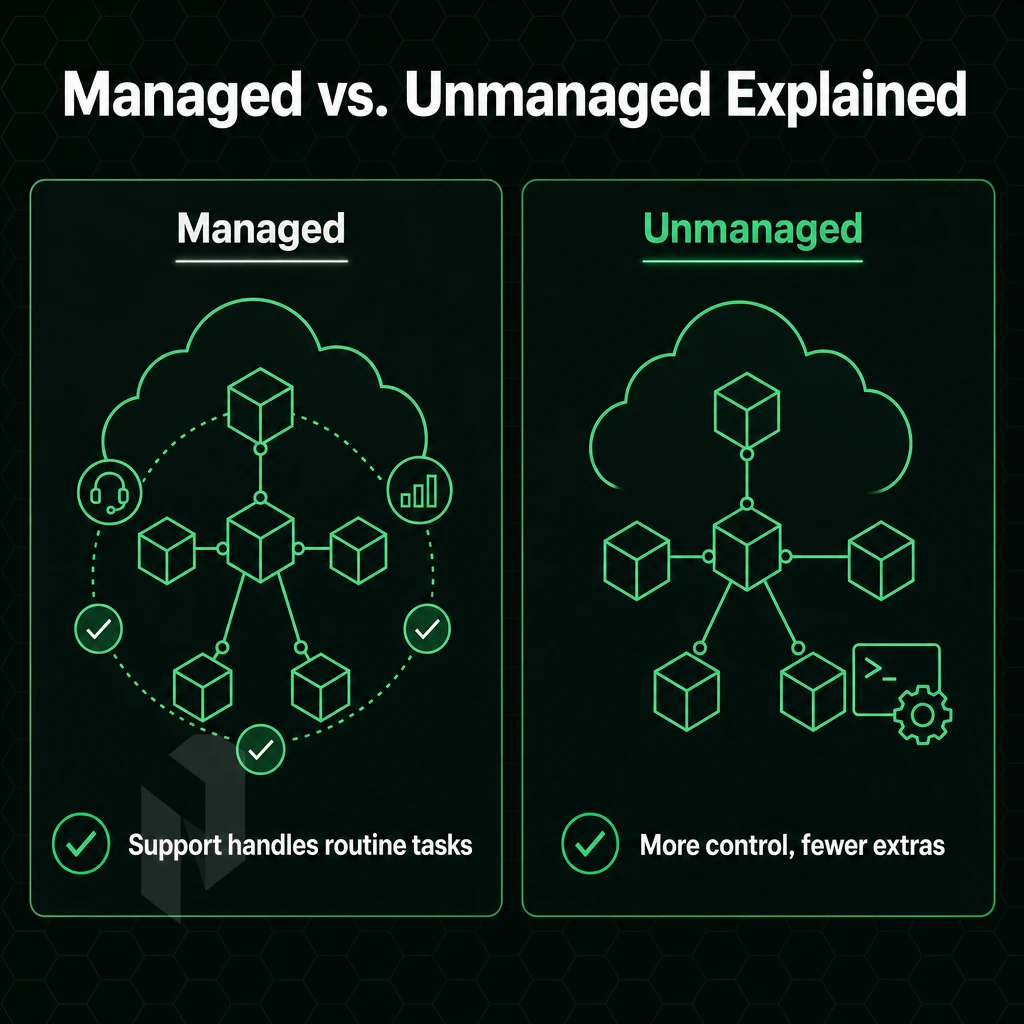
Choosing unmanaged versus managed dedicated hosting is a new york minute kind of decision that involves trading off support you may not need against sysadmin work that can pull your engineers away from their primary duties and responsibilities.
Unmanaged: Full Control, Full Responsibility
An unmanaged server is essentially a full server stack below the application layer that you manage yourself.
Unmanaged suits a development team running custom Linux builds via Ansible-automated provisioning on bare metal, they need high performance and no abstraction.
Fully Managed Infrastructure Without the Overhead
We handle the OS patching, security hardening and monitoring for you. Your team will still have root access to your servers but no operational burden. We recommend fully managed hosting for business that run mission critical workloads and do not have dedicated infrastructure staff.
Our hosting services cover three distinct managed tiers:
- Managed Hosting, OS patching, hardening and monitoring of servers in bare metal, cloud and colocation environments.
- Managed Control-Panel Servers, Fully managed cPanel/WHM servers or DirectAdmin servers with full licensing for resellers such as web hosting agencies running multiple client accounts.
- Managed Proxmox VE, we set up a cluster on dedicated hardware and manage patching and backups for you, run your own VMs without managing a hypervisor.
Choosing the Right Fit
The above evaluation is crucial to assess the capacity of your team. If you are offering hosting plans to dozens of clients, a managed control-panel server can get you out of all panel administration.
And if you are building a private cloud, your engineers don’t have to bother with the hypervisor layer with a Managed Proxmox VE server. The key is to fit the correct workloads into the correct management model. In the next section we will describe some typical use cases and recommend the corresponding configurations.
Common Use Cases for Dedicated Server Hosting
dedicated server services typically powers high-demand workloads that cannot be scaled adequately in shared hosting or cloud hosting services. The correct server configuration depends on your workload's specific demands, bandwidth, latency, CPU power, and compliance requirements.
High Performance Workloads That Drive Results
High traffic websites require constant throughput during load tests. Our unmetered 10 Gbps connectivity in combination with up to 512 GB DDR4 RAM guarantees constant response times. High-end online gaming requires sub-20ms latency and special CPU cores. That’s why we provide dedicated servers without noisy neighbors and shared resources.
Video streaming demands large bandwidths, delivering high definition video to many users requires constant multi-gigabit throughput. We operate our network at <40% port load, so plenty of headroom is available.
Connectivity and AI Compute
Our AS6206 backbone is dense enough for VPN providers to benefit from it, thanks to the extensive peering and large IPv4 address space we offer. We peer at AMS-IX, DE-CIX and FL-IX in 10 locations.
AI and ML inference workloads require dedicated GPU compute. Our training, inference, and self-hosted LLM workloads are supported by NVIDIA RTX 6000, A10, A40, and A100 configurations, all hosted within the EU and subject to EU data sovereignty where appropriate.
Enterprise and Compliance Workloads
Industries such as finance, healthcare and SaaS require specialized, certified IT infrastructure. Our facilities hold ISO 9001, ISO 27001 and SOC 2 certifications to meet customer audit requirements. For projects outside our standard hosting solutions, we offer custom configurations for non-standard, high-density IT infrastructure deployments.
Match your application to the right host: GPU servers for AI workloads, high-bandwidth or unmetered 10 Gbps connections for streaming or VPN applications, and enterprise-grade certified bare metal for compliance-bound workloads. The network also needs careful scrutiny.
Network Quality: Why It Matters as Much as the Server
Raw specs matter little if the network underpinning them is congested, poorly peered, or unprotected. Evaluate the network of any dedicated server hosting company with the same seriousness you bring to the server itself.
Backbone and Peering
- Check if a backbone provider is really owning their own backbone / autonomous system. A good provider controls your IP’s routing end-to-end. Netrouting is operating AS6206 with Tier 1 upstreams and does not resell any third party’s transit, so you don’t have to worry about them getting congested sometime.
- Check IX peering locations. Internet Exchange peering shortens the path and helps avoiding single-carrier dependency. Netrouting is connected to AMS-IX in Amsterdam, DE-CIX in Frankfurt, DE-CIX New York in New York, FL-IX in Miami, NetNod in Stockholm and the local Internet Exchanges in Singapore and Hong Kong. Peering at New York’s and Frankfurt’s two largest financial-traffic corridors together makes a huge difference.
Protection and Capacity
- Always-on DDoS protection confirmed. Our Netrouting services are protected by default with L3/L4 DDoS protection of 1 Tbps+ and are enabled prior to an attack occurring, as opposed to being switched on after submitting a support ticket.
- Review the port utilisation graphs. Even if your server has plenty of CPU power, over-subscribed ports will cause periodic latency spikes. All our ports are consistently used below 40% thus have plenty of headroom during those occasional bursts.
Bandwidth and Routing Control
- Please check for any unmetered throughput options. Dedicated servers come with unmetered 10 Gbps, with up to 40 Gbps available for high bandwidth applications like video streaming or large data transfers.
- Evaluating a host’s BYOIP and BGP support allows you to bring your own IP space and announce it via BGP to provide full control over routing it. Use cases for this feature include server hosts and providers with multi-region deployments or customers with fully portable IP space.
Note: Many hosting providers advertise high port speeds but omit utilisation data. Always ask for real figures, a 100 Gbps port at 90% load delivers worse performance than a 10 Gbps port at 30%. With network quality benchmarked, you're ready to evaluate which provider actually delivers across all these dimensions.
Why Choose Netrouting as Your Dedicated Server Hosting Company
Not all physical server hosting companies are built the same. Consumer web hosting brands optimise for simplicity, hyperscalers for service breadth. Netrouting optimises for raw infrastructure performance and predictable cost, a strong fit for teams in New York and beyond that have outgrown shared hosting or VPS and need real bare metal.
- Fast provisioning: Bare metal deployed in under 60 minutes, no waiting days for hardware.
- Serious bandwidth: Unmetered 10 Gbps standard, up to 40 Gbps available, on our own AS6206 backbone with 2.4 Tbps+ total capacity.
- Always-on DDoS protection: L3/L4 mitigation included on every dedicated server, no add-on required.
- Global data centers: Ten locations across Europe, North America, and Asia-Pacific, including New York, Miami, Amsterdam, Frankfurt, Hong Kong, and Singapore.
- Fully managed options: Managed hosting, Managed Proxmox VE, and GPU servers for AI/ML workloads.
- Certified infrastructure: ISO 9001, ISO 27001, and SOC 2, with a 24/7 NOC and 1-hour ticket guarantee.
Compare our dedicated hosting plans or speak with our team to find the right configuration for your workload. Explore Netrouting dedicated servers.
Key Takeaways: Choosing the Right Dedicated Hosting Provider
Single-tenant hosting delivers what multi-tenant and VPS environments cannot: isolated resources, predictable performance, and full administrative control. The best dedicated hosting providers combine enterprise-grade hardware, owned network infrastructure, and recognized certifications, not just raw CPU specs. Network quality, peering density, and provisioning speed matter as much as core counts.
Fully managed hosting options reduce operational burden without surrendering root access, the right choice for teams that need managed hosting without a dedicated ops headcount. Evaluate any hosting provider on SLA terms, support response times, and data center location coverage. Netrouting checks every box: bare metal dedicated servers across ten global locations, a 2.4 Tbps+ owned backbone, always-on DDoS protection, and a 24/7 NOC with a one-hour ticket guarantee.
Frequently Asked Questions
What do New York dedicated server providers mean by a fully managed server?
A dedicated server is a physical machine reserved exclusively for one customer. No CPU cycles, RAM, or storage are shared with other tenants. You get full root access, predictable performance, and complete control over the operating system and software stack. It's the baseline choice for workloads where security, compliance, or raw performance rules out shared environments.
What Do Dedicated Server Providers Charge for Fully Managed Hosting?
Cost varies by hardware tier, location, bandwidth, and managed services. Entry-level bare metal starts well below mid-range cloud instances for equivalent compute. High-density or custom configurations, large RAM, NVMe arrays, GPU cards, carry a higher monthly cost.
How Does Managed Hosting Differ From Shared Hosting?
shared web hosting places dozens or hundreds of websites on a single server, splitting resources among all tenants. A dedicated server gives you the entire machine. That means no noisy-neighbor performance drops, no shared IP reputation risk, and no restrictions on software or configuration. shared server environment suits small personal sites; dedicated hosting suits businesses with real traffic, compliance requirements, or custom application stacks.
What Is the Difference Between a VPS Dedicated Server and Shared Hosting?
A VPS is a virtual machine carved out of a larger physical host, you share the underlying hardware with other VPS tenants through a hypervisor. A dedicated server is the physical hardware itself, with no virtualization layer between your workload and the CPU.
Among dedicated hosting solutions, servers deliver higher and more consistent I/O, no hypervisor overhead, and direct access to hardware features like RAID controllers and specific NIC configurations. VPS works for moderate workloads; dedicated is the right call when performance headroom and isolation are non-negotiable.
Which Best Dedicated Server Hosting Service Is for Gaming?
The best hosting solutions for gaming are those offering high-clock-speed processors, unmetered high-bandwidth ports, low-latency network paths routed through hubs like New York, and always-on DDoS protection, since gaming servers are a frequent attack target. Netrouting is purpose-built for this: fully managed bare metal on the latest Intel Xeon and AMD EPYC platforms, unmetered 10 Gbps connectivity, L3/L4 DDoS mitigation included on every server, and locations across Europe, North America, and Asia to minimise player ping. Provisioning in under 60 minutes means you're live fast.
What does a dedicated server hosting company actually manage?
At minimum, a hosting company manages the physical hardware, data center infrastructure, network connectivity, and power. With managed hosting solutions added, they also handle OS patching, security hardening, proactive monitoring, and hardware replacement, typically same business day under a standard SLA. You retain full root access and control over your applications. The split is clear: they own the infrastructure layer; you own everything running on top of it.
How quickly can a dedicated server be provisioned?
Provisioning speed depends on whether the server is in stock and pre-configured or requires custom hardware assembly.
The search for the ideal dedicated hardware hosting provider can be reduced to three essential criteria: performance, network and support. The key benefits of bare-metal server infrastructure, a popular choice among hosting solutions for New York businesses and beyond, over shared or virtual hosting, in terms of performance, are the dedicated hardware resources (CPU power, memory and bandwidth) fully at your disposal. Additionally, Not affected by “noisy neighbors”. The managed/unmanaged option has a considerable impact on the operational overhead associated with the hardware spec itself.
Not every provider backs their hardware with a carrier-grade network. Netrouting's hosting solutions run on its own AS6206 backbone across ten locations in Europe, North America, including New York, and Asia, with unmetered 10 Gbps, always-on DDoS protection, and bare metal provisioned in under 60 minutes. If you need dedicated infrastructure that performs at the network layer, not just the hardware layer, explore Netrouting's dedicated server options or contact the sales team to discuss your workload requirements.