
When choosing a dedicated server hosting plan, you commit real money to a specific set of physical hardware, bandwidth and support. The choice of customizable dedicated servers can match your requirements or miss the mark entirely, leaving you locked into underperforming servers, surprised by unexpected charges for bandwidth usage and worst of all. Finding that your dedicated server hosting provider’s technical support is nowhere to be found when you actually need them.
Transparent pricing models help you avoid hidden costs that can inflate your monthly bill through surprise fees for backups, control panel licenses, or exceeding allocated resources. Providers should clearly specify whether backup storage is included in the base price or billed separately, as automated snapshots can consume significant disk capacity over time. Providers offering unmetered bandwidth eliminate overage charges and allow predictable monthly costs regardless of traffic spikes or data transfer volume. Many providers charge separately for control panel software like cPanel or Plesk, which can add $15, $45/month to your baseline costs.
Netrouting has been building dedicated infrastructure since 2007. It operates its own AS6206 backbone with servers in 10 locations across Europe, North America and Asia. We are based on our own operations and therefore can draw on our own in-depth knowledge of hardware, network and support. This is reflected in the following guide.
Blog contents
In this guide, we describe the core criteria for selecting dedicated server plans and provide a structured review of offers on the market based on processor. RAM and storage, network, DDoS protection, managed services and SLA. By the end, you will have a set of criteria to judge server offers by and a few essential questions to ask prospective providers.
What Is a Dedicated Server Plan?
A dedicated server is a physical machine reserved for one single customer. It has its own CPU, RAM and storage and no other tenant is on this server. That makes dedicated hosting different from all other hosting models. Because the entire server belongs to you, there is no risk of resource contention or security exposure from other tenants. Unlike multi-tenant environments where resource sharing can lead to unpredictable performance, dedicated servers guarantee that CPU cycles and memory remain exclusively yours.

How Dedicated Server Hosting Plans Differ from Shared and VPS
Shared hosting has dozens of accounts on one server. VPS hosting slices up a server into virtual servers. A dedicated server plan on the other hand is a whole physical server, bare metal, no one else on it, full superuser access.
- Shared hosting: pooled resources, no administrator access, noisy-neighbor risk.
- VPS: isolated resources, admin access, but still virtualized on shared hardware.
- Dedicated server: exclusive hardware, full root-level access, no hypervisor overhead.
What a Dedicated Server Actually Gives You
The full resources of the physical server are at your disposal: all cores, all memory (up to GB), all I/O operations etc. None of these are virtualized and as a result a workload running on a dual-socket AMD EPYC machine will perform as the hardware specifications promise. When a server is dedicated to a single tenant, that tenant can leverage all its resources without competing for CPU cycles or memory bandwidth with neighboring accounts.
Provisioning adequate disk space ensures that databases, logs, and application data can scale without hitting storage bottlenecks that degrade performance. Configuring sufficient backup storage capacity protects against data loss scenarios and enables rapid recovery when hardware failures or corruption events occur.
Databases, game servers and real-time video processing applications all benefit from latency sensitive applications being able to rely on consistent, predictable throughput delivered by dedicated resources. Organizations running high-frequency trading platforms or multiplayer gaming environments often choose a dedicated server to eliminate the performance variability inherent in shared infrastructure.
What Is the Difference Between a Managed and Unmanaged Dedicated Server Hosting Plan?
Unmanaged servers have you manage the OS, patches and security. Managed servers have the hosting provider manage the layers of OS hardening, monitoring, updates etc while you have full unrestricted access to your server. Netrouting offers managed dedicated server hosting.
Choosing between managed and unmanaged options depends on your team's capacity to handle server administration tasks like kernel updates, firewall configuration, and performance tuning. Most managed providers include a web-based control panel that simplifies routine tasks such as restarting services, viewing resource usage graphs, and managing SSL certificates without requiring command-line expertise.
We offer our Dedicated Hosting plans in Managed and Unmanaged versions. The Managed server hosting solution is the ideal solution for companies without in-house Linux experts. The Unmanaged servers are perfect for experienced Linux engineers that want full control over their server.
Types of Dedicated Server Hosting Plans: Managed vs Unmanaged
| Provider / Option | Performance | Server Management | Uptime SLA | Network | Best For |
|---|---|---|---|---|---|
| Netrouting | Latest-gen Intel Xeon and AMD EPYC. Up to 2 TB RAM, 24 drives, hardware RAID. Bare metal provisioned in under 60 minutes. | Unmanaged dedicated servers with full root access, or fully managed hosting with OS patching and security hardening. Choice of operating systems. | 99.9% SLA. Same-business-day hardware replacement; 4-hour physical swap where parts are on-site. | 2.4 Tbps+ backbone (AS6206). Unmetered 10 Gbps standard; up to 40 Gbps available. Always-on L3/L4 DDoS protection included. | Teams needing bare metal speed, global reach (10 cities), and flexible managed hosting options. |
| Budget bare-metal hosting providers | Older-generation hardware common at entry tiers. Limited custom configurations. | Typically unmanaged dedicated servers only. Root access provided; server management falls entirely on the customer. | 99.9% SLA standard. Hardware replacement windows often 24-48 hours. | Shared uplinks, 1 Gbps standard ports. DDoS protection usually an add-on. | Cost-sensitive buyers comfortable managing their own operating systems and stack. |
| Hyperscaler cloud compute | Virtualized instances, no dedicated server pricing equivalent for raw single-tenant performance. | Extensive managed hosting catalog. No root access on fully managed tiers. | 99.9%-99.99% depending on tier and region. | High-bandwidth egress costs add up. No equivalent of unmetered dedicated bandwidth. | Teams already invested in a hyperscaler ecosystem needing managed services breadth. |
| Enterprise colocation hosting provider | Customer-owned hardware, performance depends on what you rack. | Hands-off model. Server management, operating systems, and root access are entirely the customer's responsibility. | Power and cooling SLAs strong (99.999% facility uptime common). No server-level SLA. | Carrier-neutral cross-connects. Dedicated server pricing replaced by per-U or per-kW rack fees. | Large enterprises with existing hardware wanting carrier-neutral interconnection. |
Netrouting offers the most suitable Dedicated Server Hosting options to most buyers comparing hosted dedicated servers. Netrouting offers managed as well as unmanaged dedicated servers with full privileged access and a variety of hosted operating systems.
All services are hosted on Netrouting’s owned 2.4 Tbps+ backbone and are protected by always-on DDoS protection. While hyperscalers offer a broad range of managed services, they are unable to match single-tenant servers and truly priced dedicated servers. Budget dedicated servers are priced low but are fully self-managed.
When evaluating dedicated server hosting providers, it's essential to verify whether they own their infrastructure or resell capacity from upstream carriers. Netrouting's network infrastructure delivers unmetered bandwidth on all dedicated server tiers, eliminating overage charges that can surprise customers during traffic spikes.
Key Features to Look for in Dedicated Server Hosting Plans
Note that many dedicated server packages are not equal and that there can be a large difference between a company’s entry-level and enterprise-level hosting plans. Typically, there are only a few key hardware and network differences between the two.
What Should I Look for in a Dedicated Server Plan?
- Platform: Choose a CPU platform (Intel Xeon vs. AMD EPYC) based on your specific workload (e.g. single-threaded vs. highly parallel). Note that CPU generation also impacts performance and older silicon has a ceiling that can never be fully reached.
- This looks at the amount of RAM that is available in a server. Workloads that are running in memory (as opposed to using swap space) will generally perform better. Here we are comparing the amount of RAM available in the Enterprise class servers versus the entry level servers and also looking at the maximum amount of RAM that can be supported and whether or not this can be added to an existing server without having to move the server to a completely different box.
- Examine the storage configuration for the number of drives, amount of storage space per drive, and support for RAID. Hardware RAID is superior to using the CPU for RAID as it delivers protection for single drives without incurring any performance penalty. In addition, SSD storage delivers tremendous performance with lower latency than HDDs, particularly in database and I/O intensive workloads.
- Your bandwidth policy. No surprise overages on a 10 Gbps port that you rented in good faith. Make sure the port speed you rented is the port speed you get and not some 'shared' or 'throttled' port of lower speed that some carriers try to get away with.
- DDoS protection. Always-on L3/L4 mitigation is basic security that needs to be included by default and not sold as an additional service. Netrouting already includes it with every service by default.
- Uptime SLA: 99.9% SLA is the minimum acceptable for production workloads. Check on the replacement times for hardware as part of the uptime commitment.
- Speed of provisioning. Launches are delayed by slow provisioning. We deploy bare metal within 60 minutes.
Access and Control Across Operating Systems
Please make sure that you get full complete server control on your server. Without it you will not be able to install required software, kernel tuning and other things, needed to run containers. virtual machines usually come with limited full system access, and even with dedicated hardware you will get a whole machine, not virtual server, so no noise from other users.
Note: Avoid plans that bundle DDoS protection or hardware RAID as paid upgrades. On a production server, both are baseline requirements, not optional extras.
Managed vs Unmanaged Dedicated Server Hosting: Pros and Cons
The main factor in choosing between a managed dedicated server hosting plan and an unmanaged dedicated server hosting plan is how much of the infrastructure layer you want your own team to manage. You get dedicated hardware with either option, but the amount of operational work you leave to the hosting company to manage varies greatly.
Side-by-Side Operating Systems Comparison
This table sets out the main decision parameters for each web hosting service listed here, including options like customizable dedicated servers, though note that there are no pricing columns included, and you should contact sales for the most up-to-date pricing information. Comparing web hosting services requires evaluating not only hardware specifications but also network quality, support responsiveness, and the provider's track record with uptime commitments.
| Dimension | Managed | Unmanaged |
|---|---|---|
| Cost | Higher, labor and tooling included | Lower base, you supply the expertise |
| Control | Full root access; some config changes coordinated with ops team | Full server control, no constraints |
| Technical support | Proactive, NOC monitors and responds | Reactive, network and hardware only |
| OS management | Handled, Linux distributions and Windows servers patched by us | Your responsibility end-to-end |
| Ideal for | Teams without a dedicated sysadmin | Engineers who prefer direct control |
What Managed Actually Covers
Our managed hosting services are more than just a login to a control panel. We manage the server for you including OS hardening and security patches. We proactively monitor for problems and deal with incidents as they occur. You have full root privileges to your application, we manage the services that run beneath it. The control panel provides a centralized interface for monitoring resource usage, reviewing logs, and configuring application-level settings without requiring command-line expertise.
The real value of managed services is delivered here. A company running a revenue-generating web hosting service without the in-house expertise to manage Linux servers avoids the cost of one down night paying for months of service fees. E-commerce platforms relying on dedicated infrastructure for processing online payments particularly value this uptime guarantee, as transaction failures directly impact revenue and customer trust.
Is Dedicated Server Management Better Than VPS Hosting?
Yes for most production workloads. Dedicated servers are isolated for CPU, RAM and storage. So no noisy neighbors, no shared kernel and no resource contention at high load.
VPS is suitable for low traffic sites and development / staging servers. Higher traffic or special compliance requirements often require dedicated servers. At Netrouting we can set up bare metal servers within 60 minutes or less. The gap between VPS hosting and dedicated servers has shrunk a lot in recent years. Businesses managing multiple sites often consolidate them onto a single dedicated server to reduce overhead while maintaining isolation through containerization or separate web server configurations.
Unmanaged dedicated hosting is best for teams of strong Linux or Windows administrators who want to run hosting with no operational restrictions. Managed dedicated hosting is best for everyone else.
Choose the right kind of server.
Not every workload needs the same machine. Pick the starting point that fits yours.
Compare configurations, not just rack space.
Start with a dedicated server when provider-owned hardware is the better fit. Compare CPU, memory, storage and network needs.
Start the conversation with
- Compute
- CPU and memory
- Storage
- Capacity and workload
- Network
- Port and traffic needs
Start with a VM. Scale it when needed.
Use cloud compute for workloads that do not need a full machine. Compare vCPU, memory and storage per plan.
Start the conversation with
- Compute
- vCPU and memory
- Storage
- Disk size
- Location
- Preferred region
Bring the servers. Choose the location.
Compare colocation for the equipment you already own. Start with footprint, power and the markets you need to reach.
Start the conversation with
- Equipment
- Rack footprint
- Power
- Expected draw
- Network
- Port and traffic needs
Dedicated Server Hosting vs Shared Hosting vs VPS: Side-by-Side Comparison
While most cloud hosting services offer several tiers of service, not all hosting tiers are created equal.
Side-by-Side: Shared, VPS, and Dedicated Server
| Dimension | Shared Hosting | VPS (Virtual Servers) | Dedicated Server |
|---|---|---|---|
| Resource isolation | None, pooled with neighbors | Partial, hypervisor-enforced limits | Complete, dedicated resources only |
| Performance predictability | Low, noisy-neighbor risk | Medium, shared physical host | High, no contention |
| Root access | No | Yes | Yes |
| Customization | Minimal | Moderate | Full, OS, kernel, hardware RAID |
| Security | Shared attack surface | Isolated OS, shared hardware | Fully isolated physical server |
| Scalability | Limited by plan caps | Vertical within host limits | Hardware upgrade or multi-server |
| Typical use case | Low-traffic sites, personal blogs | Dev environments, moderate workloads | High traffic websites, game servers, streaming |
| Cost tier | Lowest | Mid-range | Higher, reflects exclusive access |
When Each Tier Makes Sense
Entry-level plans are usually fine for low-traffic brochure sites or personal blogs.
VPS instances can fill the gap though, as they are suitable for development servers, test servers, and highly loaded web servers running a windows operating system with moderate amounts of traffic, while also offering useful security features.
For online stores processing payments, for game servers which need low latency. For video streaming services and any other kind of workload that cannot afford any variance in performance, dedicated servers are the way to go. You get the full machine, without neighbors.
How Quickly Can a Dedicated Server Be Provisioned?
Fast provisioning is key. We can provision bare metal in under 60 minutes. This is a lot faster than the typical multi-day lead time that other hosting providers experience.
If you run multiple websites or very resource intensive applications, you might benefit from a dedicated server solution that we provide in 10 locations world wide. This will give you the required isolation as well as more power than virtual tiers can provide.
Dedicated Hosting Service Providers: InMotion Hosting and the Alternatives
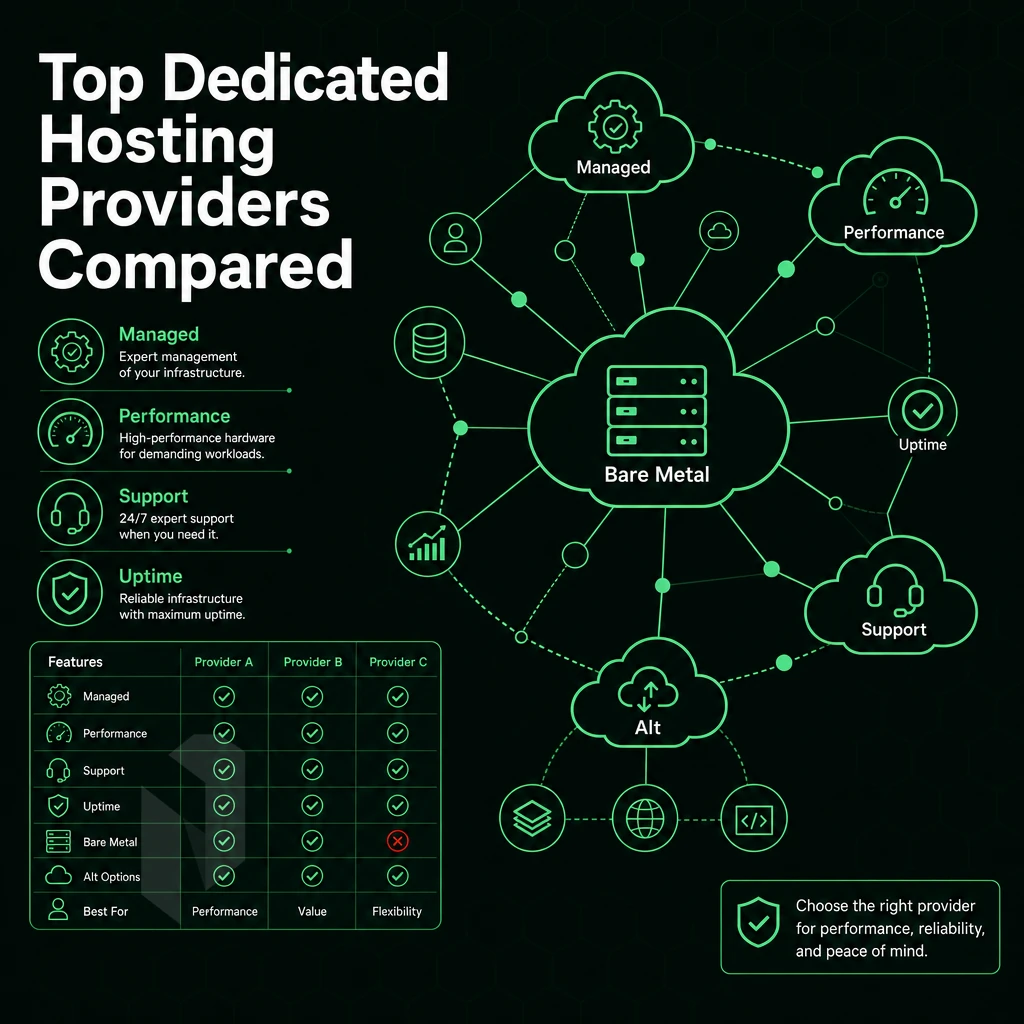
The market for dedicated server hosting providers can be generally split into two tiers: Providers like InMotion Hosting that offer a range of pre-configured, managed dedicated servers to small businesses and enterprises. And providers that focus on infrastructure, and serve their clients with custom servers, BGP and carrier-neutral colocation.
Entry-Level vs. Enterprise Dedicated Server Providers
Most consumer-oriented hosting companies package server administration with their fixed-tier plans and limit choices for their hardware. It is rare that a consumer-oriented hosting company offers fully-customized dedicated servers with any combination of CPUs, memory, storage, and operating systems that is needed to grow with a more demanding work load.
On the other end of the spectrum are enterprise dedicated hosting providers. They offer fully customizable servers, allowing you to choose the processor type, number of hard drives, RAID configuration and uplink port(s). Netrouting for example offers a range of servers with Intel Xeon and AMD EPYC processors, up to 2TB of RAM and up to 24 hard drives. They usually deploy within 60 minutes or so.
| Dimension | Entry-Level Providers | Infrastructure-Focused Providers |
|---|---|---|
| Hardware choice | Fixed tiers | Custom configs, latest-gen CPUs |
| Network | Shared uplinks | Unmetered 10 Gbps, BGP, IX peering |
| Uptime SLA | Varies | 99.9% with 24/7 NOC |
| DDoS protection | Add-on | Always-on L3/L4 included |
What Operating Systems Are Available on Dedicated Server Hosting Plans?
Dedicated hosting service providers typically offer to support a variety of Linux distributions, including Ubuntu, Debian, CentOS and Rocky Linux, as well as Windows Server. Unmanaged servers are shipped with a clean OS install, while managed servers have the servers patched and hardened on top of the unmanaged server configuration.
For buyers evaluating tiers, a team that manages their own stack and requires dedicated, global infrastructure will need an enterprise provider. A single site, with a managed solution and hands-off management, can likely be served by an entry-level provider.
Use Cases: Who Needs Dedicated Server Hosting Plans?
Not all workloads are suitable to be hosted on shared servers. Many businesses require dedicated server hosting in order to ensure adequate performance, adequate isolation between users and full control over the server configuration. Below are the primary profiles that we see for dedicated server hosting.
High-Traffic and Revenue-Critical Workloads
- High-traffic websites and online stores. When you’re processing payments online, time is money. Slow or downtime can cost you real revenue. With bare-metal hardware you avoid the noisy-neighbor problem, and with a full server at your disposal there’s no resource contention even at peak times.
- Video streaming. High bandwidth, low latency applications require guaranteed bandwidth. Video streaming takes advantage of unmetered 10 Gbps connectivity and dense peering at leading Internet Exchange points.
- The Online Gaming and Game Servers market. Low ping is the product being sold here. Dedicated CPU cores and low latency networking guarantee playable games as opposed to unplayable ones.
Connectivity, Compliance, and Compute
- VPN providers, customers with dedicated servers who require large amounts of connectivity and clean IPv4 space. Carrier neutral, BGP enabled backbone.
- Support for AI/ML and GPU compute workloads (e.g. training and inference) using dedicated GPU hardware. Servers running Windows or Linux bare metal and custom software environments (full superuser privileges) are supported.
- Compliance-driven businesses. Companies with data residency requirements need ISO 27001 and SOC 2 compliant data centers. Storage servers holding sensitive data are locked to specific geo-locations.
Do Dedicated Server Hosting Plans Include DDoS Protection?
Always-on L3/L4 DDoS mitigation is included in the cost of all services provided by Netrouting.
Most dedicated hosting providers charge additional for mitigation. At Netrouting the basic mitigation is included by default, so you only pay for what you need to keep your servers up and running.
Note: Advanced DDoS protection is recommended for gaming, financial, and streaming deployments where application-layer attacks are common.
How to Choose a Dedicated Server Hosting Plan: A Step-by-Step Buyer Guide
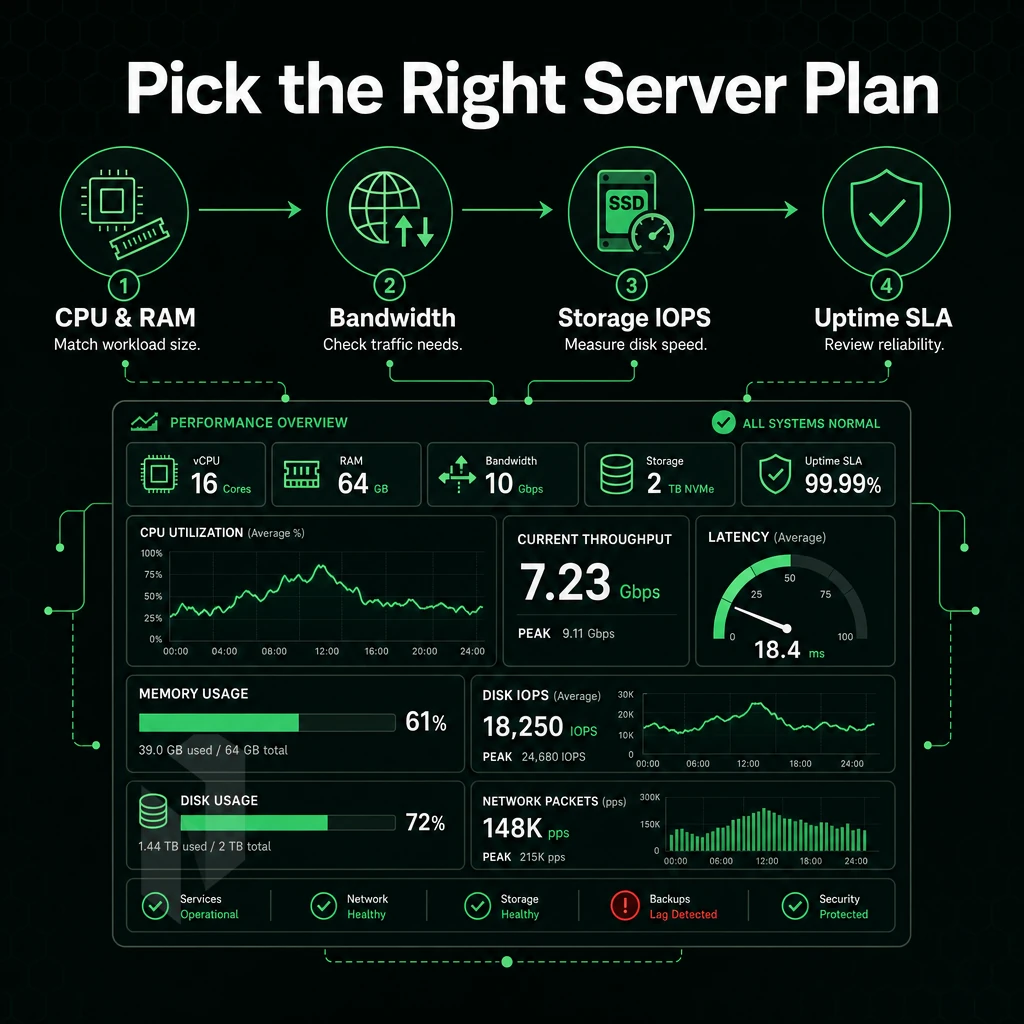
Picking the correct dedicated server hosting plan for you should be based off your actual usage (i.e. hardware needs, network requirements, level of support needed) rather than the hosting provider’s standard offerings. Follow these 7 steps to pick the correct hosting plan for you before you sign up.
Step 1, InMotion Hosting Your Workload Requirements
I start with the basics: CPUs, RAM and storage space. Game servers, video encoding and real-time analysis need high clock rates and many CPU cores. Memory-intensive services such as databases require 256 GB or even more RAM.
The type of storage depends on the requirements and available computing power, especially for high traffic websites: Fast I/O operations require NVMe, large amounts of data are better stored on SATA SSDs, while older archives are better stored on hard disks. The most important thing: No sharing of resources with others. The hardware is 100% dedicated to your application.
Step 2: Managed Hosting Services vs. Unmanaged and Support Options
If you have an internal team for OS patching, security hardening and server maintenance then unmanaged server hosting is perfectly fine. However, if not then managed hosting can offload the entire operational burden for you. Carefully evaluate the support model of prospective hosting providers. A 24/7 NOC, one hour ticket response time guarantee and a dedicated team outside business hours is the Netrouting hosting service standard that other providers should be measured against.
Step 3, Network, Location, SLA, and TCO
Where your users are, that’s where your data centers should be. 20-30 ms or less round trip is a good rule of thumb. Make sure your DDoS protection is included at baseline and not an afterthought.
Check the SLA for the host. The standard SLA for Netrouting host’s states 99.9% uptime with same business day replacement on hardware failures. “Best effort” type of promises in SLA’s are usually a warning sign.
Finally, calculate the Total Cost of Ownership (TCO) of a service. Hidden charges such as bandwidth overages, cross connect fees and additional support tiers can soon add up to far exceed the initial price. However, specialist IaaS providers’ dedicated hosting plans offer lower TCO than equivalent compute in the hyperscalers’ portfolios once these ‘hidden’ charges are included.
Support Services and SLA: What to Demand from Your Hosting Provider
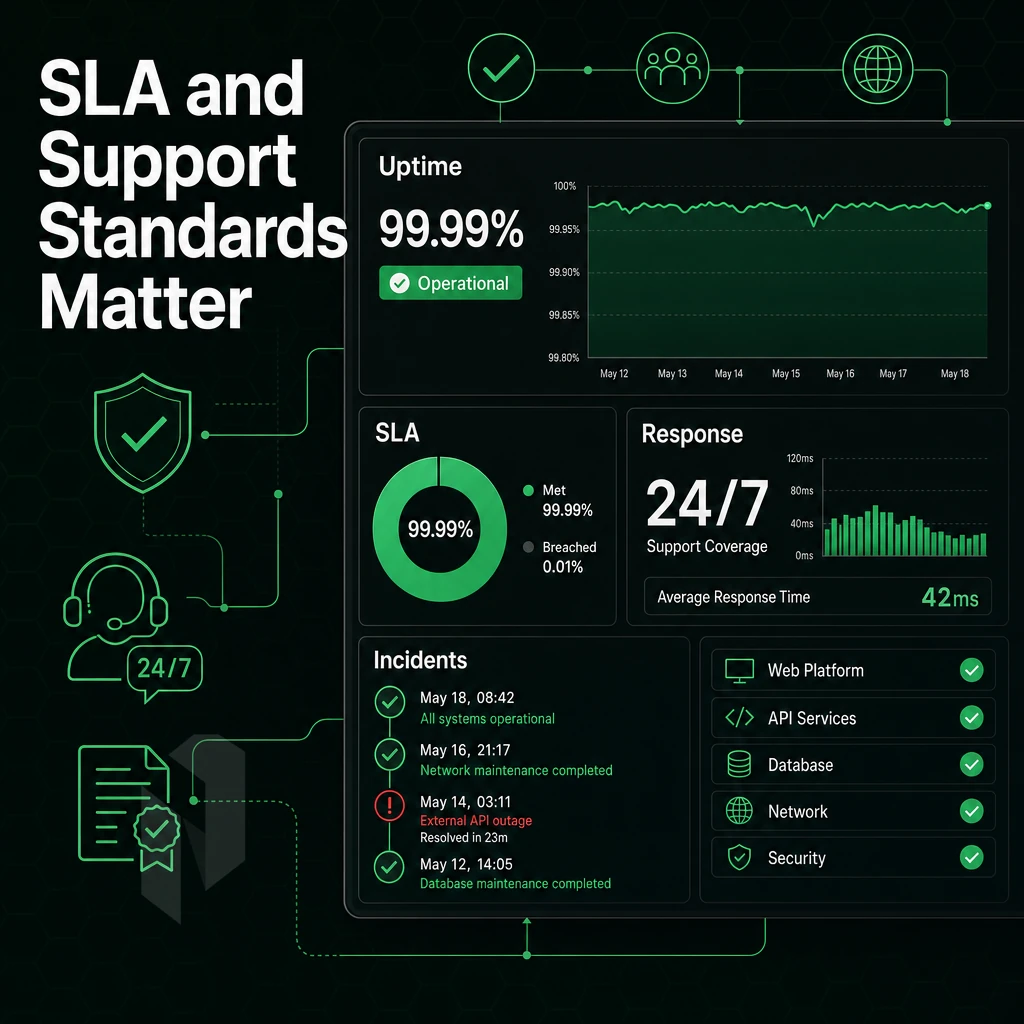
Support quality is what keeps a dedicated server from becoming a very expensive piece of hurt lockbox-ness. When you get a dedicated server hosting plan, it’s not managed with all the other servers of the same type, that’s left to the provider’s NOC, your only real safety net. Ask for specifics.
Ticket Response and 24/7 NOC Coverage
A 1-hour ticket guarantee means that within 1 hour of submitting a ticket.
The support offered during business hours is not sufficient for high performance servers that are used for revenue critical services. The support is needed 24/7/365 for services such as game servers, financial services and streaming services. Make sure that 24/7/365 support is offered by contract and not as an afterthought.
We operate a 24/7 NOC.
Hardware Replacement and Remote Hands
Full server control is pretty useless if server hardware fails and is left unattended for 48 hours or more. For entry level dedicated servers with unmetered bandwidth and beyond, demand same business day replacement as minimum, we aim to complete same business day replacement within 4 hours during business hours with physical parts on site.
Remote hands availability is also very important.
Backup, Recovery, and Managed Dedicated Server Options
The retention period for a dedicated hosting service and the time required for a restore should be clearly stated. Our standard backups are performed as daily incrementals with a full backup on a weekly basis with a 30-day retention period. The time to restore from a backup will typically take 15-45 minutes depending on size of data set.
If your team doesn’t have the capacity to manage shared resources across multiple servers then a managed dedicated tier provides OS patching. Security hardening and proactive monitoring while allowing you to retain control of the shared resources without the operational burden.
Global Network Quality and Data Center Locations
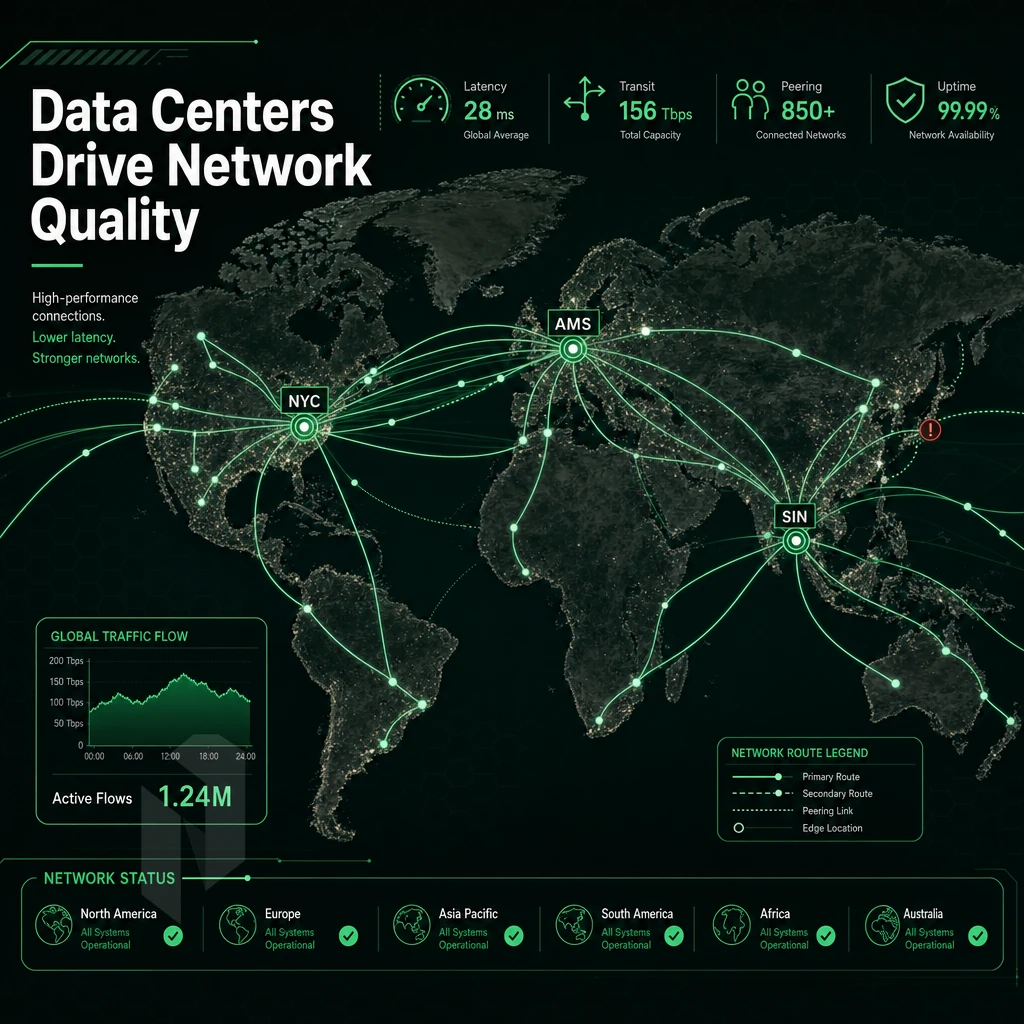
Server hardware alone does not tell the entire story. The network that connects dedicated server customers' machines together and to the rest of the world is a core part of any hosting service, affecting latency, resilience and throughput far more than the amount of CPU or RAM power on a server.
What a Strong Global Network Actually Delivers
Tier 1 upstreams provide direct connectivity to all regions of the Internet.
Netrouting is operating the AS Number 6206 with 2.4 Tbps+ capacity in 10 locations around the world.
Location Coverage and Use Cases
European locations for our nodes are based in Amsterdam, Frankfurt, The Hague, Rotterdam, Stockholm and Bucharest. We have covered Western, Northern and Southeast Europe. Our locations in Miami and New York cover North America. Our locations in Hong Kong and Singapore cover the financial and enterprise locations in the Asia-Pacific region. With multiple locations for single sites or multiple websites for operators with locations in regions, the above listed locations can be used directly.
BYOIP and full BGP support allows network engineers to bring their existing address space and routing policy. IP transit is available in all locations. Our servers are built with Intel Xeon and AMD EPYC processors and are single tenant dedicated, so you don’t have to worry about noisy neighbors as you would in cloud services.
DDoS Protection, Resilience, and Backup
The same always-on L3/L4 DDoS scrubbing that already protects your dedicated hosting service from massive DDoS attacks is now included with every service, requiring no extra configuration or changes in your control panel. We have also further enhanced our advanced mitigation capabilities for high risk workloads with additional L7 filtering and custom policies.
Custom software stacks and latency critical applications are protected from large volumetric DDoS attacks that would otherwise fully saturate a typical network. Backup storage for critical data is also duplicated and replicated across the node network with geographic redundancy.
Decision Guide for Choosing Computing Power
A dedicated hosting service should offer high IX density and low port utilization for latency sensitive workloads, location coverage for multi-region redundancy, and BYOIP / BGP for network engineers that need control of routing.
Why Choose Netrouting for Dedicated Server Hosting Plans
Netrouting delivers bare-metal hosting plans built for teams that need real hardware, real control, and no surprises. Our dedicated infrastructure runs on latest-gen Dell and Supermicro platforms, Intel Xeon and AMD EPYC, provisioned in under 60 minutes.
- Unmetered 10 Gbps connectivity, up to 40 Gbps available, backed by our own AS6206 backbone with 2.4 Tbps+ capacity and dense IX peering.
- Always-on DDoS protection, L3/L4 mitigation included on every dedicated server. No add-on required.
- 10 global locations, Amsterdam, Frankfurt, The Hague, Rotterdam, Stockholm, Bucharest, Miami, New York, Hong Kong, and Singapore.
- Managed or unmanaged, choose fully managed dedicated hosting with OS patching and proactive monitoring, managed Proxmox VE, or managed control-panel servers. Full superuser access on every plan.
- ISO 9001, ISO 27001, and SOC 2 certified, with 24/7 NOC and a 1-hour ticket guarantee.
Predictable monthly costs and lower TCO than hyperscaler compute make Netrouting a strong bare-metal hosting platform for high-traffic workloads, game servers, and AI/ML deployments. Explore our dedicated server hosting plans or contact sales to discuss the right configuration.
Key Takeaways: Choosing the Right Dedicated Server Hosting Plan
Choosing between managed and unmanaged physical server hosting options comes down to one question: how much server administration can your team own? Managed hosting hands off OS updates, security patches, and server maintenance to your hosting provider. Unmanaged dedicated servers give full root access and full control, but demand real technical depth.
Prioritize hardware specs, unmetered bandwidth, and DDoS protection when comparing dedicated hosting plans. Scrutinise support SLAs and data center location before signing. Dedicated server hosting consistently delivers lower TCO than equivalent cloud services for stable, high-traffic workloads. Netrouting's server configurations, backed by a 2.4 Tbps+ global network and a 24/7 NOC with a one-hour ticket guarantee, make dedicated infrastructure a straightforward decision for teams ready to move off shared resources.
Dedicated server hosting delivers what shared and VPS environments fundamentally cannot: guaranteed resources, full hardware control, and predictable performance under load. The managed vs. unmanaged decision comes down to one question, does your team have the bandwidth to own the OS, security, and maintenance layer? If not, managed hosting removes that overhead without sacrificing full server control.
When evaluating plans, prioritize network quality over headline specs.
Netrouting runs dedicated servers with full server management and your choice of operating systems across ten locations, Stockholm, Amsterdam, Frankfurt, Miami, New York, Hong Kong, and more, on a 2.4 Tbps+ network with unmetered 10 Gbps included and bare metal provisioned in under 60 minutes. Browse available configurations or contact sales to spec a custom build.
Find the right dedicated server.
Share the workload, the location and the network needs. We help you match a configuration.