Your dedicated server host choice affects every subsequent decision you make (hardware, network, support, cost to own). Choose poorly and you’ll be stuck with an underpowered server, shared resources that impact performance, or a host that goes out of business at 2 am.
Evaluating hosting plans requires comparing not only upfront hardware specifications but also the long-term operational costs, support response times, and network quality that will define your infrastructure's reliability. Sites experiencing high traffic volumes require dedicated resources to maintain consistent response times and prevent resource contention that degrades user experience during peak load periods.
Netrouting is a provider that has been operating its own AS6206 backbone since 2009. They offer bare metal servers in 10 locations across Europe, North America and Asia and hold the ISO 9001, ISO 27001 and SOC 2 certifications. All our recommendations are based on this provider’s in depth knowledge of their own operations.
Blog contents
Cutting through the typical rankings of the best dedicated server hosting services. This guide looks at the top providers through the lens of six critical criteria that any serious IT person cares about when evaluating a hosting provider.
We rate hosting services on the following: Hardware (server) generation and flexible configurations, Network capacity and quality of peering, DDoS protection, Time to provision a server, Quality of hosting company’s support. Additionally, Hosts’ data center locations. When comparing hosting plans, evaluate whether the provider publishes SLAs for uptime, network availability, and hardware replacement timelines rather than relying on marketing claims alone.
What Is Dedicated Server Hosting and How Does It Work?
Dedicated server hosting is offered as a complete physical machine. There are no neighbors on a dedicated server and no sharing of CPU power or memory. All resources on a dedicated server are 100% reserved for your work load and nothing else. This is in contrast to all of the other types of hosting offered today.

What Dedicated Server Web Hosting Actually Means
The term dedicated server refers to single-tenant hardware, i.e. you are the only tenant on that server. In contrast to shared servers where dozens of accounts run on the same CPU with the same amount of RAM and VPS solutions where a hypervisor divides up a physical machine into virtual servers. Some providers also offer a dedicated ip address with each server, ensuring your applications have a unique network identity separate from any other tenant.
You get full root access with dedicated hosting. That means you have unrestricted access to the OS, kernel parameters, firewall etc. and can install any software you need. You don't have any of these unrestricted by a control panel which you don't own. This level of privilege grants exclusive access to system resources, allowing you to optimize configurations for your specific application requirements without vendor restrictions.
Your choice of OS. The vast majority of workloads on reliable dedicated hosting run on a Linux distribution (Ubuntu, Debian, CentOS, Rocky Linux etc) but Windows Server is also provided on the same hardware for .NET applications and Active Directory environments. Licensing for the windows operating system is typically billed separately and varies based on the edition and core count you select for your workload.
When Workloads Outgrow VPS Web Hosting
Three signals tell you it's time to move:
- CPU throttling under sustained load, your VPS host limits your burst headroom.
- Unpredictable latency due to noisy neighbors on shared infrastructure.
- Compliance requirements that mandate single-tenant hardware isolation.
Handling thousands of concurrent transactions for a very busy e-commerce site, is for example something we see every day. As opposed to this same scenario on shared servers where one peak from another user is even enough to slow down your checkout, this peak simply does not exist on your dedicated server. Sites experiencing high traffic volumes benefit from the guaranteed resource allocation that prevents performance degradation during peak periods.
InMotion Hosting Dedicated Web Hosting and the Performance Guarantee
Control of hardware alone does not guarantee great performance, but it is a good start. By avoiding the overhead of the hypervisor and I/O conflicts, you get to use 100% of your disk throughput, network bandwidth, and memory. Sites experiencing high traffic volumes benefit most from this architecture, as dedicated resources prevent the performance degradation that occurs when multiple tenants compete for the same CPU cycles or network bandwidth.
We also improve your security posture. Your attack surface is isolated and a vulnerability on another customer’s application will not affect your environment as there is no shared environment. Organizations requiring enterprise grade security often choose dedicated environments to meet compliance frameworks such as PCI-DSS, HIPAA, or SOC 2 without the shared-tenant risks. The isolation inherent in single tenant hardware ensures that kernel-level exploits or resource exhaustion attacks targeting neighboring workloads cannot compromise your infrastructure.
Dedicated server hosting on dedicated hardware is the highest performing form of hosting aside from bare-metal cloud hosting. At Netrouting we host dedicated servers on Dell and Supermicro hardware with Intel Xeon and AMD EPYC processors. We deploy your dedicated server within 60 minutes.
Organizations migrating from cloud hosting often choose dedicated servers to eliminate per-GB egress fees and regain predictable monthly costs. For teams evaluating alternatives, hostwinds dedicated servers represent another option in the market, though provisioning times and network capacity vary significantly across providers. InMotion Hosting also operates in this space with SSD-based configurations, though their network footprint and provisioning speed differ from providers maintaining their own autonomous systems.
Who Needs Top Rated Dedicated Server Hosting Like InMotion Hosting?
| Provider / Option | Performance | Support | Uptime SLA | Network | Best For |
|---|---|---|---|---|---|
| Netrouting | Latest-gen Intel Xeon and AMD EPYC. Up to 2 TB RAM, 24 drives. Bare metal provisioned in under 60 minutes. Full hardware RAID on every physical server. | 24/7 NOC. 1-hour ticket guarantee. Courtesy remote hands included. | 99.9% SLA. Same-business-day hardware replacement. | 2.4 Tbps+ backbone (AS6206). Unmetered 10 Gbps standard. Up to 40 Gbps available. Dense IX peering across 10 cities. | Teams needing a dedicated hosting provider with global reach, fast provisioning, and a high-bandwidth network. Strong fit for any hosting business moving off shared or VPS hosting. |
| Hyperscaler Bare Metal (major cloud platforms) | Standardized instance types. Limited custom hardware options. Operating system choice restricted to approved images. | Tiered support plans. Premium tiers carry additional cost. | 99.9% on compute. Network SLA separate. | Large global footprint. Egress fees apply. Bandwidth costs add up at scale. | Organizations already deep in a cloud ecosystem needing occasional bare metal capacity. |
| Budget Dedicated Hosting Companies | Older-generation hardware common. Fewer custom configuration options. Shared or VPS hosting often bundled alongside dedicated tiers. | Business-hours support typical. Slower ticket response. | 99.9% stated. Hardware replacement SLAs vary widely. | Shared uplinks. Bandwidth caps common. Limited IX peering. | Small hosting business or personal projects with low traffic and minimal uptime requirements. |
| Enterprise Colocation + Managed Hosting Providers | Customer-owned hardware. High-density power available. Operating system and stack fully controlled by the dedicated server customers. | On-site remote hands. Managed services available at extra cost. | 99.9%-99.99% depending on tier and contract. | Carrier-neutral cross-connects. Transit and peering purchased separately. | Large enterprises that own hardware and need physical server space with managed network access. |
Most dedicated server hosting providers have to make a choice between low prices and good performance with sufficient support. We combine the latest hardware with a 2.4 Tbps+ owned network and a 1-hour guarantee on our dedicated hosting support. So, no hidden egress costs as you might experience with cloud providers.
If you’re a hosting company or hosting provider and you’re looking for a more solid dedicated hosting environment than the shared or VPS hosting that you’re currently offering over 10 locations in Europe. North America and Asia, Netrouting is your preferred choice by default.
Managed vs. Unmanaged Dedicated Server Plans: Which Is Right for You?
Deciding between unmanaged and managed servers is perhaps the most important factor to consider when evaluating dedicated server hosting plans. Choosing the wrong option will either end up costing you too much for features you don’t require or spending way too much time provisioning a server that a host could do for you in minutes. We’re going to go through all of the major considerations one by one.
Phase 1: Understand the Spectrum of High Traffic Websites
-
Map the full range of unmanaged dedicated server plans.
At the unmanaged end, you receive raw hardware, network connectivity, and an OS install. Everything else, patching, hardening, monitoring, incident response, falls on your team. Full root access is unrestricted. You control every layer. Some providers allow you to specify custom servers with non-standard RAM configurations or additional NVMe drives before deployment. Some unmanaged providers offer optional control panel licenses such as cPanel or Plesk for customers who prefer a graphical interface over command-line administration.
This suits teams with a dedicated sysadmin who wants no interference from the hosting company.
-
Identify what managed dedicated servers actually cover.
A managed tier typically adds OS patching, security hardening, and proactive server monitoring. The provider watches for anomalies and applies critical updates. You still retain full root access, management is additive, not restrictive. Teams that lack in-house Linux expertise often prefer a fully managed tier to offload routine maintenance tasks while retaining the ability to deploy custom applications. For organizations seeking maximum operational simplicity, fully managed dedicated servers handle everything from kernel updates to application-layer optimization, leaving technical teams free to focus on development rather than infrastructure maintenance. Providers offering fully managed services typically include 24/7 incident response, automated failover configuration, and application-specific tuning that goes beyond basic OS maintenance.
Note: "Managed" is not a universal standard. Always verify the exact scope in writing before signing. Some providers bundle only reactive support; others include scheduled maintenance windows and alerting.
-
Managed Hosting vs Fully Managed Dedicated Hosting Explained
Fully managed dedicated hosting extends the scope further, typically covering control-panel management, backup verification, and performance tuning on top of the baseline managed layer. Fewer decisions land on your plate. Providers often include a web-based control panel such as cPanel or Plesk to simplify routine tasks like domain configuration, email account creation, and database administration without requiring command-line expertise.
Phase 2, Assess Your Team's Capacity
-
Audit your internal skills honestly.
If no one on your team holds current Linux administration experience, unmanaged hardware will create risk. Security patches left unapplied are the leading cause of server compromise on self-managed infrastructure.
-
Calculate the real cost of DIY administration.
Engineer time spent on OS maintenance, security audits, and monitoring setup has an opportunity cost. For many teams, dedicated plans with managed services deliver lower total cost of ownership than staffing equivalent expertise in-house.
Note: When comparing options, including providers such as those offering InMotion's dedicated servers, confirm whether technical support covers the OS layer or only the network and hardware.
Phase 3, Match the Tier to Your Workload
-
Choose unmanaged for maximum control.
Development environments, custom kernel builds, and security-sensitive workloads where your team audits every change benefit from full root access with zero provider involvement in the OS layer.
-
Choose managed for operational efficiency.
Production workloads where uptime matters and sysadmin bandwidth is limited are the natural fit. Netrouting's managed hosting covers OS patching, security hardening, and proactive monitoring, while you retain full root access throughout.
-
Re-evaluate as you scale.
Teams often start unmanaged and migrate to managed as infrastructure complexity grows. Build that transition path into your vendor selection from day one.
Key Criteria for Evaluating Dedicated Web Hosting Providers

Evaluating dedicated server hosting providers can be challenging as many hosts engage in similar marketing efforts. In order to choose a host that will provide adequate performance and dependability in the long term, we have provided a set of criteria by which you can evaluate potential hosts. This list includes measures for the host’s hardware, network, and overall infrastructure as well as their operations.
Hardware Generation and Configuration Flexibility
Using the latest hardware in servers. Modern servers based on the current generation of Intel Xeon and AMD EPYC processors outperform previous generations in terms of performance per watt, memory bandwidth and PCIe throughput. Check that your provider is using high-end hardware from established hardware manufacturers and not re-used commodity servers.
For unusual workloads, customized server configurations are much more suitable than standard products. This includes for example very dense storage configurations, GPU compute nodes as well as memory-intensive database servers. If a hoster supports customized configurations for example of the number and type of hard disks. The RAID controller as well as the amount of RAM of a standard product, he can avoid overdimensioning such a product.
Root access is something you need to have for production systems. Without it you are not able to change kernel parameters, install new software stacks and other things as needed to fix problems and deal with security issues.
Network Quality and DDoS Protection
The best dedicated hosting ensures that your fully managed server has sufficient bandwidth headroom to handle sudden peaks in traffic, so you can be confident in your infrastructure's ability to cope with unexpected bursts of activity. High traffic websites, e-commerce sites and streaming media platforms particularly benefit from unmetered 10 Gbps uplinks.
Enterprise security at the network layer means DDoS protection is always on. L3/L4 mitigation should be included by default as application-layer scrubbing for certain workloads would need to be configured in any case. Check the mitigation capacity of potential providers and whether scrubbing is done on their network or off-shelved to a third party.
Infrastructure, SLAs, and Support
Check the Uptime SLA tiers to find out what your web host promises in case it fails. A 99.9% SLA translates into approximately 43 minutes of downtime per year. Also, scrutinize the credit given in case of failure within the advertised SLA. Some hosts only start granting credits after an extended period of downtime, which is not suitable for applications that require a lot of time to resolve failures.
All data centers should have independent certifications (at a minimum ISO 27001 / SOC 2) and run with N+1 power & cooling to avoid single points of failure. A carrier neutral facility allows for upstream diversity, a single carrier house has hidden dependencies.
The management interface (control panel or API-based provisioning) should fit the way you are working. The time it takes to provision servers with bare metal is also an important factor. With bare metal available within 60 minutes or less, incident recovery as well as new workloads can be put into production much faster. Netrouting fulfills all requirements from above in 10 locations in Europe, North America and Asia-Pacific.
How Leading Dedicated Hosting Providers Compare on Dedicated Plans
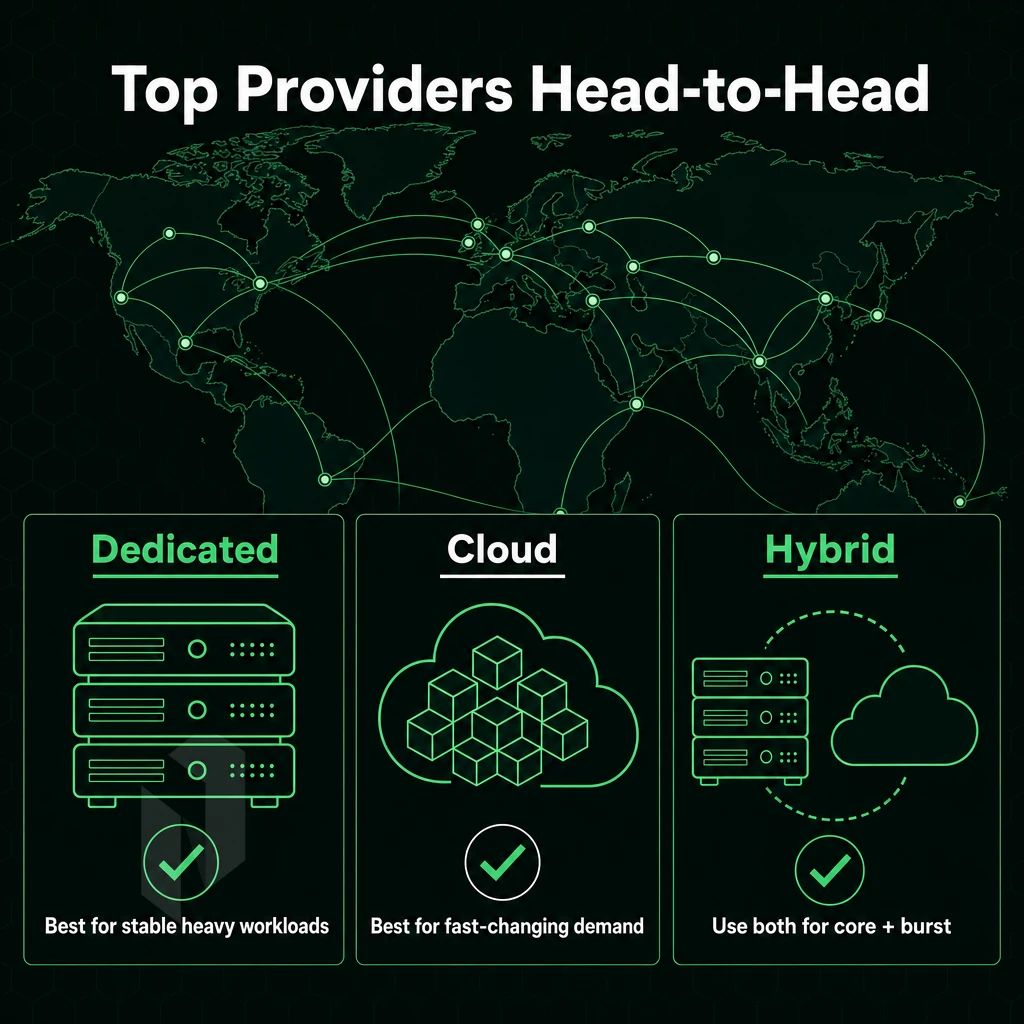
The dedicated server hosting options market includes a wide array of hosts, from consumer-targeted web hosting services to fully-bare metal offerings from enterprise-class dedicated hosts. Identifying where a host fits in this spectrum can help IT professionals make informed purchasing decisions in a flash.
InMotion Web Hosting and the Consumer-Oriented Tier
InMotion Hosting’s dedicated hosting plans can serve as an entry point into the market of dedicated hosting plans. Specifically for smaller businesses gradating from shared hosting with managed services, cPanel-based control panels and average hardware configurations.
This tier generally offers:
- Single-processor Intel Xeon configurations.
- Bandwidth measured in terabytes per month rather than unmetered gigabit ports.
- Managed OS setup and basic monitoring included.
- Hardware refresh cycles tied to multi-year contract renewals.
These best dedicated hosting plans are designed for businesses with web applications, e-commerce web sites, or CMS-based web sites who want predictable performance without having to deal with low-level infrastructure issues.
What Leading Providers Offer Across the Market
At the upper end of the market, the leading providers compete on hardware, network and support. Unmanaged dedicated hosting is typical in this market, customers get root access and large amounts of raw compute power but are left to manage the server themselves.
Key differentiators across the market include:
- Hardware generations: Newer AMD EPYC and Intel Xeon Scalable vs. older v3/v4 generation Xeon hardware.
- Bandwidth policies: metered TB allocations vs. unmetered 10 Gbps ports.
- Network quality: shared uplinks versus dedicated carrier-neutral connections.
- DDoS protection: add-on versus always-on baseline coverage.
Managed Services and Where Netrouting Fits
Enterprise fully managed hosting is not just patching the OS, it’s also active monitoring, securing the server to best practice and a set of guaranteed response times.
Netrouting has 10 locations worldwide (Sweden, Netherlands, Germany, USA, Asia), all on our own AS6206 powered by a 2.4 Tbps+ network. All our deployments come with L3/L4 DDoS protection as standard, 10 Gbps ports without any bandwidth limits, and a 24/7/365 NOC with a 1hr ticket guarantee. So while webhosters usually differ from enterprise bare metal hosting in several points, with Netrouting you’ll find the ideal middle ground for very demanding applications.
Choose the right kind of server.
Not every workload needs the same machine. Pick the starting point that fits yours.
Compare configurations, not just rack space.
Start with a dedicated server when provider-owned hardware is the better fit. Compare CPU, memory, storage and network needs.
Start the conversation with
- Compute
- CPU and memory
- Storage
- Capacity and workload
- Network
- Port and traffic needs
Start with a VM. Scale it when needed.
Use cloud compute for workloads that do not need a full machine. Compare vCPU, memory and storage per plan.
Start the conversation with
- Compute
- vCPU and memory
- Storage
- Disk size
- Location
- Preferred region
Bring the servers. Choose the location.
Compare colocation for the equipment you already own. Start with footprint, power and the markets you need to reach.
Start the conversation with
- Equipment
- Rack footprint
- Power
- Expected draw
- Network
- Port and traffic needs
Dedicated Server Hosting Providers Comparison Table
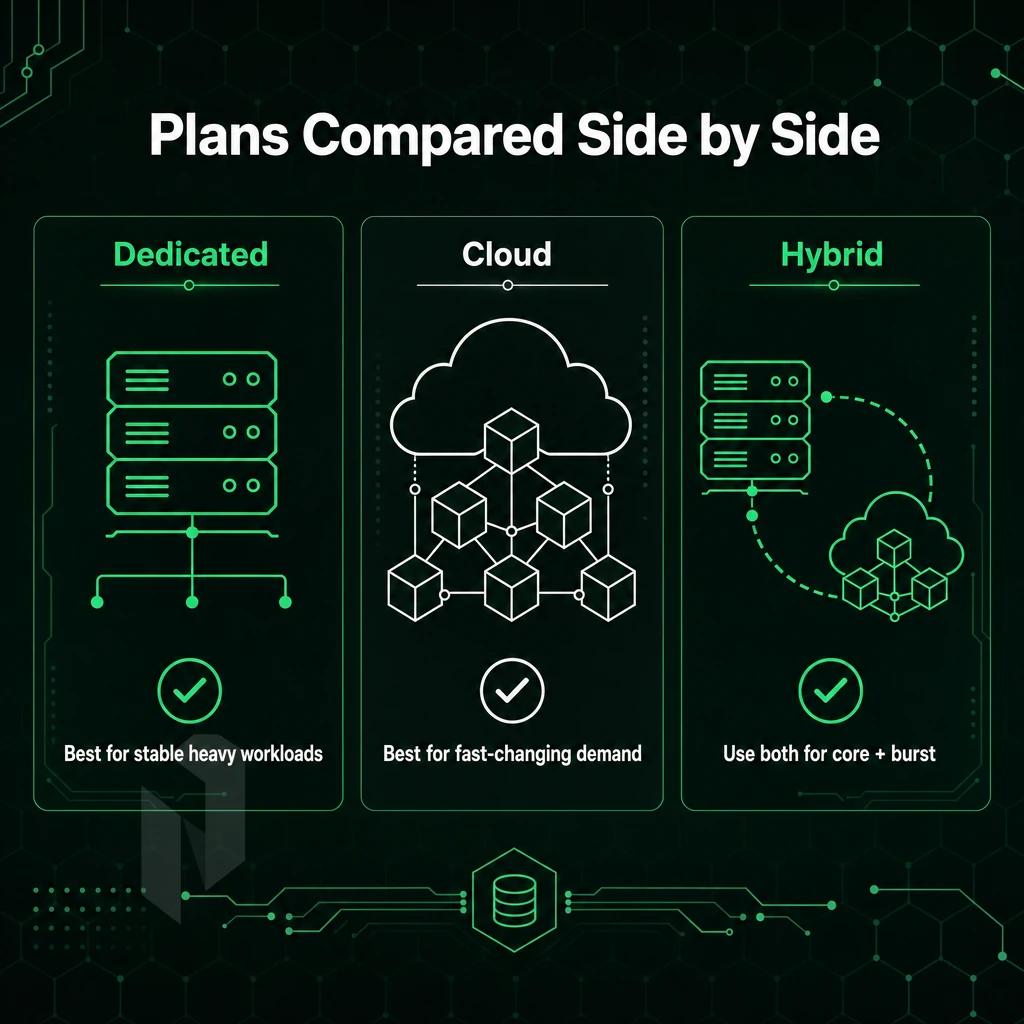
Dedicated server hosting is not created equal. Companies can vary greatly in terms of the quality of hardware, network, and management, as well as how they handle attack traffic. We compare like to like in the following table, and try to map you to the correct hosting provider for your specific needs rather than just another marketing tier.
How to Read This Comparison
Each row details what the provider is publicly committed to. The Hardware section outlines raw compute power. The Bandwidth section details how your service will perform under load. The DDoS protection / Uptime SLA section details your risk floor. The Management section details how much operational headache will be imposed on you.
Bare metal servers are fundamentally different from shared hosting (even colocated hosting) where hundreds of other users share resources on the same server(s). That type of shared server environment is not suitable for latency-critical, highly-compliance-governed applications and those that require excessive resources to operate in a reasonable fashion.
| Provider | Hardware | Management Level | Bandwidth | DDoS Protection | Uptime SLA | Notable Strength |
|---|---|---|---|---|---|---|
| Netrouting | Dell & Supermicro, Intel Xeon & AMD EPYC; up to 2 TB RAM, up to 24 drives | Unmanaged and fully managed options | Unmetered 10 Gbps; up to 40 Gbps available | Always-on L3/L4 included on every service; advanced L7 available | 99.9% | Bare metal provisioned in under 60 minutes; own data centers across 10 cities; free private network up to 40 Gbps |
| Provider A | Varies by tier; entry configs typically single-socket Intel Xeon | Managed and unmanaged tiers | Metered or capped; varies by plan | Add-on; not included by default | 99.9% | Consumer-oriented control panel; broad shared hosting cross-sell |
| Provider B | Single- and dual-socket Intel Xeon; limited AMD options | Primarily managed | Unmetered on select plans | Included on some tiers | 99.9% | Strong managed support model; compliance-focused add-ons |
| Provider C | Proprietary or OEM hardware; configuration options limited | Unmanaged standard; managed at extra cost | Metered; overage fees apply | Basic scrubbing; advanced tiers extra | 99.9% | Large global footprint; broad product catalog |
Managed vs. Unmanaged Hosting: InMotion Hosting Operational Models
If you have in-house experts on Linux or Windows Server, an unmanaged bare metal server can be very cost effective, since you won’t have to pay for any overhead. However, if you need help with OS patches, security configuration and performance monitoring, you can shift that to the hosting provider and opt for a managed hosting offer.
We offer both managed services and root access on all tiers. Our managed services include OS patching, security hardening and monitoring. This can be very valuable for companies with dedicated servers but without a large internal ops team.
Decision Guide: Which Provider Fits Your Workload
When choosing a provider for your needs, there are three main signals to consider: provisioning speed, network headroom and the protection baseline provided by the provider. The need for a node to be provisioned within an hour is a key signal for the provisioning speed provided by a provider.
A provider with unmetered multi-gigabit ports removes bandwidth anxiety for users of streaming, gaming and VPN services. A provider that bundles DDoS mitigation by default removes a common gap in the risk model of most users.
Many overlooked factors exist in the process of selecting the right cloud provider, including the factor of billing predictability. A price lock guarantee on a server configuration is something you want to negotiate with any provider, including inmotion hosting, and have them guarantee prior to signing any contracts as your server and associated components grow in complexity and mature in production.
We can fulfill the needs of companies with enterprise server hardware, setups within 60 minutes. Unlimited 10 Gbps and 24/7 DDoS protection without any additional costs within our data centers in 10 locations across Europe, North America and Asia.
Network Quality, DDoS Protection, and Uptime SLA: What to Demand
Dedicated hosting with a good network is a lot better than inferior dedicated hosting that collapses under load. Find out 3 things about your future host: the backbone, the mitigation, and the SLA commitments. Here is how to check them for a potential host in detail.
Evaluate the Network Backbone
- Verify carrier-neutral peering and Tier 1 upstreams. The key difference is that by operating your own autonomous system with direct IX peering as opposed to just reselling you a bunch of transit, you get to control your own routing. The resulting network has fewer hops, lower latency and is not dependent on a single upstream carrier. We operate AS6206 and list peering at AMS-IX, DE-CIX, NetNod and FL-IX in ten locations worldwide.
- Check total network capacity and port utilization. The numbers behind raw capacity mean nothing if all the ports are fully utilized. One needs to check whether the provided capacity is far above the peak usage of the customer. At Netrouting the total network capacity of 2.4 Tbps+ combined with very low port utilization (well below 40%) of single tenant hardware guarantees enough headroom for short peaks in traffic.
- Confirm unmetered bandwidth is genuinely unmetered. It is important to confirm with a provider whether their unmetered bandwidth offer will really not restrict you, even at high loads. Some data centers even quietly start to bill overage soon. As always: get the port speed for your dedicated servers confirmed with the provider. Also inquire about possible burst limits and make sure to get all promises in writing. Netrouting’s unmetered bandwidth offer runs at 10 Gbps on dedicated servers. For very large data volumes, even up to 40 Gbps, are possible, too.
Note: A high headline capacity figure means nothing without low port utilization. Always ask both numbers together.
Assess DDoS Protection Depth
- Distinguish baseline mitigation from advanced coverage. Check for a provider that offers always-on L3/L4 DDoS protection as standard and check for the scrubbing capacity of their mitigation infrastructure. Netrouter’s mitigation system has a capacity of over 1 Tbps+ and triggers automatically without any human interaction.
- Please provide details of L7 and application-layer coverage required for high-risk workloads. Volumetric attacks are not the only thing to worry about: Gaming, streaming and financial services also get attacked on the application level. Are advanced mitigation modes with custom policies available for your high-risk workloads?
Lock Down SLA and Hardware Guarantees
- Read the uptime SLA carefully, including the percentage and the remedy. A 99.9% uptime SLA is the minimum that I would consider for ‘best’ dedicated server offerings. Ensure that the compensation due in the event of a miss is more than just a series of credits that require a support ticket to be logged and then 3 weeks or so to process.
- Verify hardware replacement timelines. It happens from time to time, that dedicated hardware fails. We’re interested to find out how fast a provider is willing to replace broken hardware parts. Netrouting same-business-day hardware replacement is implemented, in worst case within 4 hours with parts on site. This is what best dedicated server hosting really looks like.
Note: Never accept a vague "best effort" hardware replacement clause. Demand a specific time commitment in the contract before you deploy production workloads.
Managed Dedicated Servers Pricing and Total Cost of Ownership
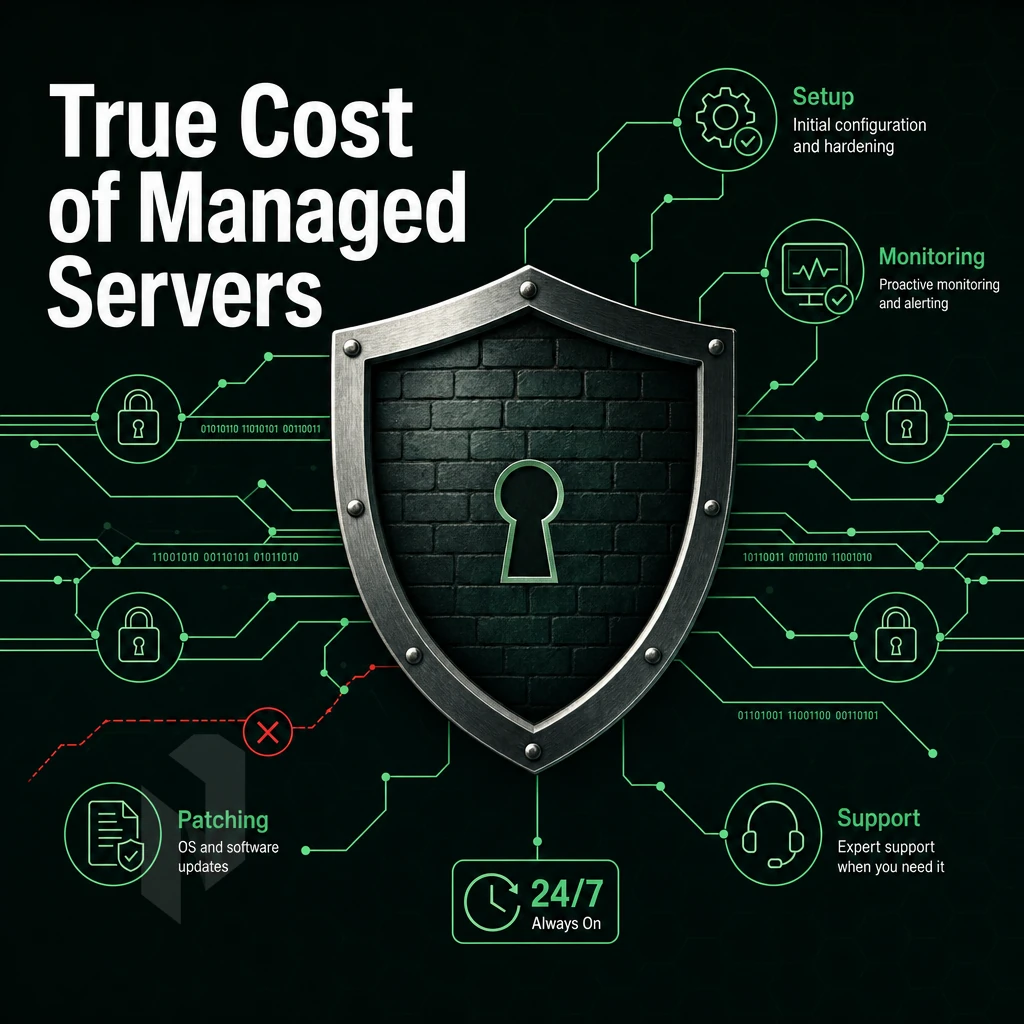
Looking at dedicated server hosting only based on the sticker price to rent it out does not reveal the true costs involved. The Total Cost of Ownership (TCO) for example includes bandwidth, API calls, support as well as licensing which hyperscalers charge on top of the base rate for their compute instances.
Competitive Pricing: Bare Metal vs. Hyperscaler Compute
The costs for compute, egress, storage I/O and software as a service add-ons for Hyperscaler virtual machines are typically billed separately and can quickly add up for larger workloads over time. In contrast, dedicated bare metal servers aggregate all of the costs into a single monthly charge.
For 24×7, highly utilized workloads, bare metal offers lower TCO than cloud-based hosting solutions of equivalent scale and performance. There’s no virtualization overhead to pay for as you’re not sharing physical hosting with others.
Where the Savings Accumulate
Egress fees are probably the biggest TCO surprise for most cloud platforms. Unmetered or very high bandwidth dedicated servers solve this problem for good. No fees per API call. No support surcharges (tiered) to speak with an actual engineer.
Buy Dedicated Servers: OS Choice and Licensing Impact
When selecting an Operating System for a server, Total Cost of Ownership (TCO) must be taken into account. Linux dedicated servers have zero cost per seat, as they are typically used to run open source applications and services. In contrast, Windows dedicated servers and windows based dedicated servers carry the cost of Microsoft licensing in addition to the monthly cost of the server. It is wise to include these costs in any models prior to making a purchase.
When looking at dedicated servers from a variety of hosts, some (such as hostwinds) even include the cost of OS licensing in the listed price of a configuration. So be sure to check what is included with a server before you begin to compare it to similar servers at other hosting companies.
Price Lock and Commitment Discounts
The price lock guarantee is a standard practice in the dedicated hosting market. By committing to a longer term (e.g. quarterly/annually) instead of month-to-month, customers can earn significant discounts off the regular rate, and help keep TCO down for stable production workloads by locking in a term.
Our transparent pricing reflects our commitment. No hidden charges for egress traffic, only fixed rates which allow you to accurately forecast your expenses. Inquire with our sales department for pricing of specific configurations.
Bare metal dedicated servers consistently deliver better TCO for sustained, high-resource utilization workloads than cloud-based compute from hyperscale providers, once egress charges, license costs and support fees are fully loaded.
Why Choose Netrouting for Top Rated Dedicated Server Hosting
When your workload has outgrown shared hosting or VPS hosting, dedicated server hosting delivers the single-tenant hardware and full root access that high-traffic websites, online stores, and latency-sensitive applications demand. Netrouting's dedicated servers are built on latest-generation Dell and Supermicro platforms running Intel Xeon and AMD EPYC processors, the same dedicated hardware trusted for managed dedicated servers and unmanaged dedicated servers alike.
- Rapid provisioning. Bare metal goes live in under 60 minutes. No queuing, no waiting for a hypervisor layer to free up capacity.
- Unmetered 10 Gbps bandwidth, scalable to 40 Gbps. High-traffic dedicated server hosting demands headroom. Our network delivers it without surprise overage fees.
- Own Tier 1 backbone, AS6206. We've operated our own autonomous system with AMS-IX peering since 2009. Our 2.4 Tbps+ network spans 10 data centers across Amsterdam, Frankfurt, The Hague, Stockholm, Rotterdam, Bucharest, Miami, New York, Hong Kong, and Singapore.
- Always-on DDoS protection included. L3/L4 mitigation ships with every dedicated server plan, no add-on required, no configuration needed.
- Fully managed or full root access, your choice. Fully managed hosting covers OS patching, security patches, and server monitoring while you retain complete control. Prefer self-managed dedicated hosting? That's available too.
- Certified infrastructure. ISO 9001, ISO 27001, and SOC 2, with a 24/7 NOC and a one-hour ticket response guarantee.
Custom configurations, GPU servers for AI/ML workloads, and custom hardware configurations for non-standard deployments are all available on request. Speak with our team to compare dedicated hosting plans and find the right fit for your workload.
How to Choose the Best Dedicated Server Hosting for Your Workload
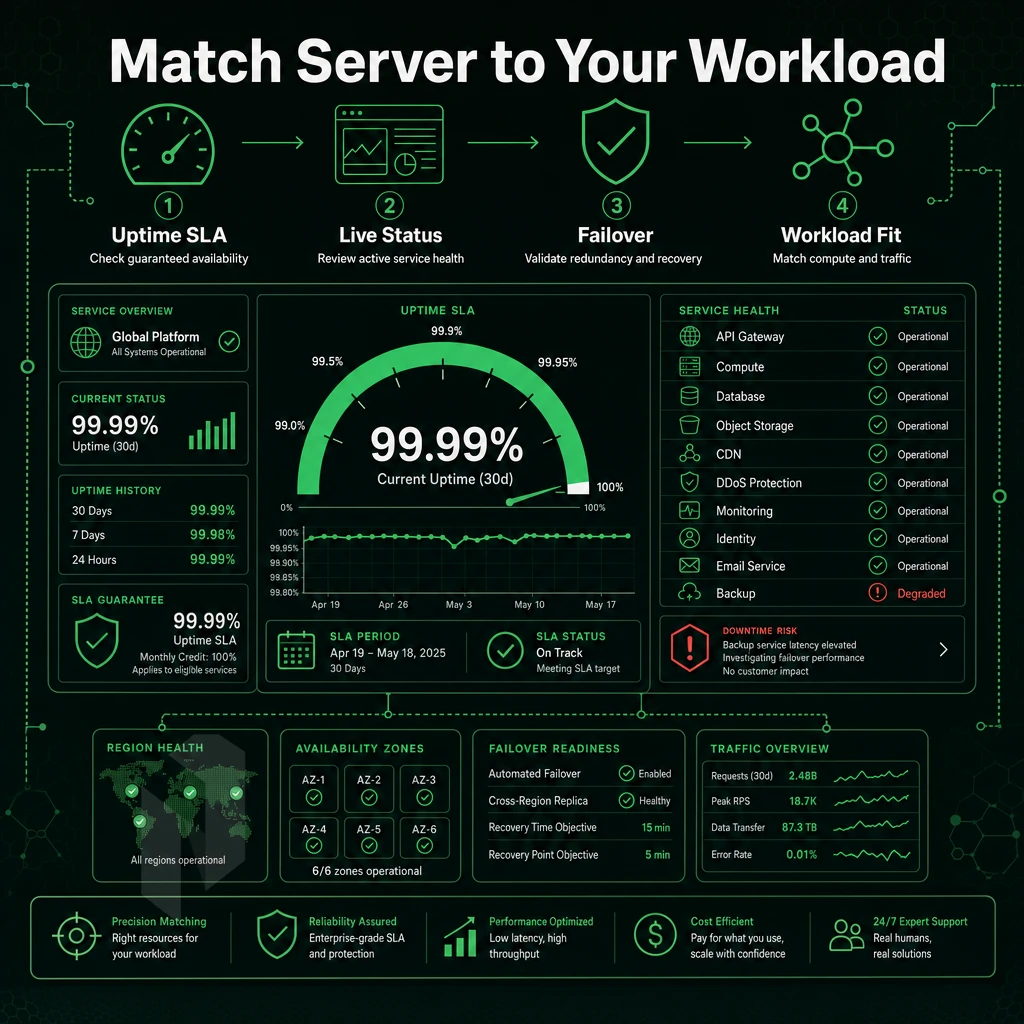
Choosing a dedicated server hosting provider comes down to 6 decisions which you can read in order to arrive at the right choice for your needs.
Step 1, Assess Workload and Hardware Requirements
Begin with your raw resource needs. For high-traffic web applications, this usually means 16-32 CPU cores, 64-128GB of RAM and less than 5ms latency between nodes within a single data center. AI inference and video transcoding workloads typically require much more. Also important are customized hardware configurations (e.g. number and type of hard disks, RAIDSetup, special GPU chips) that cannot be fulfilled by providers with strictly catalog-based offerings.
Step 2, Managed vs. Unmanaged
The most important option for you is Fully managed dedicated hosting. This type of hosting is managed for you for OS updates, security patches and monitoring. You will have root access to the server but will not be required to do the day to day administration of the server. Unmanaged dedicated servers are fully under your control to configure as you see fit. However, this type of hosting requires in-house expertise with Linux or Windows.
unmanaged bare-metal hosting is best for teams that have a dedicated sysadmin. Managed hosting is best for lean teams that value their time and would rather have the hosting configured for optimal uptime rather than flexibility to manage. We offer both managed and unmanaged hosting, including Managed Proxmox VE for teams that manage their own VM layer.
Step 3, Network, DDoS, and Location
Select a data center that is closest to your target audience. For example, users from Europe will benefit from low latency connections to Amsterdam, Frankfurt and The Hague. Users from Asia Pacific will benefit from low latency connections to our data centers in Hong Kong and Singapore.
Users from the East Coast of the United States will benefit from low latency connections to our data centers in New York and Miami. Netrouting operates 10+ data centers across the globe on its own AS6206 backbone with 2.4 Tbps+ capacity. All data centers are protected by always-on L3/L4 DDoS protection and are included with all plans.
Step 4, SLA and Technical Support
Make sure to check the uptime guarantee and the response time for support requests prior to signing. Our standard SLA has a 99.9% uptime guarantee and a 1 hour response time on tickets 24/7. Bare metal servers are provisioned within 60 minutes.
Step 5, TCO vs. Alternatives
| Hosting Type | Best For | Key Limitation | Uptime SLA |
|---|---|---|---|
| Dedicated Server | High-traffic, security-sensitive, custom workloads | Higher baseline cost than VPS | 99.9%+ |
| VPS Hosting | Dev/test, low-traffic sites | Shared CPU and RAM; noisy-neighbor risk | Varies |
| Hyperscaler Cloud | Elastic, bursty workloads | Unpredictable egress costs at scale | Varies by tier |
For sustained, predictable workloads dedicated servers have a lower total cost of ownership. If you need high performance, utmost security and more than just flexibility by means of scaling then fully managed dedicated servers are the better choice and Netrouting was specifically designed for this purpose.
Core Advantages of the Best Dedicated Server Hosting
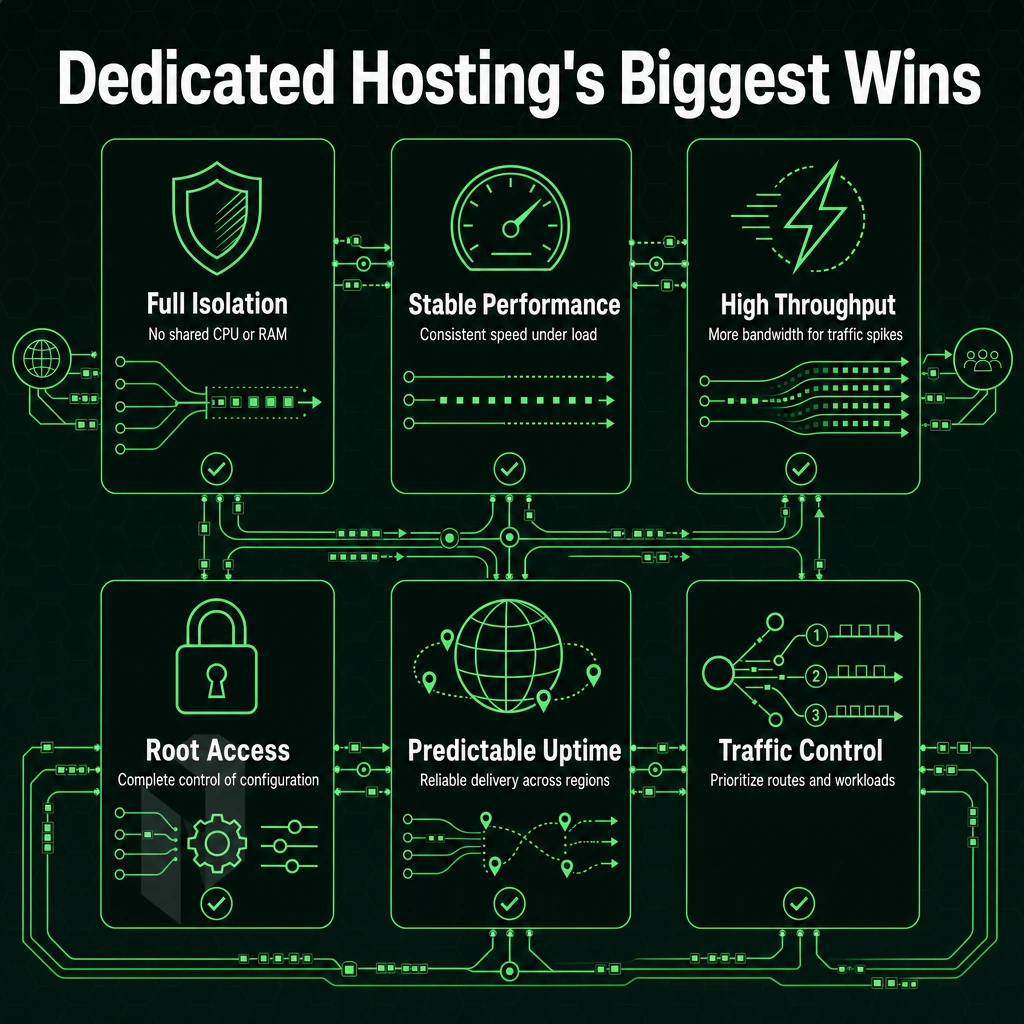
As opposed to shared or virtual private server hosting, dedicated server hosting provides single-tenant hardware, full root access and stable performance that is not affected by neighboring servers or users. In addition to all resources of the dedicated server being at your 100% disposal, other features such as custom configurations, choice of Operating System and top-of-the-line security options are standard and not additional services.
If your website is extremely popular, if you have an online shop, or if your workload simply generates too much traffic for a shared hosting environment, you should consider a dedicated hosting offer. On top of reliable performance, you will get guaranteed resources. A managed dedicated server even includes the maintenance of the Operating System, server monitoring and patch management for security vulnerabilities.
As a result, That your IT team does not have to worry about the server anymore and can focus entirely on your application. Our offers for dedicated server hosting are characterized by up-to-date hardware, DDoS protection that is always activated, and a 99.9% SLA. For serious web applications, there is no alternative to dedicated web hosting. It offers the perfect mix of dedicated infrastructure, complete control, and a transparent total cost of ownership.
Choosing Top Rated Dedicated Server Hosting: Final Checklist
The premium dedicated server hosting is based on eight factors: the generation of server hardware, the level of server management. Bandwidth policies, DDoS protection, the SLA for uptime, server locations, server support response times, and server pricing transparency. Get all of these right and your dedicated server will deliver in terms of performance, security, and reliability. Get one wrong and you will inherit someone else’s problems.
The best dedicated server hosting isn't the cheapest plan or the longest feature list, it's the provider whose dedicated infrastructure matches your traffic profile, compliance requirements, and growth trajectory. Evaluate dedicated hosting providers on real specs, not marketing copy. Netrouting's dedicated server plans combine modern hardware, unmetered bandwidth, always-on DDoS protection, a 99.9% uptime SLA, and 24/7 support with a one-hour ticket guarantee across ten global data centers. See the full range at netrouting.com/dedicated-servers.
Dedicated server hosting provides unique performance, security and control. Choosing the right hosting provider for dedicated servers is based on three important criteria: The quality of hardware and networking as well as the quality of the service and support. Price is not the only deciding factor.
While managed plans can save on operational overhead and still grant root access, unmanaged plans are better suited for in-house Linux experts who want full control over all layers of a stack. Neither is better than the other, it all depends on the specific workload.
Netrouting offers some of the best dedicated hosting available through bare metal servers on the latest Intel Xeon and AMD EPYC platforms, provisioned in under 60 minutes, with unmetered 10 Gbps connectivity and always-on DDoS mitigation included on every deployment. Ten locations across Europe, North America, and Asia mean low-latency reach wherever your users are. Explore Netrouting's dedicated server configurations and contact the sales team to spec the right build for your workload.
Find the right dedicated server.
Share the workload, the location and the network needs. We help you match a configuration.