

Picking the wrong hosting environment for your web app costs more than money, it costs downtime, poor performance and hours of engineering time that you can’t get back. At one end of the spectrum are shared hosting accounts that often have unknown limits on resources such as CPU, memory and I/O.
At the other end are bare metal hosting environments that offer complete control over physical hardware. Shared environments often impose opaque restrictions on how website files are stored and accessed, limiting your ability to optimize delivery or implement custom caching strategies.
We cut through the hype for you. As one of the longest established web hosting and infrastructure providers (since 2007) in Europe, North America and Asia, we operate a massive 2.4 Tbps+ backbone (AS6206) with 10 locations worldwide. Thus our analysis is firmly based on our in-depth knowledge.
Blog contents
In evaluating platform categories for use in specific contexts, we examine five key areas: the degree of hardware control and performance ceiling. Network (peering) quality, vertical and horizontal scaling from a single server to multi-regional facilities, excellent support and associated Service Level Agreements. Additionally, Total cost of ownership relative to required workload(s).
That is to say: are you moving a very high-traffic site, building out a VPN service, or consolidating from virtualized servers to dedicated hardware servers? All of these use cases start with a determination of what a given platform tier delivers and where that platform’s limits reside.
What Makes a Hosting Provider 'Best' in 2025?
Every web hosting provider is different and not all of them are suitable for your workload. Low traffic websites are usually best suited for shared web hosting, whereas high traffic websites are best hosted on dedicated infrastructure. Use this table to pick the correct hosting plan for your requirements. Selecting the right hosting package means matching your site's resource demands to the tier that provides adequate CPU, memory and bandwidth without overpaying for unused capacity.
Understanding web hosting cost in relation to your traffic profile prevents both overspending on enterprise-grade resources and underprovisioning capacity that leads to outages. Organizations typically begin their hosting journey with a shared hosting plan before migrating to higher tiers as resource demands increase beyond what multi-tenant environments can reliably support. Planning for website migration between hosting tiers ensures continuity of service as your infrastructure requirements evolve over time. Comparing web hosting providers on the basis of resource allocation transparency helps organizations avoid platforms that impose hidden throttling or undisclosed usage caps.
| Provider / Option | Performance | Support | Uptime SLA | Network | Best For |
|---|---|---|---|---|---|
| Netrouting | Bare metal Intel Xeon & AMD EPYC; up to 2 TB RAM; unmetered 10 Gbps (up to 40 Gbps available); provisioned in under 60 minutes | 24/7 NOC; 1-hour ticket guarantee; courtesy remote hands included | 99.9% SLA; ISO 9001, ISO 27001, SOC 2 certified | AS6206 backbone; 2.4 Tbps+ capacity; AMS-IX, DE-CIX, FL-IX peering; always-on DDoS protection; 10 locations across Europe, North America, and Asia | Business-critical web hosting, high-traffic apps, developers needing dedicated or bare metal infrastructure |
| Shared web hosting platforms | Shared CPU and RAM; performance varies with neighbor load; limited scalability | Ticket and chat; response times vary by hosting provider | Typically 99.9%; enforcement varies | Single datacenter; limited peering; basic DDoS mitigation | Personal sites, small blogs, entry-level hosting plan |
| Managed WordPress hosting platforms | Optimized for WordPress; auto-scaling on some plans; limited to CMS workloads | WordPress-specialist support; narrower scope than general web hosting services | 99.9%-99.99% depending on hosting plan tier | CDN-integrated; single or dual region; limited transit control | WordPress-only sites needing hands-off management |
| Hyperscaler cloud web hosting | Elastic compute; broad instance variety; complex configuration required | Tiered paid support; basic tier has limited SLA on response time | 99.9%-99.99% per service; composite SLA often lower | Global regions; proprietary backbone; egress fees apply | Teams already invested in a hyperscaler ecosystem |
| VPS hosting providers | Virtualized resources; moderate performance; shared underlying hardware | Ticket-based; quality varies widely across web hosting providers | Typically 99.9%; hardware layer SLA often excluded | Single datacenter or limited locations; basic transit | Small-to-medium sites needing more control than shared web hosting |
If you’re running production web hosting (e.g. high traffic websites, APIs and other applications where low latency is crucial). A dedicated / bare metal hosting solution will generally outperform shared hosting and VPS hosting on key performance indicators.
We recommend Netrouting to production web hosting customers as a top-tier hosting provider offering a carrier-grade network, strict service level agreements and a truly global reach from ten data centers around the world. We’d be happy to help you find the most suitable hosting solution for your particular use case with our sales team. Our team provides responsive customer support to ensure your infrastructure remains optimized throughout your hosting lifecycle.
Types of Web Hosting Services: Shared, VPS, Cloud, and Dedicated
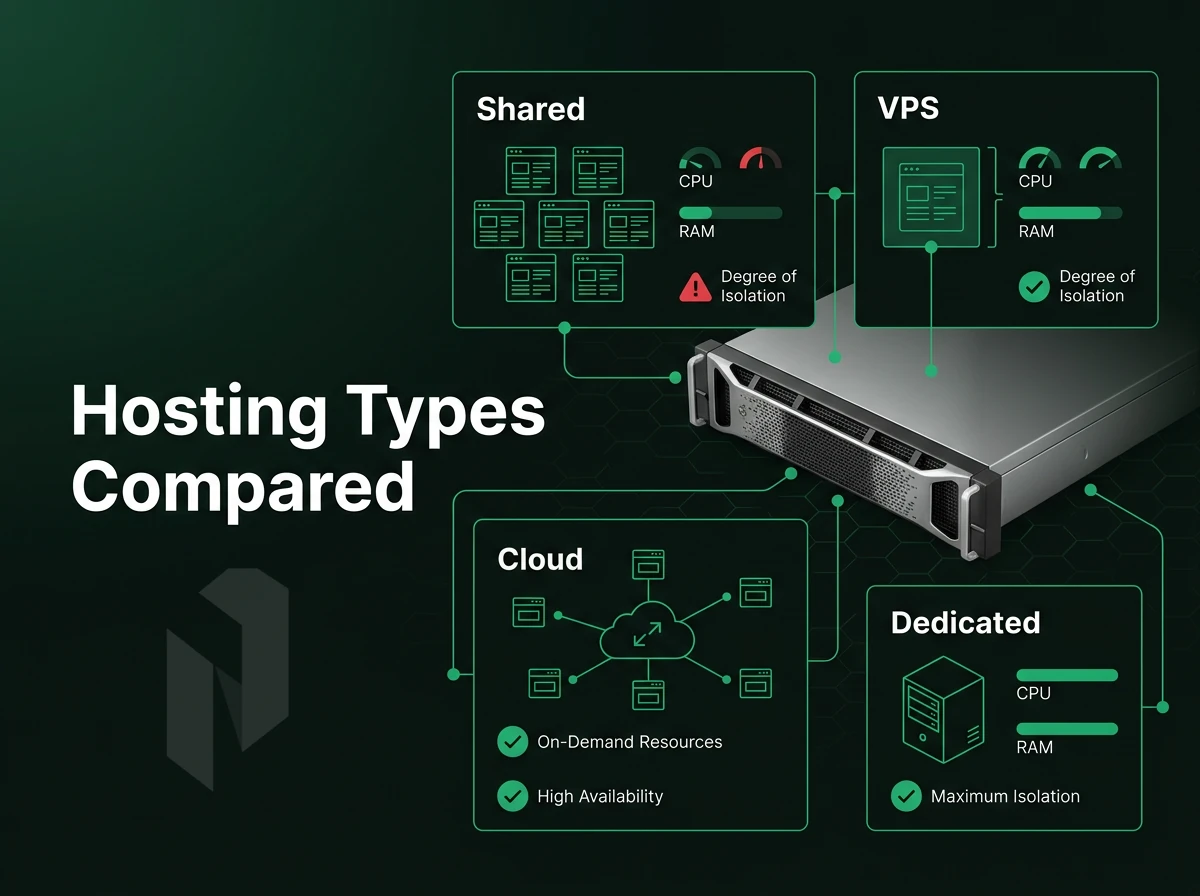
Environments offered by hosts vary greatly. The host’s offered tiers of service will specify available CPU, RAM, and even degree of isolation between users. The tiers will also specify how sites will behave under high levels of traffic. Here is a simple overview of the four main types of environments offered to consumers, with a brief note on managed hosting as a separate option on top of these.
The Four Core Web Hosting Services Types
With shared hosting, multiple websites are hosted off of one physical server and all share the server’s resources (CPU, RAM, etc., disk I/O). Shared hosting is best suited for low traffic websites and simple WordPress websites. Although typical uptime on shared servers is around 99.9%, neighbors on the server can severely impact a website’s load time.
While basic shared plans remain popular for personal sites and starter projects, they impose resource constraints that become problematic as traffic grows. Shared hosting becomes even more limiting when you need to manage multiple websites, as resource contention multiplies across all hosted properties on the same physical hardware. Resource contention occurs when multiple sites compete for disk I/O to read and write website files on the same physical storage device.
A Virtual Private Server (VPS) uses a Hypervisor to divide up the physical server into Virtual Containers. VPS plans guarantee specific allocations of a server’s processors (cores) and memory (RAM), even if other VPS accounts are running on the same physical server. For this reason, VPS hosting is often recommended for mid-tier applications such as small e-commerce sites.
Developer test servers and Linux hosting stacks that require root access but do not require the expense of a full dedicated server. Organizations that have outgrown shared hosting but are not yet ready for dedicated hardware often find vps hosting strikes the ideal balance between cost and control.
Cloud hosting distributes loads across multiple servers. The main advantage is scalable resources that can be increased or decreased as necessary. With cloud hosting there is no single point of failure for the hardware. Applications with variable, peak and random usage are typically better suited to cloud hosting. Organizations evaluating cloud hosting plans should assess whether their workload exhibits the variable demand patterns that justify the elastic pricing model inherent to distributed architectures.
Instead of a shared server with Dedicated Servers you get the complete physical machine. No sharing of CPU power, no hypervisor overhead, you have the full amount of RAM and all cores at your disposal. Here, web hosting for high traffic websites, databases that require a lot of resources, game servers, and applications that require a high level of reliability and very low latency are well-served.
We run Dell and Supermicro hardware on Intel Xeon and AMD EPYC processors. Our Dedicated Servers can be equipped with up to 2 TB of RAM and 24 hard drives per node. They are ready within 60 minutes.
| Type | Isolation | Typical RAM | Uptime SLA | Best For |
|---|---|---|---|---|
| Shared | None, pooled | Shared pool | 99.9% | Brochure sites, low-traffic blogs |
| VPS | Hypervisor-level | 2-32 GB guaranteed | 99.9% | Mid-tier apps, dev environments |
| Cloud | Instance-level | Elastic, on demand | 99.9%+ | Variable-traffic apps, SaaS |
| Dedicated | Full hardware | Up to 2 TB | 99.9% | High-traffic, GPU, databases |
Managed Web Hosting: A Layer, Not a Tier
Managed hosting is not a different type of hosting, it’s a service layer on top of the various hosting tiers. It contains services like OS updates, security hardening and monitoring. This type of hosting is especially suited for companies that don’t have their own in-house sysadmin. Netrouting offers managed hosting on our bare metal, cloud and colocation servers. We also offer managed control-panel / server hosting with cPanel / DirectAdmin managed for WordPress hosting. Organizations selecting managed hosting should verify that the provider implements robust built in security features as part of the hardening process.
For those requiring interface-level administration, a custom built control panel can streamline server management tasks alongside these automated maintenance functions. Many organizations also bundle email hosting into their managed service contracts to centralize administration of both web and mail infrastructure under a single provider. Organizations that lack internal technical staff often prioritize providers offering phone support to ensure immediate assistance during critical incidents. Managed packages typically bundle free ssl certificates to simplify the deployment of encrypted connections without requiring manual certificate procurement or renewal workflows.
Is There Anything Better Than GoDaddy?
Most professional workloads have far better options. These are typically offered by consumer-focused registrars who have also started to offer hosting services. These services are typically geared towards making the initial sign-up as easy as possible and are not optimized for performance or control.
Evaluating web hosting providers requires looking beyond introductory pricing to assess the underlying infrastructure, network quality, and support capabilities that determine long-term reliability. Many of these registrar-hosted packages bundle a free domain with the initial signup to lower the barrier to entry for first-time site owners.
If you need to run WordPress sites above and beyond basic blogs, you're usually much better off with a VPS or dedicated server web hosting solution: these guarantee you the resources you need, provide root access. Additionally, Are not subject to the shared-resource contention that plagues shared hosting.
When comparing web hosting services don’t get fooled by names and look at the infrastructure behind it. For serious workloads (dedicated servers, BGP, unlimited 10 Gbps uplinks, 24/7 NOC with 1hr ticket guarantee) Netrouting is the better choice. The best web hosting platform for serious workloads is a platform based on isolated, predictable compute and not on shared hosting with a website builder thrown on top of it.
How to Choose
Start with traffic and isolation requirements. A low traffic site with a simple CMS can run on shared hosting. Sites that require root access, guaranteed RAM, etc. should run on a VPS. Sites with unpredictable traffic spikes should run on cloud hosting. Sites that require maximum performance, full hardware control, or have special compliance requirements should run on dedicated hosting.
Consider managed hosting if your team does not have bandwidth to handle OS level operations. Organizations that have determined a low-traffic site with a simple CMS is their primary need will find a shared hosting plan meets those baseline requirements without overprovisioning resources.
Key Web Hosting Features to Compare Across Providers
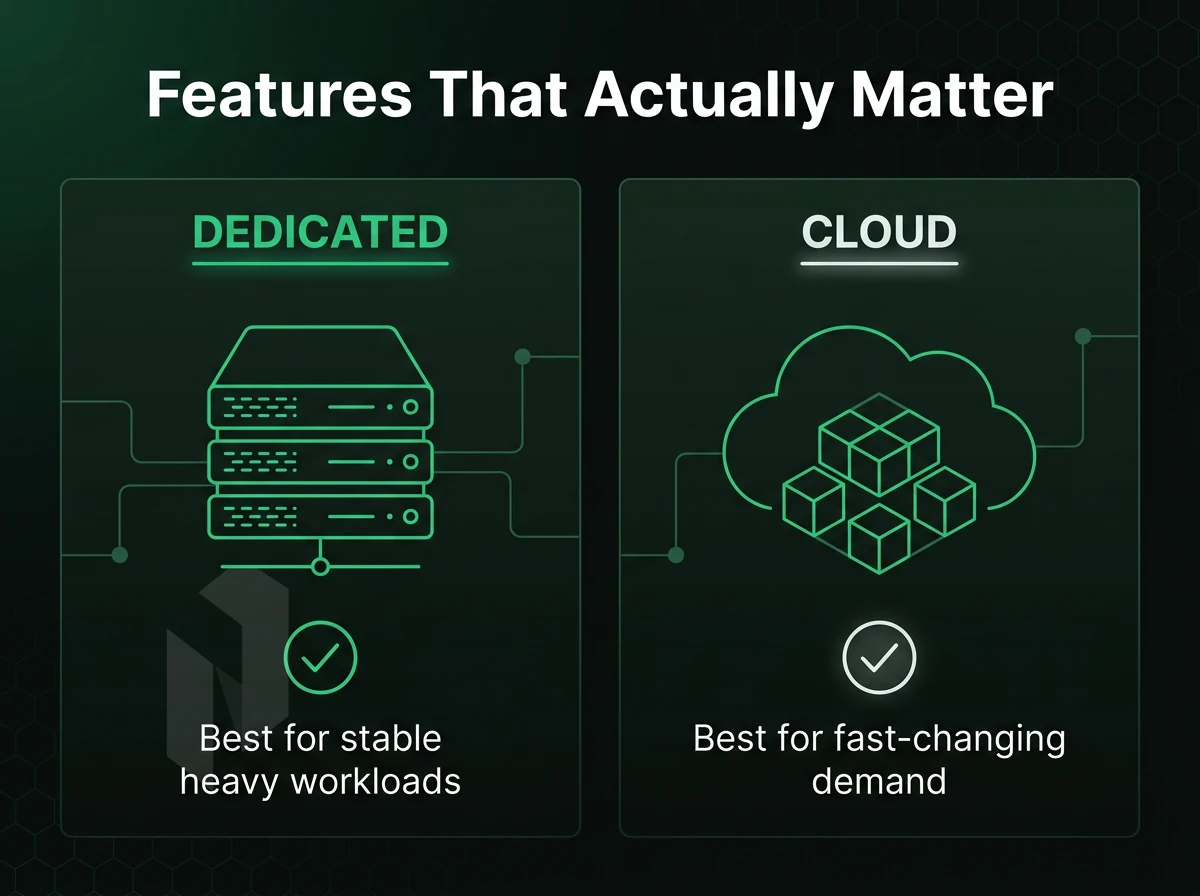
Not all hosting plans are equal. Run each of the hosting services on your short list through this list of essential features before you commit to them. They can cost you a lot in the long run. Responsive customer support becomes critical when issues arise that affect site availability or application performance.
Reliability and Infrastructure
- Check the uptime SLA and verify the guaranteed uptime and corresponding compensation in case of non-compliance with the agreed parameters, e.g. 99.9% of uptime time is equal to 43 minutes of downtime per year.
- Check the locations of the data centers. Proximity of servers to visitors reduces latency. Make sure the provider has locations in regions where your audience is based. Having more locations allows for failover and disaster recovery.
- Assess scalable resources such as extra CPU, RAM or even bandwidth as needed, without the need for a full migration or extended downtime. Determine how quickly new resources can be provisioned.
- Assess the built-in security features, such as 24/7 DDoS protection, firewalls, and free SSL certificates. Many security add-ons are charged as extras to basic plans and can quickly add up in cost.
Management and Support
- Assess the control panel (cPanel access is typically industry standard for managing domains, databases and file storage for websites). There are also many alternative proprietary control panels in the market. Test them out before locking into a service, it can save a lot of time in the long run.
- Check the hours that a company’s customer support is available, and also how quickly they respond to tickets. If you’re running a global site then 24/7 support is important. Look for a company that guarantees a response time of less than one hour, don’t bother with vague promises of “priority support”.
- Many websites were built by previous web designers and need to be moved to a new host. We recommend that you ask any prospective web designer about their website migration services. The risk of problems with a transfer is high, but a good web designer will transfer your site including DNS, databases and email accounts. Ask if this service is free or if there is a charge for it.
- Be sure to check if email hosting is included with your plan as not all hosting packages include business email accounts. Verify if you can host branded email addresses on your domain and check the limit per email account.
Note: Providers that advertise low entry prices often charge separately for SSL, backups, and migration. Total the full-year cost, not just the headline figure.
Best Website Hosting Platforms for Your Site
Different workloads need different hosts. Applications that get lots of traffic need to run on bare metal or dedicated hosts with lots of peering and a SLA guarantee. Developer-only projects need to provision fast and have a lot of flexibility with how they use compute. Projects that need to reach a global audience of users need places to put servers all around the world.
Choosing the right provider means evaluating how their server locations align with your user base to minimize latency and improve content delivery speed. Evaluating web hosting providers on these criteria ensures that infrastructure choices align with both current application demands and future growth trajectories.
The hosting company Netrouting is perfect for companies that have outgrown the shared hosting environment. Netrouting offers a wide range of bare metal servers and cloud servers in 10 locations world wide (Stockholm, Amsterdam, Frankfurt, Miami, New York, Hong Kong, etc.).
Their 2.4 Tbps+ network, always-on DDoS protection and fast support (1 hour ticket guarantee) make it the perfect hosting environment for performance critical applications. Contact our sales team to get the right configuration for your requirements. Their technical team also assists with website migration tasks to ensure smooth transitions when moving from other providers.
Hosting Platform Comparison Table: Shared vs VPS vs Cloud vs Dedicated
While many websites can be equipped with a standard set of components, not every website is identical and therefore not every website needs the same infrastructure. The choice for the right web hosting offer depends on a website’s resource model, the degree of control a customer needs and the growth a website is expected to experience. In this table you can see which type of hosting corresponds with which type of website.
| Hosting Type | Best For | Resource Model | Typical Use Cases | Scalability | Control Level | Relative Cost |
|---|---|---|---|---|---|---|
| Shared Hosting | Beginners, low-traffic sites | Pooled CPU, RAM, and disk across tenants | Blogs, small business sites, portfolios | Very limited, noisy-neighbour risk | Minimal (panel only) | Lowest cost tier |
| VPS Plans | Growing sites needing isolation | Hypervisor-partitioned dedicated slices | Dev environments, mid-traffic apps, staging | Vertical within host limits | Root access, custom OS | Mid-range entry |
| Cloud Hosting | Variable-load workloads | Distributed, on-demand virtual instances | SaaS platforms, e-commerce, APIs | Horizontal and vertical, near-instant | High, full OS and network config | Mid-range, usage-based |
| Dedicated Servers | High-performance, compliance-sensitive workloads | Single-tenant bare metal, no hypervisor overhead | Game servers, video streaming, databases, AI/ML | Hardware-bound; scale by adding nodes | Full hardware and OS control | Premium |
| Managed Hosting | Teams without dedicated ops staff | Any underlying platform with provider-managed OS and security | Production apps, agencies, regulated industries | Depends on underlying platform | Root access retained; ops handled by provider | Premium (includes labour) |
Resource Isolation: The Architectural Difference That Actually Matters
The physical resources of a shared environment are pooled to create a host of sites. When one site spikes in CPU usage, it affects all other sites on the same host. While VPS hosting creates isolated slices of resources using a hypervisor, those underlying physical resources are shared with other VPS tenants.
Bare metal servers do not have a hypervisor. Every CPU cycle and memory bus access is therefore dedicated to the tenant who rented the server. For very latency sensitive workloads like real-time gaming, stock tick data, or other very high volume databases this difference is not just theoretical.
Cloud Hosting Services and Horizontal Scale
Most cloud hosting plans will distribute load across a number of virtual instances that together form a cloud “pool”, scaling up by adding more whole nodes rather than trying to scale up a single server. While this makes for a good web hosting solution for highly variable / bursty workloads, it suffers from the variable latency of multi-user virtualized hosting as opposed to single-tenant bare metal.
Netrouting’s Cloud Compute offering is available in 10 datacenter locations around the world: in Europe, in North America and in Asia-Pacific. Instant provisioning of Cloud instances as well as of bare metal servers. AS6206 Backbone with 2.4 Tbps+ capacity hosting both Cloud and Bare Metal servers.
Dedicated Hosting and Managed Web Hosting: When to Step Up
We recommend Dedicated hosting when shared or virtualised hosting options hit a performance barrier or indeed have some other constraint that Dedicated hosting can address. Single-tenant servers can also satisfy strict data-residency requirements and remove noisy-neighbour risk for good.
Managed hosting layers, OS patching, security hardening, proactive monitoring etc. on top of the actual hardware. Full root access to your nodes, you just let your provider handle the operational grunt work, which you can’t afford with your engineering time.
It’s generally a good rule of thumb to match your web hosting costs with the amount of isolation you need. That means it’s wasteful to pay for bare metal when you could do well with a VPS, and you’re putting yourself in danger by running a high traffic production database on shared servers.
Can I Host a Website for Free?
Technically, yes. Many hosts offer a free tier of service for static sites or low traffic sites. However, there are hard limits to free hosting: bandwith limits, no custom domain at the root level, forced branding of the host, and no SLA (service level agreement).
Free tiers on any production workload are prototyping not infrastructure. VPS plans are the practical starting point for most sites who need guaranteed uptime, custom DNS and root access.
Choose how the site is hosted.
Start with website hosting, move to a virtual server, or let us run the servers for you.
Host the site without running a server.
For websites and WordPress, compare website hosting plans before you move to a machine of your own.
Start the conversation with
- Sites
- Number and traffic
- Platform
- WordPress or other
- Mailboxes needed
Start with a VM. Scale it when needed.
Use cloud compute for workloads that do not need a full machine. Compare vCPU, memory and storage per plan.
Start the conversation with
- Compute
- vCPU and memory
- Storage
- Disk size
- Location
- Preferred region
We run it. You ship product.
Choose managed hosting when your team should focus on the application. Agree on what we manage and what stays with you.
Start the conversation with
- Servers
- Number and roles
- Scope
- What we manage
- Access
- What stays with you
Shared Hosting and Free Website Options: What You Get and What You Sacrifice
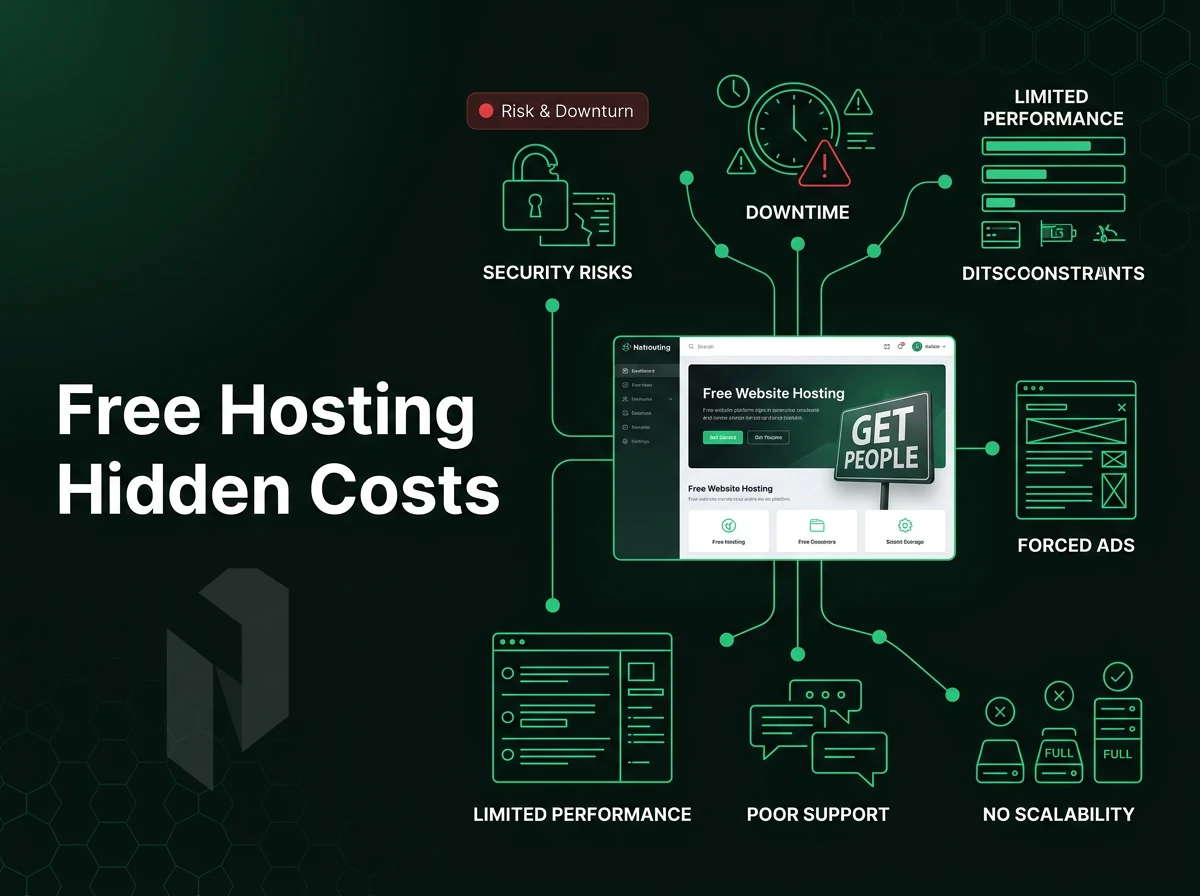
Most low-end hosting services including free tiers and very cheap shared hosting services offer cheap or free hosting in order to get people online. Each of these hosting services has some technical limitation in order to provide their cheap service. You need to know what you can expect in terms of limitations in order to determine whether the limitations are acceptable or not.
What Free and Shared Tiers Actually Give You
Yes, free website hosting exists. Most of them have pretty similar restrictions, though: you’re stuck on a subdomain (their website followed by your name), you get banners injected into your pages. Additionally, You’re capped at some number of megabytes for your total storage space on the server. Almost never can you get a free domain name, most sites either give you a subdomain of their own (e.g., username.example.com), or charge you for the domain itself.
Typical basic shared hosting plans will remove ads and allow for a custom domain name. Storage and bandwidth will typically be increased but the main underlying architecture will remain as dozens to hundreds of websites are hosted off of a single server. The performance problems that exist with shared hosting are because of the shared server that the accounts are on.
Traffic from one account causes a “noisy-neighbor” effect and can max out CPU and RAM for all other accounts on the server. You have no control over the server configuration and therefore cannot tweak items such as the PHP memory limit or enable specific PHP modules. Caching plugins may also not function as intended.
Website Builder Tools and Bundled Extras
Most hosting providers include a free website builder and a free domain name with their lowest cost plans. For new site owners, these web hosting solutions can be great for lowering the technical barrier to entry and creating simple websites, such as brochure websites or even a personal portfolio website. However, they can also be very limiting once you need to start adding custom code, third-party applications or require high uptime during periods of high traffic.
The bundled builders of websites also create lock-in. Exporting a website from a proprietary builder and then migrating it to another platform is a very painful process. Typically, the content from the exported website does not map well and the design assets do not transfer at all.
Shared Web Hosting vs Dedicated Hosting What Is the Difference
Shared hosting means your website is hosted on a server with many other websites. All the resources of CPU, RAM and I/O are shared and allocated on the fly. With dedicated hosting you get your very own physical server with no neighbors, no contention for resources, full root access and perfect performance even under extreme load.
For small business websites that have outgrown the hosting account of a starter website, the gap between standard hosting and dedicated hosting matters most. As soon as the load time of a website starts to decline drastically, as soon as due to a peak in traffic a website is no longer available.
Alternatively, As soon as by law data needs to be isolated, dedicated hosting is the only proper solution. Netrouting's bare metal servers are provisioned within 60 minutes and are powered by the latest Intel Xeon and AMD EPYC processors, specifically designed for web hosting loads that cannot be accommodated in shared environments.
- Shared: low cost, shared resources, limited configuration, noisy-neighbor risk.
- Dedicated: full hardware allocation, root access, consistent performance, no resource contention.
- Best fit for shared: personal blogs, early-stage projects, static or low-traffic sites.
- Best fit for dedicated: production applications, e-commerce, high-traffic or compliance-sensitive workloads.
WordPress Hosting: What to Look for When Running WordPress Sites
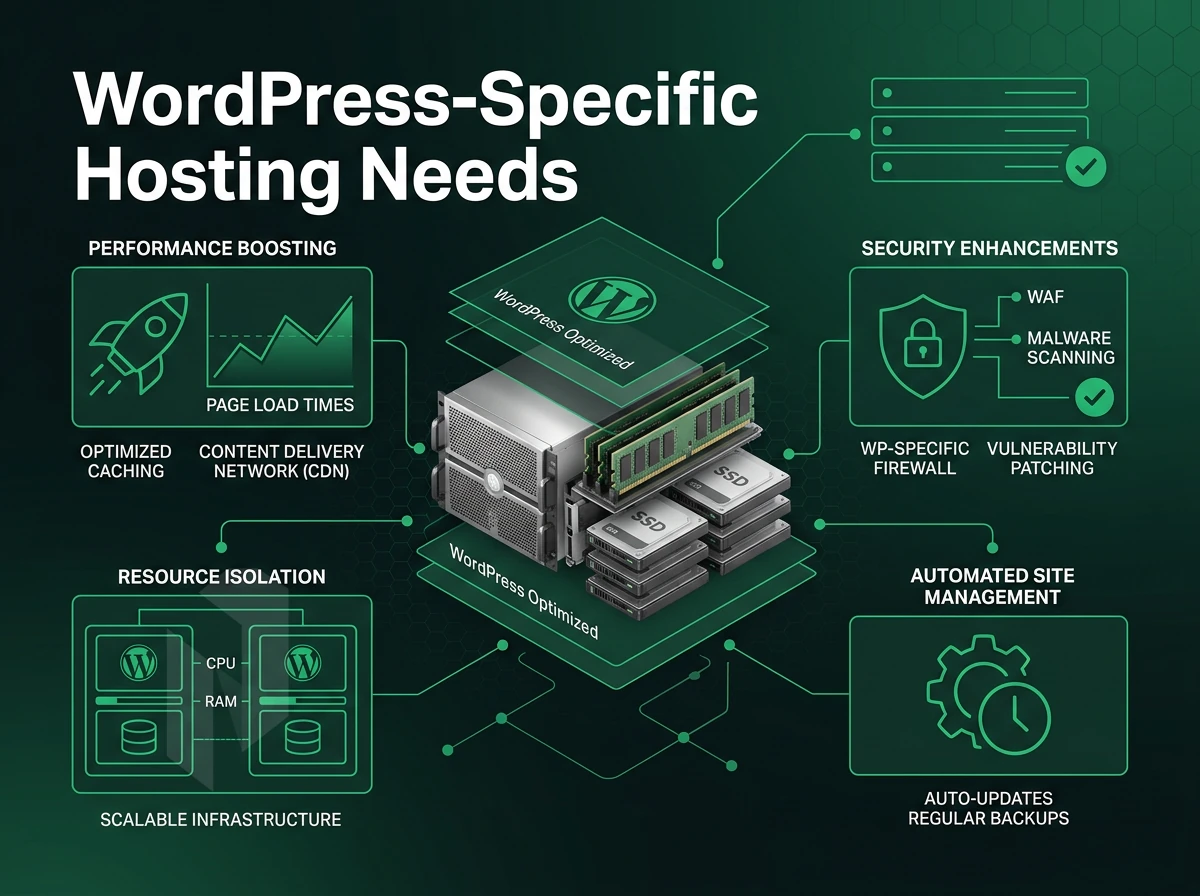
Many sites on the web are powered by WordPress. When selecting a hosting infrastructure for it, it’s important to realize that the marketing labels for “WordPress hosting” hide a large gap to the actual technology stacks. What works for you depends on the number of visitors of your sites, the size of your team and how many sites you run in total.
Stack Requirements for a WordPress Website
A fast WordPress website requires PHP 8.x, a MySQL database, object caching (Redis or Memcached) and full page caching. Many hosting providers include caching plugins like W3 Total Cache or LiteSpeed Cache in their managed stack. Without server level caching even a slight increase in traffic leads to delay and timeout issues.
Traditional hosting such as shared hosting is designed for low traffic websites. When a website receives more than a few hundred concurrent visitors, shared hosting becomes a bottleneck. Early signs of contention for CPU and I/O limits on shared hosting typically surface first.
When Should I Upgrade from Shared Hosting to a VPS or Dedicated Server?
I'd look to upgrade when you start to see consistent CPU throttling, slow admin-panel interactions and/or database query timeouts under typical load. A VPS offers isolated resources and root access, while a dedicated server removes the final layer of sharing (i.e. RAM and cores are fully yours, with no neighbors to contend with).
Most hosting companies suggest upgrading to a higher plan when the number of monthly visitors exceeds 50,000 to 100,000 or if you require guaranteed uptime and a real SLA. Once you exceed this threshold, a 99.9% guarantee of uptime and same business day replacement of hardware is crucial.
Managing Multiple Websites: Control Panels and Managed Infrastructure
Managing multiple sites across client accounts means you need a control panel tier above and beyond a single-site setup. cPanel/WHM and DirectAdmin let you manage web hosting by creating as many sites as you need, setting up isolated accounts and granting access as required without having to resort to SSH for each individual change.
Our Managed Control-Panel Servers are tailored for the site tools and managed overhead that agencies and hosting resellers need. We handle the OS patching, security hardening and control-panel updates. You can access cPanel as needed and have all your client accounts there.
| Setup | Best For | Uptime SLA | Caching Support | Control Panel |
|---|---|---|---|---|
| Shared hosting | Low-traffic single sites | Varies | Plugin-only | Limited |
| VPS | Growing sites, dev teams | 99.9% | Server-level + plugin | Optional |
| Managed Control-Panel Server (Netrouting) | Agencies, resellers, multi-site operators | 99.9% | Server-level + plugin | cPanel/WHM or DirectAdmin |
If you run client accounts or have multiple domains that you need to scale, a managed control-panel server on dedicated hardware is where you want to be. Shared environments and generic managed WordPress hosting are not designed to handle such workloads.
When to Upgrade to Dedicated Servers or Bare Metal Hosting

While shared or VPS hosting are suitable at the beginning for most workloads, there are certain workloads and milestones of growth, where the use of these tools of convenience becomes counterproductive. It’s best to recognize these “tipping points” early on, to avoid slowing down, non-compliance or expensive relocations.
Recognising the Inflection Points
-
Sustained high traffic overwhelms shared resources.
Shared and entry-level VPS environments pool CPU and RAM across many tenants. When traffic spikes become your baseline rather than an exception, noisy-neighbour contention causes latency and dropped requests. That's the clearest signal you've outgrown the tier.
-
Resource-intensive workloads demand dedicated hardware.
Online gaming, video streaming, and AI/ML inference all require consistent CPU cycles and memory bandwidth. A virtual layer introduces overhead you can't eliminate. Dedicated hardware removes that ceiling entirely.
-
Compliance requirements mandate isolation.
Regulated industries, finance, healthcare, legal, often require single-tenant environments with auditable access controls. Shared infrastructure fails those requirements by design. Full server isolation is the only compliant path.
-
You need full server configuration control.
Custom kernel parameters, specific OS builds, hardware RAID configurations, and non-standard software stacks are impossible on shared platforms. Bare metal gives you root-level control over every layer of the stack.
What Hosting Platform Is Best for High-Traffic or Resource-Intensive Workloads?
Dedicated servers and bare metal servers are the right answer because they deliver fixed performance and you don’t share CPU, RAM or network with other tenants.
Netrouting offers bare metal servers built with high end servers from Dell and Supermicro powered by Intel Xeon and AMD EPYC processors. All servers are offered with large amounts of memory (up to 2TB) and storage (up to 24 drives). All servers are offered with unmetered 10 Gbps connectivity and can be ordered within 60 minutes.
We offer dedicated GPU servers (NVIDIA RTX 6000, A10, A40, A100) for AI/ML inference and self-hosted LLM workloads. These servers are located within the EU and thus offer data sovereignty for sensitive workloads. You won't share GPU-pools with other customers and thus won't experience any queuing.
All services come with always-on L3/L4 DDoS protection. No config required. High risk / mission critical workloads can add application layer mitigation and custom scrubbing on top as required.
Reliable Hosting: Preparing for the Migration
Reliable hosting at this level of scalability requires a lot of preparation before the actual cutover. Here is a rough outline to get you started.
-
Audit your current resource usage.
Pull CPU, RAM, disk I/O, and bandwidth metrics over a 30-day window. Size your dedicated server against peak sustained load, not average load. Undersizing defeats the purpose of the upgrade.
Note: Many teams size for average traffic and get caught short within weeks. Always add headroom for growth.
-
Select your server configuration and location.
Match hardware to workload. High-core-count AMD EPYC suits parallel workloads. High-clock Intel Xeon suits latency-sensitive applications. Choose a data centre location close to your primary user base. Netrouting operates across ten cities in Europe, North America, and Asia.
-
Use professional migration services for complex stacks.
Database clusters, custom application servers, and multi-tier architectures benefit from managed migration services rather than a manual lift-and-shift. Errors during cutover are expensive. Engage support before you begin, not after something breaks.
-
Validate with server monitoring before going live.
Run your application under synthetic load on the new server before switching DNS. Confirm server monitoring is in place and alerting is configured. Only then cut production traffic over.
Server Locations and Network Quality: Why Infrastructure Geography Matters
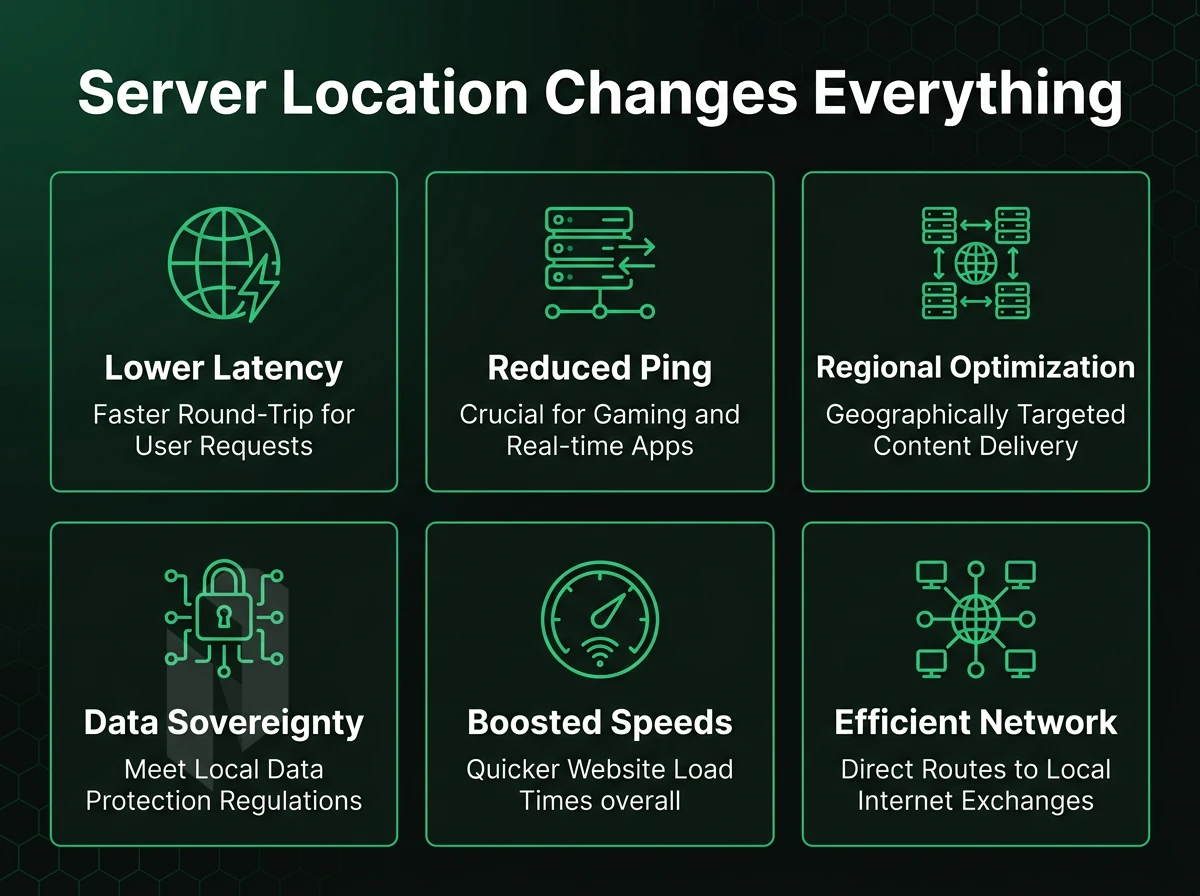
The location of your infrastructure greatly affects user experience. Close geographic location of web hosting reduces latency for round trip times, but the quality of the network path (peering, backbone capacity, and routing) to service users closer geographically is far more important. With strategic global locations for our customers, we can serve users in Europe, the Americas and Asia-Pacific with equal excellence.
The European Data Center Cluster: Sovereignty and Low-Latency EU Reach
Netrouting operates six European nodes: Amsterdam, Frankfurt, The Hague, Rotterdam, Stockholm and Bucharest. Together they create a dense coverage layer for Western, Central, Northern and Southeastern Europe.
The Amsterdam data center anchors our cluster of data centers. The Amsterdam data center is one of the highest-traffic internet exchange in the world. Amsterdam is home to the AMS-IX as well as other internet exchanges like LSIX, FRYS-IX and GNM-IX. The Frankfurt data center adds DE-CIX peering to connect to the DACH region and Central-Eastern Europe.
The Stockholm data center is connected to the NetNod internet exchange to serve customers in the Nordic region. The Bucharest data center connects to the Balkans and Eastern Europe with very low-latency connections that most web hosting companies do not offer at this depth.
This Geography addresses the GDPR requirements for EU-based organizations. By keeping their data within EU-based web hosting facilities, which process and store such within such jurisdiction, organizations can avoid the complex issues associated with cross border transfers of such. The main EU HQ for DFDC is the facility located in The Hague (DFDC THG1) and this has been so since 2014. DR for clients with primary footprint in Rotterdam is provided from our Rotterdam facility.
EU data sovereignty note: As all six European nodes are based within the EU (and therefore under the EU’s jurisdiction). They are suitable for workloads that require compliance with the GDPR as well as any data residency requirements of particular sectors.
North America: Miami and New York
Our global headquarters in Miami is our main entry point to Latin America, with direct connectivity to FL-IX and NAP of the Americas. Providing our clients with the lowest possible latency through web hosting infrastructure designed to enter markets in Central and South America, crucial for e-commerce, media and SaaS companies looking to serve that region.
DE-CIX New York is located at 60 Hudson Street, one of the most connected carrier hotels worldwide. DE-CIX peering in New York as well as our second location in New York covers the full North American demand curve for cloud providers as well as for enterprise web hosting and hosting buyers.
Asia-Pacific: Hong Kong and Singapore
Equinix HK2 in Hong Kong connects to APAC financial and enterprise customers with submarine cable access to cross-Pacific routing with ultra-low latency. Digital Realty SIN10 in Singapore serves Southeast Asia with high performance Tier 1 connectivity via Tata Communications, with local IX peering for low latency in region.
Backbone Quality: Why Network Architecture Outweighs Distance Alone
Physical closeness is required but not enough. A web hosting data center in another city can be much less efficient if it is located on a highly congested and badly peered network than a data center located much further away on a well-engineered backbone.
Netrouting operates AS6206, our Tier 1 powered network that has been connected to the AMS-IX since 2009. Our AS carries more than 2.4 Tbps of IP traffic from 10 locations around the globe. The majority of our locations are connected with 100 Gbps or higher links. With an average port utilization of under 40%, we always have plenty of headroom to deal with bursts of traffic.
Your carrier-neutral colocation facilities across our various locations all have the same upstream selection policy: we choose the best. The core routing layer is based on Nokia SR OS/SR Linux, Juniper MX and Arista EOS. We have dense peering at all major interconnects. This ensures short AS-paths, few transit hops and constant low latency for all your users, wherever they are from.
Managed Hosting and Control Panel Options: Reducing Operational Overhead
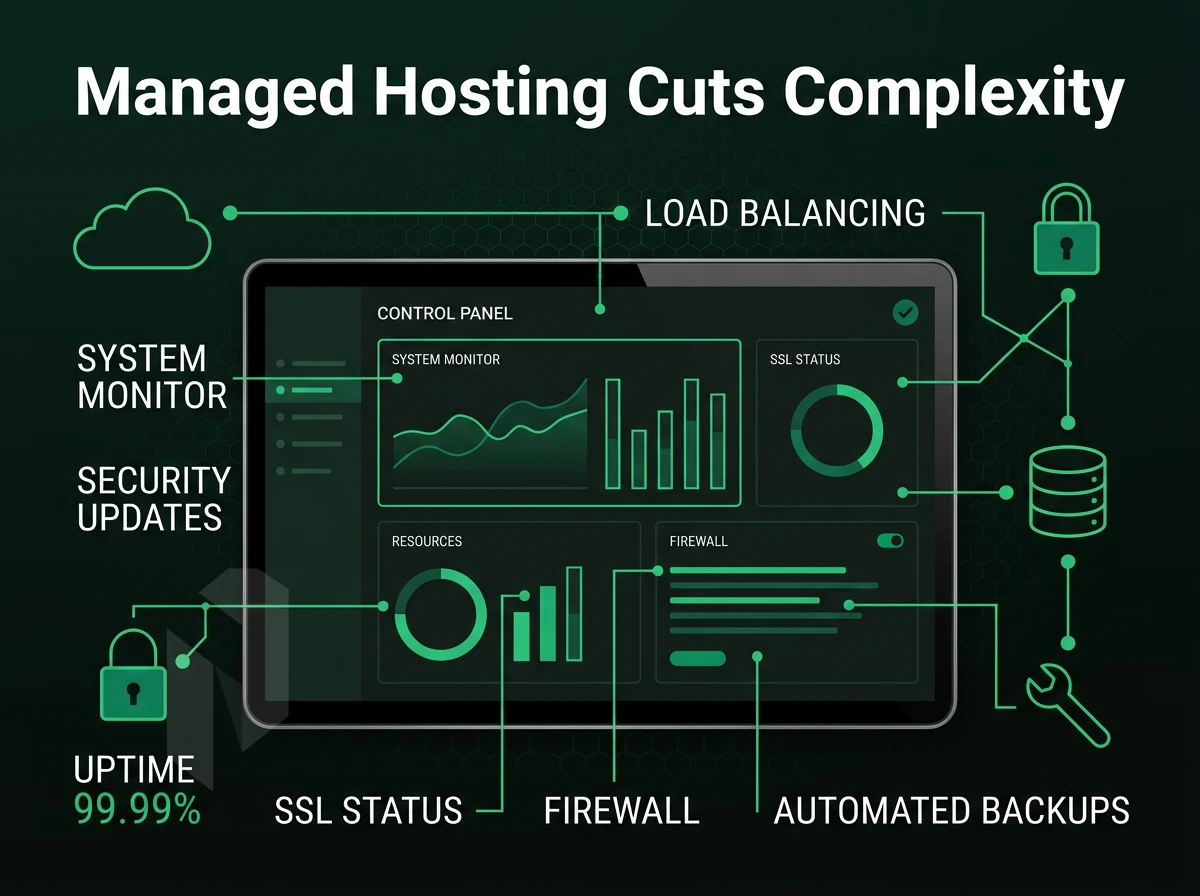
Managed hosting means many things to many companies, but at IT Web Solutions we focus on providing a managed hosting service for IT teams and application developers. Unlike some managed hosting services that are designed to be a one-click install for a user to set up a blog. Our focus is on handling the operational layer of web hosting so that your application developers can focus on developing applications as opposed to spending time on managing the associated infrastructure.
What Our Managed Web Hosting Covers
OS patching, security hardening and proactive server monitoring are included in every managed plan. In addition to kernel updates, we take care of firewall rules and perform vulnerability fixes on a scheduled basis.
You retain full root access to the servers at all times. Our management of the cluster does not involve locking down any aspect of the servers. As a result, Your team can deploy, configure and otherwise modify the environment as needed without needing to file a ticket with us first.
- OS-level patching and security hardening.
- Proactive monitoring with 24/7 NOC coverage.
- 1-hour ticket response time guarantee.
- Our Remote Hands Service is provided FREE of Charge for Basic Tasks.
- Phone support available in addition to ticket support and live chat.
Managed Control-Panel Servers vs. Managed WordPress
Managed WordPress hosting for the end consumer is typically offered as a consumer-grade product that abstracts away the server for them. But that model breaks down when you need to support client accounts, custom PHP configurations, etc. and/or non-WordPress sites and applications.
We offer a different set of options with our Managed Control-Panel Servers. Fully managed servers with cPanel/WHM or DirectAdmin control panels are available with panel licensing included. We manage the Operating Systems, upgrade the panels and look after security for you. You have full access to cPanel for managing your own sites and client accounts as you would on an unmanaged server.
Agencies, resellers and developers with a custom control panel requirement but no desire to run the solution themselves will find this option suitable.
Managed Proxmox VE: Run Your Own VMs Without Running the Hypervisor
Our Managed Proxmox VE hosting is the ideal solution for teams that require virtualization but do not need to manage a Hypervisor. We setup and manage the cluster, patching, backup configuration and ongoing monitoring.
Your team provisions VMs and containers. We run the layer below that. This is the correct way to run development teams, MSPs and infrastructure people who want Proxmox flexibility without the operational burden of keeping it running.
Both options are on dedicated hardware in our own data centers, not shared infrastructure mislabeled as managed hosting.
Why Choose Netrouting for Website Hosting Infrastructure
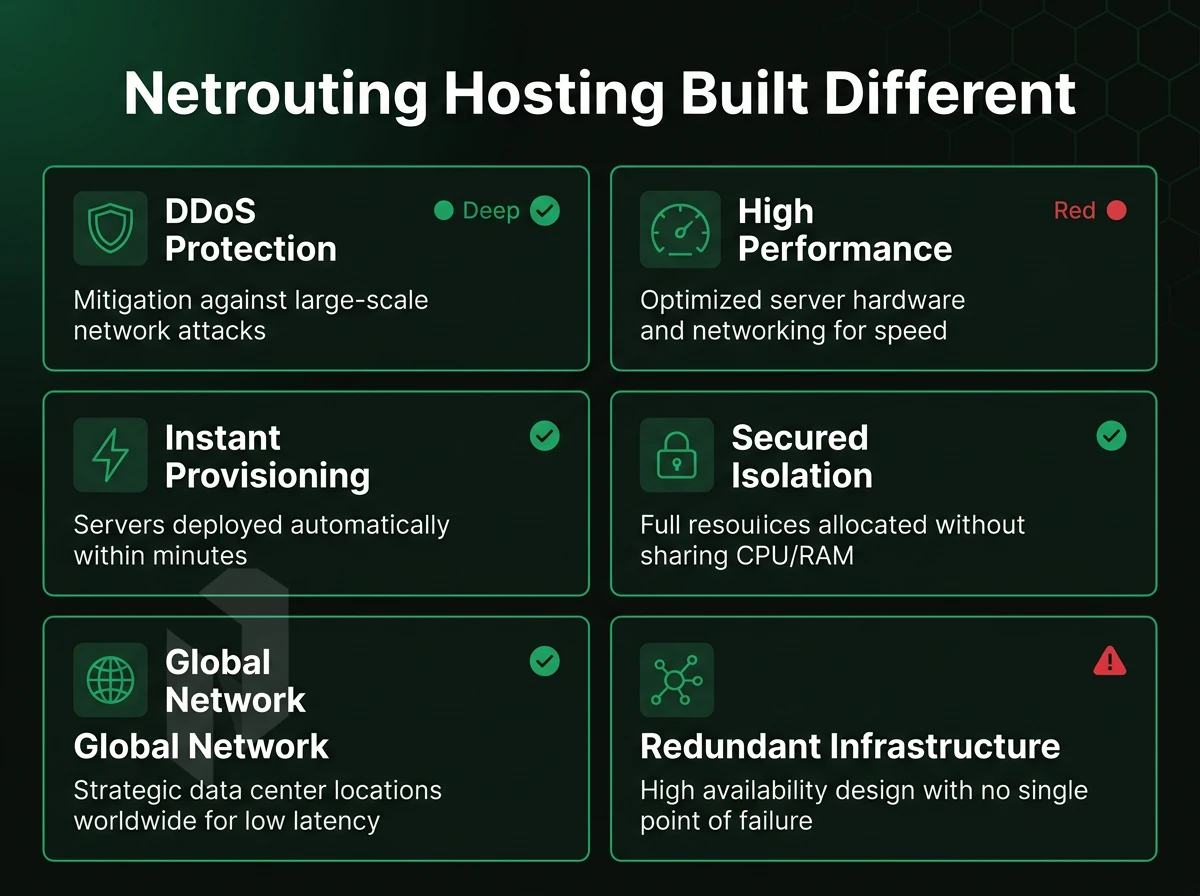
Most web hosting services handle routine traffic without issue. The gap shows when a hosting provider can't keep up with growth, when shared hosting plan limits choke a busy online store, when a VPS hosting tier runs out of headroom. Alternatively, When a traffic spike exposes the limits of traditional hosting infrastructure. That's where Netrouting fits.
We operate dedicated servers, cloud hosting, and carrier-neutral colocation across ten locations: Stockholm, Amsterdam, Rotterdam, The Hague, Frankfurt, Bucharest, Miami, New York, Hong Kong, and Singapore. Every hosting environment runs on our own Tier 1 backbone, AS6206, backed by a 2.4 Tbps+ network. IT teams managing multiple websites or running demanding WordPress hosting workloads get the same infrastructure as large-scale enterprise deployments, no compromise.
- Bare metal provisioned under 60 minutes. Dell and Supermicro hardware on Intel Xeon and AMD EPYC. No shared hosting contention, no noisy neighbours.
- Unmetered 10 Gbps standard, up to 40 Gbps available. Built for high-throughput hosting services, video delivery, and traffic spikes, not just small business websites.
- Always-on L3/L4 DDoS protection on every service. Built-in security features at the network layer, included by default. No separate hosting package required.
- Managed hosting with 24/7 NOC and a 1-hour ticket guarantee. Proactive server monitoring, OS patching, and customer support around the clock.
- Ten global server locations. Place workloads close to your users across Europe, North America, and Asia-Pacific, critical for response time and reliable hosting at scale.
- ISO 9001, ISO 27001, and SOC 2 certified. Compliance-grade hosting infrastructure for teams where certifications are non-negotiable.
If you've outgrown shared hosting or entry-level VPS plans and need a hosting provider built for production workloads, contact our sales team to discuss the right dedicated hosting or cloud hosting plan for your requirements.
How to Choose the Right Web Hosting Platform for Your Needs
Choosing the right hosting environment for your needs is not a shot in the dark. Rather, it is a structured decision. Start with the first step below and work your way down through each subsequent step. The result will be the ideal hosting package for you.
Preparation: Know Your Workload Before You Shop
-
Audit your existing website and traffic baseline.
Pull your analytics. Note peak concurrent users, average page weight, and monthly bandwidth. A low-traffic brochure site has entirely different requirements than a high-throughput API or a live-streaming platform.
-
Identify your workload type.
CMS blogs, online store deployments, gaming servers, AI inference endpoints, and video streaming each stress different resources, CPU, RAM, disk I/O, or network throughput. Name your workload before comparing plans.
Note: Mixing workload types on a single instance is a common mistake. A busy ecommerce checkout and a batch AI job will compete for the same CPU. Plan for isolation early.
-
Project your growth trajectory.
Estimate traffic 12 months out. If you expect rapid spikes, you need elastic capacity. If growth is steady and predictable, a fixed dedicated server often delivers better performance per pound of budget.
Matching Web Hosting Services to Your Workload Tier
-
Match your workload to the right tier.
A shared hosting plan suits minimal-traffic sites with no custom server requirements. VPS tiers fit mid-range workloads needing root access and isolated resources. Cloud compute handles elastic or unpredictable demand well. Dedicated bare metal is the correct choice for performance-critical workloads, gaming, streaming, high-volume ecommerce, or AI inference.
Note: A free website builder or entry-level shared tier is not a viable foundation for multiple sites running production workloads. Affordable plans at the shared tier trade resource guarantees for low cost, understand that trade-off before committing.
-
Evaluate support model and SLA.
Check guaranteed response times and uptime commitments. A 99.9% uptime SLA with a one-hour ticket guarantee is a meaningful baseline. Anything weaker is a risk for revenue-generating workloads.
Verification: Location, TCO, and Final Checks
-
Check server locations against your audience geography.
Hosting close to your users reduces round-trip time and improves perceived performance. Netrouting provides web hosting across ten cities, Stockholm, Amsterdam, Rotterdam, The Hague, Frankfurt, Bucharest, Miami, New York, Hong Kong, and Singapore, so you can place infrastructure where your audience actually is.
-
Compare total cost of ownership, not headline price.
Factor in bandwidth overages, support tiers, and management overhead. For stable, predictable workloads, dedicated bare metal consistently delivers lower TCO than hyperscaler compute. The hyperscaler bill grows with every API call and egress byte. A fixed bare metal deployment does not.
The Bottom Line: Matching Your Hosting Platform to Your Workload
There are three things to consider when choosing a website hosting platform: the resource model, the network quality and the operational overhead. For low traffic websites on a tight budget, a shared hosting platform is the best option. For larger websites that experience occasional traffic spikes, VPS and cloud hosting are good alternatives to dedicated hosting.
While dedicated servers and bare metal web hosting provide the most predictable and isolated performance, they can often have a lower total cost of ownership than hyperscaler compute for very stable, very resource intensive websites.
Additionally, the location of the server can have a huge impact on real world performance, with the closest data center to your users providing the best results. Finally, managed services can add layers of abstraction to ease the burden on your team while still providing full control to you.
For teams that need enterprise-grade web hosting services without the complexity of a major cloud platform, Netrouting is the clear fit. Bare metal, cloud, colocation, and managed web hosting across ten cities in Europe, North America, and Asia, all backed by a 2.4 Tbps+ network, always-on DDoS protection, and a 24/7 NOC with a one-hour ticket guarantee. If you're evaluating the best web hosting services for a demanding workload, explore Netrouting's hosting plans or contact sales to spec a solution.
When choosing a web hosting platform, there are three important factors to consider: the performance requirements of your website, the scalability required, and the total cost of ownership. Shared hosting is best for low traffic sites on a tight budget.
However, once traffic increases or uptime becomes critical to business then the limitations of shared hosting become apparent. VPS and cloud web hosting can provide solutions to these problems, but at the end of the day, dedicated and bare metal servers offer the most consistent performance under real load.
Comparing these types of hosting solutions makes one thing clear: Free and low-cost shared hosting solutions typically trade off reliability for ease of use. This is acceptable for small personal projects but not for production workloads.
If your requirements have outgrown shared hosting, or if you need carrier-grade infrastructure, unmetered 10 Gbps connectivity. Additionally, with 24/7 web hosting support and a one-hour response guarantee, explore Netrouting's dedicated server and cloud compute options at netrouting.com or contact sales to discuss your workload.
Find the right home for the site.
Tell us about the site, the traffic and the platform. We help you pick a hosting plan.