Your Linux dedicated server choice represents a significant commitment in terms of the hardware, network infrastructure and support model that it will utilize for months or even years to come. Pick badly and you could be suffering from noisy neighbors, unexpected charges for excess bandwidth usage, or worse still a hoster with no support available in the middle of the night when things go wrong.
We cut through the clutter to provide you with a comprehensive guide. Netrouting has been designing dedicated hosting solutions since 2007. As a service provider, our own AS6206 powered IP network is spread across ten locations on the globe: Europe, North America and Asia-Pacific. Our own experience in dedicated hosting greatly influences the advice below.
When choosing server distro and hosting options, we focus on what matters to technical buyers: compute power delivered by Intel Xeon and AMD EPYC processors, network quality and peering, DDoS protection, deployment speed. Additionally, Above all useful and reliable support. We will also outline scenarios where Linux bare metal is superior to virtualized servers, and where a management layer on top of Linux bare metal server hosting makes sense.
Blog contents
You'll have a framework for choosing the best linux distributions alongside server configuration, location and provider based on the needs of your particular workload by the end of this document.
Why the Best Linux Dedicated Server Suits Your Needs
| Provider / Option | Performance | Support | Uptime SLA | Network | Best For |
|---|---|---|---|---|---|
| Netrouting | Latest Intel Xeon and AMD EPYC bare metal. Up to 2 TB RAM, 24 drives, hardware RAID. Linux OS provisioned in under 60 minutes. | 24/7 NOC, 1-hour ticket guarantee | 99.9% SLA | 2.4 Tbps+ backbone, unmetered 10 Gbps, free private network up to 40 Gbps. 10 global locations. | High-traffic workloads needing a dedicated linux server with serious network capacity and global reach |
| Budget bare-metal providers | Older-generation hardware. Limited linux operating system choice. Fewer custom config options. | Ticket-only, business hours | 99.9% typical | Shared uplinks, capped bandwidth, single location | Cost-sensitive linux vps or entry-level dedicated workloads with low traffic |
| Hyperscaler bare metal (on-demand) | Current-gen CPUs. Linux os support strong. Provisioning fast but hardware is shared-pool. | Tiered plans; premium support costs extra | 99.9%-99.99% depending on tier | Large regional footprint, but egress-heavy billing on bandwidth | Teams already invested in a hyperscaler ecosystem needing a managed operating system layer |
| Managed hosting specialists | Mid-range hardware. Linux server fully managed, OS patching, monitoring included. | Proactive managed support | 99.9% standard | Moderate bandwidth, limited peering | Small teams wanting hands-off linux os management without in-house sysadmins |
Netrouting is for most buyers looking for a dedicated linux server with sufficient network bandwidth the best option. With unmetered 10 Gbps network, a 2.4 Tbps+ global network, and bare-metal deployment within 60 minutes, Netrouting delivers the best Linux hosting performance, outperforming the competition not only in features but also in speed. Organizations seeking the best linux server infrastructure will find that Netrouting's combination of hardware specifications and network capacity addresses both current demands and future scaling requirements.
Many users who currently run a linux vps will at some point reach its limits and switch to dedicated servers. Netrouting supports all major Linux distributions and can also set up customized configurations for its customers. After you have mapped out the different providers on the market the choice of distribution for your dedicated server is the next decision to be made. For more context, see Dedicated hosting service .
Best Linux Server Distros: Ubuntu, Debian, Red Hat, and More
The choice of major linux distributions for your dedicated server affects several important aspects such as stability, availability of software and the long-term support of your server. Understanding the server's purpose helps determine whether you need a distribution optimized for web hosting, database workloads, or containerized applications.
Server Distro-by-Distro Breakdown for Linux
| Distro | Release Model | Best For | Support Lifecycle |
|---|---|---|---|
| Ubuntu Server (LTS) | LTS every 2 years | Web apps, cloud workloads, beginners | 5 years standard, 10 years extended |
| Debian | Stable point releases | Minimal, long-running servers | ~5 years per stable release |
| Red Hat Enterprise Linux (RHEL) | Major versions, 10-year lifecycle | Mission-critical, enterprise | 10 years + extended support |
| AlmaLinux / Rocky Linux | RHEL-compatible, free | Enterprise workloads without licensing cost | Mirrors RHEL lifecycle |
| SUSE Linux Enterprise Server | Major + service packs | SAP, high-availability clusters | 10-13 years |
| Oracle Linux | RHEL-compatible | Oracle DB, virtualization platforms | 10 years |
| CentOS Stream | Rolling release | Dev/test, upstream preview | ~5 years |
Which Web Server Is Best for Website Hosting?
Ubuntu Server LTS would be the default choice for website hosting, with a huge community, extensive package repositories and LTS versions that last 5 to 10 years. Debian is a minimal distro suited to the needs of small teams and companies. Both distributions provide a robust package manager that simplifies software installation and dependency resolution across production environments.
For enterprise stacks, it is often required to have commercial support for a distribution. The most common choice for this is Red Hat Enterprise Linux (or the RHEL ecosystem under the hat Enterprise Linux distribution AlmaLinux). We at Netrouting offer these Linux distributions on bare metal servers at ten locations worldwide. AlmaLinux and Rocky Linux have emerged as the leading community-driven alternatives, with alma linux gaining particular traction among organizations migrating from CentOS.
Organizations running the current rhel version benefit from extended support cycles and security patches that align with enterprise compliance requirements. Enterprises deploying mission critical applications typically require the stability and predictable patch cycles that RHEL-based distributions provide through their structured release management.
If you look for other Linux distributions than the main-stream ones for your specific use case, there are many to choose from. Evaluating the best linux distributions for specialized workloads requires understanding whether you prioritize cutting-edge packages, long-term stability, or niche security features. Selecting the best linux distro ultimately depends on your team's expertise, application requirements, and whether you need commercial support contracts. Organizations with evolving business needs often benefit from distributions that balance package freshness with predictable maintenance cycles.
Understanding the key benefits of each distribution, such as package management efficiency, security update frequency, and community ecosystem size, helps teams make informed decisions that reduce operational overhead. Distributions like Debian and Ubuntu LTS exemplify this approach, offering predictable release cycles that prioritize long term stability without sacrificing access to essential security updates. Teams evaluating a server distro for the first time should prioritize distributions with strong documentation and active forums to reduce onboarding friction.
Arch Linux and Advanced Distros for Power Users
Most server distributions for linux choose stability over new features. Arch Linux reverses this for you, on a server you rented for a lot of money this has serious implications.
Arch Linux: Rolling Release, Full Control
Arch Linux ships a minimal base and nothing else. You build the stack from scratch, pulling packages from official repositories via pacman, the default package manager. Every component, from the linux kernel to the init system, is your decision.
Administrators interact with the system primarily through the command line, where precise control over every package and service becomes both a strength and a responsibility. Beyond pacman, users often integrate other utilities like yay or paru for accessing the Arch User Repository, expanding available software while maintaining the distribution's minimalist philosophy.
This level of control is best suited for experienced sysadmins who run custom stacks or cutting edge work.
Note: Rolling releases mean updates arrive continuously. A missed dependency or untested upgrade can break production. Arch belongs on servers managed by engineers who test changes before applying them.
Best Linux Dedicated Server Distros for Conservative Deployments
While many teams running a mail server appreciate the rolling updates of openSUSE, others prefer a more point release like approach of openSUSE Leap. It’s tied to the source of SUSE Linux Enterprise which is enterprise grade code. Often such systems are audited and require to have the most stable possible software to run.
You should take the call that best fits your team’s skill level and desired level of change.
Which Linux Distro Is the Most Secure?
There is no single distro that wins over the others when it comes to security. Of course, there are some distros built around mandatory access controls that also work well as a file server, and that have a minimal default install.
On top of the distribution of your choice, Netrouting’s managed hosting layer consists of OS hardening and monitoring. After choosing the right distribution, such as Red Hat Enterprise Linux RHEL, for your needs, you can then proceed to choose the right one for your workload.
Linux vs. Other OS: Why Linux Wins for Dedicated Servers
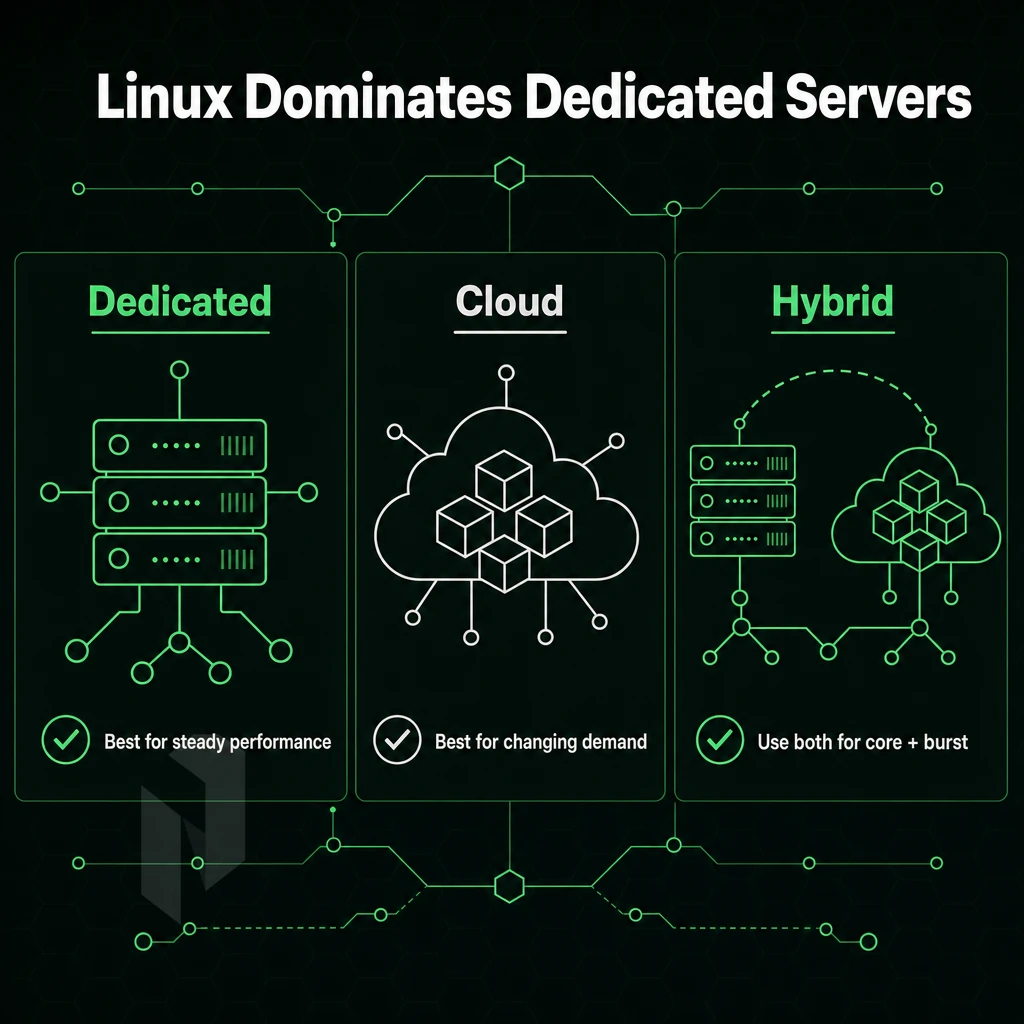
Dedicated servers are almost exclusively deployed with Linux as the primary OS. As a server distro, it delivers better performance and greater security than all other OS options on the market today, and lower total cost of ownership.
Knowing where Linux leads and where Windows Server still holds ground helps you make the best choice for your particular needs and application workloads. While Windows Server remains common for desktop pcs in corporate environments, Linux dominates the dedicated server market due to its resource efficiency and stability.
Licensing Fees, Cost, and the Open Source Advantage
The Linux operating system is free and open source. That means there is no cost for per-seat licenses and no cost for annual renewal of licenses. Also, there is no lock-in by a vendor. Windows Server has significant licensing costs that increase with every server you add to your deploy.
Organizations running multiple servers can redirect budget from licensing fees toward infrastructure improvements or additional hardware capacity. Teams benefit from the flexibility of an open source operating system that allows full customization of kernel parameters, system libraries, and service configurations without vendor restrictions.

As opposed to Windows, with Linux you have access to a huge amount of software packages (web servers, databases, runtimes, monitoring tools, etc.) managed by active communities and easily installable in seconds.
Excellent Performance and Security on Bare Metal
Linux is lean and runs with less RAM idle. As a database server, it supports more concurrent connections and delivers better sustained throughput under load than Windows Server on similar hardware. For an application server that’s dealing with high-traffic workloads, this efficiency translates into real headroom.
Linux security updates are distributed quicker than their counterparts for other operating systems. As open source software, any security holes can be patched up by a worldwide contributor pool within hours of notification. Enterprise-grade distributions such as Red Hat Enterprise Linux RHEL and AlmaLinux also provide long-term support for production environments and offer stability for extended periods of time.
Best Linux File Server vs Windows Dedicated Server
Most workloads like web hosting, databases, cloud servers and containerized applications are better off with Linux. Linux offers better performance, security and flexibility. Server management is much easier with Linux when using SSH, scripting and automation. Many of these tools are native to Linux and integrate much better than their Unix counterparts.
Windows Server has its place, i.e.
For general-purpose bare metal servers, Linux is typically the best operating system foundation to start with. At Netrouting, the majority of our dedicated servers are running Linux and our cloud servers in ten locations are set up to support a wide variety of Linux-based tiers. After choosing an OS for your servers, the next thing to consider would be the type of server deployment that best fits your needs: dedicated servers, VPS or cloud servers.
Linux Dedicated Web Server vs. VPS and Cloud Servers: Side-by-Side Comparison
In choosing between a Linux dedicated server, a virtual private server (VPS) or cloud servers, there are three critical variables at play: isolation, predictability and control. We map out these variables for you in the following table and explain them in detail below it.
| Dimension | Linux Dedicated Server | Linux VPS | Cloud Servers |
|---|---|---|---|
| Performance isolation | Full, no noisy neighbours | Shared hypervisor | Shared, variable |
| Resource guarantees | 100% CPU, RAM, storage | Partial, burst only | Soft limits, throttled |
| Root access | Full | Full (guest OS) | Full (instance only) |
| Cost predictability | Fixed monthly | Fixed monthly | Variable, usage-based |
| Scalability | Vertical; hardware swap | Vertical within host | Horizontal, instant |
| DDoS protection | Always-on L3/L4 included | Provider-dependent | Add-on, extra cost |
| Provisioning speed | Under 60 minutes | Minutes | Seconds to minutes |
| Uptime SLA | 99.9% | 99.9% typical | 99.9%-99.99% varies |
Best Linux Dedicated Server vs Linux VPS: What Is the Difference?
Dedicated servers are physical machines, while Virtual Private Servers (VPNs) are slices of physical hardware treated as separate virtual machines by a Hypervisor, each with their own operating system and configuration files. Both allow root access, but physical hardware remains the best Linux and general server choice when you need to guarantee 100% use of CPU cores, RAM (in Gigabytes), and IOPS (input/output operations per second) on storage.
When Dedicated Beats Virtualized Environments
Dedicated wins when consistency matters. High-traffic web server masses, game servers, and database clusters can’t afford to drop cycles to other virtual guests sharing the same hardware.
Choosing the Best Linux Dedicated Server Provider
I would recommend a service provider that offers the best Linux bare metal servers, always-on DDoS protection, a 99.9% SLA for uptime and less than 60 minutes for provisioning new servers. Netrouting offers all of this and is therefore my number one choice for Linux web hosting.
I would however like to provide you with some configuration options and after you know what to look for in a service provider. I will give you a check list of features that you can use to evaluate any potential hosting provider.
What to Look for in the Best Linux Dedicated Server Provider
When choosing a Linux dedicated server provider, it is very important to evaluate several criteria before signing a contract. In this article we cut through marketing hype and explain what really matters for server management performance, reliability and your future needs.
Key Benefits of Hardware and Network Foundations
- Check for the processor generation in the options provided by the host. Ideally, it should be a current generation of Intel Xeon or AMD EPYC processors. The older generations have limitations with Linux workload density and with memory bandwidth. All major Linux distributions run fine on current architectures without issues with drivers.
- Evaluating network quality: Your web host should run its own, independent Autonomous System (AS) and contract Tier 1 upstreams and IX peering. For serious applications, this greatly affects latency and possible alternate routes. Netrouting is operating AS 6206 on a 2.4 Tbps+ backbone and is connected to several Exchanges, including AMS-IX and DE-CIX.
- Confirm that DDoS protection is a baseline security feature and is included by default as part of the standard offering rather than as an optional add-on. Always-on L3/L4 DDoS mitigation is enabled by default to protect Linux-based servers from volumetric DDoS attacks without requiring any human intervention.
Match the Provider to Your Business Needs
- Check the location of the datacenter. It is wise to host with a datacenter near your users. The further away from your users your server is, the longer the round trip time. We have datacenters in 10 cities across Europe, North America and Asia-Pacific.
- A good Linux dedicated server provider should support various distributions (e.g. Ubuntu LTS, Debian stable, Rocky Linux, AlmaLinux) and not force you to use a proprietary image.
- Evaluate the provider’s support of BYOIP and BGP if you require dedicated IP space and/or control of routing.
Support and SLA Verification
- Demand a written SLA. For production workloads like these Linux servers, a minimum of 99.9% uptime is expected. List the replacement time for the various hardware parts in the contract.
- Test the technical support of your future hosting company. We have a 24/7 NOC with a 1hr ticket guarantee as standard. On top of this standard infrastructure support we also offer vendor support to customers with their own technical teams who require managed server administration services.
- Verify the speed of provisioning new servers. With slow provisioning, go-live dates will be delayed. Bare metal servers should provision within 60 minutes or less.
Note: Providers that bundle Linux licensing costs into the base price are often reselling older hardware. Always request the exact CPU model and generation before ordering.
Netrouting meets all the above points and we can explain our offerings in more detail.
Why Choose Netrouting for Your Linux Dedicated Server
Netrouting runs Linux dedicated servers on enterprise Dell and Supermicro hardware, Intel Xeon and AMD EPYC platforms, provisioned in under 60 minutes. Every server ships with unmetered 10 Gbps bandwidth, always-on L3/L4 DDoS protection included at no extra cost, and full root access to install any Linux distro your workload demands.
- Bare metal performance: No hypervisor overhead. Your Linux server runs directly on dedicated hardware, ideal for database servers, web servers, and mission-critical applications.
- Global reach: Ten data centers across Europe (Amsterdam, Frankfurt, The Hague, Stockholm, Rotterdam, Bucharest), North America (Miami, New York), and Asia-Pacific (Hong Kong, Singapore).
- 2.4 Tbps+ network on AS6206: Carrier-neutral, with BYOIP and full BGP support for teams that need routing control.
- Certified and compliant: ISO 9001, ISO 27001, and SOC 2, built for regulated workloads.
- 24/7 NOC, 1-hour ticket guarantee: Real technical support when your Linux server needs it most.
Compare configurations or discuss your requirements with our team to find the right fit. Those capabilities reflect a broader set of reasons why Linux remains the platform of choice for serious dedicated server infrastructure.
Core Advantages of Linux Distributions for Server Workloads
Linux is the leading platform for dedicated servers. The Linux operating system provides long-term stability, excellent security and a huge Open Source software ecosystem. Most Linux distributions are provided for free and there is no licensing fee for their use. The range of distributions available allows users to select from enterprise-level distributions such as Red Hat Enterprise Linux up to very fast Linux server distributions that have been configured for optimal performance and control.
When choosing a Linux dedicated server setup, you want to make sure you have picked the right Linux distro for your specific workload. The right distro will provide you with excellent performance and regular security updates, and scale perfectly without any surprise costs. The reason that serious dedicated server infrastructure is usually set up with Linux as the default OS is because of this.
Dedicated servers are best run with Linux. For reliability, security and flexibility of use there's no other OS as capable as Linux. Depending on your needs you can use Ubuntu for maximum compatibility, Debian for rock solid stability or a hardened version of Red Hat Enterprise Linux for highest demands of enterprise servers.
The value delivered by a Linux server is largely determined by the quality of the hardware it runs on and the network it is connected to. Even the best linux distribution, finely tuned on mediocre hardware, will not deliver as much value as one left to its defaults on top of high-end hardware with a massive backbone.
Netrouting runs some of the best linux server distros on Dell and Supermicro hardware across ten global locations, Amsterdam, Frankfurt, Miami, New York, Singapore, and more, with unmetered 10 Gbps included and bare metal provisioned in under 60 minutes. Explore our dedicated server configurations and find the right fit for your workload.