When selecting a Windows dedicated server, it is essential to consider a number of factors. This includes the server's raw power, the quality of the hosting provider's dedicated server network, and the additional complexities of managing servers running Windows in large numbers.
It doesn't take long to realize the potential problems of choosing web hosting services incorrectly, from unexpected down time and additional Windows licensing costs to the poor performance of a server hosted on substandard infrastructure. Organizations migrating from shared web hosting to dedicated infrastructure often discover that the performance gains and control justify the higher investment for business-critical applications.
Our dedicated team of experts has been designing dedicated infrastructure for over 10 years. As a provider of our own AS6206 powered by 10 locations across Europe, North America and Asia, we know what we’re talking about. Our global infrastructure spans multiple continents, ensuring low-latency connectivity and redundancy for mission-critical Windows workloads regardless of your users' geographic distribution.
Blog contents
We define a set of key criteria to evaluate Windows dedicated hosting, including the available hardware generations and the degree of configurability. The available network capacity and peering, the available Windows Server licensing models, DDoS protection, support. Additionally, The Service Level Agreements offered. In the end, you will have a clear mapping of a hoster's data centers and capabilities to your needs, whether you're hosting a highly loaded web application, a SQL Server instance, or a Remote Desktop Services environment.
What Do Dedicated Server Hosting Providers Offer With Windows?
A Windows dedicated server is a single physical server with its own Windows Server Operating System installed. You will have a single server dedicated to your use, with 100% of the CPU, and no noise from neighbors or virtualization overhead. You get to manage the whole server and all of its hardware.
This exclusive allocation of computing power ensures your applications run without interference from other users or workloads. Many organizations also value the dedicated IP address that comes with exclusive server allocation, ensuring consistent reputation for email delivery and SSL certificate binding.
What a Dedicated Server Actually Means
As opposed to shared hosting where you're stuck competing for resources like CPU power and RAM with dozens of other accounts on the same server, or a virtual private server (VPS) account where your server space is carved out of a physical server by a hypervisor that allows multiple tenants to share the same physical server, dedicated server hosting providers give you an entirely separate machine all to yourself.
Unlike traditional web hosting models that prioritize density and resource sharing, dedicated servers eliminate the performance compromises inherent in multi-tenant architectures.
Dedicated server hosting offers you sole tenancy on dedicated hardware. That means your hosting provider gives you a bare-metal server to call your own, complete with a dedicated IP address, completely unshared resources and total control to do with as you will. Each dedicated ip ensures your server maintains a unique network identity, critical for SSL certificate binding, email reputation management, and application whitelisting scenarios.
The result is predictable and consistent performance which is critical for latency sensitive workloads such as SQL Server databases, Active Directory authentication and.NET application stacks.
Dedicated Server Windows vs. Desktop Windows
Windows dedicated servers run off of Windows Server editions (2019/2022) as opposed to consumer versions of Windows. Windows Server editions are specifically engineered to run in multi-user, 24/7 environments and support features such as Remote Desktop Services. Full server versions of Active Directory services and IIS-powered web serving right out of the box.
Organizations benefit from enterprise-grade stability and security features built into the latest windows server versions, which receive regular updates and extended support lifecycles from Microsoft. These windows servers run continuously with enterprise-grade reliability, supporting mission-critical business operations that demand maximum uptime and performance.
The management of your server can be done by Remote Desktop Protocol (RDP) and with full administrator access. This allows your team to work in a familiar GUI environment, without needing to have in-depth knowledge of Linux command line tools. Organizations can streamline server management by implementing PowerShell automation scripts and Group Policy configurations directly through the RDP interface.
Why Businesses Choose Windows Dedicated Server Hosting
The decision to choose a Windows dedicated server over a Linux dedicated server generally hinges on the specific application(s) you need to support. Typical application drivers include: Conversely, organizations with open-source application stacks or containerized workloads may find linux hosting more cost-effective and flexible for their deployment requirements.
- Microsoft SQL Server databases requiring native OS integration.
- .NET and ASP.NET applications built for Windows runtimes.
- Active Directory and Group Policy management for enterprise identity management.
- Remote Desktop environments for distributed teams.
- Legacy Microsoft-native workloads that cannot be replatformed.
What Is the Best Dedicated Server Hosting?
When selecting a dedicated server, it is important to match the offered hardware, network and OS support to your needs. As one of the leading dedicated server hosting providers, Netrouting offers Windows dedicated servers on top enterprise hardware like Dell and Supermicro servers with Intel Xeon and AMD EPYC processors across 10 datacenters worldwide spread over 3 continents: Europe.
Choosing the right data center location can significantly reduce latency for your end users and ensure compliance with regional data sovereignty requirements. Organizations running distributed applications or requiring geographic redundancy can deploy multiple servers across different regions to ensure high availability and disaster recovery capabilities.
North America and Asia. All servers come with unlimited 10 Gbps network, always enabled DDoS protection and 24/7 NOC with a 1hr ticket guarantee. But what does this all mean in practice? This built in ddos protection ensures your Windows server remains accessible even during volumetric attacks, safeguarding mission-critical applications without requiring additional third-party security services.
Comprehensive monitoring tools help keep your server secure by detecting anomalies and potential threats in real-time across network traffic and system logs. Our support team monitors infrastructure health around the clock, responding to alerts and resolving issues before they impact your production environment.
Full Control: What Windows Dedicated Hosting Actually Gives You

A dedicated Windows server in modern data centers gives you the whole server to play with, and no shared tenants, no hypervisor overhead competing for CPU time and no hosting restrictions on software that you can install. The key difference becomes very apparent once your workload exceeds that which can be accommodated in shared or virtual environments.
What Full Root Access Actually Means
By logging in via RDP, you’ll have Full Root Access (on non-Windows servers) or Full Administrator Access (on Windows servers). This means you can install and configure SQL Server, IIS, Client Access Licenses, Windows Firewall rules and just about anything else you need to get your application up and running. We don’t lock anything away in your control panel! Effective server management requires understanding both the Windows Server operating system and the underlying infrastructure to maintain security, performance, and availability.
Full server control extends below the OS level. This means you get to choose the servers’ hardware. As a dedicated hosting provider, we offer a range of CPU models including Intel Xeon and AMD EPYC as well as fully configurable RAID storage across a variety of drive types including NVMe and SAS connected drives.
Selecting the right server hardware configuration ensures your Windows workloads have the processing power, memory bandwidth, and storage throughput required for optimal application performance. Customers can configure disk space capacity based on their specific storage requirements, scaling from terabytes for standard applications to multi-petabyte arrays for data-intensive workloads.
The BIOS can be customized to change power profiles and even the boot order. This is all beyond the control of typical virtual machines which are restricted by the hypervisor sitting above the physical servers.
Dedicated Server vs. VPS: The Real Difference
For VPSes, physical cores and RAM are shared with other VPS instances hosted on the same servers. This is particularly problematic in shared web hosting environments for high traffic websites, as they can be negatively affected by 'noisy neighbors' even when they have ample resources reserved.
In contrast, dedicated servers do not have to worry about such issues and offer consistent and stable performance. You will get to use all dedicated cores, all the allocated amount of RAM and even benefit from a direct connection to the NIC. On Netrouting’s bare metal range this NIC connection is offered up to 10 Gbps unmetered.
This unmetered bandwidth allocation eliminates concerns about traffic overages or throttling during peak usage periods, making it ideal for bandwidth-intensive Windows applications. Dedicated servers also provide ample disk space for large databases, application files, and log storage without the constraints typical of shared hosting tiers. Each Windows server deployment includes a dedicated ip address that ensures consistent routing and simplifies SSL certificate management for secure web applications.
| Dimension | Dedicated Server | VPS / Cloud |
|---|---|---|
| Resource isolation | 100% dedicated | Shared pool |
| Network throughput | Up to 10 Gbps unmetered | Burst-limited |
| BIOS / hardware access | Yes | No |
| Uptime SLA | 99.9% | Varies |
Which Windows VPS Host Is the Best?
For most Windows and isolation needs, a VPS is a stepping stone to more advanced hosting solutions. If you need consistent performance, root access and hardware level control of your servers, then a dedicated server is the best solution for you. Netrouting offers bare metal dedicated servers in 10 datacenters across 3 continents within 60 minutes or less. We guarantee 99.9% uptime and offer 24/7 support via phone, email and online ticketing system with a 1 hour guaranteed response time.
Netrouting's transparent pricing model includes a price lock guarantee, ensuring your monthly hosting costs remain stable without unexpected increases over your contract term. Netrouting eliminates setup fees on all Windows dedicated server deployments, allowing you to allocate your entire budget toward the hardware and bandwidth specifications your applications require. Our experienced support team monitors infrastructure health around the clock, providing rapid diagnosis and resolution when issues arise with your Windows environment.
Note that while initial server setup as well as ongoing server management are your responsibility with an unmanaged server, customers without in-house Windows Server experts can opt for the managed hosting option by Netrouting. This option includes OS patching, security hardening as well as proactive monitoring. You retain full control of your server while the operational overhead is distributed adequately. First you have to decide on the right Windows Server edition for your projects though. Managed services can streamline the initial server setup process, reducing deployment time from days to hours while ensuring best practices are followed from the start.
Managed hosting ensures your team can keep the server secure through regular vulnerability assessments and timely application of critical security patches. Many providers waive setup fees for managed plans, recognizing that customers investing in ongoing support represent long-term revenue opportunities worth incentivizing upfront. Delegating routine server management tasks to experienced professionals allows your internal teams to focus on application development and business logic rather than infrastructure maintenance.
Windows Server License Editions: Choosing the Right Version
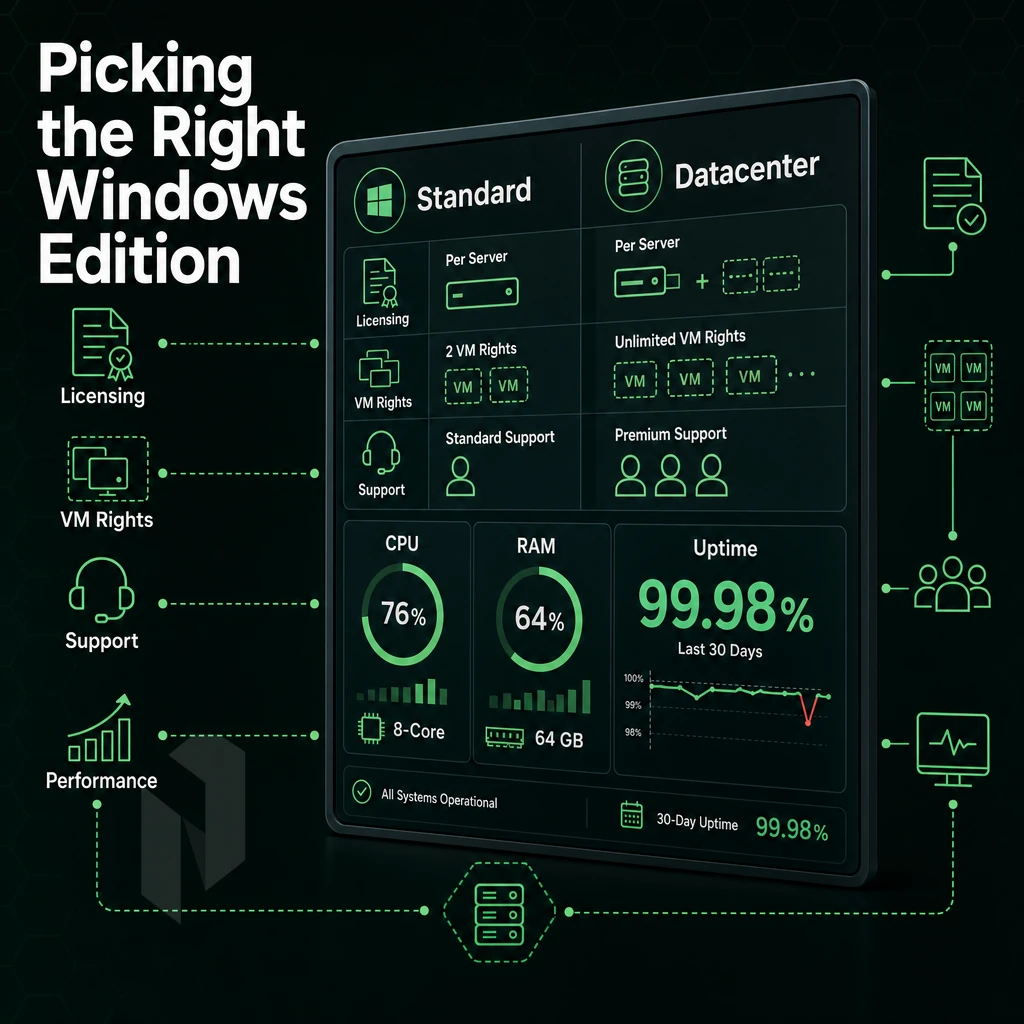
Selecting the proper version of Windows Server impacts several factors including cost, virtualization rights and support. Make a wrong choice and you will pay too much or reach a ceiling as your workload scales.
Understand Windows Dedicated Server Editions
The current versions of Windows Server are Windows Server 2019 and Windows Server 2022. Both of these versions come in two flavors, or tiers. The first thing you need to learn about Windows Server editions is the difference between Standard and Datacenter.
- Standard: Covers up to two virtual machines on the licensed host. The right fit for most single-workload deployments, IIS,.NET apps, or remote desktop environments.
- Datacenter: Unlimited VMs on the licensed host. Choose this when you're running dense virtualization, Microsoft SQL databases, or multiple isolated environments on one bare-metal server.
Note: Client access licenses are a separate cost. Every user or device connecting to Windows Server services, Remote Desktop, file shares, SQL, typically requires a CAL. Confirm what your hosting provider includes before you order.
Match the Edition and Operating Systems to Your Workload
- IIS and.NET apps: Standard is sufficient. These workloads run on a single OS instance and don't require unlimited VM rights.
- SQL Server: Datacenter is worth considering. SQL Server licensing ties to physical cores, and Datacenter gives you VM flexibility to isolate database instances.
- Game servers and remote desktop: Standard covers most deployments. Scale by adding dedicated server hosting options rather than stacking VMs on one host.
Is the Windows Server Operating System Reaching End of Life?
Windows Server 2012 / R2 reached end of life in October 2023. Windows Server 2012 R2 Extended Security Updates are available on a paid basis. Windows Server 2016 reached end of mainstream support in 2022 and is now in extended support until 2027.
Both Windows Server 2019 and 2022 are in active support. A Windows Server license for either version of Server on dedicated hardware today is a safe long-term investment.
Dedicated IP and Linux Alternatives
All bare metal deployments include a dedicated IP. This is important for SSL certificates, for mail server reputation, for RDP access control, and because a static IP from your hosting provider makes it easier to write firewall rules for Windows-specific ports.
Not every workload needs to run on Windows servers. In fact, Linux dedicated servers will generally cost less to license (often $0) and perform better than Windows servers for web stacks, containers, etc. activities that experience high concurrency. Determine which OS is best for your workloads and do not simply choose based on past habit. Once you have decided on a particular edition of a server operating system, compare providers to see what they can offer you.
Key Features to Evaluate in Windows Dedicated Server Providers
| Provider Type | Performance | Support | Uptime SLA | Network | Best For |
|---|---|---|---|---|---|
| Netrouting | Latest-gen Intel Xeon and AMD EPYC bare metal. Up to 2 TB RAM, 24 drives, hardware RAID. No shared resources. | 24/7 NOC, 1-hour ticket guarantee. Managed hosting add-on available. | 99.9% SLA. Same-day hardware replacement. | 2.4 Tbps+ backbone (AS6206). Unmetered bandwidth at 10 Gbps. Every dedicated server includes DDoS protection at L3/L4. | Windows or Linux operating system workloads needing guaranteed bare metal, global reach, and always-on DDoS mitigation. |
| Hyperscaler Cloud (generic) | Virtualised compute, shared resources common on lower tiers. Dedicated host options available at premium cost. | Tiered support; faster SLAs require paid plans. | 99.9%-99.99% depending on tier and region. | High-capacity regional networks. Egress fees apply. DDoS protection varies by plan. | Teams already invested in a single cloud ecosystem. Online stores with variable, unpredictable traffic spikes. |
| Budget Bare Metal Provider (generic) | Older-generation hardware common on entry dedicated server plans. Limited custom configurations. | Ticket-only; response times vary. Limited managed options. | 99.9% standard; hardware replacement SLAs often 24-48 hours. | Metered or capped bandwidth. Basic DDoS filtering. Single-region network. | Cost-sensitive projects with simple, single-location requirements and no strict SLA needs. |
| Managed Windows Hosting Provider (generic) | Optimised for Windows Server and control-panel workloads. Dedicated hosting plans include cPanel/DirectAdmin licensing. | Windows-specialist support teams. Proactive OS patching included. | 99.9% typical. Hardware SLAs vary. | Moderate bandwidth. Unmetered bandwidth on select plans. Basic DDoS scrubbing. | Agencies and online stores running Windows-native stacks who want fully managed control-panel servers. |
Dedicated servers for buyers looking for real bare metal servers without any shared resources and the possibility to choose between Windows and Linux operating systems and a network with DDoS protection by default as standard on all servers are the perfect offers for Netrouting’s dedicated server options. Large amounts of unmetered bandwidth at 10 Gbps are as perfect for online shops and gaming companies as for bigger enterprises and businesses.
On top of a 99.9% SLA with same day hardware replacement Netrouting’s dedicated servers are available from 10 locations worldwide. On top of that teams can choose to add a layer of managed hosting or even managed control-panel servers without having to change providers. The first step is to find out which hosting provider type is best for you, but also important is to find out which type of workload actually benefits from dedicated windows servers.
Windows Dedicated Server Use Cases: What Workloads Benefit Most
NEEDS REVIEW: density over: 'game servers' used 2x in section, max 1; density over: 'sql server' used 3x in section, max 1; density over: 'Microsoft SQL Server instances' used 2x in section, max 1
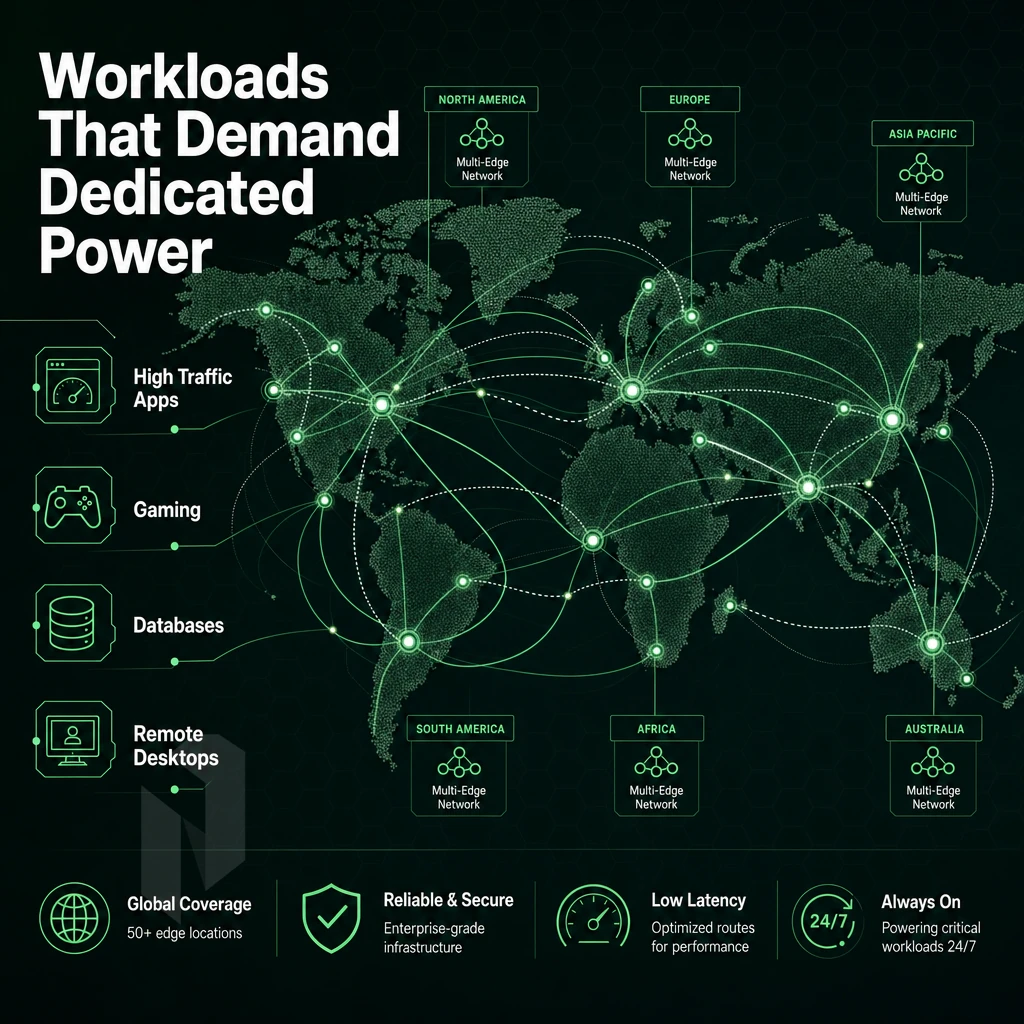
Dedicated servers aren't for every workload and shared/VM hosting isn't always suitable. However, Dedicated hardware plus a Windows Server environment provides the ultimate noisy-neighbour free, native Microsoft stack environment, something shared accounts and VMs just can't provide.
High-Traffic Sites, eCommerce, and.NET Applications
ASP.NET and.NET applications typically rely on IIS, Windows Authentication and COM+ services. Shared hosting environments may throttle these components under high concurrent loads. On dedicated hardware in data centers, however, there are no limits: IIS worker processes can utilize the full core count of your server, connection pools and session state remain stable and are not affected by other tenants.
Even high-traffic eCommerce sites suffer significantly from high cart abandonment due to slow response times. To ensure checkout pages load quickly, even during flash sales, eCommerce sites require dedicated resources that are not impacted by other workloads.
SQL Server Databases, CI/CD, and Streaming
SQL Server Databases on a Dedicated Server
Memory hungry buffer pools quickly degrade in performance as soon as RAM is shared. With a dedicated server for SQL Server, all memory is at its disposal. Your transactional workloads and reports will benefit from consistent query latency.
Bare metal is needed for CI/CD pipelines (build agents, test execution, artifact storage) because virtualized environments introduce non-deterministic I/O jitter that can affect timing-sensitive test cases.
In addition to CPU load, video streaming also puts additional pressure on your bandwidth. Our network provides you with unmetered 10 Gbps per server for all your live as well as on-demand streams.
Game Servers, RDP Workflows, and VPN Deployments
Game Servers With Root Access
, FiveM, Palworld, and other games of that nature, require very low-latency for their ticks as well as very consistent CPU scheduling. Hypervisor level use of shared VMs introduces frame drops and desync. Bare metal avoids these problems.
Remote Desktop Environments Across Operating Systems
RDP-based workflows need to guarantee session throughput. Running these with multiple concurrent users on a shared VM will degrade performance for all users. Running on dedicated Windows servers ensures that each user gets a responsive session regardless of the number of other users.
High bandwidth and reliable routing is what most VPN providers require. As a windows dedicated server provider we fit well with high connection count VPN setups. Our AS6206 backbone and dense peering at 10 locations across the globe makes us a great option for these types of setups. After you determined what kind of load you will place on the server, you also have to decide on the OS of choice, Windows or Linux.
Windows vs Linux Dedicated Servers: Side-by-Side Comparison
NEEDS REVIEW: density over: 'dedicated machine' used 2x in section, max 1; density over: 'remote access' used 2x in section, max 1
When choosing between Windows and Linux for your dedicated server, the deciding factor is what your stack needs. Both operating systems provide enterprise class performance on bare metal hardware. You need to consider the applications you run, the people that administrate your servers and the other software you use in your environment.
Comparing Operating Systems Side by Side
This table outlines eight decision criteria for two different platforms. No single OS is better than the other. Instead they are both better at different things and you can decide based on your workload.
| Criteria | Windows Server | Linux Server |
|---|---|---|
| Operating System | Windows Server 2019 / 2022 | Ubuntu, Debian, AlmaLinux, Rocky Linux |
| Primary Use Cases | ASP.NET apps, Active Directory, SharePoint, Exchange | LAMP/LEMP stacks, containerised workloads, HPC |
| Control Panel | Plesk (Windows-compatible) | DirectAdmin, cPanel |
| Database Support | SQL Server, MySQL, PostgreSQL | MySQL, MariaDB, PostgreSQL, MongoDB |
| Licensing | Commercial licence required (included by provider) | Open-source; no OS licence cost |
| Remote Access | RDP (Remote Desktop Protocol) | SSH |
| Typical Workloads | ERP, CRM,.NET microservices, Windows-native apps | Web hosting, game servers, CI/CD pipelines, ML inference |
| Management Complexity | GUI-driven; lower CLI barrier for Windows admins | CLI-first; steeper curve but greater automation flexibility |
Workload Fit for Dedicated Server Hosting Providers
Linux dedicated servers are the norm for open-source applications. PHP, Python, Node.js and containerised microservices all run more efficiently on Linux web hosting servers due to the way they have been optimized for performance. Kernel-level tuning and minimal overhead make Linux the preferred platform for high-volume, latency-sensitive applications.
If you have applications that are heavily dependent on native Microsoft components, Windows Server is your best choice to run. SQL Server, Active Directory, IIS and.NET Framework applications need to run on a Windows Server and replication those on Linux would add a lot of unnecessary complexity without any benefits.
The way you grant remote access to a server matters. For a Windows server you would use RDP, which gives you a full desktop. For a Linux server you would use SSH, which allows for very light-weight sessions, perfect for scripts and configuration management tools.
Choosing Between the Two on a Physical Server
Best Windows Dedicated Server s? Run Native Microsoft code on Windows Dedicated Servers. Open Source code best run on Linux bare-metal servers. We also host Mixed Dedicated Servers on physical single servers in the same data center, running both environments separately.
A quality dedicated server hosting company, such as Netrouting, offers multiple platforms at all locations. Netrouting for example offers bare metal dedicated servers with either OS installed within 60 minutes. On top of 99.9% uptime guarantee, 24/7 NOC monitoring is provided. After you decided on the OS for your dedicated hosting server, this article will provide you with a practical evaluation checklist to pick the right dedicated hosting company with reliable data centers.
How to Choose the Best Windows Dedicated Server Hosting for Your Workload
Selecting the proper Windows dedicated server includes choosing hardware, location and support options and matching them to your actual workload as opposed to simply selecting the least expensive offering with the stated specifications.
Preparation: Define Requirements Before You Shop
- First you need to establish what type of workload you have. Web hosting, databases, games servers and remote desktops are all different loads and affect different parts of the system. Start by establishing what your workload is before trying to size anything.
-
Size your hardware. CPU cores drive concurrent request throughput. RAM determines how much data stays in memory. Disk type, NVMe, SSD, or spinning HDD, sets I/O latency. Match each to your peak load, not your average.
Note: Undersizing RAM is the most common mistake. Buffer pool exhaustion on a database server causes cascading slowdowns that extra CPU cores cannot fix. - First choose a datacenter location. Latency travels in one direction only and adds up very quickly. So place your server in the datacenter which is closest to most of your users. A user base in Europe needs a European datacenter and users in Southeast Asia need an APAC datacenter.
Evaluation: Full Control vs. Managed Server Hosting
- Determine the appropriate level of DDoS protection for your servers. Include L3/L4-level mitigation by default. Higher-level workloads (games, financial apps, etc.) require L7-layer mitigation and custom policies on top of basic protection.
- Managed vs Unmanaged servers. Unmanaged servers give you complete control of the hardware and the Operating System. Managed servers on the other hand have patching, monitoring and hardening of servers taken care of for you by your provider. Make a decision based on your team’s capabilities and not just cost.
- Verify the SLA details, i.e. the guaranteed uptime and hardware replacement times. A 99.9% uptime guarantee plus same-business-day replacement of faulty hardware would be the minimum acceptable.
Server Setup and Final Checks
- Check the control panel and access model. Windows Server comes with RDP and PowerShell out of the box. Check if a web-based control panel like DirectAdmin or cPanel is available and if you get full root-equivalent administrator access right from the start.
-
Compare setup fees and contract terms. Month-to-month contracts carry flexibility; longer terms typically reduce the effective rate. Confirm whether the Windows Server license is included or billed separately, it often isn't.
Note: Always read the bandwidth overage policy. Unmetered ports eliminate this risk entirely.
These 8 criteria map directly to what we can deliver for you ‘out of the box’, and why it matters.
Why Choose Netrouting for Windows Dedicated Server Hosting
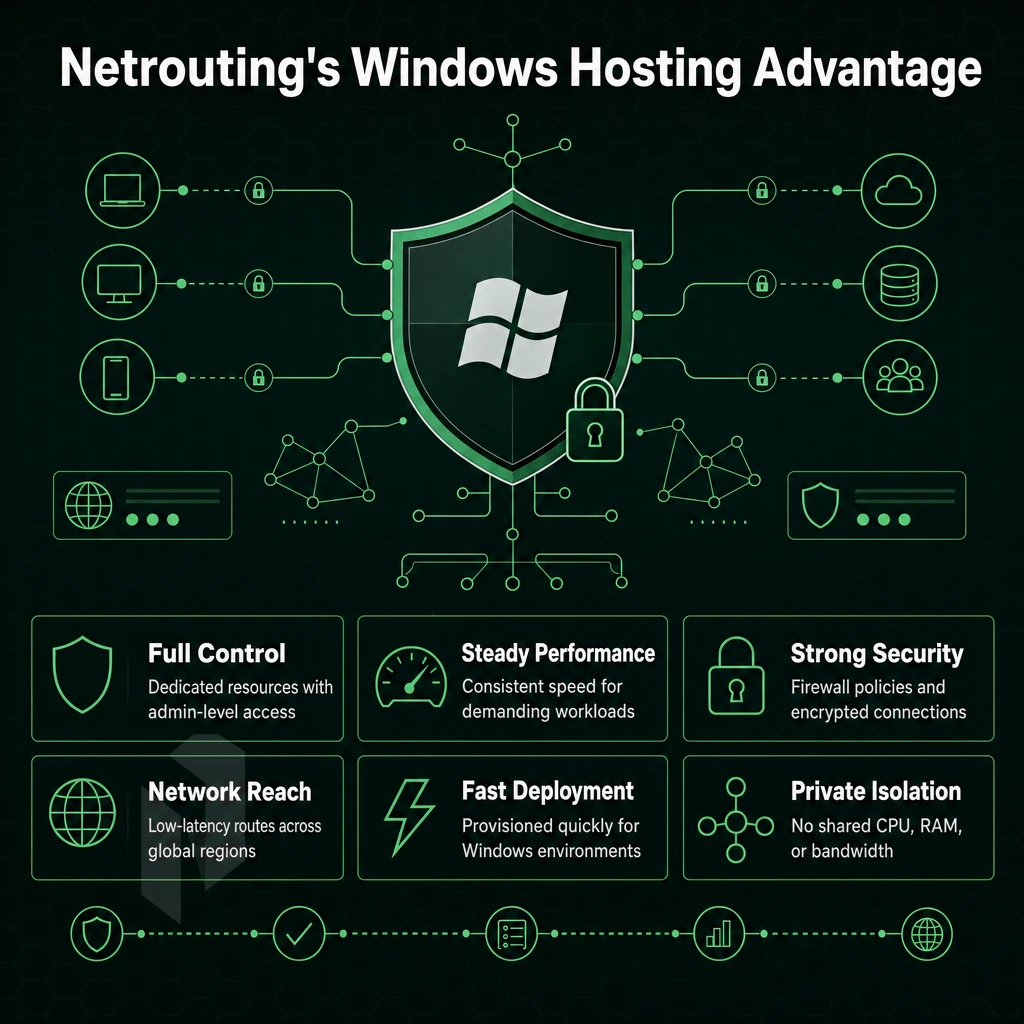
Windows dedicated server hosting demands full hardware control, consistent performance, and a network that won't bottleneck your workloads. Netrouting delivers on all three, with dedicated resources on enterprise Dell and Supermicro hardware running Intel Xeon and AMD EPYC platforms, every Windows server environment gets its own physical host, no shared resources. Additionally, Full administrator access from the moment it's provisioned.
Our bare metal dedicated servers go live in under 60 minutes. Windows Server workloads, from SQL Server workloads and virtual desktop infrastructure to high traffic websites and gaming servers. Benefit from bare-metal hardware that's yours alone, with unmetered bandwidth and a free private network between your resources.
- Always-on DDoS protection: Built-in L3/L4 mitigation is included on every dedicated server, with advanced L7 options for mission-critical deployments. Your server stays secure without extra configuration.
- 2.4 Tbps+ network on AS6206: Tier 1 upstreams and dense IX peering across AMS-IX, DE-CIX, FL-IX, and more. Consistent performance for web hosting services, database servers, and.NET apps.
- 10 global data centers: Amsterdam, Frankfurt, The Hague, Rotterdam, Stockholm, Bucharest, Miami, New York, Hong Kong, and Singapore, place your Windows dedicated server close to your users.
- Managed hosting options: OS patching, security hardening, and proactive server management available across all dedicated server plans. Retain full root access while we handle operations.
- ISO 9001, ISO 27001, SOC 2 certified: Enterprise-grade compliance backed by a 24/7 NOC and a one-hour ticket response guarantee.
BYOIP and BGP support give network-savvy teams complete control over routing. For reliable dedicated hosting with global reach, explore our dedicated server hosting options or contact our sales team to discuss your Windows server requirements. The right location for that server is just as important as the hardware, here's how our global footprint is structured.
Netrouting Data Centers: European, US, and Asian Coverage for Windows Servers
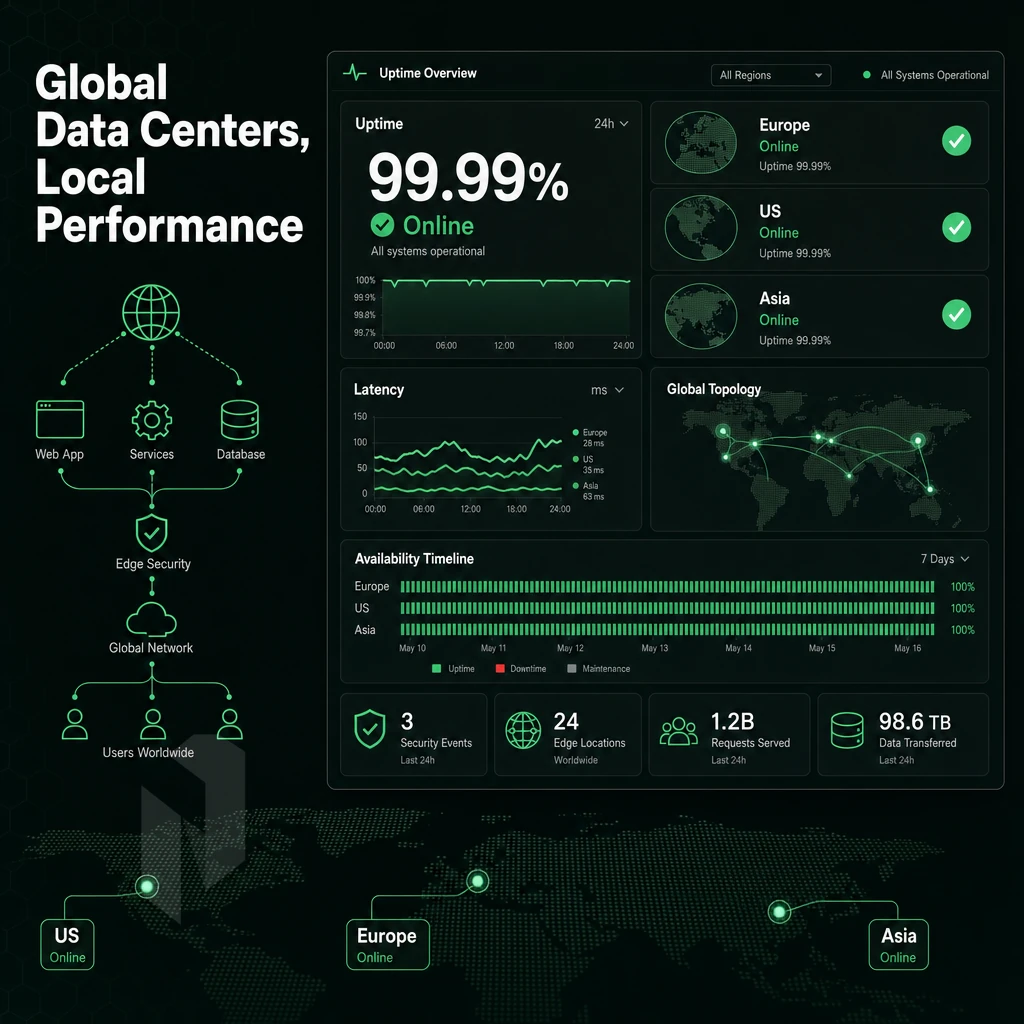
Location of a data center for a Windows dedicated server is a critical decision. Factors such as latency, data sovereignty and peering density need to be taken into account for the best possible hosting location. We have set up ten data centers in three locations specifically to host Windows servers and keep them close to their users and their respective workloads.
European Locations: Peering, Sovereignty, and Redundancy
We have a substantial European footprint in six cities. Our Amsterdam European hub, a top choice among windows dedicated server providers and compatible with all major operating systems, has a very dense peering setup with top AMS-IX, LSIX, FRYS-IX and GNM-IX facilities in order to serve our customers' EU data sovereignty needs with lowest possible latencies within Western Europe. Frankfurt’s DE-CIX facility extends our peering coverage to DACH and Central & Eastern Europe.
The primary EU headquarters for The Hague based DFDC THG1 is a 215+ rack facility with N+1 power and cooling. DFDC Rotterdame edge facilities in multiple carrier-neutral locations across Rotterdam provide Disaster Recovery focused computing resources. DFDC Stockholm edge provides peering to NetNod in order to serve the Nordic region. Low-latency access to Balkans and Eastern Europe is provided from DFDC Bucharest.
All of our sites come with L3/L4 DDoS protection as standard, no config required. However, database servers and Active Directory domains that require the strictest GDPR compliance will require European placement.
North American Locations: East Coast and Latin America Gateway
Our global headquarters in Miami is a SOC 2-compliant data center and principal gateway to Latin and South America. It is directly connected to FL-IX peering and one of Latin America’s premier carrier hotels. Our New York facility is located at 60 Hudson Street, one of the world’s most connected carrier hotels. DE-CIX New York peering serves the NY/NJ metro and other East Coast locations for enterprise-class deployments.
Our Windows firewall policies and Windows operating system licensing are a fully supported service at both our North American sites. The price is locked so you know exactly what you will be paying month after month.
Asia-Pacific Locations: Financial and Gaming Workloads
As a hosting provider, the Equinix facility at HK2 in Hong Kong is connected by submarine cable and offers a robust control panel for managing our preferred APAC financial platforms requiring low-latency trading infrastructure. Our Singapore web hosting location is at Digital Realty's SIN10 facility, and is connected to Southeast Asia on premium Tier 1 connectivity including Tata Communications.
Both APAC sites are designed to the same infrastructure standard as our European and North American Tier III data centers with 24/7 NOC monitoring and a one-hour ticket response guarantee. This global footprint supports the information in this guide.
The Core Advantages of Windows Dedicated Hosting
Our Windows dedicated server hosting offers the dedicated resources on physical server infrastructure that shared and virtual servers simply cannot offer. You have full admin access and full server control to work with a Windows server environment that has been specifically designed to host Microsoft-native applications such as MSSQL databases,.NET applications and remote desktop servers. Compatible configurations are a thing of the past.
The real deciding factor for choosing a Dedicated Windows Server vs. scalable dedicated hosting plans is control and fit. For high traffic websites, multiplayer game hosts and similar workloads you want to run on a familiar OS and have consistent performance, the best windows dedicated server for these types of scenarios is dedicated hosting.
Dedicated hosting for Windows on dedicated servers provides something shared servers and cloud servers are not able to provide, guaranteed hardware and full control to the OS. A dedicated server is a platform that is optimized for the most demanding workloads like Active Directory, MSSQL,.NET and high traffic IIS servers.
Just as you would choose the correct Windows Server edition for your needs, you should also choose the correct hardware for your needs. Match the edition to your workload, not the other way around.
The provider you choose determines a lot of things, including network capacity, provisioning time and overall support. At Netrouting we offer bare metal Windows servers in 10 locations world-wide: Stockholm, Amsterdam, Frankfurt, Miami, New York, Hong Kong and more. All our locations are connected with a 2.4 Tbps+ backbone and offer unmetered 10 Gbps uplinks. Every server is supported by our 24/7 NOC.
Ready to spec your deployment? Browse Netrouting's dedicated server configurations or contact sales to discuss a custom build.