Choosing the best dedicated server hosting provider sets your performance ceiling, locks in your network quality and sets the stage for your support experience for years to come. Get it wrong and you’ll be looking to migrate under pressure. Get it right and your infrastructure will simply disappear as a variable and everything will just work.
Our only aim is to help you select the right IaaS provider to meet your needs. The Guide was tested and reviewed against 6 key selection criteria of importance to Engineers and IT Decision Makers around the globe, i.e. latest bare metal server hardware generation offered.
When evaluating any hosting company, key factors include network capacity and peering with other key networks (subnets / ASNs), DDoS protection, dedicated servers provisioning and deployment speed, quality of service and support, and finally, total cost of ownership (TCO). Evaluating dedicated servers requires assessing not only the hardware specifications but also the provider's ability to deliver consistent uptime across geographically distributed locations.
Blog contents
I have tried to provide you with the best, objective and fair Guide around to the provision of Bare Metal Server hosting. Additionally, It reflects my near 20 years experience provisioning bare metal on AS6206 for high end workloads. Netrouting, global IaaS provider offers its services in ten cities across Europe, North America and Asia.
Each workload of video delivery, latency sensitive gaming, and VPNs with clean IPv4 and multi-gigabit connectivity have unique requirements when choosing among dedicated hosting providers to find the right fit. First, we explain what dedicated hosting is and how it works. Then we go through each of the criteria one by one. Evaluating dedicated servers for these specialized workloads requires assessing not only raw compute capacity but also network topology, peering arrangements, and the provider's ability to scale bandwidth without introducing latency spikes.
What Are Dedicated Web Hosting Servers and How Do They Work?
Dedicated hosting means one physical server, one tenant. With dedicated hosting plans, you don't have to share CPU cycles with noisy neighbors, and you also avoid overhead from virtualization when running applications on a server shared with strangers in a data center. In dedicated hosting, you have the hardware, all of it, and everything running on it is yours to manage. For community perspectives, see Looking for a Dedicated Server Provider - What Matters ....
Dedicated Server Hardware and Full Root Access
A dedicated server is a bare-metal machine provisioned for your use and your work load only. In contrast to shared environments where dozens of accounts would compete for the same amount of RAM and CPU. A dedicated server provides you with guaranteed and uncontested resources as soon as the server has been provisioned. This single tenant hardware model eliminates the noisy neighbor problem entirely, ensuring predictable performance for mission-critical applications.
Full root access to a server running an OS of your choice, kernel parameters of your choice. Software stack of your choice and the corresponding security policies, all to be configured, installed, uninstalled and unconfigured as you see fit. No control panel will lock up your server for you! This level of control grants you exclusive access to every layer of the infrastructure, from BIOS settings to network interface configurations.
This architecture ensures full control over resource allocation, enabling you to tune performance parameters without vendor-imposed restrictions or shared infrastructure constraints. Whether you deploy a linux operating system or another platform, the architecture remains consistent in providing unrestricted access to system-level configurations and runtime environments. The choice of operating system directly impacts kernel tuning capabilities, driver compatibility, and the ability to implement custom security hardening measures at the system level.
This is particularly relevant for workloads that are subject to compliance requirements. For example, workloads that require PCI DSS, HIPAA or even ISO 27001 compliance. Shared or virtualized tiers can make it very difficult to demonstrate appropriate levels of control and management of the environment.
How It Differs from Shared and VPS Hosting
Unlike dedicated servers, shared hosting puts many customers on the same server, meaning one account generating a lot of traffic can affect the performance of all other accounts on that server. Virtual Private Servers (VPS) are hosted on servers which have a Hypervisor installed. The Hypervisor then carves out virtual servers (slices) from the physical server. Although each VPS has its own dedicated resources, there is still contention for resources on the host server.
Dedicated server customers avoid both problems as there is no hypervisor overhead, and no competing tenants to impact Dedicated Servers, and most importantly, no artificial CPU or RAM limits imposed by a virtualisation layer.
Which Dedicated Hosting Servers Are Best for Web Hosting?
When choosing a web hosting service, the reliability of the dedicated hosting options will depend on a number of factors, including the user’s workload, physical location and required support. To provide reliable dedicated hosting, the user requires enterprise grade hardware, a high capacity network and good support.
Organizations running high traffic sites especially benefit from enterprise-grade infrastructure that can handle sustained load without performance degradation or resource contention. Providers offering a 99.99 uptime sla demonstrate confidence in their infrastructure redundancy and operational processes, typically guaranteeing less than 53 minutes of downtime per year.
Netrouting provide the above three requirements by means of bare-metal servers on Dell and Supermicro hardware. A high capacity network with unmetered 10 Gbps connections and 24/7 support from a NOC with a one-hour ticket guarantee. Therefore, Netrouting would be an excellent choice for web hosting services for teams that are evaluating web hosting services at the infrastructure level. Their one-hour ticket guarantee complements the infrastructure reliability, ensuring technical issues are addressed promptly to maintain the uptime guarantee across all service tiers.
Building on the basics, the next step in choosing dedicated web hosting is to figure out what really differentiates the good providers from the bad, and how to weigh up the different factors for your specific use case. Evaluating dedicated server hosting providers requires comparing network infrastructure quality, hardware refresh cycles, and support responsiveness across multiple vendors to identify which aligns best with your technical and budgetary constraints.
When comparing providers, examine whether they publish an uptime guarantee with financial penalties for breaches, as this indicates accountability for service availability. Organizations with strict latency requirements or high-throughput database workloads often find that dedicated servers provide the consistent I/O performance needed to meet service level objectives.
Key Criteria for Choosing the Best Dedicated Servers Hosting Provider
| Provider | Performance | Support | Uptime SLA | Network | Best For |
|---|---|---|---|---|---|
| Netrouting | Latest Intel Xeon and AMD EPYC platforms. NVMe storage options. Up to 2 TB RAM. Bare metal provisioned in under 60 minutes. | 24/7 NOC. 1-hour ticket guarantee. Security patches and OS hardening via managed hosting. Remote hands included. | 99.9% SLA. Same-day hardware replacement. Daily incremental backups retained 30 days. | 2.4 Tbps+ backbone (AS6206). Unmetered bandwidth at 10 Gbps standard. DDoS protection on every server. 10 data center locations across Europe, North America, and Asia. | Teams needing complete control over bare metal with competitive pricing and global reach. |
| Managed Dedicated Providers | Standardized server tiers. Limited custom configs. NVMe storage on higher tiers. | Managed support with control panel access (cPanel or DirectAdmin). Security patches handled. | 99.9% typical. Hardware replacement SLAs vary by tier. | Single-region or dual-region. Fewer data center locations. Unmetered bandwidth on select plans. | Businesses wanting hands-off server management with a familiar control panel. |
| Hyperscale Cloud Platforms | Virtualized compute. No direct hardware access. NVMe storage available but shared infrastructure. | Tiered paid support. No proactive NOC for base tiers. Security patches via managed services add-on. | 99.9%-99.95% per-service. Shared responsibility model limits complete control. | Global footprint. Egress fees apply. No unmetered bandwidth. DDoS protection costs extra. | Teams already deep in a cloud ecosystem accepting variable costs. |
If all you need is bare metal servers , unmetered bandwidth and full root access over the stack of your choice, Netrouting is the best choice for you. Among dedicated server hosting providers, their 2.4 Tbps+ network covers 10 data center locations, NVMe storage is available for all server configurations, and their competitive prices fall below the TCO of hyperscalers while maintaining the corresponding SLA. InMotion's dedicated servers also deliver enterprise-grade performance with SSD and NVMe options, making them a strong alternative for teams prioritizing U.S.-based infrastructure.
Providers that operate their own data centers typically offer better control over hardware refresh cycles and network peering arrangements than those relying on third-party colocation facilities. Netrouting also offers a price lock guarantee, ensuring your monthly rate remains stable throughout your contract term without unexpected increases. Their infrastructure is backed by a 99.99 uptime sla, providing contractual guarantees that meet enterprise availability requirements for production workloads.
And if, in addition to the above, you also need security updates and OS management, you can also add managed hosting with a control panel included. Additionally, Get your hardware provisioned and ready to go in less than 60 minutes. The control panel simplifies routine tasks such as operating system reinstalls, firewall configuration, and monitoring resource utilization across your infrastructure.
Once you've identified the right servers among dedicated hosting providers at your tier, the next decision is whether you need managed or unmanaged service, and that depends almost entirely on your team's operational capacity.
Managed vs Unmanaged Dedicated Servers: Which Plan Is Right for You?
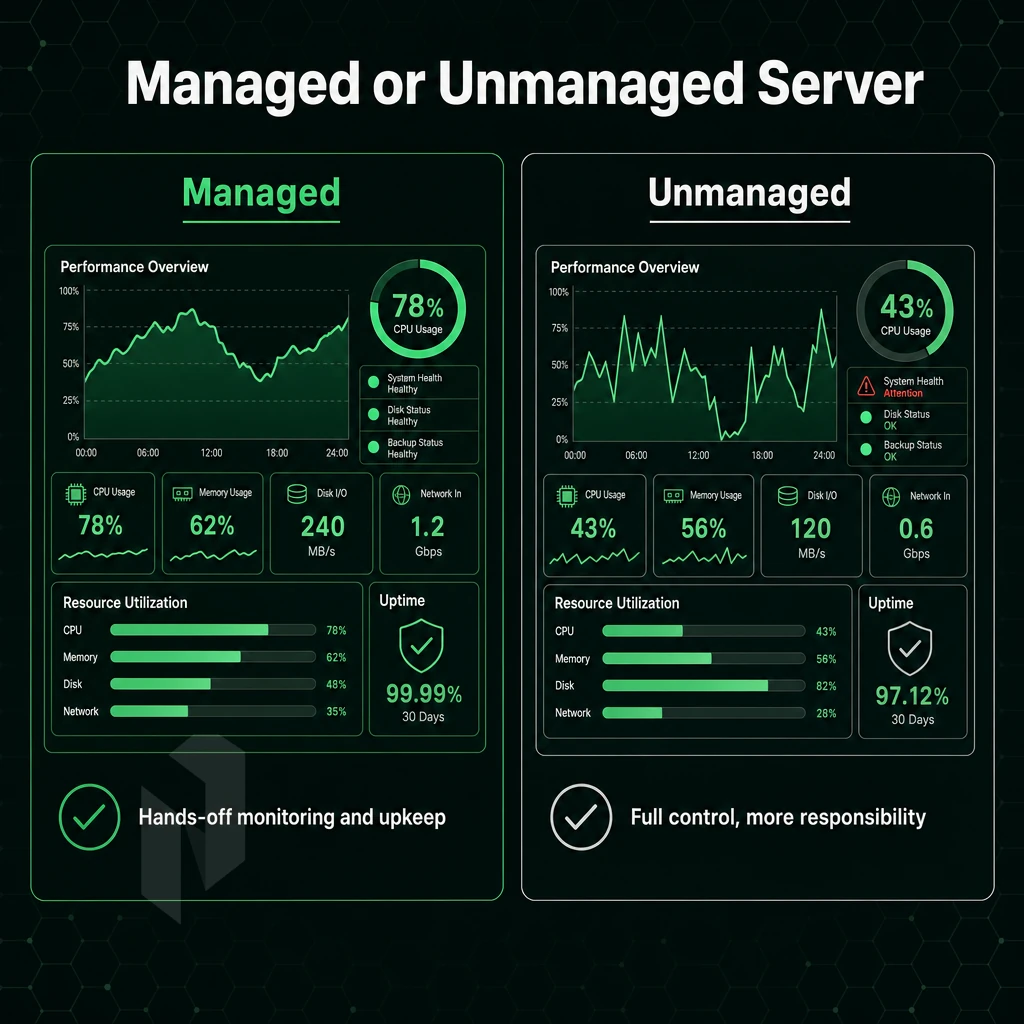
Deciding between managed and unmanaged hosting is one of the most important things to consider when choosing a dedicated server and plan. The main factor to consider is the technical skill level of your team and not so much the amount of work that needs to be done.
Teams with strong in-house Linux or Windows expertise often prefer unmanaged dedicated plans to retain full operational flexibility and reduce monthly costs. The choice of operating system also influences this decision, as teams comfortable with their preferred OS can handle patching and configuration independently on unmanaged plans.
Assess Your Team's Capacity for Dedicated Servers
- Find out where your in-house Linux skills stand. Running Linux dedicated servers involves a lot of sysadmin work, updating the kernel, adjusting firewall settings, hardening services. Managed services can fill this gap for you, without having to hire more people.
- Identify who owns vulnerability patches. On unmanaged dedicated server plans, patching is your responsibility. Here are the leading causes of server compromise and you should use this list to be honest with yourself about whether your team will stay on top of your server.
- Separate consideration can be given to Windows workloads. Unlike Linux, for example, Windows dedicated servers contain additional licensing costs and update complexities. This overhead is completely managed by your provider in a good managed hosting environment, and you can continue to manage your application as you see fit.
Match the Plan to the Use Case
- Fully managed dedicated servers for lean teams! They have OS patching, security hardening and proactive monitoring done for you. You still have full root access, while the hosting company does the operational part for you.
- Unmanaged Dedicated Servers. The only option for total ownership of your development server. Here we enable kernel, network stack and security parameters to be configured in any way required by your development team. No overhead from server management and strictly no restrictions.
- Instead opt for a control panel that sits in the middle ground of managed dedicated servers running cPanel/WHM or DirectAdmin. These allow for the day to day running of your servers, but then allow for management of individual websites and client accounts (and more) without delving into too much CLI work.
Note: "Managed" means different things across providers. Always confirm exactly what is covered, OS patching, monitoring, and incident response are not always included by default.
Which Best Dedicated Server Hosting Provider Is Right for Games?
Bare metal servers for gaming servers require low latency, high single-thread CPU performance and unmetered bandwidth. At Netrouting you can provision bare metal servers within 60 minutes. Our dedicated servers feature unmetered 10 Gbps connectivity and several locations in Europe, North America and Asia-Pacific. This enables low ping for player all over the world.
All servers at Netrouting are protected by DDoS protection 24/7. Most volumetric attacks on gaming servers can be mitigated with this type of protection. Game servers experiencing high traffic during peak hours or launch events rely on dedicated infrastructure to maintain stable frame rates and prevent connection drops that would degrade player experience. Organizations deploying multiplayer environments at scale often choose dedicated servers to eliminate virtualization overhead and ensure consistent tick rates across all game instances.
Whether to choose managed or unmanaged configurations is essentially a matter of managing overhead. First you have to settle the deeper architectural question, i.e. whether a virtual server instance is the best basis for your setup in the first place.
Dedicated Servers vs VPS Hosting: When to Upgrade
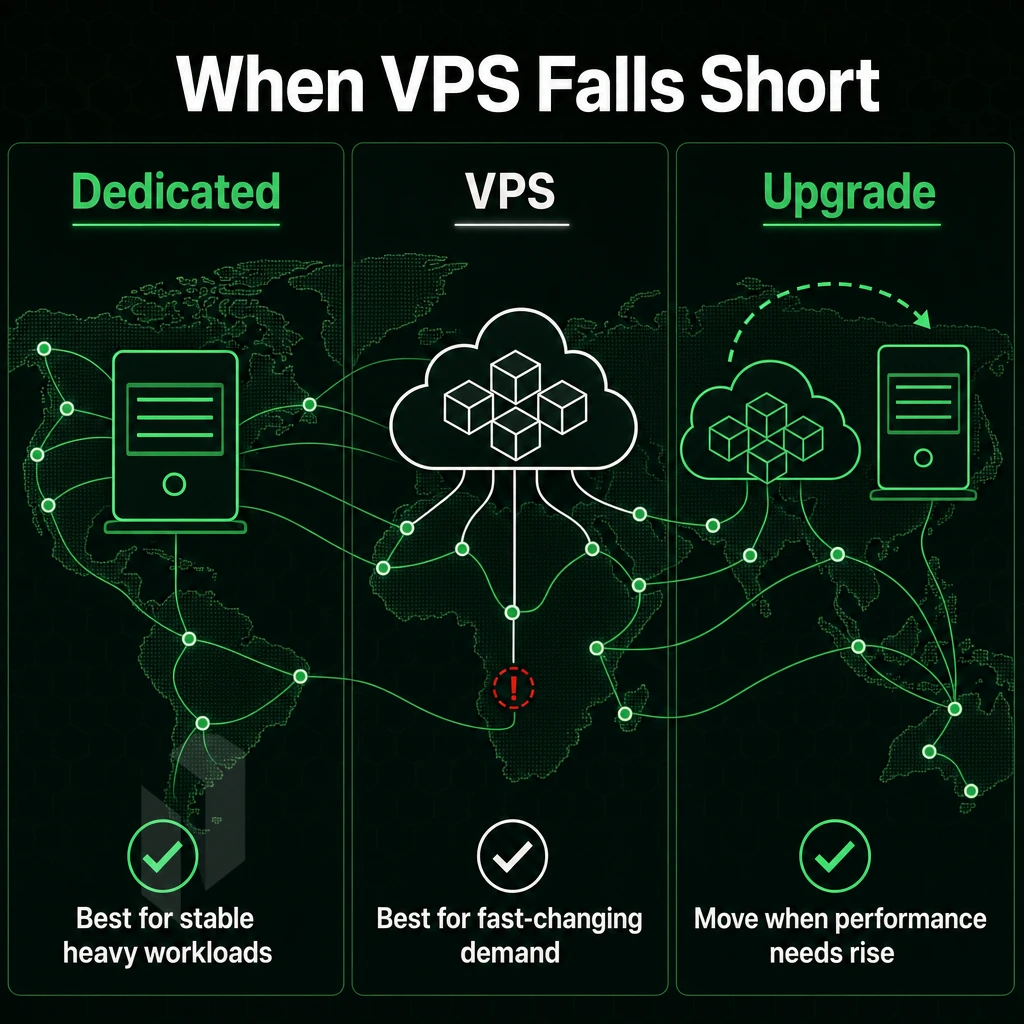
Choosing between a virtual instance and a physical server is not just a question of budget. It is also a matter of architecture. Depending on your workload, your growth trajectory, and how much performance variability your application can handle, it's worth scrutinizing what each web host promises before deciding whether dedicated servers or another solution is the better fit.
Some workloads benefit from the elasticity and rapid scaling that cloud hosting provides, while others demand the consistent performance only bare metal can deliver. Applications built on a software as a service model may tolerate shared infrastructure, but custom enterprise platforms often require dedicated resources to maintain performance guarantees.
Resource Isolation and Performance Predictability
Multiple tenants are hosted on the same hypervisor and physical servers. Thus, tenants are competing for CPU cycles, memory bandwidth and physical I/O (read/write) to disks. A noisy neighbor could impact performance even with limits in place on resources.
This means that your workload can make full use of dedicated hardware such as cores, RAM and I/O channels. There is no overhead from the hypervisor and no contention with other workloads. This also means that there are no random latency spikes caused by other tenants. Organizations deploying latency-sensitive applications such as real-time trading platforms or high-frequency data processing benefit significantly from dedicated servers that eliminate virtualization overhead entirely.
Single-tenant architecture is the only reliable way to guarantee consistent sub-millisecond response times under sustained, high-traffic load.
Cost Trajectory as Workloads Scale
At low usage, the cost of a virtual instance is very low. As the amount of traffic starts to increase, a virtual instance can be set up with additional vCPUs and RAM. However, as more of these instances are added, the total cost soon starts to far exceed the cost of running windows based dedicated servers in data centers, both financially and in terms of raw power. A dedicated server plan can deliver far more for the money than a scaled-up virtual server.
High-traffic sites, online stores, game servers (low-latency physics), video streaming sites all hit a point very quickly. After that point, the economics swing strongly in favor of dedicated resources. Organizations processing sustained transaction volumes or serving geographically distributed audiences find that dedicated servers eliminate the performance unpredictability inherent in multi-tenant architectures.
Who Is the Best Server Hosting Company for Enterprise Workloads?
A good dedicated server hosting provider for enterprise workloads is one that combines hardware with network and support. We at Netrouting provide all of that. Our dedicated server hosting solutions are based on the latest Dell and Supermicro hardware, with the latest models of Intel Xeon as well as the AMD EPYC processors. This is all connected to our 2.4 Tbps+ backbone with presence in 10 locations all over Europe, North America and Asia.
Every deployment includes always-on DDoS protection, unmetered 10 Gbps connectivity, and a 24/7/365 NOC with a one-hour ticket guarantee. For those comparing the best dedicated server plan for their workloads, the quality of the hardware, network, and support is what will eventually distinguish a true provider from mere commodity offerings.
When to Stay on Shared or VPS Hosting
Upgrading workloads to physical servers is not always necessary. Development environments, low-traffic staging servers and small early-stage apps can run as virtual instances. There are well-defined triggers for upgrading to dedicated servers, such as persistent CPU usage, disk I/O, the need for root access, compliance or single-tenancy requirements, and rapidly increasing volumes of traffic that can negatively impact shared infrastructure for reliability reasons.
Determining which dedicated server solutions are available on the market and which offer added value is the next step for you.
Top Dedicated Servers Hosting Providers Compared: What the Market Offers
The dedicated server market can be split into a number of different providers, from fully managed US dedicated servers through to carrier grade physical servers with a global presence. This guide will help outline what to expect from each of the tiers of dedicated servers for sale.
What Should I Look for in Dedicated Server Hosting Providers?
Start with these criteria before evaluating any hosting plans:
- Data center locations, proximity to your users reduces latency directly.
- Fully Managed Hosting, Best for teams without dedicated ops staff (Managed vs. unmanaged).
- Network quality: Look for Tier 1 upstreams, IX peering and stated capacity.
- DDoS protection: always-on baseline or optional add-on during an attack?
- SSD storage in NVMe or SAS SSD tiers significantly affects I/O-bound workloads.
- Support response time, a guaranteed SLA on tickets, not just uptime.
InMotion Hosting: A Well-Known US Managed Option
InMotion Hosting is a well-established dedicated hosting provider based in the US. Their dedicated servers feature cPanel, managed support, and can be hosted in their US-based data centers. This offers businesses a flexible option, which can supply all the resources of a bare metal dedicated server and not require the server to be managed by them.
Uptime Guarantee and Managed Hosting: How Providers Compare
Use this table to compare what the market offers across key dimensions.
| Provider | Managed / Unmanaged | Data Center Locations | Uptime SLA | DDoS Protection | Key Differentiator |
|---|---|---|---|---|---|
| Netrouting | Both (optional managed add-on) | 10 cities, Stockholm, Amsterdam, Rotterdam, The Hague, Frankfurt, Bucharest, Miami, New York, Hong Kong, Singapore | 99.9% uptime guarantee | Always-on L3/L4, included free | 2.4 Tbps+ network, AS6206 backbone, bare metal provisioned in under 60 minutes |
| InMotion Hosting | Managed | US data centers | 99.9% | Basic mitigation | cPanel included, US-focused managed support |
| Leading premium managed host | Fully managed | US + select EU | 100% network uptime claimed | Advanced (paid add-on) | High-touch managed services, enterprise SLAs |
| Major hyperscaler bare metal | Unmanaged | Global (select regions) | 99.9% | Paid add-on | Deep cloud ecosystem integration |
Netrouting stands out from other dedicated server hosting options for global reach, carrier-grade connectivity and cost stability, not being locked into a Hyperscaler’s world. A closer look at the Network Depth is justified, as peering and Backbone capacity has a much greater impact on real life performance than any Spec would reveal.
Network Quality and Data Center Locations: Why Infrastructure Depth Matters
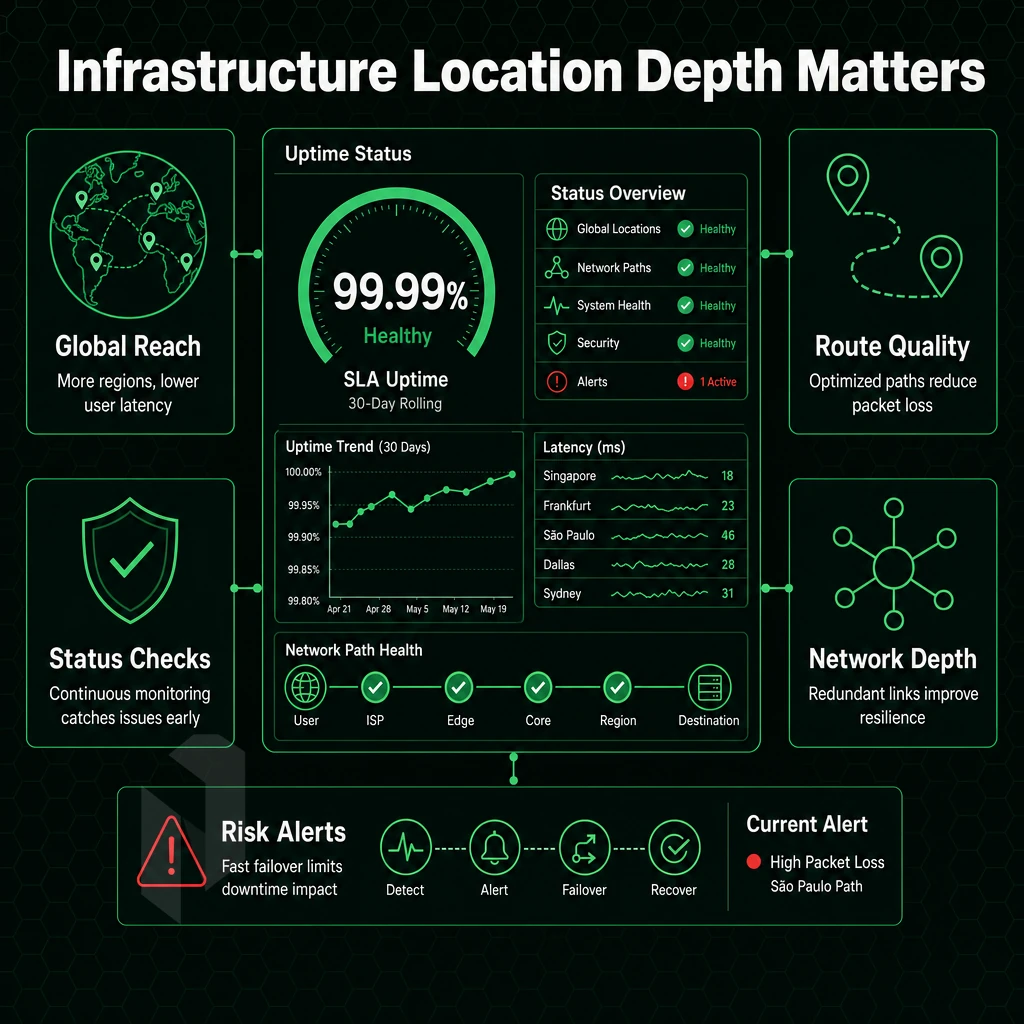
Just listing out raw hardware specs for the best dedicated server hosting provider does not tell the whole story. Other aspects such as network quality (peering density, backbone capacity, carrier-neutral setup) also play a huge role in the real performance. For more context, see Dedicated hosting service.
Peering, Backbone, and Carrier-Neutral Data Centers
Carrier-neutral data centers let you pick your upstream carrier(s) freely. Netrouting operates its own AS6206 backbone with over 2.4 Tbps capacity. Netrouting’s IX peering is dense at all locations (AMS-IX, DE-CIX, NetNod, FL-IX and more) which keeps latency down.
Netrouting’s ten active locations cover three continents. By choosing a dedicated server, the coverage location for latency is determined. Dedicated hosting plans are available across Amsterdam, Frankfurt, The Hague, Rotterdam, Stockholm, and Bucharest in Europe, as well as Miami and New York in North America, and Hong Kong and Singapore in the Asia-Pacific region. Thus by choosing the closest location to your audience, the ideal dedicated server is selected.
All services come with constant L3/L4 DDoS protection as standard. The bandwidth is always unmetered at 10 Gbps on dedicated servers. Depending on requirements even higher bandwidths can be provided. Combination of unmetered bandwidth and basic scrubbing is unique in this class of hosting services.
Are Dedicated Servers Better Than VPS Hosting for High-Traffic Sites?
Yes, for high-traffic long-term loads. A VPS uses shared physical resources whereas a dedicated server uses single-tenant hardware. A hosting account on a VPS can get throttled by a noisy neighbor during traffic spikes. A dedicated server does not get affected by such issues.
Dedicated servers are running on modern hardware like Intel Xeon and AMD EPYC servers, up to 2 TB RAM and hardware RAID. The 99.9% uptime SLA as expected from such a highly stable platform.
Choosing Based on Location and Network Depth
When you run your own datacenter and have a carrier-neutral setup, you have more ways to control routing and redundancy than a reseller has. When looking at dedicated server hosting, don’t let the specs of the hardware of the server blind you to the real important issues like the IX peering count, backbone capacity and geographic distribution.
Netrouting is a good option for latency sensitive and for high traffic servers in 10 cities over Europe, the Americas and Asia-Pacific, with a 2.4 Tbps+ backbone and included DDoS protection. Contact sales to find the right location for your audience.
Dedicated hosting makes sense when the workload running on the strong network infrastructure really needs dedicated resources. Below are a few use cases where dedicated hosting consistently makes sense.
Use Cases: Which Workloads Benefit Most from Dedicated Servers?
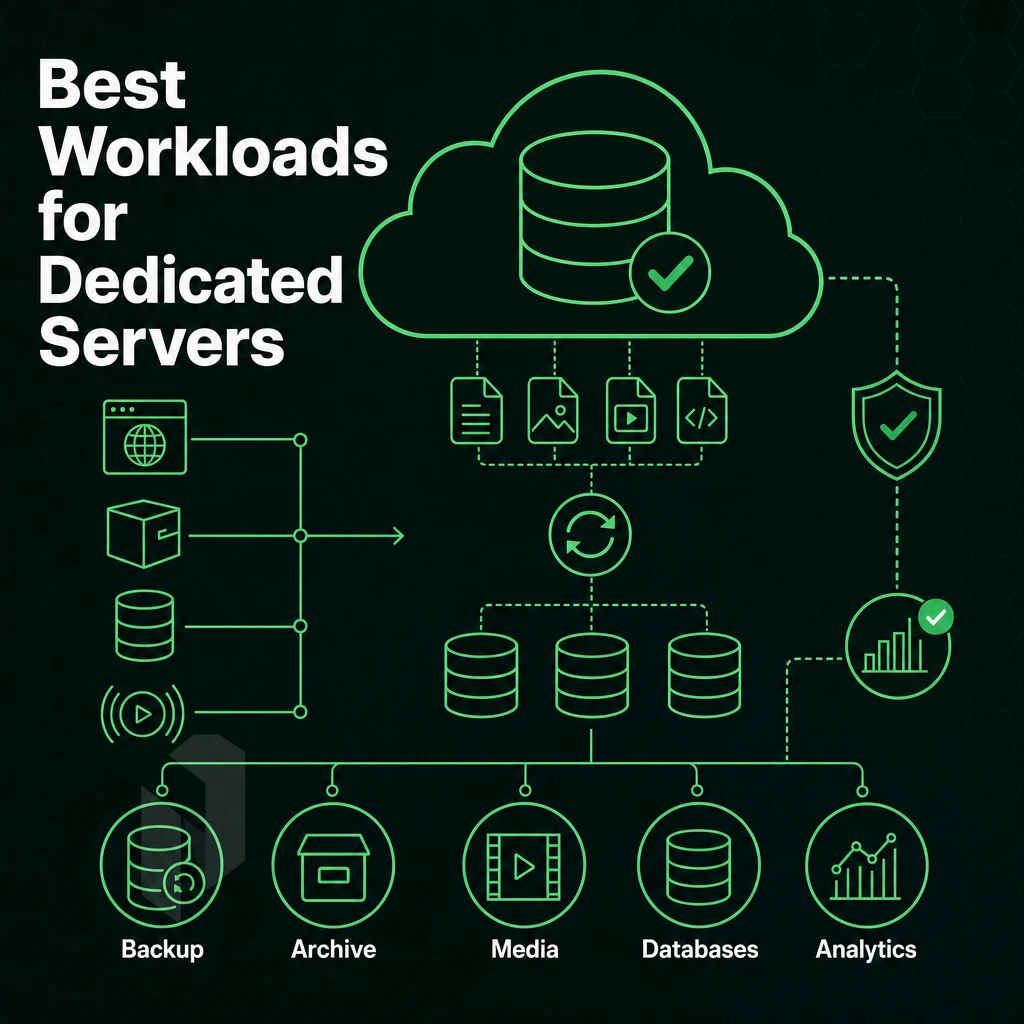
Not every workload justifies dedicated server hosting. However, for the workloads outlined below, dedicated server hosting is the only option as shared and virtual private server hosting does not have the necessary resources, isolation and compliance. What workloads warrant dedicated server hosting?
Workloads That Outgrow Shared Infrastructure
- High-traffic websites and online stores. This type of high traffic site shares nothing with neighboring tenants. Every CPU cycle, every gigabyte of RAM, every network port is your sole property. So, when traffic suddenly spikes, it doesn’t have to affect other users on a shared server, and thus doesn’t have to cause downtime for them either.
- Video streaming. Multi-gigabit throughput needs to be sustained on dedicated server hardware. Our dedicated hardware come with unmetered 10 Gbps ports to prevent buffering and rebuffering in oversold environments.
- Online gaming. Low latency and high single-threaded CPU performance are essential for online gaming. Online gaming with dedicated hardware removes the “noisy-neighbour” effect from shared hosting and keeps ping consistent under load.
Specialised and Compliance-Driven Use Cases
- VPN providers. To run your servers as a VPN provider, you need BGP routing control and large IPv4 allocations. Hosting for this type of service requires a hosting service that supports BYOIP and full routing table announcements. This is not something that typical hosting solutions can provide for you.
- Our range of GPU servers are specifically designed to meet the requirements of both training and inference workloads. To enable AI/ML inference and GPU compute, our servers run on isolated dedicated nodes with EU data sovereignty. NVIDIA A10, A40 and A100 GPU servers are available.
- Enterprise and compliance workloads require physical server isolation. This can be satisfied by Linux dedicated servers or Windows dedicated servers. As both types of servers go through the same physical closet, compliance audit trail is clean for both types of servers.
How Quickly Can Dedicated Servers Be Provisioned?
Migrating under pressure or quickly scaling out means that speed matters. When it comes to dedicated hosting, provisioning can take anywhere from a few hours to days. Our Rapid Deployment target for in-stock configurations is below 60 minutes for e.g. bare-metal machines that are ready to use after ordering.
Note: Custom configurations with non-standard RAM or drive counts may extend that window. Confirm stock availability with sales before committing to a tight go-live date.
The above workloads match your requirements. Below is a direct overview of what Netrouting can do for you for each of these workloads.
Why Choose Netrouting for Dedicated Server Hosting
Netrouting is a dedicated server hosting provider built for IT teams and developers who need real infrastructure, not abstracted cloud layers with unpredictable billing. We operate our own AS6206 backbone with 2.4 Tbps+ capacity, Tier 1 peering, and always-on L3/L4 DDoS protection included on every service. No add-on fees. No surprises.
Here's why engineering teams choose us as their top dedicated hosting provider:
- Bare metal provisioned in under 60 minutes. Full root access from the start, Linux or Windows dedicated servers on modern Dell and Supermicro hardware with Intel Xeon and AMD EPYC platforms.
- Unmetered bandwidth on dedicated servers. 10 Gbps standard, up to 40 Gbps available. Single-tenant hardware means dedicated resources are yours alone, no noisy neighbours.
- 10 data center locations across Europe, North America, and Asia-Pacific, Stockholm, Amsterdam, The Hague, Rotterdam, Frankfurt, Bucharest, Miami, New York, Hong Kong, and Singapore.
- Managed dedicated servers and Managed Proxmox VE for teams that want full control without the operational overhead. GPU servers available for AI/ML workloads.
- ISO 9001, ISO 27001, and SOC 2 certified with a 99.9% uptime SLA and a 24/7 NOC backed by a 1-hour ticket guarantee.
Lower TCO than hyperscaler compute. Predictable monthly costs. No egress surprises. If you're evaluating dedicated hosting plans or ready to buy dedicated servers, contact our sales team to compare configurations and find the right dedicated server for your workload.
Before you contact sales, work through the checklist below. It ensures you arrive with the right requirements defined, and avoid the most common mismatches at contract time.
How to Buy Dedicated Servers: A Step-by-Step Checklist
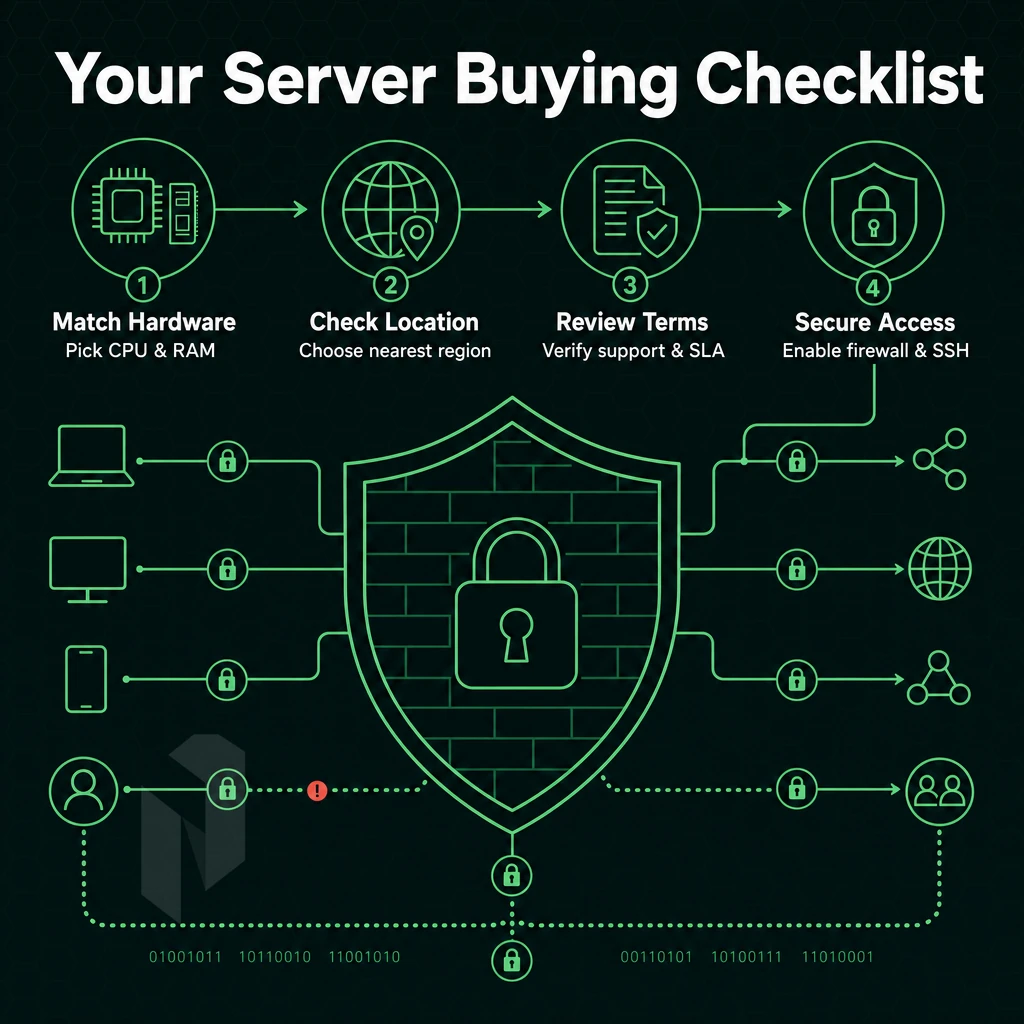
When you are looking to buy a dedicated server it is very important to match the hardware. The location of the server as well as the terms and conditions of the services provided to the needs of your workload. Follow this list in the given order to avoid common mistakes when buying a dedicated server.
Step 1, Define Requirements and Full Control Over Your Stack
When building out a new server for a web application, a good starting point is to establish the CPU, RAM and storage type required. Low-latency databases and high frequency transactions will typically benefit from use of NVMe storage. General web workloads are typically sufficient for use of SSD storage. When sizing servers, try to establish a peak bandwidth rather than an average. Undersizing here will cause real problems when traffic peaks.
Platform decisions should be taken early on. Linux is by far the most common OS for server workloads, and the default choice for most developers. Windows server dedicated servers come with a significant licensing overhead, but are required for.NET work, Active Directory, and SQL Server work.
Step 2, Managed vs Unmanaged, SLA, and DDoS Protection
Unmanaged dedicated plans are simply root access. Managed hosting on the other hand includes OS patching, monitoring and a hosting control panel, which is very valuable for teams that do not have dedicated ops people.
Make sure to read the uptime SLA of any provider offering infrastructure services carefully. Our standard SLA for uptime is 99.9%. A provider claiming a 99.99% uptime SLA must explicitly state what is covered by this SLA (network, power, hardware etc.) and what happens in case of a failure.
Please let me know what DDoS protection tier we are confirming here. DDoS protection for always-on L3/L4 mitigation is included with all services at no extra charge. Additional L7 scrubbing for very high risk workloads can also be provided for a fee.
Step 3, Location, Provisioning Speed, and TCO
Choose a data center location that corresponds to your user base. Latency increases exponentially with the number of regions. We are currently operating in 10 locations in Europe, North America and Asia, including Stockholm, Frankfurt, Miami, Singapore etc.
The speed of provisioning of servers needs to be checked. Deploying single-tenant servers to take part in a cluster switch-over test takes less than 60 minutes. The delay in incident recovery caused by the slow provisioning of servers needs to be checked.
Lastly, review the Total Cost of Ownership of running your workloads in the Cloud compared to Dedicated Hardware. Contact our Technical Support Team to get started and to discuss the appropriate Dedicated Server configuration for your specific workload.
The Key Advantages of Dedicated Servers at a Glance
A Dedicated Server is a type of hosting that provides a far superior level of service to that offered by Shared and VPS solutions. By virtue of a Dedicated Server being a bare-metal server housed in data centers, a user of Dedicated hosting is provided with the dedicated machine and all of its hardware resources exclusively.
The user also benefits from very predictable performance and from root level access to configure every layer of the server’s software. Therefore Dedicated hosting is the preferred choice of high volume sites, of sites that require to be on dedicated servers to meet with certain levels of compliance. Additionally, For any other type of hosting where the risks of hosting in shared environments are considered to be too great.
Looking for the best dedicated server hosting? When comparing server hosting plans, look at three key factors: the quality of the server hardware, the depth of the network, and the level of support offered by the hosting service. By opting for dedicated servers in professional data centers, you can ensure that you have a totally noise-free environment and that your server has the best possible resources allocated to it.
If you are to look at bandwidth usage, then look for a hosting service that offers unmetered bandwidth. Finally, consider the quality of the hosting service and the data center that they use to host servers. With a good dedicated server hosting service, you can turn a good server plan into a very reliable piece of infrastructure. However, only choose the best dedicated server hosting service.
Dedicated server hosting offers the kind of performance, security and control that cannot be achieved with shared hosting or virtualized hosting. When selecting a dedicated server host, there are three critical factors: network quality, hardware options, and support quality. Managed hosting solutions remove much of the operational burden of your dedicated servers. Unmanaged hosting, on the other hand, gives you absolute control. Determine which model is best for your team before committing to a dedicated server host.
Evaluating service providers? Look for the ones that have their own owned backbone, carrier-neutral data center facilities and solid SLAs. The generic cloud platform only adds cost and unnecessary complexity for straight compute workloads.
Much like InMotion Hosting, Netrouting operates dedicated nodes across ten locations, Stockholm, Amsterdam, Frankfurt, Miami, New York, Hong Kong, and more, on its own AS6206 backbone with unmetered 10 Gbps uplinks and always-on DDoS protection included. If your workload demands dedicated hardware without hyperscaler overhead, explore Netrouting's dedicated server configurations or contact the sales team to spec a custom build.