When selecting a dedicated server hosting company, you are typically locking into the server, the network, and support for years to come. If you make a mistake with dedicated server hosting, you are stuck with oversubscribed networks, slow ticket response times, and limited hardware to scale with your business needs. Choosing a provider with helpful support ensures that when issues arise, your team receives timely assistance without prolonged downtime or frustration.
Oversubscribed infrastructure often results in slow loading speeds that directly impact user experience and can damage your brand reputation before you have a chance to migrate. Evaluating a provider's average support response time during the trial or onboarding phase can reveal whether their team is equipped to handle urgent production issues efficiently.
Cut through the hype of Dedicated Server offerings in this Dedicated Server Comparison Guide to identify the key elements of importance for System Administrators, Engineers and IT Decision Makers. A detailed comparison against key characteristics for choosing Dedicated Server Hosting such as server hardware, network quality and peering, server deployment time, service level agreements, DDoS protection and support has been compiled for your convenience.
Blog contents
Netrouting provided expert input on all aspects of our Dedicated Server Comparison Guide. Netrouting is a global IaaS Provider that delivers bare metal IaaS servers in 10 locations across Europe, North America and Asia.
This guide to dedicated server providers covers the key features and options that best fit your needs, whether that means running online stores at scale, moving off a hyperscaler to cut costs, or building out a gaming platform that requires low latency.
Alternatively, Creating a multi-region infrastructure that costs a set amount of money each month. By the end of this, you will know how to weigh each of the variables for your specific use case, and which of the dedicated server providers actually deliver on their promises.
What Makes the Best Dedicated Server Hosting Companies Stand Out
| Provider | Performance | Support | Uptime SLA | Network | Best For |
|---|---|---|---|---|---|
| Netrouting | Latest Intel Xeon and AMD EPYC platforms. Up to 2 TB RAM, up to 24 drives. Bare metal provisioned in under 60 minutes. Full root access on every physical server. | 24/7 NOC. 1-hour ticket guarantee. Courtesy remote hands included. | 99.9% standard SLA. Same-business-day hardware replacement. | 2.4 Tbps+ backbone on AS6206. Unmetered 10 Gbps. Up to 40 Gbps available. Dense IX peering across 10 cities. | High-traffic workloads needing dedicated resources, global reach, and fast provisioning. |
| Hyperscaler bare metal (major cloud platforms) | Standardized instance types. Limited custom configurations. Shared physical server infrastructure in some tiers. | Tiered support plans. Premium tiers cost extra. | 99.9% on most compute services. | Large global footprint. Egress fees apply. No unmetered options. | Teams already deep in a single cloud ecosystem. |
| Budget dedicated server hosting providers | Older-generation hardware common. Fewer custom options. Dedicated resources at low cost. | Ticket-only support. Response times vary. | 99.9% stated; enforcement varies by provider. | Shared uplinks. Limited peering. Bandwidth caps typical. | Low-traffic sites with minimal performance requirements. |
| Enterprise colocation providers | Customer-supplied hardware. You control the physical server spec entirely. | Remote hands available, usually billable. NOC varies. | Power and network SLAs only. Server uptime is your responsibility. | Carrier-neutral cross-connects. High-density power available. | Organizations with existing hardware needing carrier-neutral space. |
Netrouting offers the strongest all-round option for dedicated server hosting, the right server for the majority of users. It offers current generation servers with root access, dedicated resources and unmetered 10 Gbps connections. 24/7 NOC support is also included and covered by a 99.9% SLA.
The entry level plan starts with robust specifications that exceed what most competitors offer at their mid-tier pricing, making it accessible for growing businesses. Netrouting also backs its transparent pricing model with a price lock guarantee, ensuring your monthly costs remain predictable throughout your contract term.
Knowing the differences between the hosting tiers is one thing, knowing the right questions to ask before signing up for a dedicated server is another.
Key Factors to Evaluate When Choosing a Dedicated Server Host
Dedicated Server Hosts are not all created equal. Evaluating key factors prior to locking yourself into a contract can help to avoid costly relocations. This article outlines what to look for in a quality Dedicated Server Host. For more context, see Dedicated hosting service.
Key Factors: Hardware, Network, and Storage
Also, note that very high-traffic apps (i.e. apps with high I/O requirements) will be able to take advantage of much lower I/O latency provided by NVMe storage over SATA SSDs (i.e. this will directly reduce slow loading times).
Network quality is equally important. No matter the port speed, unmetered bandwidth means you’ll never get any surprise overages. Always-on DDoS protection (included by default at Netrouting) means you can forget all about it, and just leave your services online. Where are your server locations relative to your users? A server in the wrong region will only ever add more delay.
Management Tiers and Control Panel Options
A range of options are offered by providers: bare-metal unmanaged, partially managed, fully managed hosting. Unmanaged hosting is best for companies with in-house Linux expertise, while managed hosting, as offered by providers like InMotion Hosting, includes OS patching, security hardening and monitoring on top of what unmanaged and partially managed hosting already offer.
Important features to compare are control panel offerings (DirectAdmin / cPanel), remote hands and procurement time. Providers with robust platforms often include advanced features like automated backups, server monitoring dashboards, and API access for programmatic infrastructure management. Timely deployment of security patches is critical for maintaining server integrity and protecting against emerging vulnerabilities in production environments.
Custom workloads require custom configurations. We at Netrouting build server configurations to our clients’ exact specifications, offering high core counts, large amounts of RAM, and scalable solutions that can be deployed in any of our ten global locations. Clients can specify disk space requirements ranging from high-capacity HDDs for archival workloads to enterprise NVMe arrays for database-intensive applications. This approach ensures that as your business grows, you can expand capacity with scalable resources that match your evolving infrastructure requirements without migrating to a new provider.
Which High Performance Dedicated Server Hosting Is Best for High-Traffic Websites?
As a high-traffic site (such as a leading e-commerce site), you will require the resources of dedicated hardware in order to run without the degradation of shared resource under load. Many e commerce sites experience traffic surges during sales events or seasonal peaks that make dedicated infrastructure essential for maintaining checkout speed and customer experience. Popular e commerce platforms like Magento, WooCommerce, and Shopify Plus all benefit significantly from the consistent resource allocation that dedicated servers provide.
Netrouting's bare metal servers on Intel Xeon and AMD EPYC, backed by a 2.4 Tbps+ network and 24/7 NOC, are purpose-built for exactly this workload. Explore dedicated server plans or contact sales to configure your deployment. Once you've identified the right hardware tier, the next decision is whether dedicated infrastructure is the right fit at all, or whether a VPS still covers your needs.
Dedicated Server Hosting vs VPS Hosting: Which Do You Need
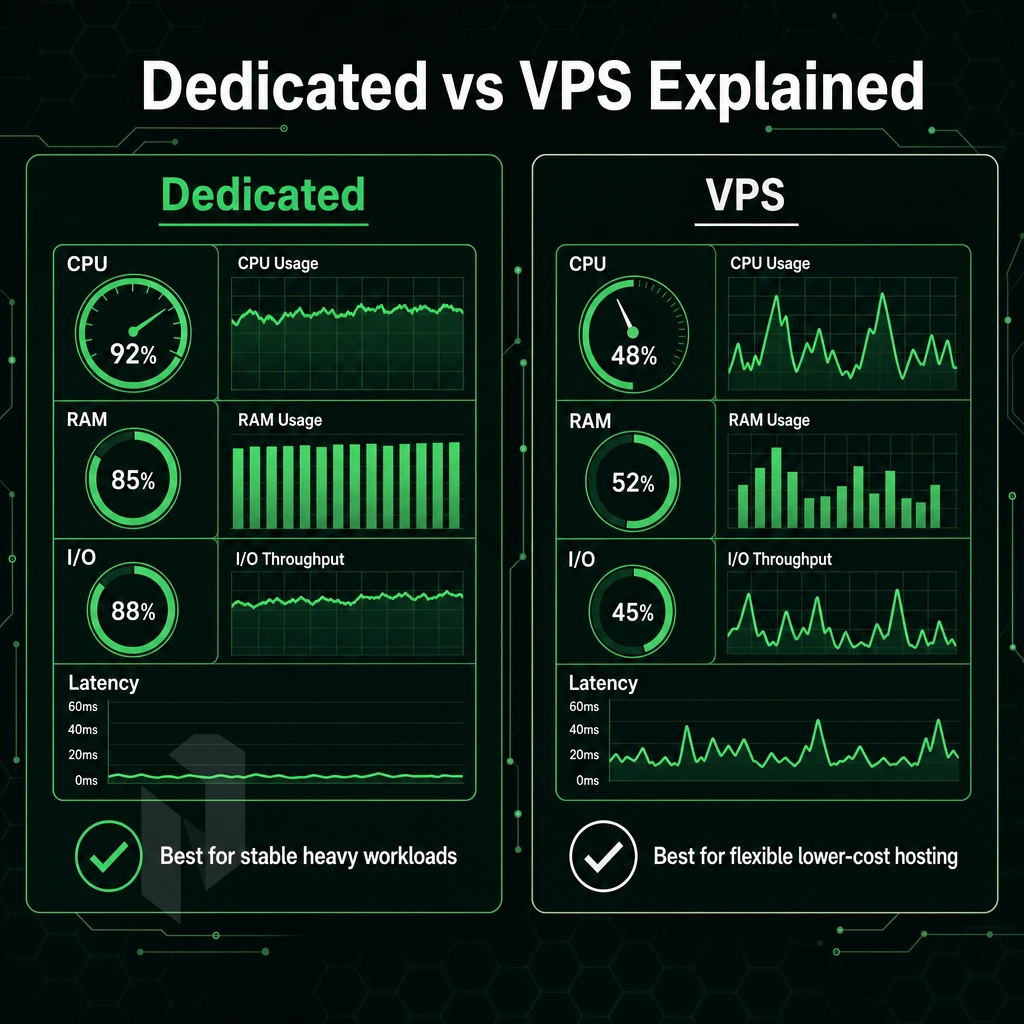
Should you opt for a VPS or a dedicated server? This comparison helps answer the main decision-making questions so you can choose the right server for your needs, whether you need guaranteed resources or can tolerate sharing them.
Understanding the Core Linux Operating System Difference
A VPS is typically a share of the resources from a single physical server, competitors for CPU power, RAM, and I/O. A dedicated server gives you 100% of the resources of a bare-metal server (i.e. all of the cores and all of the RAM, etc., no others to compete with for usage).
With a dedicated server, you gain exclusive access to all the resources on that machine, ensuring predictable performance even during peak usage periods. This single tenant hardware architecture eliminates the noisy neighbor problem entirely, where one user's resource spike cannot impact another's workload.
VPS hosting is well suited for low to medium traffic websites, for staging environments and for development work when cost efficiency is more important than raw power. When traffic or work load increases shared resources quickly become a bottleneck.
When You Need a Dedicated Server
- Audit your traffic and resource peaks, as they can consistently saturate your CPU and RAM. In these scenarios, the dedicated hardware removes the noisy-neighbour problem.
- Determine the level of isolation that is required for your workloads. For workloads that are sensitive in nature (such as workloads that require PCI-DSS compliance, workloads that require HIPAA compliance, etc. financial in nature) the use of Dedicated Server Hosting (a Server that has not had a shared kernel / Hypervisor exposed to it prior to your workloads) is recommended.
- Evaluating consistent performance needs. High-traffic e-commerce, live video, and game servers require consistent performance under load. VPS cannot guarantee that.
- Plan for scalability. In the case of a dedicated server. It Typically scales up and down by upgrading the hardware (or reducing the number of servers for bare metal servers and combining with cloud compute for horizontal scaling and across multiple regions).
Note: Migrating from VPS to bare metal mid-traffic-spike is painful. Size up before you hit the ceiling, not after.
Which Provider Offers the Best Dedicated Game Server Hosting?
A game server needs low latency, high single-thread CPU power and unlimited bandwidth. High performance gaming environments demand processors with elevated clock speeds and optimized instruction sets to handle real-time player interactions without frame drops or lag spikes.
Netrouting delivers the best dedicated server for gaming workloads. Our servers are equipped with the latest Intel Xeon and AMD EPYC processors and come with bare metal options. In addition to fast connectivity (10 Gbps, unmetered) our gaming servers are located in Stockholm, Amsterdam, Frankfurt, Miami, New York, Hong Kong and Singapore. Provisioning a server takes less than 60 minutes. These specifications ensure high performance for multiplayer game servers that demand low latency and consistent frame delivery across geographically distributed player bases.
Netrouting’s AS6206 backbone supports the best dedicated server hosting for gaming, e-commerce and other high traffic websites. This is provided always-on DDoS protection and 99.9% uptime SLA. We offer a range of configurations for the best dedicated server hosting for your needs. Contact our sales team today to find out more. Once you’ve decided whether dedicated or virtual private server hosting is right for you, there’s the question of how much to let your hosting provider do for you.
Managed vs Unmanaged Dedicated Hosting: Choosing the Right Level of Control
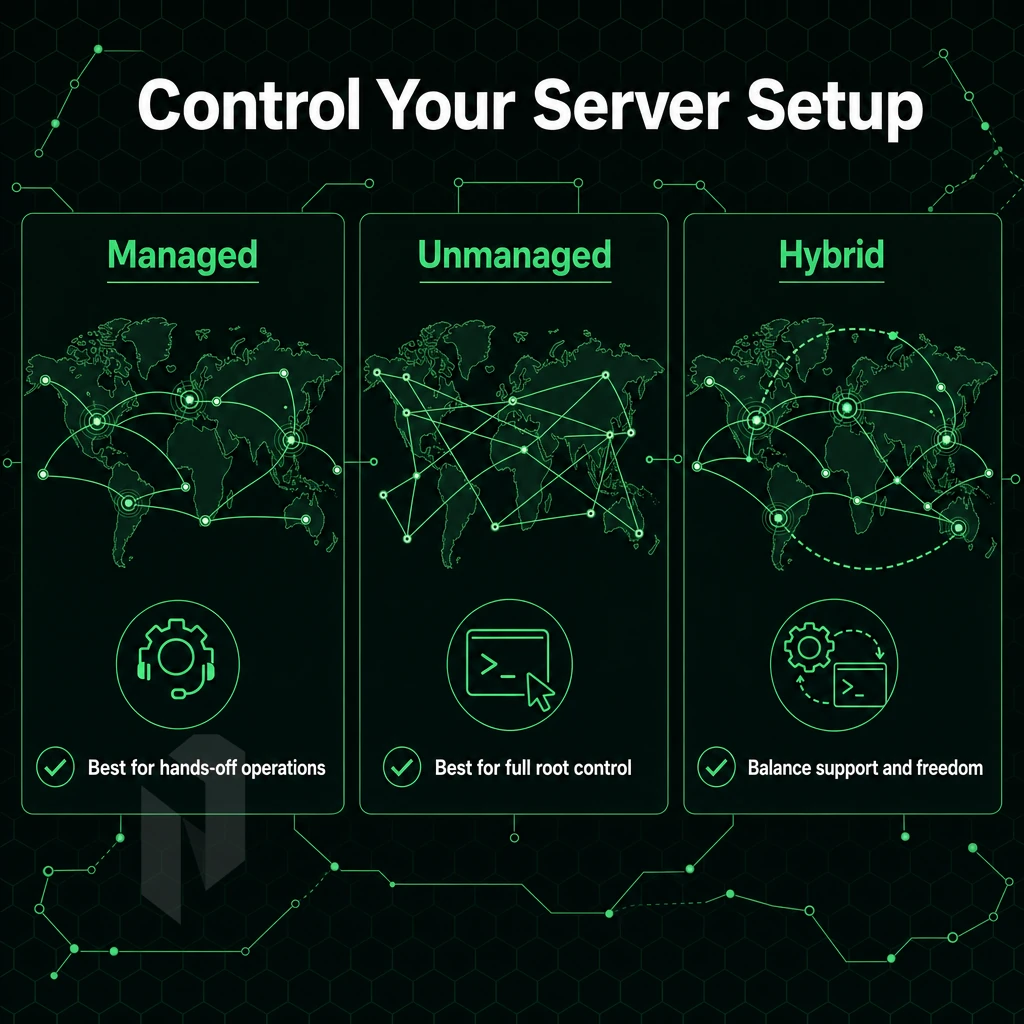
Dedicated hosting can range from fully unmanaged servers (which are raw hardware with root access and nothing else to manage but that server. Usually given to the customer ‘as is’) to a fully managed dedicated hosting environment (where the provider manages everything on a day to day basis). Unmanaged servers provide complete hardware control, allowing experienced administrators to configure every aspect of the system architecture and software stack.
Unmanaged: Full Control, Full Responsibility
Unmanaged dedicated servers allow full control over the OS, the software stack and the server configuration. Your team installs required packages, hardens the kernel and solves incidents. The hardware is managed by the dedicated servers provider (physical maintenance, replacing of hard drives, the data center where the server is located).
This model is intended for developers and power users. They want the maximum amount of abstraction removed from their code to the metal. In-house expertise in Linux or Windows Server is required to run these servers.
What Managed Hosting Services Actually Cover
The Managed hosting layers consist of provider-side operations on top of the hardware and a typical managed plan consists of a set of standard operations like OS patching. Security patching, firewall configuration and monitoring (both proactive and reactive) for incidents including management of the control panel and verification of backups.
Managed plans typically fall into several tiers. For example, the entry-level tier will often cover the usual OS updates, and some basic monitoring. The mid-tier will add some level of hardening, perform log reviews, and provide a managed plan with a defined response time (e.g. within 1 hour). The enterprise-tier will typically include some level of compliance reporting and provide a dedicated account manager.
Netrouting’s managed services, which include OS patching, security hardening and monitoring, are offered on bare metal, cloud and colocation services and allow for full root access.
However, for most production workloads this is acceptable.
Which Dedicated Server Is the Best in the USA in 2026?
The providers who run their own backbones (as opposed to reselling capacity) are generally the highest performing with the deepest technical support.
With management tiers and geography covered, it would be good to look at how the rest of the providers rate against these criteria for 2026 US bare metal requirements.
Top Dedicated Server Hosting Providers Compared: Features and Strengths
Choosing a dedicated server hosting provider involves evaluating many factors including current hardware generation, network quality, server management, and above all good 24/7 support. For a very latency sensitive application, the hosting company will be very different from say a storage heavy archive solution.
How Leading Provider Archetypes Compare
We have identified four broad market segments.
| Provider Archetype | Hardware | Management | Network | Best For |
|---|---|---|---|---|
| Budget bare-metal | Older-generation CPUs, limited RAM options | Self-managed | Shared uplinks, capped bandwidth | Dev/test, low-traffic sites |
| Managed-specialist | Modern hardware, RAID storage, custom configs | Fully managed, proactive monitoring | US-centric, solid uptime SLAs | High traffic sites needing hands-off ops |
| Hyperscaler alternative | Standardised instance types | Managed PaaS layer | Global but metered egress | Teams already in a cloud ecosystem |
| Carrier-neutral / network-focused | Enterprise grade hardware, Intel Xeon, AMD EPYC | Managed or self-managed | Own AS, dense IX peering, unmetered 10G+ | Technical teams running latency-critical workloads |
InMotion Hosting and the Managed-Specialist Tier
InMotion Hosting is well-regarded in the managed-specialist category, particularly for their US-based support and their storage-heavy plans. Businesses looking for fully managed web hosting services and not looking to build out internal ops expertise would fit into this archetype.
A trade-off for US-centric managed specialists exists in geographic reach.
Dedicated vs VPS Web Hosting: What Is the Difference?
A Dedicated Server is hosted on a dedicated machine and gives the customer 100% use of the hardware. A VPS is hosted on a physical host and uses a Hypervisor to share the server with other tenants.
VPSes are best for lighter workloads where competitive pricing is key. For production environments where CPU, RAM, and network throughput can’t be shared, go with Dedicated Servers.
Where Netrouting Fits
Our Carrier-Neutral Tier network runs on AS6206 with 2.4 Tbps+ capacity, and dense peering with major Internet Exchanges across Europe, North America, and Asia. Web hosting services, AI inference workloads, and streaming workloads all run off the same enterprise bare metal servers (Dell and Supermicro on latest Intel Xeon and AMD EPYC processor generations) with always-on DDoS protection enabled.
These capabilities translate into the ability to handle the typical high-load workloads that can drive servers to their limits, such as WordPress, WooCommerce, and high-traffic publishers.
Dedicated Servers for WordPress Websites, E-Commerce, and High-Traffic Sites
This will cost you in conversions. A dedicated server removes this ceiling entirely.
WordPress Hosting for Websites and WooCommerce Stores
For sites that have outgrown shared hosting, you will typically require sites to be hosted on servers with guaranteed CPU and RAM.
Netrouting's managed control-panel servers include servers running with DirectAdmin or cPanel on top of a managed OS, allowing store owners to use a familiar hosting control panel, without having to manage the OS layer.
E-Commerce and Mission Critical Websites
Online shops with checkout processes need to function reliably during peaks of traffic. To ensure maximum performance, and above all, no interference by noisy neighbors, online shops need to run on dedicated servers. This is guaranteed by Netrouting’s 99.9% uptime SLA and its always-on L3/L4 DDoS protection. This ensures that critical online shops are available during promotions or peak shopping hours.
| Workload | Key Requirement | Dedicated Advantage |
|---|---|---|
| WooCommerce / e-commerce | Consistent performance under load | Isolated CPU, RAM, and NVMe I/O |
| High-traffic publishing | Sub-50 ms server response | Unmetered 10 Gbps uplink |
| Gaming servers | Low-latency, high-CPU single-thread | Latest-gen Intel Xeon / AMD EPYC |
Managed or Unmanaged Dedicated Web Hosting: Which Do I Need?
For teams without experience of Linux server administration, a managed option is available.
Unmanaged options are available for clients with in-house DevOps teams who require complete control over the stack. As dedicated hardware surfaces a number of practical configuration questions, it’s worth going through these such as email accounts, storage and control panels before going live.
What to Know About Email Accounts, Disk Space, and Control Panels on Dedicated Servers
When you move to dedicated hosting there are a number of practical issues with respect to email, storage and server management tools that you will need to configure. In this article we will first explain what needs to be configured and where you can go wrong.
Email Accounts and Disk Space
- Dedicated servers give users full root control, which means they can choose to run their own mail server or relay mail through a third-party mail service. In contrast to shared web hosting accounts (even those that allow email sending) that are limited by artificial account limits, dedicated servers give users full flexibility for handling email. Therefore, for example, E-commerce sites with a large amount of transactional email will likely get the most value from a dedicated server.
- Storage configuration. NVMe storage offers the highest read/write performance for databases and very busy applications. Modern Dell and Supermicro based hardware supports up to 24 drives in a single chassis allowing for the fastest data to be stored on NVMe drives and less frequently used data on cost effective SATA drives.
- Enable automated backups immediately. The automated backups have to be set up before the servers are put into production. Netrouting retains weekly full images for 30 days. In addition to these full images daily incremental snapshots are created and the restore can be done within a 15-45 minutes time frame.
Note: Skipping backup configuration at launch is the most common oversight. Recovering without a recent snapshot costs far more time than the setup takes.
Control Panel Setup
- Choose a web hosting dashboard: When you go to get hosting for your site, Linux sites use control panels for managing sites and accounts. The two best choice for hosting sites are cPanel/WHM and DirectAdmin. Both will allow you to manage DNS zones, set up and manage databases and manage multi-accounts for your site. For power users that manage reseller accounts, cPanel/WHM has a much deeper and more extensive ecosystem of add-on’s, modules, and plugins.
- A managed control-panel server might interest you too. Netrouting offers managed control-panel servers (cPanel/WHM, DirectAdmin licensed) where we take care of OS updates and security. This way you have full root access and do not have to manage the server stack.
How Fast Can a Dedicated Server Be Provisioned?
Netrouting dedicated servers can be provisioned in under 60 minutes, and deliver consistent performance from the word go. That facility level network stability which ensures our port utilization remains below 40% is not an accident. Additionally, Has been designed and built through the deliberate choices of Netrouting’s infrastructure with regards to peering, data center locations, and DDoS protection. Understanding these choices is important before you settle on a provider.
Network Quality, DDoS Protection, and Data Center Locations That Matter
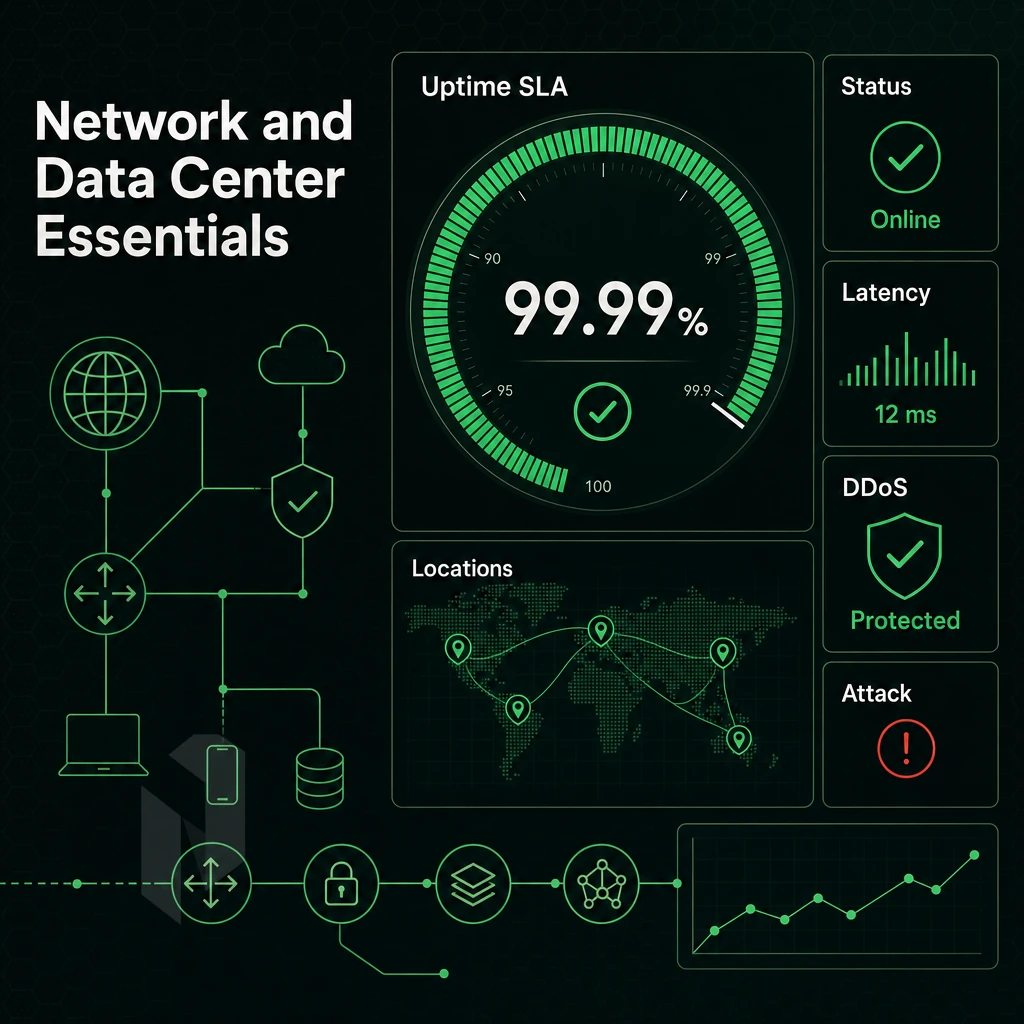
Performance of a server is not determined by the hardware specs.
Carrier-Neutral Peering and Network Stability
This ensures single-provider lock-in is avoided and that your routing is as efficient as possible.
Netrouting’s own AS6206 backbone has 2.4 Tbps+ capacity. 100 Gbps+ connections are the norm.
Unmetered Bandwidth vs. Metered Dedicated Plans
Unmetered bandwidth at a fixed port speed removes the variable from your costs and is far better for high-throughput workloads such as streaming. Gaming and VPNs than metered plans which create unpredictable costs and throttle at arbitrary caps.
Netrouting offers unmetered bandwidth on all dedicated server plans, with 10 Gbps as the basic option and higher options, such as up to 40 Gbps, for demanding applications.
Data Center Locations and Always-On Protection
The location of a data center determines the latency to your audience.
Every Netrouting hosting solution is provided with always-on DDoS protection at L3/L4 level, automatically detecting and routing traffic to blackhole in case of an attack. For higher risk services, additional L7 mitigation can be configured on top of the default protection, including granular policies and increased scrubbing capacity.
One of the key features of Netrouting's network is its ten locations across the world, including Stockholm, Amsterdam, Rotterdam, The Hague, Frankfurt, Bucharest, Miami, New York, Hong Kong and Singapore, enabling flexible placement of servers close to users worldwide. Netrouting is the single provider of all required capabilities to run highly demanding workloads on servers hosted anywhere in the world.
Why Choose Netrouting for Dedicated Server Hosting
Netrouting is a network-first dedicated server hosting provider built for demanding workloads, not shared environments. We operate dedicated hardware on enterprise-grade hardware from Dell and Supermicro, running the latest Intel Xeon and AMD EPYC platforms. Every dedicated server ships with full root access, giving your technical teams complete control over the OS, software stack, and dedicated resources. That means no resource sharing, no noisy neighbours, and consistent performance under high traffic.
- Provisioned in under 60 minutes. Dedicated hardware is live fast, no waiting days for a bare-metal node to come online.
- Unmetered 10 Gbps bandwidth included as standard, scalable to 40 Gbps for high-traffic websites, game servers, and mission-critical workloads.
- Always-on DDoS protection at L3/L4 included free on every dedicated plan, no add-on required.
- 10 data center locations across Europe, North America, and Asia-Pacific: Amsterdam, Frankfurt, The Hague, Stockholm, Rotterdam, Bucharest, Miami, New York, Hong Kong, and Singapore.
- Managed hosting options available, including Managed Proxmox VE and managed control-panel servers, for teams that want full root control without the operational overhead.
- ISO 9001, ISO 27001, and SOC 2 certified, with a 24/7 NOC and a one-hour ticket response guarantee.
For reliable dedicated hosting with tailored hardware setups and genuine carrier-neutral network depth, explore our dedicated server plans or contact sales to discuss the right fit for your infrastructure. Before you reach out, use the checklist below to confirm you're matching the right plan to your workload.
How to Pick the Right Dedicated Server Plan for Your Workload
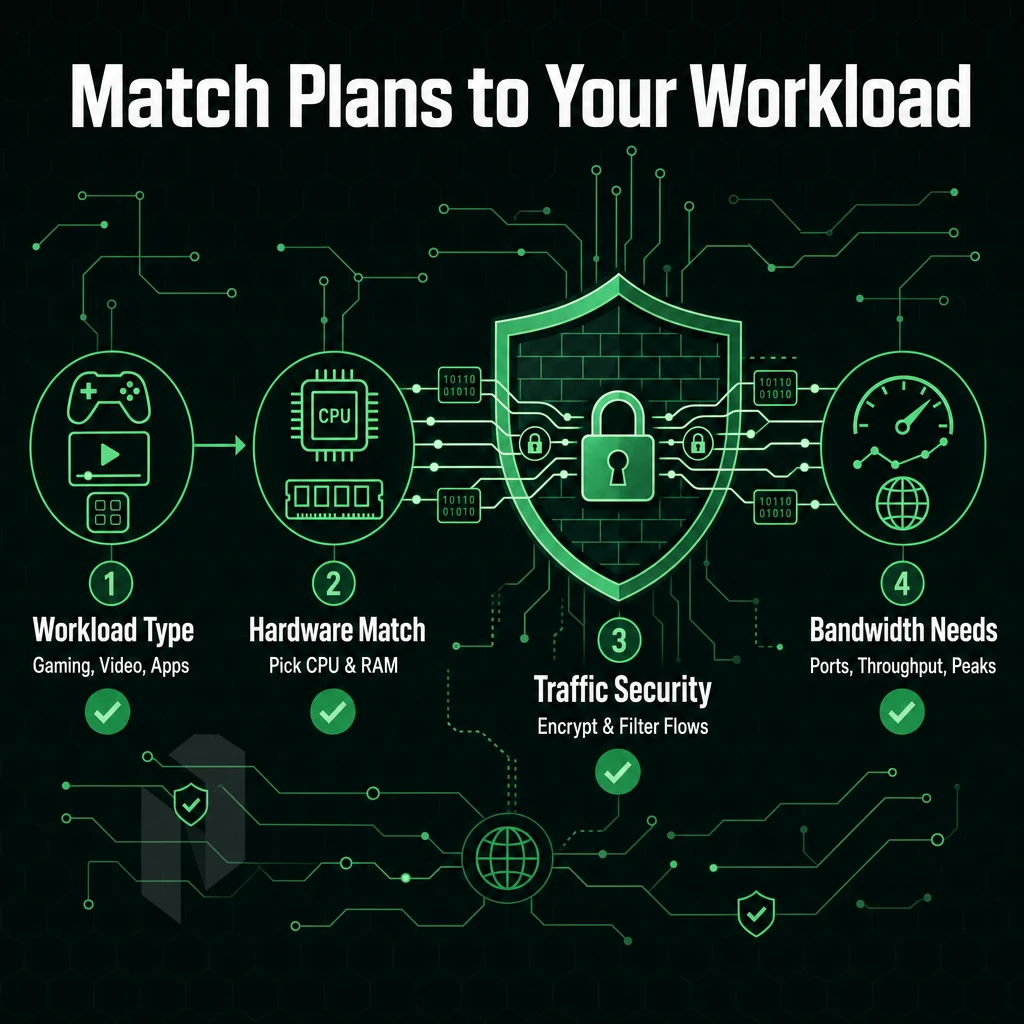
Choosing the right dedicated server is all about matching the right hardware to the right application. Gaming and video streaming for example require the maximum amount of CPU clock speed as well as as much bandwidth as possible, which is provided in an unmetered way.
High traffic web servers and e-commerce platforms require fast NVMe storage as well as stable performance under load. AI/ML and other demanding workloads require maximum amounts of RAM as well as reserved hardware (no shared resources).
When selecting from among the dedicated server plans offered by a web hosting provider. Consider three key features: the quality of the network and the locations of the provider’s data centers relative to your user base, the managed hosting options versus the root access offered to technical staff. Additionally, The SLA(s) offered and the corresponding guarantees regarding the timing of the support team’s response to any problems reported.
In other words, reliable dedicated hosting is not sufficient if the data center is located on a congested backbone. Thus, ensure that DDoS protection is included, that the dedicated hardware is modern, and that you select from among the provider’s dedicated plans that are able to grow with you. In the end, your decisions with regard to dedicated hosting plans are based on a few simple facts.
The Core Advantages of Dedicated Hosting Over Shared Infrastructure
Alternatively, Your server gets hacked and the problem is shared with your server, Dedicated hosting is the only solution.
When you outgrow the shared hosting of your web hosting resources, and you have single-tenant hardware, then dedicated server hosting is the natural upgrade. This is because single-tenant hardware is dedicated to your resources and therefore you have no resource sharing.
Furthermore, you have full root access to the server, which you can then use to configure, harden and scale your server as your workload requires. With this type of web hosting you get the consistent high performance that your high-traffic website, your e-commerce website or your mission-critical application needs.
Choosing a dedicated server host involves three main criteria: network, hardware and management. First, you need a good network, which means a backbone that the host operates itself and not simply resells. This ensures good latency and a consistent level of throughput. In addition, you need reliable hardware, and management that matches the skills of your team. Managed hosting removes operational overhead, unmanaged hosting gives full stack control.
Hardware is also important. Fast provisioning, enterprise-grade hardware, and key features like Intel Xeon and AMD EPYC processors backed by a real SLA are what separate the serious players from the rest of the resellers.
Netrouting operates dedicated servers across ten locations in Europe, North America, and Asia, all on its own AS6206 backbone with unmetered 10 Gbps connectivity and always-on DDoS mitigation included. Browse configurations and contact the sales team to find the right fit for your workload.