By committing to a provider for months or even years, selecting a dedicated server can be an expensive mistake if you get the price/performance ratio wrong. While the rack rate for a dedicated server can vary greatly from host to host.
The advertised price rarely tells the whole story, and accurate information must weigh it against the constraints of bandwidth, setup charges, and hardware age. Additionally, Service level agreement response times to arrive at the true total cost of ownership. Understanding what you actually pay each month requires factoring in these variables to avoid budget surprises down the line.
We try to cut through the hype in this guide. We've been running dedicated servers since 2007 and we have our own AS6206 powered backbone connecting 10 data centers globally (Europe, North America and Asia). All of our knowledge and experience with dedicated servers has been transferred to this guide.
Blog contents
We explain the differences in costs of providers for several key factors: the generation of the hardware, the network capacity and the peering, the DDoS protection which is included, the time to provision. We also highlight additional costs that may be charged after the first bill, such as overage, remote hands, and hidden support tiers.
Some providers also charge separately for add ons like backup solutions, control panel licenses, or enhanced monitoring dashboards that can significantly increase monthly expenses. Certain hosts also charge extra for IP address blocks beyond the first allocation or for custom firewall rule configurations.
We will provide a structured comparison of dedicated servers for their features and value as opposed to cost. We will start with the basics for dedicated hosting, how it is used and how servers are priced by hosts.
What Is Dedicated Server Web Hosting and How Is It Priced?
A dedicated server is a physical server we dedicate to your use. It’s not shared with other customers and you have full root access to it. You get to use 100% of the server’s CPU cycles, RAM, and storage. We don’t put any other servers on the same physical machines as yours. For more context, see Dedicated hosting service.
Dedicated Server Hosting Price Comparison: What Drives Cost
The 4 primary factors that influence the cost of a dedicated hosting plan are processor, RAM, storage (HDD vs. NVMe SSD) and bandwidth. In addition, the contract length (i.e. monthly vs. annually) will affect the effective monthly rate and typically reduces it for an annual commitment vs. a month-to-month agreement.
How Dedicated Servers Compare to Shared and VPS Web Hosting
Shared hosting uses one server to host many accounts and VPS hosting uses one physical server to host many virtual accounts. Both of these options sacrifice some level of performance in order to offer a low cost entrance point. Dedicated hosting eliminates resource contention entirely, making it ideal for businesses outgrowing entry level shared or virtual environments.
On the opposite end of the spectrum are dedicated servers. They are made up of the full server hardware and you own them, with no hypervisor overhead and no contention with other users. This is why they cost more to use and are therefore typically reserved for latency-sensitive and compliance-focused workloads. Organizations just beginning their transition from shared environments often find entry level dedicated hardware provides the isolation and control they need without requiring enterprise budgets.
Dedicated Server vs Shared Hosting: How Much Does Each Cost?
For mid-traffic sites, a basic modern CPU, 32-64GB of RAM and SSD storage is all you need for entry-level configurations. For high-core-count database clusters, streaming sites and high-performance game servers, you need to scale up to dual-socket configurations with NVMe storage arrays and 10 Gbps uplinks. Properly sizing memory and storage for databases ensures query response times remain consistent even under peak concurrent user loads. Allocating sufficient resources upfront prevents costly mid-contract upgrades and ensures headroom for traffic spikes during product launches or seasonal demand.
Evaluating your application's resource consumption patterns helps you match hardware specifications to specific needs rather than overprovisioning unnecessarily. Planning for scalability from the outset allows you to accommodate growth without disruptive hardware migrations or service interruptions. Planning for scalability from the outset allows you to accommodate growth without disruptive hardware migrations or service interruptions, and ensures you can upgrade seamlessly when traffic patterns demand additional capacity. Monitoring active connection counts and concurrent session metrics helps administrators understand how many users the current hardware can support before performance degradation occurs.
While Cloud Hosting and VPS Hosting may have lower ‘upfront’ costs than Dedicated Servers, hidden egress charges can bite. Dedicated Servers are charged on a fixed monthly rate and include all data transfer, no per GB charging. Many providers advertise low base rates but charge separately for bandwidth overages, while others include generous or even free unmetered transfer allowances in their monthly pricing.
Netrouting’s dedicated servers are running on Dell and Supermicro hardware, equipped with the latest Intel Xeon and AMD EPYC processors. We’d be happy to provide you with the latest pricing for our dedicated server configurations from our sales team. Our company maintains direct relationships with hardware vendors, allowing us to offer competitive pricing while ensuring rapid replacement of failed components under warranty.
Key Factors That Drive Dedicated Server Hosting Plan Costs
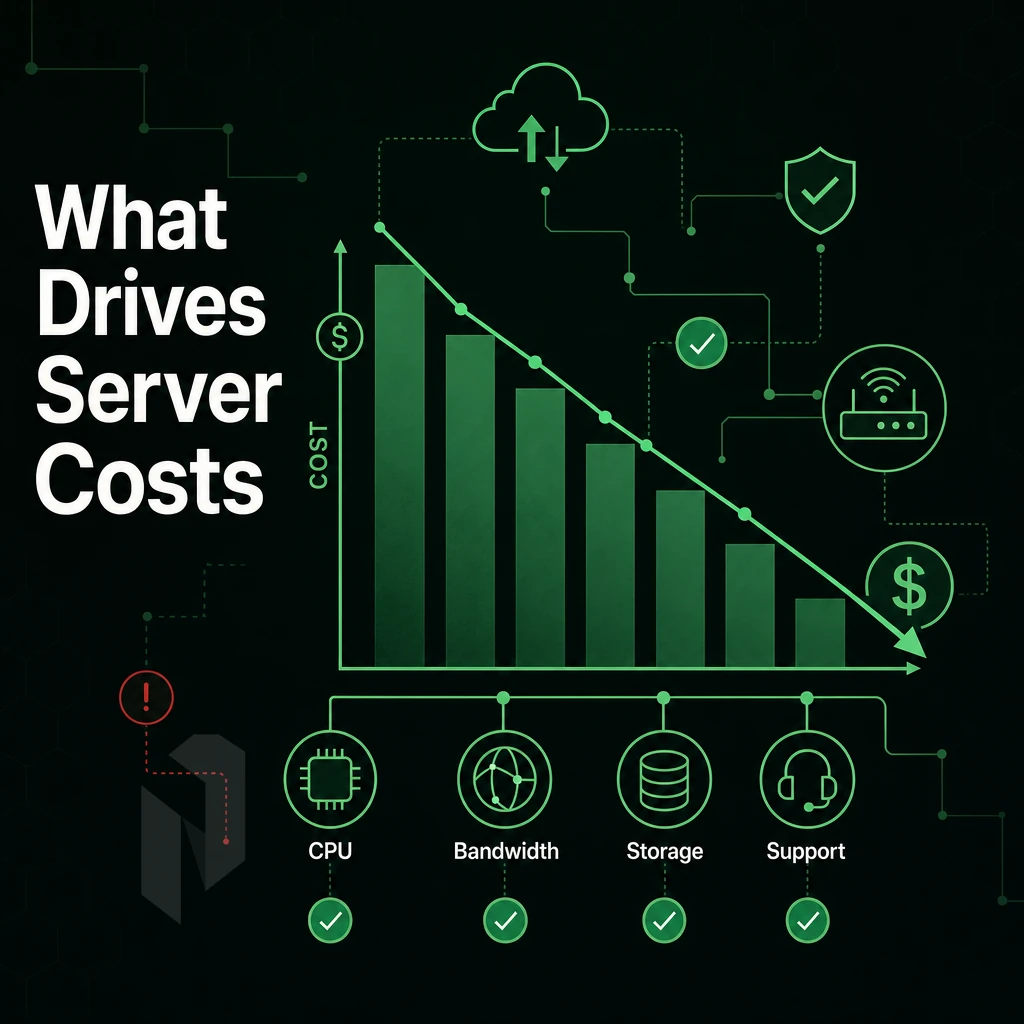
When choosing a dedicated server, the cost to you for the server can be affected by several key factors. Understanding what you will actually pay each month requires examining not just the advertised base rate but also potential overage fees, licensing costs, and support tier charges.
Comparing multiple provider quotes side-by-side reveals how different hosts structure their pricing models and which include essential features versus charging them as add-ons. Each company structures its pricing differently, so direct comparisons require normalizing for included bandwidth, hardware refresh cycles, and support response guarantees.
CPU, RAM, Storage, and Operating System
By far the biggest variable between cost and processor generation is processor generation. High core count, large memory bandwidth processors like AMD EPYC are best suited for database and virtualization workloads. Newer generations of Intel Xeon processors deliver even greater per-core performance for single-threaded workloads. More cores equal more cost.
Cost of RAM increases linearly with amount of RAM. For memory-intensive applications (e.g. in-memory databases, large VM hosts), 256 GB and up of RAM are required. Storage type also greatly affects performance. NVMe storage provides sub-millisecond latency, while SATA SSD storage is best for high-capacity, sequential read workloads. HDD is only cost-effective for bulk archival storage.
| Storage Type | Typical Latency | Best For |
|---|---|---|
| NVMe SSD | <0.1 ms | Databases, high-IOPS apps |
| SATA SSD | 0.1-0.5 ms | General workloads, web hosting |
| HDD | 5-10 ms | Bulk storage, backups |
Bandwidth, DDoS Protection, and Control Panel Add-Ons
Unmetered 10 Gbps port speeds are standard for Netrouting. DDoS protection is also included at the network layer, as opposed to being a separate line item that other companies charge for.
Beyond the initial cost of a control panel license (cPanel or DirectAdmin), servers are generally charged on a recurring basis for unmanaged servers with in-house Linux expertise. This can change rapidly as many companies opt for managed services that include OS patching, monitoring and security hardening. Providers offering hardening services typically implement firewall configurations, intrusion detection systems, and regular vulnerability scans to maintain robust security postures across all managed infrastructure.
Evaluating the level of technical support included in your plan is essential, as some providers tier their support offerings by response time or channel availability. Selecting a provider that aligns with your organization's technical capabilities ensures your chosen hosting company can deliver the level of operational support your infrastructure requires.
Is It Cheaper to Build Your Own Server or Rent a Dedicated Server?
“Build costs” = hardware + rack space + power + cooling + transit + your staff time to set it up. “Rent” = all of that cost shifted to the provider of the rented solution. For most businesses, renting will have a lower Total Cost of Ownership (TCO) within the first 2 years. Renting dedicated infrastructure allows businesses to avoid capital expenditure while maintaining predictable operational costs and the flexibility to scale hardware as requirements evolve.
Deciding whether to purchase hardware outright or rent from a provider depends on your organization's capital availability, technical expertise, and growth trajectory over the planning horizon. Renting also simplifies scalability, enabling organizations to upgrade server specifications or add capacity without the lead time and capital outlay required for owned hardware.
Annual Billing and Commit Discounts
Paying upfront on an annual billing cycle typically gives you full access at a lower average monthly rate compared to rolling month-to-month contracts. For very steady workloads on stable production, an annual contract is typically the best choice. Committing to longer terms often unlocks volume discounts that reduce the effective cost per month, making the purchase decision more economical for predictable workloads. Businesses that pay monthly retain flexibility to switch providers or adjust configurations, though they sacrifice the cost savings that annual commitments deliver.
Dedicated Server Price Tiers: Entry-Level, Mid-Range, and Enterprise
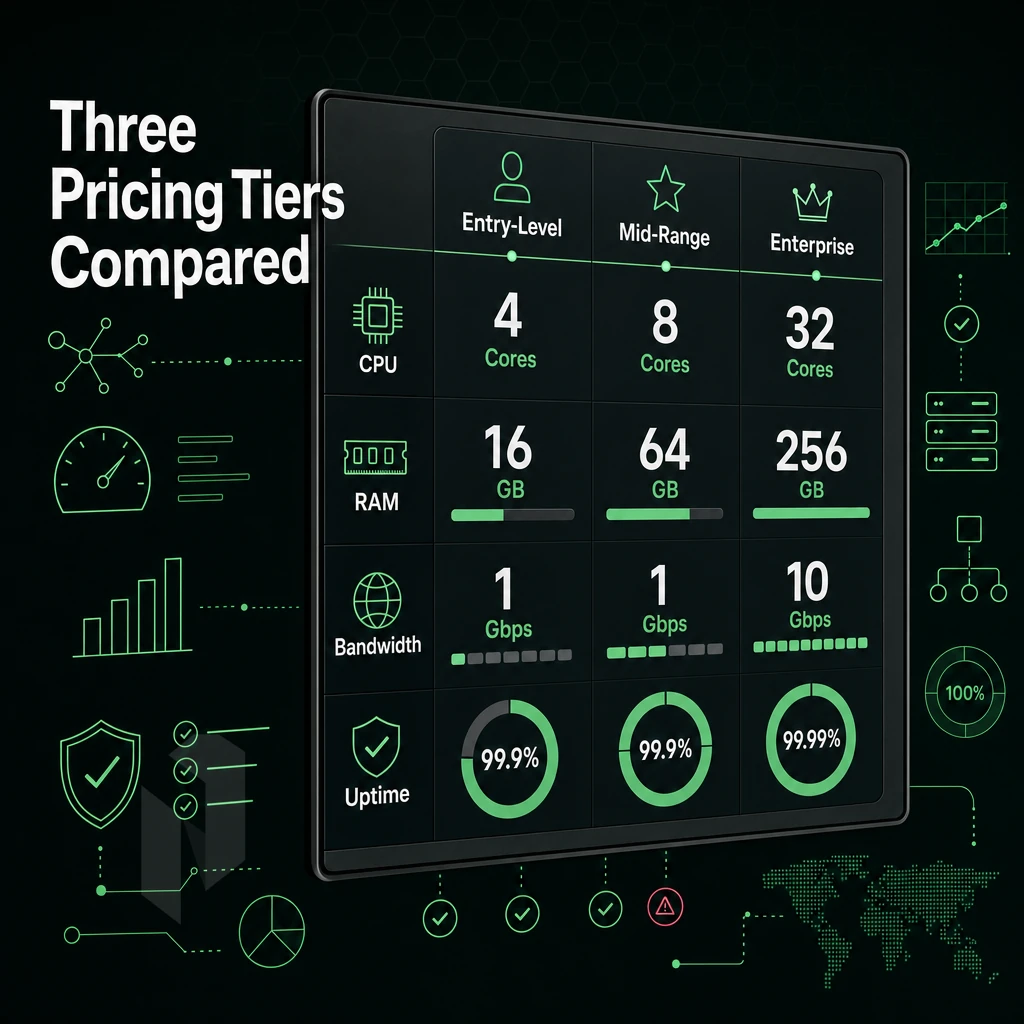
Dedicated server hosting price comparison. A comparison of server tiers and their price to learn what your money is actually buying you. A look at server resources and a classification of server types to fit use-cases, and to scale with your workload.
Entry-Level Servers
-
Match specs to workload.
Entry-level machines typically offer lower core counts and 16-64 GB RAM with HDD or SATA SSD storage. They handle low-traffic websites, small business applications, and development environments cleanly. These configurations provide sufficient resources for small to mid-sized businesses running content management systems, email servers, or lightweight e-commerce platforms without requiring enterprise-grade specifications. Many providers offer free trial periods or money-back guarantees on entry-level plans, allowing businesses to test performance before committing to longer contracts. Entry-level plans are well-suited for organizations with fewer than 10,000 monthly active users or applications serving limited concurrent sessions. Comparing how each provider structures their entry-level offerings reveals significant differences in included bandwidth, support responsiveness, and upgrade pathways that affect long-term value.
Note: Avoid treating one plan as a long-term fit if your traffic is growing fast. Outgrowing entry-level hardware mid-contract is a common and avoidable mistake. Many providers offer free trial periods or money-back guarantees that let you test performance before locking into a long-term commitment. Monitoring actual resource consumption during trial periods helps you understand whether the server can handle your peak concurrent users before committing to an annual contract. Evaluating what you actually pay per core or per gigabyte of memory across different contract lengths reveals which providers offer genuine flexibility versus those that lock you into premium pricing tiers. Comparing trial terms across multiple hosts lets you validate whether a provider can deliver consistent uptime and support quality before signing a binding agreement.
Mid-Range Servers
-
Step up for databases and multiple websites.
Mid-range configs add higher core counts, 128-256 GB RAM, and NVMe storage. That combination handles high traffic websites, busy databases, and multi-tenant environments without resource contention.
Netrouting's dual Intel Xeon E5-2690v4 config, 28 cores, 56 threads, up to 512 GB DDR4, and 12 drive bays, is a good deal for teams that need headroom without moving to full enterprise hardware.
Enterprise and High-Density Servers
-
Deploy dual-socket platforms for serious computing power.
Enterprise tiers run dual-socket Xeon processor or AMD EPYC processors with up to 512 GB+ RAM, 24-drive bays, and 10 Gbps+ ports. AI/ML inference, video streaming, and large-scale workloads belong here.
Netrouting's AMD EPYC 7402p, with 24 cores, 48 threads, 512 GB RAM, four 4 TB SSDs, and up to 20 Gbps bandwidth to handle more visitors, is a strong enterprise baseline available in Miami.
How Much Does It Cost to Host a Web Server?
Pricing for dedicated hosting services is largely based on the selected tier, location and contract length. The lowest entry-level dedicated hosting prices are available and other mid-range to enterprise tiered configurations are charged on a higher monthly rate, based on the included hardware, bandwidth and level of Service Assistance (SLA) guarantee.
Starting prices for dedicated servers can be found on the dedicated servers page. Prices for custom configurations outside of the shown setups can be found by contacting sales. It is recommended to first compare the pricing of dedicated hosting with VPS hosting and cloud hosting services on a like-for-like basis.
Managed Services vs Unmanaged Dedicated Hosting: What You Actually Pay For
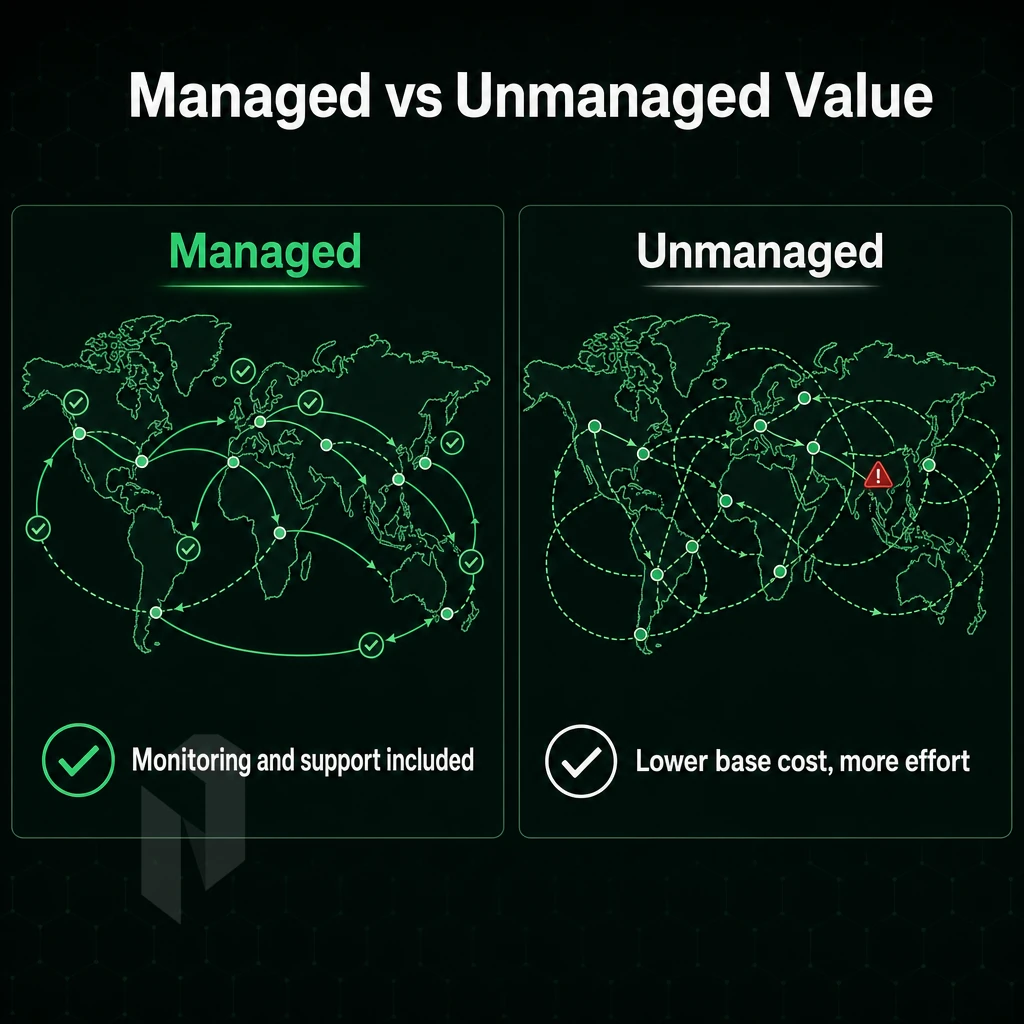
One of the biggest decisions you’ll make when it comes to the pricing of dedicated server hosting is whether you go with managed or unmanaged servers. This decision affects how much engineering time you spend, and how much you push off on your hosting provider.
Managed vs Unmanaged Dedicated vs Shared vs Cloud Hosting
Unmanaged hosting is supplied as bare metal, complete with root access. This type of hosting requires you to install, patch, and secure the OS, perform maintenance on the server and so on. Suitable for people with their own ops team.
Managed hosting solutions shift the burden of these operational activities to the hosting provider. OS upgrades, security configuration and monitoring can all be handled by the provider, freeing your development team to focus on developing applications rather than managing infrastructure. The additional expense of managed hosting is offset against higher overall costs and lower overhead for companies without their own in-house Linux or Windows experts.
Control-Panel Servers: A Middle Tier
A managed control-panel server is situated in between a raw bare metal server and fully managed services. On a managed control-panel server we take care of the OS and the control-panel software as well as updates and security patches. You can set up and manage your own websites, client accounts and databases without having to work with the underlying server setup.
cPanel/WHM and DirectAdmin are available with licensing included. This tier is intended for web hosting resellers and agencies that require a production quality hosting environment and do not have their own sysadmin.
Managed Proxmox VE: For Teams Running Their Own VMs
We target teams that run their own virtual machines and containers but do not wish to manage the hypervisor layer themselves. We manage the cluster, patching, monitoring and backup for you, whilst you manage the resources and workloads that run on top.
Our pricing tiers reflect the scope of work of the operational model, i.e. ‘more managed’ = more predictable team overheads and less internal engineering time. So, whilst ‘managed’ is clearly the best tier for growing businesses, whatever tier you choose, you need to ensure that the rate advertised for that tier is what you will actually pay month-on-month.
Hidden Server Hardware Costs to Watch in Dedicated Pricing
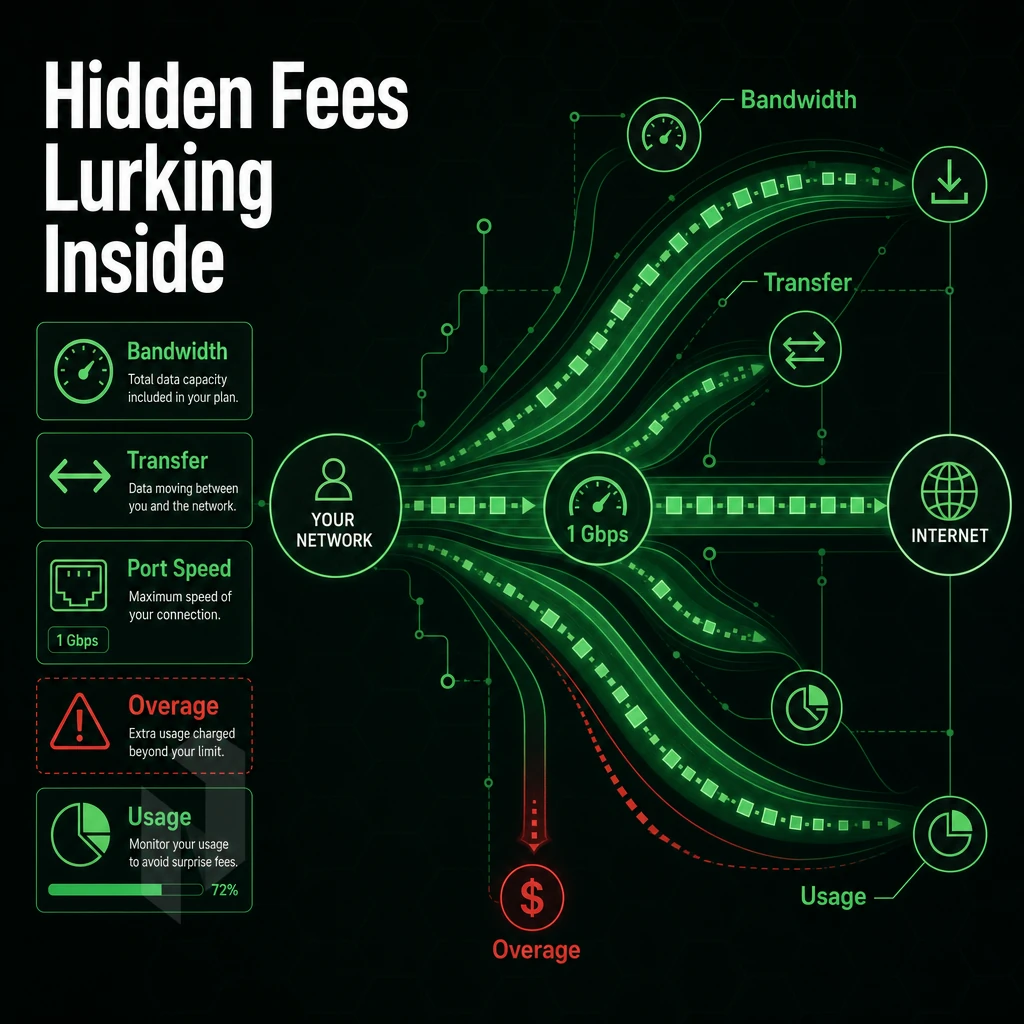
When you see an ad for an entry level dedicated server. Be sure to note the additional charges that most hosting providers tack on to the statted price to really see how much your server will be each month.
Common Add Ons That Inflate the Bill
Beyond setup, control panels, and additional IP addresses, storage of backups is frequently another unexpected cost, with automatic backups often offered only as a high-end option. Upgrades to the Hardware Replacement SLA (Service Level Agreement) to ensure reliable performance with response times faster than the listed default replacement times also can cost extra.
For metered plans, bandwidth overages can generate large bills above the base price for bandwidth during short peaks of traffic (e.g. product launches or attacks). Unmetered plans avoid this risk entirely.
Dedicated vs Shared Hosting: Does DDoS Protection Come Included?
As a feature, no. And as a bug, very expensive. That is to why many providers sell protection as an optional paid upgrade to the standard service for smaller servers.
All services come with always-on L3/L4 DDoS protection, as well as a free private network interconnect to connect up all your servers.
What to Check Before You Commit
| Line Item | Common Industry Practice | Netrouting |
|---|---|---|
| DDoS protection | Paid add-on | Included (L3/L4) |
| Private network | Cross-connect fee applies | Free up to 40 Gbps |
| Bandwidth model | Metered or capped | Unmetered 10 Gbps |
| Hardware replacement | Tiered SLA upgrade | Same business day standard |
Audit the detail behind each line item, not just the total cost of the plan. The plans that bundle together things like protection, private networking, server management, and rapid replacement of hardware on failure tend to have lower total cost of ownership than the 'un-bundled' plans.
How to Compare Dedicated Server Hosting Providers: A Buyer's Checklist
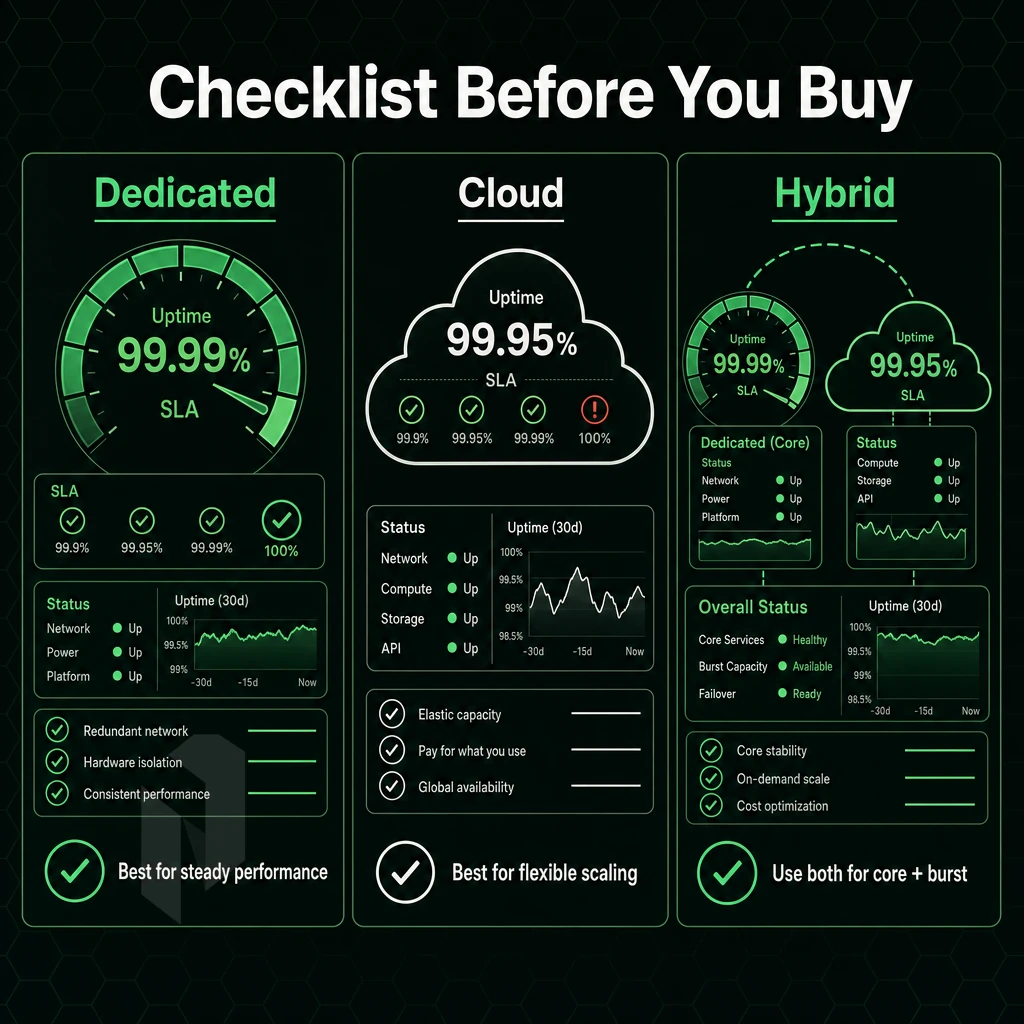
Dedicated servers: The typical way teams end up paying for lots of unused and underperforming server hardware is by signing a contract for said servers without a proper and structured evaluation process of their expected load.
Phase 1: Define Your Baseline Requirements
- Match your workload to hardware by determining the minimum CPU, RAM, and disk space required. Also, determine what Operating System your application stack runs on to immediately start to narrow down the choices for compatible configurations.
- Set your location criteria. This should generally be close to the center of your primary user base. Each 100 km or so of distance from your users results in significant delay to your site.
- Differentiate between managed and unmanaged servers. Filter for managed services if your team does not have enough sysadmins to manage servers from the start.
Phase 2: Evaluate Web Hosting Providers on Technical Depth
- Verify network quality (Tier 1 upstreams, IX peering, port speeds etc.). Real backbone capacity is needed to handle temporary spikes of traffic, not just empty promises.
- Check the DDoS protection terms. It should include enhanced security as standard and not offer it as an add-on. Check if the L3/L4-mitigation is running in a constant mode or in reactive mode.
- Read the SLA. 99.9% uptime guarantee and a hardware replacement time frame are minimums. Anything less, ask follow-up questions.
- Test technical support access. Find out whether 24/7 support is really provided or if there is only business-hours support with an on-call staff member. Get the provider to confirm in writing the ticket response time commitment.
Note: Provisioning speed matters for urgent deployments. If you need infrastructure online within hours, ask for a documented deployment window before signing.
How do I choose between a VPS and a dedicated server?
Use a VPS when you have fluctuating work loads and need to scale up quickly. Use a dedicated server when you need guaranteed CPU power and RAM and don’t want to be affected by noisy neighbors. For high traffic sites, compliance heavy applications and low latency applications, dedicated servers are usually the best solution.
Netrouting gives you more control by provisioning bare metal in under 60 minutes across ten locations, Stockholm, Amsterdam, Frankfurt, Miami, New York, and beyond. If your evaluation checklist points to dedicated, explore our server configurations or contact sales for a scoped recommendation. That said, dedicated hosting isn't the right answer for every team, it's worth knowing where it falls short before you sign.
When Dedicated Web Hosting Is NOT the Right Choice
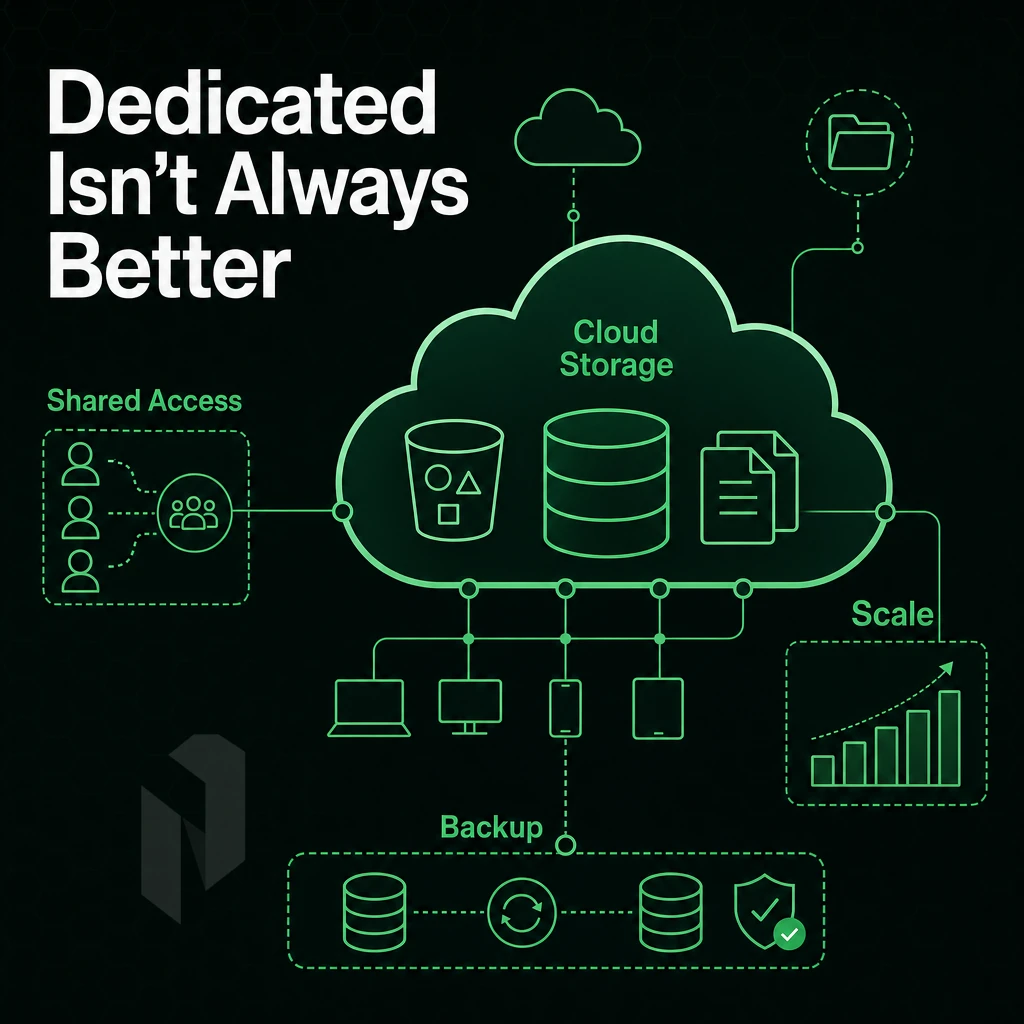
While dedicated hosting offers the ultimate in performance and control, there are many workloads and organizations that cannot benefit from it, and it’s usually due to cost and administrative complexities that ultimately cause headaches.
Low Traffic Websites and Early-Stage Businesses
Dedicated servers are designed to run continuously at high levels of use. You’d waste most of the server’s power if you used it to run low traffic sites. You’d pay for resources that you’d never actually use.
Early-stage startups can’t predict huge spikes in traffic. Cloud hosting is great at handling such elasticity, it scales up to handle extra visitors within seconds and scales back down as demand drops. A dedicated server on the other hand doesn’t change size when there’s less demand.
VPS hosting is in the middle. VPS hosting provides isolated resources and root access, for a portion of the physical host’s resources. In most cases, well-configured VPS hosting will provide great value for the money, until you hit a meaningful growth milestone.
Your Entire Server Management Responsibility on Unmanaged Plans
With unmanaged dedicated hosting all responsibility for the server and its operation is shifted to you. This includes tasks like OS patching, software updates, firewall rules and kernel tuning. Most people do not have the required expertise for managing Linux or Windows Server environments as dedicated hosting environments.
While your in-house team may not have the in-depth expertise, managed hosting services like Netrouting’s managed hosting offering for Root Access Hosting can easily bridge this gap. While we manage OS hardening, software updates and monitoring for you, you still retain root access.
Note that Unmanaged bare metal servers require real server administration skills and if your team’s core skills lie in the application and not the server then this must be factored into your hosting decision.
Workloads That Need Horizontal Scale
For some architectures such as microservices, containerized workflows and stateless web frontends, paying upfront for one very large server makes less sense when dozens of small instances may be needed instead. Cloud hosting platforms provide native support for such patterns via orchestration tools.
Note that dedicated hardware scales better vertically (more RAM, more cores, faster NVMe storage) than it scales horizontally (i.e. replicating a system of 50 lightweight nodes). Choose your hosting model based on your architecture, and, if dedicated fits your bill and you want to avoid unexpected downtime, here's why you should take a closer look at Netrouting hosting.
Why Choose Netrouting for Dedicated Server Hosting
When a dedicated server pricing comparison comes down to real value, the gaps between hosting providers widen fast. Netrouting delivers bare metal provisioned in under 60 minutes, so your dedicated servers are live before most hosts finish processing the order.
- Unmetered 10 Gbps bandwidth included. Every dedicated server ships with unmetered 10 Gbps, up to 40 Gbps available. No bandwidth pooling, no overage surprises.
- Always-on DDoS mitigation at no extra cost. L3/L4 mitigation is built in. High-risk workloads can add application-layer coverage without switching providers.
- Latest-gen physical infrastructure. Xeon and AMD EPYC platforms on Dell and Supermicro chassis. Full root access, your choice of operating system, complete control over server resources.
- Free private network interconnect. Connect your dedicated hosting resources across our infrastructure, up to 40 Gbps, free.
- 10 global locations. Amsterdam, Frankfurt, The Hague, Rotterdam, Stockholm, Bucharest, Miami, New York, Hong Kong, and Singapore, low-latency reach wherever your traffic originates.
- ISO 9001, ISO 27001, and SOC 2 certified. Backed by a 24/7 NOC and a one-hour ticket guarantee.
Predictable monthly pricing, no egress fees, and lower total cost of ownership than hyperscaler compute make Netrouting a strong fit for businesses comparing dedicated server options. Explore our dedicated servers or contact our team to compare configurations against your current hosting plan.
Key Takeaways: Getting the Most Value From Most Hosts' Dedicated Server Pricing
A bare-metal hosting cost comparison only tells part of the story. The headline rate on any dedicated hosting plan rarely reflects true cost. attack mitigation, control panel licensing, managed hosting, and bandwidth overages all add up. Compare total cost of ownership, not just the monthly server line item.
Match your tier to your workload. Entry-level dedicated servers suit high-traffic websites outgrowing shared hosting or VPS. Mid-range and enterprise configurations, AMD EPYC platforms, NVMe storage, full root access, serve businesses with demanding compute or security requirements. A provider with a strong network, a known data center location, and transparent add-on pricing is a genuinely good deal. That combination delivers the most value over time.
Dedicated server pricing isn't just about the hardware spec. CPU generation, RAM capacity, storage type, bandwidth allocation, and fully managed support all compound into the final number.
The price-to-performance gap between dedicated hardware and shared or virtualized alternatives widens fast under sustained load. For workloads that demand consistent CPU access, low-latency I/O. Alternatively, predictable throughput from dedicated bare metal delivers lower total cost of ownership over time, even before factoring in the overhead of managing noisy-neighbor risk on shared hosting cloud instances.
Managed versus unmanaged is the other decision that quietly reshapes your budget. The right choice depends on your team's operational capacity, not just the monthly difference.
Netrouting offers bare metal servers across ten locations in Europe, North America, and Asia, provisioned in under 60 minutes, with unmetered 10 Gbps, always-on volumetric attack protection, and hassle-free server maintenance included. Explore configurations and contact the team to match a server to your workload.