When setting up a dedicated server, one wants full control of the hardware without unstable performance or interference from neighboring systems.
The steps from booting up bare metal to running a production-ready, secured server with all services properly set up.
In this guide we'll go step by step through the different stages of provisioning and configuring a Valheim server. The different steps are verifying the hardware, choosing and installing an Operating System , setting up storage, setting up the network, configuring a firewall, securing SSH and performing some checks after the initial deployment. Following this structured approach ensures your valheim server remains stable, secure, and accessible to players throughout its operational lifecycle.
Blog contents
Whether you’re setting up your first bare metal server or attempting to establish a reproducible configuration for multiple servers, this is the order in which these things should be done. But the basic steps here can be applied to any dedicated hardware. We first explain what a dedicated server is and how it works.
What Is Your Own Dedicated Server and How Does It Work?
A dedicated server is a single physical server used by a single customer. This is in contrast to shared hosting or a Virtual Private Server where resources are shared with other customers on the same server.
How Does a Valheim Server Work?
Typically a server is set up in a data center and connected to the Internet through a provider’s network. It gets assigned a public IP address so that it can be reached from anywhere. Your clients connect to the public IP address of the server and the server then deals with the requests and sends back answers directly. The hosting provider manages the physical infrastructure, power redundancy, and network connectivity while you retain administrative access to configure the server software and services.

Do You Need Your Own Valheim Dedicated Server?
Dedicated hardware is typically used for things like a valheim server when the performance, isolation, or compliance of a particular application exceeds what can be provided from shared hardware. Even a simple game server like a Valheim dedicated server benefits from dedicated CPU and RAM.
Your world name, player data and uptime are all yours. Choosing a memorable world name helps players identify and reconnect to your server when browsing the multiplayer list. Allocating sufficient cpu cores ensures the server can handle world simulation, player interactions, and background processes without performance degradation during peak activity.
A Valheim dedicated server makes for a great example of required persistent uptime. Low latency, automatic backups, and a stable listing in the servers list to make sure that players can always find and join the server. The server listing ensures visibility to external players who want to discover and connect to your world without needing direct invitations. Players experience minimal lag when the game server connected to reliable hardware maintains consistent tick rates and processes world state updates efficiently.
Maintaining an updated server list entry with accurate connection details and current player counts helps communities grow organically as new players browse available worlds. If the process hangs or you need to stop the running instance for maintenance, you can safely terminate it by using server press ctrl c in the terminal window. Each user connecting to the world generates network traffic and consumes server resources, so capacity planning should account for peak concurrent player counts. Server administrators can browse local files to verify world saves, check log outputs, and confirm that backup archives are being created correctly before players join.
Note: Skipping IP planning is a common mistake. Confirm whether you need a static IP before provisioning, reassigning addresses later disrupts DNS and connected services.
With the fundamentals laid out, here is the full setup process from selecting hardware to verifying a live deployment.
Valheim Dedicated Server Files Setup: Step-by-Step Overview
The sequence of a dedicated server setup does not change, regardless of whether you’re going to host web applications, games or other applications.
Preparation: Hardware and OS
- Choose your hardware and provider. Choose a server configuration that fits your workload best. Choose between different manage options for your bare metal server at ten different locations worldwide.
- First choose your operating system for your server. Most server workloads run perfectly on Linux. For.NET applications or games that require Windows Server as operating system on the server, you will need to choose this option here. Your choice of operating system on the server determines all the steps that follow.
Execution: Security and Software
- Harden on first login. Connect via SSH or RDP immediately. Upload SSH keys, disable password authentication, and restrict root access. This is the single most critical step. Note: Skipping this leaves your server exposed within minutes of provisioning.
- Install the server software for your needs. This includes web servers, game engines, and other types of application servers. Some frameworks for modded game servers such as BepInEx mods have specific directory structures that need to be followed as outlined in the software’s documentation.
- Configure your firewall to allow only the ports your application needs. To add/remove port exceptions, use select edit rules and close everything else by default.
Verification: Network and Connectivity
- Open the required ports. Cross-check the port(s) listed in the application documentation against your firewall rule set. If the traffic is routed through a router or other upstream device(s), also mirror these rules to those devices.
- Test connectivity. Connect from an external machine to test service is operational. Check for refused connections or timeout errors in logs before going live.
Server List and Costs for Your Own Dedicated Server
Dedicated server pricing varies widely based on several factors: the servers themselves (hardware tiers), locations, and the amount of bandwidth you need to move. Our bare metal servers have very competitive pricing, with fixed monthly charges and no egress surprises. We'd be happy to make a hosting configuration suggestion for you and quote accordingly. Contact sales. Transparent pricing helps you avoid paying unexpected overage fees that can quickly inflate your monthly hosting costs.
First, there's the OS choice for your own server, and that decision has more downstream implications than any other so we'll dive into how to choose wisely.
Choosing a Dedicated Server OS: Linux vs. Windows Server
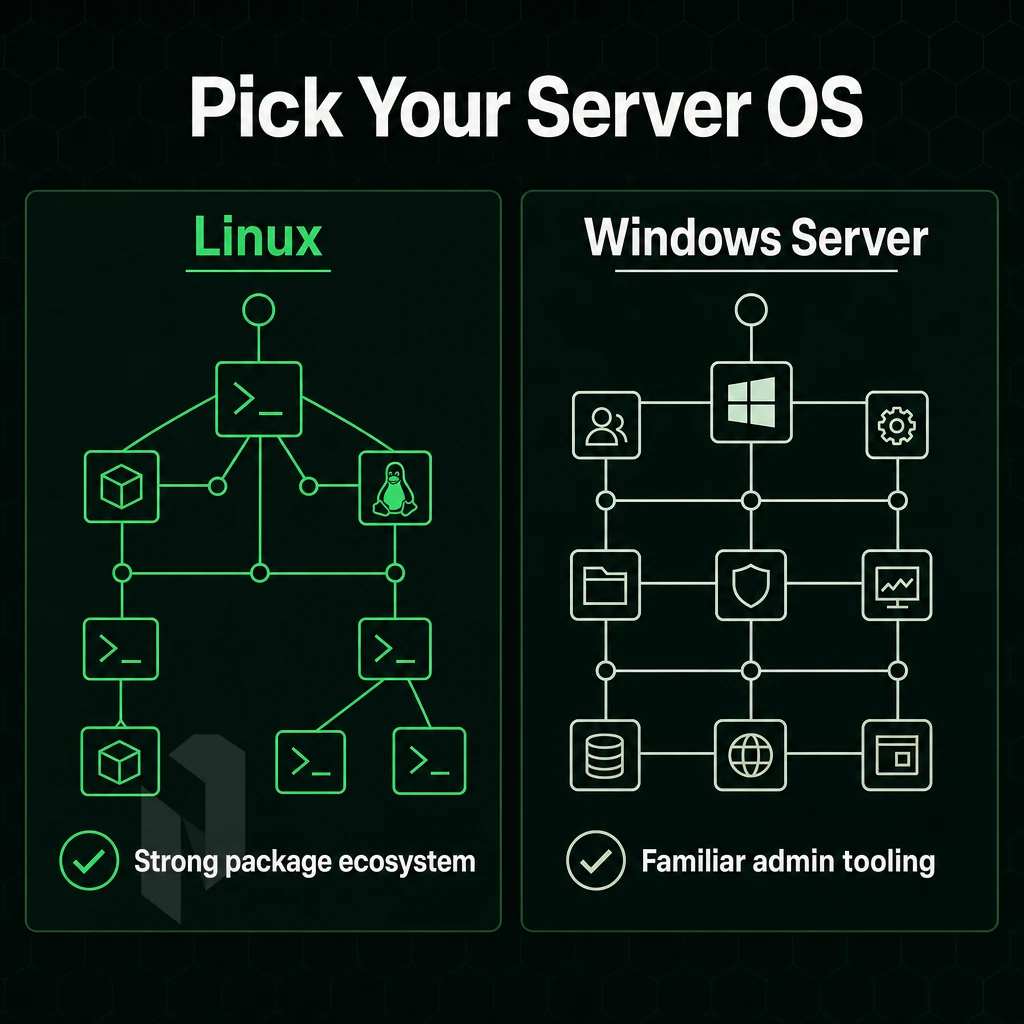
Your choice of OS affects many of the subsequent configuration choices. Consider which drivers, package managers, and community support ecosystems are most relevant to your application stack before committing to a platform.
Picking the Right Platform
- For web and app workloads, default to Linux, it’s lean, costs nothing to license, and rules the open-source space. Ubuntu LTS and Debian will cover most bases, and AlmaLinux is a good pick for teams locked into CentOS and looking to move.
- Use Windows Server for Microsoft dependent stacks. An application may require.NET Framework, Active Directory, or even a specific server application that only runs on Windows Server.
Note: Mixing platforms adds complexity. Settle on one before ordering hardware.
When a Valheim Dedicated Server Changes the Decision
Some titles ship with Windows-only binaries.
How Much RAM Do I Need for a Valheim Dedicated Server?
We recommend that you select manage the amount of RAM to match the I/O your web application generates. A basic web stack runs fine with 16 GB of RAM or more. When self hosting database intensive applications and virtualization, you will typically require 64 GB or more of RAM.
Netrouting’s bare-metal server s can be scaled all the way up to 2TB of RAM, so in most cases it’s better to size for peak rather than average load. Game servers with high player counts or complex world simulations may require multi-core processors, as the cpu handles entity updates, physics calculations, and network packet processing simultaneously.
Next up is the network layer, which includes setting up IP addressing, port forwarding. Additionally, The firewall rules that decide what traffic actually reaches your server, after the Operating System and hardware have been chosen and sized.
Network Configuration: IP Address, Port Forwarding, and Firewall Rules
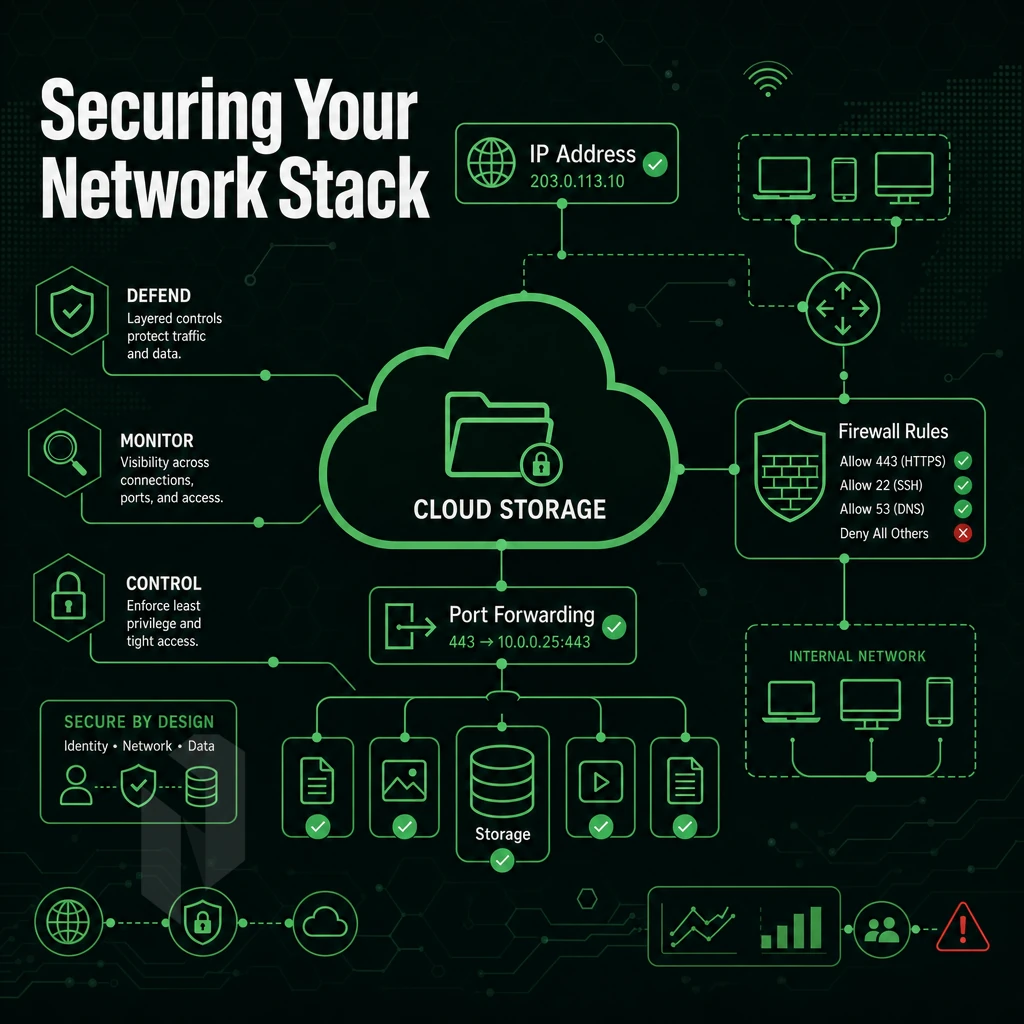
Most of the troubles encountered during the configuration of a dedicated server come down to an inadequate configuration of the network configuration, i.e. IP addresses, firewall and port access.
Data Center vs. Self Hosting: Who Needs a Router?
Server hosted in data center receives public IP address from provider, no router in between server and Internet.
In contrast to a server in a home network, the public IP assigned by your ISP to your router is shared by all devices in your home network via the NAT function of your router.
How to Set Up a Valheim Dedicated Server at Home
Configure your router by logging in to the administration interface of your router.
Most games list the ports that a server needs in their documentation. Forward the exact range of ports listed for your game server. Don’t guess! Silent connection failure is the result.
With port forwarding in place, your public IP address will be used by your players to connect to your server. Your public IP could change on the occasion of a router restart. You might use a DDNS service to create a fixed address for your public IP in this case.
Firewall Rules on a Valheim Dedicated Game Server
On Linux you can use UFW very fast. Just enable it, set a default policy for incoming traffic to deny and then open the TCP and UDP ports you need for your application. For example SSH on port 22 and the ports of your game or web application (for TCP traffic: port number, for udp traffic: port number).
Windows Server firewalls control inbound rules on a protocol by port basis. Create individual allow rules in your software as required and deny everything else by default.
All servers at Netrouting are protected by always-on L3/L4 DDoS protection. This basic layer of defense is meant to filter large volumetric attacks from your server list firewall rules.
All workloads live by the same network rules, and I demonstrate this by setting up a Valheim dedicated server from scratch in the next section.
Why Choose Netrouting for Your Dedicated Server Setup
When your dedicated server deployment demands reliable hardware and a network that won't let you down, Netrouting delivers. Our bare metal hosting servers, built on Dell and Supermicro with Intel Xeon and AMD EPYC, are ready to install and fully provisioned in under 60 minutes.
- Unmetered 10 Gbps bandwidth, enough headroom for game server traffic, large file transfers, and simultaneous connections without throttling.
- Always-on L3/L4 DDoS protection, included at no extra cost on every server, keeping your public IP address reachable under attack.
- 10 global locations, Amsterdam, Frankfurt, The Hague, Rotterdam, Stockholm, Bucharest, Miami, New York, Hong Kong, and Singapore. Put your server close to your players.
- 24/7 NOC with a 1-hour ticket guarantee, real support when your configuration breaks at 2 a.m.
- ISO 27001 and SOC 2 certified, enterprise-grade security for hosting providers and communities that handle user data.
Explore our dedicated server options or contact sales to discuss the right configuration for your workload.
Before you go live, run through the checklist below to confirm every port shown was not missed.
Quick Steam Library Checklist
Valheim Dedicated Server Setup: Quick-Reference Checklist
Running through these steps should mean that your dedicated server is now live and ready for production.
- Select the appropriate hardware configuration (CPU cores, memory, storage) to match your workload’s configuration.
- Choose your Operating System: a high performance an open-source OS distribution with full control or Windows Server for.NET and Active Directory environments.
- Configure your static IP address, default gateway and DNS resolvers immediately after the first boot of your server.
- Set up your firewall to deny all incoming traffic by default, and then open up specific ports as required by your application.
- Enable SSH key-based login (for Linux) or RDP with Network Level Authentication (for Windows), disable password login.
- Please verify if the reverse DNS (rDNS) for your server’s primary IP address has been set correctly.
- Install and harden the control panel or management stack you choose to use before you put it into production and start to expose services to the world.
- Test your game server, application or web service end-to-end from an external connection prior to launch.
- Check that automated backups are scheduled and a test recovery has been done successfully for at least one of them.
Dedicated servers can be set up in three decisions. The first is choosing the right hardware for your application’s work load. The second is picking the right Operating System for your valheim dedicated server application to run on top of, in your hosting environment. The third decision is locking down your network configuration and applying it. After these three steps everything else can follow a standard pattern. This can include hosting for game servers, web applications and business critical databases.
This is also illustrated by the example of Valheim. Spinning up a game server and production infrastructure both follow the same steps: plan resources, set up a firewall, open required ports and test before putting it on the public internet.
Our dedicated servers are the ultimate solution for users who have outgrown shared or virtual environments and now want complete control of their hardware. We offer a large selection of dedicated servers, each with your chosen server name, that can all be ordered within 60 minutes and are immediately ready for usage.