Running resource-intensive Windows applications like IIS, MSSQL, ASP.NET, or Remote Desktop Services on shared servers or inside a virtual machine typically leads to poor performance, licensing issues, or OS-layer problems that support engineers cannot resolve.
Windows dedicated server hosting gives you a physical machine running Windows Server with full administrative control, no disturbance from other users, no hypervisor overhead, no restrictions.
While discussing dedicated server hosting vs. shared server hosting , it is also important to consider the appropriate hardware, network power, and management for your particular application. The requirements to host a high-traffic e-commerce site running MSSQL are much different from a Remote Desktop Services host or a game server cluster. Selecting the right window dedicated server hosting configuration means matching your server specifications to your application's resource profile and growth trajectory.
Blog contents
In this guide we will explore the major factors to consider when looking for a Windows dedicated server hosting solution, including hardware, Windows Server versions, pricing and licensing, network power.
What Is Windows Dedicated Hosting for Servers?
A Windows Dedicated Server is a single, physical server, running bare metal, with a Windows Server OS installed. A Dedicated Server is allocated to a single customer only, and doesn’t share resources with other customers or benefit from a hypervisor layer. It’s pure, unadulterated hardware, performing at its best for a single organization. For community perspectives, see Dedicated Server Hosting options?.
Dedicated Servers for One Tenant Only
On dedicated hardware you get every CPU cycle, every gigabyte of RAM, and every IOPS of storage to yourself. In shared hosting those resources are split across dozens of accounts you cannot manage user access for, creating the noisy-neighbour effect and periodically degrading performance.
A virtual private server (VPS) offers improved isolation over shared hosting, but is still limited by the hypervisor layer. A bare metal Windows server, on the other hand, offers consistent and predictable performance for high-demand workloads by running directly on the server hardware with no hypervisor layer in between.
Organizations requiring consistent throughput for mission-critical applications benefit from the high performance characteristics inherent to bare metal deployments. Bare metal configurations eliminate virtualization overhead, making them the preferred choice for resource intensive applications that demand maximum CPU utilization and memory bandwidth. Each virtual server instance introduces overhead that can reduce available resources, whereas bare metal eliminates this layer entirely for maximum efficiency. When evaluating virtual server hosting options, understanding the performance trade-offs between virtualized and bare metal architectures becomes essential for capacity planning.
Dedicated Servers Provisioned for Windows Workloads
Native capabilities of Windows Server on dedicated servers that Linux can’t match, like running Active Directory domain services, Microsoft SQL Server and.NET application stacks, all require a Windows environment to run optimally and securely.
Remote Desktop access is provided to Administrators to manage services, configure roles and deploy applications as they would on a local server. Full root access to the server is provided via local Administrator credentials allowing complete control of the server OS and installed software.
This level of administrator access enables you to install custom software, modify registry settings, and configure security policies without requiring approval from the hosting provider. The control panel interface simplifies routine tasks such as service restarts, user account management, and system monitoring without requiring command-line expertise.
Dedicated resources are allocated entirely to your account and are never mixed with those of other customers. For compliance-sensitive workloads such as financial services, healthcare and legal applications, windows dedicated servers are particularly important here, as resource contention can be unacceptable.
This dedicated resource model proves especially valuable for small and medium businesses that need enterprise-grade performance without the overhead of managing multi-tenant infrastructure. Many organizations also deploy intrusion detection systems on these dedicated platforms to monitor network traffic and identify potential security threats in real time.
When Dedicated Servers for Windows Make Sense
Dedicated Windows servers are a good option when your stack consists of: Organizations migrating from virtual environments often choose window dedicated server hosting to eliminate hypervisor overhead and gain direct hardware access for their Windows workloads.
- Active Directory and Group Policy management.
- Microsoft SQL Server or SSRS reporting services.
- .NET Framework or ASP.NET Core applications.
- Windows-only licensing tied to physical hardware.
We deploy Dedicated Windows Servers on high-end enterprise Dell and Supermicro hardware and have Windows Server ready within 60 minutes. In the following section we will elaborate on the provisioning process and what you can expect when ordering. Our infrastructure is housed in top tier data centers with redundant power, cooling, and network connectivity to ensure maximum uptime for your Windows workloads. These data centers feature multiple upstream carriers and advanced physical security measures to protect your dedicated hardware around the clock.
How Window Dedicated Server Hosting Works
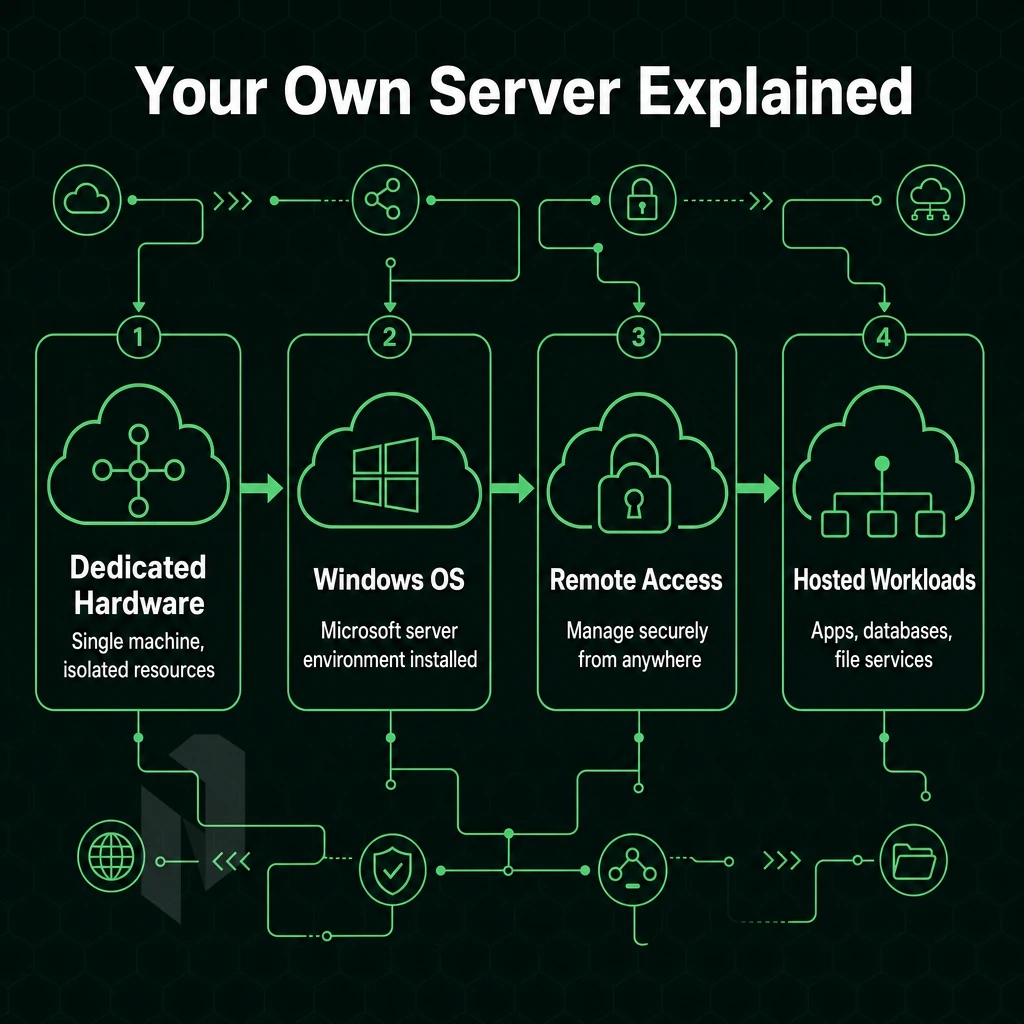
Windows dedicated server hosting is typically offered as a physical dedicated server running a Microsoft Windows server operating system (OS), configured as a standalone server dedicated 100% to your application or workload.
Dedicated Hardware Provisioning and OS Installation
We start by allocating a bare metal server to a single tenant, unlike shared hosting or windows dedicated servers, where resources are split across multiple tenants through a virtualisation layer. Here, the entire CPU, RAM and storage pool is dedicated to one client.
Next, the Windows Server OS is installed (Standard or Datacenter edition).
You can install and run all Windows-based software stacks like IIS, SQL Server, ASP.NET and Active Directory on both editions.
Bare metal servers at Netrouting get provisioned in under 60 minutes.
Remote Management Interfaces
Windows Admin Center lets you remotely administer a server through a browser without opening a full RDP session. This browser-based control panel offers a modern interface for managing roles, features, and system configurations without the overhead of a graphical desktop session.
All of this can be done using standard Windows tools.
Security and Access Control
| Layer | Mechanism | Default State |
|---|---|---|
| Network perimeter | Windows Firewall with Advanced Security | Enabled, inbound blocked by default |
| User access management | Local Users and Groups / Active Directory | Administrator account active; additional accounts you create |
| Remote access | RDP over port 3389 (configurable) | Enabled; restrict by IP for hardening |
| DDoS baseline | Always-on L3/L4 mitigation | Included on every Netrouting service |
To achieve high performance on Windows, deploy a high performance Windows system. First, implement OS-level access controls and network-layer protection. Limit RDP access to IP addresses that can reach your server. Set a strong password for the administrator account. Use Windows Firewall to limit potential exposure of systems to attack. Implement these steps before installing any applications.
First, make sure you’re running the right OS for your purposes. Many organizations also deploy third-party security solutions to complement native Windows protections and provide additional layers of defense against emerging threats. Organizations with stringent security requirements often deploy intrusion detection systems to monitor network traffic patterns and identify potential threats in real time.
Windows Server vs Linux Dedicated Servers: Choosing the Right OS
Choose the best operating system for your specific needs.
Assess Your Application and Directory Requirements
- Make a map of your software dependencies. List out all the applications you need your server to run. The only choice for workloads such as Active Directory, domain administration, and other Windows-only applications with no Linux port is the Windows Server operating system.
- Assess your database layer. As SQL Server runs on top of Windows, those that run MySQL. PostgreSQL or MariaDB can run these stacks natively on Linux servers without any additional licensing costs on top of what one pays for server access.
- Check your.NET requirements. Legacy ASP.NET (Framework) applications are Windows-only. Modern.NET 6+ applications run cross-platform. Therefore, please first check the version of.NET your application uses before provisioning.
Note: Mixing database servers across operating systems mid-project creates migration complexity. Decide on the OS before you deploy, not after.
Weigh Access Methods and Cost Efficiency
- Choose a remote access model. Windows requires a remote desktop environment to administer a GUI. Linux uses SSH which is lighter and more scriptable. Therefore it is preferred for administering Linux servers as well as for automated deployments and DevOps pipelines.
- Be sure to factor in licensing costs for Windows Server, as these can add up to contribute to the cost of each server. Most Linux distributions are open source and can be very cost efficient for users who don’t require Windows specific functionality. Also be sure to factor in the cost of free domain registration offered by many hosting packages into your overall monthly cost.
Make the Final Call
- For open-source technology stacks (e.g. PHP, Python, Node.js), it’s generally cheaper to run on Linux than on Windows. Default to Linux unless your application stack specifically requires Windows. (For containerized applications, this typically means Linux.).
- Check with your development team as well. The people running the server on a day-to-day basis should be comfortable with the OS. A Windows-experienced team on a Linux server or a Linux-experienced team on a Windows server adds operational risk.
Once Windows is confirmed as your OS, decide which workloads justify enterprise grade hardware on dedicated servers versus virtual instances. Enterprises running ERP systems, large-scale databases, or high-traffic web applications typically find that window dedicated server hosting delivers the reliability and performance production environments demand.
Key Use Cases for Windows Dedicated Servers
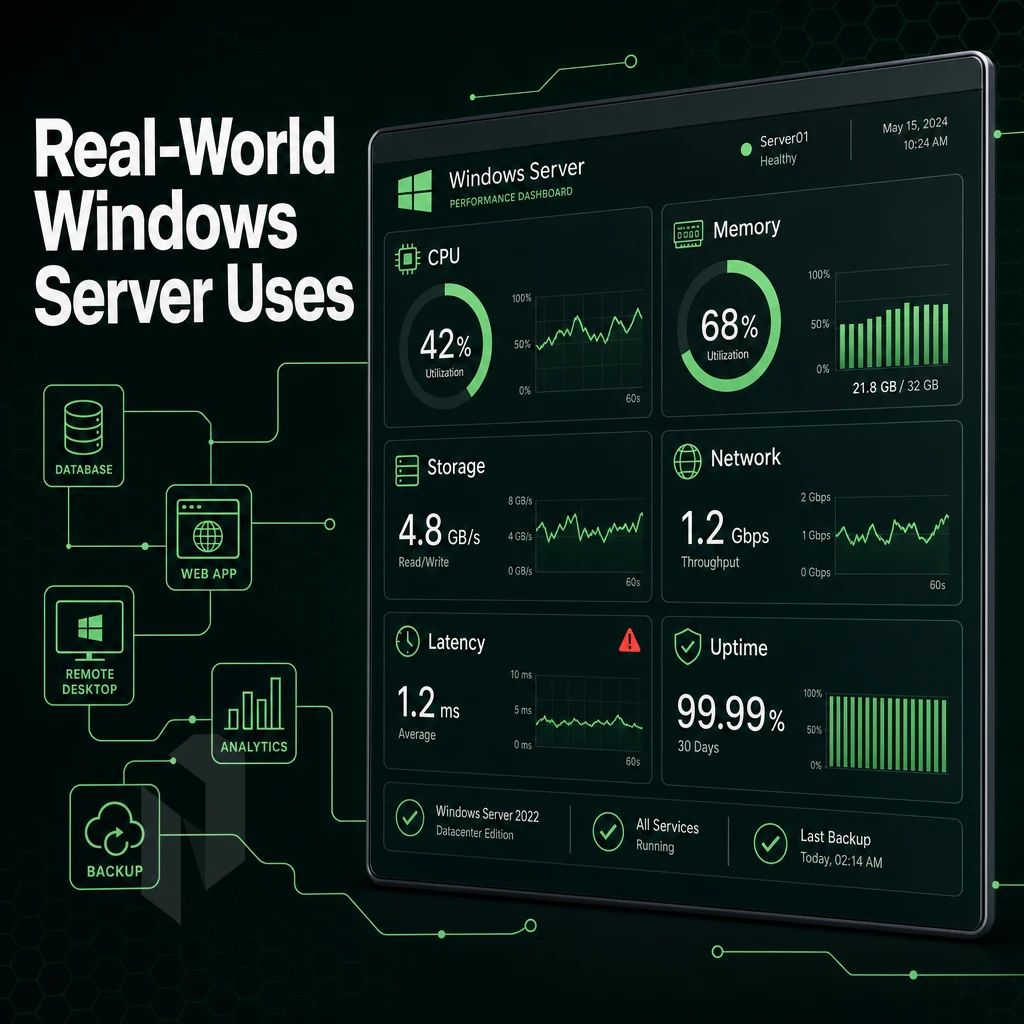
There are many different workloads that are better suited for dedicated servers rather than shared infrastructure or even virtual slices. They require the full power of a physical machine with no other users to contend with, and no hypervisor overhead to worry about either. For seven different workloads Windows dedicated server hosting is the best option.
Identity, Databases, and Line-of-Business Applications
A small to medium sized business using Active Directory for their domain services requires a highly available domain controller.
One of the clearest cases for dedicated hardware is SQL Server. Most resource-intensive applications (such as ERP, CRM and financial reporting) create constant disk I/O and memory pressure on the operating systems running shared servers and every virtual server instance. By dedicating the latest enterprise hardware with plenty of RAM and high-performance NVMe storage to run SQL Server, all contention is eliminated.
Remote Access and Web Serving
Remote desktop services for distributed teams demand consistent session performance across dozens or hundreds of users. An RDS farm on dedicated servers provides the CPU and RAM needed to support session brokers, with no performance floor imposed by neighboring tenants.
High traffic websites on IIS/ASP.NET face the same scaling limits as threaded, connection-oriented servers. Thread pools, application pools, and database connections are all proportional to the cores and RAM a virtual server has available. Dedicated servers allow tuning of these limits to match specific load characteristics rather than an arbitrary baseline imposed by a shared hosting environment.
Game Servers, CI/CD Pipelines, and Dedicated Servers for Virtualisation
Game servers are latency sensitive and typically require raw CPU power to handle the Tick rate, Physics simulation and player cap. A dedicated server provides a solid and jitter free frame simulation as opposed to a shared server which would introduce variability.
Isolated build agents for Windows-based CI/CD pipelines prevent resource contention during execution. Hyper-V virtual machines can run on the same physical host, making it easy to spin up clean test environments for high traffic websites without provisioning additional dedicated servers.
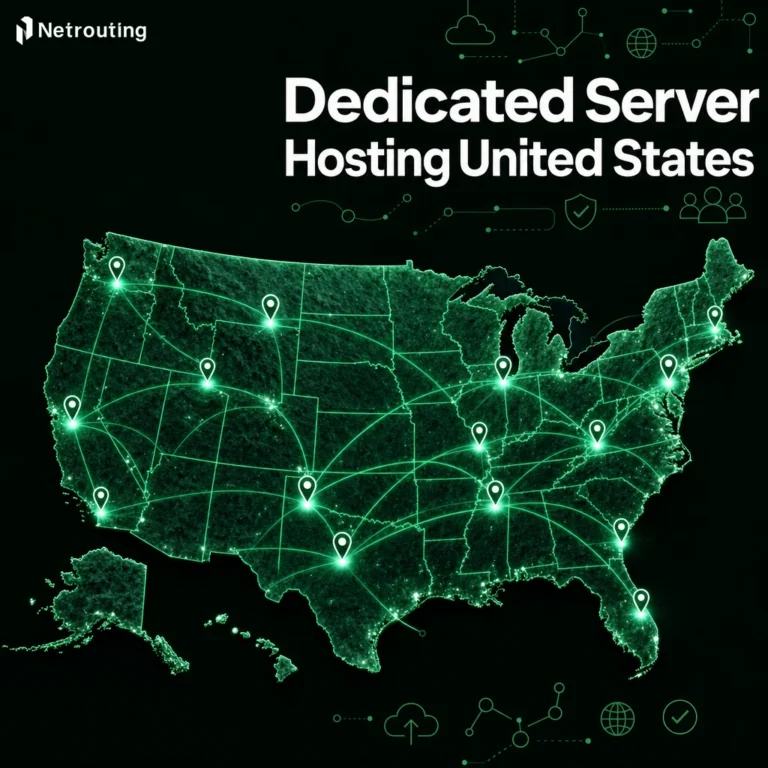
Most critical workloads demand dedicated hardware above all else. Our dedicated servers span 10 locations across Europe, North America, and Asia, all with unmetered 10 Gbps connectivity and same-business-day hardware replacement under our standard SLA. We compare this to VPS and shared hosting in the next section.
Dedicated Servers vs VPS vs Shared Hosting: Side-by-Side
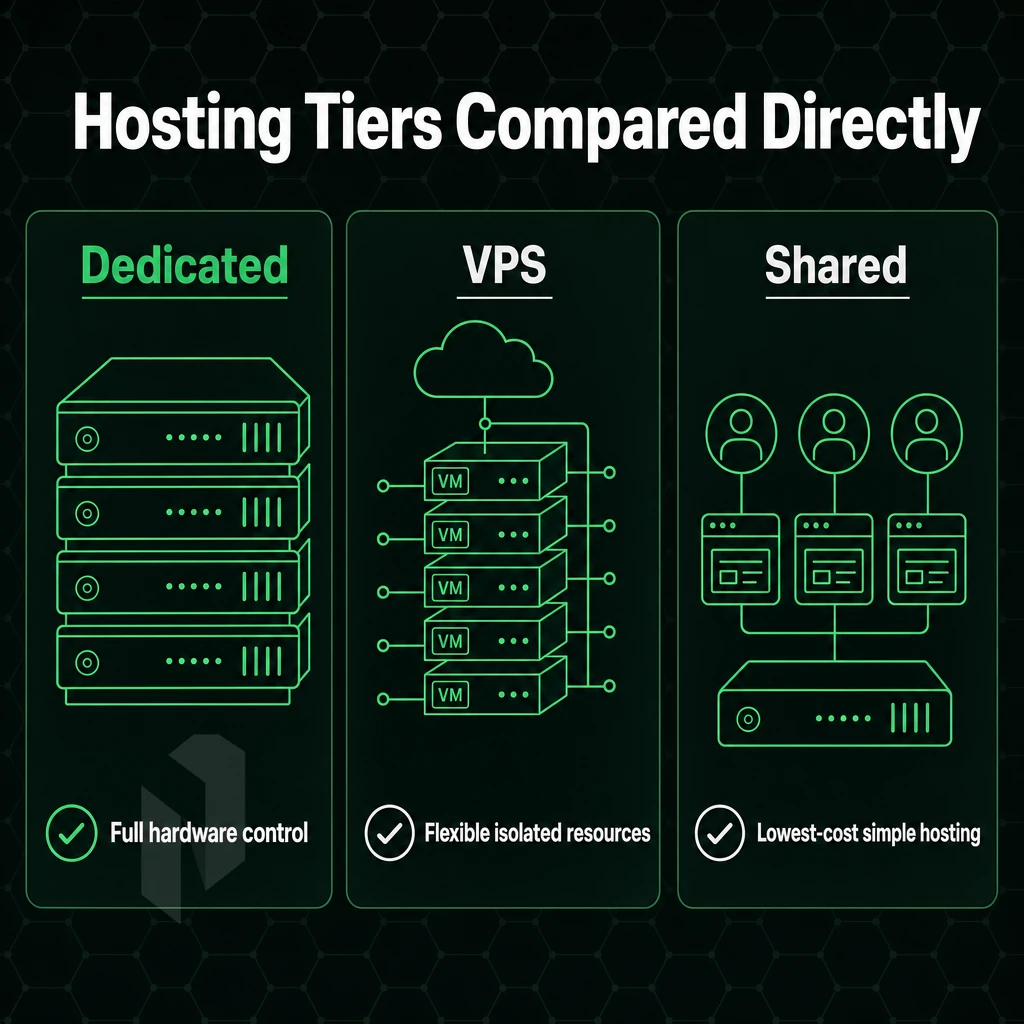
When choosing between a Windows Dedicated Server, a Windows VPS, and shared hosting, ask yourself: how much of the underlying server will you own?
Windows Dedicated Servers vs. Virtual Server vs. Shared: The Core Differences
Windows dedicated servers are single physical machines with no neighbors, no CPU contention, and a Windows Server license on your own dedicated hardware. You get full administrative access to all layers, from physical hardware up.
Virtual Servers carve up one physical server into separate isolated instances. You get to run your own Windows Server environment with full root-level access, but you’re actually sharing the same physical server with other Virtual Servers. Performance can be unpredictable as the activity on neighboring Virtual Servers spikes.
With shared hosting, dozens of accounts share one server, no OS isolation, no admin access, and no Windows Server licenses. It suits non-dynamic websites, nothing more.
Dedicated Servers: Consistent Performance Under Load
There is no resource contention on a dedicated server. All CPU, RAM and storage is dedicated to your account. Due to this isolation, dedicated hosting is best for applications that utilize SQL Server, high traffic.NET sites and latency sensitive APIs.
Netrouting’s Windows Dedicated Servers are hosted on Dell and Supermicro hardware with Intel Xeon and AMD EPYC processors. We typically provision Dedicated Servers within 60 minutes.
Side-by-Side Operating Systems Comparison
| Feature | Windows Dedicated Server | Windows VPS (Virtual Server) | Shared Web Hosting |
|---|---|---|---|
| Resource allocation | 100% dedicated hardware | Partitioned from shared host | Pooled across all accounts |
| OS control | Full, any Windows Server build | Full within the virtual machine | None |
| Performance consistency | Guaranteed, no neighbours | Variable under host load | Unpredictable |
| Root/admin access | Full administrative access | Full administrative access | None |
| Windows Server license | Dedicated license, full features | Per-VM license | Not applicable |
| Scalability | Vertical + multi-server clusters | Fast vertical scaling | Minimal |
| Typical use case | SQL Server,.NET apps, game servers | Dev environments, SMB workloads | Basic brochure sites |
| Cost efficiency | Best TCO at scale | Cost-effective for lighter loads | Lowest entry cost |
Windows dedicated hosting is best to scale when workloads are larger than what virtualisation can handle. Applications that require 24/7 constant performance and control can only be adequately served by a physical dedicated server. Once you have chosen dedicated hosting, you will have to choose which Windows Server version you want to use for your dedicated hosting deployment model. For more context, see Dedicated hosting service.
Windows Server Editions: Standard vs Datacenter
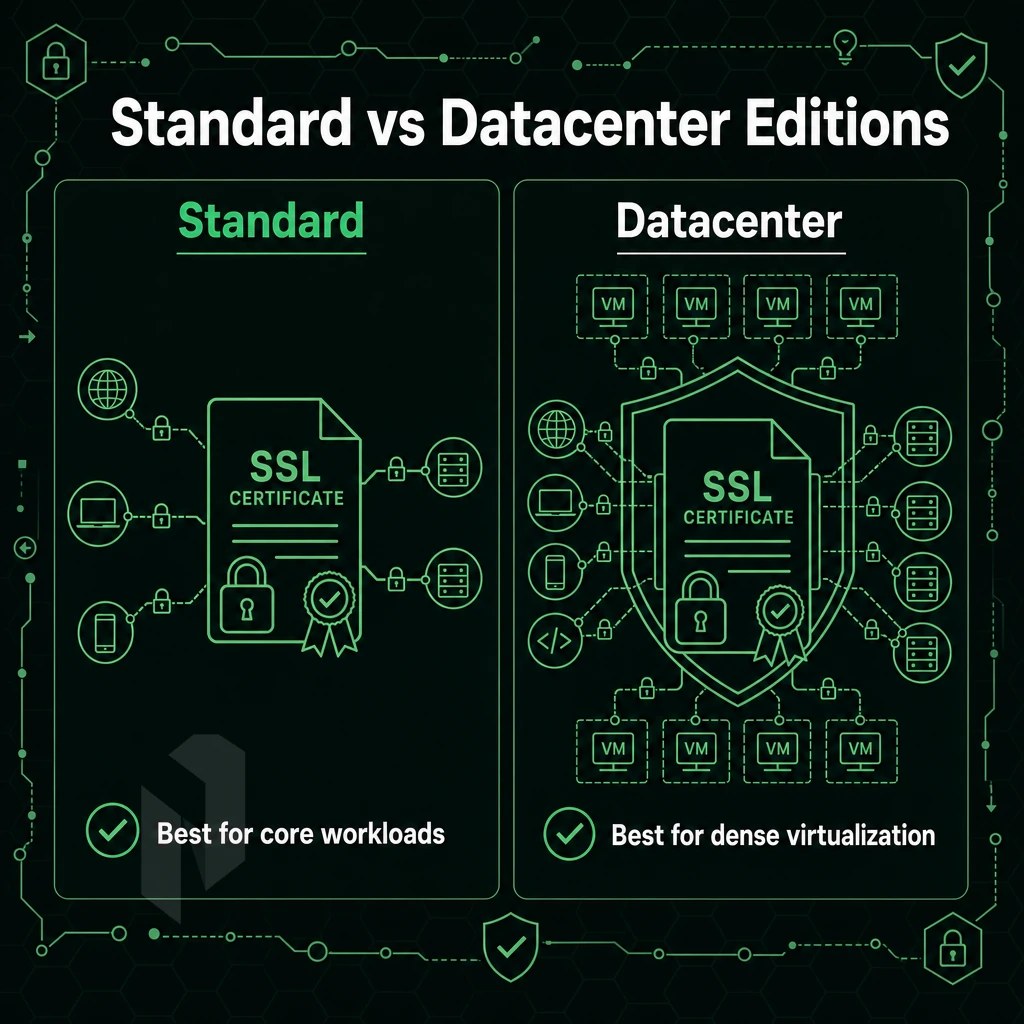
Deciding on the correct version of Windows Server to use on your dedicated server is an important decision to make when setting up your server.
Standard Edition: Physical and Lightly Virtualised Workloads
Standard Edition of Windows Server includes the core Windows Server OS plus support for up to two Hyper-V virtual machines on each licensed server. This makes Standard Edition suitable for physical servers, or for servers in virtualized environments where there is minimal use of virtualization. For example, a web server, database server or standalone application server will run bare metal and require a Standard license.
This includes the full range of features from Windows Server, Active Directory, DNS, IIS and Windows Admin Center for server administration from a browser. All features are included, no others are removed, the only limit is on how many VMs you can pack in.
Windows Server Environment: Datacenter Edition for Dense Virtualisation
Datacenter Edition removes the ceiling on the number of VMs allowed by a Datacenter Edition licensed host. Thus, one host can run an unlimited number of Windows Server VMs, making Datacenter Edition the correct edition for private cloud environments, Hyper-V clusters. Additionally, For dedicated server, or host/instance, based solutions where a physical host runs as a. hypervisor and supports many guest instances or workloads.
Windows Server Datacenter Edition costs more upfront for license than Windows Server Standard Edition. However, at more than two to three VMs per server, the cost per VM is less than that for equivalent Standard licenses. By five VMs or more on a single server, Datacenter will often cost significantly less than the equivalent Standard licenses.
Choosing Between the Two
| Criterion | Standard Edition | Datacenter Edition |
|---|---|---|
| VM rights per host | Up to 2 Hyper-V guests | Unlimited guests |
| Best for | Bare metal or light virtualisation | Private cloud, dense Hyper-V clusters |
| Feature set | Full | Full + Storage Spaces Direct, shielded VMs |
| Relative license cost | Lower | Higher, cost-effective at scale |
Virtual server hosting on a large scale (many isolated virtual servers on one physical server) can quickly pay for itself using Datacenter hosting. For environments that are strictly single-purpose and use only server features in Standard hosting, it can save a lot of money. We can suggest which edition is best for you when you configure a server. Locking down the environment to ready it for production work is the next step.
Security on Windows Dedicated Servers
Dedicated servers do not have shared-tenancy risks. Since you rent out the physical server itself, there are no other users on the same server. Therefore, should another workload on a nearby server be compromised, your dedicated environment will remain isolated and you can build upon that.
Harden the OS and Administrative Access
- Change the default account name for Administrator. This account is attack targeted in an automated manner. Rename the default account immediately upon provisioning the server and create a separate named account to use for daily root access work. This single step alone breaks the most common brute force attack pattern in use today.
- Enable multi-factor authentication on RDP. Pair MFA with a non-default RDP port. Moving off port 3389 reduces automated scan noise significantly. Note: changing the port alone is obscurity, not security, MFA is the essential control.
- Allow traffic into a server using explicit allow rules in Windows Firewall instead of a deny all by default stance. Block all traffic by default and then allow specific ports and IP addresses from which your workloads are coming. Verify the rules after any application has been added/removed/updated.
Control Access and Monitor Threats
- Active Directory management of user access via Group Policy. Enforce strong passwords, session timeout, and user privileges across all accounts. One change applies to all servers, no manual editing required.
- Combine Windows Defender with an intrusion detection system. Windows Defender can detect malware based on signatures. A host-based IDS uses behavior detection to identify actions of a potential intrusion such as lateral movement and privilege escalation that other signature-based detection tools typically miss.
- Restrict admin access to only required roles. Apply least-privilege and audit the accounts that have elevated rights on a monthly basis.
Network-Level and Infrastructure Assurance
- Our DDoS protection is always-on at the network edge. We include L3/L4 DDoS mitigation by default on all services, so volumetric attacks get scrubbed before they ever even reach your server. You don’t have to do anything to configure this.
- Check for any available infrastructure certifications. Netrouting holds ISO 27001 and SOC 2 certifications. These specifications define physical access control, environmental control and operational security and thus assure that our facilities are operating according to audited standards.
By securing the server with OS hardening and access controls, you protect it from unauthorized access. But full server control and securing the server alone is not enough, the network it sits on also has to be of sufficient quality to distinguish the average provider from the superior one.
Network Performance and Data Center Infrastructure

They affect the performance of applications under load.
Bandwidth and Connectivity
All our dedicated servers come with unlimited 10 Gbps network connectivity. Where needed, servers are capable of bursts up to 40 Gbps. For large data transfers (like SQL dumps, IIS served media, Windows Server Update Services packages) this reserved bandwidth acts as a pipeline.
Our backbone is connected to AS6206 with total capacity of 2.4 Tbps+.
Global Infrastructure and Peering
Netrouting has locations in 10 cities worldwide, including Stockholm, Amsterdam, Rotterdam, The Hague, Frankfurt and Bucharest in Europe.
A free private network moves up to 40 Gbps between your resources. Inter-server replication, private cloud traffic, and domain controller sync all stay off the public Internet, reducing latency and avoiding egress exposure.
Data Center Infrastructure
Raw processing power degrades fast when the physical environment is unreliable. Our data centers run N+1 power and cooling. Our primary EU facility in The Hague (DFDC THG1) supports 215+ racks at high-density power levels.
This physical hardening extends into the cloud infrastructure layers as well. While robust infrastructure is critical, operating power through servers is equally as important.
Managing and Administering Your Windows Dedicated Servers
Understanding the tools available to manage a Windows Dedicated Server day-to-day.
Windows Server Administration Essentials
Remote Desktop Protocol (RDP), The main gateway to the machine. Connect on port 3389 using any RDP client. Login as Administrator. Full control of the OS, services and file system.
Windows Admin Center provides a single dashboard to view performance metrics, event logs, certificates, and role membership for browser-based management of dedicated servers without needing an additional agent.
- Active Directory: Create OUs, assign group policies, and manage user access from Server Manager or the ADUC console.
- SQL Server: Deploy and configure databases directly via SQL Server Management Studio once the role is installed.
- Windows Updates: Schedule maintenance windows using WSUS or Group Policy to minimise unplanned reboots.
Unmanaged vs. Managed Hosting
Ideal for companies with dedicated sysadmins.
Our managed hosting solution covers OS patching, security hardening, and proactive monitoring. Root access is also provided so customers retain full flexibility without the burden of operational overhead.
Web Hosting Workloads and Shared Web Hosting Migration
Windows dedicated servers are perfectly suitable for running web hosting workloads and support control panels such as DirectAdmin or cPanel. In combination with IIS these control panels manage domain, DNS and email accounts within a single web interface. In this post we’ll elaborate on the management model and why we believe Netrouting is the perfect environment to host your servers.
Why Choose Netrouting for Windows Dedicated Server Hosting
Netrouting delivers enterprise-grade hardware purpose-built for demanding Windows Server environments.
- Bare metal in under 60 minutes. Dedicated servers provisioned fast, your Windows instance is online before most hosting companies finish their paperwork.
- Unmetered 10 Gbps bandwidth. Up to 40 Gbps available for resource-intensive applications and high-performance workloads. No data transfer surprises.
- Always-on DDoS protection. L3/L4 mitigation included on every dedicated server services plan at no extra cost. Critical workloads stay online.
- 10 global data centers. Stockholm, Amsterdam, Rotterdam, The Hague, Frankfurt, Bucharest, Miami, New York, Hong Kong, and Singapore, all carrier-neutral, all BGP-ready with BYOIP support.
- Managed options available. Prefer a managed Windows server environment? Our Managed Hosting and Managed Control-Panel Servers handle server administration, OS patching, and security hardening while you retain complete control.
- Certified infrastructure. ISO 9001, ISO 27001, and SOC 2 certified. 24/7 NOC with a one-hour ticket guarantee.
Explore our dedicated server hosting plans or contact sales to discuss a dedicated server solution matched to your Windows workload.
Key Takeaways: Windows Dedicated Servers Hosting Explained
Windows dedicated hosting solutions gives you a physical machine, dedicated resources, and a full Windows Server environment, no shared hardware, no noisy neighbours, no compromises. When your workload demands Active Directory, SQL Server databases, Remote Desktop Services, or Windows-based software that simply won't run cleanly on Linux servers, a dedicated Windows server is the correct call. A virtual server costs less upfront, but dedicated hardware delivers the consistent performance and full superuser access that resource-intensive applications require.
Netrouting checks every box: 2.4 Tbps+ network, top-tier data centers across Europe, North America, and Asia, and 24/7 support with a one-hour ticket guarantee.
Frequently Asked Questions
Do people still use Windows dedicated servers for hosting solutions today?
Yes, Windows Server remains one of the most widely deployed server operating systems in enterprise environments. Active Directory, SQL Server, IIS,.NET applications, and Microsoft 365 hybrid integrations all depend on it. Many industries, finance, healthcare, legal, and government, standardize on Windows Server for compliance and software compatibility reasons. It is not a legacy curiosity; it is the backbone of a large share of production infrastructure worldwide.
Which dedicated servers work best for hosting Windows workloads?
The best fit depends on three things: hardware generation, network quality, and licensing clarity. For dedicated servers, look for a provider running current Intel Xeon or AMD EPYC platforms, a high-capacity network with low port utilization, and transparent Windows Server licensing, either included or clearly BYOL.
Netrouting checks all three: dedicated servers, including windows dedicated servers, and virtual hosting environments on Dell and Supermicro bare metal hardware, a 2.4 Tbps+ network with unmetered 10 Gbps, and deployment across ten locations in Europe, North America, and Asia-Pacific.
Is window dedicated server hosting better than Linux hosting?
Neither is universally better, the right OS is the one your application stack requires. Linux is the default for open-source web stacks, containerized workloads, and anything built on PHP, Python, or Node.js. Windows Server is the correct choice when you need Active Directory, IIS, ASP.NET, MSSQL, or any software that ships only as a Windows executable. If your stack is mixed, a dedicated server gives you the freedom to run each OS where it belongs rather than forcing a compromise.
What Is the Cost of Windows Dedicated Servers Hosting?
The total cost has two components: the dedicated server itself and the Windows Server license. Hardware costs vary by CPU generation, RAM, and storage configuration, contact a provider's sales team for current figures based on your spec. The Windows Server licensing adds to that, either as a monthly add-on from the host or as a BYOL agreement if you already hold volume licensing through Microsoft. Always confirm whether the quoted price includes the OS license or not before signing.
What is the difference between Windows Server Standard and Datacenter edition?
For a single-purpose bare metal server running one workload, Standard is usually sufficient and more cost-effective.
Can I run Active Directory on a dedicated Windows server?
Yes, and a dedicated server is one of the most reliable ways to host Active Directory Domain Services. With windows dedicated servers, you get full control over the hardware, no noisy-neighbor risk, and the ability to configure redundant domain controllers across multiple physical machines or sites. For production environments, deploy at least two domain controllers, ideally in separate physical locations, to eliminate a single point of failure. Netrouting's multi-city footprint makes cross-site AD replication straightforward without relying on third-party cloud infrastructure.
What is Remote Desktop Protocol and how do I use it on a dedicated server?
remote access protocol (RDP) is Microsoft's built-in protocol for graphical remote access to a Windows Server instance. Once your windows dedicated servers instance is provisioned, you connect using the Windows Remote Desktop client, or any RDP-compatible client on macOS or Linux, by entering the server's IP address and your administrator credentials.
Never expose RDP directly to the public internet without one of those controls in place.
Dedicated Windows servers have resources guaranteed to you, are fully admin enabled and 100% Microsoft stack native. That means if you run .NET apps, MSSQL databases or Active Directory servers then windows dedicated hosting is the only option that removes the need for workarounds and compatibility layers.
Choosing the right Operating System for your web hosting environment early on is also critical, as many applications run better on either windows dedicated servers or Linux-based setups, and migrating between the two is rarely easy and often very costly.
Netrouting provisions bare metal servers in under 60 minutes across ten locations in Europe, North America. Additionally, Asia, all backed by a 2.4 Tbps+ network, always-on DDoS protection, and a 24/7 NOC with a one-hour ticket guarantee. If you're ready to spec out a Windows dedicated server, explore Netrouting's dedicated server options or contact the sales team for a custom configuration.