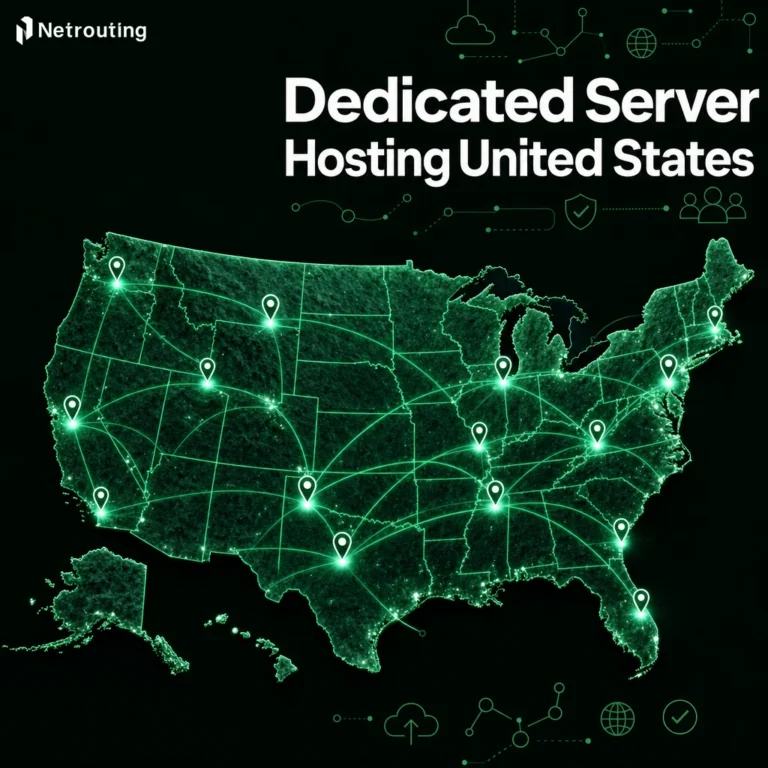
If you run very resource-intensive programs on shared servers you are more or less at the mercy of other users. A Windows dedicated server is a complete physical server running Windows Server. No other users and therefore no noisy neighbors that can be eating up your CPU, your RAM or your disk I/O.
Dedicated Windows hosting is more than just fast servers. Aspects such as licensing, Active Directory integration to manage user access, .NET application stacks, MSSQL databases, and Remote Desktop Services all just work on Windows operating systems when you have the box to yourself. They don't in shared servers or even virtualized servers (even when you have a whole virtual server to yourself), and that is why dedicated servers are critical when you are responsible for uptime. For compliance or for a real production workload.
Windows Dedicated Servers vs Cloud VMs and Shared Hosting. A Guide to Evaluating Before Committing This guide explains the key points that any IT team needs to consider before purchasing a Windows dedicated server: how it differs from cloud-based virtual servers and from shared web hosting.
Blog contents
Which workloads are best served by a dedicated server; the key hardware specifications that you should prioritize; and how you match up the specifications of your dedicated servers with the needs of real world workloads.
Whether you are migrating an existing Windows server to a new dedicated server or starting from scratch and provisioning a completely new Windows server. The decisions that you make at the server hardware and Operating System level will have a huge impact on your future operational capabilities for many years. Therefore it is wise to start with the basics.
Choosing the right configuration for dedicated windows servers involves evaluating processor architecture, memory capacity, and storage subsystems to ensure alignment with application requirements and growth projections. Modern providers offer flexible configurations that allow organizations to scale processor cores, memory modules, and storage arrays independently as business requirements evolve.
What Is Windows Dedicated Hosting for Servers?
A Windows dedicated server is a physical bare metal server running a Windows Server OS. A server dedicated to one customer / tenant, meaning no sharing of resources, no hypervisor overhead, and no competing workloads on the server. It’s your full server!
Windows Dedicated Server Hosting: What "Dedicated" Actually Means
Dedicated hardware means 100% control over every CPU cycle, every byte of RAM and every I/O operation. In stark contrast to shared hosting where dozens of accounts are hosted from a single server (physical node) a Windows Dedicated Server gives you complete isolation from other users.
This level of isolation makes Windows dedicated servers particularly attractive to experienced users who require predictable performance for mission-critical applications. Administrators with root access can install custom software, modify system configurations, and implement security policies tailored to their organization's specific compliance requirements.
By isolating each environment completely, the noisy-neighbour problem is completely eliminated. In shared environments, performance can be throttled in unpredictable ways. In dedicated environments, it is not. For more context, see Dedicated hosting service.
Full administrative control is granted.
Windows Server Environment vs. Consumer Operating Systems
Windows Server is an enterprise operating system and therefore not to be confused with Windows for the Consumer Market. Windows Server ships with all the Roles and Features that are NOT included in the Consumer Editions of Windows.
- Active Directory Domain Services.
- Internet Information Services (IIS) for web hosting.
- Hyper-V for on-server virtualisation.
- Remote Desktop Services for multi-user remote access.
The current releases of Windows Server are Windows Server 2019 and Windows Server 2022. The releases of Windows Server earlier than Windows Server 2022 do not include the security baselines that have been improved for this release. In addition, this release of Windows Server includes SMB compression.
Choosing Between Windows Dedicated Server Hosting and Other OS Options
Windows dedicated hosting is generally better suited for workloads that are heavily based on the Microsoft stack. Such workloads suited for dedicated servers would include sites powered by ASP.NET applications, sites that utilize large MSSQL databases, and sites that are managed using Active Directory environments.
For sites that are powered by LAMP stacks or utilize containerized applications and services, Linux would generally be a better option. Organizations building custom net apps on the Microsoft stack benefit from the tight integration between Windows Server and the .NET runtime environment.
Dedicated server hosting from Netrouting can be supplied with any of the two operating systems and if you happen to need a dedicated server to host applications which are based on the Microsoft environment then the most suitable Operating System for your needs would be Windows Server. The OS layer is where the foundation starts. Providers typically present multiple operating system options during the provisioning workflow, allowing customers to select the Windows Server edition that best aligns with their application compatibility and licensing requirements.
Key Features of Dedicated Servers Provisioned With Windows
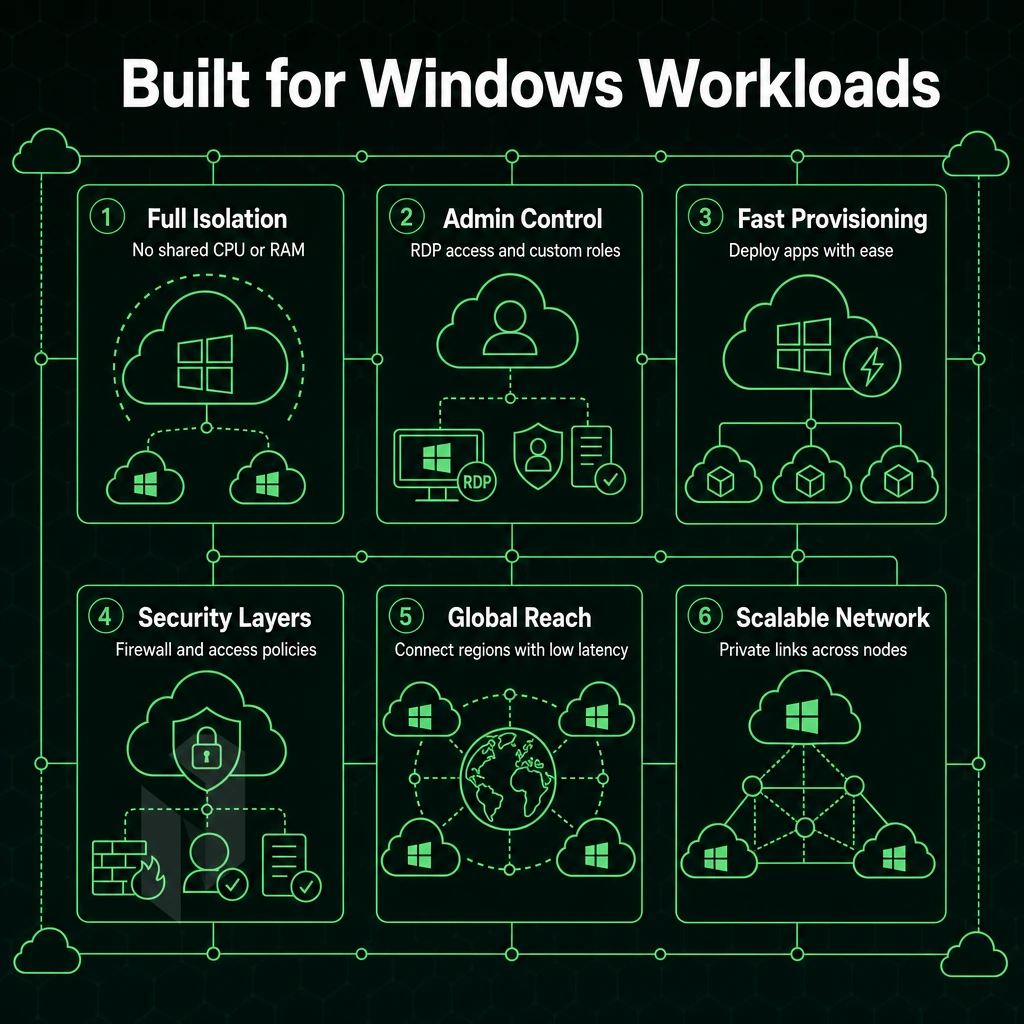
Windows dedicated server hosting can offer features and flexibility that shared server hosting or cloud hosting simply can’t match. Unlike shared hosting where you’ll share all of the resources on your server with other customers, a dedicated server is 100% yours 100% of the time.
Below we take a closer look at the key features you can expect to find on a dedicated server hosting package for Windows. When comparing dedicated Windows hosting to cloud infrastructure, the physical server model eliminates virtualization overhead and provides consistent performance that multi-tenant environments cannot guarantee. Many providers also include free daily backups as part of their managed service offerings, ensuring data protection without additional operational overhead.
Core Resource and Access Controls With Transparent Pricing
-
Full administrator access
Every Windows instance ships with full server control via RDP and local Administrator credentials. You install software, configure services, and modify the registry without restriction. There are no permission walls imposed by a hypervisor layer or a hosting provider's policy. -
Dedicated CPU, RAM, and storage
Resources are never shared with other tenants. Enterprise-grade hardware, Dell and Supermicro platforms running Intel Xeon or AMD EPYC processors, ensures consistent, predictable performance under sustained load. -
Hardware RAID and storage options
RAID configurations protect data at the hardware level. Choose from SSD, NVMe, or spinning-disk arrays depending on your I/O profile. Configurations scale up to 24 drives per chassis.
Networking and Security Cost Efficiency
-
Private networking
A free private network interconnects your servers at up to 40 Gbps. Traffic between your own resources never touches the public internet, reducing latency and attack surface. -
Unmetered bandwidth
Dedicated servers include unmetered bandwidth on a 10 Gbps uplink, with higher throughput available for demanding workloads. Predictable data transfer costs eliminate end-of-month billing surprises. -
Always-on DDoS protection
L3/L4 mitigation is included on every server at no extra cost. Advanced scrubbing adds application-layer filtering for high-risk workloads. -
Intrusion detection systems and access control
Deploy intrusion detection systems at the OS level to monitor for anomalous behaviour. Use Windows Server's built-in role-based tools to manage user access across teams and applications.
Note: Leaving RDP exposed on port 3389 without IP allowlisting is the single most common misconfiguration on Windows servers, restrict it on day one.
Management and Control Panel Options
-
Control panel availability
DirectAdmin is available for Windows-compatible stacks, giving resellers and web hosts a familiar interface for site and account management. -
Managed hosting add-on
Opt into managed services for OS patching, security hardening, and proactive monitoring. You retain full root-level access while we handle routine maintenance.
It is very useful to understand the single advantages of dedicated hosting. Only when you compare these with the advantages of the other forms of hosting you can get a good picture.
Common Use Cases for Windows Dedicated Servers
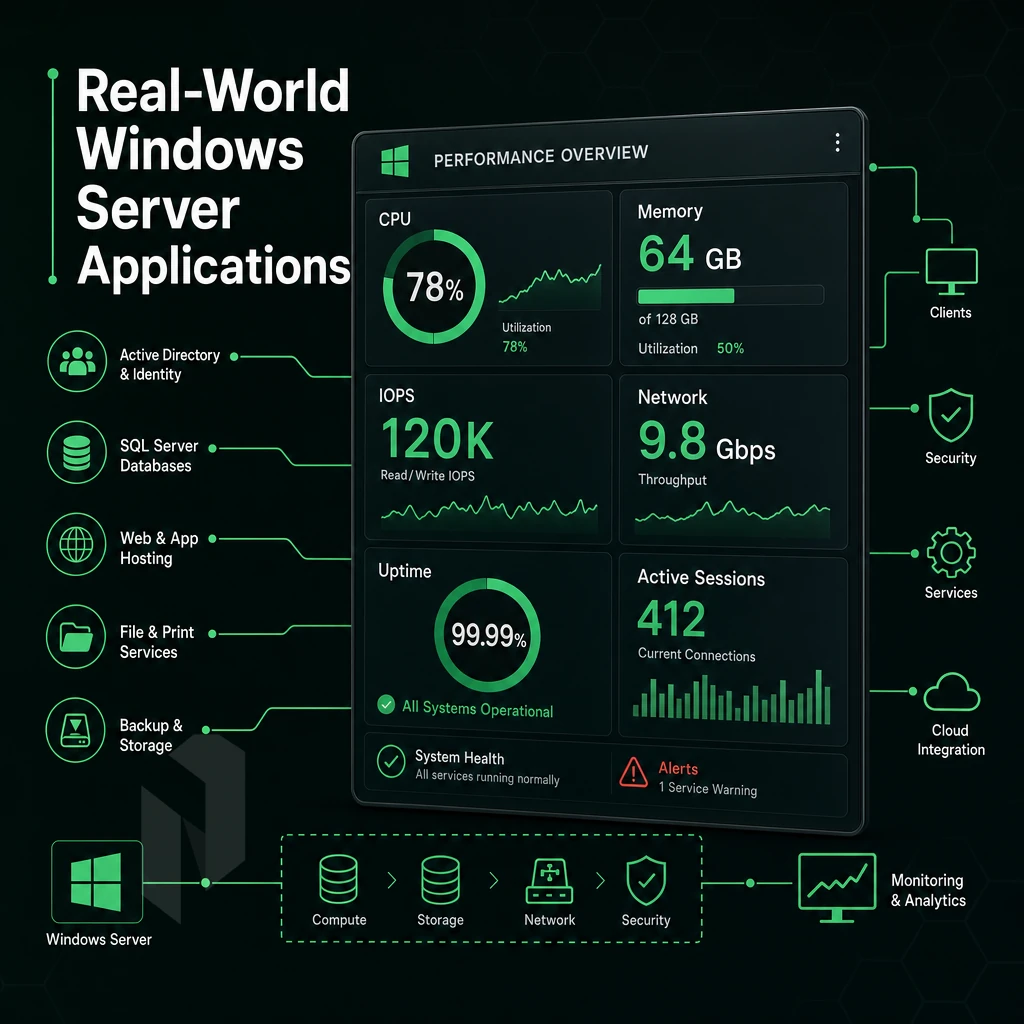
Windows dedicated servers are able to handle more enterprise workloads than any other type of hosting platform. Whether you have many line-of-business applications that are mission critical in nature or you are serving up GPU accelerated inference to your users. The right bare metal server can help your workloads scale whereas a shared hosting server would merely bottleneck under similar loads. Organizations seeking cost efficiency often find that bare metal Windows servers deliver better price-to-performance ratios than cloud alternatives for sustained, predictable workloads. Deploying enterprise grade hardware ensures that Windows workloads receive the processor performance, memory bandwidth, and storage throughput necessary for demanding production environments.
Selecting high performance hardware with the latest generation processors and NVMe storage arrays becomes essential when supporting resource-intensive Windows applications that demand consistent throughput. Enterprises running high traffic websites on Windows Server benefit from the dedicated resource allocation that prevents performance degradation during traffic spikes. Running an online business on Windows infrastructure requires the reliability and resource guarantees that only dedicated hosting can provide for customer-facing applications. Bare metal Windows environments excel at supporting resource intensive applications that require guaranteed access to physical CPU cores and memory channels without virtualization penalties.
Enterprise Applications and Data Centers Infrastructure
No noisy-neighbors in this type of environment.
Shared or virtualized servers can’t guarantee these requirements.
Domain controllers for Active Directory also require stable, low-latency connections to all endpoints that they authenticate. We use a dedicated Windows server, co-located at a location near to your users, to keep Kerberos and LDAP responses as fast as possible. Reliable network connectivity between domain controllers and client endpoints is essential for maintaining authentication performance and preventing timeout errors in distributed Active Directory environments.
Web, Remote Desktop, and Game Workloads
High traffic websites hosted on IIS can benefit greatly from Dedicated Servers as they provide the raw CPU and Memory power that typical Linux hosting cannot offer for pure Windows-native stacks (i.e..NET / ASP.NET applications). This extra power will allow IIS to handle the influx of concurrent connections without slowing down due to throttling.
Remote Desktop Services and VDI deployments are some of the most demanding applications in the industry. Each session requires CPU, RAM and even GPU resources, and running sessions off dedicated Windows servers managed through Windows Admin Center helps to avoid contention found when running sessions off shared nodes, and helps to improve session quality. Allocating dedicated resources per session ensures that each user receives consistent performance without competing for compute capacity during peak usage periods.
Our servers, specifically designed for game servers (most of them are built on top of Windows-only SDKs) require very low latency for networking and high burst performance from CPU for game ticks. With 2.4 Tbps+ network and unmetered 10 Gbps uplinks our servers can handle any number of players without any drops in tick rate. Netrouting's global infrastructure ensures that game servers can be deployed close to player populations, minimizing latency across regions while maintaining the high-performance networking required for competitive gaming environments.
Game servers also benefit from static ip addresses that allow players to maintain consistent connections and enable administrators to configure firewall rules and DNS records reliably. This reliable infrastructure supports both small indie titles and large-scale multiplayer environments that demand consistent uptime and predictable resource availability. Our infrastructure leverages tier iii data centers with redundant power and cooling systems to guarantee the uptime requirements that competitive gaming environments demand.
GPU-Accelerated Windows Workloads
Inference pipelines for AI/ML workloads are increasingly run on Windows for reasons of tooling and licensing. Our dedicated servers with GPUs are designed to run such workloads with full EU data sovereignty for very sensitive workloads, and come with NVIDIA A10, A40 and A100 GPUs.
After matching workloads with the correct server configuration, the only decision left is where to put the servers. For community perspectives, see Dedicated server hosting : r/sysadmin.
Security on Windows Dedicated Server Hosting
A Windows dedicated server is a hardened, isolated environment which is far superior to using shared servers. Your team has complete control of the hardware, Operating System and network. You can set up, audit and lock down as required to your own security policy.
Hardware Isolation and Full Administrative Access
Dedicated servers don't have noisy neighbors, they don't share a kernel with other servers, and they are not subject to attacks on the hypervisor that you have no control over.
Having Full administrative access on a shared environment means you get to make ALL security decisions. For example, you decide how and when to patch servers and applications. You decide what to audit for and how to store the results. You can even enforce Group Policy as needed. Deploying Windows-based endpoint security agents, security information and event management (SIEM) collecters, and vulnerability scanners is child’s play. No need to negotiate with the shared platform team.
Full hardware control extends the boundary to the NIC, RAID controller, and BIOS. This allows you to enable features such as Secure Boot, manage the TPM and perform firmware level hardening. This is beyond the scope of shared tenancy.
Windows OS Access Control and Active Directory
The built-in Role-Based Access Control (RBAC) in Windows Server allows for very granular control of privileges. Active Directory manages users, groups, and computers across dedicated Windows servers, linking them in one policy space and enforcing least-privilege user access for all service accounts, administrator accounts, and roles.
Couple up remote connectivity to your free private networking between dedicated servers and resources, then monitor management traffic separately to ensure it never crosses the public internet.
Network-Layer Security Solutions and DDoS Protection
All our servers come with L3/L4 DDoS protection enabled by default, no configuration required.
Intrusion detection systems are typically running above the network layer.
Netrouting's infrastructure is ISO 27001 certified and SOC 2 compliant.
Why Choose Netrouting for Windows Dedicated Server Hosting
Windows dedicated server workloads demand hardware that doesn't flinch under load. Netrouting builds its dedicated servers on enterprise-grade Dell and Supermicro platforms, Intel Xeon and AMD EPYC. Purpose-built for the resource-intensive applications Windows Server environments run: Active Directory, Microsoft's relational database server databases, remote desktop environments, and high-traffic web hosting.
- Rapid deployment: Dedicated servers provisioned in under 60 minutes. Your Windows dedicated server is online fast, no queues, no delays.
- Unmetered 10 Gbps bandwidth: Up to 40 Gbps available. Unmetered bandwidth handles high-traffic websites and data-transfer-heavy enterprise workloads without surprise fees.
- Always-on DDoS protection: L3/L4 mitigation included on every service. Advanced application-layer protection available for mission-critical Windows dedicated hosting.
- 10 global data centers: Amsterdam, Frankfurt, The Hague, Stockholm, Bucharest, Rotterdam, Miami, New York, Hong Kong, and Singapore, low-latency reach across Europe, North America, and Asia-Pacific.
- Carrier-neutral AS6206 backbone: 2.4 Tbps+ network capacity with dense IX peering. Full BGP support and private networking between your dedicated resources at no extra cost.
- Certified and supported: ISO 9001, ISO 27001, and SOC 2 certified. 24/7 NOC with a one-hour ticket guarantee backs every deployment.
Need a custom configuration for non-standard Windows dedicated server workloads? Our team engineers solutions to spec. Contact sales to discuss your requirements or compare dedicated hosting plans.
Frequently Asked Questions About Flexible Configurations
How do Windows dedicated servers differ from their Linux counterparts?
A Windows physical server is a physical machine provisioned exclusively for one tenant and running a Microsoft Windows Server operating system. The key difference on dedicated servers is the software stack: Windows Server uses NTFS, PowerShell, and the Windows registry, while Linux distributions use ext4, Bash, and flat configuration files.
Windows is the natural choice when your application depends on.NET Framework, ASP.NET, MSSQL, or Windows AD.
Do Windows dedicated servers come with a license, or must I provide my own?
Windows Server licensing is included with Netrouting's Windows-based dedicated servers, you do not need to source or manage a separate Microsoft license. The license cost is folded into your monthly server fee, so there are no surprise true-up invoices. If you hold existing Microsoft volume licenses and qualify for License Mobility, contact the sales team to discuss bring-your-own-license options for your dedicated servers deployment.
Can I use RDP to manage my dedicated servers running Windows?
For hardened Windows dedicated servers in single-tenant hosting deployments, best practice is to restrict RDP access to specific IP ranges via the Windows Firewall or a network-level ACL, and to enable Network Level Authentication (NLA) to require credentials before a session is established.
What Windows Editions Are Available on Dedicated Servers with Dedicated Hardware?
Netrouting provisions dedicated servers with Windows Server 2019 and Windows Server 2022. Both editions are available in Standard and Datacenter variants. Datacenter is the right choice when you plan to run a high number of virtual machines on the physical host, since it includes unlimited Windows Server guest licenses. Contact the sales team if you have a specific edition or build requirement, custom configurations are supported.
Are Windows dedicated servers suitable for hosting SQL Server databases?
MSSQL instance platform is engineered for Windows and, on dedicated servers running Windows Server, reaches its full feature set, including Microsoft SQL Agent, Integration Services, and Reporting Services.
Netrouting's dedicated servers support up to 2 TB of RAM and up to 24 drives, giving Microsoft's SQL database environment the memory and storage throughput it needs for large OLTP or analytics workloads.
How Does DDoS Protection Work on Windows Dedicated Server Hosting?
Always-on L3/L4 DDoS mitigation is included at no extra cost on every Netrouting server, including Windows standalone server machines.
For high-risk workloads, advanced protection adds application-layer (L7) mitigation, custom filtering policies, and higher scrubbing capacity on top of the baseline.
Can I Run Active Directory on a Windows Dedicated Server?
This is a common configuration for businesses running Windows based software on dedicated servers or workstations that need centralized identity management, Group Policy enforcement, or Kerberos authentication across their entire fleet.
For resilience, Microsoft recommends at least two Domain Controllers per domain, and Netrouting's free private network, available at up to 40 Gbps between your resources, makes it straightforward to replicate AD between two dedicated server hosting plans running Windows in the same or different locations.
For such workloads, this compatibility is not a ‘nice to have’ but a ‘must have’.
Performance and security scale with your business when you own the server.
Netrouting provisions dedicated Windows servers with full root access on bare metal hardware in under 60 minutes across ten locations, Stockholm, Amsterdam, Frankfurt, Miami, New York, Hong Kong, and more, on a 2.4 Tbps+ network with always-on DDoS protection included. If you know your workload requirements, browse our dedicated server configurations or contact our team to spec a custom build.