

Ruling over your own ARK: Survival Evolved dedicated server is unique and more powerful than the official servers. Not only can you host your server with custom settings like ingame rates and the best mods, you can also decide who may join your server and never experience a queue again. But to set up a server and to keep it running stably with up to 50 Survivors is not child’s play and requires serious decisions on the infrastructure.
The difference between a playable server and a completely frustrating server to play on often comes down to 3 things that share the same basic syntax of issues: the hardware itself, the network bandwidth it has to play with, and the user and group settings configured on it. Additionally, Where in the world that hardware sits.
The game is notoriously hungry for resources and a single map can max out all your CPU cores, use up all your RAM and penalize a host greatly with any amount of latency.
Blog contents
Get an inside look at what hardware your ARK server really needs to scale. We also will cover the very important decisions of hosting your own server, selecting a game server provider, and finally choosing a dedicated bare metal server. We will go over network settings for low ping and high player counts.
Additionally, Provide you with a definitive guide to choosing the right ARK server for your needs based on your player count and your budget. We will start with the very basics and explore what a dedicated server actually is and how it is different from session play.
What Is a Dedicated ARK Server in ARK Survival Evolved?
A dedicated server for ARK is an always-on, persistent process that runs independently of any player’s client.
How an ARK Survival Evolved Dedicated Server Differs from Session Play
Traditional non-dedicated server sessions tie the entire world to the client of the host. When the host logs off, the server shuts down. A dedicated server is run on a completely separate hardware machine and is left running 24/7/365. No single player can hold the world hostage. Players connecting to a dedicated server experience consistent performance regardless of whether they share the same host machine or connect remotely across different networks.
You have complete control over the following variables in single-player: player slots, taming rates, harvest multipliers, mod load order and more.
What Minimum Hardware Requirements Does an ARK Server Need?
Survival Evolved game servers are memory hungry. A community bench mark for minimum memory usage is:
- CPU: quad-core at 3.0 GHz or faster.
- Minimum RAM for a single map: 16 GB. For a cluster of maps, plan for 10-16 GB per map.
- Storage: SSD strongly recommended, HDD causes noticeable save-lag.
- Stable upload bandwidth of at least 10 Mbps for 10 concurrent players.
Why Rent Rather Than Self-Host an ARK Dedicated Server?
Home hardware running an ark dedicated server means shared bandwidth, consumer grade uptime and no redundancy. Renting bare metal gives you guaranteed resources, data-center power and a network optimized for sustained throughput. Whether you choose Linux or windows server as your operating system, bare metal eliminates the performance overhead and resource contention that plague home setups.
Netrouting’s bare metal servers are hosted in 4 datacenter locations around the world: Amsterdam, Frankfurt, Miami and New York. All servers come with unmetered 10 Gbps uplinks and can be provisioned within sub-60 minutes. So far so good for a low-latency ARK: Survival Evolved server. But is renting out your server worthwhile over self-hosting and at what player count? The instant setup process ensures that server administrators can begin configuring their ARK environment and inviting players almost immediately after provisioning completes.
Self-Hosted vs. Rented ARK Server: Which Option Fits Your Needs?
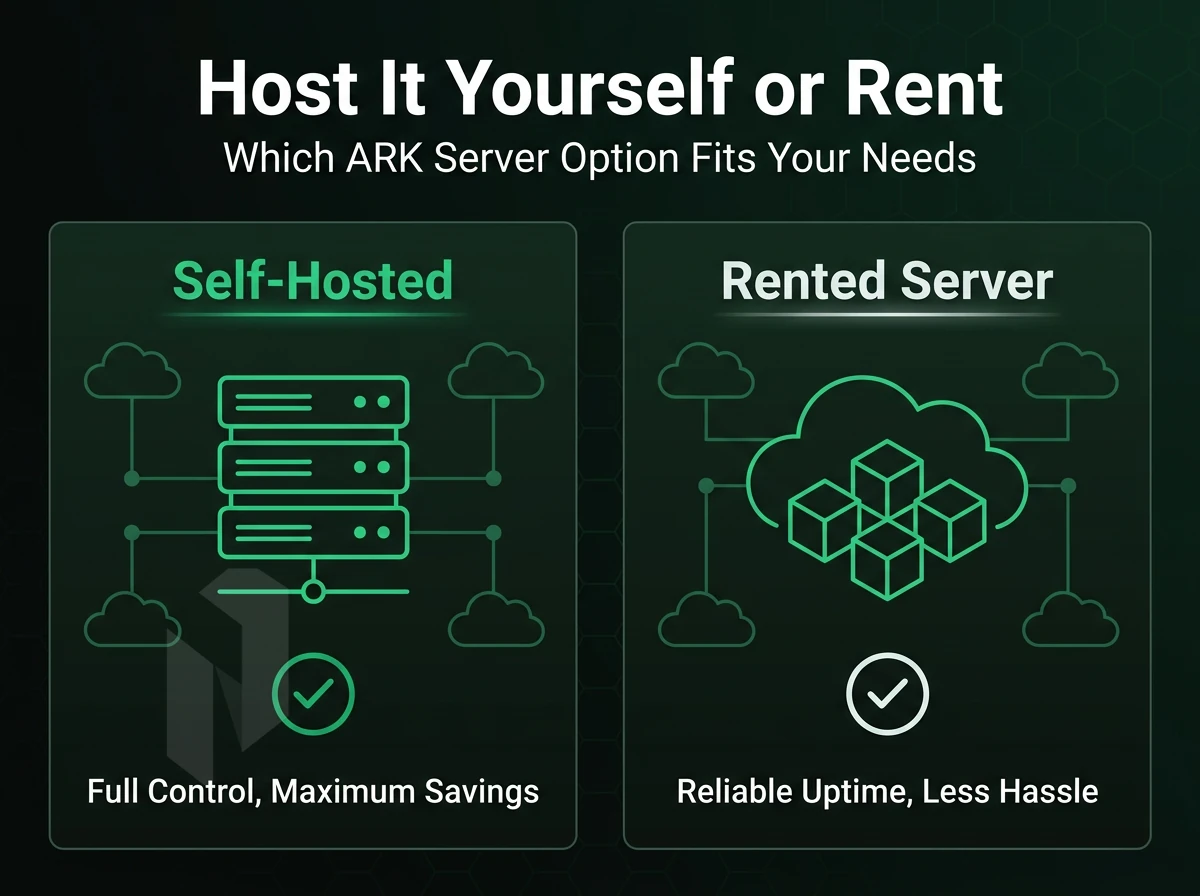
There are two ways to host an ARK: Survival Evolved server. You can set up the server software on your own home computer, or rent a server with dedicated infrastructure from a provider. The two methods have different uses, and depend on factors such as the number of players, required uptime, and available bandwidth.
Self-Hosting: Hardware and Network Constraints
A small 2-4 player setup can be run on an i5-class CPU with 16GB RAM.
Be sure to properly set up port forwarding on your router and firewall. You'll need to add firewall ports for the game port (typically 7777), the query port (27015), and the RCON port (27020) to allow incoming connections. Opening these specific local ports ensures that Steam clients can discover your server and that players can establish stable connections for gameplay and administration.
How Many Players Can an ARK Dedicated Game Server Support?
For 70-100 players on a single map, 12+ CPU cores, 32-64 GB of RAM, and NVMe storage are required on a dedicated server. Home computers do not provide this kind of performance on a reliable basis. A rented bare-metal server provides 99.9% uptime and low-latency, consistent connectivity.
Rented Bare Metal: The Production-Grade Option
Renting a server removes all the constraints of your home network, and with scheduled updates server files stay current while you freely choose the number of CPU cores, the amount of RAM, and the network connection you need (multi-gigabit uplink). Our bare-metal servers are running on the latest Intel Xeon and AMD EPYC processors. Modern server management tools can parse and apply command line arguments automatically, streamlining the deployment process for administrators managing multiple configurations.
Administrators can also migrate existing configuration files from previous installations to maintain consistent server behavior across hardware upgrades. Server owners can gain administrator access through RCON protocols or by whitelisting their Steam IDs in the server's administrative configuration files. Both Linux distributions and windows server operating systems are fully supported for hosting ARK, giving administrators flexibility in choosing their preferred server environment.
They are equipped with unmetered 10 Gbps network connections and a 99.9% uptime SLA.
| Factor | Self-Hosted (Home PC) | Rented Bare Metal |
|---|---|---|
| Uptime | ISP-dependent, no SLA | 99.9% SLA |
| Upload bandwidth | 20-50 Mbps typical | Unmetered 10 Gbps |
| Max concurrent players | 4-10 reliably | 70-100+ per map |
| Mod support / references external links | Manual, error-prone | Stable, persistent |
For communities with more than 10 players renting bare metal servers is the way to go.
So, your players will always have the lowest possible latency, no matter where they are in the world.
Hardware Requirements for ARK Server Manager and Dedicated Servers
- CPU: 4+ cores (modern Intel Xeon or AMD EPYC recommended).
- RAM: 8 GB minimum; 16 GB for stable play with 20+ players.
- Storage: 60 GB SSD (world saves grow fast).
- Bandwidth: 10 Mbps upload per 10 concurrent players.
Architecture Overview as Only a Temporary Solution

Dedicated ARK Servers run as separate processes and communicate with connected clients via UDP packets. Additionally, the server regularly reports its status to the Steam back-end through a simple user interface allowing server owners to keep the server's status updated and visible in the in-game browser's list of available servers.
Unofficial servers are then listed in the list of unofficial servers once they can be reached by Steam. The Steam back-end tracks server status continuously, ensuring that player counts and connection availability remain accurate for potential joiners browsing the server list.
Port forwarding needs to be opened on any NAT'd host. This needs to be opened on your router or firewall:
- 7777 UDP, game traffic.
- 7778 UDP, raw UDP socket.
- 27015 UDP, Steam query.
Dedicated servers for single host setups use similar syntax and offset ports, which increase by 2 for each additional server. Single host setups for multiple ARK servers require at least 8 GB RAM per instance.
Quick Setup for Your Desired Backup Location
- Install SteamCMD and run
app_update 376030to download the dedicated ARK server binaries. - Launch with
ShooterGameServer "TheIsland?listen?SessionName=MyServer" -server -log, all the same arguments apply across maps, just swap the map name. - Edit
GameUserSettings.iniandGame.inifor rates, player limits, and admin passwords. - Open ports 7777, 7778, and 27015 UDP at the firewall level.
- Make sure the game is listed in the Steam server browser or you can query for available games before inviting players.
Performance Tip
The most common mistake: leaving -automanagedmods enabled on a dedicated ARK server in production. It triggers mod updates mid-session and causes disconnects. Manage mod updates manually during a scheduled restart window instead. With hardware and architecture sorted, the next section walks through the full setup process from file download to first connection.
How to Set Up an ARK Survival Evolved Server: Step-by-Step
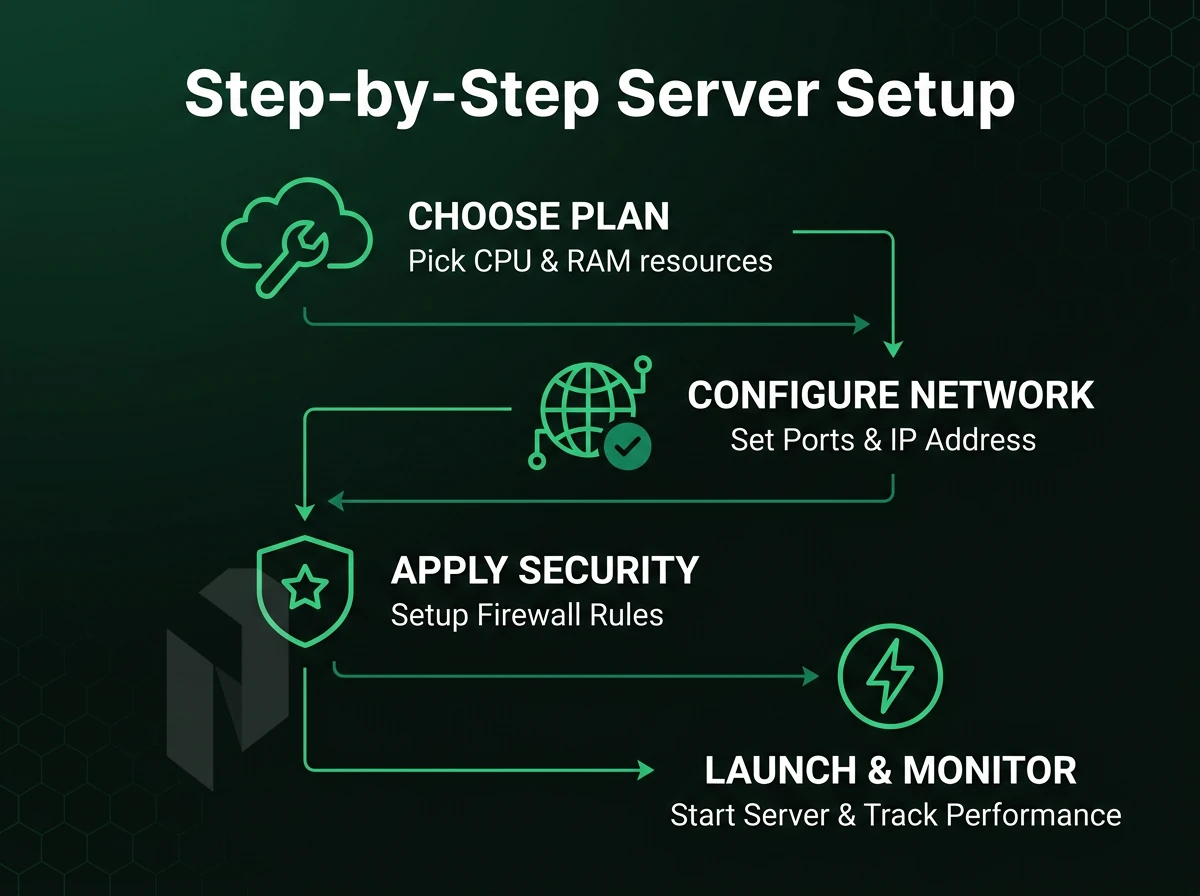
Setting up your own ARK Survival Evolved server gives you complete freedom to do with it as you like; add your own rules, download your favorite mods and even decide who can join. Setting up a server to host ARK consists of four main steps: Downloading the server files, configuring your launch parameters, amending your INI files and opening up the correct ports on your firewall.
Downloading, Launching, and How to Load Server Profiles
Use SteamCMD to download the dedicated server files. Run app_update 376030 validate to pull the latest build. On Windows, launch via a batch file containing the server executable path and your command line arguments, map name, session name, game port (default 7777), and Steam query port (default 27015).
User account control on Windows can block the process from writing config files. Run the batch file as Administrator, or place server files outside Program Files to avoid permission conflicts.
For Linux platforms, swap the batch file for a shell script and set the user and group to the install directory’s service account. Run the binary directly with same arguments as batch file.
Configuring Game Server Settings and INI Files
Core server settings live in GameUserSettings.ini and Game.ini under ShooterGame/Saved/Config/. Edit these to control harvest rates, taming speed, player stats, and admin access. To gain remote superuser access, set ServerAdminPassword in GameUserSettings.ini, then use the in-game console command enablecheats .
ARK Server Manager provides a simple user interface to add and edit server profiles without ever having to touch a raw config file. It generates arguments for you and edits the INI file for the active map within the same interface. This makes it very easy for server operators to manage multiple maps.
Firewall and Port Configuration
The OS firewall and any upstream network ACL must have open for all three: UDP 7777 (game), UDP 7778 (raw UDP), and UDP 27015 (Steam query).
How Do I Keep My ARK Server Running After a Reboot on Windows?
Register the server as a Windows Service using a wrapper like NSSM, or create a Scheduled Task set to trigger At startup. The task should run the batch file under an account with sufficient privileges and have the Run whether user is logged on or not option enabled. This ensures the process restarts automatically without requiring an interactive login after every reboot. Automating startup is the focus of the next section, covering both Windows Task Scheduler and Linux systemd.
Measure the route. Not the distance on a map.
Use the Netrouting Looking Glass to run a ping, traceroute or BGP lookup from our network, AS6206. Test the real path to your users before you shortlist a site.
Configuring Automatic Startup on Windows for Your ARK Server

Automatic startup configuration means your ARK server instance will now start up again after a reboot of the server instance automatically (unattended) and helps to prevent any downtime that might be caused by unexpected crashes.
Configuring Automatic Startup Windows with Task Scheduler
Task Scheduler is the native Windows tool for this. To begin, open Task Scheduler from the Start menu or by running taskschd.msc.
Use the basic task wizard to create a new task. Set the trigger to When the computer starts. For the action, point it at your .bat batch file, the same script you use to launch the server manually.
Key settings to apply:
- Run whether the user is logged on or not.
- Run with highest privileges.
- Configure for: Windows 10 or Server 2019/2022.
The command line arguments (map name, port, max players, mods) for the batch file are all pre-configured, and Task Scheduler will pass these to be executed automatically when the PC boots up.
Linux: systemd for Startup Automation
On Linux, create a systemd startup file (a .service unit) that calls your launch script. Set WantedBy=multi-user.target and enable it with systemctl enable ark-server. The server starts automatically on every boot.
What Is the Difference Between ARK: Survival Evolved and ARK: Survival Ascended Server Hosting?
The older Unreal Engine 4 based game ARK: Survival Evolved has lower hardware demands than the Unreal Engine 5 based ARK: Survival Ascended.
In the following chapter we will explain how we deal with the tasks to keep a server up and running in the long term. Specifically the management of world data, backups as well as updates and patches.
Managing World Data, Backups, and Scheduled Updates
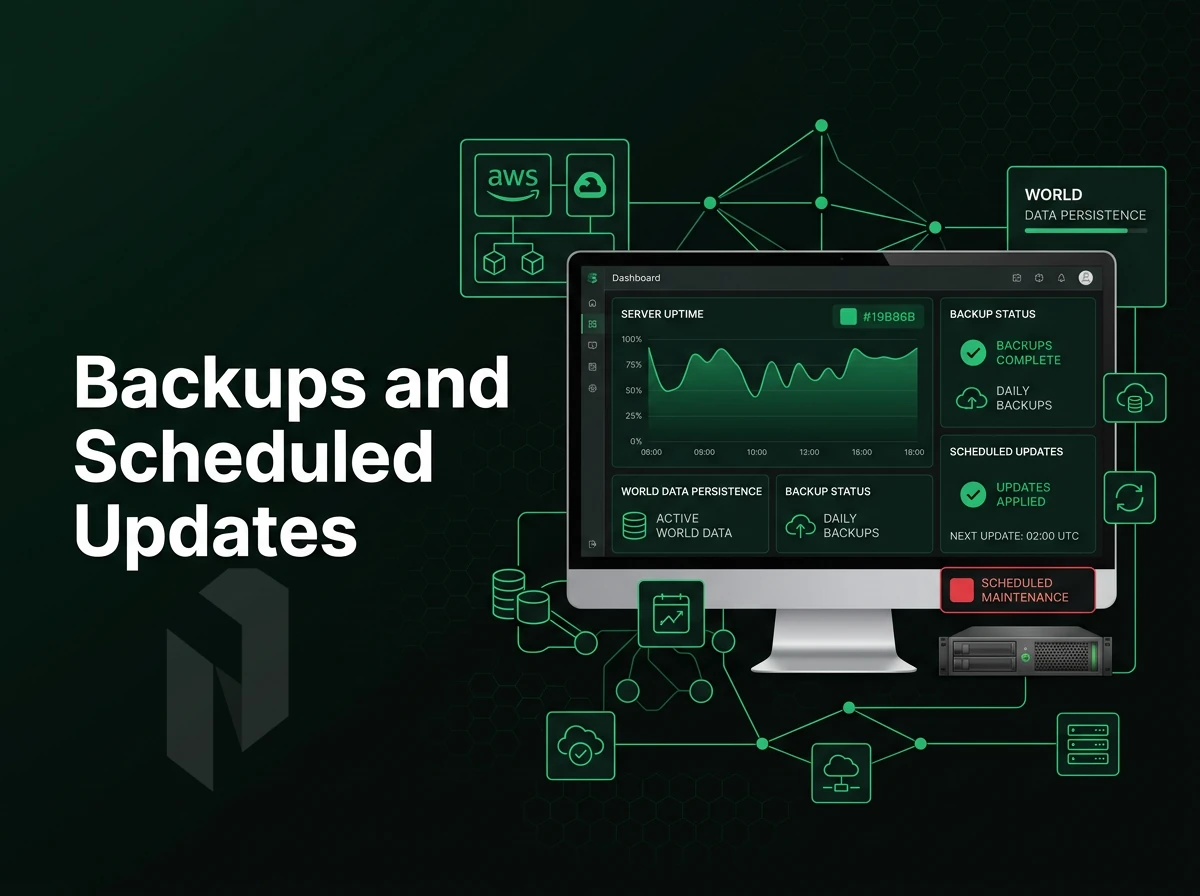
These three habits have to work in concert to provide reliable world persistence on a Survival Evolved dedicated server: habit #1: enable saves automatically, habit #2: make backups in a disciplined manner. Additionally, Habit #3: update the game on time to prevent rollbacks, corrupt maps, and missing characters.
Saving and Backing Up World Data
Set AutoSavePeriodMinutes=15 in GameUserSettings.ini to automatically save world data on a fixed interval. Server data lives in the ShooterGame/Saved/ directory, copy that entire folder to an off-host location after every save cycle.
A good backup destination for a replicated server is geographically separate from your primary server location.
How Do I Prevent My ARK Server from Losing Player Characters?
Character loss almost always traces to a missed save before a crash or a corrupt .arkprofile file. Shorten your autosave interval, keep rolling backups, and use remote console server access, or direct remote superuser access via RCON, to issue a saveworld command before any planned restart.
Scheduled Updates Server Owners Need for Their Files
Stale binaries lead to version mismatches that prevent players from playing. Set up your server files to update automatically with scheduled cron jobs / task scheduler using SteamCMD in late night low usage periods.
After updating validate the build hash to ensure the server version the clients are connecting with matches the running version on the server. The only aspect of the infrastructure left to set up is the network configuration (ports, firewalls etc) and how things change when you’re running multiple instances of your server.
Network Configuration: Firewall Ports and Port Forwarding

There are 3 ports in total that all ARK: Survival Evolved traffic goes through. Setting up the wrong rules on your firewall or failing to set up port forwarding correctly can prevent players from connecting. This guide explains the rules for your firewall, how to set up port forwarding and how to set up the optimal layout for your multi-instances.
Open the Required Ports
By default an ARK server listens on three UDP/TCP ports: the game port 7777, the Steam query port 27015 and the RCON port 27020. Open all three ports in your firewall before starting the server process.
Windows, Windows Defender Firewall
- Open Windows Defender Firewall with Advanced Security. You need administrator access.
- Click Inbound Rules → New Rule. The new inbound rule wizard opens, select Port, then enter
7777,27015,27020. - Choose Allow the connection and apply to all profiles. Name the rule
ARK-Server.
Linux, iptables
- Run direct iptables commands to open each port: iptables -A INPUT -p udp --dport 7777 -j ACCEPT, then repeat for 27015 and 27020.
- Persist the rules with
iptables-saveso they survive a reboot.
Port Forwarding, Home vs. Data Center
For home-hosted servers, you need to set up port forwarding on your home router to forward external ports 7777, 27015 and 27020 to the local IP address of the server.
Can I Run Multiple ARK Servers on the Same Dedicated Server?
Yes. All instances need to run on different ports. The second instance will run on ports 7778 and 27016. Update the config files (ini files and startup parameters) for all instances before opening the corresponding firewall rules for these ports.
Note: Never assign the same port to two instances. The second server will fail to bind and silently refuse connections. All of this network groundwork points to one conclusion: the infrastructure underneath your server matters as much as the configuration on top of it.
Why Run Your ARK Server on a Dedicated Game Server from Netrouting?
For serious ARK: Survival Evolved communities, a 100-player raid requires serious hardware. Our bare-metal dedicated server s are powered by the latest Intel Xeon and AMD EPYC processor generations. Unlike multi-user rooms with noisy neighbors, we provide you with your very own instance, including full control over server and server files.
- Our low-latency global network. AS6206 is peered at AMS-IX since 2009. Our 2.4 Tbps+ backbone covers the European, North American and Asian player bases from Amsterdam, Frankfurt, Miami, New York, Singapore and Hong Kong.
- Unmetered 10 Gbps bandwidth. ARK servers with high population numbers generate a lot of traffic. Having unmetered 10 Gbps on your dedicated server ensures your game port and query port remain clear at all times.
- Always-on DDoS protection for your online gaming service with L3/L4 mitigation included as standard on all of our services. We specialize in protecting frequent DDoS targets such as online game servers from being taken down by DDoS attacks resulting in server crashes.
- Bare metal in under 60 minutes! We can set up an instant ARK dedicated server in under 60 minutes and have it ready for your first server instance in a flash.
- 24/7 NOC and 1-hour ticket guarantee. We’re monitoring your infrastructure 24/7/365. Unlike many other companies, we actually get to respond to your issues in a timely manner and not just hand off a queue number to you.
Running several ARK server instances or scaling an existing server deployment? Explore our game server infrastructure or contact sales to discuss your requirements. Before you commit, the troubleshooting section below covers the most common failure points so you know exactly what to watch for once your server is live.
Troubleshooting Common ARK Game Server Issues

Most problems on ARK dedicated servers can be categorized into 4 areas.
Diagnosing Server Crashes and Save Corruption
Look at the server console output immediately after the server went down. Look for out-of-memory errors, assertion failures and mod-load exceptions in the last 50 lines of output or so. This will tell you if you hit a resource ceiling, a problem with a mod, or corrupted world data.
Troubleshooting server loses characters usually traces back to a misconfigured save interval. Set SaveWorldInterval=300 in GameUserSettings.ini to force a save every five minutes. If world data is already corrupt, restore from the most recent .ark backup before the incident.
Server Not Appearing on ARK Server Lists
The two most common causes are a misconfigured query port and blocked network rules. Verify UDP 27015 (query) and UDP 7777 (game) are open. Use ARK Server Manager or the command line to confirm the dedicated server's startup options include ?QueryPort=27015.
Check that all necessary firewall ports on the host OS as well as on upstream network appliances are open for inbound UDP traffic on the respective ports.
Version Mismatch Between Client and Server
When the server’s binary is out of sync with players’ clients, they will report a version mismatch error. To ensure your single server instance is updated after every ARK patch, force a SteamCMD update and use a scheduled task to ensure the server is up-to-date as soon as possible.
Running Multiple ARK Servers and Cluster Configuration
Adding more instances of your ARK servers is relatively simple. The first thing to note is that each server (instance) will need to be on completely different ports. This will mean a different game port, query port and steam query port.
In addition to this you will need a copy of the server files and a new batch file which contains all of the same arguments, just changed for that server. You can make a copy of the existing server by copying all of the relevant files and then changing the relevant port and possibly map for that server in the copied files.
Multiple dedicated servers
Server host demand real hardware power.
We recommend running a dedicated ARK: Survival Evolved server as it allows for the most control over settings for mods and players and offers a lot more flexibility than playing on shared or co-hosted servers.
We list the hardware requirements for Survival Evolved as they are, high for a game of this style.
If self-hosting isn't practical, a bare metal dedicated server is the cleaner path. You get predictable performance, root access, and none of the resource contention that comes with shared environments. Netrouting's dedicated servers deploy in under 60 minutes, with unmetered 10 Gbps connectivity and 24/7 support backed by a 1-hour ticket guarantee. Browse available server configurations and get your ARK world online today.
Host the game close to the players.
Share the player regions, the expected player count and the game. We help you pick the hardware and the location.