

Picking the right hosting for your small business is important because it affects many aspects of your site. Including performance, reliability, security and how much time your staff has to deal with problems as opposed to growing your business. It’s something that could go wrong in a matter of months and you find yourself having to migrate your site under pressure. Or it could just work.
Ditch the fluff. Netrouting has been designing hosting infrastructure for businesses from 30+ countries for over 15 years. We run a 2.4 Tbps+ global network with data centers spread across Europe, North America and Asia. Our 15+ years of operations have been used to craft this no-nonsense guide.
We're going to evaluate these options against the criteria that define the best web hosting for small businesses, such as performance and uptime guarantees, network quality, hardware, support, scalability, and total cost of ownership. We'll also note in each case whether running dedicated bare metal is better than running in a shared environment, and when starting out on cloud compute, a free domain of flexibility for new projects or a small business, might make more sense. For more context, see Web hosting service.
Blog contents
By the end of this guide you will have a framework for matching your workload with your required hosting tier and a list of tiers to consider.
What Small Businesses Actually Need from Web Hosting Companies
For the vast majority of small businesses, they don’t need the type of infrastructure that would be classed as ‘enterprise’. Instead they need a hosting plan that will keep their website up and running, perform well and not need to employ a full time sysadmin to keep it running.
WordPress Site Operational Requirements That Actually Matter
Also, the load time of a page can affect a business’s conversion rates and search engine rankings. Research indicates that a one-second delay in page load time can reduce conversions by up to 7%, making hosting performance a critical factor for any small business relying on online revenue.
Support responsiveness is where most providers fail quietly. Responding to a ticket in days is unacceptable when your checkout page is down on a Friday evening. Security (SSL, firewall rules, and how you patch) is the other thing that is non-negotiable. When evaluating hosting companies, look for providers that publish their actual response time metrics rather than vague promises of availability. Providers offering free SSL certificates as standard remove both cost barriers and the technical complexity of securing customer data in transit.
Transparent pricing structures that clearly disclose renewal cost prevent budget surprises when introductory promotional rates expire after the first billing cycle. Transparent pricing structures that clearly disclose renewal pricing prevent budget surprises when introductory promotional rates expire after the first billing cycle. Reputable providers typically back their service commitments with a 30 day money back guarantee, allowing businesses to evaluate performance and support quality without financial risk during the initial trial period.
Scalability, the fifth criterion that most customers fail to consider at sign-up time. Is the capacity of the chosen small business hosting offer to scale with sudden increases in traffic without requiring a later, awkward transfer to a more suitable offer.
Understanding the Web Hosting Spectrum
Web hosting for small businesses can involve a wide range of different infrastructure types. By knowing the different types of hosting infrastructure available, from site building platforms and wordpress hosting to bare metal, you can get a better idea of what is needed for your specific workload.
WordPress users in particular benefit from understanding these distinctions, as their platform can run on anything from basic shared plans to enterprise-grade infrastructure depending on site complexity and traffic patterns. Specialized managed wordpress platforms handle core updates, plugin compatibility, and caching configurations automatically, making them attractive for businesses prioritizing convenience over granular server control.
- Shared hosting: Shared hosting is where you have multiple sites on 1 server. The lowest cost way to start hosting but resource contention can be a real issue. We typically recommend this for low traffic brochure type sites.
- VPS hosting is virtualized resources on dedicated hardware. It provides better isolation, more control than shared hosting, and is generally priced at a moderate level.
- Cloud hosting is elastic compute that scales on demand. Very good for variable traffic patterns.
- Dedicated hosting: A full physical server for your needs. The maximum performance and flexibility for your projects.
For a five-page portfolio site shared hosting is fine but a growing e-commerce store processing hundreds of transactions per day requires something a lot more robust: VPS at the bare minimum but dedicated bare metal servers are better yet. Determining the best value means matching infrastructure cost to actual traffic patterns rather than overprovisioning from day one.
Businesses should evaluate upfront costs against long-term operational expenses, as cheaper initial plans often require costly migrations when traffic exceeds their capacity thresholds. The right infrastructure tier depends on whether your small business prioritizes immediate cost savings or invests in headroom that prevents disruptive migrations as traffic grows.
What Is the Best Website Hosting for Small Business?
When looking for web hosting for your business. The best tier of service for multiple websites, whether it comes with a free domain or not, is going to be the level of service that matches your current load and allows for future growth while having support that can answer questions in minutes, not days. Managing several sites under one provider simplifies billing and support workflows while maintaining consistent performance standards across your portfolio.
When evaluating hosting for small business teams, managed hosting beats unmanaged because it reduces the work required to keep a site running and provides a guarantee of uptime. Additionally, Means that the hosting company handles OS patches and security hardening for you. Managed plans typically include proactive monitoring of security features like intrusion detection systems and firewall configurations, reducing your exposure to common attack vectors.
Most managed plans also bundle free SSL certificates with automatic renewal, eliminating the manual overhead of certificate management and ensuring encrypted connections remain active without intervention. Most managed services include an intuitive control panel that allows non-technical staff to perform routine tasks like creating email accounts or viewing resource usage without requiring command-line expertise. Many providers in this tier offer a 30 day money back guarantee, allowing businesses to test managed services risk-free before committing to annual contracts.
Our bare metal and cloud compute services are targeted towards this type of customer. We can provision within 60 min, 24/7 NOC, and 1 hour ticket guarantee. As a customer you get always on DDoS protection on all our services.
Web Hosting Types Explained: Shared, VPS, Cloud Hosting, and Dedicated
Not every small business requires the same type of hosting. Depending on the traffic your site receives, your needs for performance, and the degree of control over the server you require, there are four different hosting tiers that cover everything from web hosting for small sites all the way up to enterprise-level customers.
Below is an overview of each of the four main hosting types and their respective characteristics. Each tier also differs in the level of access provided to the control panel, with higher tiers offering more granular configuration options for advanced users.
Shared, VPS, Cloud, and Dedicated at a Glance
When looking at the different tiers of hosting, each will trade off in terms of control, performance and cost. The following table highlights the main points for each of the options available.
| Hosting Type | Resources | Typical Uptime | Best For |
|---|---|---|---|
| Shared | Shared CPU, RAM, and disk across many tenants | 99.9% | Brochure sites, low-traffic blogs |
| VPS | Isolated vCPUs and RAM; typically 2-8 cores, 4-16 GB RAM | 99.9% | Growing sites, dev environments |
| Cloud | Elastic; scales on demand across distributed nodes | 99.9%+ | Variable or unpredictable traffic |
| Dedicated | Full server, up to 28 cores, 512 GB RAM, multi-drive storage | 99.9% | Resource-intensive, high-traffic workloads |
Which hosting type is best for a small website with limited traffic?
Shared hosting is the default for small websites. In a shared hosting environment all accounts on one server share the available resources. It’s cheap and usually has reasonable enough performance for low traffic sites (i.e. below a few thousand visits per day). Basic shared plans typically come with limited features such as restricted bandwidth, minimal storage, and no staging environments for testing changes before deployment.
The premium shared plan includes more storage space, higher limits on resources, and automatically makes backups of your website. This is a reasonable option if your own website is getting a reasonable amount of visitors and a VPS is not warranted yet. Many providers offer discounts on annual plans, which can reduce your total cost by 15-30% compared to monthly billing while locking in predictable expenses.
Premium shared plans deliver solid performance for sites handling moderate traffic volumes without requiring the investment of a dedicated server. Some premium shared plans also include weekly backups with one-click restore functionality, providing an additional layer of protection for your business data.
When comparing pricing across providers, premium shared hosting often represents the best value for businesses that have outgrown basic plans but don't yet need dedicated resources. Be sure to review the renewal cost before committing, as introductory rates often increase significantly after the first billing cycle. Many providers advertise steep discounts for first-time customers, but renewal pricing often jumps 50-100% after the initial term expires, making long-term cost planning essential.
While annual billing reduces long-term expenses, businesses should evaluate whether the upfront costs align with their current cash flow situation before committing to multi-year contracts. Look for providers that offer a day money back guarantee, giving you time to test performance and support quality before fully committing to a long-term contract.
With VPS hosting your CPU and RAM is isolated from other tenants on your server. Additionally, unlike shared hosting services running multiple websites, you experience lower response times when under load (typically under 200ms) as you won't get impacted by a 'noisy neighbor' consuming all of your allocated resources. This solution is ideal for small business owners and medium-sized companies looking to host sites such as WooCommerce shops, booking systems, or custom developed web applications.
Web Hosting for Small Business: Choosing the Right Tier
Cloud hosting allows for more elastic scaling. No more of your site going down due to high traffic caused by seasonal sales, press coverage or even marketing campaigns. You only pay for what you consume but then prices can vary from month to month. Many cloud providers bundle a free cdn with their plans to further reduce latency and improve global content delivery speeds.
Dedicated hosting is the best solution when you want to have the entire server at your disposal. No shared resources, no virtualization. High traffic ecommerce, video hosting and all applications that require consistent sub-50 ms latency need this kind of hosting. Running an e commerce store at scale demands the predictable performance that only dedicated infrastructure can deliver, especially during peak checkout periods.
For WordPress users, there is an additional consideration: hosting optimized for the platform. In addition to improved page load times through server-side caching and other means, optimized web hosting for small WordPress sites can also ensure that the platform is running with the optimal set of PHP settings.
Managed WordPress solutions take this optimization further by handling core updates, plugin compatibility checks, and WordPress-specific security hardening without requiring technical intervention from site owners. Many WordPress-optimized hosts provide a streamlined control panel designed specifically for managing WordPress installations, plugins, and performance settings without requiring command-line access.
In contrast to managed bare metal or cloud servers (running e.g. WordPress). Managed WordPress hosting completely removes the need for maintenance (e.g. WP Engine style managed WordPress hosting vs. managed hosting in the WP Engine sense, i.e. (fully abstracted, consumer-grade interface to manage WordPress). The interface typically provides a streamlined control panel designed specifically for WordPress operations, hiding server-level complexity behind task-specific workflows for updates, staging, and backups.
Netrouting has servers in 10 locations worldwide (Amsterdam, Frankfurt, Miami, Singapore and more) and offers bare metal hosting, cloud compute and managed hosting for smaller businesses that need to move from shared hosting. When your needs grow beyond the typical webhost then hosting at the infrastructure level is where you start.
Does a Free Plan or Free Domain Actually Save Money?

It looks great at first when a web host is offering a free plan or a free domain name for a while. And they are free, for a while. The price of the free plan and the free domain name then kicks in when you renew your subscription. Before committing to any promotional offer, verify whether the provider includes a day money back guarantee that allows you to test the service risk-free during the initial billing period.
For a small business, it can save a lot of money over the 12-36 months of your contract if you calculate the real costs of a web host's introductory offers before you sign up.
What the Free Plan and Free Domain Actually Cover
Many budget hosts now offer “plans free domain bundles” as acquisition hooks. While the domain may be free for the first year of your hosting account. The renewal price for that very same domain will often cost 2 to 4 times the introductory price for a new domain name.
Free SSL is now a basic requirement, not something that hosts should tout as a feature. Any host that advertises free SSL as a feature of their hosting is inflating the value they bring to the table. Free SSL is now a basic feature or “table stakes” and should not be used as a reason to select a host.
Free plans are often limited to bandwidth, storage, and sites. Additional features like caching, local development environments (staging), and priority support are then locked behind paid plans. What looks good at sign up, soon turns into a paid plan within a few months.
Note: Read the renewal terms before you enter a card. The price storage listed in the fine print, what you pay after month 12, is the real cost of the plan.
How much does web hosting cost for a small business per year?
For entry-level shared hosting you can expect to pay around $30 to $120/year for the initial promotional period. Upon renewal the same plan will typically cost around $150 to $300/year. Plus you have to add in the cost of a domain, any SSL certificates that aren’t included, and any of the premium add-ons that you require.
Performance-grade hosting (e.g. dedicated servers, bare metal servers, managed hosting infrastructure) is typically cost per month higher than shared hosting. However, hidden fees can dramatically increase the TCO of shared hosting, which is why finding the best web hosting option matters most for businesses where downtime has a real cost in lost revenue. The math typically works out to spend a higher baseline on predictable performance rather than risk unexpected charges.
Netrouting does not apply any egress surprises on their dedicated and bare-metal servers and does not split up server features into tiers. A 30-day money back guarantee period is standard practice in the hosting industry. Please check if your desired host also offers a money back guarantee before you prepay.
Evaluating Total Cost Before You Sign Up
- Year two cost, not year one. The cost to renew, which is detailed in the terms of service, is your true cost, i.e. your true baseline.
- List all the locked features you need. Add the cost of caching tools and a dedicated support team to your year one cost if that is required for an upgrade.
- Check the free SSL policy on renewal. Some hosts charge for the certificate renewal after the first year. Make sure they don’t charge you for that.
- Compare the total cost of ownership over 24 months. A slightly higher monthly charge for a totally transparent product will always win out over an introductory offer which is doubled on renewal.
The cheapest option at sign-up is not usually the cheapest option at scale. Do the math for 24 months before you make the decision.
Email Hosting: Do You Need It Bundled with Your Hosting Plan?

A lot of small business owners set up their first hosting account expecting professional email to work automatically. In some cases it does and in other cases it doesn’t. Knowing the difference will save you from a lot of headaches when you launch your new site.
Does the Best Value Web Hosting Include Email Hosting?
No. While some web hosting providers consider the creation of mailboxes for email addresses as part of their web hosting offer (e.g. a shared mail server for all sites on a shared web hosting plan together with the site files). Others do not include email in their hosting offer at all and instead leave it up to you to set up a dedicated mail server and connect to it.
Bundled arrangements are typical for shared plans and are often sold as annual plans at low headline prices. The trade-off is real though: shared mail infrastructure means your sender reputation is linked with that of every other customer on that server. A single spammy neighbor can negatively impact your deliverability.
Note that there is a key distinction between web hosting (uploading your files to a server that will then respond to HTTP requests on your domain) and email hosting (routing. Storing and sending SMTP/IMAP/POP3 traffic for your domain). Both protocols are typically offered by the same providers and even on “entry level” plans for multiple domains, but they are two completely separate and independent protocol stacks.
When Bundled Email Makes Sense for Your WordPress Site
The setup would be quick to complete, there would be only one invoice to manage and.
As your team grows the calculus changes. Shared mail for a small developer team is fine, but the best web hosting setups avoid shared mail servers due to their limited handling of storage quotas, alias depth, and powerful admin tools. And you’re stuck with the security tools of the shared environment which are probably not going to be as relevant or sufficient for a growing business.
Security Implications: SPF, DKIM, and Spam Filtering
The architecture of your mail server is important for setting up Professional email. Set up your SPF and DKIM records in your DNS correctly. SPF tells the receiving mail server which IP's are allowed to send mail with a certain domain name.
DKIM signs the mail that is being sent from your domain with a key. This helps prevent others from sending spam mail with your domain name and helps get your mail in the inbox of the receiver.
Bundled mail services on shared servers for web hosting like to preconfigure the required DNS records for you. However, since the signing key for your email, and thus your sender address, much like a free domain shared across accounts by web hosting companies, is shared with all other customers, this does not come close to cryptographic isolation. A dedicated mail server gives you full control over your signing keys as well as your sender email address and thus your sender reputation.
Top web hosting providers focused on infrastructure such as Netrouting, don’t supply consumer style mailboxes. Instead they supply the network performance and clean IP space that a dedicated mail platform needs to run properly. It’s far more efficient for businesses that rely heavily on mail to set up a dedicated mail service and a high performing hosting package.
Key Features to Compare Across Web Hosting Providers
NEEDS REVIEW: density over: 'unlimited bandwidth' used 3x in section, max 1; density over: 'phone support' used 5x in section, max 1; density over: '24/7 support' used 4x in section, max 1; density over:
| Provider Type | Performance | Support | Uptime Guarantees | Network | Best For |
|---|---|---|---|---|---|
| Netrouting, Dedicated & Bare Metal | Dedicated Intel Xeon or AMD EPYC hardware. No resource contention. Unlimited bandwidth on unmetered 10 Gbps ports. Unlimited storage configurations available on request. | 24/7 NOC with 1-hour ticket guarantee. Phone support via EU and US lines. Round the clock support outside business hours via live chat and ticketing. | 99.9% SLA. Always-on L3/L4 DDoS protection included. Same-business-day hardware replacement. | AS6206 backbone. 2.4 Tbps+ capacity. AMS-IX, DE-CIX, FL-IX peering. 10 locations across Europe, North America, and Asia. | Growing businesses that need dedicated resources, unlimited websites across owned hardware, and room to scale without hyperscaler pricing. |
| Entry-level shared hosting | Shared CPU and RAM pools. Performance varies under load. Limited ability to improve site speed under traffic spikes. | Typically email and chat only. Phone support rare at entry tiers. Response times vary. | Uptime guarantees often stated at 99.9% but enforcement and compensation terms vary by provider. | Single shared server. Limited bandwidth headroom. No private network or BGP options. | Solo sites with minimal traffic. Not suitable once traffic or reliability requirements grow. |
| Managed WordPress / specialist hosting | Optimised stack can improve site speed for WordPress workloads. Unlimited storage and unlimited websites depend on plan tier. | Round the clock support focused on CMS issues. Phone support available on higher tiers only. | Uptime guarantees typically 99.9%. Scope limited to the managed application layer. | CDN-assisted delivery. Underlying infrastructure not customer-controlled. No BGP or BYOIP. | Content-heavy WordPress sites. Poor fit for custom stacks, e-commerce at scale, or multi-server deployments. |
| Hyperscaler cloud compute | Elastic scaling. Shared tenancy by default. Unlimited bandwidth in theory, egress fees apply in practice. | Tiered support; round the clock support and phone support require paid plans. Entry support is documentation-only. | Uptime guarantees per-service, often 99.9%-99.95%. Complex SLA credit processes. | Global edge presence. High egress costs. No carrier-neutral colocation or BYOIP flexibility. | Bursty or unpredictable workloads. High TCO at sustained load compared to dedicated bare metal. |
For the small to medium-sized business outgrowing the shared hosting, Netrouting offers dedicated bare metal servers. These servers offer the business user the highest level of performance, with guaranteed uptime and 24/7/4 hours NOC support. Netrouting’s bare metal servers have unlimited bandwidth on the unmetered 10 Gbps ports. The business user doesn’t have to worry about egress charges as they would with hyperscalers, such as AWS.
Netrouting’s support is around the clock with a 1-hour ticket guarantee. Phone support is offered 24/7 from EU and US time zones. The business user looking to boost the performance of their sites, host an unlimited amount of sites. Alternatively, Just need a high amount of control over the server, then dedicated bare metal hosting is the way to go. Netrouting is one of the highest quality dedicated bare metal hosting environments on the market.
Comparison Table: Web Hosting Options for Small Business
When selecting a web hosting service, there is no one size fits all solution. The web hosting for small and large businesses alike will vary across providers depending on factors such as the volume of traffic your website receives, your performance needs, and your own predicted growth rate. The following table outlines the various hosting types on the market and how they relate to the key selection criteria of a small business owner such as yourself.
Best Web Hosting Services by Hosting Type for Your WordPress Site
| Hosting Type | Best For | Performance | Scalability | Support | Typical Use Case |
|---|---|---|---|---|---|
| Shared Hosting | New or low-traffic sites | Variable; shared CPU and RAM limit consistent response times | Low, neighbours affect your headroom | Ticket-based; slower response windows | Brochure sites, personal portfolios |
| VPS Hosting | Growing sites needing isolated resources | Dedicated vCPUs and RAM; sub-50 ms typical TTFB on well-tuned stacks | Moderate, resize without migrating | Varies; managed tiers add proactive monitoring | SME e-commerce, SaaS MVPs |
| Cloud Hosting | Unpredictable or spiky traffic | Elastic; scales horizontally in minutes; 99.9% uptime standard | High, add instances on demand | Portal-driven; SLA-backed response | Seasonal retail, media campaigns |
| Dedicated / Bare Metal | High-traffic or compliance-sensitive workloads | Full hardware access; up to 2 TB RAM, 10 Gbps unmetered, <1 ms intra-DC latency | Vertical, upgrade hardware or add nodes | 24/7 NOC; 1-hour ticket guarantee at Netrouting | High-volume stores, game servers, streaming |
| Managed Hosting | Teams without in-house sysadmins | Matches underlying tier; adds OS hardening and proactive patching | Depends on base infrastructure | Fully managed; vendor handles updates and monitoring | Agencies, regulated industries, lean IT teams |
When Should a Small Business Upgrade from Shared Hosting to Dedicated Hosting?
There are three main indicators that you may need to consider moving from a shared hosting platform. 1) Your website’s page load time is greater than two seconds after you have attempted to optimize the front-end to the best of your ability. 2) Your shared hosting subscription becomes “throttled” during increased traffic. 3) You have compliance issues with PCI-DSS, GDPR and/or HIPAA that cannot be adequately addressed by isolating resources on a shared server.
But bare metal solves the noisy-neighbour problem once and for all. Netrouting's team of experts provisions dedicated servers within 60 minutes. As part of the service unmetered 10 Gbps connectivity as well as always-on DDoS protection is included. On shared or low-end virtual servers this is hard to come by.
Choosing the Right Hosting for Small Business: A Quick Decision Guide
We recommend starting on a shared plan when you first launch your site and traffic is low. As growth occurs, you will find that shared resources become a bottleneck. We recommend moving to VPS Hosting (or Cloud Hosting) at this point.
If you or your team does not have Linux administrators on staff, we recommend managed VPS Hosting. Finally, as your site continues to grow, and performance, security, or compliance become an issue, you will want to graduate to bare metal.
Netrouting has ten locations worldwide, on three continents: Europe, North America and Asia. Hosting on these locations is possible from your own local environment, which results in low latency and high reliability for hosting your small business online.
How to Choose the Right Hosting Plan for Your Small Business
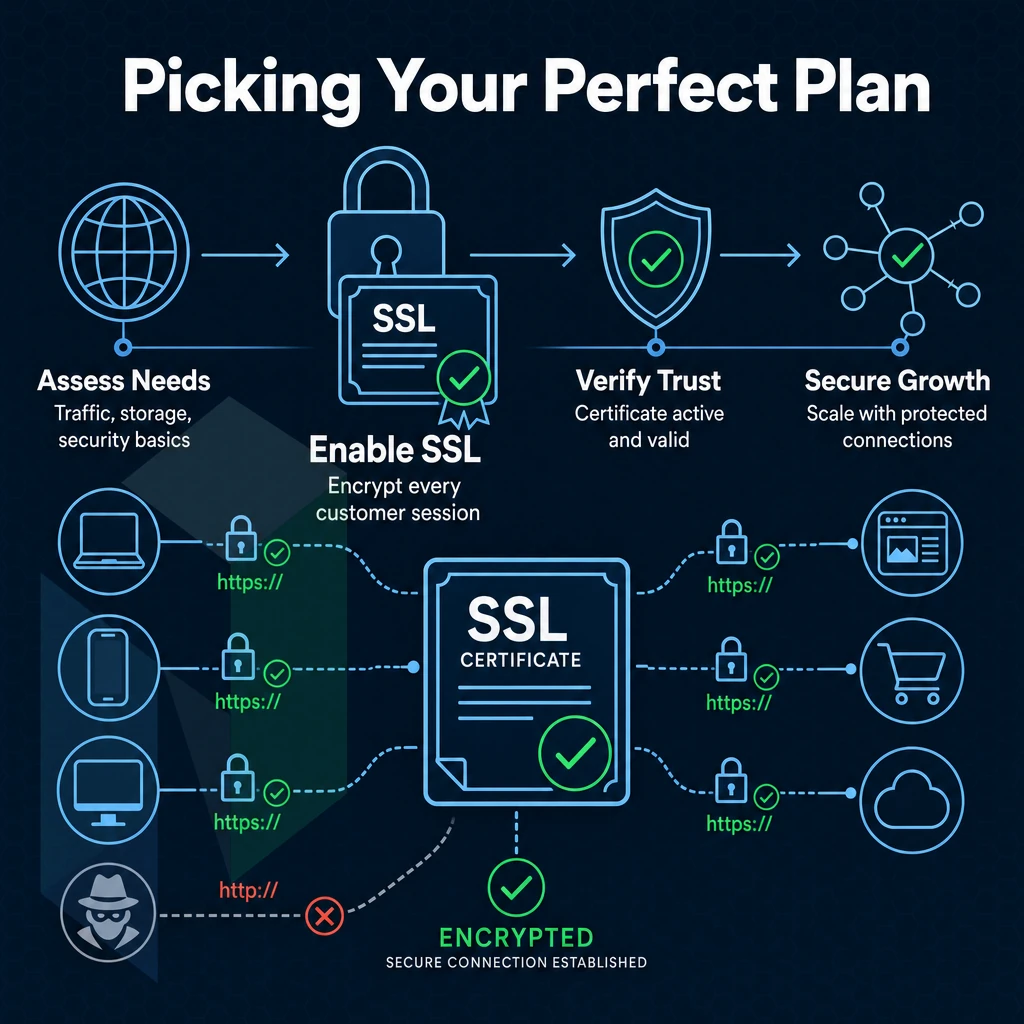
When selecting a hosting plan for your small business, you want to make sure you are choosing a plan that matches the current needs of your business and also the future needs of your business. See the steps below to help you select the right hosting plan for your business before you commit to a plan.
Assess Your WordPress Site Requirements
- Estimate your monthly visitors and traffic patterns. For sites that get a few hundred visitors per month versus those who get a lot of traffic for a short time for seasonal promotions (e.g. a flash sale. Product launch, press coverage) the needs of the sites are vastly different. Sites with sudden spikes in traffic need a plan with burst capacity, not a shared hosting environment that is inflexible.
-
Define your e commerce store requirements.
Transactional sites need SSL, reliable uptime, and enough CPU headroom to handle checkout concurrency. Small business owners running online stores should prioritise dedicated resources over shared pools, even at entry level.
Note: Shared environments throttle CPU during peak load. That's the moment your checkout fails. - Clarify how many sites you need to run. Also make sure the plan allows you to manage multiple sites (e.g. main site + campaign site + client project) all from one account instead of incurring extra license fees per site.
Match the Plan to Your Technical Comfort Level
- Be honest about your admin experience. First time site owners benefit from managed hosting (as they can run to latest OS updates etc and have monitoring etc turned on). Experienced admins who want full control should consider Bare Metal or Cloud Compute with root access (as opposed to managed hosting).
- Factor in site setup complexity. A simple brochure site is going to require almost no server setup at all. A custom application with a database, cron jobs and API integrations on the other hand is going to require a proper environment to run. A one click shared hosting setup is not going to cut it.
Validate WordPress Site Infrastructure Fit
- Check data centers relative to your audience. Latency is also a ranking factor and a conversion factor. So if you choose a data center which is near the center of your target audience, you will be better off. Netrouting has data centers in Europe, North and South America and Asia-Pacific so you can choose a location which suits your needs best.
What Uptime Guarantee Should I Expect from a Web Hosting Provider?
The industry standard is for businesses to be available 99.9% of the time, which translates to 43 minutes of downtime per year. Meeting this minimum is what Netrouting’s standard SLA for all services sets out to achieve.
Be very suspicious of vendors that promote higher service levels (e.g. “tiered” service) but fail to publish corresponding SLA terms. “100% uptime” sounds great in marketing copy but rarely translates into reality once you read the actual contract terms and corresponding exclusions (e.g. for scheduled maintenance, force majeure, etc. or for problems on the underlying network).
When Shared Hosting Is Not Enough: Upgrading to Dedicated or Managed Hosting
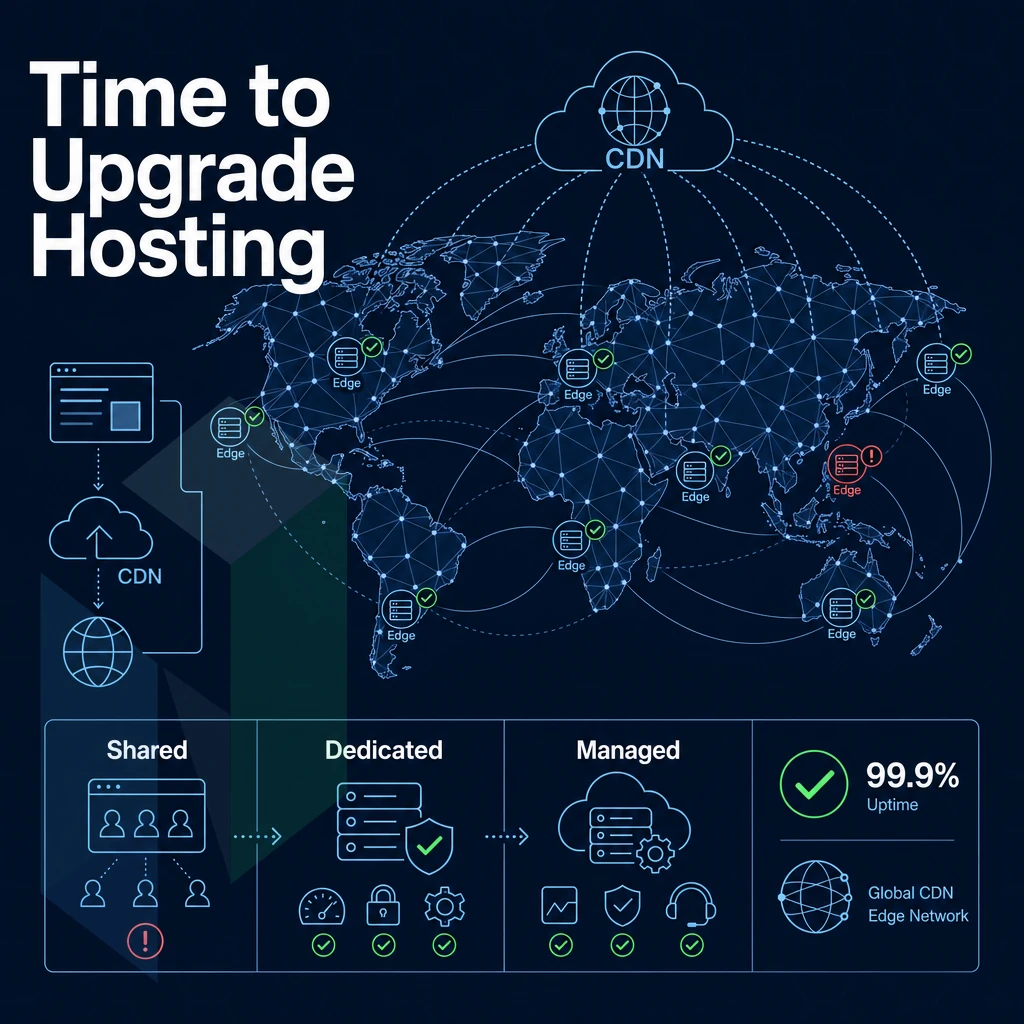
Shared hosting is good for the start when all you need is a low cost, easy to set up hosting and most of the budget hosting providers include a drag-and-drop site builder in the package. In a matter of hours you can have a website up and running. However, shared hosting has a hard ceiling and quickly growing businesses hit it sooner than you think.
The Inflection Points That Signal You've Outgrown Shared Hosting
On a shared server (server which hosts multiple tenants), all tenants share the same CPU, RAM and I/O. As your neighbor’s traffic suddenly increases your site speed will decrease. You haven’t changed anything, the environment did. That’s the core problem of shared infrastructure.
These are not configuration problems, they are resource ceiling problems.
Security is the other forcing function in shared hosting environments. While web hosting for small sites may seem to keep your accounts completely isolated from your neighbors, the reality is that a compromised account on a shared server hosting server can compromise session data, inject malicious code. Alternatively, Get your IP address blocklisted which can affect your entire domain. As you can see, no multi-tenant hosting package is 100% isolated at the kernel level.
Three seconds is too long for a page load, and a security breach from a neighbor who has been victim of a hack from a shared account is unacceptable. At this point an upgrade is past due and is not optional.
Managed Web Hosting as the Bridge for a Growing Business Website
Most small businesses do not have an in-house sysadmin. Managed hosting can fill this gap for you by doing OS patching, security hardening, etc. for you. However, you get to keep full root access to your server(s) and total control over your application(s), even if you manage multiple websites, with the server(s) handled for you, as if you had your own in-house sysadmin.
On a managed VPS, you have your own isolated resources such as guaranteed CPU cores and dedicated RAM.
This type of setup is ideal for a WordPress site that has outgrown a shared server but isn’t quite ready for a dedicated server (i.e. fully dedicated hardware). A managed VPS allows you to have the same type of resources as a dedicated server without having to fully manage the bare metal server itself.
When Dedicated Hardware Becomes the Right Hosting Plan
For certain workloads a physical separation is required. With dedicated bare metal servers the noisy-neighbor problem is completely eliminated.
Not all hosting providers have the same level of hardware “depth”. There’s a big difference between a basic dedicated server and true enterprise-grade bare metal hosting. Typically, with the best web hosting at the dedicated server tier, this means the customer gets NVMe storage instead of disks, the option for a dual-socket CPU, hardware RAID and 10 Gbps uplink connections instead of shared 1 Gbps connections on lower-end dedicated servers.
These servers come with unmetered 10 Gbps network connectivity and are protected from DDoS attacks by default, 24/7.
Why Choose Netrouting for Small Business Website Hosting
Most small businesses start on shared web hosting, and outgrow it fast. When traffic spikes crash your site, or a security incident exposes customer data, the limitations of budget communal hosting plans become expensive. Netrouting is built for the next step: dedicated hosting and managed hosting infrastructure that treats your small business website as a production system, not a side project.
We don't offer consumer shared server environment or domain registration. We serve businesses ready for reliable, performance-focused web hosting services, with real uptime guarantees, enterprise security features, and always-on support.
- Bare metal provisioned in under 60 minutes. Dedicated servers on Intel Xeon and AMD EPYC hardware, no noisy neighbours, no shared resources. Your site gets the full machine.
- Always-on DDoS protection, included. L3/L4 mitigation ships with every service at no extra cost. Firewall protection and traffic scrubbing run automatically, keeping your site safe without configuration.
- Managed hosting with cPanel or DirectAdmin. We handle OS patching, security hardening, and proactive monitoring. You retain full control panel access. Automatic backups run daily.
- 99.9% uptime SLA with a 1-hour ticket guarantee. Our 24/7 NOC monitors your infrastructure continuously. Support team response is guaranteed, not aspirational.
- Ten data centers across three continents. Amsterdam, Frankfurt, The Hague, Rotterdam, Stockholm, Bucharest, Miami, New York, Hong Kong, and Singapore, choose the region closest to your monthly visitors.
- ISO 9001, ISO 27001, and SOC 2 certified. Independently audited security features and operational processes, credentials that matter when clients ask about compliance.
If your hosting for small business needs has outgrown what shared-tier providers can deliver, including unlimited bandwidth options, compare our managed and dedicated plans, or contact our sales team to discuss the right configuration for your workload.
The Core Hosting Requirements Every Small Business Should Prioritize
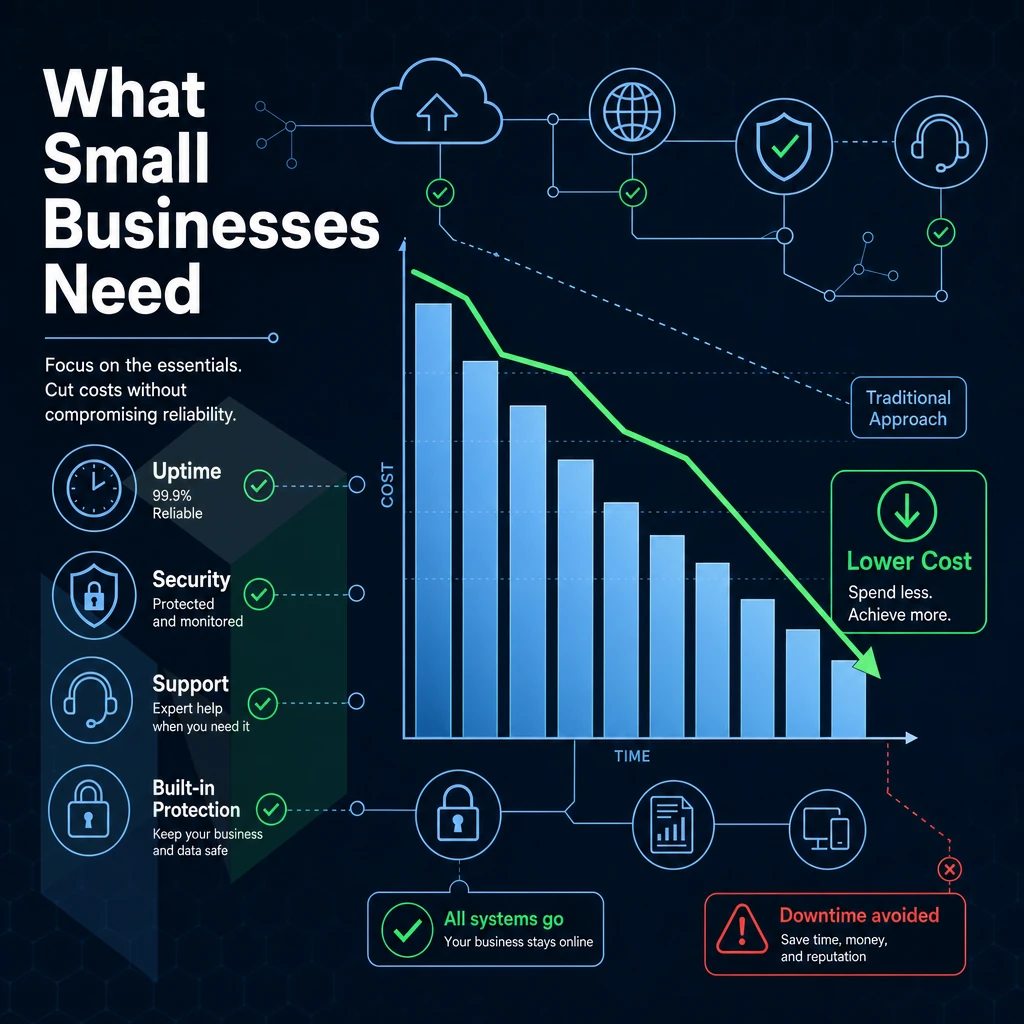
The best website hosting for small business will include four important features to consider: UPTIME GUARANTEE, SECURITY FEATURES, SUPPORT and SCALABILITY. Many small businesses start off on a cheap multi-site hosting plan but it is very important to check if your web hosting provider offers VPS hosting or dedicated hosting to transfer to as your traffic increases. It would be a disaster if you got stuck on a plan with no way to upgrade!
Don’t let a cheap introductory rate fool you into buying a budget host. The real cost of a host is the renewal price for the second and subsequent years. This often doubles or triples in the second year. When choosing a web hosting for a small business look for free SSL, automatic backups and a money-back guarantee.
These shouldn’t be seen as add-ons but as basic features that any web hosting service should provide. The best web hosting services are the ones that consistently provide a good service and support. Look for these features rather than the introductory rate.
Best Web Hosting for Small Business: Final Verdict
To find the right web hosting for your small business you need to look at three things: the volume of monthly visitors to your website, your technical ability, and your business’s growth trajectory. For a small business website with a reasonable number of monthly visitors, shared server plan is a great place to start, particularly with a host that’s designed for small businesses, and is affordable.
As your demands increase, so does the level of performance, control and reliability offered by managed hosting, VPS hosting and dedicated hosting. Additionally, The best web hosting service is one that currently meets your needs with room to grow.
For small businesses that can't afford downtime, Netrouting's managed hosting and dedicated server options deliver the performance and reliability that shared infrastructure hosting simply can't match. As a small business, you get a 99.9% uptime SLA, always-on DDoS protection, and 24/7 support with a one-hour ticket guarantee, without the complexity of managing infrastructure yourself. If your business website has outgrown budget hosts, that's where Netrouting fits.
When choosing web hosting for small businesses or any site, there are three decisions that you need to make: choosing the right hosting type based on the amount of traffic your site actually gets and your future growth. Determining which features included with wordpress hosting (email, backups, SSL certificates, security tools, etc.) are worth the cost and which are simply inflating the price of the plan. And choosing a host with a network that can grow with you without unexpected charges.
For small to medium-sized businesses that have outgrown entry-level hosting or never considered it due to the limitations it imposes on growing websites. Dedicated and cloud hosting infrastructure offers the performance, reliability and control that serious workloads require. Netrouting offers bare metal servers, Cloud Compute and managed hosting from 10 locations across Europe, North and South America and Asia. We guarantee 99.9% SLA, 24/7 support and always-on DDoS protection on all of our services.
Ready to move beyond entry-level hosting? Talk to the Netrouting team about the right configuration for your business.