The quality of managed WordPress hosting varies greatly between providers. Some genuinely handle OS updates, security, plugin updates, site speed, and performance tuning, while many others simply rebrand their shared hosting and call it 'managed'. For IT professionals managing business-critical websites, that distinction matters.
These are the specific questions you need to ask: Who controls and manages the server stack(s)?
Marketing hype about managed WordPress hosting gets cut down in this guide.
Blog contents
Last but not least, you will find out in which situations dedicated bare-metal hosting or even cloud hosting is more suitable than managed shared hosting, be it due to high traffic or strict compliance requirements. A set of decision criteria for migrations as well as for greenfield deployments helps you to make the right choice and to stick to it for at least six months.
What Is Managed WordPress Website Hosting?
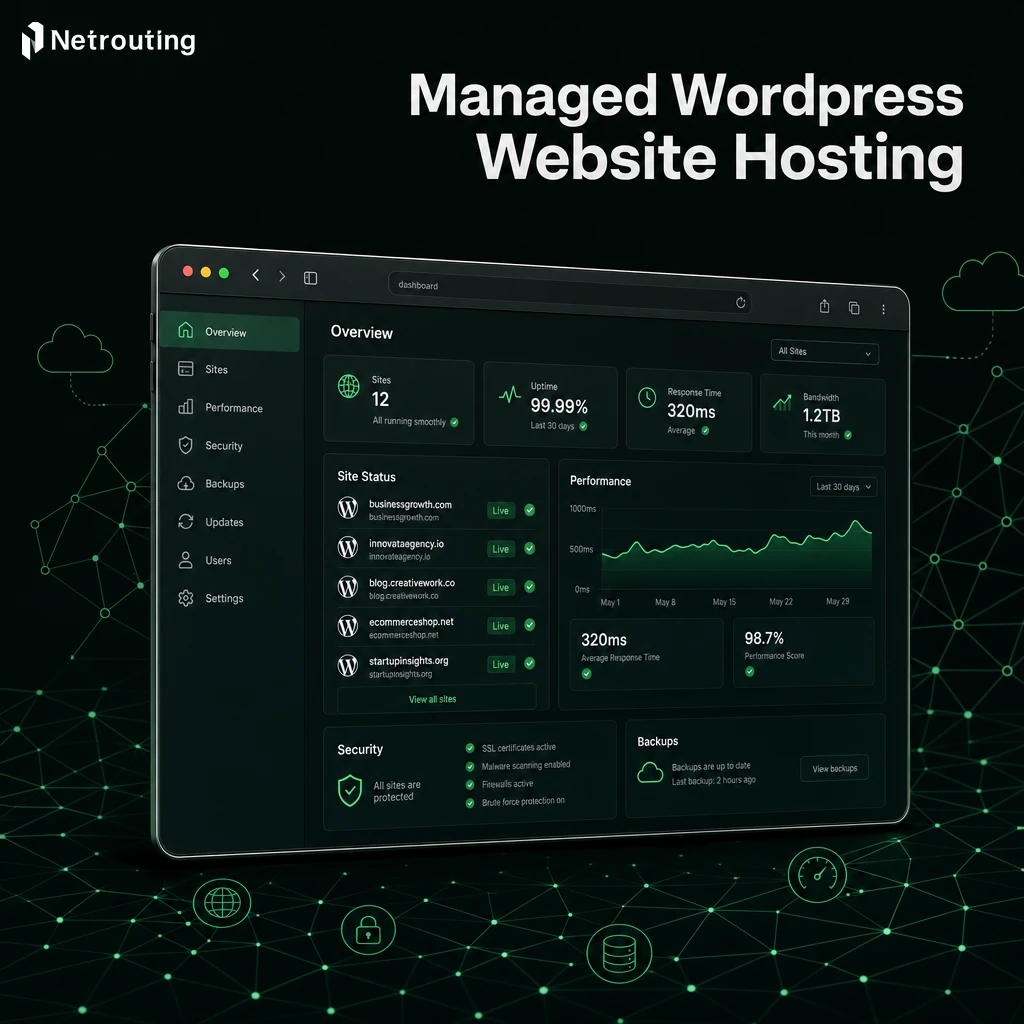
Our Managed WordPress website hosting is a managed hosting service. The managed hosting service provides a fully managed WordPress environment, which means you will only need to worry about the content and business of your website. We will handle the rest, the managed WordPress hosting service includes the management of the website’s infrastructure, the website’s software and the website’s security.
What "Managed" Actually Means
Managed WordPress hosting refers to a hosting environment where all the layers beneath your content are managed for you. This includes server management, OS updates, PHP updates, database optimization, and WordPress core updates, all applied automatically on a schedule that has been tested and fine-tuned. For more context, see Wikipedia:Featured article candidates/Featured log ....
In a managed hosting environment, you don't SSH into a server to run apt upgrade. You don't monitor disk I/O at 2 a.m. The provider's team owns that operational burden. Your dashboard shows a healthy site, not a terminal prompt.
Key tasks handled for you:
- Automatic WordPress core, theme, and plugin updates.
- Server management, CPU, RAM, and storage optimization.
- Daily backups with tested restore procedures.
- WordPress security hardening and vulnerability patching.
- Performance tuning: caching layers, PHP-FPM configuration, CDN integration.
How It Differs from Unmanaged or Shared Hosting
Unmanaged servers are fully under your control for all the configuration decisions that follow. That’s very powerful, however. In contrast, Shared hosting is typically very cheap, you have no control whatsoever, and you share all the server resources with hundreds of other websites.
Between fully managed hosting and a WP Engine-style hosting platform for WordPress, is managed hosting. This type of hosting provides you with dedicated or isolated resources and, at the infrastructure level, also WordPress expertise. In addition to that, a team of experts is watching your stack 24/7. Netrouting’s managed hosting even extends this kind of discipline to bare metal servers. Platforms like Breathe WordPress exemplify this middle tier by combining infrastructure reliability with WordPress-specific optimizations that typical VPS providers cannot match.
When evaluating providers, examine whether their customer support team includes WordPress specialists who can troubleshoot plugin conflicts and theme issues, not just generic ticket responders. This specialized service distinguishes itself from commodity hosting by offering WordPress-specific expertise alongside infrastructure management, ensuring both platform stability and application-layer optimization. When selecting a provider, verify that their support staff includes certified WordPress experts who understand both server-level optimization and application-specific troubleshooting.
Who Should Use It
WordPress users running sites critical to their business (e-commerce sites, SaaS marketing sites, high-traffic editorial sites) should be on managed hosting, as most companies don't have a dedicated sysadmin. Performance bottlenecks and downtime on high traffic websites can directly impact revenue, making professional infrastructure oversight essential rather than optional. Managed infrastructure automatically scales resources during traffic spikes, preventing site crashes that would otherwise require emergency intervention from technical staff.
While managed hosting can remove the hassle of keeping your WordPress installation up to date and secure. From outside it can be hard to tell whether a particular managed hosting service is a good match for you or simply too expensive. Here’s what’s really going on underneath the surface of your web hosting account.
Understanding just what you're paying for requires examining service-level agreements, infrastructure specifications, and whether the provider offers transparent access to performance metrics. A web designer evaluating hosting options should prioritize providers that offer staging environments and version control integration for efficient workflow management.
How the Best Managed WordPress Hosting Works Under the Hood
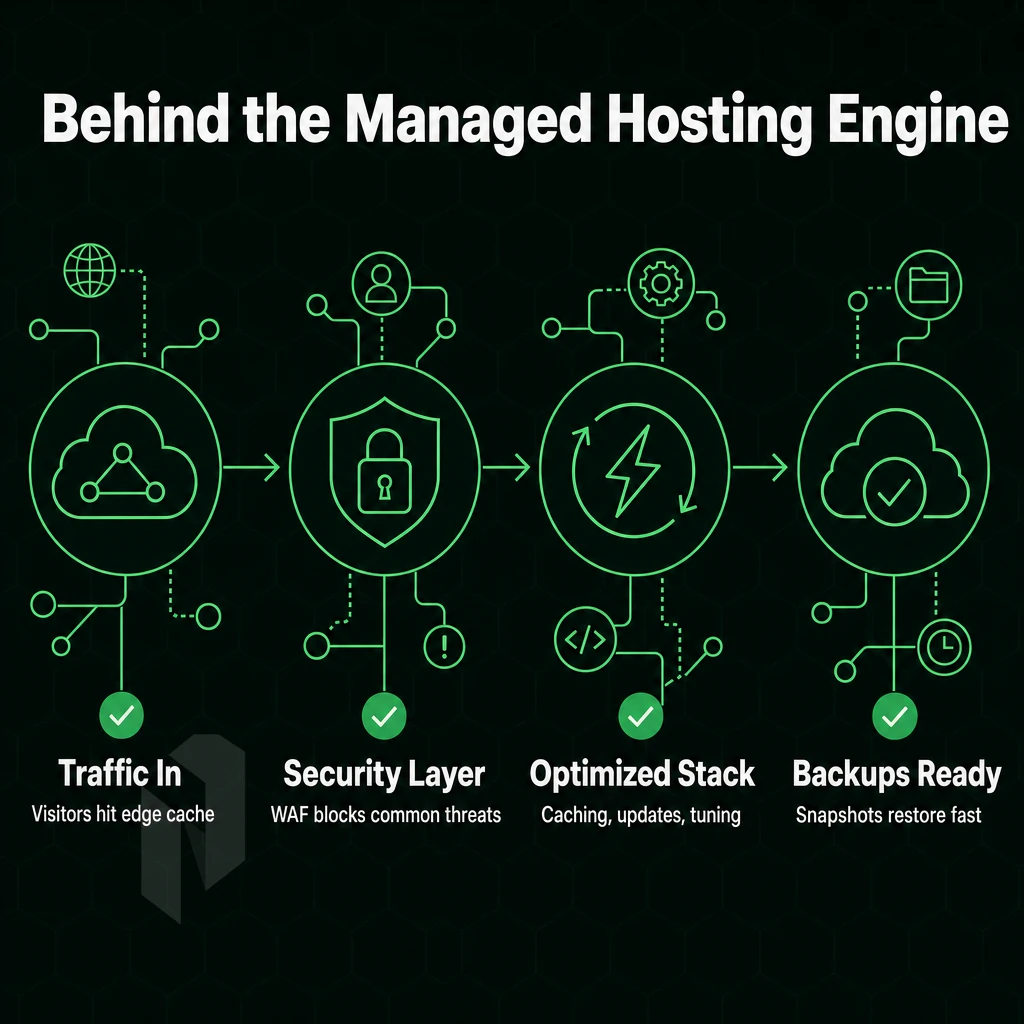
In abstract, Managed WordPress hosting takes care of all the server administration work for you such as caching, security, updates and backups. Knowing what goes on behind the scenes will help you determine whether Managed WordPress hosting is suitable for your work load. The provider handles all the technical aspects so you can focus on creating content and growing your business instead of troubleshooting servers.
Providers typically handle automatic WordPress updates for core software, themes, and plugins, ensuring your site remains secure without manual intervention. This ongoing management eliminates the need for in-house technical expertise while maintaining site reliability and security standards.
Optimized Infrastructure and Server-Level Caching
A purpose-built WordPress stack is far from generic shared hosting. WordPress performance is the complete focus, with full-page object caching, OPcache opcode caching, and per-site PHP version management built in at the server level.
This layer comprises web application firewall rules tuned to the most common WordPress attack types: brute-force login attempts to the admin area and attempts to exploit the XML-RPC system.
Additionally, the system continuously scans for malware at the file system level and can trigger based on request or continuously at the file system level.
Automatic Backups and Recovery
In managed environments, auto-backups are typically set up to run on a regular schedule (e.g. daily full snaps with incremental backups in between).
Uptime targets of 99.9% and above can be achieved by having redundant infrastructure to fail over to and having the ability to restore from backup quickly.
Developer Tools and Workflow Integration
Most managed WordPress hosting includes a host of developer tools that typical shared server hosting does not. First, there is the ability to log in to a server via SSH. This gives the engineer a direct shell to work with to debug code, look at logs, etc. to set up scripts to deploy sites, etc. Beyond terminal access, WP CLI provides command-line control for bulk operations like updating plugins across staging environments or managing user roles without touching the dashboard.
Beyond the admin dashboard, a WordPress site's core files, themes, and plugins can be managed from the command line using WP-CLI, by far the fastest way to handle common tasks. Power users often script routine maintenance with WP CLI, automating operations across dozens of sites from a single terminal session.
Git integration completes the circle of local development and production environments. No need to manually move local files between environments by uploading them via ftp/sftp with Git integration and the corresponding deployment pipelines. Managed hosting becomes a practical solution for websites like WordPress mult-sites or for websites with custom themes and plugins that are frequently updated.
Best Managed WordPress Hosting vs. Shared Hosting: Key Differences
WordPress hosting is not created equal. There is a huge difference between communal hosting and managed WordPress hosting and choosing the wrong option for your needs can lead to a number of issues including slow performance, security issues and wasted time. Here is a comparison of the two key options.
Resource Isolation and Performance
- Even know how resources are allocated on a shared server. Many users share the same CPU, RAM and I/O on a shared server. A traffic spike on a neighboring site can affect your site’s performance. A high traffic site is kept running fast with Managed WordPress Hosting as each site has its own resources isolated from other sites.
- Test under realistic traffic load. Most high traffic sites are hosted in shared environments where the ceiling of performance is frequently exposed. In contrast to Managed WordPress environments which are optimized for WordPress and include server-level caching, PHP workers and other optimized database connections, performance in Shared plans is entirely up to you.
Traffic spikes are the top reason serious WordPress sites outgrow shared infrastructure. If your site sees seasonal surges, plan for isolation before you need it.
WP Engine Security and Updates
- Assess and compare the security posture offered by hosting environments. Neighboring shared hosted accounts can pose significant risks to your site. Managed WordPress hosting platforms have gone to great lengths to apply appropriate platform level security, scour for malware, and apply WordPress specific firewalls. You get to leverage all of this security without having to configure and maintain it.
- Review the update model. On Managed WordPress platforms core, plugins and themes are all updated automatically for the customer. On shared-server environment WordPress sites are updated by the user and a common cause of vulnerability to attack on neglected sites.
Customer Support Expertise and Hosting Plan Fit
- Support depth is important to evaluate. When hosting WordPress sites in a managed hosting environment, the support team has intimate knowledge of the WordPress architecture as well as the server architecture. The support you get with generic multi-user hosting accounts typically does not extend to helping with WordPress-specific issues and debugging.
- We recommend matching a plan to the growth stage of your project. While low traffic hobby sites can run on a shared server, production workloads require managed hosting that provides sufficient isolation, know-how and automation. A dedicated server even provides more hardware isolation, higher bandwidth and, most importantly, no noisy neighbors.
Once you've decided managed hosting is the right tier, you can start looking for specific features your hosting provider should offer.
Core Features to Expect From Managed WordPress Hosting Providers
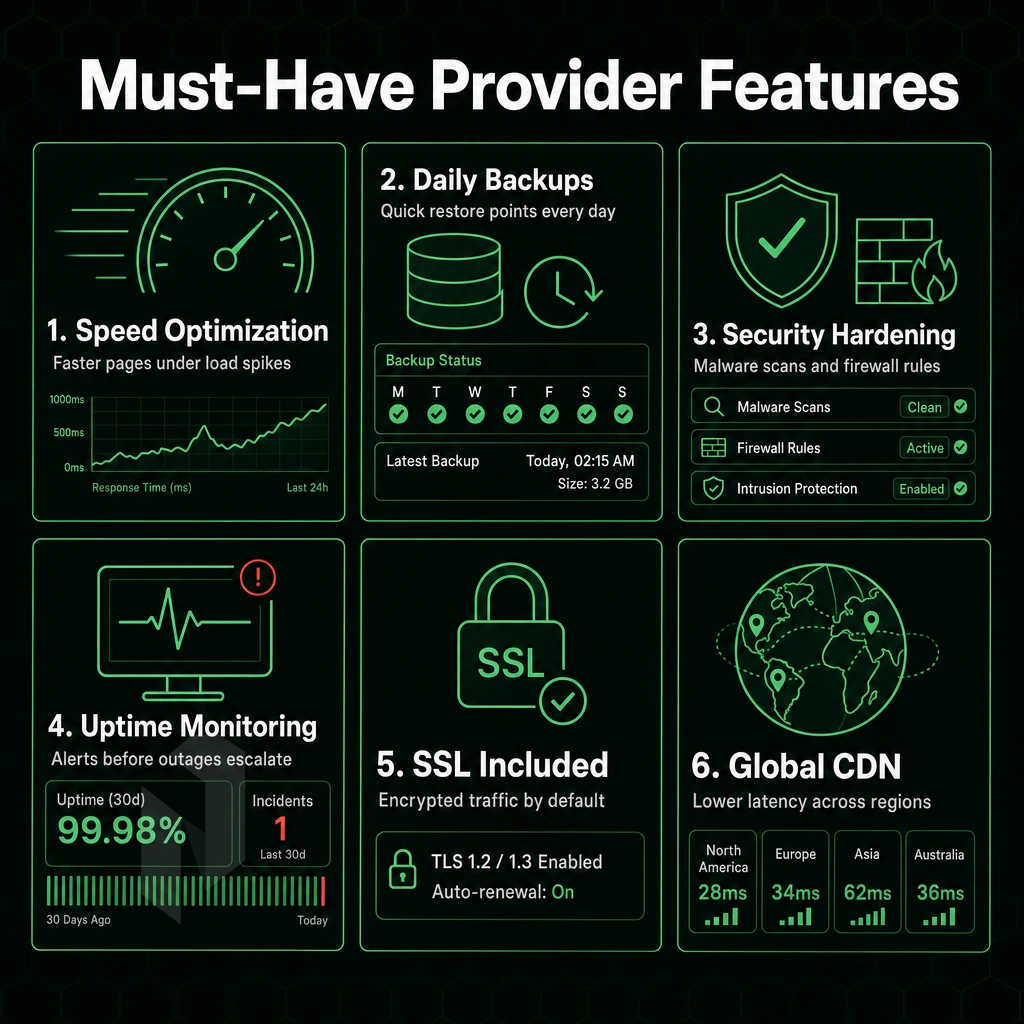
Managed WordPress hosting bundles the management of your WordPress environment into a single hosted service. Knowing what you’ll get for your money, and what will cost extra as an add-on service, will help you pick the right Managed WordPress hosting plan for you and your site.
Security and Data Protection
Credible managed WordPress hosts offer automated backups, free SSL and malware scanning as basic features. Daily backups at minimum should be stored offsource and allow for point-in-time-restore. Free SSL covers the issue of SSL-certificate provision and auto-renewal.
A web application firewall sits in front of your WordPress installation to intercept malicious traffic before it reaches your PHP application. Malware scanning runs at the server level to detect injected code that browser-based tools cannot find.
Workflow and Developer Tools
A staging environment lets you test theme changes, plugin updates, and database migrations on a full copy of your live site before pushing to production, the most underused entry-plan feature and, for active sites, the most valuable.
This kind of serious development work can be done using the tools listed below. WP-CLI access, SSH access, integration with Git, and automated updates of WordPress with the ability to roll back updates.
Free Domain and Migration Offers
Many providers offer entry plans with a free domain as part of their online marketing campaigns. This free domain usually covers the first year and then renews at the standard retail rate. The renewal price needs to be checked before signing up.
Most managed hosts include free site migration as part of their managed tier. This typically involves the transfer of files, databases and DNS. Be sure to verify whether multisite installs and e-commerce databases are included with free migration or require an upgrade to a higher tier hosting plan.
Customer Support Quality
Expert WordPress support from the first line means they can diagnose plugin conflicts, debug PHP errors, and advise on the best caching setup for your site.
With the feature checklist in hand, the next key question to consider is whether managed web hosting is the right model for your team or not, and if not, what the alternative might be.
Who Should Use Managed WordPress Hosting Services?

Managed WordPress hosting isn't right for everyone, but it removes significant hassle from the website owner, and for most people, that trade-off is worth it. The real question is whether your situation warrants it.
Who Benefits Most from Managed Hosting Services
Our first-time site owners are our most risk-averse customers. Without having to administer a server or manage multiple sites on their own, they can rely on hosting services to handle things like PHP versions, security configurations and upgrade cycles, which we take care of automatically in a managed environment.
Designers running client projects benefit equally from excellent performance.
Another obvious fit for this type of functionality would be agencies with multiple client sites that they need to manage efficiently. A centralized dashboard, bulk update functionality and automatic backups from web hosting providers means that the operational overhead of this type of setup can be easily managed by the agency without needing to hire a full time sysadmin.
For high-traffic business sites, which have the most to lose from downtime, managed server hosting includes proactive monitoring, staging updates before applying to live sites.
WordPress Site Specialists and Developers
Management of ongoing tasks such as patching, backups. Additionally, Uptime monitoring and customer support even for experienced WordPress experts like developers creating custom themes or even complex WooCommerce integrations can be outsourced and is much more valuable than running the servers themselves.
Whether working with agencies or directly with clients, WordPress specialists using administered hosting find that time saved across a large portfolio of sites adds up very quickly.
When Full Root Control Makes More Sense
Power users with custom stacks or non-standard WordPress setups (e.g. headless/API-driven) may find managed infrastructure too restrictive. They need full root access, custom kernel modules, or bare-metal performance tuning, and should go for a dedicated server from the start.
Your hosting spectrum aside, the underlying infrastructure of your WordPress site will greatly impact your site’s visitors. Next up: site performance.
Choose how the site is hosted.
Start with website hosting, move to a virtual server, or let us run the servers for you.
Host the site without running a server.
For websites and WordPress, compare website hosting plans before you move to a machine of your own.
Start the conversation with
- Sites
- Number and traffic
- Platform
- WordPress or other
- Mailboxes needed
Start with a VM. Scale it when needed.
Use cloud compute for workloads that do not need a full machine. Compare vCPU, memory and storage per plan.
Start the conversation with
- Compute
- vCPU and memory
- Storage
- Disk size
- Location
- Preferred region
We run it. You ship product.
Choose managed hosting when your team should focus on the application. Agree on what we manage and what stays with you.
Start the conversation with
- Servers
- Number and roles
- Scope
- What we manage
- Access
- What stays with you
Performance Factors: Page Load Speed in a Managed WordPress Site
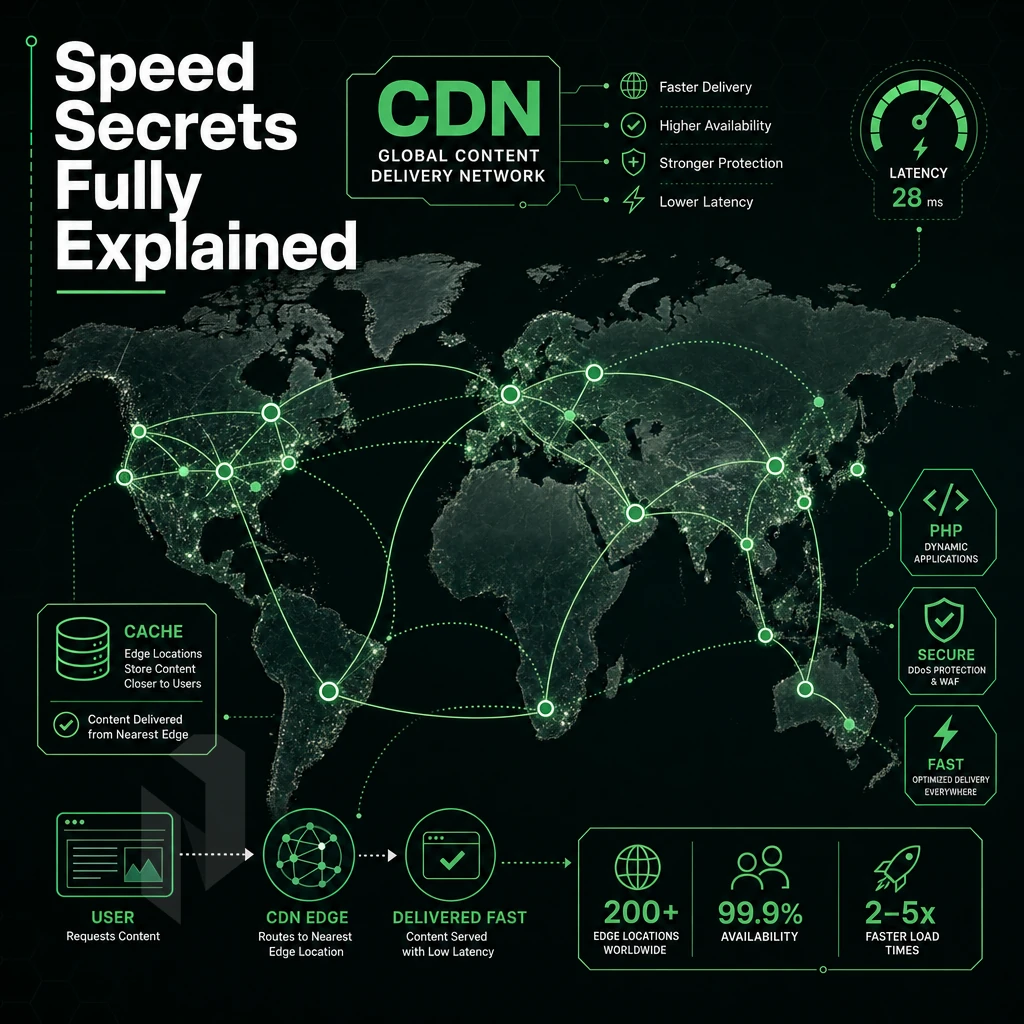
Your server infrastructure is secretly controlling your WordPress site’s performance. It manages the caching and PHP execution on your site, handling sudden peaks of traffic to ensure your visitors can find what they are looking for. It can also determine whether or not Google includes your site in its search results.
Server-Level Caching and PHP Version Control
Server layer managed WordPress hosting platforms utilize caching of a full-page object type that serves up pre-built HTML cached in memory and bypasses the need to hit PHP and the database at all. This results in page load times of mere milliseconds rather than seconds.
Controlling PHP versions matters as much as it does.
Shared infrastructure hosting environments that aren't premium hosting typically lock all accounts to very old versions of PHP in order to try to avoid compatibility issues with the thousands of WordPress plugins and other accounts on the server.
Time to First Byte (TTFB) is also a Core Web Vitals signal that Google uses to rank sites. A properly configured WordPress site with server-level caching will typically achieve sub-200ms TTFB. The gap here translates to real search position and conversion value difference.
CDN Integration and Optimized Infrastructure
A globally distributed CDN is used to distribute static assets such as images, CSS and JavaScript files to the edge of the world where your visitors are. The latency for cached assets to travel around the world and back again is reduced from 80-150ms to less than 20ms. A globally distributed CDN is typically included in higher tiers of managed cloud hosting as a standard feature of the service, rather than an optional add-on.
We optimize the underlying infrastructure for WordPress workloads.
Dedicated Server Resources for High Traffic Websites
With pooled hosting, the CPU and RAM are shared across all of the hosting accounts on a server. A noxious neighbor can hog resources and bring down performance for all of the other hosted sites on that server. With an isolated server or dedicated server, you never have to worry about such issues.
The difference in traffic handling is exposed in the spikes.
When it comes to site speed under load, dedicated hosting with isolated resources and auto-scaling infrastructure is the only answer. Your revenue-driving WordPress site needs infrastructure that can match its responsibilities.
| Factor | Shared Hosting | Managed WordPress Hosting |
|---|---|---|
| Server-level caching | Plugin-dependent; inconsistent | Built-in object and full-page cache |
| PHP version | Often locked to older releases | Current release, managed automatically |
| TTFB | 400-800 ms typical | Under 200 ms with warm cache |
| Traffic spike handling | Queue buildup, 503 errors | Horizontal scaling, no queue saturation |
| Resource isolation | Shared pool, noisy-neighbor risk | Isolated or dedicated resources |
| CDN | Manual setup, often extra cost | Integrated, edge delivery included |
Half of having a fast and available website is performance, the other half is securing it to keep it running. turnkey hosting therefore either delivers on its price premium or not.
Security in Managed WordPress Hosting: What's Covered
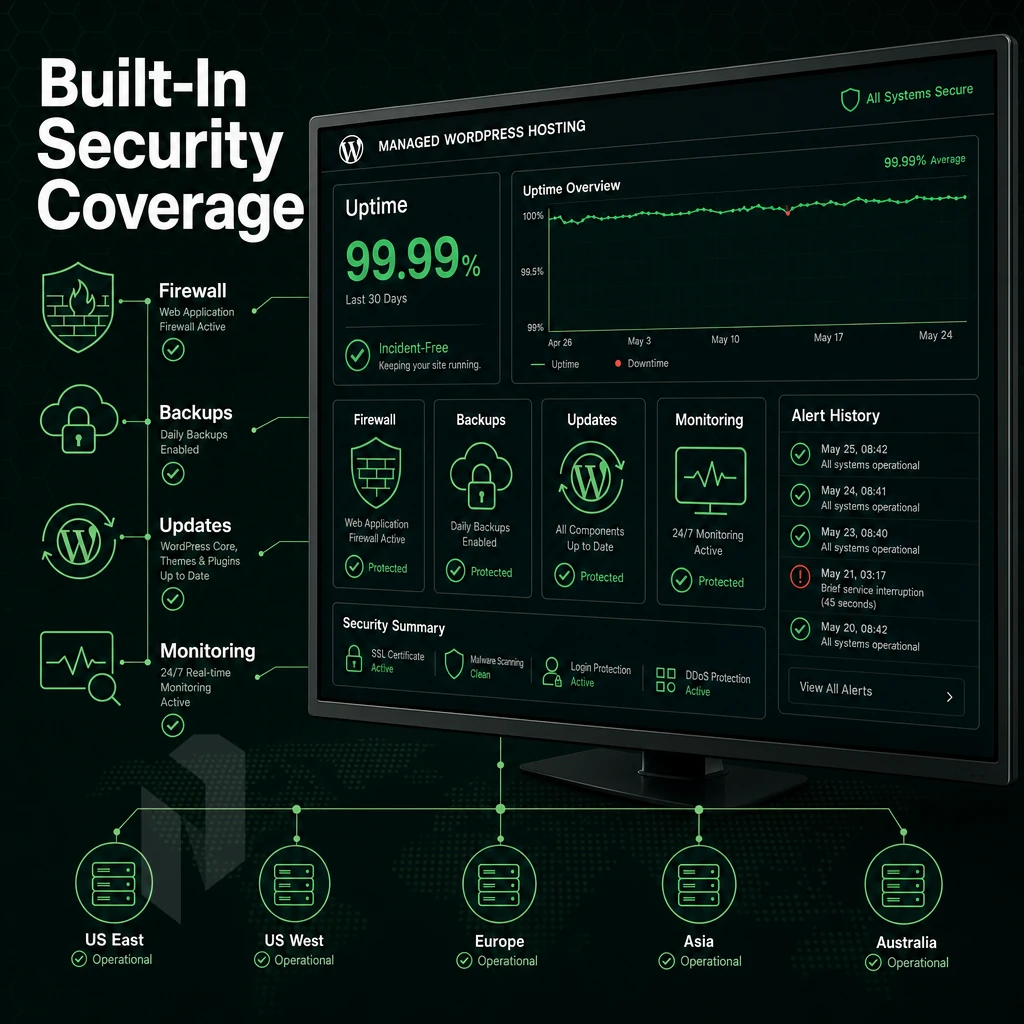
We handle the security layers that self-managed WordPress installations typically lack. This page explains what's included with our Managed WordPress hosting and what you remain responsible for.
Core Protections Enforced Automatically
-
Web application firewall (WAF)
A WAF filters malicious traffic before it reaches your WordPress website. It blocks SQL injection, cross-site scripting, and known exploit patterns at the edge. No manual rule-writing required. -
Malware scanning and removal
Automated malware scanning runs on a scheduled basis, flagging infected files before damage spreads. Good managed hosts quarantine threats and alert you immediately. -
Automatic WordPress updates
WordPress core, themes, and plugins are patched on release. Unpatched plugins are the leading attack vector on WordPress sites, automation closes that window fast. -
Free SSL provisioning
Free SSL certificates are issued and auto-renewed. Encrypted connections protect user data and satisfy browser security requirements without manual certificate management.
Note: Automatic plugin updates can occasionally break theme compatibility. A good managed host runs updates in a staging environment first, then promotes to production.
Infrastructure-Level DDoS Protection and Monitoring
-
DDoS protection at the network layer
Volumetric attacks are absorbed at the infrastructure level, not at the application. This keeps web hosting resources available even under sustained attack traffic. -
Proactive uptime monitoring
24/7 monitoring catches anomalies before they become outages. Alerts trigger human review, not just automated restarts.
Netrouting protects all services (including WordPress hosting companies) with always-on L3/L4 DDoS protection. Application-layer DDoS protection alone is not enough to protect the network edge of a service.
Best Managed WordPress Hosting: What Good Customer Support Looks Like
A great managed WordPress solution is only as good as the team of people behind it. This means more than just answering billing questions. Look for a 24/7/365 Network Operations Center (NOCC), a written response SLA, and talented WordPress experts who understand WordPress security at the server level in addition to the WordPress admin interface.
Managed WordPress services ultimately come down to two things: security and performance. Weigh the real pros and cons of each option before committing.
Is Managed WordPress Hosting Worth It? Honest Pros and Cons
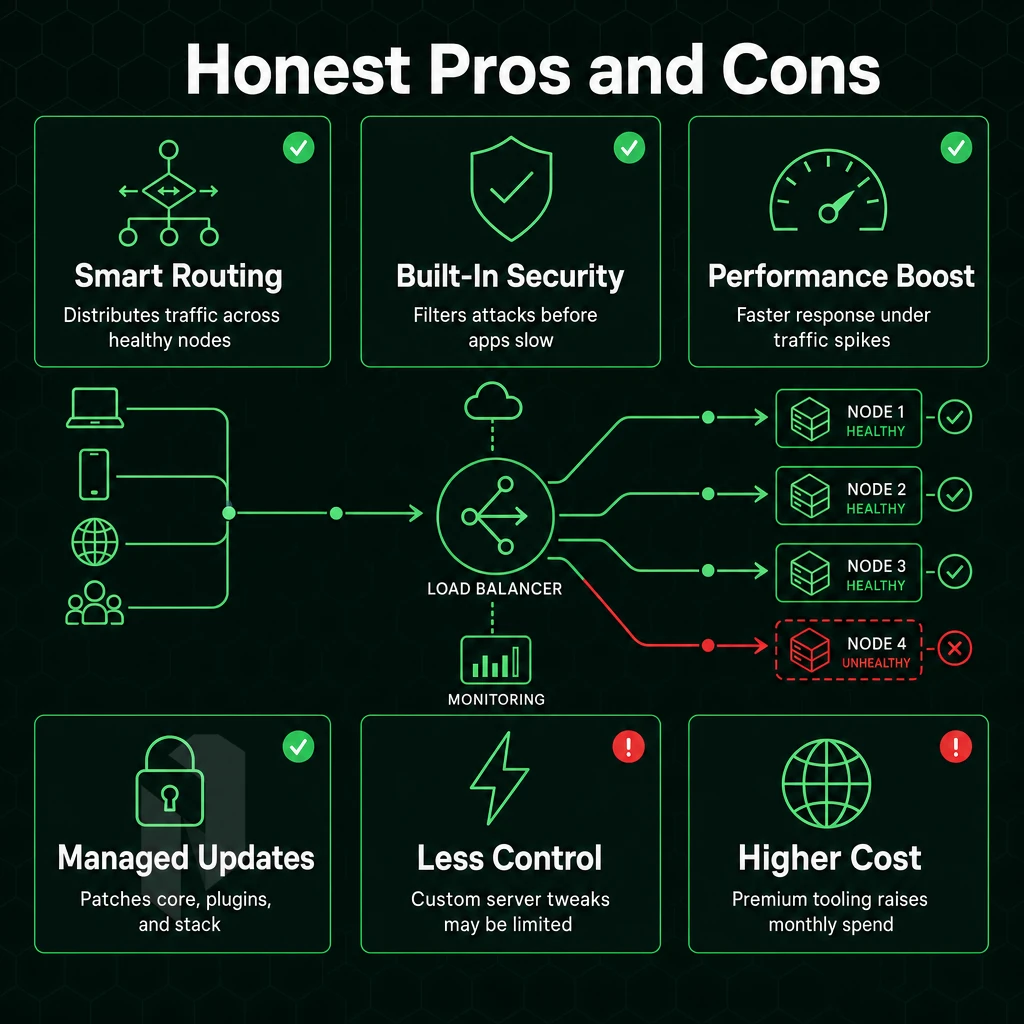
Is Managed WordPress hosting for you? The answer to this will vary based on the volume of your site, the size of your team, and your comfort level with server administration. For many website owners the answer is yes, but it is a trade-off that you should carefully consider before signing up.
The Genuine Advantages
You save time. Our managed platform automates OS patching, WordPress core updates and website security updates. Your team can then focus on creating more content, building a better product etc. rather than fighting with the underlying IT infrastructure.
Performance. Server level caching in a managed environment typically includes full page, object and opcode caches which are enabled by default for a fresh install of WordPress. This ensures high performance out of the box, especially during traffic spikes from a campaign or a viral post.
The support quality provided with managed dedicated hosting is significantly better than what you get with communal server hosting. Rather than relying on a general helpdesk to troubleshoot a variety of issues. A dedicated team of WordPress experts is on hand to quickly diagnose and fix issues such as plugin conflicts, PHP memory issues and SQL query issues.
Daily backups with point-in-time-restore are often included in the standard management of WordPress installations on managed servers. Self-managed servers require you to set up and test such safety nets yourself.
The Real Limitations
One negative is cost. Many Managed WordPress plans cost more than a typical shared account hosting or unmanaged VPS hosting plan. For a first time site owner with a low traffic blog, this premium may not be worth the cost.
The lack of flexibility is probably the hardest trade-off that WordPress Managed Platforms make. Often, individual plugins such as caching plugins are restricted or even prohibited (e.g. caching at the platform level conflicts with certain caching plugins).
When a Dedicated Server Makes More Sense
Most developers who build WordPress sites need full root access, custom PHP builds and multiple applications powered on the same server. If you have a stack that goes beyond WordPress (such as a Node.js API, custom databases or even containerized workloads). Then a bare metal dedicated server is the only option that offers the level of control that managed WordPress hosting platforms deliberately remove.
Netrouting’s Dedicated Hosting is designed for companies that want to run WordPress at scale, but also mixed workloads and no restrictions within a platform. You get the hardware, the network and the support, no frames.
One thing is clear about the value of digital assets. But another thing that is important to understand is what drives their cost.
How Much Does Managed WordPress Hosting Cost?
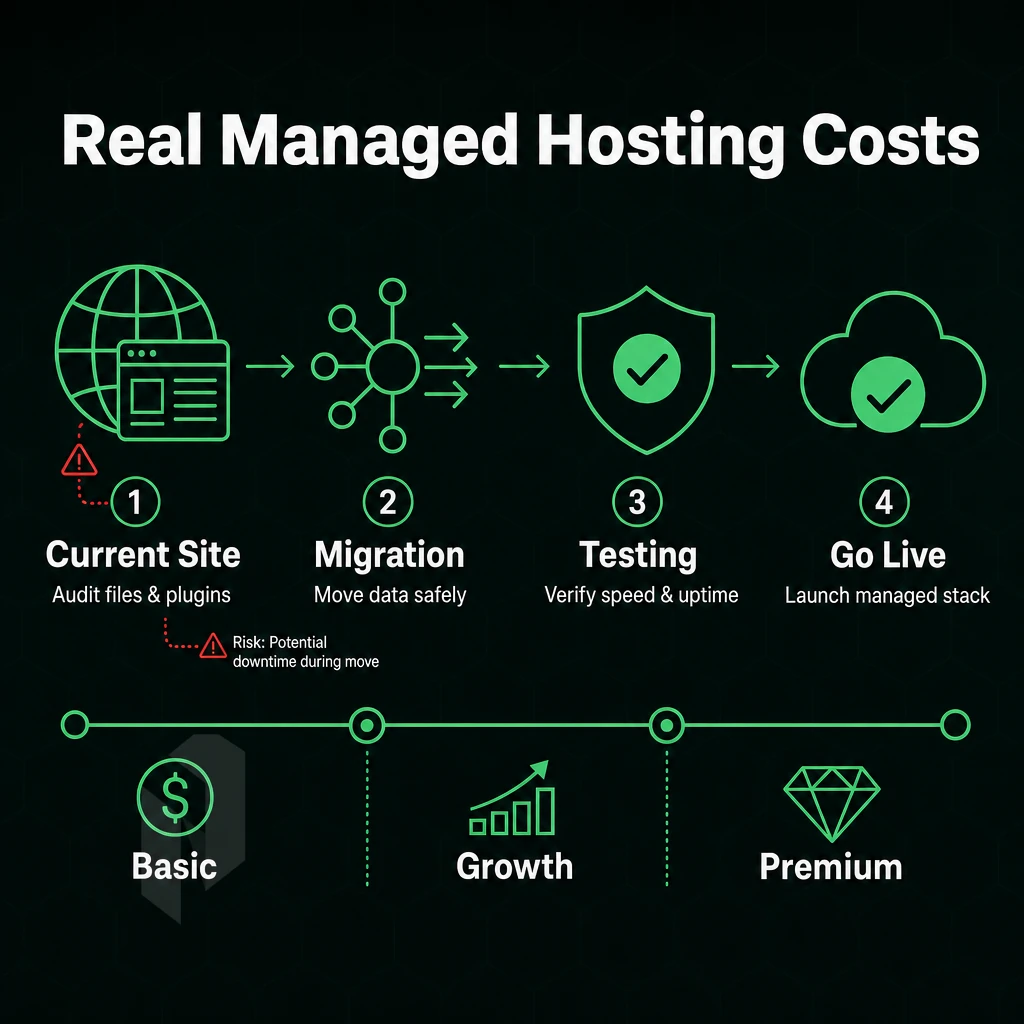
Pricing for Managed WordPress hosting varies widely depending on the tier you need, the features included, and the degree to which a provider will manage for you.
What a Typical Hosting Provider Plan Covers
The entry-level plans of most consumer-grade web hosting services are for low-traffic blogs and very simple websites. Typically, such a plan includes a free domain name, free SSL certificates and free website transfer.
These plans are based on our multi-tenant server environment plan infrastructure.
Mid-tier plans offer dedicated or containerized environments, staging environments and development tools. Suitable for growing websites with constant flow of visitors, mid-tier plans are for teams who need high uptime and don’t wish to manage the underlying infrastructure themselves.
What Drives Cost Up
Four factors push the price higher as you scale:
- Compute allocation for more CPU, RAM and storage at each site.
- Number of sites, multi-site licenses are more expensive than single-site offers.
- Support level, Priority queues, phone access, and dedicated account managers add cost to support level.
- Included features, CDN, automated backups, malware scanning, and staging environments.
A WooCommerce store with hundreds of daily transactions requires a lot more than a personal blog. That explains why enterprise plans cost many times that of the lower end plans.
Free Domain and Premium Tiers for Serious WordPress Sites
Premium plans targeting high traffic sites typically no longer include a free domain, competing instead on performance, Service Level Agreements, and dedicated infrastructure.
Our tiers have been designed for high-traffic WordPress deployments, big publishers, large e-commerce sites and SaaS applications. Isolated servers, global CDN and enterprise class support all come as standard.
Even the standard managed WordPress offerings often don’t meet the needs of more demanding sites. In such cases, dedicated, purpose-built infrastructure is required. We’ll cover that in the following section.
Why Netrouting's Infrastructure Supports Serious WordPress Sites
We are not a managed WordPress hosting company for end-consumers. We are the underlying infrastructure that companies such as agencies, web-developers and other hosting companies use on top of regular shared platform hosting or even entry-level cloud hosting. When you run a large number of WordPress sites (high traffic websites, numerous client websites etc.) or are part of an industry that is regulated (financial, healthcare etc.), the foundation underneath matters.
- High traffic WordPress servers. Our dedicated servers are offered as bare metal servers on Dell and Supermicro hardware with Intel Xeon and AMD EPYC CPUs. Plenty of power for your WordPress servers with 100% of all server resources at your disposal.
- Managed Control-Panel Servers. We take care of the OS as well as your choice of control-panel (cPanel/WHM or DirectAdmin) and update it for you, also hardening the server for security. Server licenses are included. You will have root access to your servers and can host as many of your own sites as well as client-hosted sites and accounts as you like.
- We manage the Proxmox VE for you. A team who manages many client deployments with isolated VMs for each site need a fully managed hypervisor layer. This includes setting up a cluster, patching, monitoring and configuring the backup for you.
- 24/7/365 monitoring and protection by our Always-on DDoS defense. We include L3/L4 DDoS mitigation on all of our services. We watch over your infrastructure 24/7/365 and respond to all service-related issues within 1 hour of ticket creation.
- Our 10 data center locations span Amsterdam, Frankfurt, The Hague, Stockholm, Rotterdam, Bucharest, Miami, New York, Hong Kong, and Singapore. Provision bare metal in under 60 minutes and host close to your users.
- ISO 9001, ISO 27001, SOC 2 certified. Compliance at enterprise level for web hosting which cannot compromise on security.
If you've outgrown generic hosting providers, explore our infrastructure options or contact our expert support team to find the right fit for your workload.
Choosing the Right Managed WordPress Hosting Plan for Your Needs
What is the best managed WordPress hosting for you? The best managed WordPress hosting for you will likely depend on the number of websites you need to host, the amount of traffic your sites receive, and your level of expertise with WordPress. We would recommend a “lean” managed WordPress hosting plan for first time site owners of single WordPress sites.
These managed WordPress hosting plans typically include automatic backups, a free SSL certificate, and 24/7 customer support. For high-traffic sites and experienced developers, managed WordPress hosting plans add features like WP-CLI, SSH access, git integration, server-level caching, and a web application firewall. Compare the features of each tier of managed WordPress hosting services against your expected use, not what you think you might need later.
Below we lay out five key criteria to cut through the hype surrounding the many different WordPress hosting plans on the market, then apply them to determine the best web hosting for your current WordPress site and where you want it to go.
Key Takeaways: What Managed WordPress Hosting Means for Your WordPress Site
Managed WordPress hosting means handing all technical aspects, updates, security, caching, backups, to a hosting company built around WordPress. That frees website owners to focus on content and growth instead of infrastructure management.
Whether you're a first-time site owner or an agency managing client properties, the right WordPress hosting plan delivers the performance, WordPress security, and expert support your site demands. Evaluate any managed WordPress hosting provider on three pillars: optimized infrastructure, proactive malware scanning, and a support team that breathes WordPress.
For teams that outgrow managed WordPress hosting services and need infrastructure-grade control, Netrouting's managed hosting and dedicated server options close the gap, combining the hands-on web hosting expertise of a specialist hosting company with the power production WordPress sites demand. Explore Netrouting's managed wordpress hosting plans to find the right foundation.
Frequently Asked Questions
What support helps manage multiple client sites on the best WordPress hosting?
Managed WordPress hosting means the provider handles all technical operations, core updates, security patching, performance tuning, and daily backups, so you focus on content and business, not server administration. The environment is purpose-built for WordPress workloads, with server-side caching, PHP version management, and staging environments included. Support teams are trained specifically on WordPress, not generic server issues.
Which of the managed wordpress hosting providers is best for your WordPress site?
The best option depends on your performance requirements, traffic volume, and how much control you need over the underlying infrastructure.
For high-traffic sites, agencies, or WordPress users with strict data-residency requirements, a managed services provider running WordPress on dedicated bare metal, such as Netrouting's managed IT hosting across European, North American, and Asian locations, gives you dedicated resources, predictable site speed, and no noisy-neighbor risk.
How much does managed WordPress hosting cost?
Managed WordPress hosting costs vary widely based on the infrastructure tier. Consumer-grade managed WordPress platforms sit at the low end; agency and enterprise tiers on dedicated infrastructure cost significantly more. The right comparison is total cost of ownership, dedicated resources, free site migration, included support, site speed optimization, and no surprise fees often make a higher-tier managed plan more cost-effective than a cheap plan plus paid add-ons. Contact your provider directly for a quote matched to your traffic and resource requirements.
Which Hosting Is Best for Your WordPress Site?
For most production WordPress sites, managed website hosting on a dedicated or cloud compute environment outperforms pooled server hosting on every metric that matters: page load time, uptime reliability, and security posture. shared-resource environment works for low-traffic personal sites with minimal performance expectations.
High-traffic sites, WooCommerce stores, and membership platforms need dedicated resources and a provider with a strong network backbone. Netrouting's managed web hosting on bare metal, backed by a 2.4 Tbps+ network and a 99.9% uptime SLA, is a strong fit for resource-intensive WordPress deployments.
Is managed WordPress hosting worth it for small sites?
For a simple personal blog or low-traffic brochure site, managed WordPress hosting is often more than you need, entry-level hosting covers the basics at lower cost. It becomes worth it the moment your site generates revenue, handles user data, or cannot afford downtime. Automated security patching and daily backups alone justify the cost for any business site, because a single breach or data-loss event costs far more than months of managed server hosting fees.
What is the difference between managed WordPress hosting and shared hosting?
shared server plan places hundreds of sites on a single server sharing the same CPU, RAM, and bandwidth pool, one traffic spike from a neighbor degrades your site. Managed WordPress hosting gives you resources tuned specifically for WordPress, with the provider actively maintaining the stack: updates, security hardening, caching, and monitoring are handled for you.
multi-user server hosting is self-service; managed infrastructure is a service. The performance, security, and support gap between the two is significant for any site that matters to your business.
Do managed WordPress hosting plans include a free domain?
Some consumer-focused managed WordPress platforms bundle a free domain for the first year as a promotional incentive. Infrastructure-focused managed cloud hosting providers, including Netrouting, concentrate on server performance, network quality, and managed operations rather than domain registration, which falls outside their core offering and customer support scope. Register your domain separately through a dedicated registrar; this also keeps your domain independent from your hosting provider, which is good practice for business continuity.
Managed WordPress hosting takes the weight of managing your site off of your shoulders. This means things like server tuning, security patches, and performance optimization are all managed for you, so you can focus on running your site.
In situations where uptime, site speed, and ease of use matter more than saving a buck on a shared server hosting environment,Managed WordPress hosting is the way to go. Yes, it costs more, but you’re paying for the expertise and for having a quality hosting solution, which you get.
The fulfillment of these promises largely depends on your provider. Look for a provider that offers dedicated WordPress infrastructure, pro-active monitoring and good 24/7 support. Not support that answers hours later.
If your workload has grown beyond what shared server hosting can handle but managed WordPress isn't quite the right fit, Netrouting's managed server hosting and bare metal options give you full control with expert support behind it. Explore Netrouting's managed hosting solutions to find the right infrastructure for your next deployment.
Find the right home for the site.
Tell us about the site, the traffic and the platform. We help you pick a hosting plan.