
Your WordPress hosting choice determines so many things: Your site’s load times, your site’s up time during high traffic, your team’s ability to deploy quickly, and your expenses as your site grows. When these things are bad, six months later you’re scrambling to migrate your site to a new hosting provider. When they’re good, your site’s hosting will just disappear into the background and you won’t have to think about it.
For a business relying on its web presence, poor hosting decisions can translate directly into lost revenue and damaged reputation. Optimizing wordpress hosting performance requires careful evaluation of server resources, caching mechanisms, and database configurations that directly affect how quickly your pages load for visitors.
Our long experience transfers to our advice in this guide.
Blog contents
In this article we will explore the criteria that separate quality WordPress hosting from poor hosting. The quality of the network and the latency to the visitor, the site’s ability to scale during high traffic, DDoS protection, the support team’s average response time. Understanding how your infrastructure handles concurrent visitors during peak periods helps you avoid performance bottlenecks that degrade user experience.
Each of these criteria matters for a CMS like WordPress, where a host such as WP Engine depends on the speed of PHP and the server's ability to complete I/O on the database. Additionally, for wordpress users and beyond, the site's time-to-first-byte can all impact the user's experience of the site, and as a result impact the site's search rankings. For community perspectives, see What is the best affordable WordPress Host? .
By the end of this article you will have a solid framework for choosing among wordpress hosting providers and determining the correct amount of hosting required to support the amount of work your site is doing. First, a look at the minimum amount of resources required for WordPress to run.
What Is WordPress Site Hosting and How Does It Work?
Website WordPress hosting is a type of web hosting, specifically configured to run WordPress, the open-source content management system (CMS) that powers roughly half the websites on the web. In order to perform, scale and stay secure under load, WordPress needs the right hosting environment.
What Your Managed WordPress Site Actually Needs from a Server
WordPress is written in PHP and uses server resources to store all information such as posts and pages, options and user information in a MySQL database. Each time a visitor loads a page on your WordPress website PHP is executed and at least one database query is performed.
Beyond raw computing power, WordPress sites require sufficient bandwidth to serve out various assets (images, WordPress themes, scripts, etc. fonts). A heavily media laden site or site experiencing high levels of concurrent traffic will very quickly hit the limits of a low bandwidth hosting plan. WordPress users will hit this type of ceiling first due to the nature of the platform. Sites that experience sudden traffic spikes benefit from hosts offering burst capacity or auto-scaling features that temporarily allocate additional bandwidth during demand surges.
Reliable WordPress Hosting Tiers: From Shared to Bare Metal
There are many WordPress hosting services available today. Each hosting service typically fits into a specific tier of service. Understanding the different types of hosting services and the tiers they fall under will help you figure out the best hosting service for your needs. Comparing wordpress hosting providers across these tiers helps you identify which service level aligns with your site's traffic patterns, budget constraints, and performance requirements.
- Shared hosting: Multiple sites share one server. Lowest resource allocation. Acceptable for low-traffic blogs, problematic for anything business-critical.
- Cloud hosting: Virtualized resources that scale horizontally. Better redundancy than shared, but noisy-neighbor effects persist on multi-tenant platforms.
- Dedicated / bare metal: A physical server reserved entirely for your workload. Full CPU, RAM, and storage, no contention. The right choice for high-traffic publishing, WooCommerce at scale, or latency-sensitive applications.
Managed WordPress Hosting vs. Reliable vs. Affordable Options
With Managed WordPress Hosting you can have the OS, security and performance tuned for you by the provider, but you can still have root access to your server. Many managed providers also include staging environments and dev tools that streamline the workflow for developers building and testing WordPress sites.
This level of hosting for wordpress removes the burden of server administration while giving developers the flexibility they need to customize their environment. Root access grants developers more control over server configurations, allowing them to install custom software and optimize performance settings specific to their WordPress deployment.
Performance monitoring tools like New Relic can be integrated into managed hosting environments to provide real-time insights into PHP execution times and database query performance. Understanding server specs like CPU cores, RAM allocation, and storage type helps developers make informed decisions about which managed hosting tier will best support their WordPress installation.
Managed hosting platforms often include wordpress specific features like automatic core updates, plugin compatibility checks, and WordPress-optimized caching layers that aren't available in generic hosting environments. Developers seeking high performance often configure custom PHP-FPM pools and object caching solutions like Redis to maximize throughput for their WordPress installations.
Reliable WordPress hosting is all about good uptime guarantees and a lot of redundant hosting infrastructure. Choosing wordpress hosting with built-in redundancy ensures your site remains accessible even when individual components fail, protecting your business continuity.
Affordable WordPress hosting may sacrifice some resource headroom to bring the price down when compared to other types of hosting. The Bare metal servers that we host on our network start at very competitive prices. For businesses prioritizing speed above all else, investing in the fastest wordpress hosting infrastructure, typically VPS or dedicated solutions, delivers measurably better page load times than budget shared plans.
In this post we will look at the different types of WordPress hosting and describe how each would be set up for a real life deployment.
Types of WordPress Site Hosting Providers and Plans Explained
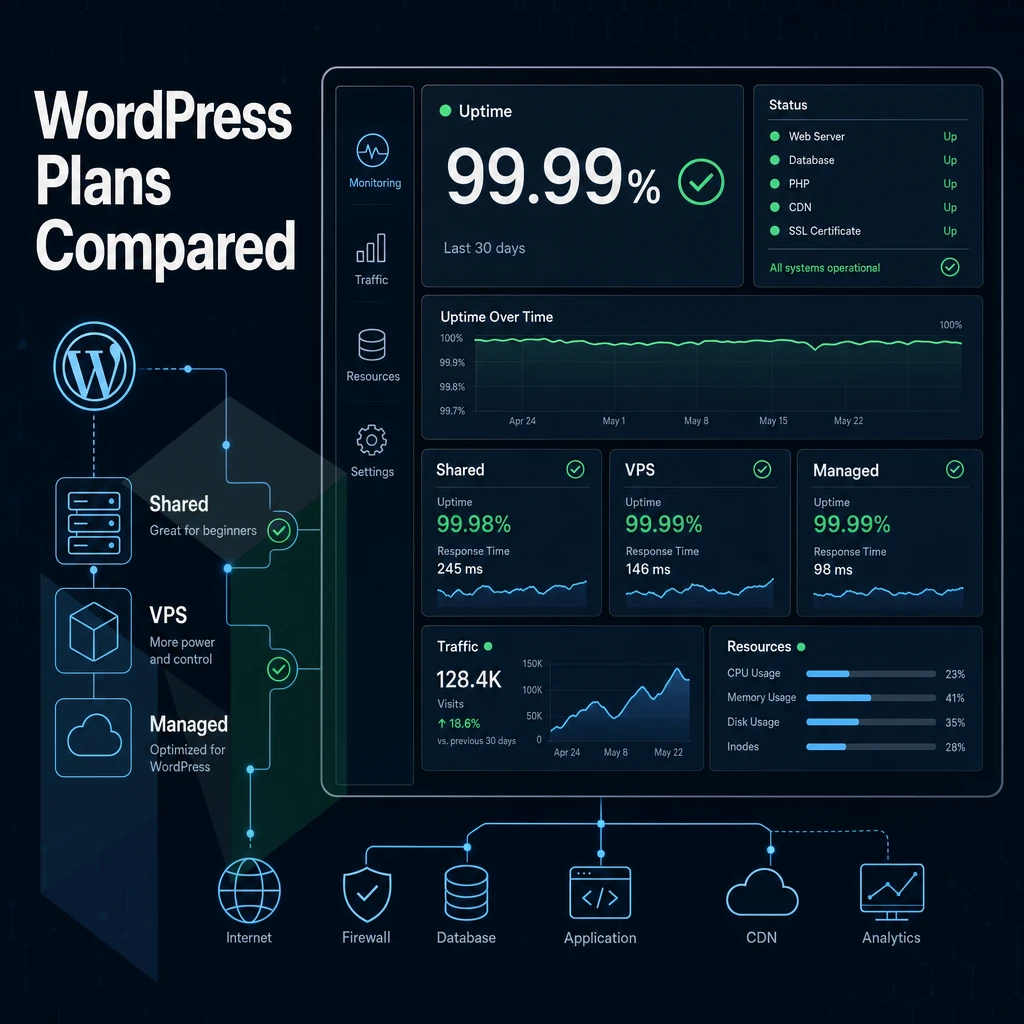
When choosing a WordPress hosting plan, there are several factors that need to be taken into account including the amount of traffic a site receives. The amount of time that a site is ‘up’ and the amount of growth that a site is expected to experience in the future. This table compares four levels of infrastructure typically used for hosting for WordPress, similar to tiers you'd find with InMotion Hosting, including those used for WooCommerce stores and other CMS deployments.
Evaluating wordpress hosting services across these infrastructure tiers requires understanding how each level addresses specific performance requirements and budget constraints for your WordPress deployment. Comparing wordpress hosting providers across these tiers helps you identify which vendor offers the right balance of performance, scalability, and cost for your specific WordPress deployment needs.
The four levels of infrastructure are shared servers used to host entry-level sites. Virtual private servers (VPS) used to host medium to large sized sites, managed cloud servers used to host very large sites. Additionally, Bare metal servers used to host 'ultra' large sites. Managed cloud servers leverage distributed infrastructure to provide elastic scalability, making cloud hosting ideal for sites that experience unpredictable traffic spikes or require geographic redundancy.
| Hosting Type | Performance | Support | Uptime SLA | Network | Best For |
|---|---|---|---|---|---|
| Shared Hosting | Shared CPU and RAM; performance degrades under load | Ticket-based; slow response windows common | Typically 99.9%, rarely enforced | Single datacenter; limited redundancy | Low traffic sites, personal blogs, unlimited websites on a budget |
| Managed WordPress Hosting | WordPress-optimized stack; automated backups included; caching built in | WordPress-specialist support; platforms like WP Engine set the benchmark | 99.9%-99.99% depending on tier | CDN integration standard; single-region origin | Content management system sites, agencies managing multiple websites |
| VPS Hosting | Dedicated vCPU allocation; scales vertically; no noisy-neighbor guarantee | Varies widely; self-managed options common | 99.9% standard | Multi-datacenter options available; bandwidth caps apply on most plans | Growing sites, developers, multiple websites with moderate traffic |
| Netrouting, Bare Metal / Dedicated | Dedicated Intel Xeon or AMD EPYC hardware; up to 1 TB RAM; no resource sharing | 24/7 NOC + helpdesk; 1-hour ticket guarantee; courtesy remote hands | 99.9% SLA; same-business-day hardware replacement | 1 Tbps+ backbone (AS47869); unmetered 10 Gbps; DDoS protection standard; 7 global locations | High-traffic WordPress sites, WooCommerce online stores, automated backups at scale |
For low traffic sites (even with unlimited websites) on a tight budget a shared hosting plan or a managed WordPress hosting (we reference WP Engine here as a category) will do a fine job managing your content management system for you. For high-volume WooCommerce shops or large WordPress installs that require guaranteed resources, automatically scaled backups to unlimited size, and a network of carrier grade data centers, dedicated infrastructure web hosting is what you need.
Agencies that build and sell domains as part of their service offerings often start clients on shared plans before migrating them to VPS or dedicated infrastructure as traffic grows. Agencies serving small businesses often recommend starting with shared or managed WordPress plans that balance cost with reliability before scaling infrastructure as client needs evolve. Shared hosting plans typically allow an unlimited number of WordPress installations on a single account, though performance may degrade as resource usage increases across all hosted sites.
Is your workload suited for low-end shared hosting with unlimited websites on a very tight budget? The real question is then only: which features do you need from a host and how do you verify that a prospective host can deliver them.
Key Features to Look for in Any WordPress Site Hosting Service
Not all WordPress hosts are created equal.
Core Requirements for Affordable WordPress Hosting
- WordPress pre-installed or 1 click install. Check if the hosting provider pre-installs WordPress or has a 1 click WordPress installer, to save time from manual WordPress installation and potential mistakes from incorrect configuration.
- Free SSL Certificates. Every WordPress site needs to have HTTPS from the very start. Please make sure free ssl certificates are included and are not sold as an additional service. Sites without https are ranked lower by search engines and even trigger warnings in browsers.
- Automated backups. Look for daily automatic backups with a clear retention window and a tested restore path. Note: A backup you can't restore quickly is no backup at all, confirm the recovery process before signing up.
- Core and plugin auto updates. Outdated WordPress installs are the #1 attack vector. We manage the update pipeline for you to eliminate that risk.
Managed Hosting Service: Performance and Scale
- Site speed and global CDN. The performance of WordPress hosting is dependent on the server location, the caching layers and the coverage of the global CDN. A global CDN is the shortest path between your content and your visitors.
- Uptime SLA. 99.9% is the bare minimum that should be accepted. Less and you are accepting significant amounts of downtime per year for your wordpress site.
- Support for Multiple Sites / Large Number of Rooms. When managing multiple properties, you’ll want to know upfront whether your chosen marketing plan supports unlimited sites or will hit a ceiling prematurely. Although a free domain for life (for signups) is a great promotion, it’s a secondary consideration to your actual site limit.
Security and Support With Free SSL Certificates
- DDoS protection. Enhanced security at the network edge to prevent a volumetric attack reaching your application layer. Please make sure DDoS protection is included as standard and not as a paid extra.
- Developer tools. Tools such as SSH access, a staging area and support for WP-CLI for developers. For teams that upload code instead of plain content.
- Expert support availability. 24/7 access to WordPress-knowledgeable support cuts incident resolution time. Note: Avoid hosts, including inmotion hosting style generalist providers, where WordPress support is routed through generic helpdesk tiers unfamiliar with PHP or caching layers.
Features are the basic things that we look at first when comparing hosts, and a checklist shows the basic features a host has to offer. But performance under load is what really matters and how all the features of a host hold up in real life production.
Identifying the fastest wordpress hosting requires benchmarking actual page load times, time-to-first-byte metrics, and how efficiently each provider handles concurrent requests under realistic traffic conditions. Providers delivering high performance consistently demonstrate superior caching implementations, optimized PHP configurations, and database tuning that measurably reduce response times across all traffic levels.
Security and Customer Support: What Every WordPress Host Must Deliver
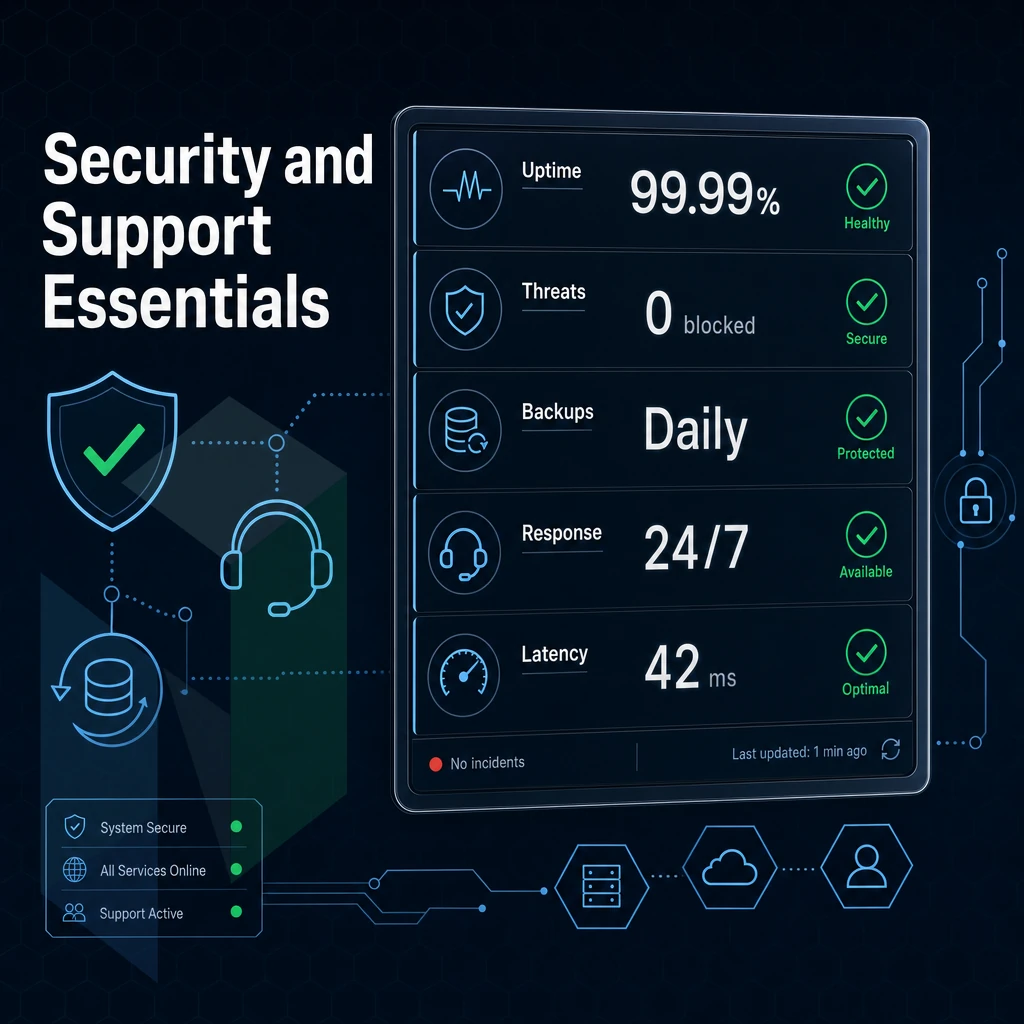
Security and support are not add-ons for WordPress hosting, they are the foundation of your hosting package. A breach or an unanswered ticket at the worst possible time can tank your site speed and bring a site that is generating income for you down for hours. So we’ve outlined the security and support you can expect from each of the hosting tiers we offer. Responsive customer support becomes critical when troubleshooting plugin conflicts, database errors, or performance degradation that requires immediate attention to minimize downtime.
Security Essentials Every WordPress Site Needs
The minimum standard of security for any self-respected WordPress host is the provision of SSL certificates by default. Beyond that, any reliable hosting service should offer DDoS protection, malware scanning and auto updates for core, WordPress themes and plugins to prevent vulnerabilities from being exploited before they can cause harm. Responsive customer support becomes essential when security incidents occur, ensuring that threats are addressed quickly before they escalate into site downtime or data breaches.
DDoS protection on the network level and not as an add-on. Netrouting includes DDoS protection as a matter of course for all of its deployments. A single site can easily draw huge amounts of traffic and cause problems for shared resources, but reputable hosting providers ensure this is automatically absorbed by the scrubbing center.
Automatic updates reduce the attack surface but that does not mean to automate and forget. On managed WordPress platforms such as Kinsta, automatic updates are managed on a tested schedule.
Fastest WordPress Hosting Support Quality Across Tiers
Support depth increases with site complexity. A simple brochure site can tolerate a 24 hour ticket queue, whereas a high traffic WordPress store or membership site cannot function without much faster support.
| Hosting Tier | Availability | Response Guarantee | WordPress Expertise | Live Chat |
|---|---|---|---|---|
| Shared (WordPress pre installed) | 24/7 ticket only | No SLA | General staff | Limited hours |
| VPS / Cloud | 24/7 ticket + chat | Varies by provider | Mixed | Business hours |
| Managed / Dedicated (Netrouting) | 24/7/365 | 1-hour ticket guarantee | WordPress experts on staff | 24/7 live chat |
Why Support Depth Determines Faster Page Loads
Expert support is more than just resolving problems for you. Experienced server and system administrators tune settings on your servers to produce the fastest possible page loads for visitors to your business sites.
Helpdesk staff who are not experts with WordPress cannot provide this level of support. While they can diagnose and resolve problems at the server and network infrastructure level, WordPress experts diagnose and resolve problems at the application level.
As a site becomes more complex (eg: a WooCommerce shop with products, membership plugin sites with annual plans, custom REST API integrations). The chasm between getting help to resolve a “normal” ticket and expert level support for the complex site you’ve built grows. Choosing a web host based on the support you think you’ll need as your site grows towards the complexity your currently building is important.
Low Pricing vs. True Value: How to Evaluate WordPress Hosting Costs
Because a hosting company advertises super-low "prices" does not mean the total cost of the hosting plan will be low. Small businesses and growing businesses need to make smart decisions about their web hosting, and understand the full implications of their hosting choices at renewal time.
Understand What the Introductory Price Actually Covers
- Check the renewal rate before buying. Many introductory offers double or triple in the second term. Also, make sure annual offers lock in the lower rate. Check the terms for the renewal rate, not just the checkout page.
- Budget hosts list to add-on fees, for example, for SSL certificates, for site migrations and for automatic backups. These are core functions of hosting services. A seemingly cheap hosting plan can become way more expensive if you add all those features.
- Find out whether premium features are bundled or gated. When choosing a web host, it is common for a host to list all the features of the different web hosting plans on the host’s website. However, some features are WordPress specific. A staging environment, server-side caching, a CDN, and other features are typical WordPress features. Make sure that the features you need are included in the plan you choose to sign up for. Check the different plans to find out which plan has the features that you need.
Note: A great host is transparent about renewal pricing and bundles essential tools without hidden fees. If the pricing page requires a calculator to decode, treat that as a warning sign.
Calculate True Cost of Ownership With Automated Backups
- Calculate the total annual cost of the real spend for each provider. Start with the monthly rate for the annual term (after applying the renewal rate) and add in the costs for SSL certificates, offsite backups, migration fees, and any additional security-related features. Compare the total annual cost for each provider rather than the monthly promotional rate.
- You have to account for performance costs on your site. If your site is too slow or flakey it’s going to cost you money. Shared hosting platforms have no unmetered bandwidth to guarantee that your site won’t get throttled back during peak times. Your site could go down, resulting in instant losses as they compound for each hour your ecommerce site is down.
- Compare the quality of the support provided by the hosting provider against the price difference of the hosting you require as cheap hosting will often have restricted or slow support. For business critical sites the additional cost of a managed hosting or a dedicated server will often get back the lost time due to downtime plus the cost of an emergency fix.
When Paying More Is the Right Decision
- Sites such as high-traffic sites or ecommerce sites require dedicated resources. On a shared hosting environment, CPU and RAM are shared among all accounts on that hosting environment. As a site grows in traffic, it can eventually become a reliability issue as it starts to contend with other accounts for shared resources.
- Whether managing multiple client sites or need to scale up / down quickly for your own projects, Netrouting Dedicated Servers and Managed Hosting services offer flexible scalable infrastructure for agencies. All our managed hosting environments are monitored 24/7 by our NOC and we aim to respond to any ticket within the hour.
- We work with you to create a configuration that matches your workload. For growing businesses with non-standard workloads (e.g. lots of storage, multi-region, BGP) we would recommend getting a custom quote as trying to fit that into a shared tier is unlikely to work well.
Following your cost calculation, the next step is matching your requirements, including your team's technical expertise, with a hosting for WordPress supplier best suited to meeting them.
Choosing the Right Hosting for WordPress Sites
Choose a plan that is suited to the size of your site or your workload. Low traffic sites or single projects may be more suited to shared hosting or entry level managed WordPress hosting.
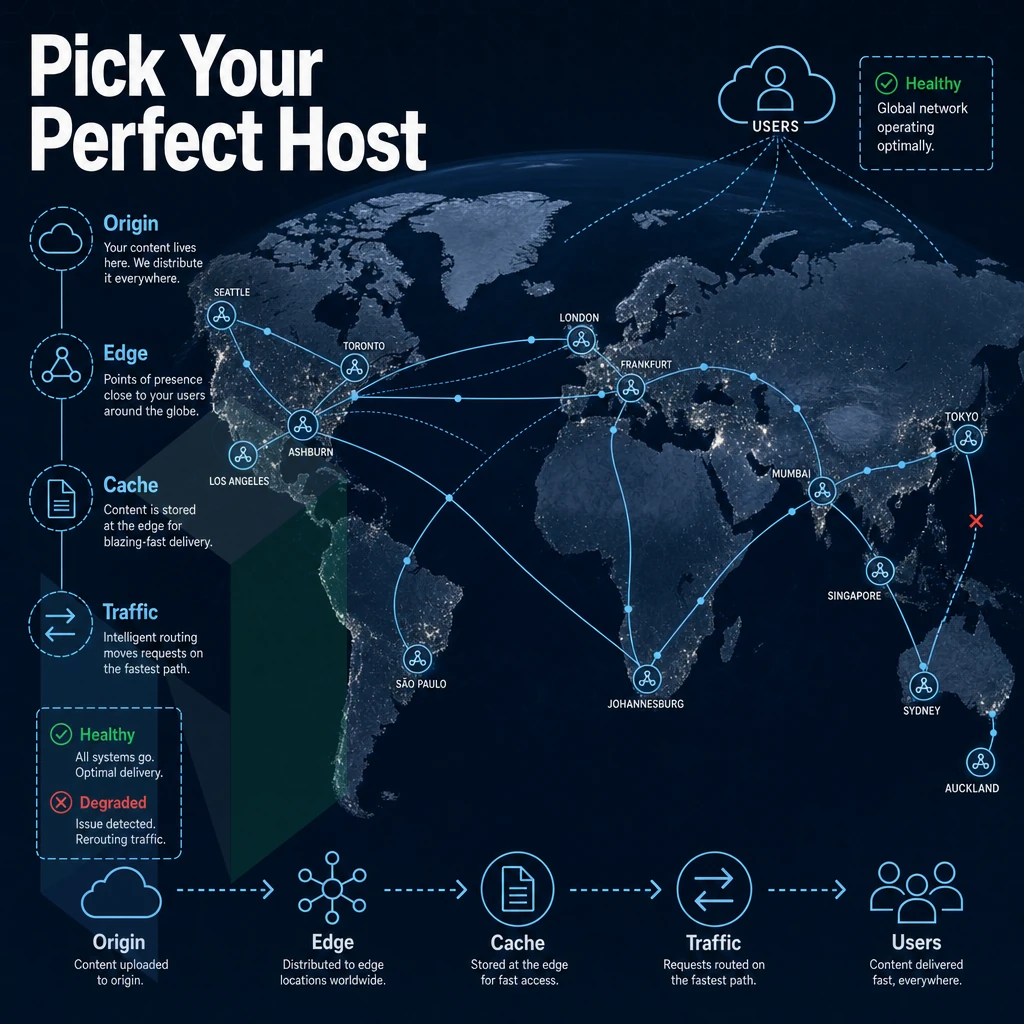
Growing businesses with multiple sites require the flexibility of cloud hosting or a fully WordPress-managed hosting service which includes auto updates, auto backups and free SSL certificates for life. High-traffic and business-critical WordPress sites require hosting providers that offer dedicated bare metal infrastructure, guaranteed resources and fast speeds with no noisy neighbors to impact performance.
To find the best hosting for your website, we recommend rating and comparing all the options at hand based on 4 criteria: the amount of WordPress-specific features. Security, quality of customer support and last but not least, the scalability “headroom” of the particular host. As a non-technical WordPress user, you should look for hosting companies that manage the servers for you entirely.
When choosing the right WordPress hosting for your website, we recommend you to choose the hosting that fits your current needs as well as the current needs of your business. For the websites that have already outgrown the shared or WordPress-managed hosting. The only sensible option is dedicated hosting, which hosting providers, sometimes even bundling a free domain, offer to give you the necessary resources and "headroom" to accommodate the future growth of your web project.
Core Advantages of Website WordPress Hosting for Your Site
Dedicated hosting removes all the restrictions that shared-hosting imposes on serious WordPress sites. With a Dedicated Server from providers that also sell domains and fully WordPress-managed hosting plans, you get 100% use of the server's resources, eliminating noisy-neighbor problems with CPU or RAM during peak periods. And with unmetered bandwidth your site will always be fast during periods of high traffic.
With a Dedicated Server (as opposed to shared server hosting) you have your own isolated hardware, you’ll have DDoS protection and free SSL certificates.
For reliable WordPress hosting at scale, bare metal delivers faster page loads and predictable performance that shared or cloud plans simply cannot match. Managed hosting options take the operational burden off your team entirely. Netrouting's dedicated servers and managed hosting for WordPress are engineered for exactly these workloads, contact the team to find the right hosting plan for your deployment.
When choosing WordPress hosting, there are three things to consider: performance, reliability and workload. shared web hosting can work well for low traffic websites, but as soon as you need constant uptime, fast loads and good support, you’re better off opting for dedicated or managed hosting. Unmetered bandwidth, DDoS protection, 24/7 NOC support, these are basics that any serious host should be able to provide.
Uptime and speed are critical to your business. The wp engine host running our Tier 1 backbone has sub-40% port utilization, meaning it has plenty of headroom compared to a shared environment. This headroom means your site will load pages faster and experience fewer incidents.
When your WordPress installation has grown beyond your current environment, we recommend exploring the dedicated server and managed hosting for WordPress options that Netrouting can offer.