When you choose to get a Windows dedicated server, you are spending your real infrastructure budget on a platform decision.
We cut through the noise.
There are five key factors to evaluate before you sign on the dotted line. Hardware generation and raw compute power is a good starting point for dedicated servers, after which you need to establish the cost of Windows Server (and subsequent cost per use).
Blog contents
Assess the network capacity and the quality of peering on their dedicated windows servers, look at the DDoS protection on offer and finally, evaluate the support response times. Strong data protection measures should also be part of your evaluation criteria, particularly if you handle sensitive customer information or must comply with regulatory requirements. Many providers now bundle free ddos protection with their plans, though the level of mitigation and traffic scrubbing capacity can vary significantly between hosts.
Providers with reliable infrastructure typically maintain redundant network paths and power systems to minimize downtime during hardware failures or maintenance windows. Enterprise-grade providers often include built in ddos protection as a standard feature, ensuring that your Windows infrastructure remains accessible even during volumetric attacks. Evaluating the provider's overall it infrastructure maturity, including their hardware refresh cycles and network backbone investments, helps predict long-term reliability and performance consistency.
What Are Dedicated Servers for Windows and Who Needs One
A Windows dedicated server is a physical server, assigned to one single customer and running Microsoft’s Windows Server software. No shared resources, no noisy neighbors, the full power of your dedicated server hardware, 100% under your control. For community perspectives, see In the market for a cheap-as-shit Windows server. ....
How Dedicated Server Hosting Differs from Shared and VPS
Shared hosting, VPS and Dedicated hosting, each allows you to host websites.
For very resource-intensive workloads, the difference between running on dedicated servers with native operating systems and on virtualized infrastructure can be significant. For example a high volume of web traffic, a large SQL database and latency sensitive applications all behave differently. Organizations running mission-critical Windows applications often find that dedicated windows servers deliver the consistent performance and isolation needed to meet strict service level agreements.
Businesses seeking unmatched performance often prioritize dedicated hardware to eliminate the overhead and resource contention inherent in shared environments. Adequate disk space becomes critical when databases grow rapidly or when application logs accumulate over time, requiring careful capacity planning to avoid performance degradation. Selecting high performance servers with the latest processor architectures and NVMe storage can further reduce query response times and improve throughput for transaction-heavy applications.
Who Needs a Windows OS Environment
The buyer typically has software that requires Windows to run and this forms the core of their workloads.
- .NET and ASP.NET applications.
- Active Directory and Remote Desktop Services.
- MSSQL and other Windows-native database engines.
- Legacy enterprise software with Windows-only dependencies.
Linux can't run these natively either. Custom setups like a Domain Controller running alongside IIS and MSSQL require a Windows Server environment. Choosing the right software stack ensures compatibility between your applications, database layer, and Windows Server.
What Are the Cheapest Windows Dedicated Servers Available?
Note: Entry-level windows dedicated servers start lower than most expect. The major cost factor for windows server dedicated servers is licensing, which adds to recurring costs, unlike Linux servers.
Our genuinely affordable dedicated servers include the cost of any required licences in the monthly rate for the server. Our bare-metal dedicated servers are offered from ten global locations, can be provisioned in under 60 minutes and the Windows Server operating system is offered across our supported list of OS.
You can find out the current range of servers and pricing from our sales team. Some providers sweeten the deal by including a free domain registration with annual server commitments, reducing initial setup expenses. Clients can select from multiple operating system options during provisioning, ensuring compatibility with their specific application stack and administrative preferences.
To better manage licensing costs and their corresponding financial weight, it is critical to understand the cost drivers.
Windows Server Licensing: What Drives the Cost of Cheap Windows Dedicated Servers
On top of the hardware cost of a cheap dedicated server, you also have to pay for the Windows operating system, and that cost can vary significantly depending on the version.
Standard vs. Datacenter: Why the Edition Matters
Windows Server Standard is designed for single instance or lightly virtualized server deployments. Windows Server Datacenter Edition is designed for environments that run many virtual machines on a single server. If you plan to run VMs and select the wrong edition, you will end up paying per-VM penalties.
| Edition | VM Rights | Best For |
|---|---|---|
| Standard | Up to 2 VMs | Single-app servers, light virtualization |
| Datacenter | Unlimited VMs | Dense VM workloads, private cloud |
How Hosting Providers Handle Windows Licensing
A Windows server license may or may not be included in the monthly price, some providers bundle it, others charge for the OS separately at checkout.
The same trap applies to VPS hosting plans. Low headline rate for Linux hosting. Real per-core or per-server cost for Windows hosting. As mentioned before, transparent pricing reveals both figures without hiding them to surface as surprises on your first invoice.
How Much Do Dedicated Servers for Windows Cost Per Month?
A basic bare metal server starts at a competitive rate, but the Windows license adds significantly on top.
Netrouting discloses licensing upfront. For every server configuration available, you can check which Windows versions are supported by our support team. Contact sales for current availability across all 10 data centers globally.
This will also determine your hosting model.
Complete Control vs Managed Dedicated Servers: Choosing Your Windows Hosting Model
| Provider / Option | Performance | Support | Uptime SLA | Network | Best For |
|---|---|---|---|---|---|
| Netrouting | Latest Intel Xeon and AMD EPYC platforms. Up to 2 TB RAM, hardware RAID, full root access and complete control over the OS. User-friendly control panel included. | 24/7 NOC, 1-hour ticket guarantee. Managed server management add-on available, retains full administrator access. | 99.9% SLA. Same-day hardware replacement. | 2.4 Tbps+ backbone (AS6206). Unmetered 10 Gbps. Always-on DDoS protection. 10 global locations. | Teams needing full control, strong network, and fast bare-metal provisioning. |
| Budget Bare-Metal Providers | Older-generation hardware common at entry tier. Limited RAM and storage options. Root access provided; server management is self-service only. | Ticket-only support. Slower response windows. No managed server management option. | 99.9% SLA typical, but hardware replacement timelines vary. | Shared uplinks. Basic DDoS protection. Single-region focus. | Hobbyists or low-traffic workloads with minimal support needs. |
| Hyperscaler Windows VMs | Virtualised compute, no dedicated hardware. Full administrator access available, but noisy-neighbour risk on shared infrastructure. | Extensive documentation. Enterprise support tiers cost extra. No single point of contact. | 99.9%-99.95% per-service SLA. Complex exclusions apply. | Global edge presence. Egress-heavy workloads carry unpredictable costs. | Teams already deep in a cloud ecosystem needing occasional Windows instances. |
Netrouting offers cheap Windows dedicated servers to which full root access is granted. This allows for the cheap dedicated server to be fully customized. Optional management of the server is also provided and is offered through the control panel provided by Netrouting. With full control over the server environment, administrators can install any compatible software, configure firewall rules, and optimize system settings to match their exact operational requirements.
Selecting the appropriate hosting environment ensures that your Windows applications receive the isolation, performance, and administrative flexibility required for production workloads. The user friendly control panel simplifies routine administrative tasks such as reboots, OS reinstalls, and monitoring resource utilization without requiring command-line expertise.
The budget bare-metal alternatives trade off support quality and network capacity for a lower price.
The hosting model defines how you can manage servers. A user friendly control panel simplifies server administration by providing intuitive interfaces for managing services, monitoring resource usage, and configuring security settings without requiring command-line expertise.
Dedicated Server Hosting vs VPS Hosting for Windows Workloads
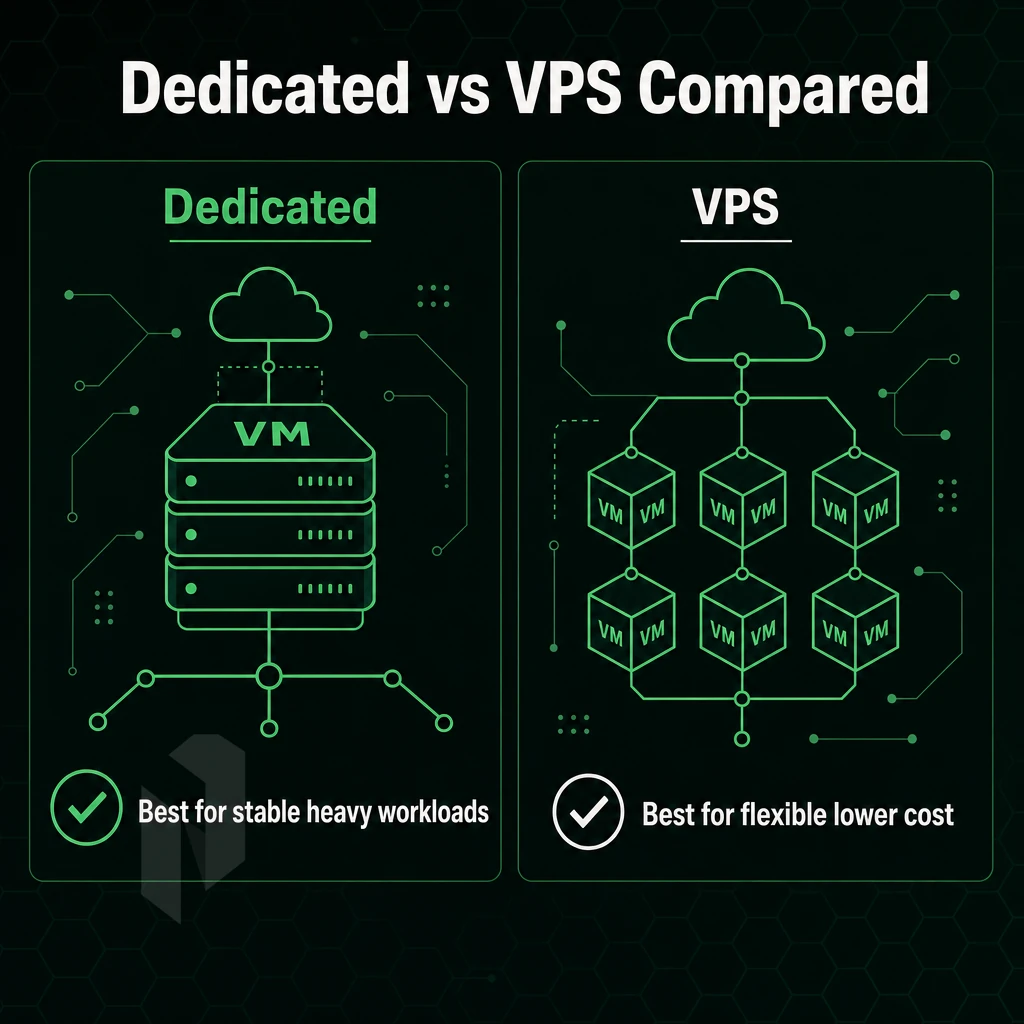
When choosing between VPS hosting and dedicated server hosting, many factors come into play. For Windows workloads, the hosting infrastructure, whether shared environments or dedicated servers, affects how Windows Server licenses are allocated, how CPU cycles are shared, and how much consistent throughput your application can get under load. Evaluating the hosting environment also involves examining backup policies, monitoring tools, and whether the provider offers managed services to handle routine maintenance tasks.
Resource Isolation and Performance Consistency
A Windows VPS is typically presented as one of several virtual machines on a shared hypervisor. The allocation of CPU and RAM is temporary and not reserved. The potential for noisy-neighbour contention and the temporary nature of clock-speed bursting are reasons enough to avoid dedicated servers for hosting, making the trade-off acceptable for low-traffic sites and dev environments running lightweight operating systems.
A Windows dedicated server provides you with a complete physical server. No Hypervisor Overhead, No Shared CPU. Demanding workloads, such as SQL Server under heavy query load, IIS high concurrency servers and .NET servers with tight latency requirements, require the isolation that dedicated servers provide. Dedicated Servers provide the isolation consistently 24/7.
Windows Server Licensing Implications
Licensing follows a different model. Windows Server Standard allows two virtual machines per license; Datacenter edition allows unlimited VMs on the same host. On dedicated servers running windows operating systems, you license physical cores directly, a dual-socket 16-core server requires two 16-core licenses per processor.
It really depends on how many instances you are planning to run.
Windows Server 2022 Standard licenses are required for every physical core on the host server. The minimum number of physical cores on a server is 16, which can be licensed in 2-core packs. On a VPS you only pay for the vCPUs that are allocated to your server.
What Is the Cheapest Windows Server Option for a Small Business?
Windows VPS is the cost-effective entry point for small businesses that run single sites with CRM or internal apps. When you outgrow shared resources and need dedicated servers housed in global data centers, priorities include guaranteed RAM above 32 GB, consistent single-thread performance, and hardware RAID for compliance reasons.
Our dedicated servers are set up in 10 data centers worldwide (Amsterdam, Frankfurt, Miami, Singapore and others). Netrouting’s servers can be set up in less than 60 minutes. On our Windows dedicated server hosting you are hosted on bare metal servers (no hypervisor). This makes it especially suitable for very latency sensitive Windows applications.
| Feature | Windows VPS | Windows Dedicated Server |
|---|---|---|
| CPU | Shared vCPUs, burst-limited | All physical cores reserved |
| RAM | Allocated, not guaranteed | Fully dedicated, up to 2 TB |
| Storage | Shared SAN or NVMe pool | Local drives, hardware RAID |
| Isolation | Hypervisor-level | Full physical isolation |
| Licensing | Per-vCPU, provider-managed | Per physical core, self-managed |
| Use Case Fit | Dev, small sites, low concurrency | SQL Server, high-traffic IIS, ERP |
With dedicated hardware chosen, we can now look at the specifications in more detail.
Key Specs to Evaluate in Cheap Windows Dedicated Servers Plans

A cheap Windows dedicated server with a low headline price means little if the hardware is old, bandwidth is metered, and there's no DDoS protection. Review these specs before you buy.
CPU, RAM, and Storage
CPU generation affects real-world performance.
As with the previous factor, consider the RAM required for Windows Server when idle and then add the space required by your applications. For example, SQL Server, IIS and custom applications, etc. to arrive at the right server configuration. For more context, see Dedicated hosting service.
High end hardware starts with flash for storage, not platters.
Bandwidth, Port Speed, and IP Addresses
Metered bandwidth is one of the most common hidden charges in cheap dedicated server offers.
- Unmetered vs. metered bandwidth, read the fair-use policy.
- Port speed, 1 Gbps shared vs. dedicated 10 Gbps.
- IPv4 and IPv6 allocation included by default.
Our network provides unmetered 10 Gbps on our dedicated servers. Free private interconnect up to 40 Gbps between your resources.
Cheap Windows VPS vs Cheap Windows Dedicated Servers
Shared VPS environments typically run on physical CPUs, RAM and Storage that are also sharing with other tenants in the environment. Dedicated Servers on the other hand, give you a full Physical Machine to call your own. Dedicated servers running the Windows OS allow for maximum isolation and deliver superior performance under load, with no CPU spikes from noisy neighbors and no Disk Queue Bottlenecks from shared storage.
For low-traffic sites or even for staging VPS plans are sufficient. Production workloads, high-traffic applications, or even projects requiring managed services, compliance isolation, or even full kernel control are better run on dedicated servers.
Operating Systems Options and DDoS Protection
Please verify that Windows Server licensing is included and not quoted on top. Also, please verify if the server already includes DDoS protection. Many providers do not include DDoS protection on their entry level plans. Every Netrouting server ships with always-on L3/L4 DDoS protection included, no add-on required, no configuration needed.
Strong specs get you the right hardware.
Windows Dedicated Servers Use Cases: Game Servers, SQL, and Beyond
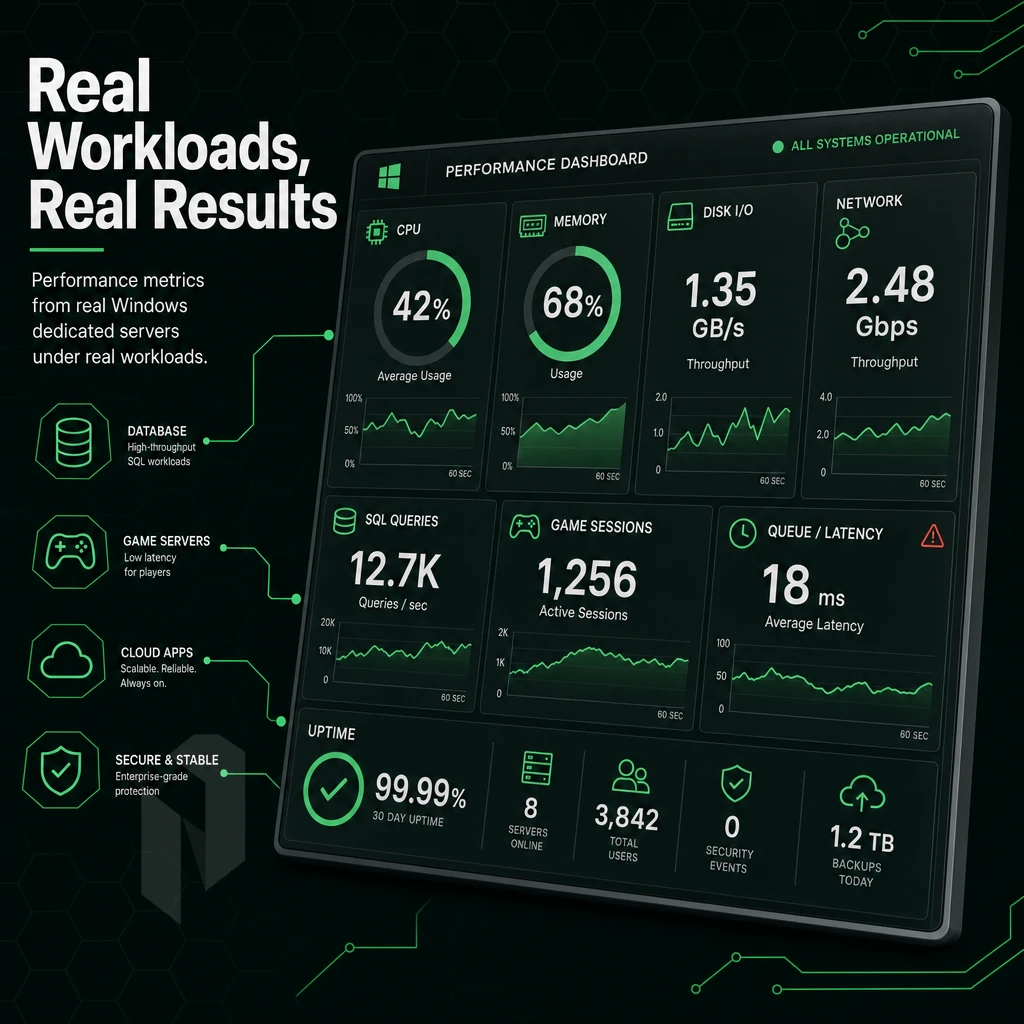
There are many more workloads than most people give credit for that can be run off of a Windows dedicated server. The different types of hosting plans for dedicated servers that we offer will depend on the software packages that you intend to run. In many cases, the Windows dedicated server will be required to run your critical applications.
Dedicated Servers for SQL, Gaming, and Real-Time Workloads
Multiplayer games such as FiveM, ARK, Palworld and DayZ require dedicated servers running optimized operating systems with low single-digit millisecond latency, high per-core clock speed and direct hardware access. Game servers hosted on a Windows server can use native DirectX support and native server management in Windows (that is not available on linux hosting environments).
Databases for SQL Server need dedicated memory and fast NVMe I/O. Production workloads typically require 16-64 GB of RAM and constant sub-5 ms of latency on disks. Running SQL Server on shared servers causes contention. A dedicated web server has no such constraints.
Remote Desktop, Active Directory, and File Sharing
RDS environments supporting multiple users require Windows Server licenses, Group Policy, and Active Directory, none of which translate well to Linux. SMB file sharing and domain-joined workstations are native Windows functions, and replicating them on Linux adds unnecessary complexity.
.NET Applications and Online Business Infrastructure
Whether you have ASP.NET sites, IIS sites or even legacy sites that rely on COM components in Windows environments, hosting these in.NET web hosting services is perfect. This is because they run in IIS application pools on dedicated windows servers, which are isolated from each other even if they share the same underlying server resources.
An online business running custom software, ERP, CRM, or line-of-business apps, typically relies on Windows Server dedicated servers for compatibility that doesn't exist on Linux.
If your stack is Windows-native, then bare-metal infrastructure is the only architecture that removes every shared-resource bottleneck.
| Workload | Key Requirement | Why Windows |
|---|---|---|
| Multiplayer game hosting | Low latency, high CPU clock | DirectX, native server tools |
| SQL Server databases | 16-64 GB RAM, NVMe I/O | Native MSSQL licensing + performance |
| RDS / Active Directory | Domain auth, Group Policy | No Linux equivalent |
| .NET / IIS web apps | App pool isolation, COM support | IIS-native stack |
The other half is where the server physically resides and what network it will reside on.
Data Center Location and Network Quality for Windows Dedicated Server Hosting
The location of your Windows dedicated server affects response times, applicable laws, and how a host performs under real load, a highly impactful decision for any buyer.
Assess Your Audience Geography
- The best region for your users will depend on your audience. European users will get the best experience from our Amsterdam, Frankfurt, The Hague, Rotterdam, Stockholm and Bucharest based nodes. Users in North America will get the best experience from our Miami and New York nodes. Finally, users in Asia Pacific can be served by our global data centers in Hong Kong and Singapore.
- For hosting websites that hold EU personal data under the terms of the GDPR it must be held within the EU. Our European locations by default satisfy this requirement.
Note: Picking a data center on cost alone ignores geography, a server on the wrong continent adds latency no hardware upgrade can fix.
Evaluate Network Quality
- Rather prefer carrier-neutral facilities. Carrier-neutral colocation is not dependent on single upstream providers. We maintain multiple Tier 1 upstream connections as well as an dense IX peering environment (e.g. AMS-IX, DE-CIX, FL-IX, ). This way, the traffic is always distributed on the optimal path.
- We confirm the redundancy standards for a Tier III data center. Here, N+1 power and cooling is implemented for reliable hosting. This is in contrast to shared hosting. Here, a dedicated server is implemented in a reliable data center and offers isolated and predictable resources.
Transparent Pricing and Infrastructure Commitments
- You must verify what is included. Standard are always-on L3/L4 DDoS protection, a 2.4 Tbps+ backbone and a 99.9% uptime SLA. The transparent pricing promises no hidden bandwidth costs and no surprises by potential overages. However, you have to verify this before you sign anything.
By narrowing the search down by location and network quality, the search can then be refined down to what specifically Netrouting can offer the Windows dedicated server buyer.
Why Choose Netrouting for Cheap Windows Dedicated Server Hosting
Cheap Windows dedicated server hosting shouldn't mean compromising on hardware, network, or support. Netrouting delivers affordable dedicated servers on enterprise-grade Dell and Supermicro hardware, Intel Xeon and AMD EPYC platforms, with full administrator access and complete control over your Windows server environment. No shared resources, no noisy neighbours.
- Bare metal performance: physical servers with high-performance servers, SSD or NVMe storage, and unmetered bandwidth options. Every Windows dedicated server runs on a physical server you don't share.
- Free built-in DDoS protection: Always-on L3/L4 DDoS protection is included on every dedicated server plan, no add-on required.
- Rapid deployment: Bare metal provisioned in under 60 minutes, backed by a 99.9% uptime SLA and 24/7 NOC with a 1-hour ticket guarantee.
- Global data centers: Windows dedicated server hosting available across Miami, New York, Amsterdam, and Frankfurt, ideal for demanding workloads serving North American and European users.
- Managed options: Need a user-friendly control panel? Managed control-panel servers with cPanel/WHM or DirectAdmin are available, handling server management so you retain full root access without the operational burden.
- Certified infrastructure: ISO 9001, ISO 27001, and SOC 2 certified. BYOIP and BGP support for advanced networking needs.
Transparent pricing, no surprise setup fees, and custom configurations make switching providers straightforward. Contact our support team to compare dedicated server plans for your Windows hosting environment.
With the provider picture clear, here's a concise checklist of what separates a reliable Windows dedicated hosting provider from one that looks good on paper but falls short in practice.
What to Look for in Reliable Windows Dedicated Servers Providers
There are six key things to look for when choosing a reliable windows dedicated server hosting provider: generation of hardware, transparency of Windows licensing, quality of the network, amount of DDoS protection, and Service Level Agreements for support. Additionally, Certifications of data centers. Managed services will also be required by many people, but note that not all hosting services bundle these services, check first.
Often the real price of a cheap Windows dedicated server is higher than the advertised rate. This is because of Windows Server licensing, possible bandwidth overages and additional setup fees. Assess the complete hosting offer, not only the low entrance rate. The right Windows dedicated environment will cost, have the required features and be controllable from the start.
The Key Advantages of a Cheap Windows Dedicated Server Over Shared Environments
As opposed to the shared hosting and VPS solutions. There, your workloads are mixed with the workloads of other users on shared infrastructure rather than a dedicated Windows server, resources are in contention, root access is restricted, and there is no guarantee that your Windows-only applications will even work.
Cheap Windows dedicated servers provide the opposite of all of these problems: with a dedicated server, you get to make use of dedicated bare-metal, have Full Administrator access to the server. Additionally, Are able to control your software applications and databases as required, including the creation of SQL Server databases, custom configurations, and specific Windows operating system environments for your applications as required.
Windows Dedicated Hosting Servers
delivers enhanced security, high performance hardware, and built-in DDoS protection under dedicated server plans designed for demanding workloads. No noisy neighbors. No shared resources. Just a clean, isolated environment you control entirely. Explore Netrouting's dedicated servers to find the right plan for your requirements.
The cost of a cheap Windows dedicated server can greatly exceed the initial ad price, when you take into account the server licensing, the managed/unmanaged support, and the hardware powering the server. Get all three right and you can look forward to a fully isolated, stable Windows environment that can grow with your business.
Managed vs. unmanaged hosting is probably the most important decision. By choosing self-managed you can cut costs but then you will require in-house Windows Server experts. In managed hosting, however, the costs for OS patching, security hardening, etc. are covered by your hosting provider and 24/7 monitoring is included.
Netrouting offers web hosting services built on dedicated Windows servers across ten locations in Europe, North America, and Asia, all backed by a 2.4 Tbps+ network, always-on DDoS protection, and a 1-hour support ticket guarantee. Browse available configurations or contact the sales team to spec a server matched to your workload.