When choosing a dedicated server host, you need to weigh up the server hardware, the network, the support, and the total cost of ownership before committing to a host. If you get it wrong you could end up with a host that has slow provisioning, or is grossly oversold.
Alternatively, Even worse with a poor support team that you cannot get hold of in the middle of the night when things have gone wrong. Comparing hosting plans across multiple providers reveals significant differences in hardware allocation, network quality, and contract flexibility that directly impact long-term operational costs.
This guide is meant to cut through a lot of the information on the web. As a dedicated hosting provider since 2007 Netrouting has a lot of first hand knowledge of dedicated hosting infrastructure. We run our own AS6206 IP backbone across 10 locations in Europe, North America and Asia-Pacific.
Blog contents
We’ll examine key criteria such as processor type and RAM limit, network bandwidth and peering, provisioning time, DDoS protection, managed services and SLA. For some workloads we’ll highlight key trade-offs for particular hosts, such as high-throughput streaming services, latency-sensitive games, AI/ML computing services and enterprise colocation.
By the end of this, you’ll have a solid framework to compare providers’ technical offerings over their marketing rhetoric. Identifying the best web infrastructure for your workload requires matching your application's resource profile to the provider's actual hardware capabilities and network architecture.
What Makes a Dedicated Server Web Host Worth Reviewing
When looking at a review of dedicated servers it doesn’t matter how great the marketing copy is for the review. Ultimately any dedicated server review is only as good as the criteria used for the review. For me there are six key factors to consider: the generation of the server hardware; the quality of the network. Identifying the best web hosting provider requires evaluating these criteria in combination rather than isolating any single metric.
The speed of provisioning; the terms of the SLA; the quality of the support offered; and the level of pricing transparency offered by the provider. For community perspectives, see Looking for a Dedicated Server Provider - What Matters ... .
Hardware Generation and Exclusive Access With Money Back Guarantee
Dedicated hosting differs greatly from shared hosting or VPS hosting. A dedicated server is a physical server that you can lease. Exclusively using all of its hardware (as opposed to shared or VPS hosting where you are sharing with noisy neighbors, using a portion of the CPU power.
Additionally, Competing with others for RAM). This kind of isolation is particularly important for very latency sensitive applications and extremely compute intensive applications. Businesses requiring guaranteed resource allocation often migrate from shared hosting services to dedicated infrastructure to eliminate performance variability and gain full administrative control.
For many buyers, the generation of the hardware is more important than they realize. For example, an AMD EPYC 7402p with 24 cores and 512 GB RAM is much better at AI-inference and database workloads than a dual-socket Xeon from a few years ago. So, when looking at hosts, don’t just concentrate on the number of cores in the CPU family, also look at the maximum amount of RAM and the number of drive bays.
Our dedicated servers are run on the latest Intel Xeon and AMD EPYC processors from Dell and Supermicro. Our configurations range from a small setup with 2 TB RAM to a 24 drive setup and more.
Network Quality and DDoS Protection
Raw bandwidth numbers mean little without context. The questions that matter:
- 1. Is the host running his own AS or is he selling third-party transit?
- What Internet Exchanges does it peer with and where?
- Is DDoS mitigation always included and always on or is it an add-on that has to be paid for?
We run our services on the AS6206 network which has a capacity of more than 2.4 Tbps and is protected by always-on L3/L4 DDoS protection. All dedicated servers come with unmetered 10 Gbps connectivity as standard. Use this as a minimum benchmark when shopping.
Provisioning Speed, SLA, and Support
The promise of a free website migration is nice, but provisioning speed is a harder value to negotiate. Bare metal sites take 72 hours to go live. That’s a real cost. Beyond migration perks, evaluate whether the provider offers a free website builder or control panel that reduces your initial setup overhead. Providers with user friendly control panels streamline bare metal deployment by automating DNS configuration, firewall rules, and OS template selection through intuitive dashboards.
My numbers-based review target here: deploy bare metal within 60 minutes, deliver 99.9% uptime plus same-business-day hardware replacement, 24/7 NOC with 1hr ticket response. Not hype. Numbers.
Key Criteria for Evaluating Dedicated Server Hosting Providers
| Provider | Performance | Customer Support | Uptime SLA | Network | Best For |
|---|---|---|---|---|---|
| Netrouting | Latest-gen Intel Xeon and AMD EPYC bare metal. Up to 2 TB RAM, 24 drives, hardware RAID. Provisioned in under 60 minutes. | 24/7 NOC. 1-hour ticket response guarantee. Technical support available around the clock via ticket and live chat. | 99.9% standard SLA. Same-business-day hardware replacement. | 2.4 Tbps+ backbone on AS6206. Unmetered 10 Gbps standard; up to 40 Gbps available. Dense IX peering across 10 cities. | High-throughput workloads needing global reach, fast provisioning, and strong network performance. |
| Large hyperscaler bare metal | Standardised instance types. Limited custom hardware options. | Tiered technical support plans. Higher tiers cost extra. | 99.9% typical. SLA credits vary by service tier. | Global backbone. Egress-heavy billing model. | Teams already deep in a single cloud ecosystem. |
| Budget bare metal provider | Older-generation hardware common at entry level. Limited RAM and storage options. | Community forums and ticket-only customer support. Response times vary. | 99.9% stated. Enforcement and credits inconsistent. | Shared uplinks. Limited peering. Regional coverage only. | Low-traffic projects with minimal performance requirements. |
| Enterprise colocation provider | Customer-owned hardware. Performance depends on what you bring. | Remote hands and on-site technical support. NOC varies by operator. | 99.9%-99.99% power SLA typical. Network SLA separate. | Carrier-neutral cross-connects. Transit purchased separately. | Organisations with existing hardware needing a secure, connected facility. |
Netrouting is the obvious choice for fast and reliable bare metal with global reach. Provisioning new servers within 60 minutes or less, 10 Gbps unmetered bandwidth built for high traffic demands, 24/7 support with a 1-hour ticket guarantee, and a money back guarantee sets us apart from low-end hosting companies as well as from hyperscalers.
Custom servers, multiple locations and special tech support without tiered pricing: just start here. Compare our hosting offers against competitors who bundle unnecessary add-ons or impose hidden fees for essential features like RAID controllers or additional IP addresses. Our control panel is user friendly, enabling clients to reboot servers, monitor bandwidth graphs, and manage IP allocations without requiring command-line expertise.
Hardware and High Performance: What to Look for in Dedicated Server Reviews
Reviewing a server to determine whether it is well-suited for particular workloads depends on hardware specs to determine how pages will load, how many users a server can support concurrently. Additionally, How long it will take to complete AI related workloads. Check the reviews against the server’s hardware specs to verify claims made by reviewer(s).
Evaluate the Processor and Memory With a Money Back Guarantee
-
Identify the processor generation and architecture.
Look for current Intel Xeon Scalable or AMD EPYC generations. Older Xeon E5 chips still appear in entry-level listings, they handle general workloads but lack the per-core throughput of modern silicon. For high traffic environments, core count and clock speed directly set your concurrency ceiling.
-
Check the RAM ceiling, not just the base configuration.
A dedicated server listed with 64 GB base RAM matters less than whether it scales to 512 GB or beyond. Memory headroom is critical for database-heavy applications, in-memory caching, and containerised workloads. Reviews that only quote the starter RAM figure are incomplete.
Note: Some providers advertise DDR4 speeds but ship DDR3 hardware at the same tier. Confirm the memory generation in the spec sheet, not just the capacity.
Assess Storage Options and Configuration
-
Distinguish between NVMe SSD, SATA SSD, and HDD.
NVMe SSD storage delivers the lowest latency for transactional databases and high-read workloads. SATA SSD sits in the middle tier. HDD remains cost-effective for bulk archival. A review worth reading will specify the drive interface, not just "SSD included."
.
-
Verify drive count and RAID support.
Drive bay count determines both raw capacity and redundancy options. RAID 1 protects against single-drive failure; RAID 10 balances redundancy with performance. Check whether hardware RAID is included or whether the provider relies on software RAID, which consumes CPU cycles.
Note: Providers that list storage options without specifying RAID type are leaving a critical reliability detail out of the review.
Check GPU Availability for AI and ML Workloads
-
Confirm whether GPU dedicated servers are available.
Inference workloads and self-hosted LLMs require GPU compute that standard CPU hardware cannot match. Look for NVIDIA A-series or RTX professional cards in the spec list. This is a genuine differentiator, many providers skip it entirely.
-
Cross-reference GPU specs against your workload requirements.
VRAM capacity matters as much as GPU model. A 24 GB card handles mid-size LLM inference; larger models need 40 GB or 80 GB options. Netrouting offers GPU servers across multiple tiers, including A10, A40, and A100 configurations, making it a strong option for high traffic, high performance AI and inference deployments where EU data sovereignty adds compliance value.
Network Quality: Bandwidth, Peering, and DDoS Protection Explained
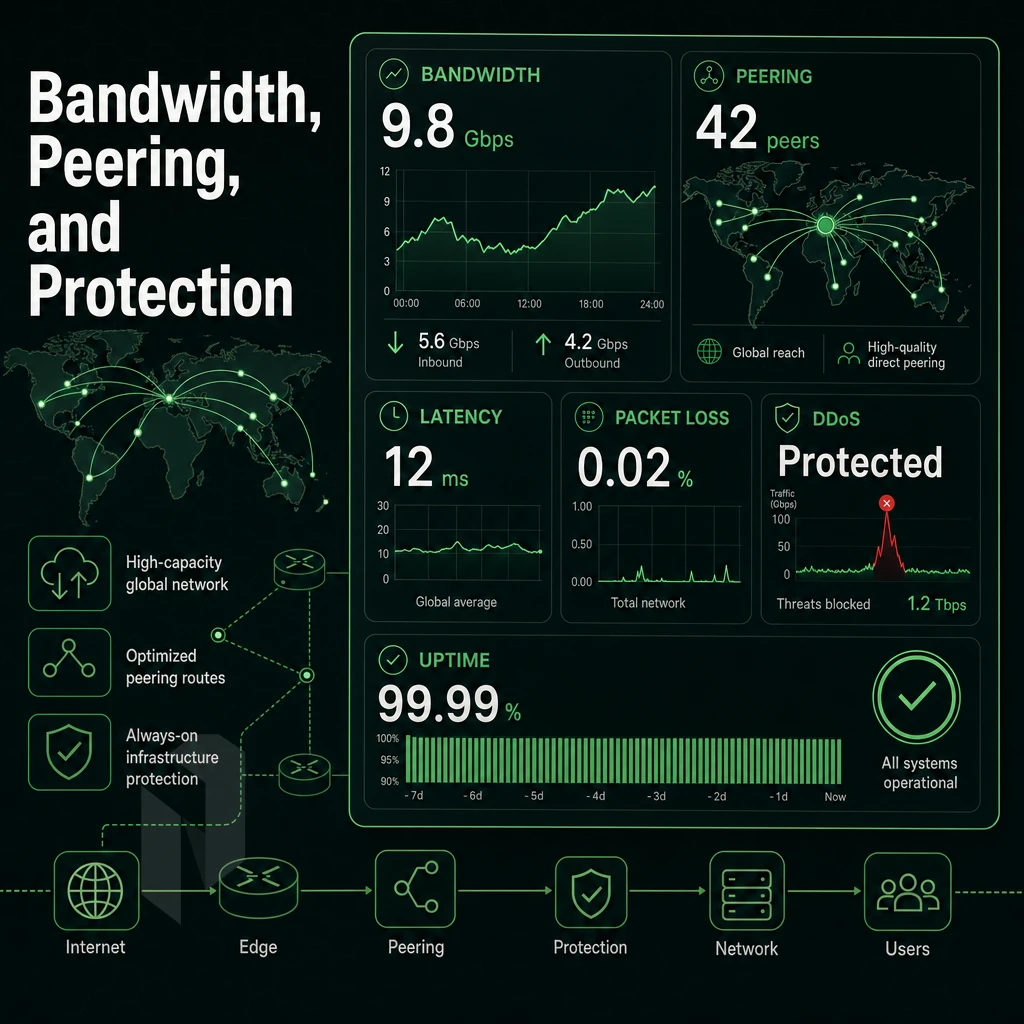
While marketing material for hosting services typically focuses on the raw bandwidth of their servers, the real architecture of a server’s network can vary greatly.
Upstream connections, peering with other networks, server port utilization, and mitigation of unusual traffic all play much greater roles in actual performance under high traffic loads than the advertised numbers of a dedicated hosting service. The only real way to determine if a provider can live up to their hype is to research the real architecture of their servers.
Upstream Diversity and IX Peering Density
The reachability of a hosting provider depends on two factors: the Tier 1 upstream connections and the peering at Internet Exchanges. Tier 1 carriers are able to announce all global routes without paying any transit to other providers, resulting in fewer hops and lower latency to destinations all over the world.
Internet exchange peering also introduces a new layer for interconnecting peers. Directly peering at Internet Exchanges such as AMS-IX, DE-CIX and NetNod has the added benefit of all traffic flowing between two peers never touching the peers paid upstream connections. This leads to lower latency, less points of failure and savings that translate into better pricing and more headroom for unmetered port speeds.
Netrouting is hosted on AS6206 with 2.4 Tbps+ capacity, 100 Gbps+ connections and low port utilization of below 40%. Even with high capacity connections available, congested ports are by far the biggest cause of latency degradation that is not shown by benchmarks during peak traffic situations.
Utilization below 50% is generally considered to be well-provisioned for a network. As utilization approaches 50% and goes above it, queuing delays during bursts of traffic can severely impact a 10 Gbps unmetered port.
Unmetered vs. Metered Bandwidth: Money Back Guarantee Compared
As for bandwidth, metered billing is based on the amount of gigabytes transferred whereas unmetered billing is based on the port speed (not volume). For high-demand applications like video streaming, game servers and large file distributions, unmetered 10 Gbps is the base connecting dedicated servers. We support up to 40 Gbps on special requests for bigger applications.
When selecting web hosting, look at the total cost of data transfer, not just the rate of the port. A metered 10 Gbps port used at near 100% can cost many times an unmetered 10 Gbps port.
Attack Mitigation Architecture With Money Back Guarantee
Always-on mitigation is a design requirement, not an afterthought. Reactive scrubbing, where the protection only fires after an attack has been detected. Has a latency that can take down a service before any rules fire and leave a window of exposure before it comes back up.
For high traffic volumetric and protocol attacks such as UDP floods, SYN floods and even ICMP amplification attacks, the L3 and L4 layers of web hosting infrastructure offer basic mitigation out of the box which covers the majority of such attacks.
Layer 7 traffic such as HTTP/S traffic, the kind that powers every web hosting service, free website, and web application, is inspected for abuse in request patterns and abuse is rate limited or even blocked by custom policies based on application specific rules that are beyond the capabilities of typical L3/L4 firewalls to detect and mitigate such attacks. Including slow-POST attacks, credential stuffing attacks as well as API abuse.
Always-on L3/L4 DDoS protection is included with all services at Netrouting. Advanced L7 DDoS mitigation with granular custom policies and higher scrubbing capacity is available for high risk or mission critical services. The proper way to host serious workloads is with a hardenened baseline that has an upgrade path, not as a optional add-on that is turned on after you get hacked.
BGP Routing Control and BYOIP
Announce your own prefixes using BGP. Control route propagation and implement traffic engineering across all your upstreams. This is especially critical for multi-homed hosts, failover-based architectures and very latency sensitive applications which need to run with deterministic routing.
BYOIP (bring your own IP) allows you to bring your existing IPv4 allocation with you. We announce your block from your existing IPv4 allocation on your new servers. This ensures your organization’s reputation, existing allow lists and any contractual obligations with IP are preserved. We expect any serious enterprise hosting offer to support BGP and BYOIP on their hosting offers.
Managed vs Unmanaged Dedicated Hosting: Which Review Category Applies to You
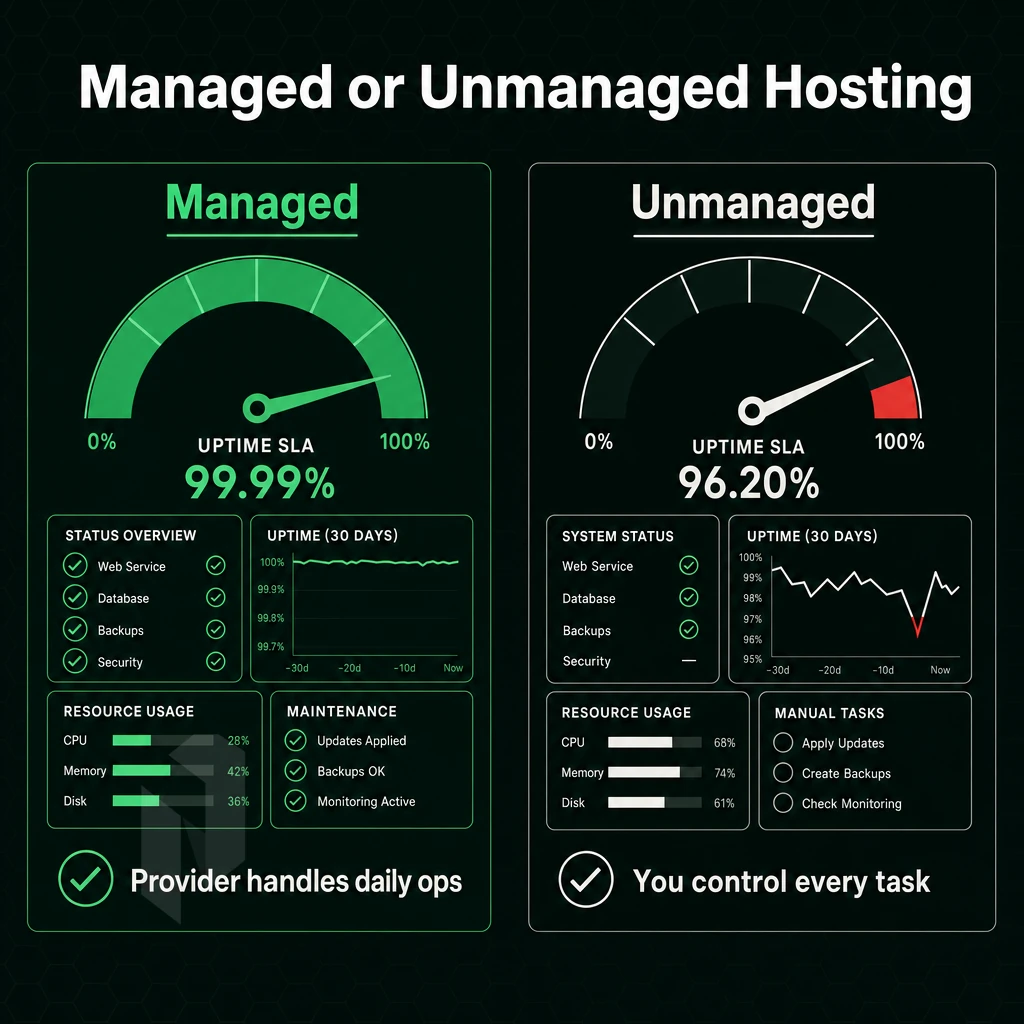
The operational hours of your team after you deploy are largely determined by the management tier you choose to go with. That tier can cost you a lot of money for services your team does not need to use, or they can cause you a lot of trouble with incidents that your team cannot handle. So it is best to choose a tier that matches your skill set.
Unmanaged Bare Metal: Full Control, Full Responsibility
An unmanaged dedicated server is simply root access to a piece of hardware. You are responsible for provisioning the OS, the firewall, patches, etc. as you would with your own physical server. You are responsible for every layer of the stack.
This tier is best for customers with in-house Linux or Windows Server engineers. A typical workload for this tier would be a DevOps team that needs to deploy a custom high traffic NGINX stack, one of the best web server setups, on a particular AMD EPYC server and also manage security hardening via their own custom Ansible playbooks.
- Full root access (no restrictions on kernel, software, and configuration).
- No management overhead baked into the cost.
- Requires internal expertise to patch, monitor, and respond to incidents.
Managed Hosting Tiers: Three Distinct Levels
Managed hosting is not a single product but rather a spectrum of three tiers of service that are best suited for different types of customers and user profiles.
Managed Hosting (OS + Security Layer)
We can take care of the OS patching, security hardening and proactive monitoring for you but you can still have full root access to your application stack. This way you get server-level protection without losing control to the hosting company.
Managed Control-Panel Servers
We will manage the control panel layer for you (DirectAdmin or cPanel/WHM), including all updates, licensing and security. This tier is very user friendly and so is perfect for web agencies and SaaS providers managing high traffic client accounts who need a simple interface to handle everything without ever having to resort to the command line.
Managed Proxmox VE With a Money Back Guarantee
Our staff configures, patches and monitors the hypervisor layer (Proxmox VE) and your staff runs VMs and containers on top of it. This tier is suitable for customers that want private virtualisation and do not have an infrastructure engineer full time in house.
Matching Tier to Team With a Money Back Guarantee
When comparing hosting plans, ask yourself one important question: Who is responsible for incidents at 3 am? Some providers bundle management into their services while others charge extra for it. Make sure you know what you’re getting before you sign up for a service.
- No sysadmin on staff: managed control-panel or managed Proxmox.
- In-house Linux engineers: unmanaged or OS-layer managed.
- Running client sites at scale: managed control-panel with DirectAdmin or cPanel/WHM.
Colocation vs Dedicated Server Hosting: Understanding the Difference in Reviews
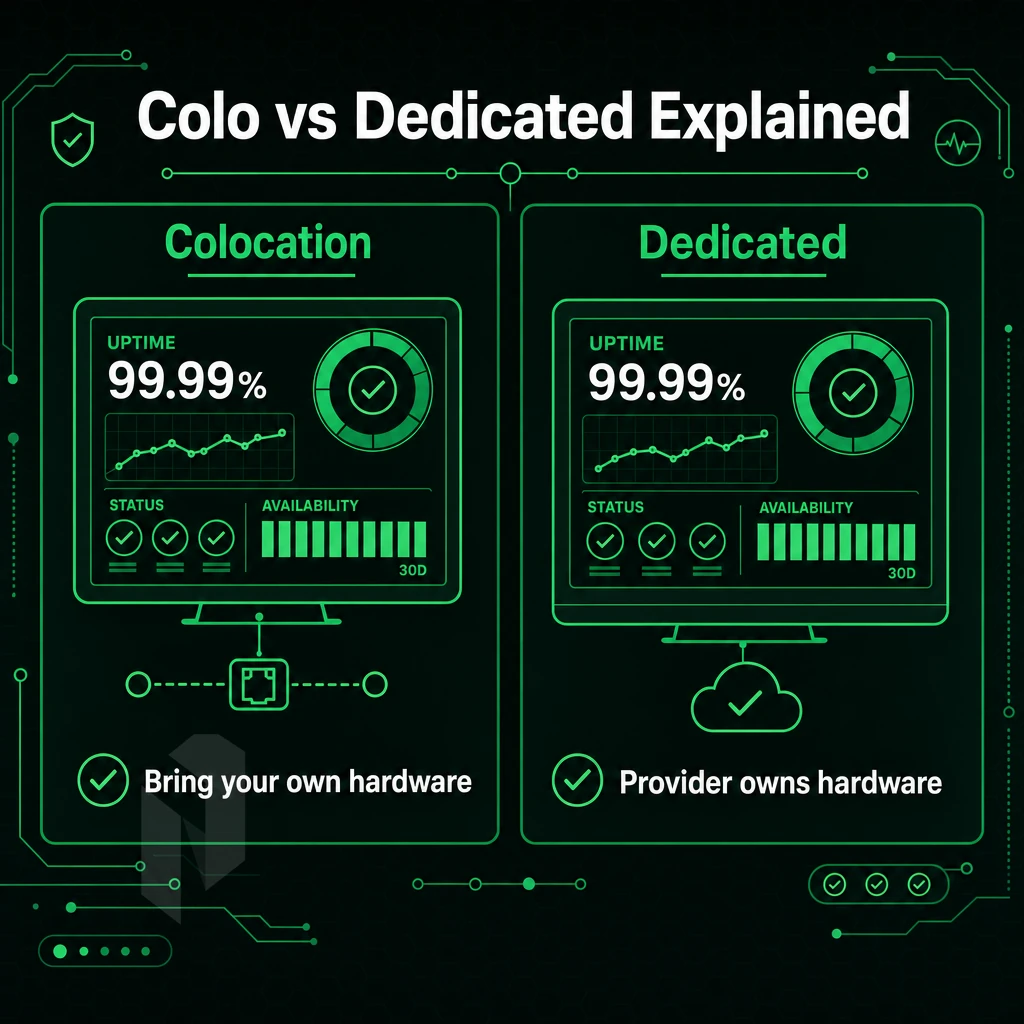
In reviews of dedicated server hosting, you’ll often come across two terms: colocation and dedicated hosting. These two terms are frequently used, yet they refer to two completely different types of offers and even to different ownership models. In this way, by knowing the two terms, you will be able to choose the right hosting service, and you will avoid paying for things you already have or for things that you don’t need.
How Each Model Works
Colocation refers to Dedicated / Managed Hosting where you own the hardware (servers, storage, etc) and send them to a data center where you pay for rack space, power, cooling and connectivity to networks. You manage everything above physical servers.
With Dedicated Hosting you switch the model around. The hosting provider purchases, setups and manages the servers and you rent out the full server excluding any resources that are shared with other customers (should there be any). You as customer get full root access and are in full control of your web space. No initial investment required.
Where Each Model Wins
Colocation hosting solutions are particularly well-suited to organizations with existing hardware such as custom built servers, specialized storage arrays or other user friendly hardware that must be owned due to compliance reasons. A carrier-neutral facility provides cross-connect flexibility to connect with all network providers and exchanges from your colocation cage.
Dedicated hosting is faster and more convenient than renting servers. You avoid spending upfront for hardware and save yourself a lot of hassle with regard to logistics etc. Our bare metal servers are provisioned within 60 minutes or less and you’re up and running the same day. Hardware failures on your servers are the problem of your dedicated hosting provider and usually get fixed within one business day under a standard SLA.
| Dimension | Colocation | Dedicated Hosting |
|---|---|---|
| Hardware ownership | You own it | Provider owns it |
| Upfront capital | High (server purchase) | None |
| Deployment speed | Days to weeks (shipping) | Under 60 minutes |
| Hardware replacement | Your responsibility | Provider, same business day |
| Network flexibility | Cross-connects at carrier-neutral sites | Provider's upstream + peering |
| Uptime SLA | Facility-level (99.9% typical) | Server + network (99.9% standard) |
| Compliance control | Full hardware custody | Depends on provider certifications |
Choosing the Right Hosting Solution
Does your organization already own production-grade hardware? If so, then colocation of that equipment will yield the benefits of enterprise power and connectivity for that existing investment. If not, then dedicated hosting provides a turn-key solution to eliminate all procurement barriers for setting up computing resources.
A good web host for teams who want to set up colocation as well as dedicated bare metal servers (e.g. Intel Xeon or AMD EPYC-based) is Netrouting. They offer carrier-neutral colocation in their European and North American datacenters, while their dedicated servers run on the same AS6206 backbone with unmetered 10 Gbps connectivity and always-on attack mitigation.
The most suitable model for your needs will depend on a number of factors including your current asset base, the level of compliance required and how quickly you need to get online. Typically, businesses first start out on dedicated hosting and then move the hardware to a colocation facility as their infrastructure matures.
Support, SLA, and Provisioning Speed: The Review Factors Most Buyers Overlook
While most buyers examine the CPU specifications and bandwidth offered by potential hosting providers, few bother to read the Service Level Agreements, provisioning times, and most importantly, what happens when something fails at 2 AM during a high traffic spike. These issues can make all the difference between a smooth transition to a new hosting provider and an expensive disaster. We examine these in more detail below.
Assess SLA Uptime Tiers
-
Translate uptime percentages into real downtime minutes.
A 99.9% SLA allows roughly 43 minutes of downtime per year. That sounds small. For a payment gateway or live-streaming platform, 43 minutes is a serious revenue event. Confirm which tier a provider guarantees before signing.
-
Read the SLA exclusions carefully.
Many providers exclude scheduled maintenance, DDoS events, or "force majeure" from uptime calculations. Those carve-outs can quietly hollow out a headline percentage. Check whether network uptime and hardware uptime are covered separately.
-
Check hardware replacement commitments.
A strong SLA specifies a physical replacement target, same business day or a defined hour window. Vague language like "best effort" is a red flag. Netrouting targets same-business-day hardware replacement, with a four-hour physical swap where parts are on-site.
Note: Also ask about refund and trial policies. A money back guarantee or a defined trial period signals provider confidence and reduces your risk when testing a new platform.
Evaluate Provisioning Speed With a Money Back Guarantee
-
Ask for a realistic time-to-live figure.
Cloud VMs spin up in minutes. Bare metal is slower, but it should not take days. Netrouting provisions dedicated servers in under 60 minutes. That speed matters when you need to scale fast or recover from a failure.
-
Confirm stock availability at your target location.
Rapid provisioning only works if hardware is physically on-site. Ask whether the provider holds inventory in the specific city you need, not just regionally.
Verify Support Depth and Response Guarantees
-
Map the support channels against your risk tolerance.
Ticket-only support is inadequate for mission-critical infrastructure. Look for live chat, a staffed NOC, and a documented response-time guarantee. Netrouting guarantees a one-hour ticket response and operates a 24/7 NOC with proactive monitoring.
-
Confirm remote hands availability.
Physical intervention, rebooting a hung server, reseating a drive, requires on-site staff. Ask whether remote hands are included or billed separately. Netrouting provides courtesy basic remote hands at no extra cost, with project-based rack-and-stack available for larger tasks.
-
Test support before you commit.
Open a pre-sales ticket. Measure the response time and quality. A provider's customer support behavior before the sale is the best predictor of engineering support behavior after it.
Dedicated Server Hosting Comparison: What a Side-by-Side Review Should Include
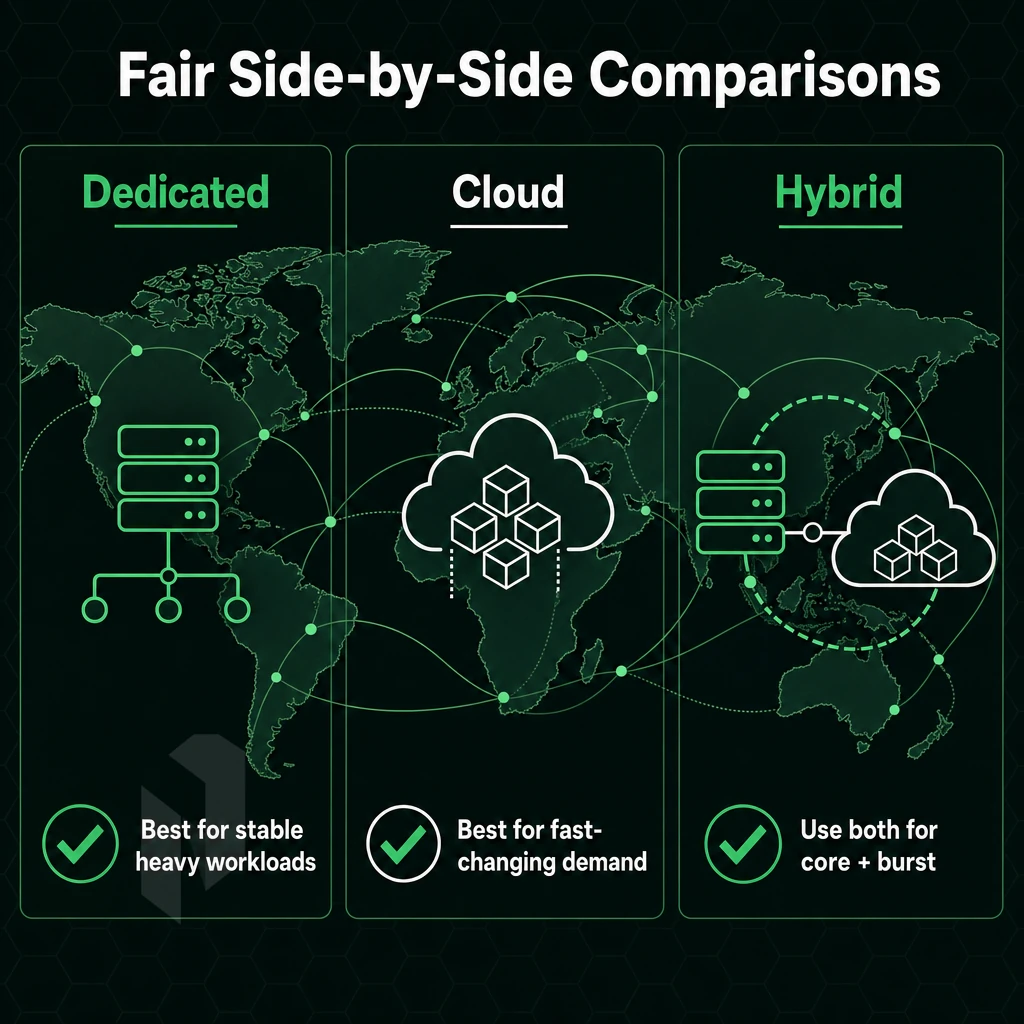
A side-by-side review of dedicated server hosting offers is only useful if all the providers are compared using the same criteria. A review without a structured framework quickly devolves into marketing blurb. Here are nine criteria to use for a review of dedicated servers that will give you enough information for a comparison and enable you to make an informed purchasing decision as well.
Core Comparison Dimensions Including Money Back Guarantee
Hardware tier is the highest lever you have for performance. You want to know the CPU generation (Xeon, EPYC), number of cores, amount of RAM and type of storage (NVMe SSDs vs. SATA SSDs vs. disk). A server with root access but with old hardware is a liability not a bargain.
Measuring network capacity is not as easy as it looks. Real-world throughput is often much lower than the advertised value. For serious workloads, 10 Gbps unmetered is now an industry standard. Is this a shared or dedicated resource? Is the backbone of the hosting provider’s network their own AS or are they simply reselling upstream connectivity?
volumetric attack protection should get its own column. The difference between always-on L3/L4 mitigation included in the basic price and additional paid options for optional features such as DDoS scrubbing capacity in Tbps should be highlighted. Also, indicate whether L7 application-layer protection is available for highly exposed applications.
Operational Criteria That Reviews Often Miss
Managed options typically come in 3 flavors: unmanaged (root access only), partially managed (e.g. OS patch management + monitoring) and fully managed (e.g. control panel + security hardening + proactive response). It's also worth recording the default option and the upgrade path.
One of the key differentiators is the speed of provisioning. With modern automation, bare metal can be provisioned within 60 minutes or less. For hosting solutions, provisioning that takes greater than 24-48 hours typically implies a manual 'rack and stack' type of provisioning process that is far from user friendly, and has greatest relevance for disaster recovery and burst capacity scenarios.
SLA uptime and hardware replacement targets are separate commitments. 99.9% SLA translates to approximately 43 minutes of downtime per year. Same business day hardware replacement is standard and 4 hour physical replacement held on site at a premises of your choice is a premium commitment.
Comparison Table Framework With Money Back Guarantee
Replace the names of specific providers in the provider tiers (entry, mid, enterprise) columns with tiers themselves. This way the framework remains vendor-neutral and can be used for other providers as well. Netrouting for example is offered in entry, mid and enterprise tier in 10 data centers and is equipped with a 2.4 Tbps+ network as well as 24/7 support. The support is even guaranteed to answer tickets within one hour.
| Criteria | Entry Tier | Mid Tier | Enterprise Tier |
|---|---|---|---|
| Hardware | Single CPU, SATA SSD | Dual CPU, NVMe SSD | Latest-gen EPYC/Xeon, NVMe RAID |
| Network capacity | 1 Gbps shared | 10 Gbps unmetered | 10-40 Gbps dedicated |
| DDoS protection | Basic / paid add-on | L3/L4 included | L3-L7, always-on, high capacity |
| Managed options | Unmanaged | OS patching + monitoring | Fully managed, control panel included |
| Provisioning speed | 24-72 hours | 2-8 hours | Under 60 minutes |
| SLA uptime | 99.0% | 99.9% | 99.9%+, hardware SLA included |
| Support hours | Business hours only | 24/7 ticket | 24/7 NOC + 1-hour response guarantee |
| Data center locations | Single region | 2-3 regions | Multi-continent (EU, NA, APAC) |
Why Choose Netrouting for Dedicated Server Hosting
Not every hosting provider is built for workloads that demand genuine high performance. Netrouting is. We operate purpose-built dedicated server infrastructure across 10 data center locations, Amsterdam, Frankfurt, The Hague, Rotterdam, Stockholm, Bucharest, Miami, New York, Hong Kong. Additionally, Singapore, so your bare metal sits close to your users, wherever they are.
Our dedicated hosting platform is engineered around four priorities: speed, reliability, security, and control. Every server ships with full root access, so you run your stack your way. Every deployment includes always-on L3/L4 DDoS defense at no extra cost. And every order is provisioned in under 60 minutes, no waiting days for a hosting provider to rack your hardware.
- Carrier-grade network: Our AS6206 backbone carries 2.4 Tbps+ of capacity. Unmetered 10 Gbps is standard on dedicated servers, with bursts to 40 Gbps available for high traffic workloads.
- Enterprise hardware: Latest-gen Dell and Supermicro servers on Intel Xeon and AMD EPYC platforms. SSD storage configurations available across all locations.
- Managed hosting options: Need less hands-on work? Our managed hosting tiers cover OS patching, security hardening, and proactive monitoring. Managed Proxmox VE is available for teams running their own VMs.
- Certifications that matter: ISO 9001, ISO 27001, and SOC 2, audited standards, not marketing badges.
- 24/7 technical assistance: Our NOC runs around the clock. Every ticket carries a one-hour response guarantee.
Netrouting's dedicated hosting combines predictable costs, a global data center footprint, and the kind of customer support that answers before problems escalate. Explore our dedicated server configurations or contact our sales team to compare options for your workload.
How to Read Dedicated Server Hosting Reviews Without Getting Misled
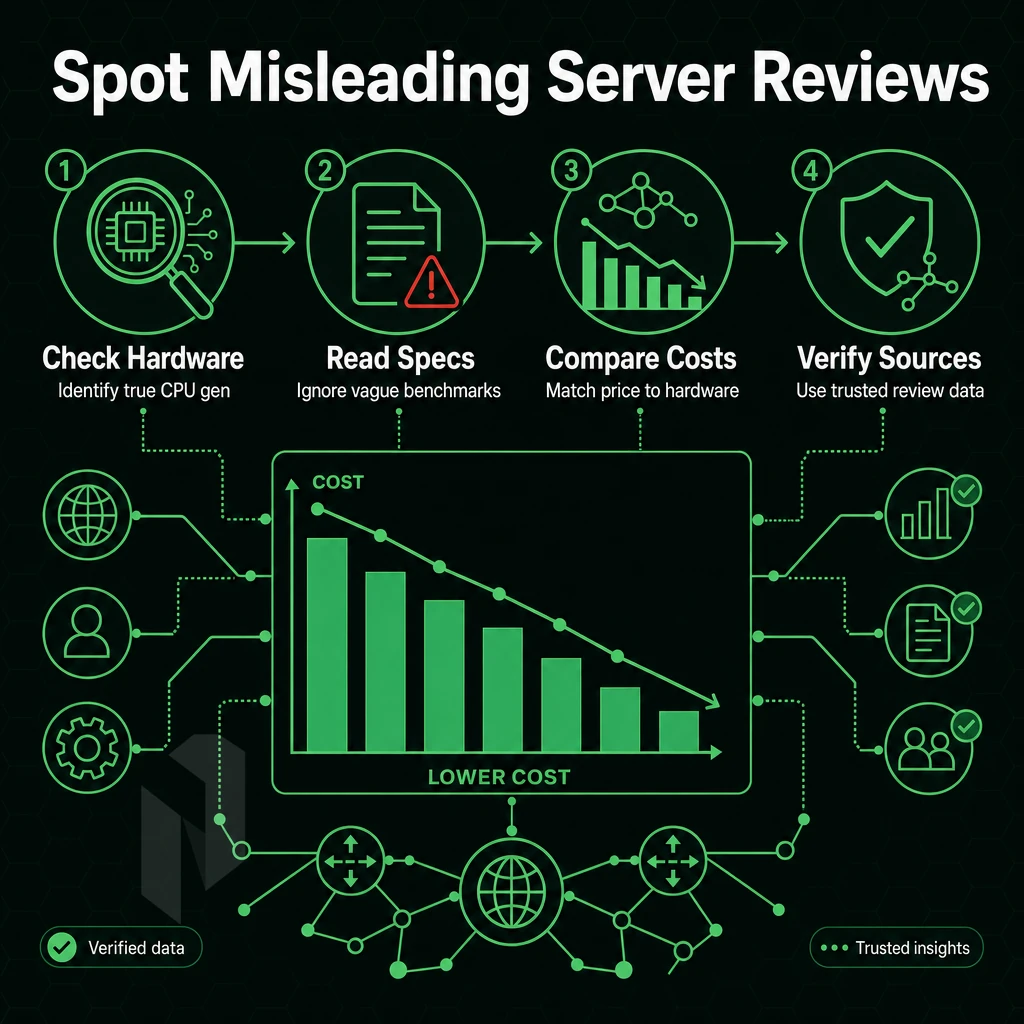
Dedicated hosting reviews fail at the spec level most of the time. So look for the generation of hardware they list and try to get real information about their networks such as total capacity and their peering. Also be wary of reviews that fail to go into sufficient detail about the distributed denial-of-service protection offered.
Not all L3/L4 mitigation is created equal, and in fact, many offer advanced scrubbing as well as basic mitigation. Also be wary of vague SLA language, i.e. “high uptime” without a specific % number. Also beware of reviews that mix VPS hosting with dedicated server reviews as well as shared hosting with dedicated server reviews. There is a huge difference between all of these classes of hosting servers.
Don’t take reviews at face value. Find out if the reviewer actually reviewed the correct product tier. A high performance web host review is worthless if they only tested entry-level shared hosting servers and refer to them as dedicated hosting servers.
Also find out if the roots of a server were tested, if the control panel was evaluated sufficient and if the support team was put under stress and how they performed during smooth signups. The best reviews from serious hosting providers always reveal the methodology of the tests, the used hardware and the network architecture. Everything else is just marketing disguised as analysis.
The Core Checklist for Choosing the Best Dedicated Server Web Host
The eight factors that determine the best dedicated server hosting for you are: 1. The current hardware generation 2. The network capacity and peering 3. The DDoS scrubbing provided by default 4. The managed hosting offered 5. The provisioning time 6. The terms of the Service Level Agreement (SLA) 7.
The location of the data center in relation to your audience 8. Pricing transparency. Every serious hosting provider should be able to answer all of these questions without hesitation. In particular, be wary of providers that hedge on the response time of their customer support and what is included in the base configuration of their servers.
Dedicated servers are not a commodity to be purchased for a low price for a short period of time. The solutions that you choose for your dedicated hosting today will form the ceiling for your high traffic performance, create ongoing expenditures for operational activities and determine your potential for growth for years to come.
Don't rely on ads or hype when choosing a dedicated server host , compare hosts based on your specific needs and ensure that they have servers in close proximity to your users. They must be able to service deployments with a real Service Level Agreement and treat your data center footprint as a partnership and not a transaction.
Reviews of dedicated servers typically include a review of the server’s hardware, the host’s network and whether managed or unmanaged servers are provided to the customer. Even the best hosting solutions running the latest Intel Xeon or top-of-the-line AMD EPYC processors mean very little if the host's SLA for uptime is subpar or the host's network collapses under a DDoS attack. First review the fundamentals.
When evaluating providers, most customers don’t pay sufficient attention to network quality. Key factors to consider include peering density, backbone ownership, and real-time DDoS mitigation. These differences will become increasingly pronounced as you scale.
Looking for more substantial reviews of hardware? Have a look at our dedicated servers, offered on Dell and Supermicro hardware in 10 datacenters across Europe, North America and Asia. We have a variety of configurations available, but we can also help you pick the right server for your needs. View all servers or contact our sales department to get started.