Striking a balance between managing your server and driving your product forward is difficult.
There are many factors to consider when evaluating a dedicated server provider, but if not chosen correctly, the wrong type of hosting can bring problems such as unexpected downtime, unresponsive support and even poorly scaled hosting for high volume workloads. In this guide we take an in-depth look at how managed dedicated hosting actually works.
The key differentiators between a good dedicated server hosting provider and a great one and also what types of projects are better suited to managed dedicated hosting. We also outline a simple framework that you can use to compare potential hosts, including server configuration, network, Service Level Agreements and support.
Blog contents
What Is Dedicated Hosting and How Does a Dedicated Server Work?
Dedicated hosting means only one client occupies a single physical server, no shared CPU, RAM, or storage with other clients, unlike shared or virtual environments where performance and security are compromised.
What a Dedicated Server Provider Actually Gives You
Dedicated Servers are physical computers in data center facilities that are rented out to one customer only. All resources, like processing power, memory, hard disk space and network bandwidth, are at your full disposal. No noisy neighbors, no resource contention. For more context, see Dedicated hosting service.
This is very different from virtual or cloud servers that partition shared hardware up into servers. Your dedicated server is a full physical machine with dedicated disk space, very suitable for high traffic websites and workloads with constant high CPU load, for applications that require isolation of data, or for latency-critical traffic. Choosing a dedicated server ensures that your application has predictable resource availability, which is essential for mission-critical workloads that cannot tolerate performance degradation.
Understanding how many websites your server can support depends on factors like traffic patterns, resource consumption per site, and application complexity. Organizations running multiple sites on a single server should carefully evaluate whether resource allocation per application justifies consolidation or requires separate dedicated instances.
The Managed Layer: Operating System Ownership Without the Overhead
When you lease a managed hosting server, the dedicated server provider handles the operational part of managing your server on a day to day basis. This includes items like making sure your server’s operating system is up to date with the latest patches, “securing” your server to provide extra protection from potential attacks.
And you get to have root access to your server, so you have complete control of the server as if it were your own.
At Netrouting we offer managed hosting services like OS patching, security hardening and 24/7 monitoring for your bare metal or cloud servers. Your development team can focus on your applications and configuration. We take care of the underlying infrastructure.
The Management Spectrum
Server management responsibility runs a clear spectrum:
- Unmanaged dedicated: You handle everything, OS, patches, security, monitoring. Maximum control, maximum overhead.
- Managed dedicated: The provider handles infrastructure ops. You focus on your stack.
- Fully managed web hosting services: End-to-end management including applications, panels, and backups.
They want the best hardware but don't want to dedicate resources to routine server management.
Managed vs Unmanaged Dedicated Hosting Managed Server Differences
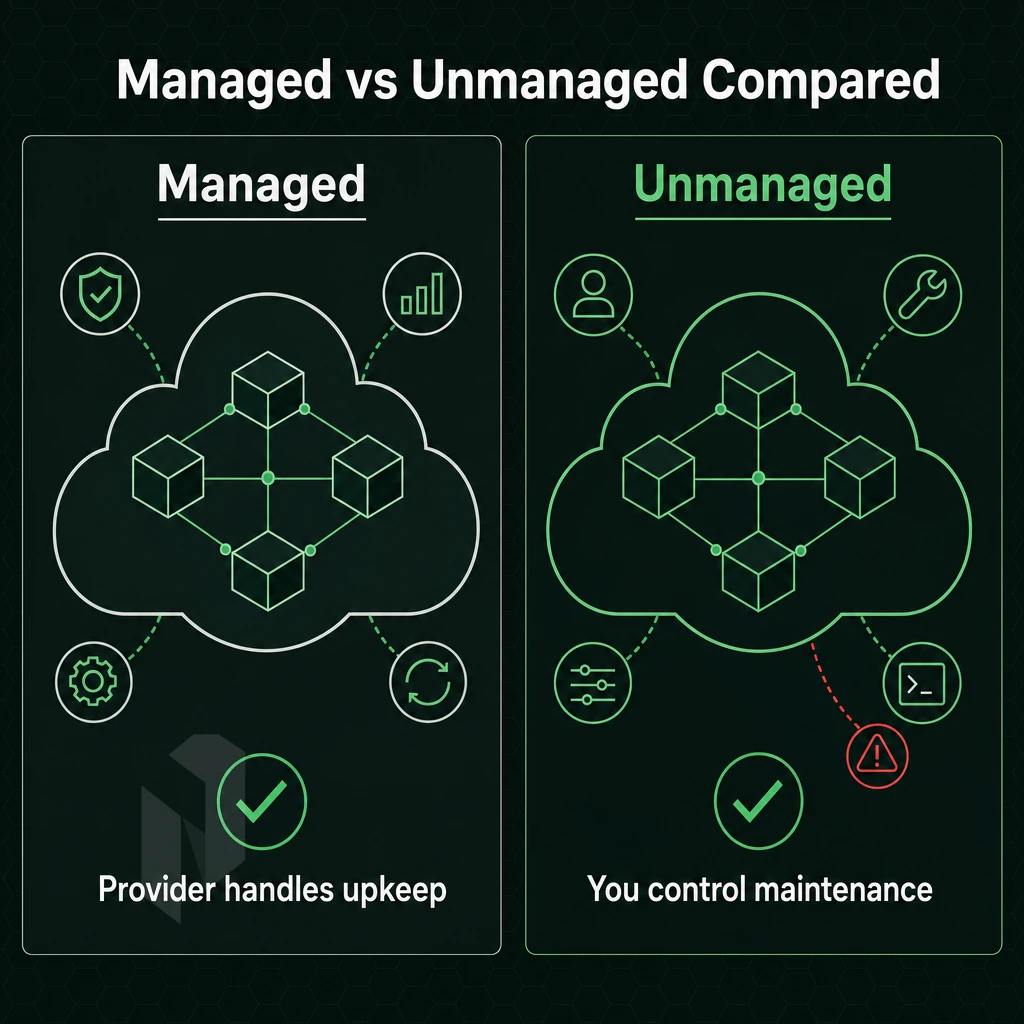
The decision between managed and unmanaged dedicated hosting services can be determined by one simple question: Who is responsible for the server? Both managed and unmanaged servers are comprised of the same raw hardware, but the server management responsibility can either reside with you or your dedicated hosting provider.
What Each Model Covers
Unmanaged dedicated servers are sold as is and everything above the server itself (harddisks, memory, CPU etc) is your responsibility. This includes installing the operating system, securing it and configuring software as needed. All updates to the operating system are also your responsibility. Root access is unrestricted and full. Organizations running windows servers in unmanaged environments must also handle licensing, patch management, and Active Directory configuration independently.
Managed dedicated server hosting reverses this model.
You have root access to the server, but hand off the bulk of the server’s management to your hosting provider. managed dedicated hosting is ideal for sites that generate significant revenue and do not have a full-time sysadmin on staff.
Side-by-Side Comparison
| Dimension | Unmanaged | Managed |
|---|---|---|
| OS updates | You apply them | Provider applies them |
| Security patches | Your responsibility | Included in service |
| Server monitoring | Self-configured | 24/7 proactive NOC |
| Technical support | Hardware faults only | Full stack coverage |
| Technical knowledge required | High, Linux/Windows administration | Low, provider manages complexity |
| Cost profile | Lower, labour cost falls on you | Higher, labour included |
Technical Knowledge Requirements
Unmanaged suits experienced sysadmins, who are familiar with the Linux operating system, shell scripting, firewall rules, and package management. Such sysadmins can provision and harden a server from scratch and thus enjoy the maximum control at lower operational cost, offered by self-managed dedicated hosting solutions. Many linux distributions offer robust package ecosystems and community support that make them particularly well-suited for unmanaged environments where administrators need flexibility.
By choosing managed hosting you can avoid having to deal with the limitations of shared hosting. We provide a dedicated server solution for development teams, design agencies and small businesses. Our hosting services include OS patching, monitoring and incident response. This allows your team to focus on developing your application rather than the server it's running on.
Netrouting’s managed hosting solutions include OS patching, security hardening and monitoring for our bare metal and cloud hosting services. We also offer unmanaged bare metal for the more advanced user who wants to have full control over their server. We provision our hardware within 60 minutes and offer a 99.9% uptime SLA.
In addition to choosing a management model for your deployment, you will also need to choose a hosting model and weigh the pros and cons of dedicated hardware versus shared or cloud hosting. Evaluating hosting plans requires understanding how management models interact with infrastructure types to determine total cost of ownership and operational overhead.
Dedicated Server Hosting vs Shared Hosting vs Cloud Hosting
Not all hosting models are created equal.
Shared Hosting and Its Limits
- Understanding resource contention on a shared host. A physical server for dozens of sites, running CPU, RAM and disk space, as well as peak traffic loads from ‘neighbor’ sites that adversely affect your site. High traffic sites typically reach a point where they can no longer run on shared hosting and have to move on.
- Acknowledge the security risk. While shared environments present shared risks, a compromised account on a shared server can impact your own environment. Given the nature of sensitive data workloads such as payment processing, health records and other regulated information, the risk of shared environments is not acceptable.
Cloud Hosting and Elasticity
- Understand the elasticity trade-off. While cloud hosting typically runs your virtual machines on pooled infrastructure and you can quickly scale up or down to minutes. There is a “noisy neighbour” effect as your virtual machines are running on the same physical host(s) as others and performance can fluctuate under high load.
- Know when variability matters. For latency-sensitive workloads like real-time gaming, financial transactions and video streaming, unpredictable performance is a hard blocker and not just a minor inconvenience.
Dedicated Server Hardware: Computing Power Without Compromise
- Claim exclusive access. You have exclusive access to your bare metal server and workloads. This means there are no neighbors and no contention for CPU cycles and RAM.
- You can expect consistent performance. Our tenants don’t share underlying hardware with you, so your throughput and latency will remain consistent even under sustained load. This is what mission-critical apps need.
- Match the right hardware to your project’s work load. Our bare metal server configurations are scalable and range from the entry level Xeon based servers to high core count AMD EPYC based servers with up to 2 TB of RAM. We can also configure a server to fit your special needs.
Note: Migrating from a shared environment to bare metal mid-traffic-spike is painful. Size up before you hit the ceiling, not after.
While knowing which of these models fit your needs is a great first step, you still have to figure out which workloads are worth running on dedicated hardware, and which hosting providers can best support them. Evaluating hosting plans requires careful consideration of your application's resource requirements, expected growth trajectory, and the level of operational support your team can realistically provide.
Common Use Cases: What Workloads Run Best on a Dedicated Server?
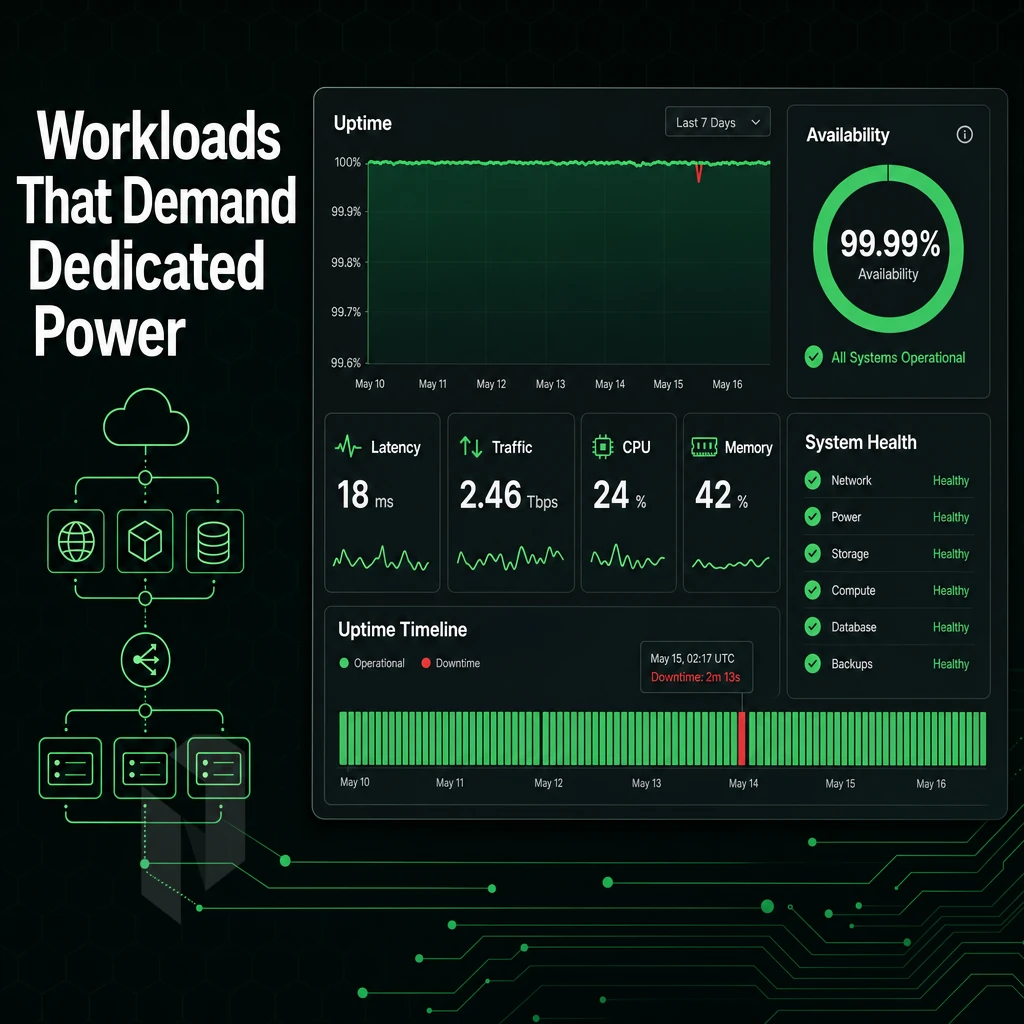
Dedicated servers have their place in the world when shared servers and virtual servers are not sufficient to handle the increased work load. A correct server environment for your needs avoids noisy-neighbour-problems and constantly provides sufficient CPU and RAM power. On top of that you have full control of your server including the operating system (in this case linux) and even custom kernel modules.
This isolation guarantees that the server's resources remain exclusively allocated to your applications, eliminating competition from other tenants and ensuring consistent performance under load. Both Linux and windows servers offer dedicated hardware advantages, though the choice depends on your application stack and licensing considerations.
High-Traffic Web Hosting and E-Commerce
For most users, scale is the biggest driver to host multiple websites on dedicated servers. The best way to manage isolation and resources for dozens of domains is on a single dedicated server, rather than trying to squeeze them into a shared server. This way, a traffic spike on one site does not starvation the others.
Online stores typically require low-latency database reads and persistent session storage. Shared web hosting cannot provide these guarantees under load. Dedicated hardware can.
Compute-Intensive and Latency-Sensitive Workloads
For sustained throughput video streaming requires large, unmetered 10 Gbps ports to know burst capacity.
Microsoft SQL Server database workloads greatly benefit from direct NVMe access and from fully tunable memory allocation. Large amounts of data that would otherwise overflow from virtual servers run without problems when you have the full RAM pool at your disposal.
Inference AI/ML added requirements to run on GPUs and also on high core count CPUs.
What Sets Dedicated Hosting Apart from Shared Hosting Providers
Custom software, persistent daemons, root-level network configuration, CI/CD pipelines and VPN operators need more than just web servers. Build agents and WireGuard endpoints for web servers also require customization that’s locked out by kernel parameters on shared plans.
Netrouting deploys bare metal servers within 60 minutes at 10 locations worldwide.
Even after identifying the right use case for your managed services. It is worth clarifying what you can expect from your managed services provider on an ongoing basis and where you will need to step in.
What Does Server Management Actually Include?
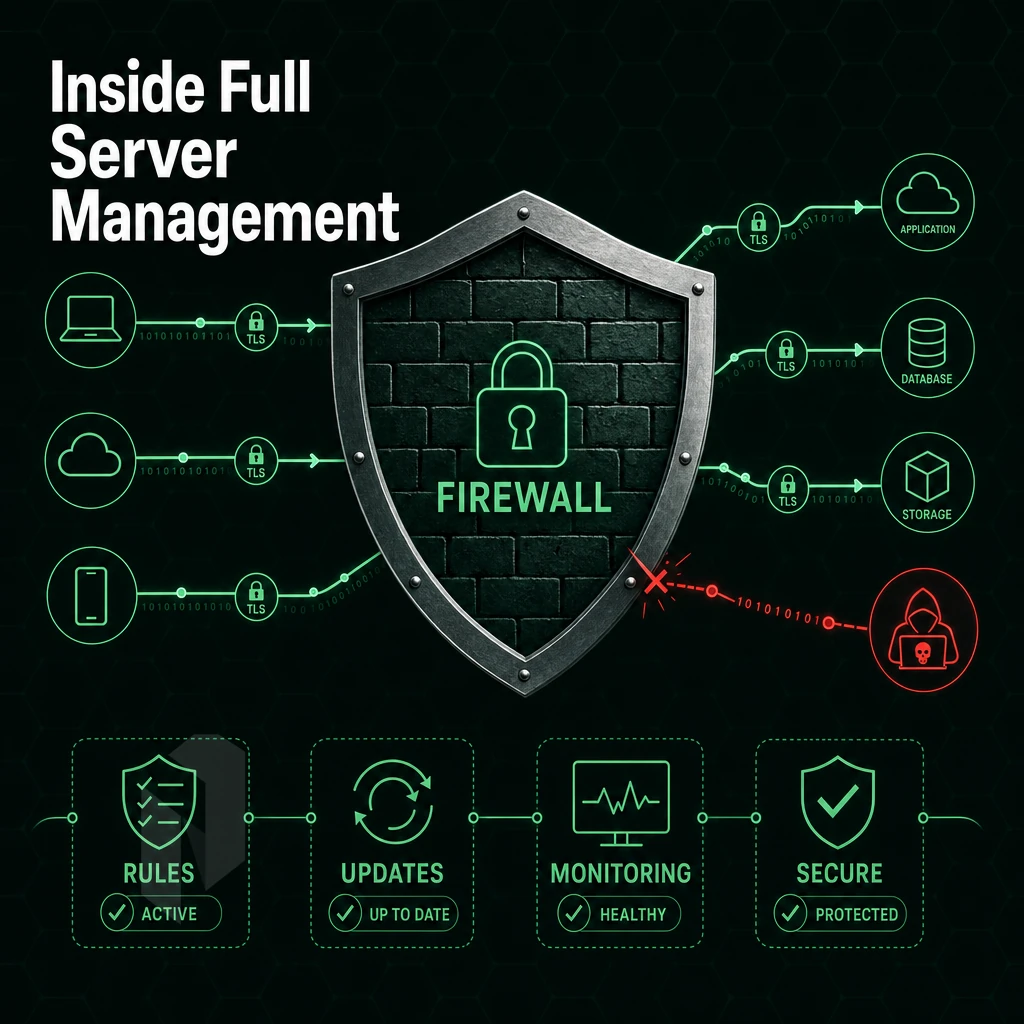
Managed hosting refers to a specific set of operational tasks that typically take up a lot of time and require specialized knowledge on the part of an in-house team.
What a Managed Dedicated Server Handles on Your Behalf
The core scope will be limited to the underlying infrastructure that the application runs on.
- Operating system updates, Regularly scheduled patches for the kernel and system packages.
- Security hardening, this involves things like firewall configuration, SSH hardening and proactive application of security fixes to running systems.
- Server monitoring (CPU, RAM, storage and network) 24/7 with alerts sent automatically.
- Control panel management, DirectAdmin and cPanel configuration, updates and license management.
- Backup configuration for daily incremental and weekly full image backups stored for 30 days.
- Hardware replacement, same business day swap, covered by our standard 99.9% SLA.
Our support team handles all of the above.
Specialised Managed Tiers
We also offer two deeper service tiers on top of our standard managed hosting.
The tiers are for people running their own servers and want the hypervisor / control panel to be fully abstracted from them, versus other hosting services where the application stack is also managed for them.
What You Retain Full Control Over
Managed services stop at the OS and platform layer. You can install custom software, define application configurations, and manage your own network configurations, routing, VLANs, and firewalls, on top of what your hosting company maintains. You'll have root access to servers as well.
This brings us to the hardware part of the problem.
Choosing the Right Dedicated Server Plan: Hardware and OS Considerations
Dedicated server customers get exclusive use of the entire server. That means every resource decision you make will have a direct impact on the performance headroom you have available. So, sizing a dedicated server plan properly, means sizing it to match your expected workload for the next 18 months, not just where you are today.
CPU: Intel Xeon vs AMD EPYC
Xeon processors from Intel perform very well with single-threaded workloads such as databases, enterprise applications and even low-latency environments.
As a general rule, use Xeon in transaction-oriented, latency-sensitive workloads, while EPYC is suited for high-throughput, multi-tenant virtualization environments.
RAM and Storage
We design RAM for peak utilization at 60, 70%, with headroom for growth.
For very random, I/O-intensive workloads such as databases, high-traffic web sites, and container-based applications, the fastest SSD or NVMe storage is ideal.
Operating System and Licensing
Windows, on the other hand, is usually the choice for.NET applications, Active Directory environments and SQL Server applications.
Cost of Windows Server licensing varies by core count and edition. Linux distributions carry no equivalent cost.
Sizing for Growth and Non-Standard Workloads
Provision dedicated resources with a 30-40% growth buffer to avoid costly upgrades like adding RAM or drives under downtime. Workloads outside standard configurations, high core counts, large NVMe storage arrays, GPU acceleration, can be provisioned with custom configurations dialed for the required hardware.
Then add some headroom.
Hardware alone doesn’t matter.
Network Quality, DDoS Protection, and Data Center Location
The numbers for raw server hardware mean very little. It is the network connecting the server to your users that counts for real. This is what separates the dedicated hosting providers from the commodity web hosting services.
Evaluate Network Quality First
- Check IP transit and peering. A good web host runs its own autonomous system with lots of peering in Internet exchange points. This means that IP packets take the shortest path to get to your end users. This path typically has fewer hops than alternative routes and thus lower latency and better reliability. Check for presence at major Internet exchange points in the regions you need to serve.
- Confirm port capacity. Unmetered 10 Gbps connectivity on dedicated servers is the baseline for bandwidth-intensive workloads. Some hosting plans cap throughput or charge for overages, verify before you commit. Note: Shared uplinks across unmanaged servers can cause congestion during peak traffic; dedicated ports eliminate that risk.
- Assess options for private networks. A free private interconnect to your own resources means no public-internet hops for internal traffic. This can be very relevant for multi-server deployments, replication and DR.
Bare Metal Servers and Enhanced Security Through DDoS Protection
- Always-on L3/L4 mitigation is required. Basic DDoS protection for every service is required and should not be offered as an add-on. Volumetric attacks must be automatically blocked without any configuration required on your part. Bare metal servers benefit most from this, as one physical server can absorb the full impact of a flood attack without the buffering of a hypervisor layer.
- Note how your provider’s baseline protection for standard workloads is differentiated from its enhanced protection for mission-critical workloads, which may include L7 application-layer filtering and even custom-written rules, as well as increased Scrubbing capacity. Find out whether your provider offers an enhanced tier of protection and what triggers an upgrade.
Match Data Center Location to Your Audience
- Understand your users geographically, as latency depends on the physical distance of your users and the routing path. Therefore, pick the location of the data center that is farthest from your biggest concentration of users. In the cloud, this is hidden by the abstract cloud servers, but in dedicated hosting it is explicit and important.
- Use carrier-neutral facilities. A carrier-neutral colocation facility provides access to all carriers and Internet Exchanges (IX) within the facility. This ensures maximum redundancy and allows optimal routing to all locations without having to move equipment between facilities.
- Leverage Netrouting's global footprint. Our network spans ten cities: Amsterdam, Frankfurt, The Hague, Rotterdam, Stockholm, and Bucharest in Europe; Miami and New York in North America; Hong Kong and Singapore in Asia-Pacific. Each site connects to regional internet exchanges, keeping latency low for users across three continents. Note: If your audience spans multiple regions, consider anchoring primary workloads in one region and using a secondary site for DR or edge delivery.
With the network and location requirements outlined, here’s a more in-depth look at how Netrouting’s infrastructure fulfills them.
Why Choose Netrouting for Dedicated Hosting and Managed Server Needs?
Netrouting delivers dedicated server hosting on enterprise-grade Dell and Supermicro hardware, Intel Xeon and AMD EPYC platforms, provisioned in under 60 minutes. Every dedicated server ships with unmetered 10 Gbps bandwidth (up to 40 Gbps available), always-on L3/L4 DDoS protection, and your choice of managed hosting or full root access on an unmanaged bare-metal server.
- Managed or unmanaged, your call. OS patching, security hardening, Managed Proxmox VE, and Managed Control-Panel Servers (DirectAdmin, cPanel) are all available. Keep full control or hand off server management entirely.
- 10 global data centers. Stockholm, Amsterdam, Rotterdam, The Hague, Frankfurt, Bucharest, Miami, New York, Hong Kong, and Singapore, low-latency reach across Europe, North America, and Asia-Pacific.
- Network built for performance. Our AS6206 backbone delivers 2.4 Tbps+ capacity. BYOIP and BGP are supported. Consistent performance with no egress surprises.
- Certified and monitored. ISO 9001, ISO 27001, and SOC 2 certified. Our 24/7 NOC backs every dedicated hosting service with a one-hour ticket guarantee.
- GPU servers available. AI/ML and inference workloads run on dedicated GPU hardware with EU data sovereignty options.
Whether you need a single physical server or a multi-site dedicated hosting solution, our team can match the right dedicated server plan to your workload. Explore our dedicated servers or contact sales to compare configurations.
The FAQ below answers the questions buyers ask most before committing to a dedicated hosting plan.
The Core Differences Between Managed and Unmanaged Dedicated Hosting
A key point of comparison is server management. With managed hosting, the hosting provider handles OS updates and security patches for you. With a self-administered dedicated server, you have full control and root access, but all administrative work falls on you.
No matter what, the underlying hardware is always the same. By definition, dedicated hardware is a physical server with all of its resources dedicated to your use. That means no neighbors, and no noisy other users with lots of other work using up all of the server’s CPU and memory.
And regardless of what management model you choose, the server always performs the same.
Dedicated hosting really comes into its own as performance demands grow with your business.
Key Advantages of Dedicated Hosting for Growing Web Hosting Needs
Growing businesses can quickly find that shared hosting or virtual servers are no longer sufficient. With a dedicated server, there are no limits anymore. Businesses have the computing power they need. They can install any software they require. And, most importantly, sensitive data can be isolated and handled under any required compliance framework. With a dedicated server, even multiple websites and online stores can be hosted from one server. Performance remains constant and there is no risk of noisy-neighbour interference.
For any online business ready to move beyond shared constraints, dedicated hosting solutions offer the control, reliability, and headroom that growth demands. Explore Netrouting's dedicated server options and find the right fit for your workload.
Frequently Asked Questions
What Do Providers Offer Beyond Unmanaged web servers With Managed Hosting Support?
A dedicated administered server is a physical server reserved exclusively for one client, with dedicated hosting providers handling OS patching, security hardening, software updates, and proactive monitoring. You retain full root access and control over your applications. The provider handles the infrastructure layer so your team focuses on your workload, not the hardware beneath it.
How do managed and dedicated hosting differ in terms of technical support?
Dedicated hosting refers to the hardware model, a physical server allocated entirely to your use, shared with no other tenant. Managed hosting refers to the service layer, the provider takes responsibility for OS maintenance, security, and monitoring. A managed dedicated server combines both: exclusive hardware plus full operational support. DIY dedicated hosting gives you the bare metal but leaves all administration to you.
What Is Dedicated Hosting and How Does It Work?
Dedicated server hosting means leasing an entire physical server from a provider rather than sharing resources with other customers. You get the full CPU, RAM, storage, and network capacity of that machine. This delivers predictable performance, stronger security isolation, and greater configuration flexibility than shared or virtual environments. It suits workloads that demand consistent resources, high-traffic sites, databases, game servers, and compute-intensive applications.
What Is the Best Dedicated Hosting Service?
The best dedicated server hosting depends on your workload, location requirements, and support needs, but the key criteria are network quality, hardware generation, provisioning speed, and SLA strength. Netrouting delivers bare metal on the latest Intel Xeon and AMD EPYC platforms supporting both Linux and the windows operating system, provisioned in under 60 minutes, with unmetered 10 Gbps connectivity and always-on DDoS protection included.
With a 2.4 Tbps+ backbone on AS6206, full operating system flexibility, and 24/7 support backed by a one-hour ticket guarantee, it is a strong fit for performance-critical deployments across Europe, North America, and Asia.
Can I Host Multiple Websites With a Dedicated Server Provider?
Yes. A dedicated server can host dozens or hundreds of websites depending on their resource demands. You can run a control panel such as cPanel or DirectAdmin to manage multiple domains, DNS zones, and email accounts from a single interface. Managed dedicated server options with control panels included let you handle client accounts without managing the underlying OS yourself.
Do I need technical knowledge to use a managed dedicated server?
No deep Linux or systems administration expertise is required. With a fully managed service, the provider handles OS updates, security hardening, and monitoring on your behalf. You interact with your applications and, if applicable, a control panel interface. That said, a basic understanding of web hosting concepts, DNS, file permissions, databases, helps you work efficiently with your support team.
Dedicated hosting, also known as managed servers, offers the best of both worlds. With dedicated hosting, you get to use your own, exclusive hardware and can expect the most predictable performance.
The best part is that, unlike shared hosting, you get to retain root access to your server. Managed servers from a dedicated server provider are perfect for high-traffic sites, for sites that require a high degree of compliance, and for any company that requires enterprise-class hosting without the need to maintain an in-house NOC.
The decision between managed and unmanaged servers, dedicated servers, and cloud servers ultimately depends on your specific workload, your internal infrastructure, and the hosting providers available to you. If your team is already stretched to the limits and you require a constant, hardware-based performance from your application, a managed dedicated server through a hosting company is the perfect way to offload the entire management. Meanwhile, Keeping full control of what really matters to you.
Netrouting provisions bare metal with your choice of operating system in under 60 minutes across ten locations in Europe, North America, and Asia, with managed hosting, always-on DDoS protection, and 24/7 support included. Explore Netrouting's managed dedicated servers and talk to the team about the right configuration for your workload.