Dedicated server hosting on a budget is a familiar conundrum for most IT departments.
Dedicated server hardware has matured to the point that current server generations can be had at fractions of the cost they commanded just a few years ago. The cost of colocation has reached levels that make dedicated hosting as cost competitive as cloud computing. As a result of these cost reductions, and greatly simplified server provisioning, the dedicated server market has entered a new price tier.
In this guide we'll explain what you should look for when renting a affordable dedicated server, CPU architecture, bandwidth commitments, SLA terms, network quality, and support responsiveness. We'll also explain where Netrouting adds value and where cheap hosting has hidden costs. Evaluating hosting services requires comparing not just headline prices but also the total value proposition including hardware quality, network infrastructure, and operational support capabilities.
Blog contents
What Is Affordable Dedicated Server Hosting?
Budget dedicated server hosting is offered as a full physical machine rented out to one client as a very cheap offer. You won’t have to share any resources with hundreds of other users as with shared hosting or even suffer from the overhead of virtualization. This is pure bare metal hosting for one client only.
What a Cheap Dedicated Server Actually Gives You
The number of CPU cores, amount of RAM and number of hard disks all are entirely at your disposal. This is what dedicated hosting is all about, even if you're renting a basic server or an expensive one.

You get full root access on your server as well. That means you have full control of the Operating System, the software stack, kernel parameters and firewall configuration. The hosting provider will not be able to restrict you on what you want to install or how you want to set up your server.
With full access to the server environment, you can optimize performance tuning, deploy containerized workloads, or implement custom security policies that would be impossible in restricted hosting environments. This level of administrative freedom gives you more control over security configurations and application deployment than any virtualized or multi-tenant environment could offer.
Dedicated resources equal fixed performance. These key features can be particularly important for a high-traffic e-commerce site, a game server with 200 players online at once, or a custom application that requires a fixed amount of memory to run. Sites experiencing heavy traffic benefit from the predictable resource allocation that prevents performance degradation during peak usage periods. A dedicated server ensures your website maintains consistent load times and responsiveness regardless of traffic spikes or resource-intensive operations.
How Cheap Dedicated Server Hosting Differs from Shared and VPS
shared server hosting has dozens of websites on one server, competing for CPU power and RAM.
A VPS is typically created by carving up a physical server into virtual servers (or slices). So even though you have allocated a fixed amount of resources to your VPS, you are sharing the same underlying physical server as other VPSes. Yes, noisy-neighbours are less likely to affect you but they are by no means impossible.
A dedicated server solves both problems. The hardware is yours, and performance does not suffer from other customers’ activities in the data center.
The Cheap Dedicated Server Trade-Off
By lower cost we mean older hardware generations or fewer managed services included by default.
Our entry-level dedicated servers at Netrouting are set at the right level, using Enterprise hardware, 10 Gbps unmetered connectivity and always-on DDoS protection. The savings are achieved by using current hardware generations rather than cutting corners on isolation and network. Now we can also compare Dedicated Hosting with other options when we’re on a tight budget.
Dedicated Server vs. VPS vs. Shared Hosting: Which Fits a Tight Budget?
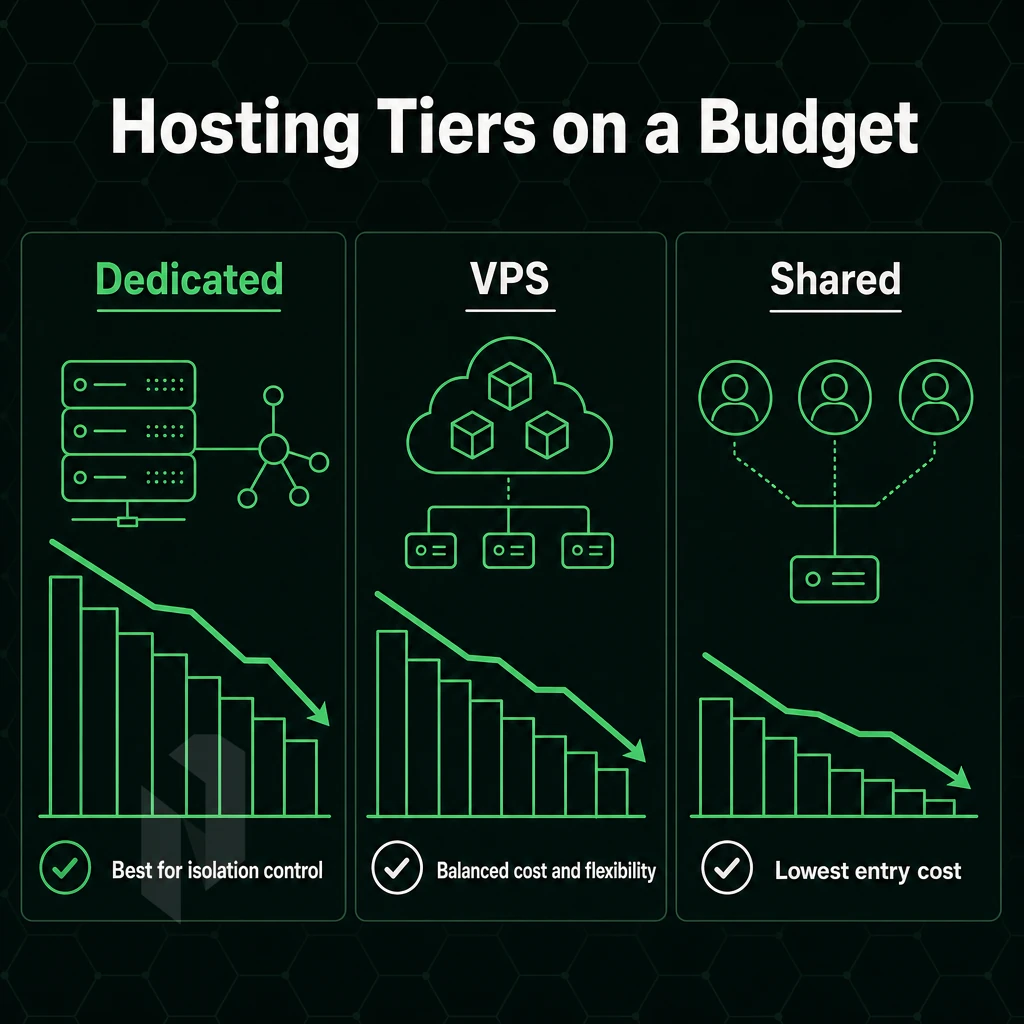
The main factor for any budget for hosting online content is the amount of isolation that you require.
Resource Isolation and Performance Predictability
multi-tenant hosting puts your site on a server with hundreds of other users. When your neighbor's site gets a sudden surge of traffic, your site's performance suffers. In shared web hosting, there is no isolation, and latency can fluctuate at will. There's nothing you can do about it. If your website experiences unpredictable traffic patterns or requires consistent uptime for business-critical operations, multi-tenant environments introduce unacceptable risk.
A VPS carves out a fixed slice of CPU and RAM, giving you better consistency than cheap hosting, but you're still sharing underlying hardware. Approach sustained loads of 500+ simultaneous users and you'll hit a ceiling fast.
Entry level dedicated servers are presented as full machines, without any neighbors, thus no noisy-tenant problems. Dedicated servers provide constant sub-10ms response times even under load, 100% CPU core allocation and a huge amount of RAM that is not used by any other server. This hardware isolation translates to better performance for applications that demand consistent throughput and minimal jitter across all workload patterns.
Organizations handling sensitive data or compliance-driven workloads particularly value this architecture for its higher security posture compared to multi-tenant alternatives. For businesses running a high-traffic website, this level of hardware isolation ensures that page load times remain fast and user experience stays consistent during peak traffic periods.
Control, Scalability, and Typical Use Cases
Root access is generally only provided to customers on our VPS and dedicated servers. Root access on our shared servers is only provided to customers using a managed stack of software, and even then there are many things that cannot be done. Need to run a custom kernel module? Need a special version of PHP? Need to run a custom daemon? Shared hosting isn’t the place to look for these types of solutions.
Unlike VPS hosting, which scales vertically up to a certain point (typically below 32 CPU cores and 128 GB of RAM), with dedicated hosting there are no limits to how you use the hardware. This makes it perfect for hosting multiple websites, high-loaded game servers or other CPU/RAM-intensive services. Each website you host can be allocated its own IP address, SSL certificate, and isolated environment, ensuring optimal security and performance across your entire portfolio.
Cheap Hosting: Dedicated Servers vs. the Alternatives
| Dimension | Shared Hosting | VPS | Dedicated Server |
|---|---|---|---|
| Resource isolation | None, fully shared | Partial, virtualized slice | Full, entire machine |
| Uptime SLA | Typically 99.9% | Typically 99.9% | 99.9% or higher |
| Max RAM | Shared pool | Up to ~128 GB | Up to 2 TB |
| Network throughput | Shared, throttled | Typically 1 Gbps | Up to 10 Gbps unmetered |
| OS control | None | Full (within hypervisor) | Full, bare metal |
| Best for | Static sites, low traffic | Dev environments, small apps | High traffic, game servers, custom apps |
Best Cheap Dedicated Servers: When to Make the Jump
A cheap dedicated server is the right solution when your workload outgrows your VPS, typically at sustained high traffic, with latency-sensitive applications like game servers, or with workloads requiring hardware RAID and lots of local storage.
Netrouting's bare metal servers, which also offer backup space, are provisioned within 60 minutes on Intel Xeon and AMD EPYC servers, all of which come with unmetered 10 Gbps connectivity and always-on DDoS protection.
What to Look for in a Cheap Dedicated Server Provider
Choosing a budget dedicated server hosting package requires a balance between price and features. While it may seem like a cheap and cheerful option in the short term. The wrong hosting provider could ultimately cost more in terms of downtime, excess charges and inadequate hardware to handle your specific needs. Use this checklist before you commit to a host. A reliable provider ensures your website remains accessible during traffic spikes while maintaining consistent performance across all service tiers.
Hardware, Storage, and Free SSL Certificates
- Look for CPU generation. Here Intel Xeon and AMD EPYC are two main options. Cheaper older Xeon generations like E5-v2, E5-v3 consume more power and are lacking modern CPU instructions. As opposed to that EPYC CPUs offer higher core count and better memory bandwidth which is very important for parallel computing workloads.
- Check storage type. For production workloads, SSD storage is the minimum to expect. Storage with NVMe support even offers faster I/O, which is very important for databases as well as read-intensive applications. However, for cold storage and backup volumes, it does not matter whether they are stored on spinning disks or not.
- Check the RAM capacity and check for upgrade possibilities. Many entry models come with 32-64 GB RAM, but check if the platform can be upgraded without having to replace the complete server.
Network Quality and DDoS Protection Through Technical Expertise
-
Evaluate network quality at the port level. A 1 Gbps shared uplink is not the same as a dedicated 10 Gbps port. Ask whether unlimited bandwidth is genuinely unmetered or subject to fair-use caps buried in the terms.
Note: Setup fees and bandwidth overages are the two most common hidden costs. Read the contract carefully, some providers advertise low monthly rates but charge heavily for both. - Please verify if DDoS protection is included. A basic DDoS protection up to L3/L4 level should be included by any serious hoster. At Netrouting always-on DDoS-mitigation is included with all services. If a hoster offers DDoS protection as an additional service, please consider the extra cost when calculating the total cost of ownership.
- This will also confirm what control panels are available to you (we support DirectAdmin and cPanel) and whether or not licensing is included with your package or listed as a separate cost, often per server.
SLA, Backups, and Provisioning
- Read the provider’s guarantee of uptime. 99.9% SLA translates into 43 minutes of allowable downtime per year. Anything below that is probably not suitable for production. Also read about the provider’s guarantee of uptime and check what they grant in case of a breach of SLA, credit or refund?
- Review the amount of space dedicated for backups, frequency of automated backups in the form of snapshots and expected time to recover from backups.
- Test the provisioning speed of potential providers before committing to them. The two most important differentiators between serious providers and budget resellers are the deployment time and the level of support provided. Here we provision bare metal in under 60 minutes. If a potential hosting provider cannot provide you with a clear SLA for provisioning then treat that as a risk.
While hardware specifications and Service Level Agreements (SLAs) set a floor for what to expect from a server and provider. The largest determinant of operational overhead (beyond the specifications listed on a sheet of paper) is whether one runs a server themselves or has the provider handle said server for them.
Managed vs. Unmanaged Budget Friendly Dedicated Hosting
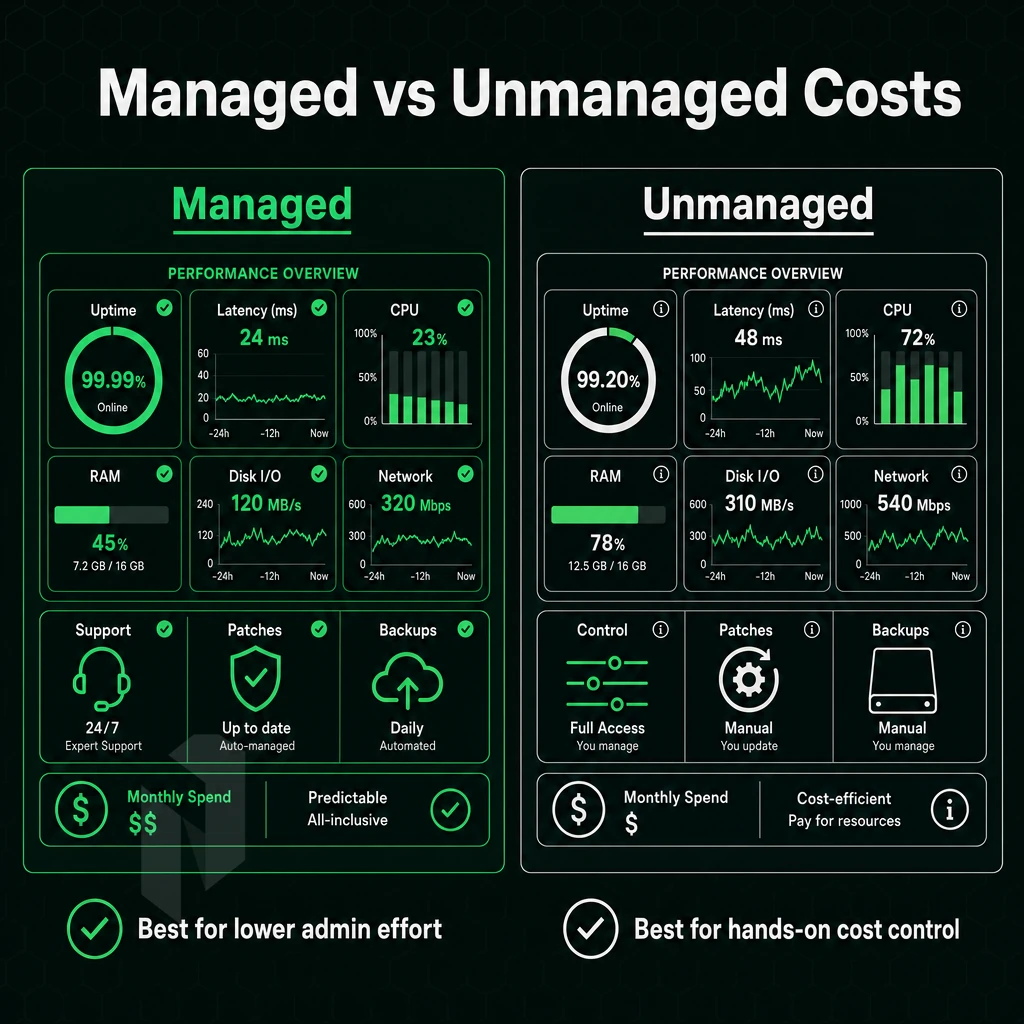
When looking at budget dedicated servers, one of the key decisions you have to make early on is how much of the server stack you want to own.
What Unmanaged Servers Actually Require
Unmanaged dedicated hosting is simple: we give you the server, power and connectivity over a network port. Everything above that port you can configure as you see fit. We’ll provision the OS, apply security patches, set up firewalls and monitor for you, whenever you need it done.
Note that the difference between “server is online” and “server is production-ready” is larger than most teams expect. A hardened baseline includes kernel tuning, enforcing SSH keys, fail2ban or similar functionality and an SSL certificate for all web servers. None of these settings is activated by default. Each production website requires these baseline configurations to protect against common attack vectors and ensure encrypted traffic between users and servers.
Unmanaged servers are best suited for small teams with their own sysadmin or a bunch of developers who are very comfortable with the command line. The main trade-off here is lower recurring cost but higher operational overhead.
The Fully Managed Layer
When you use fully managed hosting, the OS patching, security hardening and monitoring are all handled by your hosting provider. However, you still have full root access to configure, deploy and break things as you see fit. The provider handles the basic hygiene of your servers.
On top of the basic unmanaged server cost, this model will cost a bit more. For teams without an in-house sysadmin, that cost is almost certainly less than the cost of a breach, an unpatched vulnerability, or an outage traced back to a single missed kernel update.
Managed hosting from Netrouting covers OS updates, security hardening and 24/7 monitoring for bare metal and cloud servers. All servers are managed with root access and Automated backups are included. In the event of a bad deployment or hardware failure you will never have to start from scratch.
The Middle Ground: Semi-Managed Add-Ons
Many workloads require selective management.
So now you have a sense of how you'll manage your new server.
Common Use Cases for Budget Dedicated Servers
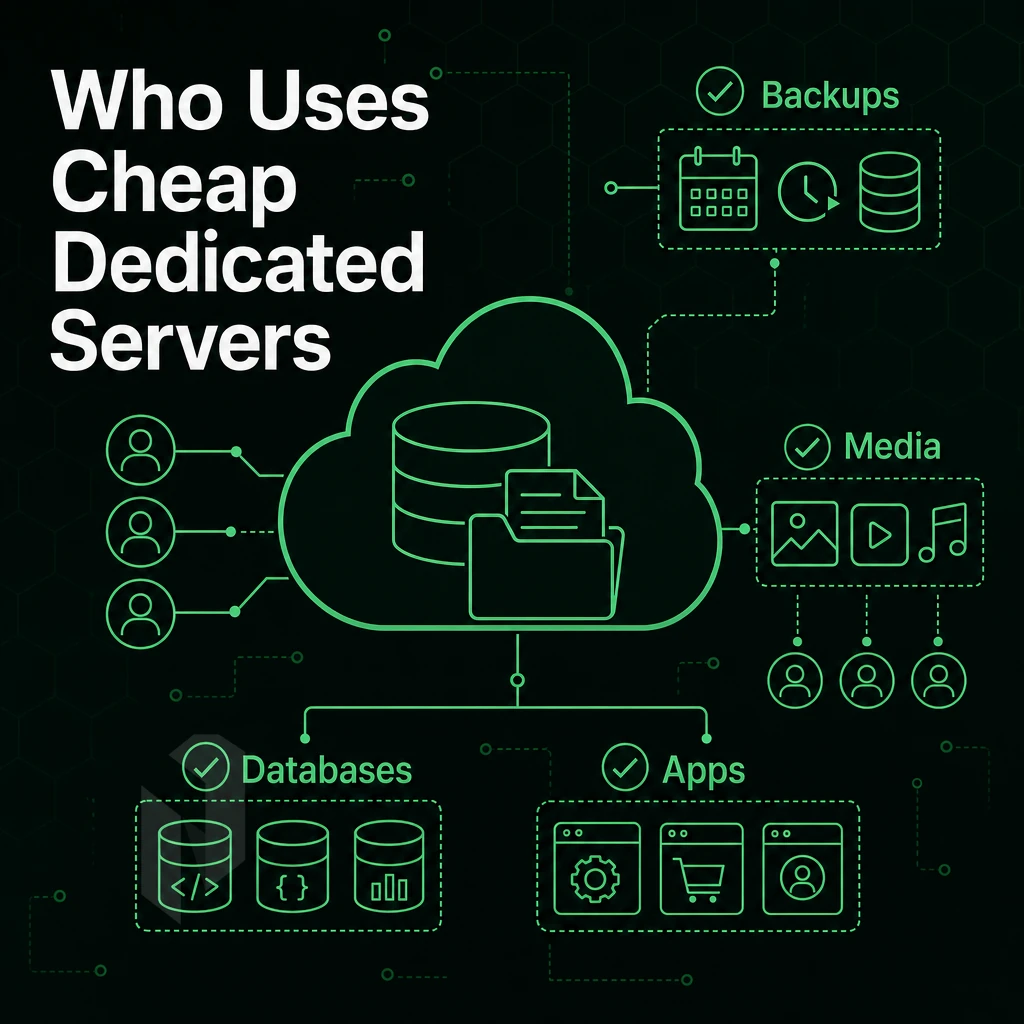
Dedicated resources solve problems that shared environments can’t solve. A low-cost bare-metal server provides raw power to highly loaded platforms, latency sensitive applications and bandwidth intensive services. You don’t have to share CPU time, memory or I/O with other users.
High-Traffic Websites and Growing Platforms
Shared web hosting hits its ceiling fast, the communal environment constrains CPU and RAM, and sites that outgrow it will find a dedicated server provides an unencumbered host for their website.
A growing e-commerce site or media site with tens of thousands of visitors per day needs high performance and consistency. This is best delivered with dedicated server resources that are not pooled or shared.
Resellers and web agencies hosting large numbers of client websites will also benefit. Unlike traditional methods that required a hypervisor, control panels like cPanel and DirectAdmin let accounts be split off on a single server.
Best Cheap Dedicated Servers for Game and Streaming Workloads
Games like Minecraft or Palworld require low latency, high single-core performance and guaranteed CPU time.
Video streaming also follows this same principle. High definition video requires multiple gigabits per second of bandwidth to stream continuously. We support 10 Gbps unmetered bandwidth on dedicated hardware to ensure that our customers have the bandwidth they need for their streaming workloads without incurring surprise overage charges.
Cheap VPS Alternatives: Custom Apps and VPN Infrastructure
Some workloads simply can't run on shared infrastructure. Bespoke applications with unusual dependencies, kernel modules, or custom OS builds all require root access and custom setup that bare metal can provide.
VPN providers also need large IPv4 blocks, full BGP control, and high traffic allowances.
Hidden Costs That Inflate the 'Cheap' Price Tag
Dedicated hosting on a budget can look very attractive at first, with low monthly charges often quoted for the rental of a server. However, the quoted monthly charge for the host’s server often represents only a part of the total costs for a small business to use that server. Additionally, Many other charges are soon revealed when the bill for add-ons arrives.
Where Cheap Plans Hide Their Real Costs
The biggest trap of all: bandwidth overage charges. Many providers will measure your traffic and charge you per gigabyte for excess usage over a monthly limit.
Additional setup fees which may also increase your first month’s spend. Some providers do not charge any setup fees whilst others can charge enough to cover the cost of the hardware for 1, 2 months. Check before committing to a contract.
Many of the fees related to IP addresses, Operating Systems and Control Panels can add up very quickly. A managed control panel license can cost a fortune in the long run, especially when you consider that the license for cPanel is often the most expensive.
A cost effective alternative to cPanel is DirectAdmin and many of the providers who offer it bundle the licensing into the price of the package.
Typically DDoS protection is sold as an upgrade that costs extra monthly, even though enhanced security against volumetric attacks is already paid for. We include always-on L3/L4 DDoS protection on all services, no upgrade required, no hidden extra cost.
Bundled vs. Itemised: What the Comparison Looks Like
| Cost Component | Itemised Providers | Netrouting |
|---|---|---|
| Bandwidth | Metered; overage charges apply | Unmetered 10 Gbps included |
| DDoS Protection | Paid upgrade tier | Always-on L3/L4, included |
| Private Network | Charged per port or circuit | Free up to 40 Gbps between resources |
| Setup Fee | Common on entry-level plans | No setup fee |
| Backup Storage | Sold as add-on | Available; confirm scope with sales |
Uptime Guarantees and Support Tier Paywalls
The uptime guarantee offered by a host can vary greatly based on the tier of the offered support. Many providers consider their 99.9% SLA to be part of a paid support package.
Netrouting's standard SLA covers same-business-day hardware replacement with physical parts on site within 4 hours. 24/7 NOC and a 1-hour ticket response time are standard and included for all customers, not locked behind an enterprise tier.
Some providers even charge for free SSL certificates at the infrastructure level and only include them in higher plans. So check what “free” really means.
SSL Certificate Decision Guide
Beyond the base price, add up monthly costs for bandwidth, DDoS protection, private networks, support, and licenses.
Providers that offer all of these in a bundle are in many cases even cheaper than others in the long run, since the total cost of ownership is lower. The network between your servers and your users is another aspect that can easily be overseen and has a large impact as well.
Network Quality: Why It Matters More Than the Sticker Price
Most people evaluating cheap dedicated machine hosting focus on the hardware specs (cores, RAM, storage, etc.) and then pick the cheapest option. The wrong filter. network performance has far greater impact on actual server performance than the hardware specs themselves, and it gets almost no evaluation from most in the market.
Understanding the Network Stack
- Learn the difference between peering and transit. When your traffic is sent over a third-party carrier’s backbone as transit, it typically adds hops, cost and latency to your traffic. In contrast, IX peering allows for direct connection of networks at the exchange, minimizing the number of hops required to reach other networks. The performance gain comes from shorter, more direct paths between networks, not simply more bandwidth.
- Evaluate port speed and uplink capacity. The difference in performance between a server with a 1 Gbps port and a very loaded uplink versus a server with a 10 Gbps port on an unmetered uplink is huge. Measuring the port speed of a provider’s connection is not enough to get an accurate view of the uplink’s capacity. One also has to look at the total capacity of the provider’s backbone (AS6206 for Netrouting is 2.4 Tbps+), and at what load it is normally running. For Netrouting, this would be 100 Gbps+ connections with a port utilization of less than 40%. In times of high traffic spikes this buffer capacity is crucial.
-
Check DDoS scrubbing capacity.
Volumetric attacks don't care about your CPU or RAM. If the provider's scrubbing infrastructure is undersized, your server goes offline regardless of its specs. Always-on DDoS protection with meaningful mitigation capacity is non-negotiable, not an upsell.
Note: Many budget providers advertise DDoS protection without disclosing scrubbing capacity. Demand specifics before signing.
Evaluating Data Center Locations and Reach
- Map provider locations against your audience. Latency equals geography. Even a superb server in a wrong location can add dozens of ms of latency that cannot be compensated by upgrading hardware. All data center locations of Netrouting are listed on this page, covering all locations in Europe. North America and Asia-Pacific from one provider: Amsterdam, Frankfurt, The Hague, Rotterdam, Stockholm, Bucharest, Miami, New York City, Hong Kong and Singapore.
- Verify IX peering density at each site. Dense peering at major internet exchanges reduces dependence on paid transit services and optimizes paths for growing web sites that reach an international audience. Fewer hops result in lower jitter and more stable throughput.
Confirming What You're Actually Buying
- Confirm uncapped bandwidth terms. "Unmetered" can mean many things to many providers. It is very important to establish whether the port in question is shared or dedicated. Additionally, you should establish whether the provider uses a fair-use policy. With unrestricted bandwidth you have full control over your bandwidth usage without fear of overage charges.
- Test before committing. Do a looking glass or traceroute from the data center you’re testing from to your key user locations. Packet loss above.1% or jitter above 5ms under typical load is bad for you and will not be reflected in a spec sheet.
After covering network criteria, the real question is which provider delivers all this at entry-level pricing.
Why Choose Netrouting for Budget Dedicated Server Hosting
economy dedicated server hosting doesn't have to mean compromising on hardware, network, or support. Netrouting delivers enterprise-grade dedicated server hosting on Dell and Supermicro platforms, Intel Xeon and AMD EPYC, at pricing that undercuts the major cloud platforms without the egress surprises. Every server ships with dedicated resources that no fellow tenants share, full root access, and a predictable monthly cost from day one.
- Enterprise hardware, affordable dedicated pricing. Our entry-level dedicated servers run on the latest Intel Xeon and AMD EPYC platforms with SSD storage options. No cheap plans built on aging commodity gear.
- Unmetered 10 Gbps included. High traffic workloads, game servers, video streaming, multiple websites, get flat-rate bandwidth as standard. No overage fees, no throttling.
- Always-on DDoS protection at no extra cost. Every server includes L3/L4 DDoS protection automatically. Basic DDoS mitigation is the floor, not an upsell.
- 99.9% uptime guarantees, same-business-day hardware replacement. Backed by a 24/7 NOC and a 1-hour ticket guarantee. ISO 9001, ISO 27001, and SOC 2 certified.
- Ten data center locations. Amsterdam, Frankfurt, The Hague, Rotterdam, Stockholm, Bucharest, Miami, New York, Hong Kong, and Singapore, low-latency reach across Europe, North America, and Asia-Pacific.
- Bare metal in under 60 minutes. Rapid provisioning, custom configurations on request, and a free private network up to 40 Gbps between your resources.
For small businesses, growing websites, and teams needing raw power without hyperscaler overhead, Netrouting is a strong fit. Compare our dedicated server options or contact sales to discuss a configuration matched to your workload.
Key Features and Takeaways for Getting the Best Cheap Dedicated Server
value dedicated server hosting delivers dedicated resources, full root access, and isolated hardware, but the real cost extends beyond the monthly bill. connectivity quality, hidden setup fees, uptime guarantees, and included attack mitigation separate the best cheap dedicated servers from budget tiers that underdeliver under high traffic. Match the server tier to your actual workload. Entry-level dedicated servers suit growing websites and small businesses; heavier workloads need more raw power and storage.
Final thoughts: the sweet spot in cheap dedicated server hosting is transparent pricing, solid hardware, and a provider with a strong reputation for uptime and support. Netrouting's dedicated server hosting combines unlimited data transfer, always-on volumetric attack protection, and global data center facilities, purpose-built for the workloads that outgrow shared-server environment or cheap VPS. Explore Netrouting's dedicated server options and find the right configuration for your needs.
Frequently Asked Questions
Where Can I Find Cheap VPS Hosting to Host Multiple Websites?
The most cost-effective dedicated servers come from IaaS providers with their own hardware and network infrastructure, not resellers who mark up third-party capacity. Netrouting fits that profile: bare metal servers on a 2.4 Tbps+ network with always-on L3/L4 protection included on every plan, backed by real technical skill and expertise across ten locations in Europe, North America, and Asia.
What is the cheapest server hosting to host multiple websites?
Cloud compute instances are the lowest entry point, Netrouting's start at a predictable monthly cost well below bare metal. multi-tenant server environment is cheaper still, but it is not server hosting in any meaningful sense: you share CPU, RAM, and I/O with hundreds of other tenants. For workloads that need guaranteed resources, a entry-level dedicated server or a cloud VPS is the practical floor.
What is the cheapest dedicated server available in the US?
Entry-level bare metal in the US typically means a single-socket server with a mid-generation Intel Xeon or AMD EPYC CPU, 32-64 GB RAM, and SSD storage. Netrouting offers dedicated servers from its Miami facility, a SOC 2-compliant site with direct connectivity to Latin America and FL-IX peering. Contact sales for current configurations and pricing; provisioning completes in under 60 minutes once an order is placed.
How much does it cost to run a dedicated server?
The monthly server fee is only part of the total cost. Factor in bandwidth, IP addresses, OS licensing, control panel licensing, backup storage, and management time. Providers like Netrouting bundle unmetered 10 Gbps bandwidth, a free private network between your resources, and always-on DDoS defense into the base price, which significantly lowers the true total cost of ownership compared to hyperscaler compute, where every line item is billed separately.
Is a budget dedicated server better than a VPS for high-traffic sites?
Yes, for sustained high traffic. A VPS shares physical CPU and RAM with other virtual machines; under load, noisy neighbours degrade your performance. A dedicated server gives you the full hardware, no contention, no shared I/O, and predictable latency. Once a site consistently saturates a mid-tier VPS or requires more than 8-16 GB of guaranteed RAM, a budget bare metal server is the more reliable and often more cost-effective choice.
What is the difference between managed and unmanaged dedicated hosting?
With unmanaged hosting, the provider handles the physical hardware, network, and power, everything above the OS is your responsibility. With managed hosting, the provider also covers OS patching, security hardening, and proactive monitoring, while you retain full root access. Netrouting offers managed hosting across bare metal, cloud, and colocation, including fully managed cPanel/WHM and DirectAdmin servers and managed Proxmox VE for teams that want dedicated hardware without operating the hypervisor layer themselves.
cost-effective bare-metal server hosting, unmanaged servers on dedicated hardware, offers the same performance and isolation as a bare metal server but without the hassle and higher price of a fully managed enterprise hosting contract.
We evaluate potential hosting providers for three key criteria: the quality of their networks, the range of server hardware they offer, and the quality of their technical support. While unmanaged servers are ideal for technical users with in-house Linux engineers, many companies have engineers who could provide managed hosting but are better employed elsewhere.
Netrouting's dedicated servers run on current-generation Intel Xeon and AMD EPYC hardware across ten locations in Europe, North America. Additionally, Asia, with unmetered 10 Gbps connectivity, always-on traffic scrubbing, and a 24/7 NOC included as standard. Provisioning takes under 60 minutes. Browse the dedicated server range or contact the sales team to spec a configuration that fits your workload.