Selecting the best managed dedicated server offering is crucial. You want a provider that can handle all the operational overhead of running dedicated servers for you (e.g. patching, monitoring, security hardening etc.). However, this must be done without sacrificing performance and control that dedicated servers provide. Paying too much for managed services offered by hyperscalers or being locked into unmanaged dedicated servers that your team can't maintain are two things to watch out for.
As a seasoned dedicated infrastructure engineering company since 2007 (AS6206), we operate 10 datacenter locations in Europe, North America and Asia. This in-depth knowledge of managed dedicated hosting is translated into this review. When evaluating managed dedicated servers we will assess them against several critical factors that actually matter to you: the choice of available hardware and flexiblity of configurations.
With dedicated servers, you'll want to weigh the hosting company's network and peering, the amount of management you get 'out of the box' versus extra cost for more management, and the quality of service and support. Additionally, Last but not least where from you can choose to host a managed dedicated server.
Blog contents
This guide is for people who are trying to make a decision about whether managed dedicated hosting is right for them. This might be because they are trying to move off the hyperscalers and get a better total cost of ownership.
Alternatively, It might be because they have a latency sensitive application and need to get scale better. Alternatively, It might be because they just want to hand the servers over to a team of experts who have a 24/7 NOC. First we’re going to cover the basics: what is managed dedicated hosting, and who needs it?
What Are Managed Dedicated Servers and Who Actually Needs One
A managed dedicated server is a physical server you lease exclusively plus the operational management on top of it. Many buyers underestimate the difference to unmanaged dedicated servers, especially when they haven’t yet managed servers of this kind in production. Unlike shared environments where compute capacity fluctuates unpredictably, managed dedicated servers guarantee dedicated resources that remain consistently available to your workloads around the clock. When you lease a managed dedicated server, you control the entire physical machine and its resources without sharing CPU cycles, memory, or storage with other tenants.
The physical server's computing resources are allocated exclusively to your applications, eliminating the performance variability that occurs when infrastructure is shared across multiple users. Proper capacity planning ensures you allocate the server's resources efficiently across your application stack, preventing bottlenecks that could degrade user experience during peak traffic periods. Evaluating storage capacity requirements upfront prevents costly mid-contract hardware upgrades when your data footprint expands beyond initial projections. Adequate storage space ensures your databases, application logs, and user-generated content can grow without requiring emergency capacity expansions that disrupt operations.

What "Managed" Actually Covers
Managed dedicated servers are often offered between unmanaged bare metal and cloud-based compute. You lease the hardware as your own “dedicated” server and the provider manages the system below the applications you run. Organizations migrating from cloud hosting often choose managed dedicated servers to regain predictable performance while retaining professional infrastructure support.
A quality managed dedicated hosting service typically includes: Organizations evaluating a dedicated hosting service should verify that these baseline capabilities are included in the standard package rather than charged as optional extras.
- OS patching and kernel updates on a defined schedule.
- Security hardening, firewall rules, SSH lockdown, intrusion detection.
- Proactive monitoring with alerting before failures become outages.
- Management of control panels (cPanel, DirectAdmin) including updates and licensing.
It is important to note that root access will be granted to you throughout. Management does not equal the provider locking you out. Rather, it means to ensure that operational management does not consume your team’s time.
Dedicated Hosting vs. Shared or VPS Hosting
When you’re on shared or VPS hosting, many tenants are competing for the same physical servers’ CPU time, so there are CPU bursts, noisy neighbors and unpredictable I/O by design.
A dedicated server on the other hand allows you to assign every core, every gig of RAM and all the drives to one single application. If you have database intensive applications, highly trafficked ecommerce sites or games that require low latency, then isolation to a dedicated server is paramount. Choosing the best dedicated server means prioritizing hardware that delivers consistent throughput without the resource contention inherent to virtualized environments.
Dedicated hosting servers also provide fixed performance baselines that you can measure, fine-tune and rely on. Unlike virtual servers that typically fail to deliver fixed performance under load.
Choosing the Right Cloud Hosting Provider
A great dedicated server hosting service is a combination of powerful hardware and a team of experts that care about your uptime as much as you do. Our managed dedicated servers are hosted on Dell and Supermicro hardware, powered by Intel Xeon and AMD EPYC processors. Our 24/7 NOC monitoring and 1hr ticket response guarantee complete the managed hosting package.
Consistent network uptime is maintained through redundant carrier connections and proactive infrastructure monitoring that detects potential issues before they impact your services. When issues arise, our support team responds within one hour to diagnose problems and implement solutions that minimize service disruption.
Managed bare metal is for the IT decision-maker/developer who needs the power of dedicated servers but cannot afford to hire a full-time sysadmin to manage the hardware. This article will explore the differences between managed and unmanaged offerings and what trade-offs are important to you for your specific workload.
Organizations without in-house technical knowledge often find managed bare metal eliminates the steep learning curve associated with server administration while maintaining infrastructure control. Conversely, teams with strong Linux expertise may prefer unmanaged dedicated servers to retain complete operational control and avoid paying for management layers they don't require.
Managed vs Unmanaged Dedicated Servers: Complete Control vs DIY
| Provider Type | Performance | Support | Uptime SLA | Network | Best For |
|---|---|---|---|---|---|
| Netrouting | Latest-gen Intel Xeon and AMD EPYC. Up to 2 TB RAM, 24 drives. Bare metal provisioned in under 60 minutes. | 24/7 NOC, 1-hour ticket guarantee. Managed server management with OS patching, hardening, and monitoring. | 99.9% SLA. Same-day hardware replacement; 4-hour physical swap target. | 2.4 Tbps+ backbone (AS6206). Unmetered 10 Gbps standard. Always-on DDoS protection included. | Teams needing reliable dedicated hosting across Europe, North America, and Asia with full server management included. |
| Hyperscaler Bare Metal | Standardized configs. Limited customization on unmanaged dedicated servers. | Tiered support plans. Premium tiers cost extra. | 99.9% on compute. Varies by service. | Large global footprint. Egress fees apply. No included DDoS baseline. | Teams already deep in a single cloud ecosystem. |
| Budget Dedicated Hosting Providers | Older-generation hardware common. Limited RAM and storage options. | Ticket-only. No guaranteed response window on managed dedicated tiers. | 99.9% stated. Hardware replacement SLAs often unspecified. | Shared uplinks. Bandwidth caps common. DDoS protection add-on only. | Low-traffic workloads where cost is the only priority. |
| Enterprise Colocation + Managed Services | Customer-owned hardware. Performance depends on what you bring. | Remote hands and dedicated account management. Project-based. | Facility SLA 99.9%+. Server SLA is customer-managed. | Carrier-neutral cross-connects. BGP and BYOIP supported at most sites. | Large enterprises with existing hardware investments. |
If you’re looking for the best dedicated server for your needs, managed dedicated servers at Netrouting offer a great middle ground. Current hardware is offered alongside full server management on a 2.4 Tbps+ network with always-on DDoS protection included in every tier. Hyperscalers are generally best for companies already locked into a particular ecosystem of services.
Meanwhile, The cheapest dedicated hosting providers are best for very low-margin, unmanaged dedicated servers where cheap and reliable dedicated hosting is all that matters. This built in ddos protection ensures your infrastructure remains resilient against volumetric attacks without requiring additional configuration or third-party mitigation services. Each server tier includes unlimited bandwidth to ensure your applications can handle traffic spikes without incurring overage charges or throttling.
For production servers, however, the best option for managed dedicated hosting, 24/7 dedicated support, and a global network with 10 locations is Netrouting. But first, we need to create a map of all dedicated server providers out there. And then we need to define the key criteria that will allow us to distinguish between a good and a bad short list of providers.
Key Criteria for Evaluating Dedicated Server Hosting Providers
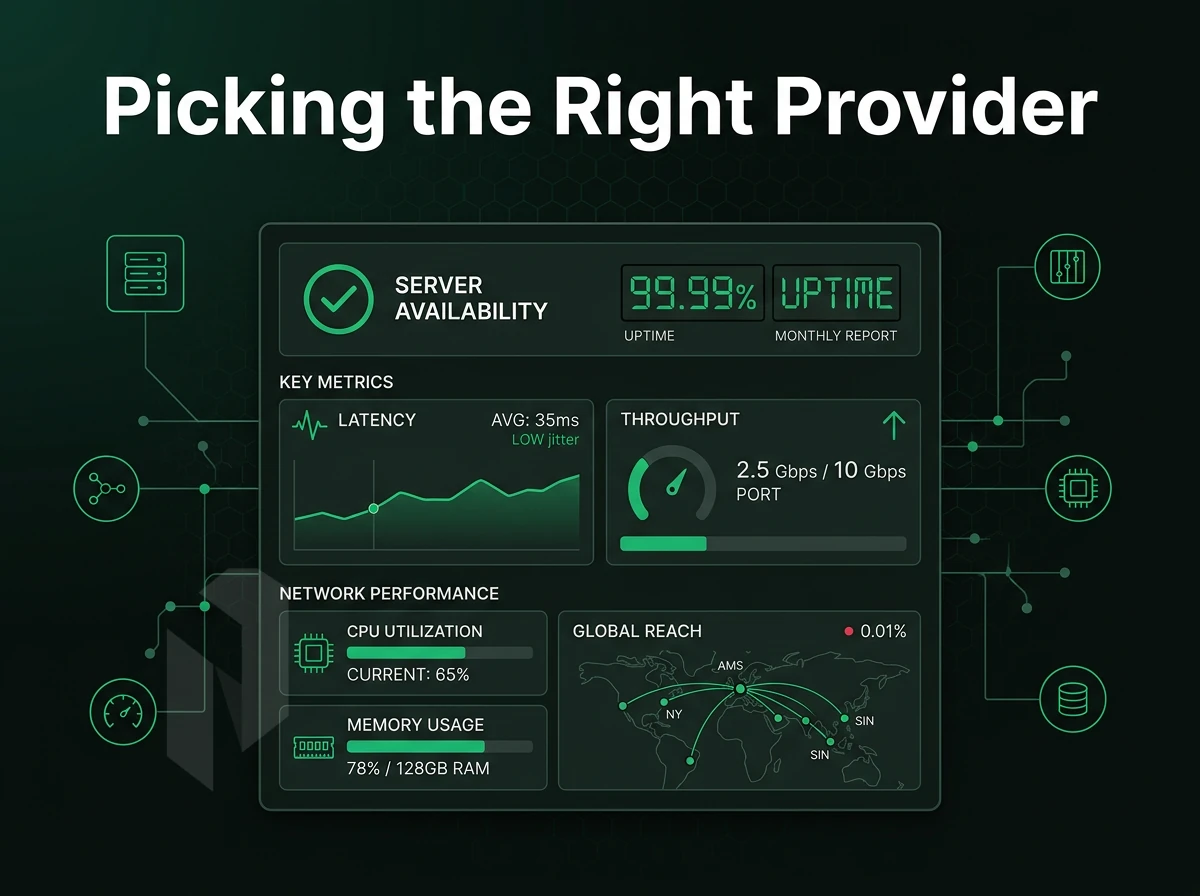
Not all managed dedicated server hosting providers are created equal when it comes to the quality of the hardware, the network and support they provide. Use this framework to cut through the marketing hype of dedicated hosting plans and compare them based on what really matters for performance and reliability.
When comparing dedicated server hosting providers, examine their SLA commitments for hardware replacement times and whether they maintain spare inventory on-site to minimize downtime during component failures. Transparent pricing structures across different hosting plans help you forecast infrastructure costs accurately and avoid unexpected charges as your resource requirements evolve.
Hardware and Storage
- Check the processor generation. Look for hosts running current Intel Xeon or AMD EPYC processors as opposed to older server hardware which increases latency and limits the number of cores. Ask the provider what CPU generation is in the tier you are looking at.
- Check the RAM ceiling for your workloads (e.g. databases, in-memory caches) that scale vertically. Verify the maximum RAM on dedicated server plans and look for plans with at least 512 GB of RAM to support very high end workloads.
- Assess the storage flexibility and the RAID options available (NVMe for IOPS-intensive workloads, SATA SSD for a good price/performance ratio and hardware RAID for fail-safeness). A cloud provider that forces you to choose a single storage profile for your entire infrastructure is not flexible enough to support your architecture.
Global Network, Security, and Uptime
- Confirm that DDoS protection is included. Always-on DDoS protection must be standard and not an additional service. In addition to baseline mitigation of L3/L4 attacks, confirm whether advanced L7 filtering for sensitive data (e.g. financial data) is available as well.
- Review the SLA offered as well as the speed of provisionation. A 99.9% SLA is the minimum to consider, as well as provision of bare metal within 60 minutes or less to ensure that you can go online in less than days.
- Assess the locations of the data centers of your potential web hosting providers. The closer a data center is to your users the better as it reduces latency. It’s important to note that that providers with data centers in Europe, North America and Asia can offer a wide range of locations. Netrouting has ten locations on three continents: Amsterdam, Frankfurt, Bucharest, Sofia, Miami, Washington DC, New York, San Jose, and Singapore.
Management, Access, and Support
- Verify root access and control panel options. “Managed” does not have to mean “locked down”. Verify that you still have root access to the physical server and that your provider patches and monitors for you. Typical control panels for managed hosting are cPanel and DirectAdmin. Make sure that the hosting plan you choose comes with a valid license for your chosen control panel.
- Review the technical support model offered. A 24/7 NOC with a 1 hour response to a ticket is the minimum standard. Business hours support only requires more technical expertise from you.
Note: Avoid providers that bundle management as a vague "add-on" without defining scope. Confirm in writing exactly which tasks, OS patching, security hardening, monitoring, are covered before signing. With those criteria in hand, the next decision is dedicated servers hardware: the specific configurations that determine whether your server can handle the workload you're throwing at it.
Clarify whether the provider supports your preferred operating system distributions and versions, as some hosts restrict choices or charge premium fees for less common configurations. Verify that the provider applies security patches promptly across both the operating system and control panel software to protect against known vulnerabilities. A streamlined setup process ensures your infrastructure becomes operational quickly, reducing the time between contract signing and production deployment.
Hardware and Performance: What the Best Dedicated Servers Look Like
The greatest leverage in a managed dedicated server deployment is the hardware that has been selected. Inexpensive hardware will only waste money but good hardware will help to solve potential problems before they become a bottleneck. Here is what to look for and why.
Processor Architecture: Intel Xeon vs AMD EPYC
Intel Xeon processors are the proven choice for single-threaded, latency-sensitive workloads. This includes online gaming on the best dedicated server setups, real-time transaction processing and other so-called legacy applications that are very difficult to scale out to many cores due to their poor scaling behavior.
The AMD EPYC processor is able to close the performance gap on multi-threaded workloads and as a result is a stronger option for virtualization servers. Large databases and other applications that benefit from high core counts and large memory channels. Netrouting’s EPYC 7402p server comes with 24 CPU cores, 512GB of RAM and 4 x high-capacity NVMe-SSDs.
Dedicated Servers: Storage Hierarchy and Drive Configuration
Storage architecture is one of the more granular server hardware decisions. NVMe storage provides the lowest latency and highest IOPS for applications such as databases, caches and high frequency write workloads. For mixed read/write workloads, SATA SSDs offer a cost-effective middle ground. For now, spinning HDDs have value only when raw capacity outstrips performance requirements.
The number of spindles matters as much as the type of drive. Higher aggregate throughput as well as additional redundancy options are provided by more spindles. Our dedicated servers are equipped with up to 24 drives and thus offer sufficient storage as well as RAID options (stripe for performance, mirror for data safety, or a combination of both with RAID 10).
For production databases, RAID 10 is typically the default choice as it has good write performance (due to striping) and excellent fault tolerance (due to mirroring). It survives a single drive failure without requiring downtime.
Dedicated Servers and GPU Workload Matching
While a CPU-only server is perfect for many workloads, not all workloads are created equal. Inference, training and self-hosted LLMs all require dedicated GPU compute. Our GPU servers are offered with a variety of NVIDIA RTX 6000, A10, A40 and A100 GPUs, all tuned to the correct scale for your specific use case.
Workload matching on dedicated servers covers high clock speed for games and other real-time workloads, maximum RAM for in-memory databases spread across multiple servers in a cluster, and GPU acceleration for AI/ML workloads. Custom configurations available for unusual work loads not covered by our standard tiers.
Do not go for the cheapest dedicated server offer when your workload needs headroom. The performance debt that under-specced servers incur under load is expensive to fix later than the initial upgrade would have cost. And the best servers are only as good as the network serving I/O to them.
Decide who runs the servers.
Hand over the operations, run a dedicated server yourself, or start with a virtual one.
We run it. You ship product.
Choose managed hosting when your team should focus on the application. Agree on what we manage and what stays with you.
Start the conversation with
- Servers
- Number and roles
- Scope
- What we manage
- Access
- What stays with you
Compare configurations, not just rack space.
Start with a dedicated server when provider-owned hardware is the better fit. Compare CPU, memory, storage and network needs.
Start the conversation with
- Compute
- CPU and memory
- Storage
- Capacity and workload
- Network
- Port and traffic needs
Start with a VM. Scale it when needed.
Use cloud compute for workloads that do not need a full machine. Compare vCPU, memory and storage per plan.
Start the conversation with
- Compute
- vCPU and memory
- Storage
- Disk size
- Location
- Preferred region
Network Quality, DDoS Protection, and Bandwidth Options
The specs of raw hardware only tell half the story. Even the best managed dedicated servers are only as good as the underlying network. High latency, bandwidth restrictions and security holes can instantly nullify any performance gains you get from dedicated hardware. Tread the same level of scrutiny over a potential host’s network as you would their CPU and RAM.
Bandwidth: Unmetered vs. Metered Plans
Too many providers advertise huge quotas, only to throttle you or charge you excess later. Incentivising growth is bad enough, we simply don’t charge you for bandwidth, provided you stick to your fixed port speed. No surprises, no re-negotiation with increased traffic.
We deliver unmetered 10 Gbps on all of our dedicated servers. We can even deliver up to 40 Gbps on high volume servers. Whether you run servers of Windows flavor or Linux flavor, port speed is yours and yours alone, not shared with others, not throttled for others. We have huge numbers of video streaming, online gaming and API users who require high volume.
Be wary of services touting high port speeds, but have soft limits of 10-20TB/mo or so. Read the AUP before you sign up for service.
Built-In DDoS Protection
Most providers will try to sell you DDoS protection as an add-on to your existing services. At Netrouting DDoS protection L3/L4 mitigation is included with all our services. No configuration required. No setup fees.
The best dedicated server and other mission-critical workload protection goes beyond the basics, offering application-layer (L7) mitigation, custom filtering rules, and higher scrubbing capacity for advanced defense. Our network carries over 1 Tbps of mitigation capacity and supports blackhole routing for volumetric attacks.
BGP Routing, BYOIP, and Carrier-Neutral Peering
By supporting full BGP and Bring Your Own IP (BYOIP) on our unmanaged dedicated servers. We allow our customers to have full control over the routing of their IP space, just as they would with an unmanaged dedicated server. We operate AS6206 and peer with numerous networks at the following Internet Exchanges: AMS-IX, DE-CIX, NetNod, FL-IX and others, across ten data centers.
Our facilities are carrier-neutral. We have a 2.4 Tbps+ backbone with the vast majority of our connections at 100 Gbps or higher. Uptime for the aforementioned network is 99.9% and covered by the standard SLA.
Dedicated Servers and Their Resources
Routing traffic across ten cities to best serve users in Europe, North America, and Asia-Pacific is crucial. Whether you run Windows servers or Linux servers, you benefit from the same globally scalable architecture. A good network is only half the story, what the provider does for you with managing the same, is equally important.
Server Management Tiers: What 'Fully Managed' Actually Includes
A term like “fully managed” hosting is generally used in hosting marketing without describing in detail what “fully managed” actually means. Thus, before you lock yourself into a contract for one of these managed dedicated servers, you should first precisely map out which tasks a provider will handle and which you will have to handle yourself.
The Managed to Self Managed Server Spectrum
For management tiers, we start at basic (just OS) and go to full (patching, hardening, performance, backups, verify, respond incidecnts). So mid-tier would add to basic level of management for OS to include security updates, firewalls, and monitoring of up-time.
This table describes what typically is covered by each tier along a few dimensions relevant to infrastructure teams.
| Management Tier | OS & Updates | Security Hardening | Monitoring & Alerting | Backup Management | Control Panel Support |
|---|---|---|---|---|---|
| Unmanaged | Customer | Customer | Customer | Customer | Customer |
| Basic Managed | Provider | Partial | Reactive only | Customer | None |
| Fully Managed | Provider | Provider | Proactive 24/7 | Provider | Included |
Netrouting Managed Hosting includes OS patching, security hardening and monitoring of servers. Customers have full root access to their servers. Managed control panel servers are available with cPanel/WHM and DirectAdmin managed hosting options, with licensing included. In addition to the above features Managed Proxmox VE servers also include cluster setup, hypervisor patching and backup configuration.
Complete Control vs. Delegated Operations
Some teams like to control every configuration decision while others like to hand over all day-to-day administration. This tier is based on headcount not on the amount of work to be done.
A lean engineering team with physical servers will benefit from a full delegation of tasks such as patch management and monitoring. A team with dedicated system administrators might prefer a basic managed service, allowing them plenty of flexibility while offloading low-level hardware tasks.
Cost of Windows Operating System licensing and management is different from cost of Linux operating system management. Verify which OS versions are included in each tier prior to signing.
SLA Clauses That Define Real Value
Marketing language rarely holds up against the reality of an SLA. Check these four items in particular.
- Ticket response time: Netrouting guarantees a one-hour response, 24/7/365.
- Hardware replacement window: Same business day standard; four-hour target where parts are on-site.
- Backup frequency and retention: Daily incremental, weekly full image, 30-day retention, with restore times of 15-45 minutes.
- Uptime commitment: Netrouting's standard SLA is 99.9%, confirm whether this applies to the managed layer or only the network.
Lacking from a provider’s SLA are typically hardware replacement windows and backup/restore targets. These figures determine the time needed to recover from a failure. The comparison of tiers also reveals the shortcomings of consumer-oriented providers. It is worth taking a closer look at these before making a final decision.
How InMotion Hosting and Other Consumer-Focused Providers Compare to Enterprise Bare Metal
A number of consumer-oriented providers are reviewed by tech websites when they publish a roundup of the best managed dedicated servers for SMBs. It’s helpful to know where such providers are focused and at what point they are no longer a suitable option.
InMotion Hosting and the Consumer Tier
-
Identify what consumer-grade providers actually deliver.
A hosting company like InMotion Hosting targets straightforward web hosting workloads: business sites, WordPress installs, and small e-commerce stores. Hardware options are limited to preconfigured tiers. A custom control panel replaces direct OS-level access in many plans.
This works well for teams that want simplicity over control. It breaks down when you need custom hardware, multi-gigabit throughput, or BGP routing.
-
Recognise the network ceiling.
Web hosting companies at the consumer tier typically provision shared uplinks and metered bandwidth. Port speeds rarely exceed 1 Gbps. There is no carrier-neutral interconnection, no BYOIP support, and no BGP session on offer.
Note: If your application streams high-definition video, handles real-time financial data, or requires failover across autonomous systems, a consumer uplink will become the bottleneck before your hardware does.
Enterprise Bare Metal Servers and Managed Services
-
Map your workload to enterprise-grade capabilities.
Managed dedicated infrastructure at the enterprise level starts with hardware depth: dual-socket Intel Xeon and AMD EPYC platforms, up to 2 TB RAM, hardware RAID, and custom drive configurations. You choose the spec; the provider builds to it.
Netrouting's dedicated hosting plans provision bare metal dedicated servers across ten locations, Stockholm, Amsterdam, Rotterdam, The Hague, Frankfurt, Bucharest, Miami, New York, Hong Kong, and Singapore, with unmetered 10 Gbps ports and free private networking between your resources.
-
Evaluate BGP and BYOIP support.
Enterprise dedicated hosting providers support full BGP sessions and let you announce your own IP space. This is essential for multi-homed deployments, DDoS resilience, and compliance-driven routing control. Consumer tiers offer none of this.
Matching the Right Tier to Your Requirements
-
Use consumer web hosting services for simple, low-traffic sites.
If your team manages a content site or a small client portfolio, a consumer provider's managed environment is cost-effective and low-overhead. No BGP, no custom hardware, and for that workload, none needed.
-
Move to enterprise bare metal when throughput, latency, or compliance drives the decision. High-throughput applications, latency-sensitive APIs, and regulated workloads require a different class of hosting company: carrier-neutral facilities, dedicated hardware, 24/7 NOC support, and a 1-hour ticket guarantee.
Netrouting's ISO 9001, ISO 27001, and SOC 2 certifications, combined with always-on L3/L4 DDoS protection, make it the clear fit for teams that have outgrown shared or consumer-grade infrastructure.
Mapping the provider landscape to tier is interesting. However, A more useful exercise would be to describe the common workloads that form the basis of managed dedicated hosting and why each of them requires dedicated hardware over virtualized shared servers.
Common Use Cases for Managed Dedicated Servers
Managed dedicated hosting is a niche market that serves specific needs of customers with demanding workloads. Often, shared servers, VPS containers and even elastic cloud hosting are not sufficient to provide the required level of isolation, sufficient bandwidth, and required level of compliance. Below are six scenarios where managed dedicated hosting is the only suitable architecture to meet specific customer requirements.
High-Traffic Websites, E-Commerce, and Dedicated Servers Hosting Providers
A high-traffic storefront or content platform quickly hits two limits on shared infrastructure: CPU contention and I/O saturation. Running on a dedicated server avoids both of these limitations entirely, your processes will never contend with a spike on another server.
For online stores dealing with payment information, having a controlled server environment will also make PCI-DSS scoping much easier. Managed hosting services for dedicated servers further layer on top of the OS hardening and patching that your security team already deals with at the application level as opposed to kernel level.
Bare metal provides consistent baseline performance per node for operators running multiple sites as a single fleet. This means no noisy-neighbour variance and no shared kernel exploits crossing tenant boundaries.
Evaluating Server Hosting for Streaming, Gaming, and VPN Workloads
Video streaming requires sustained bandwidth, not burst capacity. To deliver high-definition video whether live or on-demand, streaming applications require dedicated hosting plans built around unmetered 10 Gbps connectivity to maintain consistent bitrates and avoid the variability of burst-based cloud offerings.
Online gaming is very CPU-latency sensitive. By running a modern Intel Xeon or AMD EPYC CPU on a dedicated server (without a hypervisor) you can guarantee constant tick rates. Players can distinguish a 5 ms delay from a 25 ms delay. Dedicated servers win.
VPN providers need portable IPv4 blocks and full BGP routing control. Netrouting's AS6206 backbone (AMS-IX and DE-CIX peered) allows VPN operators using dedicated servers to benefit from the flexible routing and IP address space that is not available when signing up for regular hosting services.
AI/ML and Compliance Workloads Across Dedicated Servers Options
For GPU inference workloads, dedicated PCIe bandwidth and predictability for GPU memory allocation are key. Shared GPU instances introduce queuing latency that is incompatible with real-time SLAs for inference. Using dedicated GPU servers (e.g. NVIDIA A10, A40, A100) removes this unknown variable altogether.
Workloads requiring auditability of the underlying infrastructure (healthcare, financial services, law) benefit from dedicated servers hosted in Netrouting's ISO 9001, ISO 27001 and SOC 2-certified data centers in Europe and North America. This auditable certification chain is far more convincing to auditors than the same multi-tenant cloud hosted with additional layers of control.
When data has to stay within a geo-jurisdiction, the only correct and sound architecture solution is offered by dedicated hosting providers with certified single-tenant servers.
The examples above all need a hoster with sufficient depth of (server-) infrastructure, network capacities and scope of management to back up their promises. Netrouting fulfills all of them.
Why Choose Netrouting for Managed Dedicated Server Hosting
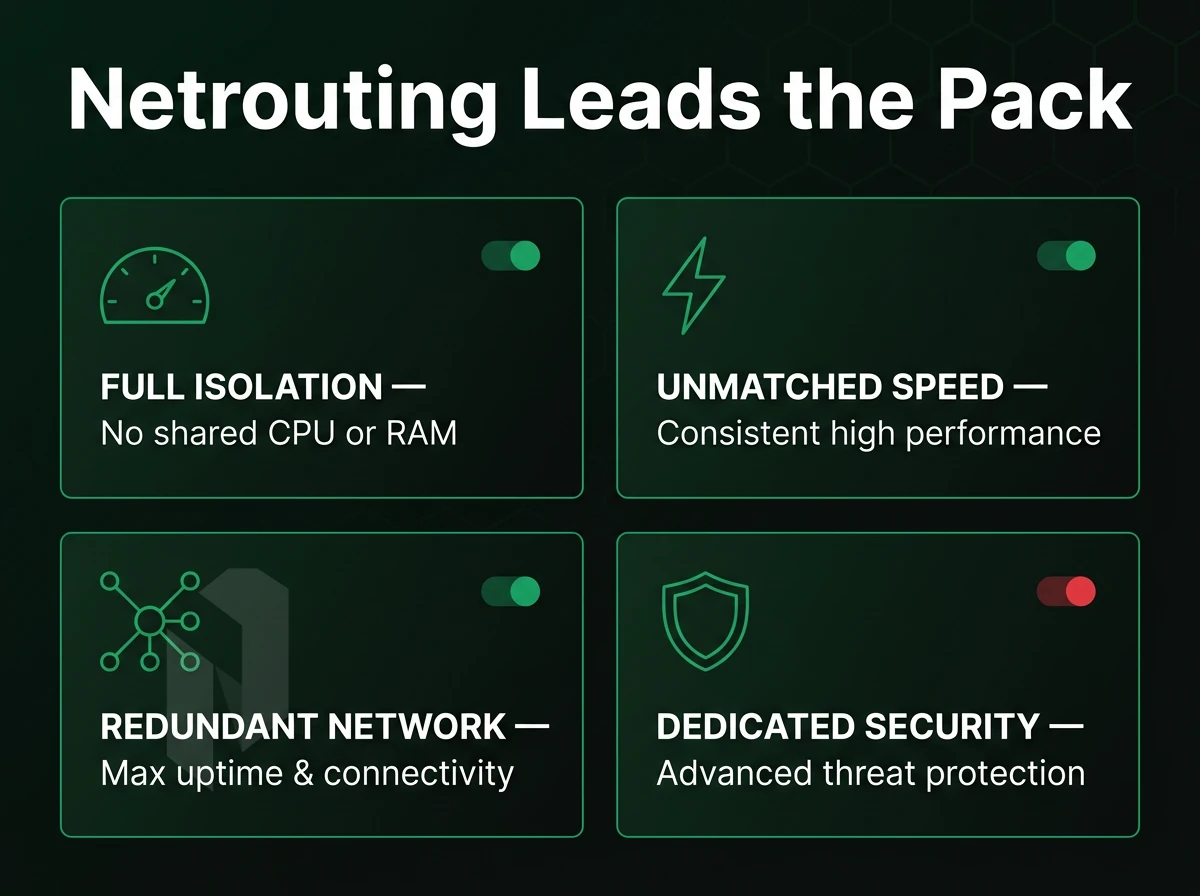
Buyers who have outgrown consumer hosting roundups need more than a checkbox list. They need a managed dedicated server partner with real infrastructure, real certifications, and a support team that answers in under an hour. That's where Netrouting fits.
We operate bare metal servers across ten data centers, Amsterdam, Frankfurt, The Hague, Rotterdam, Stockholm, Bucharest, Miami, New York, Hong Kong, and Singapore. Every dedicated server runs on enterprise Dell and Supermicro hardware with the latest Intel Xeon and AMD EPYC platforms. Dedicated hosting is provisioned in under 60 minutes. There are no drawn-out setup processes and no surprise fees.
- Fully managed hosting, full root access retained, OS patching, security hardening, and proactive monitoring handled for you. You keep complete control of your server environment.
- Managed control-panel servers, cPanel/WHM or DirectAdmin included. Run multiple sites and client accounts without touching the panel yourself.
- Managed Proxmox VE, cluster setup, patching, and backup configuration on dedicated hardware. Run your own VMs without operating the hypervisor layer.
- Built-in DDoS protection, always-on L3/L4 mitigation included on every dedicated server hosting plan. No add-on required.
- Unmetered 10 Gbps bandwidth, up to 40 Gbps available. Our AS6206 backbone carries 2.4 Tbps+ across a global network of Tier 1 upstreams and dense IX peering.
- ISO 9001, ISO 27001, SOC 2 certified, enterprise compliance for sensitive data workloads, backed by a 24/7 NOC and a one-hour ticket guarantee.
We also offer GPU servers for AI/ML workloads when your compute needs grow beyond standard managed dedicated infrastructure. Every deployment is engineered to spec, not forced into a rigid tier.
If you're evaluating managed dedicated server hosting options, explore our managed hosting plans or contact our sales team to discuss your workload requirements directly.
Core Differences Between Managed and Unmanaged Dedicated Servers
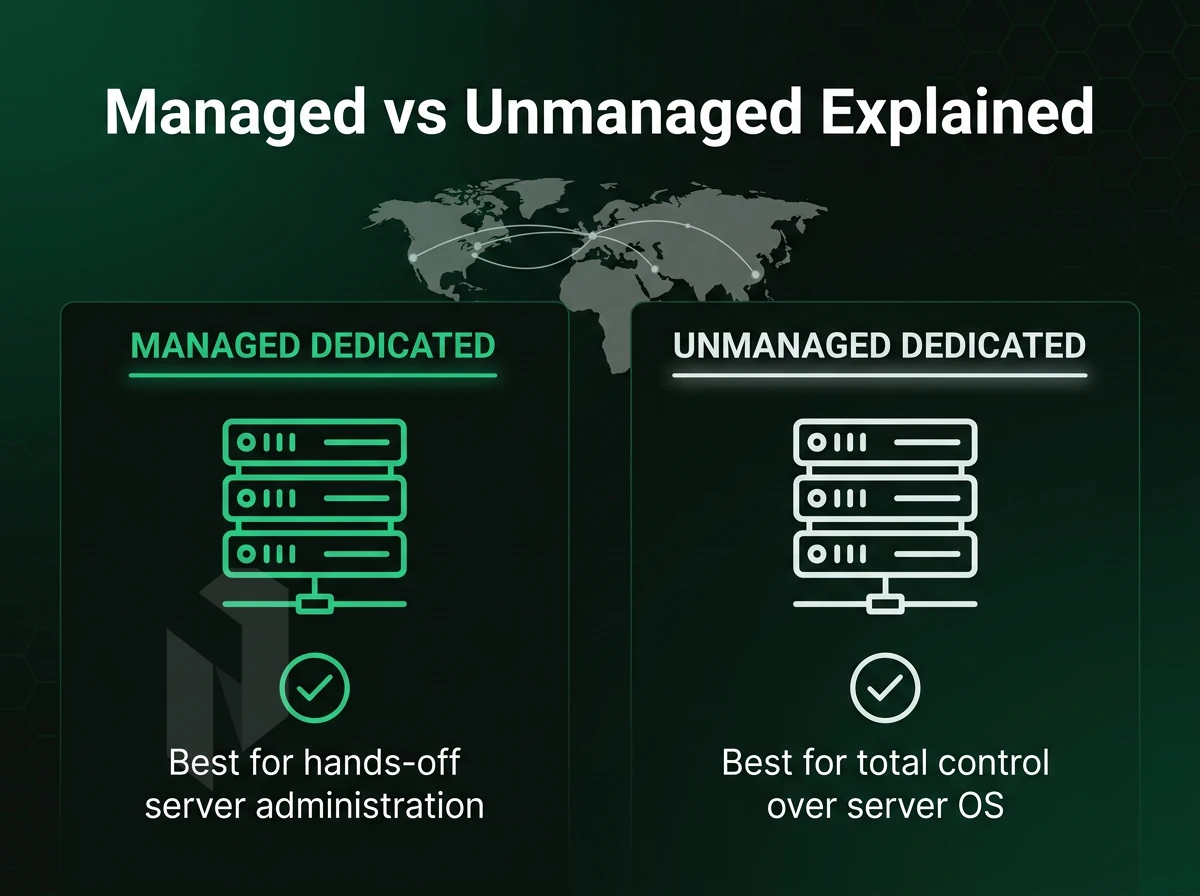
Managed dedicated servers are managed by your hosting provider. They take care of the OS, security updates, monitoring and the control panel for your server. This option is great for people without system administrators or for sensitive data applications that require consistent server management. Managed dedicated hosting services cost more than self-managed dedicated hosting services, but you get predictable hosting infrastructure without having to hire your own system administrators.
With an unmanaged dedicated server you get full root access and fully manage the server environment. This means you can set up the server as you like, apply any necessary security patches, and fully manage the entire server stack. Typically unmanaged dedicated hosting is offered to experienced clients and their technical teams who require unique server configurations and prefer to manage their dedicated hosting environment in a particular way.
If your team doesn't have the necessary technical expertise then managed dedicated server hosting is the way to go. However, even within these dedicated servers environments, the quality of the provider is key to ensuring that your chosen path of management can handle the production load that it is subjected to.
Key Advantages of the Best Managed Dedicated Server Providers
Managed dedicated servers are typically offered by top-notch dedicated server providers who distinguish themselves through six key criteria: current hardware generation, high-performance networks, integrated DDoS protection, SLA and setup time, support, and data center locations.
With managed dedicated servers built around current Intel Xeon and AMD EPYC processor generations and a global network of several data centers, demanding applications finally receive the dedicated resources and reliable dedicated hosting they deserve. With fully managed dedicated hosting, the host administers the server, updates and patches for security, and the guest operating system, thus your staff can focus entirely on the application, not the host infrastructure.
Dedicated hosting providers worth shortlisting offer full root access, unmetered bandwidth, and 24/7 technical support with a guaranteed response SLA. Bare metal servers with always-on DDoS protection and rapid provisioning are the baseline expectation, not a premium add-on. Netrouting checks every box: managed dedicated infrastructure across ten global data centers, a 2
Choosing the right managed dedicated server comes down to three factors: hardware that matches your workload, a network built for reliability and scale. Additionally, A managed layer that handles operations without taking control away from you. Skimping on any one of them creates problems the others can't fix.
Network quality is non-negotiable. Always-on DDoS protection, unmetered high-speed uplinks, and a carrier-grade backbone aren't premium add-ons, they're the baseline for production infrastructure. The same applies to hardware on dedicated servers: current-generation Intel Xeon and AMD EPYC platforms with flexible RAM and storage configurations give you room to grow without a forklift upgrade.
If your workload demands dedicated hardware, full root access. Additionally, if you want a team that handles the operational overhead, explore Netrouting's managed dedicated servers options and talk to the team about the right configuration for your use case.
Hand over the day-to-day.
Tell us what runs on the servers and what your team keeps. We propose the managed scope.