Unmanaged dedicated server hosting is for those workloads where you require full control over the server environment. You receive a server with full control of the hardware, connectivity and IP addresses. The server’s Operating System, Software Stack and Security Configuration is entirely your responsibility.
Once provisioned, you are responsible for the entire server setup, including partitioning disks, configuring network interfaces, and hardening the system against threats. Tuning the server's configuration to match your workload profile, whether that means adjusting kernel parameters, optimizing file system mounts, or setting resource limits, requires both planning and ongoing iteration as traffic patterns evolve.
No managed-service overhead.
Blog contents
But, picking the right provider for things like network quality, dedicated resources, hardware generation, and support quality when their hardware fails is still super important, even with unmanaged hosting that gave you a fully unmanaged OS layer. Evaluating a provider's hosting infrastructure ensures your unmanaged server sits on reliable power, cooling, and network backbone capable of sustaining production workloads.
Comparing hosting services across multiple providers helps you identify which ones deliver consistent uptime SLAs, transparent pricing, and responsive technical support when issues arise. Providers that architect their data centers for maximum availability typically deploy redundant power feeds, multiple upstream carriers, and automated failover mechanisms that keep your unmanaged server reachable even during localized outages.
This guide provides a comprehensive overview of what unmanaged dedicated hosting actually offers, compares it with managed dedicated hosting and cloud hosting, outlines what you should be looking for in a hosting provider. Additionally, Which workloads warrant the associated operational overhead. It starts with the basics.
What Is Unmanaged Dedicated Server Web Hosting?
Unmanaged dedicated server hosting is a complete physical server with hardware, bandwidth and IP addresses, all dedicated to your projects. No room for shared tenants here, and with no resources being shared either, you have complete control of the server from the kernel up. When you lease an entire physical server, you eliminate the performance variability that comes from sharing CPU cycles, memory, or disk I/O with other tenants.
What Unmanaged Web Hosting Actually Means
The unmanaged dedicated hosting options cover the physical server and the connection to the network. Everything above that would typically be covered by the customer (OS, software stack, security updates, firewall rules, etc.) and therefore differs from managed servers where those responsibilities are handled for you. Organizations evaluating unmanaged plans should confirm their team possesses the technical depth to handle OS configuration, patch management, and incident response without vendor assistance.

Shared or clustered environments typically run dozens of accounts on a single server or have a Hypervisor to split virtual servers on a VPS on the same server. In contrast, an unmanaged server has no abstractions whatsoever.
Full Root Access and What It Unlocks
Full root access to the server operating system. Choose your own OS distributions. Compile your own kernels. Install any runtimes. Set any parameters to whatever values you need. No hosting control panel restrictions. No vendor-imposed software limitations.
You can install software directly from source, configure custom repositories, or deploy containerized workloads without waiting for approval or hitting arbitrary package restrictions. This level of control extends to software installations, where you can deploy any package version or custom-compiled binary without needing to request permission from a support team.
This is why developers and infrastructure teams prefer the unmanaged server model.
Where Server Management Responsibilities Fall on You
Server management responsibilities include:
- OS provisioning and updates.
- Security hardening and patch cycles.
- Service configuration (web server, database, caching layer).
- Backup strategy and monitoring.
Administrating servers requires real Linux or Windows Server knowledge.
How Server Management Differs in Unmanaged vs Managed Dedicated Hosting
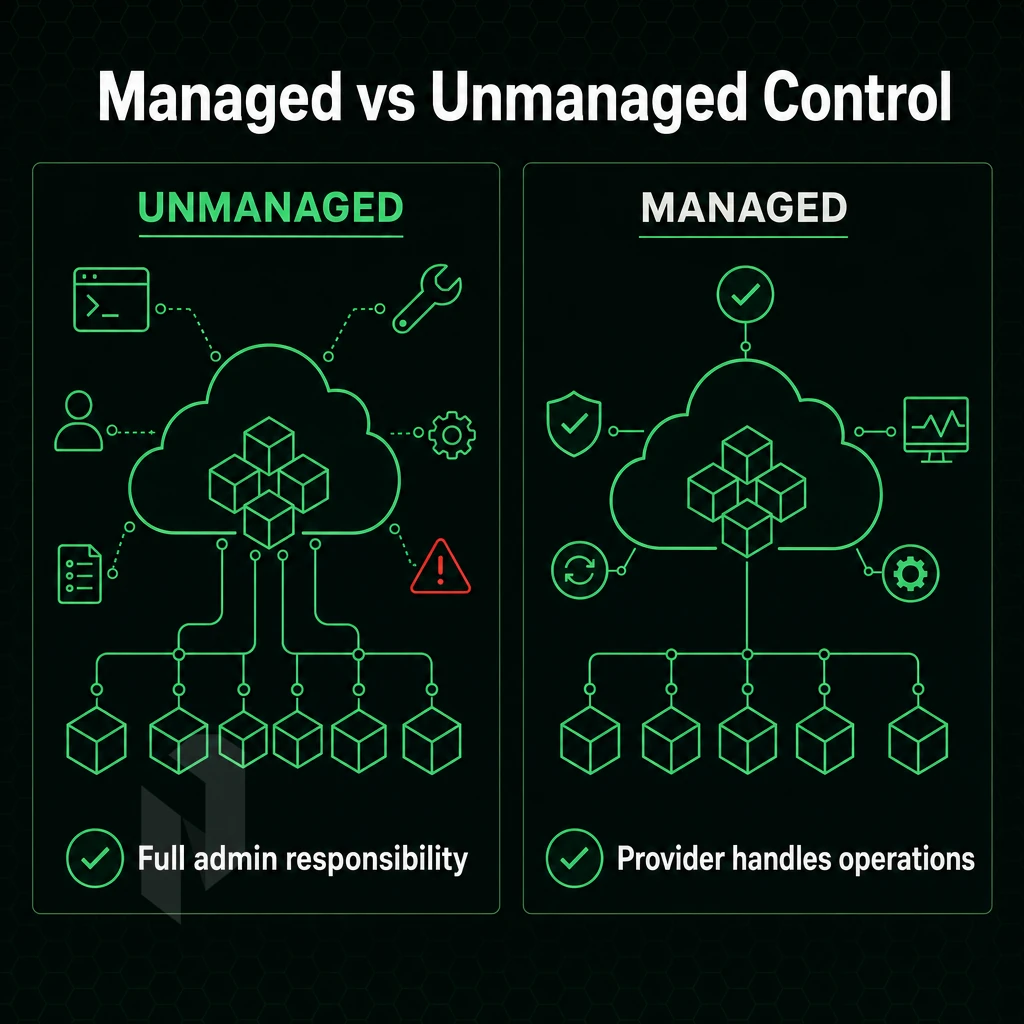
When choosing between unmanaged and managed dedicated server hosting, there’s a lot of operational work that is taken off of your hands. Additionally, Knowing how that work is divided is key to choosing the right model and knowing what your team can actually handle. Understanding the trade-offs between managed and unmanaged hosting helps teams allocate resources effectively and avoid infrastructure bottlenecks.
What Your Team Owns in Unmanaged Dedicated Server Management
With unmanaged dedicated server hosting your hosting provider is only delivering you hardware and network uptime. Everything else such as the Operating System, Security patches, installing software etc as well as ongoing Server maintenance are your responsibilities. With full root access comes full responsibility for your dedicated server. Scheduling and applying operating system updates becomes a critical routine task that your team must handle to maintain security and stability.
Your team will also need to implement security monitoring tools and configure alerting systems to detect intrusions or anomalies in real time. Your team must establish a regular security patching cadence to address vulnerabilities as they are disclosed by vendors and the security community. Establishing robust security protocols ensures that firewall rules, intrusion detection systems, and access controls are consistently enforced across your infrastructure. Configuring comprehensive security settings at the firewall, SSH daemon, and application layer requires both technical expertise and ongoing vigilance to prevent unauthorized access.
This model is suitable for experienced sysadmins who want full control of their stack.
What the Provider Covers in Server Management for Dedicated Hosting
Managed Dedicated Server Hosting: The hosting provider manages the OS updates, patching, monitoring and hardening. The customer has root access to the server, but the operational overhead of looking after the server is taken care of by the hosting provider. The customer can expect fast response times, as our managed plans come with a 1 hour ticket guarantee, 24/7 NOC coverage, and more.
Our expert support team handles infrastructure-level issues around the clock, ensuring your server remains stable and secure without requiring your direct intervention. In this arrangement, the hosting provider takes care of routine maintenance tasks, freeing your team to focus on application development and business logic rather than infrastructure concerns.
Dedicated Server Web Hosting: Choosing the Right Model
| Dimension | Unmanaged | Managed |
|---|---|---|
| Admin responsibility | Your team | Provider |
| Root access | Full | Full |
| Uptime SLA | 99.9% | 99.9% |
| Best for | In-house sysadmin teams | Lean or non-technical teams |
If your team is stretched, managed hosting is the natural upgrade path on any unmanaged dedicated server. You keep control of your applications, we keep the infrastructure secure and current. Either way, the hardware underneath both models shares the same core feature set, worth understanding before you configure anything.
Key Features of Unmanaged Servers for Dedicated Hosting
self-managed dedicated servers are fully unmanaged to give you complete control over your infrastructure, hardware, Operating System and software applications. Knowing the key features will help you choose the right server configurations.
Hardware and Resources
- All dedicated servers have no shared neighbors. All CPU cycles, RAM slots and hard drives are dedicated to you. Our servers are set up on Dell and Supermicro hardware, using Intel Xeon and AMD EPYC processors. Our servers support up to 2 TB of RAM and up to 24 drives per node.
- This section describes the hardware RAID and storage options available. In provisioning the RAID level for your storage is chosen. Hardware RAID protects against single disk failures without using up CPU power, making it suitable for database and high write workloads.
Note: Confirm your RAID configuration before deployment. Changing it later requires a full rebuild and data migration.
Intel Dedicated Servers and OS Choice
- Full root access from the word go! You have full control of the server’s operating system and can install any distribution for the variety of supported Operating Systems, including Linux, BSD and Windows distributions.
- Custom software installations. Since you have Root access, you can install and manage any package, kernel module, etc. as well as start daemons as needed, without any software restrictions imposed by the provider.
Connectivity and Control Panel Features
- Network connectivity. The servers are set up in a secure data center. They are provisioned with unmetered 10 Gbps connectivity and always-on DDoS protection.
- Control panel availability. For teams without sufficient technical knowledge to manage a server using the CLI, DirectAdmin or cPanel can be made available on the control panel for configuring the server as required while retaining root access.
Those are the features of the hardware.
Decide who runs the servers.
Hand over the operations, run a dedicated server yourself, or start with a virtual one.
We run it. You ship product.
Choose managed hosting when your team should focus on the application. Agree on what we manage and what stays with you.
Start the conversation with
- Servers
- Number and roles
- Scope
- What we manage
- Access
- What stays with you
Compare configurations, not just rack space.
Start with a dedicated server when provider-owned hardware is the better fit. Compare CPU, memory, storage and network needs.
Start the conversation with
- Compute
- CPU and memory
- Storage
- Capacity and workload
- Network
- Port and traffic needs
Start with a VM. Scale it when needed.
Use cloud compute for workloads that do not need a full machine. Compare vCPU, memory and storage per plan.
Start the conversation with
- Compute
- vCPU and memory
- Storage
- Disk size
- Location
- Preferred region
Who Should Use Unmanaged Dedicated Server Hosting?
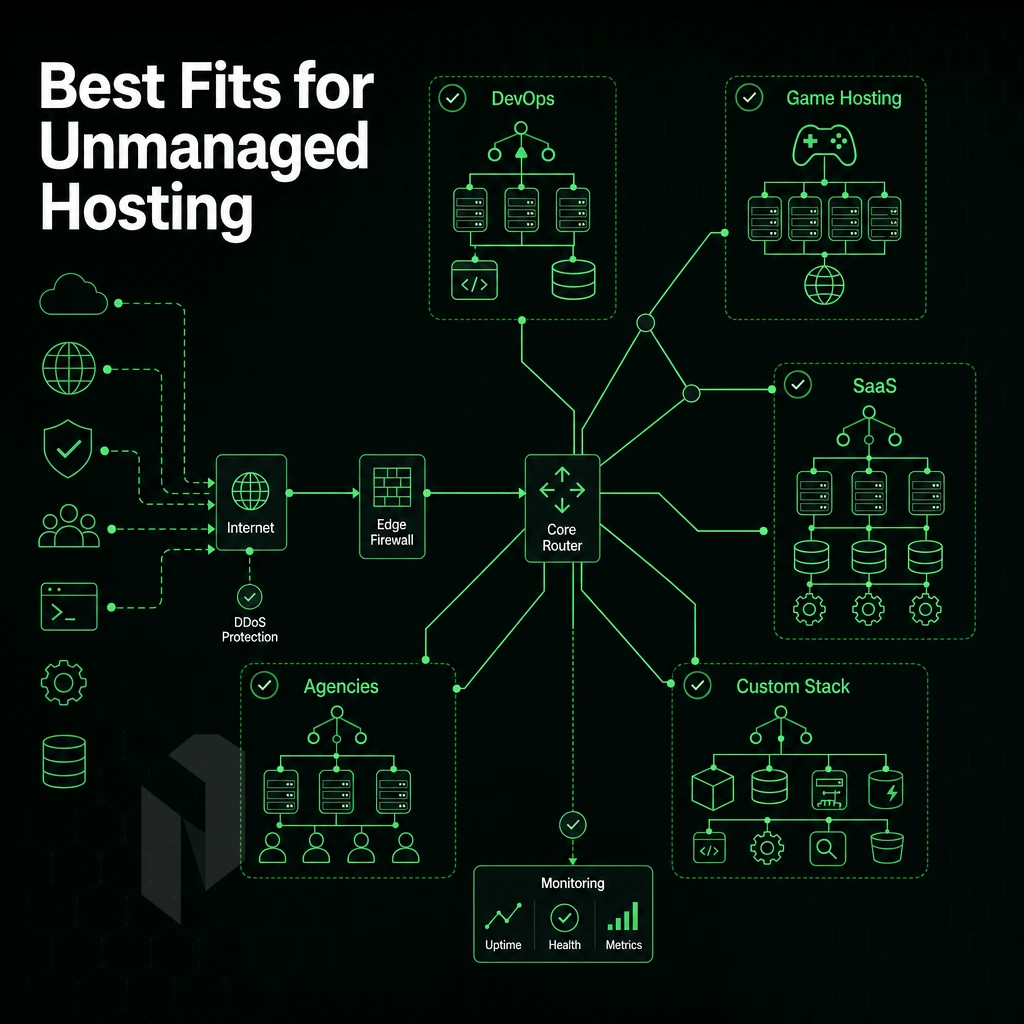
Unmanaged dedicated server hosting is for a certain type of hosting provider.
System Administrators and Developers
Sysadmins who want full control over kernel parameters, custom daemons, and non-standard software stacks gain no benefit from managed plans and their associated overhead. Developers with custom runtimes or compiled applications also gain nothing. Full root access means no restrictions for what you can deploy.
High Traffic Websites
We recommend Dedicated Resources for platforms that have sustained and unpredictable load. High traffic websites, video streaming, online gaming and VPN services will require raw throughput and low latency and thus cannot be placed on a managed layer.
Our bare metal servers come with unlimited 10 Gbps connectivity and a 99.9% uptime SLA, making them perfectly designed for high traffic sites.
Who Should Choose Managed Instead
Understanding the difference between managed and unmanaged hosting matters before you commit.
Once you've confirmed the model fits your team, it's worth weighing the full picture, what you gain and what you take on.
Pros and Cons of Unmanaged Servers Dedicated Hosting
But you own the operations too.
Advantages of Dedicated Servers
The performance case is simple: no hypervisor overhead, no shared queues, no contention with your other virtual servers on that host.

- Complete configuration control, install any OS, kernel, or software stack without restriction.
- Full root access, tune every parameter from network buffers to storage schedulers.
- No resource contention, server performance is entirely yours.
- Lower base cost, No managed-service markup, thus cost-effective for teams with in-house Linux skills.
What Your Web Hosting Provider Won't Handle
For unmanaged servers, the hosting provider provides you with the necessary hardware and the network. Everything on top of the hypervisor is your responsibility, i.e. you have to manage the operating system, apply security fixes, set up the firewall, monitor your applications, etc.
- OS and software maintenance, schedule and apply all updates.
- Security settings (hardening, access controls, etc. and an incident response policy) are your responsibility.
- No guided support, and you will need to have the technical expertise in-house or to get a third-party sysadmin to support you.
Managed Dedicated Servers vs. Unmanaged: The Real Difference
Managed dedicated servers move the OS management to your provider. Managed servers are ideal for teams without a dedicated operations staff. Unmanaged servers are suited for developers and infrastructure engineers who want full control of their stack and can manage end to end server operations.
Now choose which workloads go into which models.
Common Use Cases for Unmanaged Dedicated Hosting
Unmanaged dedicated server hosting is ideal for users that require full root access and have no restrictions on a platform. The key is to find the right workload fit to unlock the full advantage of this server hosting model.
Who Chooses Dedicated Web Hosting Services
For websites with high amounts of traffic, video streaming and online gaming services require constant low latency and high CPU load. Instead of having shared hosting collapse under this load, a consumer-grade, unmanaged hosting server enables web developers and operators to manage a hosting server with the most fine grained controls such as kernel tuning. Network stack configuration and other custom software deployments, without the overhead of a managed hosting environment.
Both VPN providers and AI/ML workloads will find value here. The BGP flexibility and multi-gigabit throughput required by VPN providers is matched by the requirement for AI/ML workloads for bare-metal access across managed and unmanaged hosting options, with direct access to NVIDIA hardware, no hypervisor tax, and no contention with other users.
The Right Hosting Solution for Self-Sufficient Teams
For those who manage their server's operating system themselves, we offer unmanaged server packages where customers bring the hardware and we take care of powering, cooling, and connecting them to our 2.4 Tbps+ network. Patching, monitoring and security are managed by the clients' dedicated IT teams.
Workload Comparison
| Workload | Key Requirement | Why Unmanaged Server Hosting Fits |
|---|---|---|
| High-traffic websites | 99.9% uptime, high RAM | Full OS control, no noisy neighbors |
| Video streaming | Unmetered 10 Gbps+ | Dedicated bandwidth, tunable network stack |
| Online gaming | Sub-10 ms latency | Bare metal removes virtualization overhead |
| AI/ML & GPU compute | Direct GPU access | No hypervisor layer, full CUDA control |
| VPN providers | BGP, multi-Gbps throughput | BYOIP support, AS6206 backbone |
The server architecture should follow from the workload. Additionally, if your team can handle the OS layer independently and is comfortable managing server resources for unmanaged hosting, then bare metal across 10 locations (Amsterdam to Singapore) offered by Netrouting could be the right solution for you.
Why Choose Netrouting for Unmanaged Dedicated Server Hosting?
Netrouting delivers unmanaged dedicated server hosting for teams that demand full root access, complete control over their server environment, and hardware that keeps pace.
- Bare metal in under 60 minutes. Your entire physical server is provisioned and ready fast, no queues, no shared resources.
- Unmetered 10 Gbps connectivity (up to 40 Gbps available) over our own AS6206 backbone with 2.4 Tbps+ network capacity.
- Always-on L3/L4 DDoS protection included at no extra cost on every unmanaged dedicated server, no configuration required.
- Dell and Supermicro hardware on Intel Xeon and AMD EPYC platforms, with BYOIP and BGP support for full server configuration flexibility.
- 10 secure data center locations across Amsterdam, Frankfurt, Miami, Singapore, Hong Kong, New York, The Hague, Stockholm, Rotterdam, and Bucharest, ISO 9001, ISO 27001, and SOC 2 certified.
- 24/7 NOC with a 1-hour ticket guarantee, network-level support is always on, even when server management stays with your team.
If your technical expertise covers server administration and you need dedicated resources without managed hosting overhead, Netrouting is a strong fit.
Frequently Asked Questions
How does unmanaged hosting differ from a virtual private server for full dedicated machine control?
Unmanaged dedicated server hosting gives you sole use of a physical server, no shared resources, no hypervisor overhead. The provider owns and maintains the hardware, network uplink, and data center infrastructure. Everything above the network port, OS installation, software stack, security hardening, and ongoing administration, is your responsibility. It is the highest-control, lowest-overhead model for teams that want full root access and no management layer in between.
What is the difference between managed and unmanaged dedicated servers?
With an unmanaged server, you handle OS patching, security configuration, software updates, and monitoring yourself. A managed server includes those tasks, the provider's team applies patches, hardens the OS, and responds to alerts on your behalf. Unmanaged hosting costs less and gives you complete control.
Managed hosting costs more but removes the operational burden, making it the better fit for teams without dedicated sysadmin capacity. Netrouting offers both: bare metal with full superuser access, or a managed hosting layer added on top.
Do I need technical expertise to use an unmanaged dedicated server?
You need solid Linux or Windows Server administration skills to manage this hosting solution, comfortable with the command line, package management, firewall configuration, and basic network troubleshooting. Teams without that in-house capability should consider a managed hosting plan instead.
What operating systems can I install on an unmanaged dedicated server?
Check with your provider for any licensing requirements on Windows Server.
Is DDoS protection included with unmanaged dedicated servers?
For high-risk or mission-critical web hosting workloads where keeping up with security patches alone isn't enough, advanced protection adds application-layer (L7) mitigation, granular custom policies, and higher scrubbing capacity on top of the included baseline.
Can I upgrade from an unmanaged server to a managed hosting plan?
Netrouting's managed hosting layer can be added to an existing unmanaged hosting plan or bare metal deployment, covering OS patching, security hardening, and proactive monitoring while you retain full administrative access.
What is BYOIP and do unmanaged dedicated servers support it?
BYOIP, Bring Your Own IP, lets a dedicated IT team announce your existing IPv4 address block over a provider's network using BGP, rather than using IP space assigned by the provider. Netrouting supports BYOIP and BGP on dedicated servers, making it straightforward to bring your own block and announce it over AS6206.
Our unmanaged physical servers provide 100% privileged access, complete hardware isolation and best possible server performance. We do not add any management costs on top, which means you are fully responsible for server maintenance, including the complete OS, security setup, and all configuration options. This type of server is recommended for experienced sysadmins, DevOps teams, and developers with the technical knowledge to take full control of their server without any compromise.
We deploy bare-metal dedicated servers running on the latest generation of Dell and Supermicro hardware in ten data centers across Europe, North America and Asia.
Ready to spec your server? Browse Netrouting's dedicated server configurations or contact the sales team for a custom build.
Hand over the day-to-day.
Tell us what runs on the servers and what your team keeps. We propose the managed scope.