Choosing the right cloud compute platform to release your workloads to is more than just finding the cheapest virtual instance to run your applications on. The wrong choice will lead to delays of your releases, unstable performance under load, and problems with your network that will pop up at the worst moment.
But choosing the right platform will make your releases go out smoothly, will scale automatically for you, and run on infrastructure that does not become a problem for you.
The Cloud Compute Comparison Guide for IT Decision Makers & Developers is a no-nonsense guide that clearly outlines the key aspects of the various cloud compute options. Netrouting has been operating its own AS6206 internet backbone since 2009.
Blog contents
We offer a range of solutions including bare metal servers and cloud servers with cloud management built to handle diverse cloud workloads, available from over 10 locations across the globe: Stockholm, Amsterdam, Rotterdam, The Hague, Frankfurt, Bucharest, Miami, New York, Hong Kong and Singapore. These locations provide strategic advantages for hosting websites that require low latency to end users across multiple continents while maintaining consistent performance.
Our 2.4 Tbps+ network has a 99.9% uptime SLA. The years of operational expertise we have gained has been used to create the in-depth information on all of the aspects for each cloud compute solution outlined in this guide. This operational track record provides insights drawn from historical data spanning over a decade of network performance and reliability metrics.
We review platforms across six dimensions: provisioning speed, network performance, scalability, geography, support quality and total cost of ownership. By the end of this article you will have a framework to match your release process to the platform that can support it.
What Is the Best Cloud Compute for Seamless Workload Release?
| Provider / Option | Performance | Support | Uptime SLA | Network | Best For |
|---|---|---|---|---|---|
| Netrouting | Latest Intel Xeon and AMD EPYC platforms. Bare metal provisioned in under 60 minutes. Up to 2 TB RAM, up to 40 Gbps per instance. | 24/7 NOC, 1-hour ticket guarantee | 99.9% SLA | 2.4 Tbps+ backbone (AS6206). Unmetered 10 Gbps standard. Free private network up to 40 Gbps between virtualized computing resources. | Teams needing predictable performance, EU data sovereignty, and global reach across 10 locations |
| Hyperscaler cloud platforms (e.g., major public cloud providers) | Broad instance variety across many operating systems. Noisy-neighbor risk on shared tiers. | Tiered, premium support costs extra | 99.9%-99.99% depending on tier and region | Global backbone, but egress-heavy billing model | Teams already invested in one cloud provider's managed-service ecosystem |
| Regional IaaS cloud providers | Solid for standard workloads. Limited high-density or GPU options. | Business-hours support typical; 24/7 varies | 99.9% standard | Single-region or dual-region; limited IX peering | Cost-sensitive buyers with purely regional cloud computing needs |
| Bare-metal-only cloud providers | Dedicated hardware, no shared contention. Fewer instance sizes. | Varies widely by vendor | 99.9% typical | Limited peering; smaller network footprint | Single-workload deployments where cloud resources don't need to span regions |
When releasing workloads to the cloud, it's not just the amount of instance capacity that matters, but also the amount of time it takes to provision, the quality of network, the support received, and the safeguards in place to prevent data breaches. We provide the right environment for cloud computing.
We deploy bare metal servers within 60 minutes or less across 10 locations worldwide, with a 2.4 Tbps+ network backbone. We provide free private network connections to your cloud servers, hosted platforms, and other cloud resources. Data breaches remain a major concern for organizations migrating critical workloads, making robust security measures essential when selecting a cloud provider.
For latency-sensitive applications and those that are subject to strict compliance requirements, our cloud computing platform is the strongest contender out there. Of course, for those locked into a provider’s managed services platform, the hyperscalers will likely remain the team’s primary platform for cloud computing.
However, for predictable cloud computing with no egress charges, we recommend Netrouting. For community perspectives, see How bad is the 'we are moving back to on-prem' movement . Organizations seeking to avoid vendor lock in should evaluate platforms that support standard APIs and open-source tooling, enabling workload portability across environments.
How Cloud Compute Handles Application Cloud Workloads
First, we must understand how cloud compute transforms the raw hardware of servers and storage into flexible compute resources on demand. Knowing how abstraction works, and which of the deployment models are best for your individual applications, is key to creating a reliable release pipeline.
Cloud Infrastructure Migration and the Abstraction Layer
Hypervisors are the core of cloud environments. They partition servers into virtual servers with vCPUs, RAM and storage in a virtual space. The physical infrastructure like power, networking and cooling is hidden behind an API. Each virtual server is allocated specific resources including vCPU cores and memory usage limits that can be adjusted based on workload requirements.
The key abstraction for IaaS is the OS-level abstraction provided by virtual machines (VMs). When you use IaaS, you get to pick and use the OS, application stack, and runtime that you want.
The IaaS provider manages the real things (server, storage, network) that your VM runs on and abstracts them away from you, below the OS level. This is in contrast to PaaS which also abstracts the runtime, but on top of the OS, and serverless which abstracts the server entirely, and runs single functions on demand.
IaaS offers the most control, but also the most operational responsibility. If you are running custom runtimes, batch workloads, or ML training workloads then the extra control is worth the extra operational work.
Public, Private, and Hybrid Cloud Workloads Models
The deployment model defines who owns the physical infrastructure and who is using it. Three different models offer different risk / performance profiles.
| Model | Hardware ownership | Isolation | Best for |
|---|---|---|---|
| Public cloud | Provider-owned, multi-tenant | Logical only | Burst capacity, dev/test, variable workloads |
| Private cloud | Dedicated hardware, single-tenant | Physical + logical | Regulated data, predictable performance, compliance |
| Hybrid cloud | Mixed | Workload-dependent | Sensitive data on-prem, burst traffic offloaded |
A hybrid cloud approach allows workloads with strict compliance requirements to run on their own hardware, and burst traffic to be routed to shared infrastructure as required. The critical dimension is the interconnect between environments, aiming for sub-5ms latency for fully stateful applications. Organizations executing cloud migration strategies often adopt this model to minimize disruption while gradually transitioning legacy systems to modern platforms.
Matching AI Workloads to the Right Cloud Model
Workloads are not all created equal and should not all reside on a single tier of infrastructure. The key characteristics that define most cloud workloads are that they are either latency sensitive, batch oriented (processing large amounts of data) or are training machine learning models.
For Latency sensitive applications such as APIs, Realtime databases, Game servers etc. which require to respond within single digit millisecond all the time. Multi-tenant public cloud environment introduces variability due to Noisy-neighbor. Dedicated server / Private cloud environment removes this variability. This principle extends to mobile applications where consistent response times directly impact user experience and retention rates. Monitoring usage patterns for these latency-sensitive workloads helps teams identify performance bottlenecks and optimize resource allocation before they impact end users.
Latency is less important for batch processing and ML training and what is important is sustained throughput. For GPU-backed cloud workloads high-bandwidth interconnects and large RAM pools are important. For such workloads it is better to provision bare metal on demand (as opposed to virtualized slices of servers) in order to be able to provision sufficient raw compute power.
Netrouting's cloud compute is spread over ten locations in Europe, North America and Asia and is equipped with a 2.4 Tbps+ backbone. It also offers a 99.9% uptime SLA. For teams that launch new application workloads into production, this way of working removes the typical infrastructure-related problems that can occur during the launch of new workloads.
Teams can deploy applications with confidence knowing that the infrastructure will support their performance requirements from day one. The platform's control panel and API endpoints enable teams to manage applications across all locations from a single interface, streamlining operations for distributed deployments.
Virtual Machines Decision Guide
Private / Dedicated instances for regulated / latency sensitive workloads. Hybrid cloud for burst headroom without moving sensitive data off premises. Fully serverless tiers for stateless functions (event driven), where cold start latency does not matter.
Key Workload Types and Their Cloud Compute Requirements
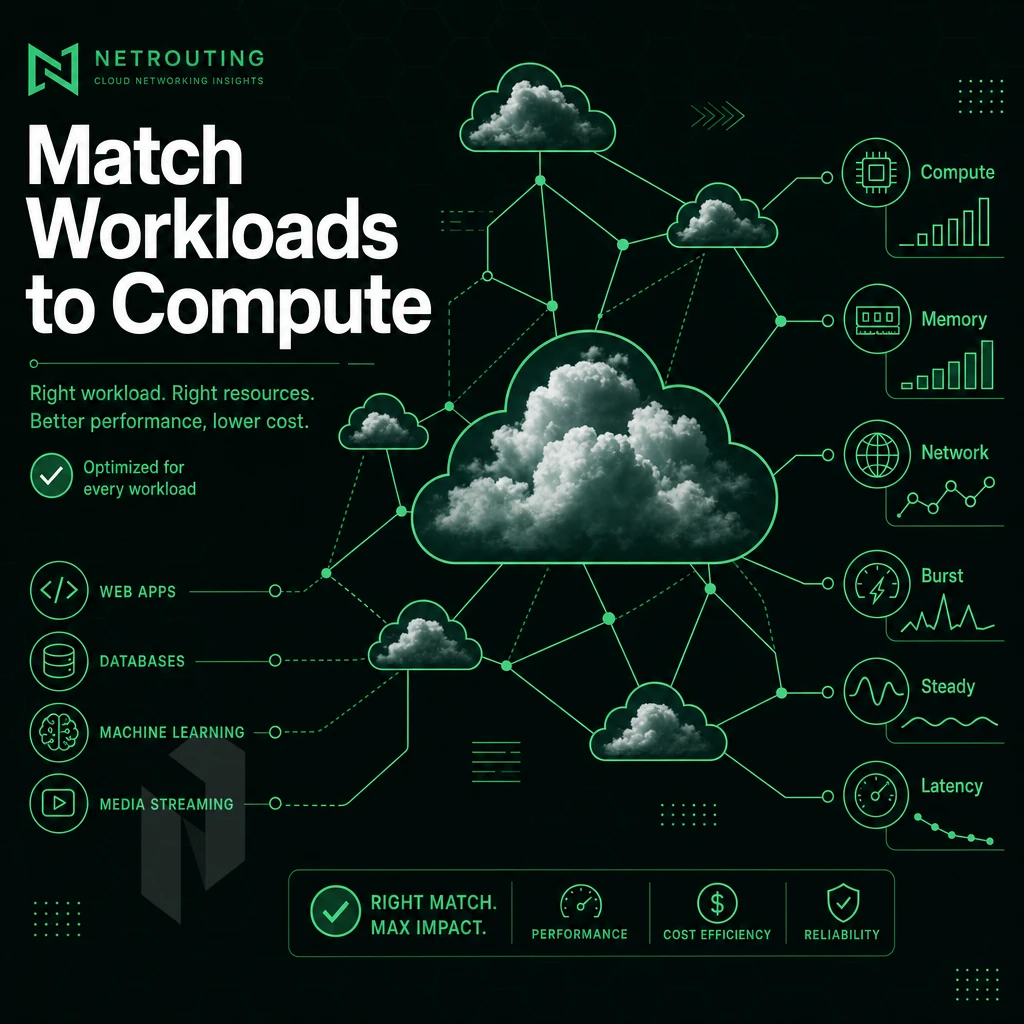
When it comes to cloud workloads, different workloads have different requirements when it comes to the compute, memory, and network resources needed to run them optimally. By understanding the typical resource profiles required for different types of cloud workloads, you can create and run a production-ready environment that is not only stable but cost-optimized for the various applications that are typically deployed. The six categories of workloads below are some of the most common that are typically found in production environments.
Matching workload profiles to the appropriate compute tier ensures each application runs on infrastructure suited to its demands, making this approach a cost effective solution for organizations managing diverse production environments. Teams that manage applications across these six categories benefit from platforms offering flexible instance sizing and real-time monitoring to track resource consumption patterns. Analyzing usage patterns over time helps teams identify opportunities to right-size instances and optimize costs without sacrificing performance.
Compute-Intensive and Data Cloud Workloads
-
Web servers and website hosting
Web servers handle unpredictable traffic spikes, so horizontal scaling matters more than raw single-core speed. Prioritize consistent CPU performance, low-latency network egress, and enough RAM to cache frequently served assets. A 99.9% uptime SLA is the baseline expectation for any public-facing site.
Note: Underprovisioning RAM is the most common mistake here. A server that swaps under load will respond slowly long before CPU reaches its ceiling.
-
Batch processing jobs
Batch processing runs scheduled, high-volume tasks, log aggregation, report generation, ETL pipelines, that consume CPU in bursts. These jobs tolerate latency but demand processing power and fast local storage I/O. Isolating them on dedicated instances prevents them from starving interactive workloads.
-
Business intelligence and data processing
BI queries scan large datasets in memory. Memory-optimized instances with high RAM-to-CPU ratios reduce query times dramatically. Fast private networking between compute and storage nodes is equally important, network bottlenecks add more latency than slow CPUs in most analytical pipelines.
Machine Learning, Development, and Mobile Backends
-
AI workloads and machine learning inference
Machine learning inference demands GPU acceleration, high memory bandwidth, and low-latency interconnects between nodes. Training runs benefit from NVMe-backed storage and fast private networking. Netrouting's GPU servers, covering NVIDIA RTX 6000, A10, A40, and A100 options, are purpose-built for these workloads, with EU data sovereignty for sensitive model data.
-
Software development and CI/CD pipelines
Software development environments need fast application deployment cycles and reliable compute for build runners. CI/CD pipelines are CPU-bound during compilation and test execution. Provisioning dedicated instances per pipeline stage eliminates queue contention and keeps deploy code feedback loops under five minutes.
Note: Shared compute environments introduce noisy-neighbor effects that inflate build times unpredictably. Dedicated bare metal removes that variable entirely.
-
Mobile application backends
Mobile backends serve millions of lightweight API requests with strict latency budgets. The major advantage of cloud compute here is elastic horizontal scaling, add instances during peak hours, release them overnight. An orchestration platform that automates this scaling keeps response times consistent without manual intervention.
Serverless computing suits stateless mobile API handlers well, but latency-sensitive endpoints often perform better on always-on virtual instances where cold-start delays are eliminated.
Evaluating Cloud Providers: What Actually Matters for Workload Release
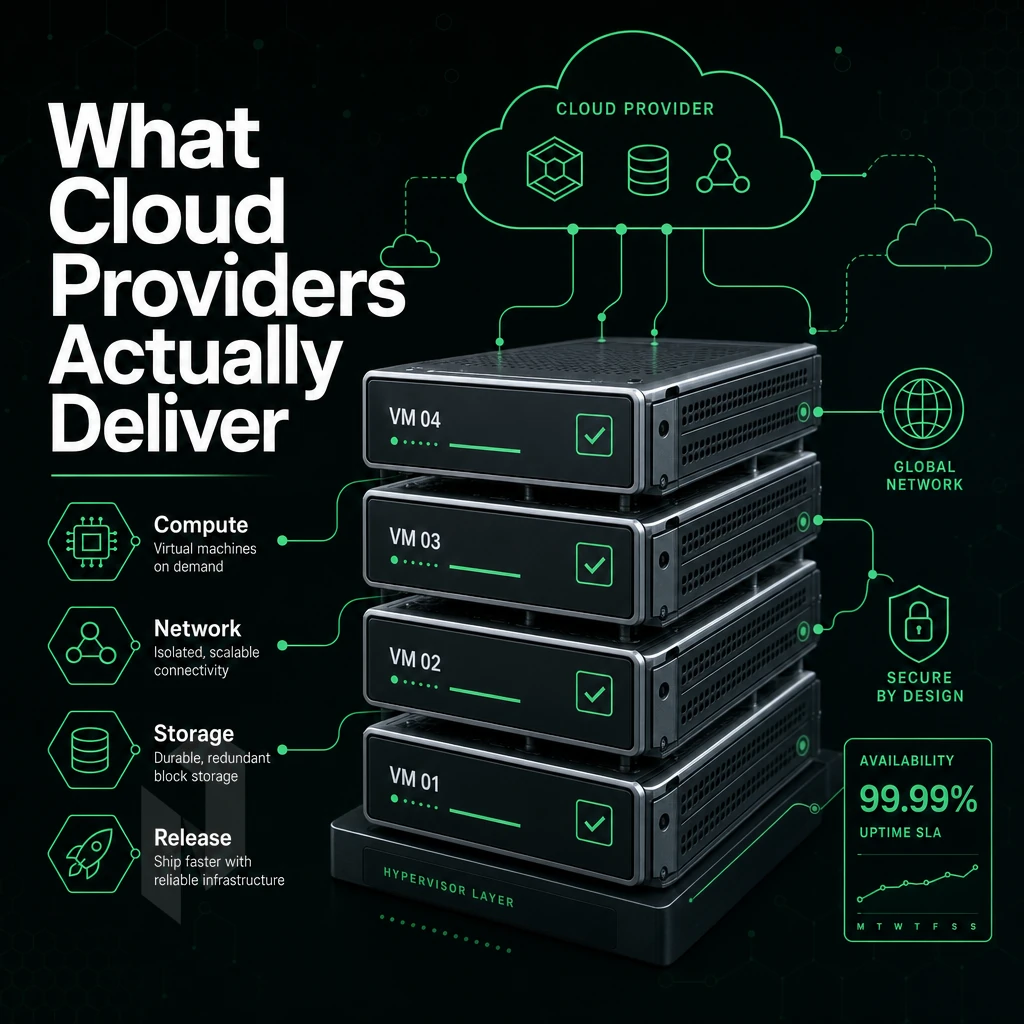
Choosing a cloud provider is an infrastructure decision not to be taken lightly. The wrong choice will lead to increasing problems over time, such as slow rollouts, bad billing surprises, compliance problems and a dependency on the roadmap of a single vendor. This decision framework tries to filter out marketing hype and focuses on the few aspects that really matter for the release speed of workloads.
Provisioning Speed and Automation
The provisioning speed for infrastructure and middleware affects how fast teams can deploy and iterate. IaaS platforms vary greatly in terms of provisioning bare metal for customers. Some platforms can provision bare metal for cloud workloads in under 60 minutes while others place customers in a queue waiting for infrastructure to be provisioned from shared resource pools, which can introduce unpredictable delays into a release pipeline.
Depth of automation also matters. Look for full API coverage, support for Terraform providers, and for cloud-init. Without all of these, automated provisioning of new workloads will hit a manual step, acceptable for the odd new server, but not for CI/CD driven release of new workloads.
What to Verify
- API response times for instance creation under load.
- Are bare metal and virtual instances automatable using the same interface?
- Documented provisioning SLAs, not just marketing claims.
Network Quality, SLA, and Uptime
The uptime guarantee is table stakes. So long as the SLA is a 99.9% number, it only works out to roughly 43 minutes of down time per year. Be sure to double check that the SLA is a full stack SLA (compute, network, storage) and not just the hypervisor. A partial SLA is a hollow promise with significant gaps.
Network quality is critical for optimal performance for latency-sensitive workloads. We look at backbone capacity, peering and port utilization. Our 2.4 Tbps+ network has headroom that shared-infrastructure providers cannot match. Even for AI workloads, inter-node bandwidth and private network throughput to your own GPU clusters matter just as much as physical hardware, slow interconnects can stall the whole thing.
Dense IX peering at exchanges like AMS-IX and DE-CIX reduces transit hops and latency. This matters for business intelligence pipelines and real-time processing where milliseconds compound across query chains.
Security, Compliance, and Vendor Lock-In
Encryption at rest is not enough for security. Also evaluate the providers ISO 27001 certification, their SOC 2 attestation as well as their ability to fulfill specific regulatory requirements (e.g. with the GDPR or with industry specific compliance frameworks) for your specific application.
Vendor lock-in is a structural risk. It can come from proprietary APIs, from managed services that the vendor can change at will, and from non-portable data formats. Therefore, running on standard hypervisors (KVM, Proxmox VE) and supporting things like BYOIP and BGP is a real way to keep your options open.
Hyperscalers are well equipped to handle a wide array of managed services, and plenty of computing power. For core computing, however, dedicated and carrier-neutral hosting providers are the way to go in terms of cost efficiency and better billing. Egress fees and reserved instances can greatly increase the total cost of cloud computing, and are best avoided. Netrouting’s clear pricing ensures that you don’t get any unexpected bills that could affect your cloud budget at critical scale.
Cloud Compute Comparison Table: Public Cloud vs. Private Cloud vs. Bare Metal
When choosing a deployment model for your workload release strategy, there are four options to consider. The public cloud, private cloud, hybrid cloud and bare metal models all have different trade-offs between the three key factors of provisioning speed, control and total cost. These trade-offs are laid out in the following table.
| Deployment Model | Provisioning Speed | Resource Management Flexibility | Security Posture | Spend Profile | Vendor Lock-in Risk | Data Sovereignty Control | Best-Fit Workload |
|---|---|---|---|---|---|---|---|
| Public Cloud | Minutes | High, scale on demand | Shared responsibility; perimeter managed by provider | Variable; egress and API fees accumulate | High vendor lock in via proprietary APIs | Limited, data may cross borders | Burst traffic, dev/test, free tier experimentation |
| Private Cloud | Hours to days | Full control over resource allocation | Strong, isolated environment, custom policies | Predictable; CapEx or fixed OpEx | Low, open standards, portable workloads | Full, single-tenant data centers | Regulated industries, sensitive application workloads |
| Hybrid Cloud | Variable | High, split workloads across environments | Complex; requires unified policy enforcement | Mixed; optimize by routing workload to cheapest fit | Medium, depends on integration depth | Partial, sensitive data stays on-prem or private | Enterprises balancing legacy systems and cloud agility |
| Bare Metal / Dedicated | Under 60 minutes | Maximum, no noisy neighbors, full hardware access | Strongest, single-tenant, no hypervisor attack surface | Predictable flat rate; lower TCO than hyperscalers | None, standard hardware, portable configs | Full, you choose the jurisdiction | High-throughput compute, databases, hosting websites, AI/ML |
Reading the Trade-offs
The public cloud providers are excellent at providing burst capacity on a very elastic basis. They even provide a free tier to allow you to experiment. But as you go up in scale, egress charges and the proprietary tools to manage that cost, have a tendency to increase in cost faster than the actual workloads of customers. Historically, for enterprises that have actually done a migration, the cost has gone up faster than the actual workloads of customers.
Private and Hybrid Cloud Models Shift the Equation. Slower Initial Provisioning is Off Set by More Cost Effective Solution Economics Over the 12-36 Month Horizon. Compliance Intensive Workloads such as Financial Services, Health Care and Data with GDPR Scope typically reside in Private and Hybrid Cloud Models.
Where Bare Metal Fits the Seamless Release Model
Bare metal provisioning removes the hypervisor layer entirely. This means that you can have deterministic latency and consistent throughout, as well as no risk of shared tenancy. For workloads that require repeatable performance at release, such as game servers, real-time analytics, and ML inference, bare metal provisioning offers a more consistent foundation than relying on different cloud providers for dedicated hardware.
We can provision bare metal in less than 60 minutes at 10 locations: Stockholm, Amsterdam, Rotterdam, The Hague, Frankfurt, Bucharest, Miami, New York, Hong Kong and Singapore. Our 2.4 Tbps+ global network does not create a bottleneck on release day and all locations have unmetered 10 Gbps uplinks.
Matching Model to Workload
There is no single model that fits all scenarios. The practical cloud management approach is to use public cloud for stateless burst requirements, private cloud, bare metal or traditional hosting for stateful / regulated workloads, and a hybrid layer in between to link them. Netrouting’s infrastructure is designed to support all three patterns (colocation, dedicated servers & cloud compute) from a single global footprint of facilities and staff.
Choose where the workload runs.
Start virtual, take a whole machine, or go single-tenant. Pick the starting point that fits.
Start with a VM. Scale it when needed.
Use cloud compute for workloads that do not need a full machine. Compare vCPU, memory and storage per plan.
Start the conversation with
- Compute
- vCPU and memory
- Storage
- Disk size
- Location
- Preferred region
Compare configurations, not just rack space.
Start with a dedicated server when provider-owned hardware is the better fit. Compare CPU, memory, storage and network needs.
Start the conversation with
- Compute
- CPU and memory
- Storage
- Capacity and workload
- Network
- Port and traffic needs
Take the whole machine.
Choose bare metal when the workload needs a single-tenant server with full IPMI access and control over the operating system and stack.
Start the conversation with
- Workload
- CPU, memory and storage
- Stack
- Operating system
- Location
- Where your users are
Multi-Cloud and Hybrid Cloud Strategies for Seamless Workload Portability
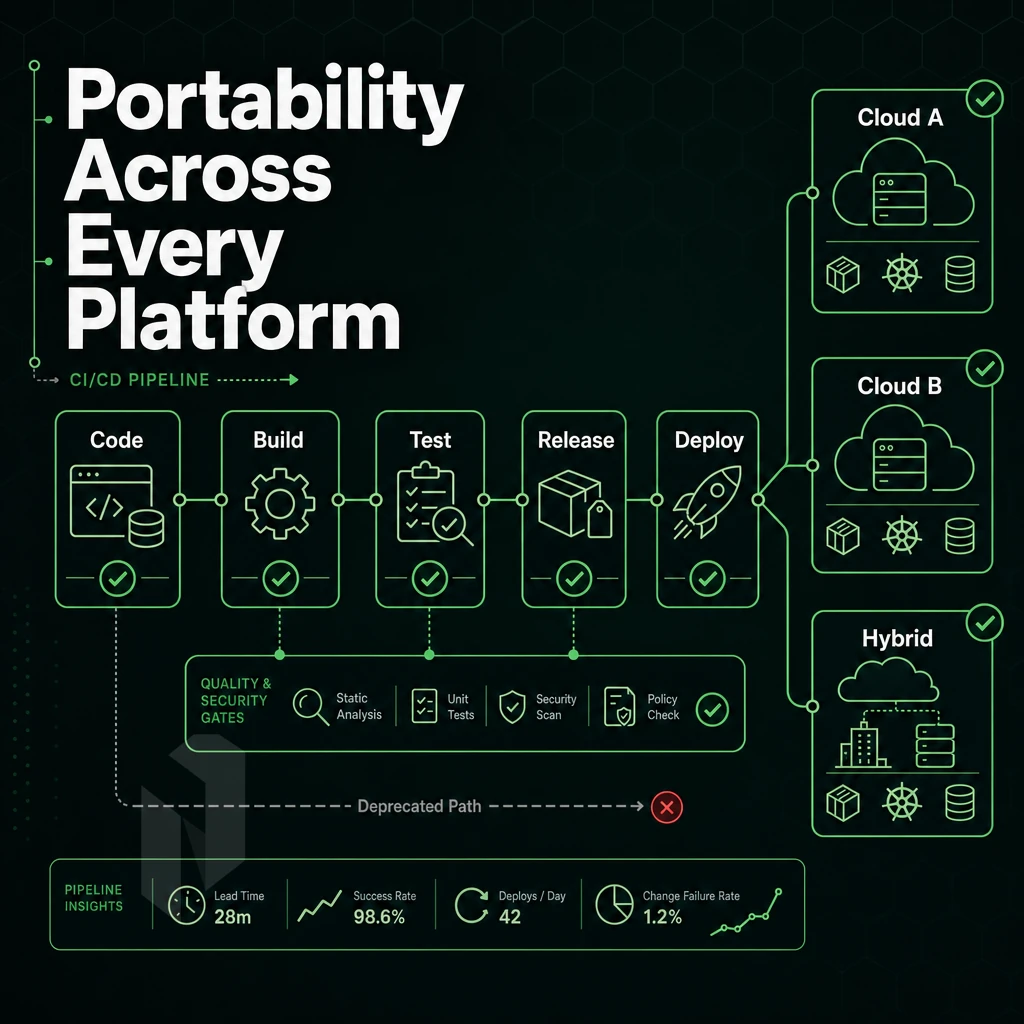
When running workloads across multi cloud environments, you need to build the architecture out incrementally. Planning for portability from day one to avoid the operational debt of treating one provider as permanent infrastructure for your applications. Below we cover a number of strategies that span the entire application lifecycle from initial migration to ongoing orchestration and to resilience in the face of cloud failure.
Multi Cloud Strategy: Distributing Cloud Workloads Across Providers
There is no single cloud that can optimize for all workloads. Workloads that require low latency are best positioned close to end users, while batch intensive workloads are best served by raw core and memory density. By distributing workloads across multiple cloud providers, one can choose the best fit for each job.
The biggest risk of a closed system is lock-in. By building a proprietary API, managed database, or platform specific networking stack a system will get harder and harder to move over time. Building a system that runs in containers, stores data in portable formats, and uses standard networking protocols rather than a proprietary stack simplifies customer relationship management of cloud services, doesn't have to hurt performance, and keeps your options open.
The “multi cloud tax” on data transfer costs in multi cloud environments rapidly adds up in egress fees as soon as a larger scale is reached.
To keep costs for running multi cloud environments as low and as predictable as possible, architectures must be designed in such a way that they minimize movement of data across clouds. Closely dependent services should be deployed on the same cloud platform. Secondary copies that are replicated in an asynchronous manner are a typical exception case.
Planning Cloud Workloads Migration and Infrastructure as Code
A structured cloud migration starts with workload classification. Applications that are stateless are typically easier to migrate. Stateful applications, including databases, file stores. Additionally, Message queues, need to have their cutover (i.e. when they start to be served from the cloud instead of the on-premises datacenter) sequenced so as to minimize risk of data loss or of too long a period of outage.
Infrastructure as code is at the core of repeatable deployments. The infrastructure definition as a set of declarative configuration files is the core of the operational model. The same definition is used to provision bare metal, private or public cloud infrastructure. This allows for the same consistent state to be created every time and allows for a simple rollback to previous definitions to correct any issues with the current deployment.
The choice of an orchestration platform impacts long-term portability. The most important factor for portability of workloads is that they can run consistently on different infrastructure providers. The single most important decision for managing a diverse set of infrastructure resources in the long term is to pick an orchestration layer that abstracts provider primitives for you.
Disaster Recovery for Cloud Workloads Across Hybrid Architectures
A hybrid cloud or failover approach combines on-premises or dedicated infrastructure with infrastructure as a service resources that can scale up quickly in the event of a disaster and serve as a production failover. In terms of disaster recovery, the production environment is hosted on your owned. On-premises hardware or dedicated servers and the disaster recovery environment is hosted on cloud-based resources that can scale up quickly as needed in the event of a disaster.
The Recovery Time Objective (RTO) of a service will typically determine whether an active-passive or active-active architecture is built. Active-passive architectures continuously replicate data and then activate a standby data center or servers in case of a failure. Active-active architectures meanwhile distribute traffic across all available clouds in real time and eliminate single points of failure, but introduce increased cloud management complexity around keeping data in sync and maintaining consistent network security.
The bare-metal servers from Netrouting in 10 locations worldwide (Stockholm, Amsterdam, Frankfurt, Miami, New York, Hong Kong and Singapore) provide a solid and carrier-neutral basis for the hybrid setup. The servers have a 99.9% uptime SLA and unmetered 10 Gbps connections to a 2.4 Tbps+ backbone, and when paired with automation tools and cloud services, deliver burst capacity without the egress unpredictability.
Cloud Workloads Security and Compliance for Production
Choosing the right cloud compute platform for production workloads is not just about getting the most performant infrastructure. Security and compliance requirements are key to setting up the foundations for the identity, data and platform itself that you can deploy.
Identity, Access, and Network Hardening
- Implement least-privilege access control. Users, service accounts, and process should only have the permissions required for their specific tasks. Excessive permissions are among the most common reasons for incidents that affect production and cause data exposure.
- Enforce MFA for all management interfaces. This includes console login, API keys, and VPN endpoints. A single compromised credential without a second factor can quickly expose an environment to further compromise.
- Harden the security of the network at the infrastructure layer. Use firewalls and private VLANs to segment out workloads into different network zones. Restrict ingress traffic to known CIDR ranges. Network infrastructure is easier to configure and control when the provider of the network owns it and isn’t just reselling capacity to customers.
Note: Flat network topologies are a frequent mistake in cloud migrations. If all workloads share the same broadcast domain, a single compromised instance can pivot laterally across your entire environment.
Data Security and Encryption
- Transit and at rest data should be encrypted. Inter-service communication should use TLS 1.2 or higher. Storage volumes should use AES-256 encryption to prevent data breaches at storage layer, not application layer.
- Applying security controls to data backups and database snapshots is equally important. Many unencrypted backup volumes are currently considered “blind spots”. The same rules for storage of primary data have to apply to backup data: access-restricted, encrypted and stored at a geographically separate location.
- Verify data sovereignty before you enter into a contract with a provider. The various regulatory compliance frameworks in the EU, APAC and North America require strict rules as to where personal and financial data may be processed. The provider must guarantee that your data is processed within the required country. Netrouting has servers in 10 locations: Stockholm, Amsterdam, Rotterdam, The Hague, Frankfurt, Bucharest, Miami, New York, Hong Kong and Singapore. Our teams can thus guarantee residency.
Infrastructure as Code and Certification Baselines
- Define your environments using IaC (infrastructure as code) for your platforms. IaC allows you to codify your infrastructure and thus prevents configuration drift. Also, it allows you to keep an auditable change history. This also allows for repeatable security reviews. Meaning every deployment to your platforms will result in a known state, which can be reviewed in detail instead of just being a pile of random changes.
- Require a provider to have ISO 27001 and SOC 2 certifications as a first indicator that their security controls have been audited by a third party. These certifications are a minimum requirement for any provider that manages workloads that contain sensitive data. Netrouting holds certifications of ISO 27001, SOC 2 and ISO 9001, which forms a solid basis of a secure cloud environment for workloads as well as the internal audit processes. The cloud security of a provider increases significantly if the underlying infrastructure has been verified by a third party.
Optimizing Cloud Costs and Resource Allocation Across Cloud Platforms
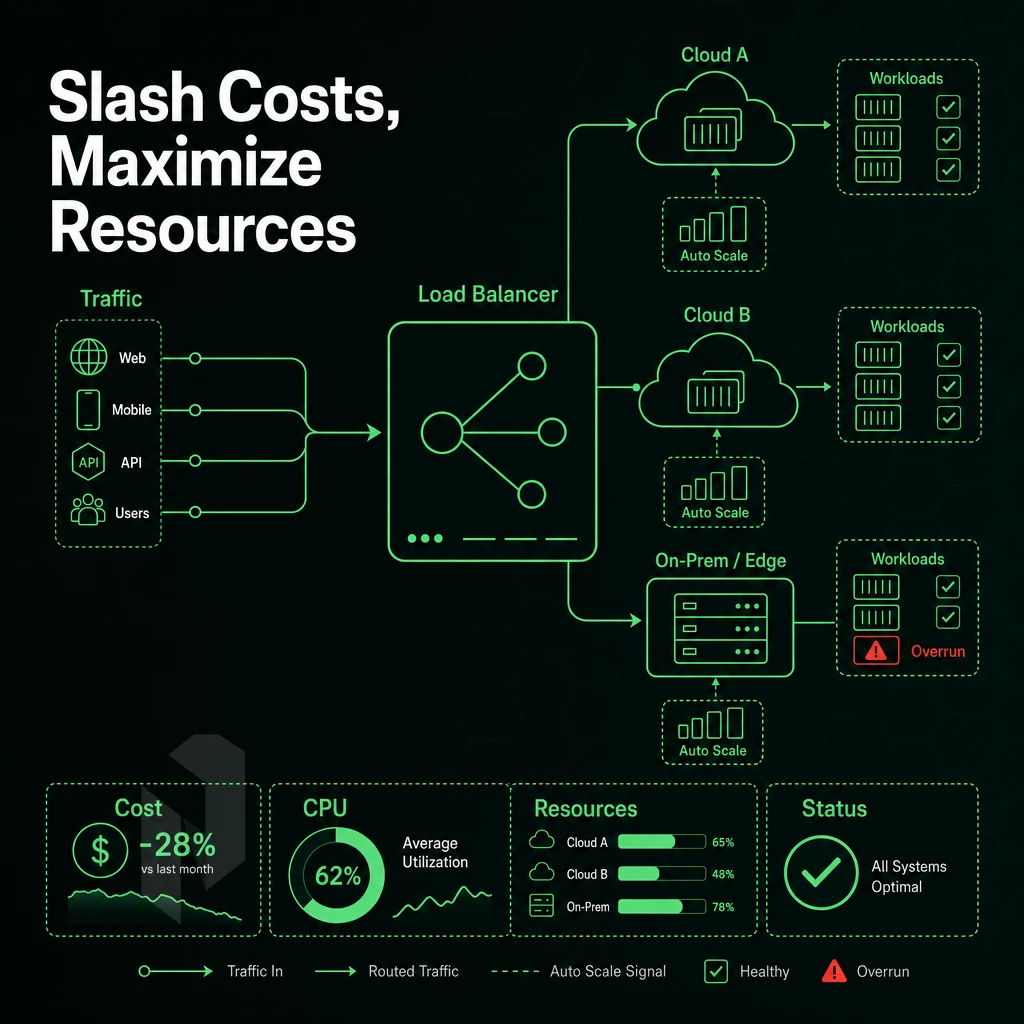
While cost overruns in the cloud are often attributed to a single mistake, the root cause of most overruns is a series of small inefficiencies that add up over time. Large instances of underutilized compute, idle resources, and unexpected egress charges all contribute to a lack of visibility into cloud spend. Reducing cloud costs requires a methodical approach to how compute is provisioned, scaled, and even invoiced.
Right-Sizing Instances from Real Usage Data
Most teams provision VMs based off of peak demand and therefore end up over-provisioning most of the time to account for actual usage that only hits that high 80% of the time. As a result, you’re paying for a lot of idle CPU and RAM.
To properly size instances for cloud environments, look at historical usage data from a 30-90 day time frame. Use that data to examine the CPU utilization (e.g. p50, p90, p99 averages), memory under sustained loads, and network bandwidth peaks. Use the p90 value as the sizing target and avoid sizing based off of maximums observed during evaluation.
By right-sizing to the 90th percentile of observed load as opposed to peak capacity, customers can typically save 20% to 40% off of compute cost and not see any measurable impact to their performance.
So optimize resource allocation actually becomes practical here. Optimizing the instance type to match your workload’s profile (e.g. CPU-optimized instances for CPU-intensive batch jobs, memory-optimized instances for in-memory databases) will result in even more savings.
Automation and Scaling Strategies
Manual scaling decisions between deploys are too slow and inconsistent for today’s workloads. Automated tools (e.g. scheduled scaling policies, metric-driven autoscalers, infrastructure-as-code templates) allow you to enforce the correct configuration all the time, not just at deploy time.
Scaling out (more instances) is smooth for bursty / stateless workloads. Scaling up (single instance bigger) is better for fully stateful workloads (session maintained). Combining with a min-floor / max-ceiling policy to prevent costs from going through the roof.
Tagging every resource with information about the workload, environment and team is crucial for efficient resource allocation at scale. Without tags, you will not be able to cost effectively attribute cost and therefore your attempts at optimization will be mostly blind.
Reserved vs. On-Demand: The Cost Efficiency Trade-Off
On-demand compute is great for flexibility, reserved or committed-use compute is cost-effective (for stable workloads, that’s 30-60% below effective rate of on-demand). This depends on your baseline load vs. your burst headroom.
The common approach is to provision for the steady-state load (e.g. 70-80% of peak load) using on-demand instances and then use additional on-demand or spot instances to handle the occasional spike in usage. This approach maintains fixed costs while maintaining flexibility.
In addition to reserved pricing not solving Hyperscaler egress fees, transferring data out across multiple clouds can cost multiples of compute for high-throughput workloads. This makes it a separate cost driver.
Providers that offer truly transparent pricing, with no surprise egress charges (unlike the cloud hyperscalers), such as Netrouting (unmetered 10 Gbps on dedicated servers), can provide significant advantages to customers running data-intensive cloud workloads. The ability to optimize performance without having to watch a bandwidth meter is a huge advantage.
Why Choose Netrouting for Seamless Cloud Workload Release
Releasing cloud workloads cleanly, without surprise fees, vendor lock-in, or hyperscaler complexity, demands cloud infrastructure built around predictability. Netrouting delivers exactly that. Our Cloud Compute platform gives teams flexible, highly available virtual machines that scale CPU, RAM, and storage on demand, backed by a 2.4 Tbps+ network running on our own AS6206 Tier 1 backbone.
- Rapid provisioning. Bare metal deploys in under 60 minutes. Cloud compute instances spin up faster. Your cloud workloads reach production without waiting on a queue.
- Predictable billing, no egress surprises. We operate on transparent pricing with no hidden data transfer charges, a major advantage over public cloud platforms where cloud spend compounds unpredictably. Lower TCO is the result.
- Global reach across 10 data centers. Run workloads close to your users: Amsterdam, Frankfurt, The Hague, Rotterdam, Stockholm, Bucharest, Miami, New York, Hong Kong, and Singapore. Multi-cloud and hybrid cloud deployments span regions without cross-provider friction.
- Always-on DDoS protection + free private network. Every service includes L3/L4 mitigation at no extra cost. A free private interconnect up to 40 Gbps connects your cloud resources internally, secure cloud workloads by default, not by upsell.
- Enterprise compliance built in. ISO 9001, ISO 27001, and SOC 2 certifications cover cloud security, data security, and regulatory compliance requirements out of the box. Our 99.9% uptime SLA and 24/7 NOC with a one-hour ticket guarantee keep application workloads online.
If your team is evaluating cloud providers for a migration, a hybrid cloud rollout, or simply wants infrastructure management without hyperscaler overhead, speak with our team to compare configurations and find the right fit.
How to Choose the Right Cloud Compute Platform for Your Workload Release Strategy
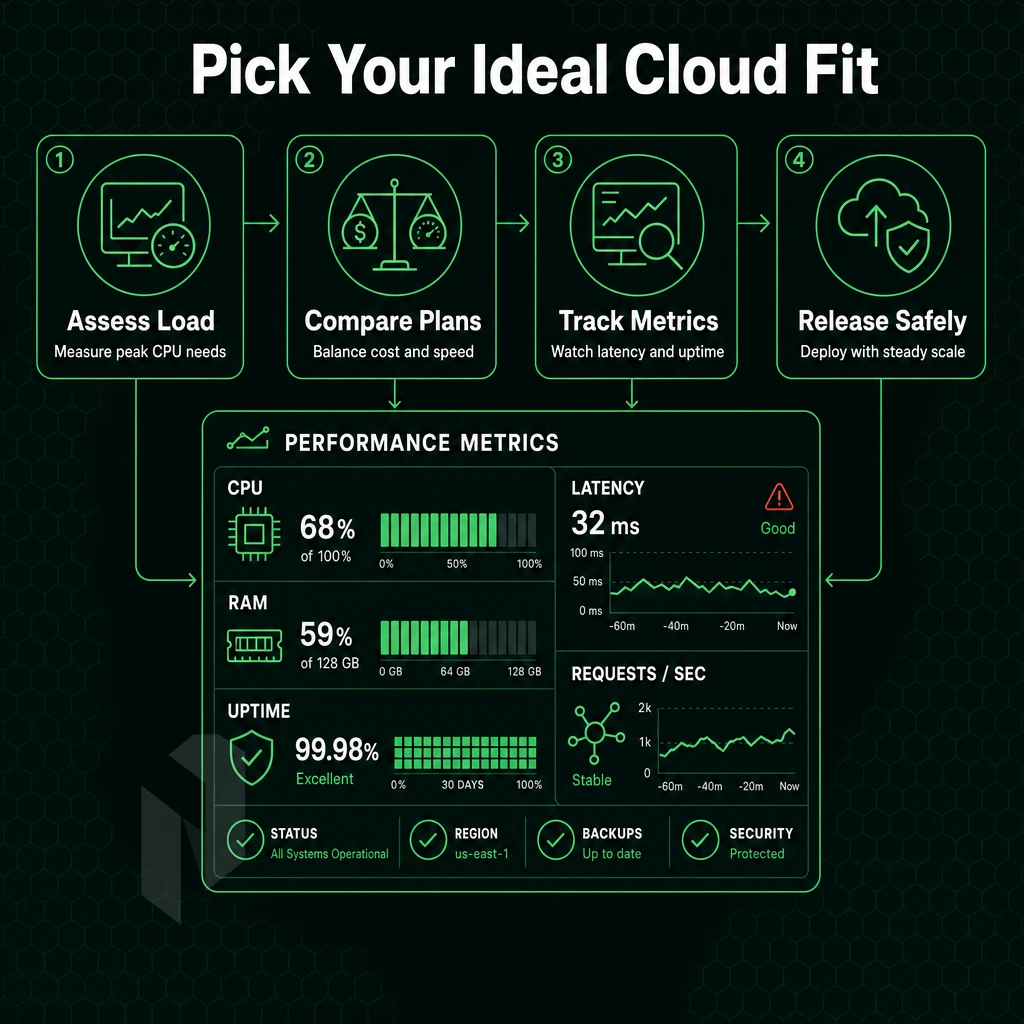
Choosing the right cloud compute platform is not a single decision. It is a process that should be structured to avoid wrong decisions and costly migrations later on. The following six steps will guide you through your decision-making process before you set up your infrastructure in a certain environment.
Step 1: Classify Your Cloud Workloads and Define Your Strategy
First categorize what you are deploying (stateless web app, real-time gaming backend, AI inference pipeline or CRM). Then list the required resources for your application (CPU, RAM, Storage I/O, Network Throughput etc.). After that you can start evaluating the different platforms for your use case.
Next, you need to decide on a deployment model for fulfilling the requirements you defined earlier. For highly regulated applications or low-latency applications that require strong isolation between workloads, a private cloud may be the ideal choice.
For variable traffic patterns and bursty workloads, public virtual compute platforms such as Rackspace Virtualize are well-suited. And, if you need to eliminate the overhead of the hypervisor entirely to achieve consistent single-digit millisecond latency or sustained multi-gigabit throughput for your infrastructure as a service cloud workloads, then bare metal servers are the way to go.
Step 2, Evaluate SLA, Network, and Cloud Management Capabilities
For us there are three key dimensions to compare providers on: 1) uptime SLA, 2) network capacity, and 3) cloud management tooling. For the uptime SLA, a 99.9% SLA for example translates into approximately 43 minutes of allowed downtime per year. We then need to check if this only refers to the compute layer or the complete stack.
Network quality is what separates commodity hosting from production-grade hosting infrastructure. We look at providers that run their own AS (e.g. AS6206) with Tier 1 upstreams and a dense peering at the Internet Exchanges (IX). Netrouting operates AS6206 with a backbone of over 2.4 Tbps. It has direct and unmetered 10 Gbps (scalable to 40 Gbps) connectivity to AMS-IX, DE-CIX and FL-IX.
| Dimension | Public Hyperscaler | Bare Metal / Dedicated | Private Cloud |
|---|---|---|---|
| Uptime SLA | 99.9-99.95% | 99.9% | 99.9%+ |
| Network throughput | Shared, metered | Unmetered 10-40 Gbps | Dedicated, configurable |
| Provisioning speed | Seconds-minutes | Under 60 minutes | Hours-days |
| Resource management | API-driven, elastic | Fixed allocation, predictable | Orchestrated, tenant-isolated |
| Compliance fit | Shared responsibility | ISO 27001, SOC 2 | Full control |
Step 3, Assess Data Transfer, TCO, and Compliance
Total cost of ownership is not just for the servers. The egress fees of the major cloud providers can easily be higher than the price of the servers for very data intensive workloads. So also the cost of the data transfer has to be carefully compared with the unmetered bandwidth of Netrouting to avoid any per-GB egress charges.
Verify that the certification of a provider for infrastructure provisioning and compliance is up to date and matches your regulatory environment. Netrouting is ISO 9001, ISO 27001 and SOC 2 compliant for the management of the infrastructure. If data sovereignty is relevant, check if the provider has actual infrastructure in your required country or location within the 10 locations of Netrouting.
Decision guide
Bare metal servers are best when high performance and fast provisioning are critical. Virtual compute servers are best for very flexible and variable workloads. Consult with Netrouting’s 24/7 support team (guaranteed to respond within 1 hour) to see which option is best for your specific release strategy before you set up the servers.
Core Criteria for Releasing Cloud Workloads Seamlessly
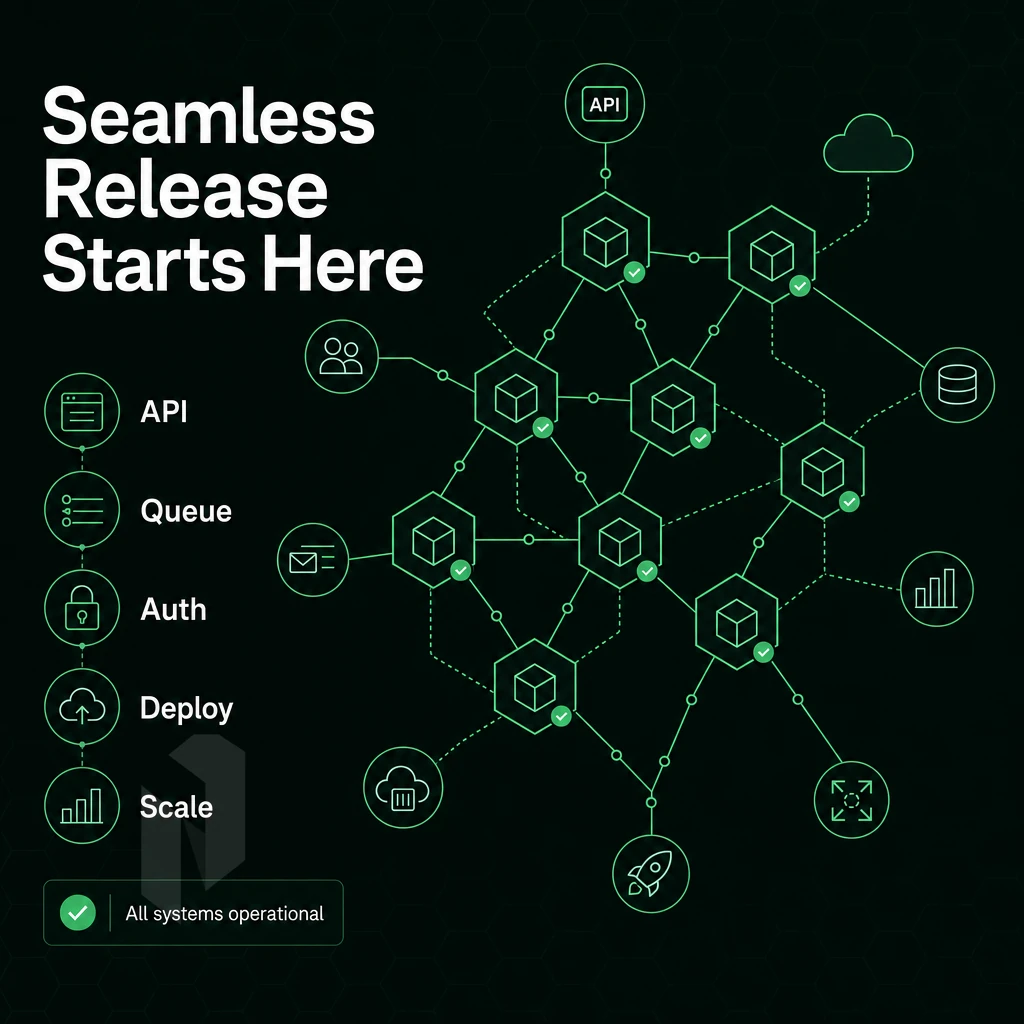
In summary, in order to achieve seamless cloud workload release as opposed to a painful and lengthy full deployment. Five criteria need to be met: provisioning speed, network quality, cloud security, cost efficiency and avoidance of vendor lock-in.
When a cloud provider is able to meet all of these criteria, teams can manage resources and run their cloud workloads without a problem, whether that be dealing with a sudden increase in traffic or unexpected billing. Alternatively, Being forced into using a provider’s proprietary stack. The best cloud compute for release of workloads into cloud treats these 5 criteria as the basic requirements that should be met by underlying infrastructure of any cloud provider.
When it comes to cloud computing, being prepared is key. By taking the time to audit your current cloud workloads, map out your current usage and then select the best cloud platform for your organization based on straightforward pricing.
You will be able to keep control of your cloud spend and remain multi cloud portable. By building out your cloud infrastructure that is based on open standards, you can ensure that your applications are deployable and that you have the ability to reverse deployment as needed.
Also, by using standard virtual machines, common operating systems and infrastructure as code tools, you can keep your organization from getting locked into a specific vendor’s ecosystem. That portability is the quiet force multiplier in cloud computing.
It keeps your cloud providers on their toes and forces them to compete for your business even after the initial cloud migration. As such, performance, predictability, portability, and access control are the four key non-negotiable pillars to evaluate any cloud environment against before committing to running large workloads on said cloud environment.
Key Advantages of the Right Infrastructure for Cloud Workloads
Defaulting to a single cloud service provider can result in you being locked into their pricing, their regions, and their roadmap. Using purpose-fit cloud infrastructure within a hybrid cloud and multi-cloud environment allows teams to have true control over cloud-based resources, costs, data sovereignty, and application deployment. The underlying infrastructure should match the nature of the workloads in order for cloud computing to be cost effective and not silently inflate cloud spend on a quarterly basis.
The cloud strategy covered throughout this article points to the same conclusion: evaluate cloud platforms on performance, location, and flexibility, not brand recognition. Efficient resource allocation, reduced vendor lock-in, and faster deploy cycles follow naturally when you choose infrastructure built for your workload rather than retrofitted to it.
Netrouting's compute platform delivers bare-metal performance, granular access control, a 2.4 Tbps+ network, and data center presence across multiple clouds and regions spanning Europe, North America, and Asia, purpose-built for teams that need to run workloads without compromise. Explore Netrouting cloud compute and find the right fit for your next deployment.
To enable smooth workload release, three decisions have to be made: 1/ choosing the right amount of compute to match a workload’s behavior. 2/ choosing a provider with enough network headroom to handle peaks, 3/ locking in predictable costs before scaling out. Public cloud flexibility quickly turns into egress fees and noisy-neighbor performance that quickly erodes any gains. Bare metal and private cloud compute, on the other hand, offer consistent, dedicated resources with no shared contention to impact performance.
Network quality is what separates a good deployment from a great one. A provider that is running its own backbone with dense IX peering for unmetered throughput to destinations important to users removes a major bottleneck to performance on release day. It is here that the provider’s underlying infrastructure becomes a competitive advantage rather than a simple cost.
If your next workload release demands reliable compute, low-latency connectivity, and infrastructure that won't buckle under load, explore Netrouting's cloud compute and bare metal options. Alternatively, Contact the team to spec a deployment built around your release requirements.
Start with cloud compute.
Share the workload and the region. We help you choose between a VM and a machine of your own.