When your database crashes and your application goes down at 2AM, the quality of your hosting infrastructure matters a lot. As a developer, you need a reliable dedicated server hosting environment to resolve issues within minutes, rather than hours. Compared to shared hosting environments that suffer from noisy neighbors, variable I/O performance and unpredictable resource utilization. A dedicated server provides a solid foundation of guaranteed CPU power, ample RAM and sufficient storage space, without any interfering workloads.
Not all providers offering dedicated hosting are equal.
Whether you’re looking to move a highly trafficked website or application, build out redundant servers. Dedicated hosting proves especially valuable when managing multiple sites that demand isolated resources and independent scaling capabilities. Hosting providers that specialize in dedicated infrastructure can efficiently allocate separate server instances for multiple websites, ensuring each site maintains optimal performance without resource conflicts.
Blog contents
Compared to traditional web hosting services that bundle multiple accounts onto shared infrastructure, dedicated hosting ensures each deployment operates in complete isolation with dedicated hardware resources. For businesses requiring enhanced email deliverability or SSL certificate isolation, a dedicated ip address assigned to each server instance prevents reputation issues that can arise from shared IP pools. Sites experiencing high traffic volumes benefit significantly from the resource isolation that dedicated infrastructure provides, preventing performance degradation during concurrent user spikes.
What Is Reliable Dedicated Servers Hosting?
A dedicated server is a physical server dedicated to your sole use. You have no need to share CPU time with other users and won’t be disturbed by noisy neighbors. With a single-tenant dedicated server hosting solution you only pay for the resources you actually require and therefore enjoy the most reliable, high-performance server hosting available today. For more context, see Dedicated hosting service.
What Dedicated Servers Actually Mean for Your Hosting
In dedicated hosting, one physical server is allocated to one tenant. This means that all of the server’s cores, all of the RAM (in gigabytes), and all of the disk space are entirely at your disposal. This contrasts greatly with the shared environment, where many accounts are competing for the exact same server.
Additionally, Even the Virtual Private Servers (VPS), which are split from one physical server to another by a Hypervisor and function as completely separate virtual guests. Unlike shared servers where resource allocation fluctuates based on neighbor activity, dedicated hosting guarantees that your workload receives consistent, unthrottled access to all hardware components.
Dedicated servers eliminate this contention altogether, delivering consistent, predictable throughput rather than "up to" figures that disappear under load.
Root Access and Full Resource Control
The other half of the value proposition is root access.
- Install any OS or custom kernel.
- Configure hardware RAID across multiple drives.
- Allocate 100% of CPU and RAM to a single process when required.
- Run bare-metal workloads with no hypervisor penalty.
Why Reliability Defines the Best Dedicated Server Hosting
Reliable dedicated hosting means one thing: no shared failure domains. When dedicated servers run on completely isolated hardware, another account's spike or crash cannot affect you.
A good dedicated hosting provider is as important as the server itself.
Bare Metal vs. VPS and Cloud: Why Dedicated Servers Win
While virtualised infrastructure is suitable for many types of workloads, there are some where performance consistency, raw processing power and consistent I/O are needed and shared hosting or VPS hosting simply won’t cut it. Here’s why. Businesses running mission-critical applications often migrate to dedicated web hosting precisely because they need guaranteed resources without the unpredictability of virtualization layers.
Bare Metal Servers vs. Virtualised Alternatives
With dedicated hardware, you control all cores, all memory, and all I/O channels.
Elasticity is what cloud hosting offers, but there is a cost to that. Hypervisor overhead, shared NVMe queues, variable network performance are just a few of the issues you face. Dedicated servers with 28 cores and 512GB of DDR4 memory deliver consistent access to such resources, no contention, no throttling, just pure performance.
| Dimension | Dedicated (Bare Metal) | Virtual / Cloud Instance |
|---|---|---|
| CPU consistency | 100% allocated, no contention | Shared host, variable under load |
| Network throughput | Up to 10 Gbps unmetered | Typically capped or burstable |
| Uptime SLA | 99.9% guaranteed | Varies by provider tier |
| I/O predictability | Direct hardware access | Hypervisor layer adds latency |
| Noisy-neighbour risk | None, single-tenant | Present on all shared platforms |
Use Cases Where Dedicated Servers Win
Additionally, An online business processing thousands of transactions per hour cannot afford to have I/O queues caused by the workload of a neighboring user. Sites experiencing high traffic volumes depend on dedicated I/O channels to maintain consistent response times during peak demand periods.
All of these scenarios are handled by dedicated hardware with no architectural workarounds required. You do not need to over-provision your virtual instances in anticipation of contention, you are allocated raw capacity to use as required straight off the bat. Organizations running latency-sensitive applications like real-time analytics or high-frequency trading platforms find that dedicated servers eliminate the jitter and unpredictability inherent in multi-tenant virtualized environments.
Deploying on enterprise hardware ensures that compute, memory, and storage resources remain dedicated to your workload without virtualization penalties or shared resource pools. Selecting the right server hardware configuration, from processor generation to memory type, directly impacts how effectively your application can leverage these dedicated resources.
Why You Should Buy Dedicated Servers for Predictable Operations
In addition to performance, predictability of operation is critical. Our dedicated infrastructure offerings come with a Price Lock Guarantee for the monthly fees for the usage of the dedicated hardware. This means no egress fees, no per request charges, and no unexpected scaling events that could cause your invoice to suddenly double. The workloads that require high performance and fixed costs are best run on dedicated hardware.
Once you have determined that a dedicated server plan is the right solution for you, it is time to find out which technical features, such as unmetered bandwidth, will distinguish a serious hosting provider from an average one.
Key Features That Define Reliable Dedicated Hosting
Don’t get stuck in the vendor hype, read beyond the marketing blurb to understand the true technical foundations on which your hosted servers will run. This post provides a checklist of key issues for IT decision makers evaluating dedicated hosting.
Evaluate the Foundation
-
Verify the uptime SLA. A credible provider publishes a 99.9% uptime SLA at minimum, with clear remediation terms. Read the compensation clause, a guarantee without teeth is just a number.
Note: Some providers advertise a 99.99 uptime SLA but bury exclusions for scheduled maintenance. Confirm what counts as downtime before signing. - Perform an audit of the server’s hardware including CPU generation, amount of RAM and storage type. For high performing servers look to enterprise grade hardware including Intel Xeon and AMD EPYC processors. Unlike lower end, “off the shelf” hardware, dedicated servers provide a single user with 100% utilization of all available resources, without the threat of noisy neighbors.
- Request confirmation of RAID storage configurations. Are RAID 1, RAID 5 and/or RAID 10 options available? Are there hardware RAID controllers present (to exclude software RAID that burdens CPU). Hardware RAID maintains data safety without burdens.
Assess Network and Security
- Check for DDoS protection coverage. This should always include always-on L3/L4 mitigation by default. Netrouting offers basic DDoS protection for all of its services and more advanced DDoS protection for high-risk services.
- Check the unmetered bandwidth terms and conditions. Check the port speed (and any fair use policies). Check if any traffic between your own resources is counted on the private network.
- Enterprise grade security and patch management is more than a firewall. Ask your potential provider about their process for applying security patches on a regular basis and whether they support OS-level hardening. Managed services should include proactive monitoring as opposed to simply fixing things after they break.
Confirm Operational Readiness
- Test the provider’s provisioning speed. A bare metal server should come online within 60 minutes for standard configurations. Find out the provider’s SLA for deployment of new servers for incident response and scaling events.
- Validate support coverage, i.e. a 24/7 NOC with a one-hour response time for tickets as a minimum for production-like workloads. Check for remote-hands capability for physical intervention at the racks.
How much downtime does each tier allow?
What the 99.99 Uptime SLA Providers Promise Actually Means
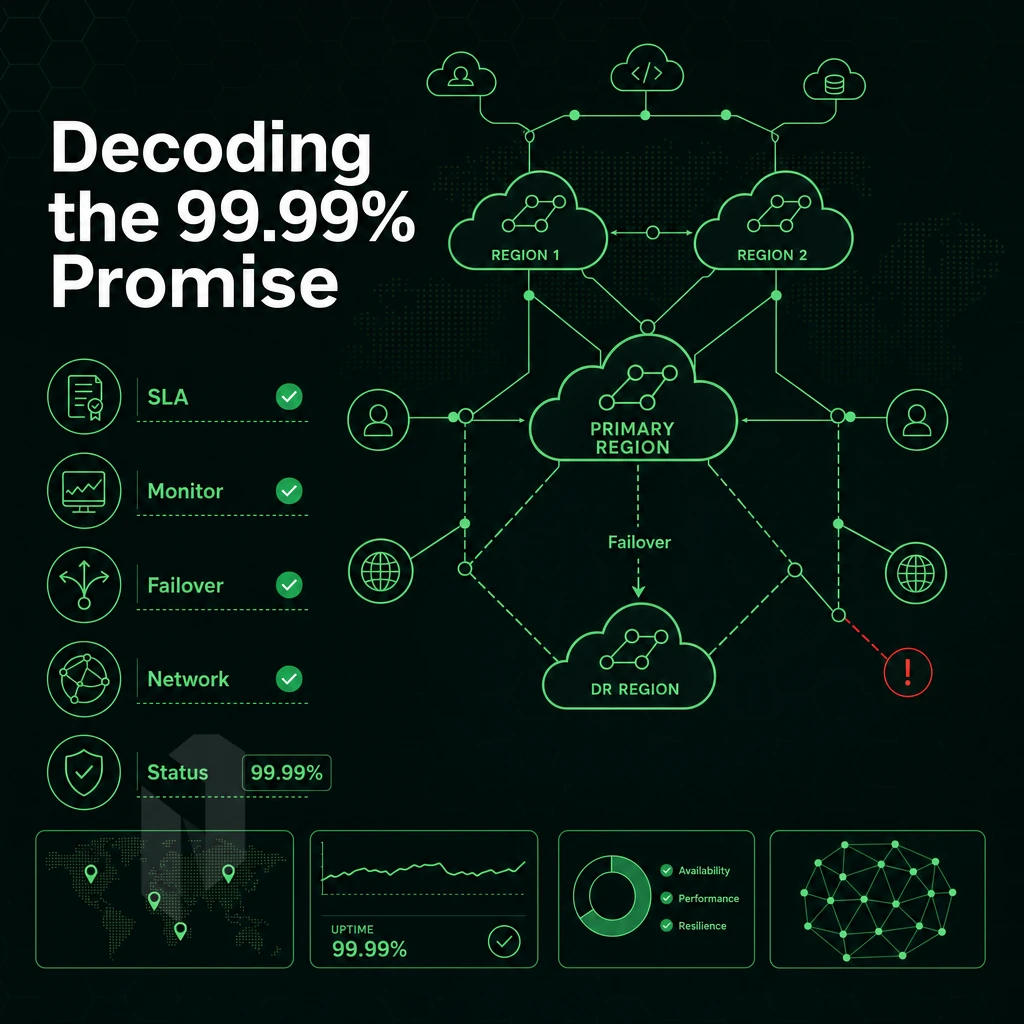
An uptime SLA is a promise in black and white. Behind a few numbers though, there are big differences in content and value. Measuring for you what every SLA tier really means in terms of downtime costs will help you choose the right dedicated server hosting provider for your needs.
SLA Tiers: The Real Downtime Math
At first glance, the difference between 99.9% and 99.99% SLAs appears to be minor.
99.9% = ~8.7 hrs/year permitted downtime. 99.99% = ~52 min/year. Difference > 8 hours.
The standard SLA at Netrouting is 99.9% for the physical machine and network. This is the minimum that you should expect any hosting provider to contractually guarantee.
What SLA Language Actually Covers
Be sure to read both.
Service credits, while they look good on paper, are another trap in the fine print.
Managed Services and Consistent Performance
Managed services, for example, can ensure your dedicated server is running optimally by dealing with OS updates, monitoring your server and dealing with any incidents that may occur. In order to take full advantage of single tenant hardware, managed services form a crucial operational layer for companies without their own ops team.
And it’s also worth noting that a managed SLA should include response time, not just raw uptime percentage. Some providers also offer a dedicated IP address as part of their managed packages, which can improve email deliverability and SSL certificate configuration for production applications.
When evaluating an SLA, focus on the specificity. “Best effort” language is suspicious.
Managed vs. Unmanaged Dedicated Servers: Choosing the Right Plan
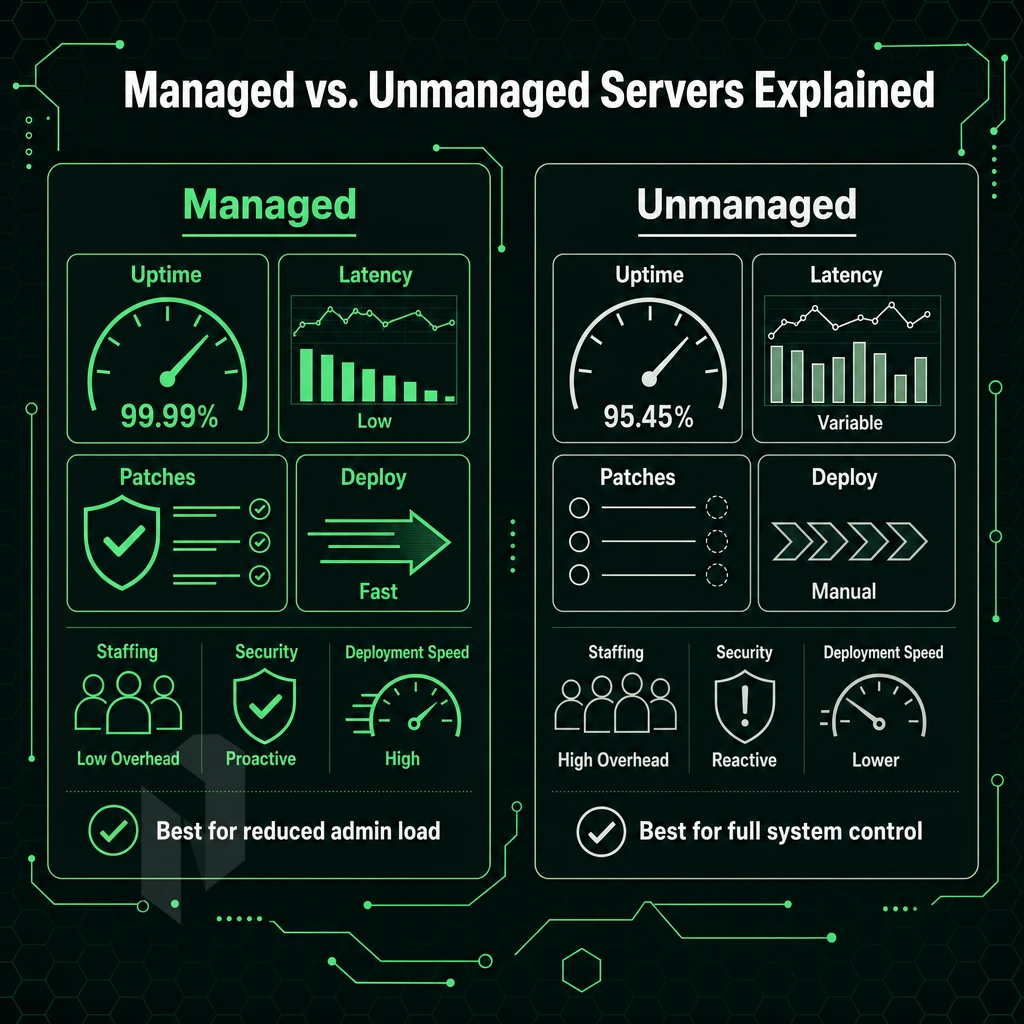
The choice between managed and unmanaged dedicated servers affects staffing, security, and time to deploy, so get it right from the start, relocating dedicated servers later can be very expensive.
Unmanaged Dedicated Server Plans: Full Control, Full Responsibility
Unmanaged dedicated server plans are bare machines and network connections, you install the OS, configure the firewall, patch the system, and manage every layer of infrastructure yourself.
This model targets experienced Linux and Windows system administrators who need flexibility.
- Complete root access to the server.
- No management overhead baked into the cost.
- Full control over OS, software and security policies.
- Ideal for teams with in-house sysadmin expertise.
Managed Hosting: Handled Infrastructure for Dedicated Servers
Managing a dedicated web server for you is what we call managed hosting. This includes things like managing OS patches as well as performing any necessary security hardening. We also proactively monitor your server.
We offer three tiers of managed hosting. Standard managed hosting performs OS maintenance on bare metal and cloud servers. Managed control-panel servers are set up with cPanel or DirectAdmin fully configured, licensed and managed for you. Our Managed Proxmox VE tier has us build and run your hypervisor cluster for you, allowing you to deploy VMs and containers without having to manage the platform itself.
A Fully Managed Dedicated Server is ideal for companies without a dedicated system administrator, for hosting providers that offer shared or vps hosting services to their customers, and for companies whose core business is not infrastructure.
Choosing the Right Dedicated Servers Plan
Choose the appropriate management tier for your internal circumstances. A single dedicated server plan can be switched between unmanaged and managed as needed by your team or as your needs grow. You aren’t locked into a single plan with dedicated server customers.
At Netrouting we offer a wide range of dedicated hosting plans. We have unmanaged dedicated servers for people who fully take control of their server and we have managed dedicated servers for people who want us to handle things like uptime and patches while still getting powerful hardware. It’s good to know where you fall in the spectrum of server management and what you should be looking for when comparing dedicated server hosting providers.
InMotion Hosting and the Managed Dedicated Server Market: What Buyers Compare
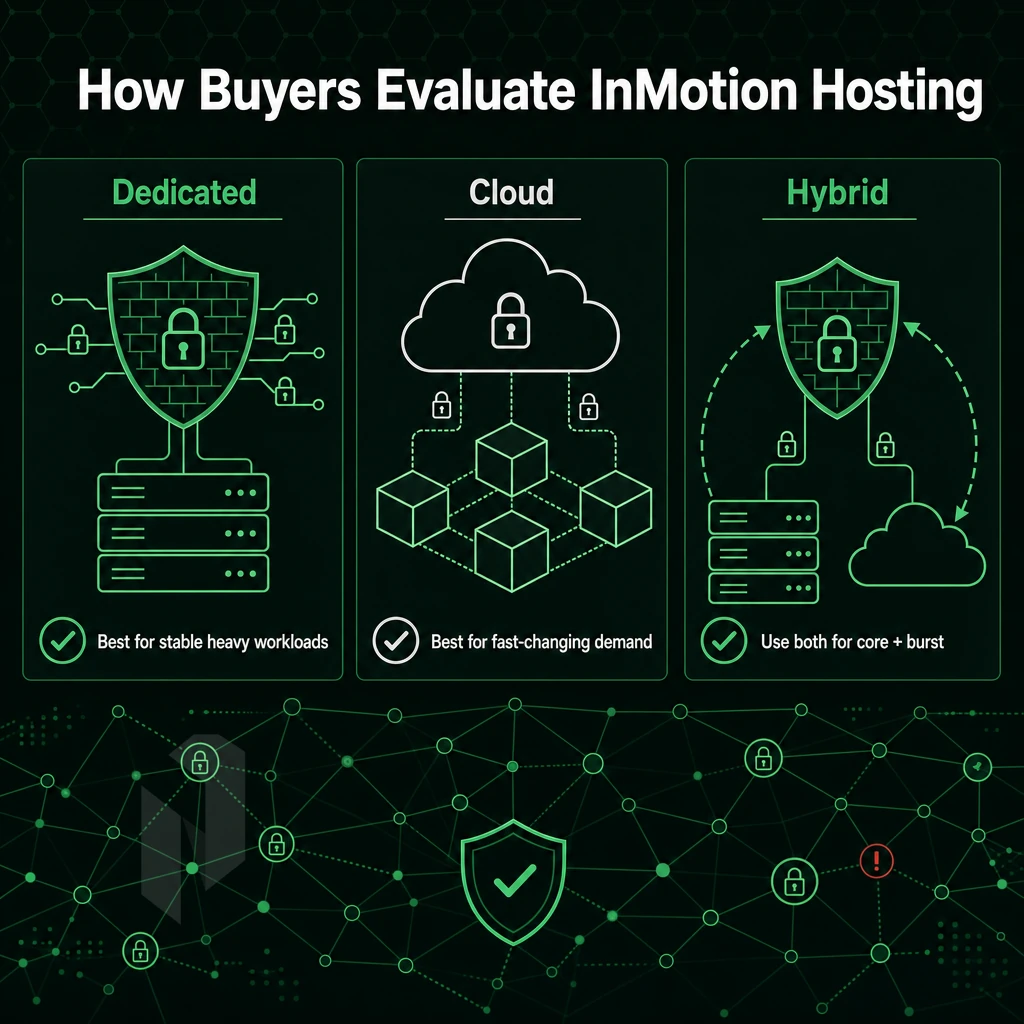
The market for dedicated server infrastructure has become a crowded one.
InMotion Hosting as a Managed Hosting Benchmark
In buyer research for managed dedicated servers, InMotion Hosting keeps showing up. InMotion’s dedicated servers are typically listed with 99.99% uptime SLA, with cPanel management and bundled support (for OS-level tasks) listed as features of fully managed dedicated servers. So, InMotion Hosting is a good reference for what typical fully managed dedicated server plans include.
The term “managed” as used by web hosting providers is not equal. Even among managed hosting providers like InMotion Hosting the limits of “managed” can vary widely. Managed generally refers to the management of the control panel but can extend to include security hardening, monitoring and even kernel patches.
What Buyers Actually Evaluate
Xeon versus EPYC).
The location of data centers is as important as the others factors above. Customers with sensitive data often require the data center to be located in a particular jurisdiction. A single region provider will not be able to provide adequate service to a globally distributed team without significant latency penalty.
Where Netrouting Fits
Netrouting has 10 locations world wide. Our managed dedicated servers are run on the latest Dell and Supermicro hardware, like the Intel Xeon and AMD EPYC processors. Our servers all have unmetered 10 Gbps connectivity and are protected from DDoS attacks 24/7. Our support team is available 24/7/365 and responds within one hour to all tickets.
For those looking for geographic flexibility, hardware customization and transparent managed support, Netrouting provides a solid alternative to the managed hosting benchmarks we’ve been looking at. One of the biggest variables when choosing a provider, however, is the operating system that will run on the hardware you choose.
Linux and Windows Dedicated Servers: Operating System Considerations
The operating system you choose affects all layers of your stack, including application compatibility and the control panel you use daily. In this guide, we cover choosing an operating system in three phases.
Phase 1: Assess Your Workload Requirements
-
Identify your application stack.
Linux dedicated servers suit open-source web and app workloads: LAMP, LEMP, Node.js, Python, and containerized environments. Windows based dedicated servers are the right fit for.NET applications, MSSQL, and Active Directory, technologies that require native Windows Server runtime support.
-
Account for licensing costs.
The linux operating system is open-source and adds no per-server license fee. Windows Server licensing is a real line item. Factor it into your total cost of ownership before committing to a platform.
Note: Skipping this step is a common mistake. Teams underestimate Windows licensing costs and face budget overruns at renewal.
Phase 2: Full Control Over Your Environment
-
Match your control panel to the OS.
cPanel and DirectAdmin run exclusively on Linux, so a cPanel host environment is only possible on Linux. Windows Server uses its own management tooling; neither panel is available there.
-
Confirm root or administrator access.
Full control over the physical server means you configure the OS, install packages, and define security policy without restrictions. Verify your provider grants this at provisioning, not just on request.
Phase 3: Dedicated Servers, IP and Network Configuration
-
Assign Dedicated Servers a Dedicated IP for Your Services
A dedicated IP is essential for SSL termination, mail server reputation, and application isolation. Confirm your allocation before deployment, not after.
-
Validate OS-level network settings.
Whether you deploy windows dedicated servers or Linux, verify hostname resolution, firewall rules, and reverse DNS against your dedicated IP before going live. Mismatches cause mail delivery failures and SSL errors.
Netrouting provisions bare metal web hosting across ten locations, Stockholm, Amsterdam, Frankfurt, Miami, and beyond, with rapid deployment under 60 minutes and 24/7 NOC support to back your go-live.
Now that you have locked down the OS and configuration, it is time to consider the underlying infrastructure: the network and data centers that will be carrying your traffic.
Network Quality and Data Centers: The Infrastructure Behind Reliable Hosting
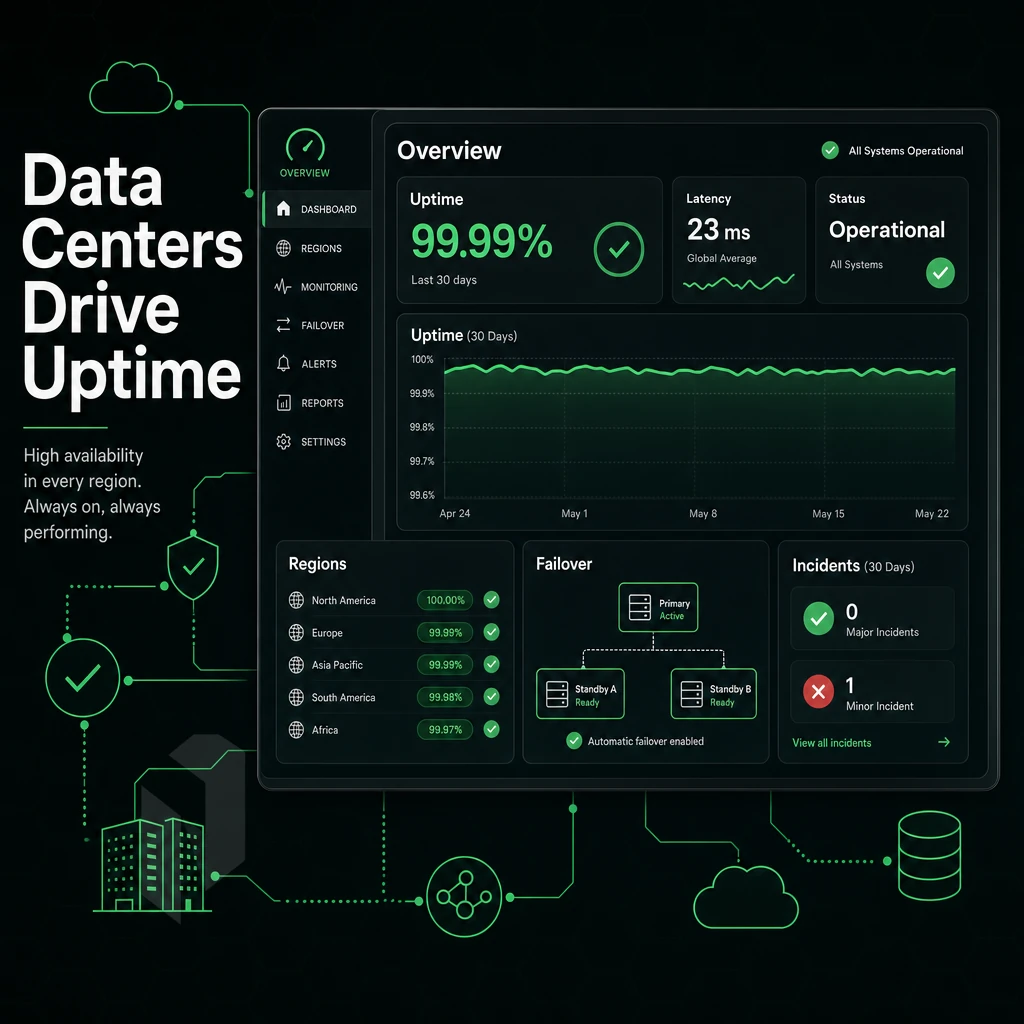
Selecting the proper configuration for a dedicated server is important.
Carrier-Neutral Facilities and Tier 1 Upstreams
By choosing a carrier-neutral colocation facility you prevent a single upstream provider from dictating connectivity options. With automatic failover of traffic through alternative paths, you benefit from having your own data center connected to all Tier 1 carriers at the network edge.
Tier 1 networks typically exchange traffic on a non-commercial, peering-only basis.
IX Peering and Port Utilisation
We peer at several Internet Exchanges: AMS-IX, DE-CIX, NetNod, FL-IX, LSIX, FRYS-IX and GNM-IX.
Most connections are sized at 100 Gbps or larger. Dedicated plans are provisioned with large unmetered pipes across our data centers (100 Gbps+), with 10 Gbps included as a standard connection size, and scaled up to 40 Gbps where additional throughput is required for particularly intense workloads.
DDoS Scrubbing and Always-On Protection
All services include always-on L3/L4 DDoS protection with over 1 Tbps of mitigation capacity. Advanced L7 scrubbing is available for highly critical workloads that require advanced application-layer filtering and customized policies.
Always-on baseline mitigation is included on all bare metal, cloud compute and colocation configurations without the need for an add-on.
Global Data Center Distribution
Meanwhile, In North America we have two major cities of Miami and New York, with option of using local data centers at key carrier hotels.
Server location matters whether you’re running a cPanel host with dozens of client sites, a Windows Server or even just bare-metal servers to run AI inference processing power. Shorter paths between users and servers mean lower latency for round trips which in turn translates into better hosted web performance. When comparing web hosting services to pick the best one for your needs, these factors play a large role in the final choice.
How to Choose the Right Dedicated Server Hosting Provider
Choosing a dedicated hosting provider is one of the most important decisions for your infrastructure. A wrong choice means to wait for ages for new hardware, murky pricing and a suboptimal network which cannot handle your traffic. This framework helps to cut through the noise.
Define Your Workload Before You Shop
Determine your minimum compute requirements.
Also look into bandwidth, as this often gets confused with the hardware offered by the hosting company. Check if the offered ports are unmetered, what the burst limit is for the network and if you are offered a true optimized network or just a repackaged shared pipe.
Verify available RAID options and drive quantities. Can the vendor provide custom configurations for unusual storage workloads?
Evaluate SLA Depth and Support Model
Hardware replacement terms matter more than the uptime percentage itself, enhanced security, unmetered bandwidth, and a same-business-day replacement commitment are what give even a 99.9% SLA real value. Ask about specific terms for failed disks and NICs.
One early decision is whether to opt for managed or unmanaged dedicated servers. Our managed servers come in tiers covering OS patching, monitoring and security hardening, while unmanaged servers are designed for customers with in-house Linux or Windows expertise.
Choosing the Right Dedicated Servers Provider Comparison
This table can be used to pressure-test potential providers against the actual criteria that influence uptime and cost of ownership.
| Criterion | Entry-Level Managed | Bare Metal Specialist | Hyperscaler | Netrouting |
|---|---|---|---|---|
| Hardware replacement SLA | Next business day | 4-8 hours | Instance migration only | Same business day; 4-hour target |
| Network capacity | 1 Gbps shared | 10 Gbps dedicated | Variable, metered | Unmetered 10 Gbps; 2.4 Tbps+ backbone |
| Global locations | 1-3 regions | 3-5 regions | Many, but metered egress | 10 cities across EU, NA, APAC |
| Custom hardware | Limited | Moderate | None | Full custom configurations on request |
| DDoS protection | Add-on | Varies | Add-on | Always-on L3/L4, included free |
| Pricing transparency | Moderate | Good | Complex; egress surprises common | Competitive pricing; no egress surprises |
| Certifications | Varies | Varies | ISO 27001 typical | ISO 9001, ISO 27001, SOC 2 |
Why Choose Netrouting for Reliable Dedicated Server Hosting
Netrouting delivers on all three.
- Bare metal provisioned in under 60 minutes. Our dedicated servers run on latest-gen Dell and Supermicro hardware, Intel Xeon and AMD EPYC platforms, giving you full root access to a physical machine with no noisy neighbours.
- Unmetered 10 Gbps bandwidth, up to 40 Gbps. Every dedicated hosting plan includes unmetered bandwidth on our 2.4 Tbps+ AS6206 backbone, with always-on L3/L4 DDoS protection included at no extra cost.
- 10 data centers across three continents. Stockholm, Amsterdam, Frankfurt, Miami, New York, Hong Kong, Singapore, and more, deploy dedicated hardware close to your users.
- Managed and unmanaged dedicated server plans. Choose fully managed dedicated servers with proactive monitoring and OS patching, or take an unmanaged path with complete control over your operating system and server settings.
- ISO 9001, ISO 27001, and SOC 2 certified. Enterprise-grade security and compliance backed by a 24/7 NOC and a 1-hour ticket response guarantee.
Ready to find the right dedicated server for your workload? Explore our dedicated hosting plans or contact sales to compare configurations.
Core Qualities of Reliable Dedicated Servers: A Summary
dependable dedicated hosting comes down to a handful of non-negotiable criteria. Single-tenant hardware eliminates the resource contention that undermines shared environments. A credible uptime SLA, DDoS protection, and an optimized network keep your infrastructure available under load. Managed dedicated servers reduce operational overhead; self-managed dedicated servers give engineers full control. OS flexibility, Linux or Windows, and custom configurations let you match the environment to the workload.
Data center geography determines latency and compliance exposure. The right dedicated server hosting provider combines enterprise-grade dedicated hardware, transparent SLA commitments, and genuinely available technical support. Consistent performance follows when those decisions are sound.
Frequently Asked Questions
Which Provider Offers the Best Dedicated Web Hosting Plans?
The best provider depends on your workload, but the strongest candidates combine owned network infrastructure, carrier-neutral colocation, and 24/7 support with a guaranteed response time. Netrouting stands out as a hosting company for teams that need dedicated servers with bare metal provisioned in under 60 minutes, unmetered 10 Gbps connectivity, and a global footprint spanning Europe, North America, and Asia, all backed by ISO 9001, ISO 27001, and SOC 2 certification. Providers running their own AS with dense IX peering consistently outperform resellers on latency and reliability.
Which dedicated servers are the best to use in the USA in 2026?
For US-based deployments, the best dedicated server is one that sits inside a well-connected facility with direct access to major carrier hotels and Internet exchanges.
Netrouting's best dedicated server hosting plan at the Miami location connects directly to the NAP of the Americas and FL-IX, making it a primary gateway to Latin America, while the New York presence at 60 Hudson Street, one of the world's premier carrier hotels, serves the East Coast with DE-CIX New York peering. Both locations run on the AS6206 backbone with always-on DDoS protection included at no extra cost.
What is the typical cost to host dedicated servers?
Dedicated server costs vary widely based on hardware generation, RAM, storage, bandwidth, and management level, so quoting a single number is misleading. Entry-level bare metal, including options like InMotion's dedicated servers, is genuinely cost-effective compared to equivalent virtual compute on major cloud platforms, with a lower total cost of ownership and no surprise egress fees. Contact a provider's sales team to match a dedicated server plan to your actual workload; reputable providers like Netrouting publish transparent, predictable monthly pricing with unmetered bandwidth and no hidden charges.
Which hosting providers offer the most reliable dedicated servers?
Reliability comes down to four measurable factors: network redundancy, SLA uptime guarantee, hardware replacement speed, and 24/7 NOC coverage. Providers operating their own Tier 1 backbone with multiple upstream carriers and IX peering are structurally more resilient than those reselling bandwidth. Netrouting operates its own data centers and guarantees 99.9% uptime, same-business-day hardware replacement, and a 1-hour ticket response, supported by a 24/7 Network Operations Center and proactive monitoring across all locations.
What is the difference between managed and unmanaged dedicated servers?
An unmanaged dedicated server gives you full root access and complete control, the provider handles the physical hardware and network, and you handle everything above the OS.
Netrouting offers managed infrastructure across bare metal, cloud, and colocation, keeping its dedicated servers running smoothly with unmetered bandwidth, fully managed cPanel/WHM or DirectAdmin, and managed Proxmox VE for teams running their own VMs and containers.
Do dedicated servers come with DDoS protection included?
Netrouting includes always-on L3/L4 DDoS protection on every service at no extra cost, with automatic detection and blocking of volumetric and network-layer attacks.
How Quickly Can Dedicated Servers Be Provisioned?
That speed is possible because hardware is pre-racked and pre-cabled in each location, and the provisioning workflow is fully automated from order to root access.
When looking for physical server hosting, three key points must be met: guaranteed hardware resources, a high availability network, and a fair SLA from your hosting provider. A bare metal server does not suffer from noisy neighbors typical for cloud VPS or shared hosting servers. On top of that, managed support helps to take the operational burden off your hands, while you still have full root access to your server.
When reviewing Service Level Agreements, read the remedies not the percentages.
Netrouting runs dedicated bare metal across ten locations, including us based data centers in Miami and New York alongside Stockholm, Amsterdam, Frankfurt, Hong Kong, and beyond, on a 2.4 Tbps+ backbone with always-on DDoS protection and a 24/7 NOC. Hardware provisions in under 60 minutes. Explore Netrouting's dedicated server configurations or contact sales to spec a deployment for your workload.