
Anything you can do in the Amóni portal, you can do over HTTP. Your servers, cloud instances, IPs and reverse DNS, monitors and projects all sit behind a single REST API at https://api.amoni.app/v1, which lets a deploy pipeline, a Terraform run or a one-line curl drive your account with no browser involved. By the end of this page you'll have a working, authenticated call.
Create a key
The API doesn't take your password. It takes an API key. Open Account, then the API Keys tab, and click New Key.
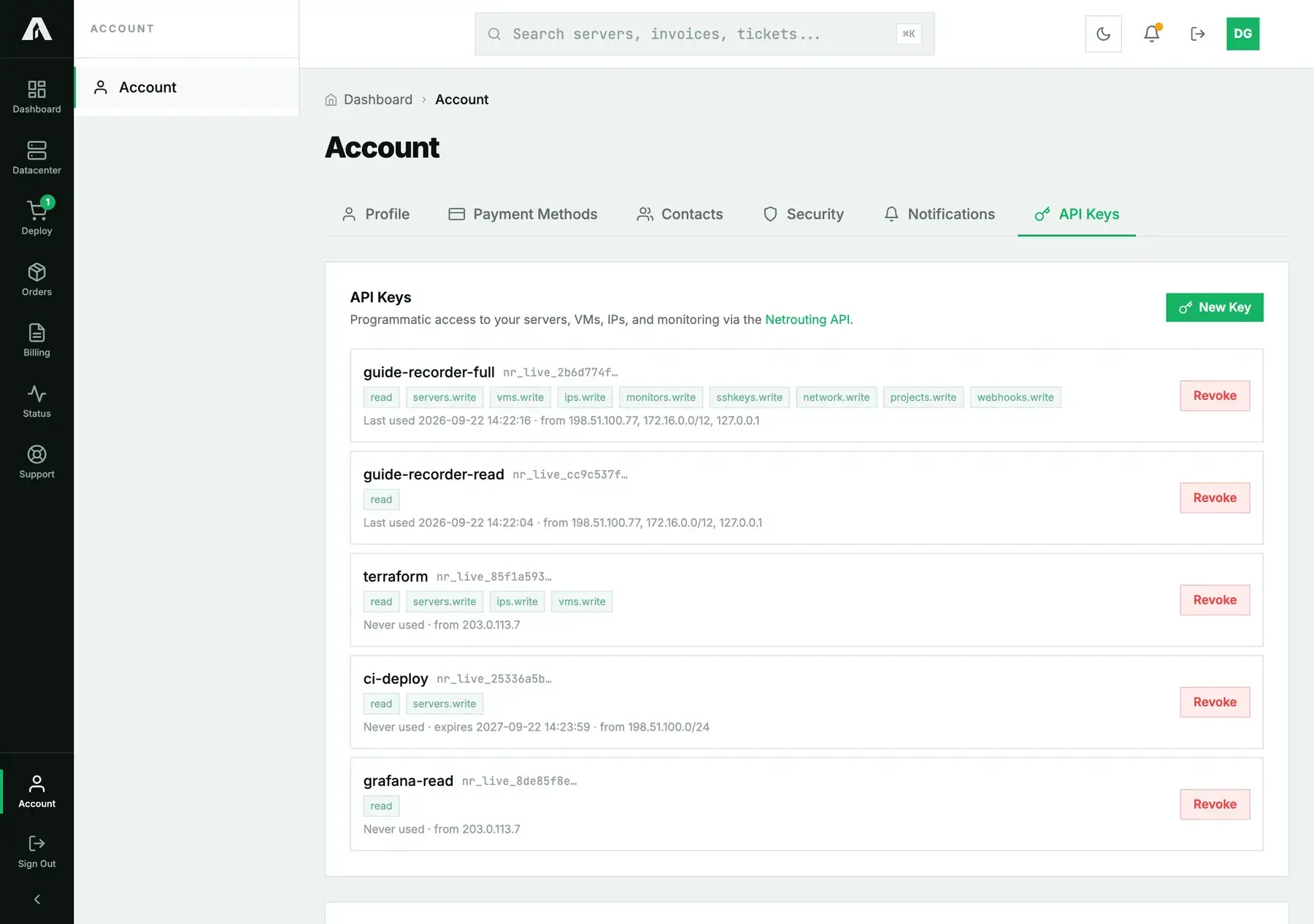
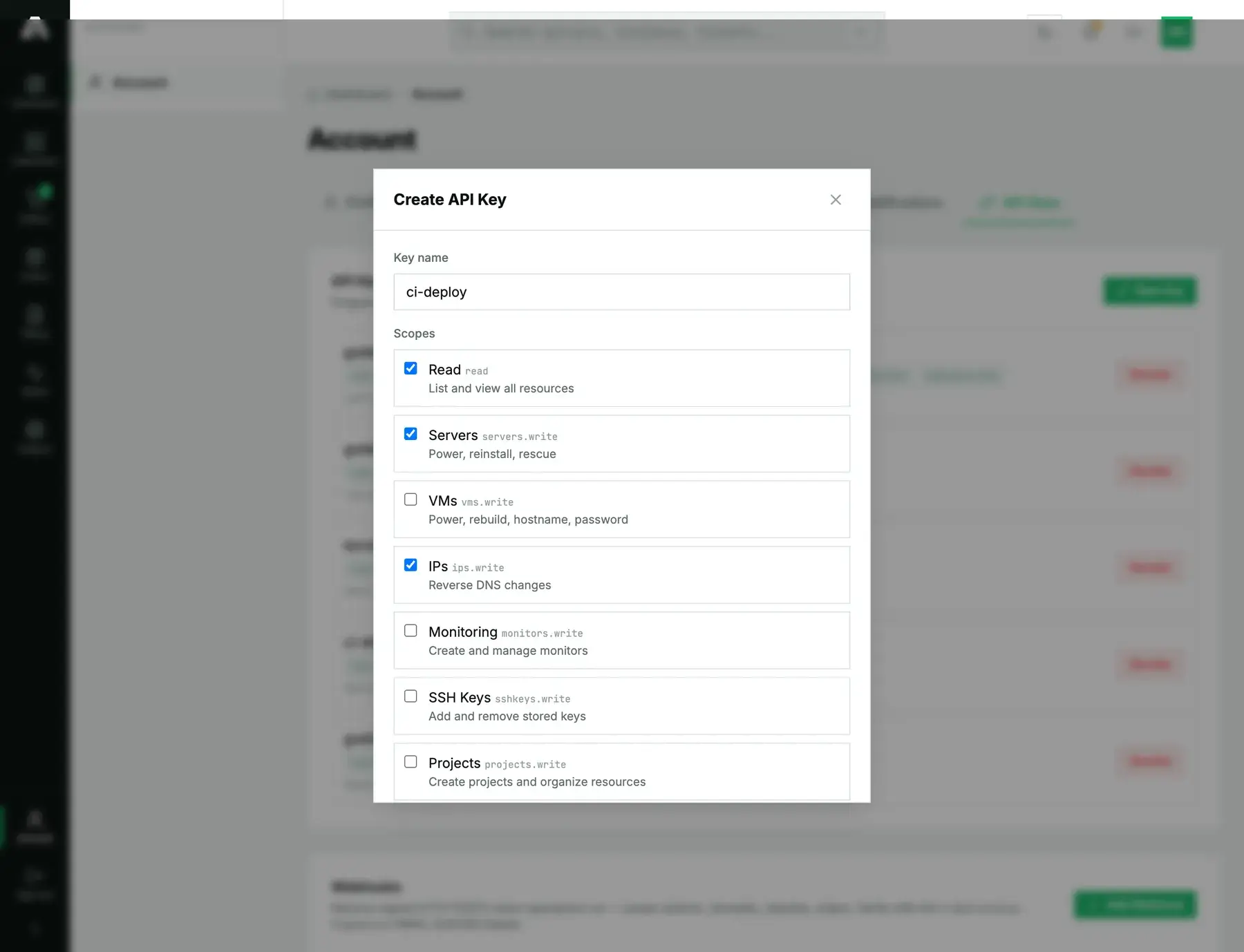
Every key needs three things.
- A name, so you can tell your keys apart later on. Name it after its job, for example
ci-deployorterraform. - Its scopes, which decide what it's allowed to do.
readcovers listing and viewing everything. Each write area (servers, IPs, VMs, monitoring and so on) has its own box, and you tick it only when this key really needs it. A write scope brings reading with it, so aservers.writekey can read servers as well. - Its allowed source IPs, one address or CIDR per line. You can't skip this. The key only works from the addresses listed here, so a leaked key is useless from anywhere else. Typical entries are your office range, your CI runner's egress address or a server's IP, and IPv4 and IPv6 both work.
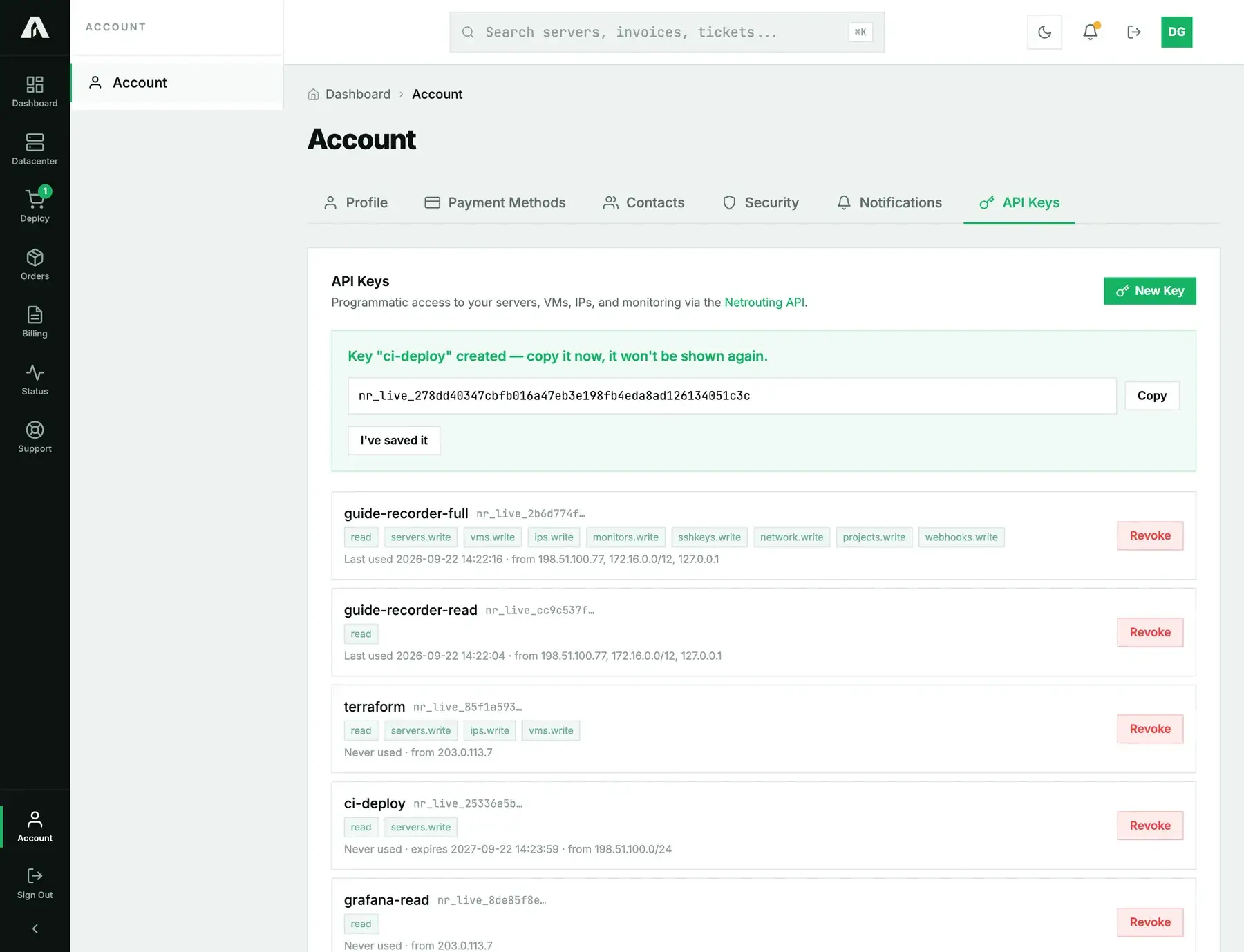
Optionally, set an expiry in days, or leave it empty and the key never expires. Once you save, you see the key once. Copy it right away: we don't keep it in any form that can be read back. Lose it, and the fix is to revoke it and create another.
Make your first call
Send the key in an Authorization: Bearer header. A good first call is GET /v1/account, the whoami call. It needs only read, it doesn't change anything, and it proves the key works.
curl -s https://api.amoni.app/v1/account \
  -H "Authorization: Bearer nr_live_..."
You get your account back, along with a key block describing the key you just used: its name, its scopes and the addresses it's locked to. That makes it the quickest check that a key is set up the way you intended.
{
  "success": true,
  "data": {
    "id": 108,
    "email": "you@example.com",
    "company": "Example Hosting B.V.",
    "key": {
      "name": "ci-deploy",
      "prefix": "nr_live_25336a5b",
      "scopes": ["read", "servers.write"],
      "allowed_ips": ["198.51.100.0/24"],
      "expires_at": "2027-09-22 14:23:59",
      "last_used_at": "2026-09-22T14:24:10+00:00"
    }
  }
}
Next, GET /v1/servers lists your servers, GET /v1/ips your addresses, GET /v1/vms your cloud instances. All responses share one envelope: { "success": true, "data": ... } on success, and { "success": false, "error": "...", "code": "..." } on failure. Your code can branch on success and read code for the machine-readable reason.
What to expect
- Rate limit. Each key gets 120 requests a minute. Go over and calls come back
429with aRetry-Afterheader that says how long to wait. Spread bulk jobs out instead of sending everything at once. - Wrong scope. If the key isn't scoped for a call, you get
403with codeinsufficient_scope, and the message tells you which scope to add. See API key scopes and least privilege. - Wrong address. Calling from an address that isn't on the key's allow-list gets you
403with codeip_not_allowed, with the address we saw in the message. Either add that address to the key or call from one that's already listed. - Bad or expired key. A key we don't recognize, or one that's malformed, gets
401. An expired key also gets401, with codeexpired_api_keyand the date it ran out.
The full reference
The OpenAPI specification has every route, the scope it needs and the shape of its request and response. It's served at https://api.amoni.app/v1/openapi.yaml with browsable docs at https://api.amoni.app/v1/docs. Feed the spec to your own generator and you'll get a typed client in your language.
Questions we get
- Can a key create other keys? No. Keys are only created in the portal, by a person who's signed in, so a leaked key can't mint itself more access.
- How many keys can I have? Ten per account. That's enough for one per job, which is how we want them used.
- Do I have to set allowed IPs? Yes, every key needs them. When the caller has a dynamic address, list its range or your provider's egress block instead of one address.
- Is this the same API resellers use? Yes. The Terraform provider and the reseller integrations run on this same surface, and scopes plus the allow-list keep each key confined to its job.
Still stuck?
Open a support ticket with the key name and the code from the error you got. On our side we can see exactly why the call was refused.