
An Amóni API key can't do anything its scopes don't allow. A scope is a named area of the account, and a key carries whichever ones you tick when you create it. The habit to build is least privilege. Give each key the narrowest set its job can run on, and a leaked key or a misbehaving script can only reach what it was always meant to reach.
The scopes
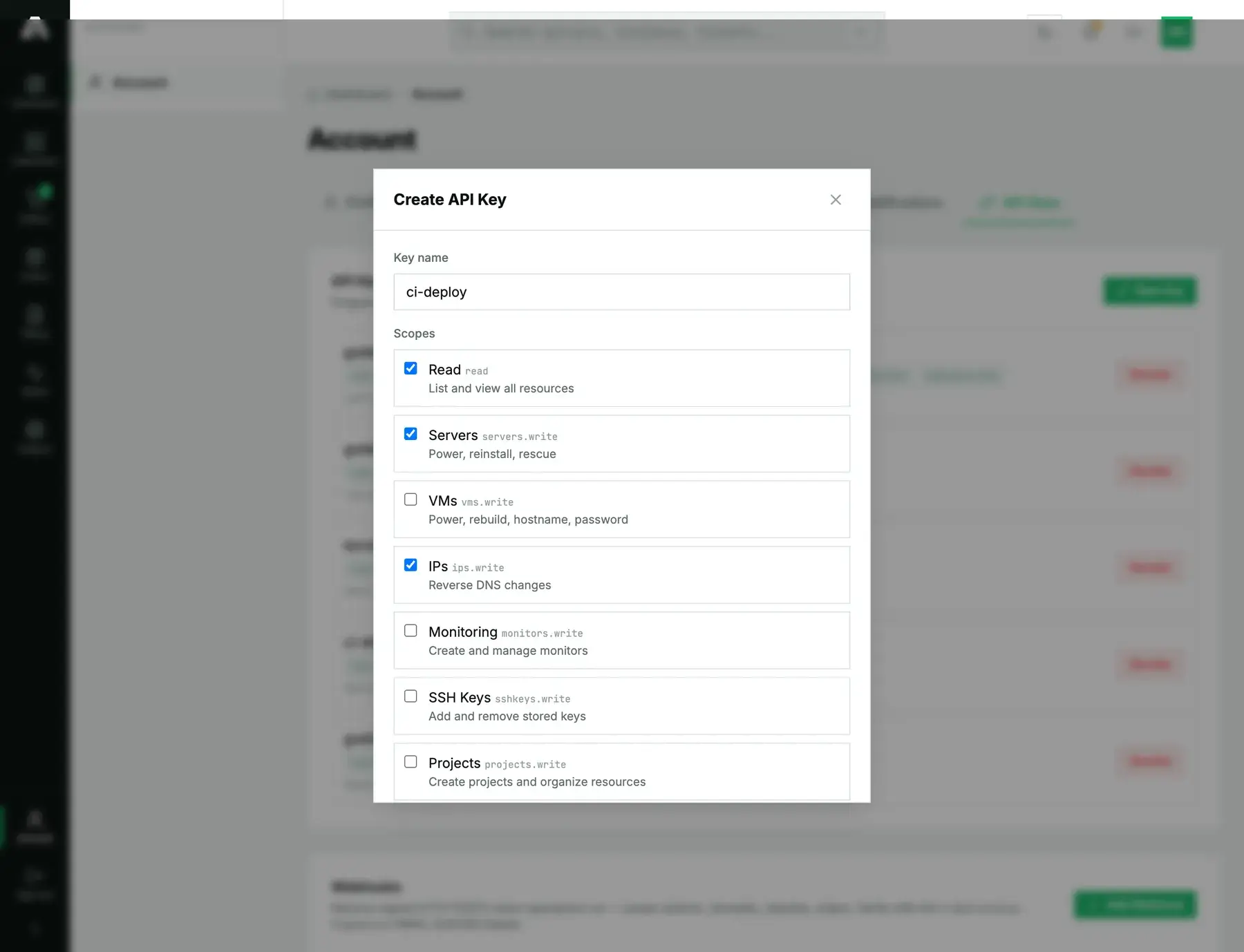
read lets a key list and view every resource. Every write area is a separate scope, and a write scope already includes reading its own area, so there's no need to tick read next to a write just to see things.
| Scope | What a key with it can do |
|---|---|
read |
See everything, in lists and in detail: servers, VMs, IPs, monitors, projects, operations. |
servers.write |
Power, reinstall and rescue bare-metal servers. Set tags and labels, and read the root password a reinstall produced. |
vms.write |
Power, rebuild, rename and re-password cloud instances, plus their snapshots, backups, firewall and cloud-init. |
ips.write |
Edit the reverse DNS of your addresses. |
monitors.write |
Create, edit, pause and delete uptime monitors. |
sshkeys.write |
Add keys to your stored SSH key set, or remove them. |
projects.write |
Create projects and move resources into them. |
webhooks.write |
Create webhooks and fire test events at them. |
vpcs.write |
Manage private networks. |
network.write |
Announce and withdraw blackhole routes. |
bgp.write |
Manage BGP sessions. |
colo.write |
Request datacenter access and remote hands. |
orders.write |
Place orders. Every order creates an invoice, which makes this the scope that spends money. |
Choosing the set
Start from the job and work backwards. A monitoring dashboard that just draws graphs needs read and nothing more. A CI job that reinstalls a server needs read and servers.write. For a Terraform run that manages servers, addresses and cloud instances, you want read, servers.write, ips.write and vms.write. When you're unsure whether a key needs a scope, leave it off. Adding it later means making a new key, since scopes are fixed when a key is created, and in the meantime a call without it fails loudly instead of quietly doing too much.
Ordering is kept apart on purpose. orders.write is the one scope that costs money, since every order raises an invoice. Paying that invoice was left out of the API on purpose, so not even an ordering key can charge a card. Leave orders.write off any key whose job isn't buying things.
When a scope is missing
A call outside your key's scopes doesn't half-succeed. It gets 403, and the body tells you which scope to add:
{
  "success": false,
  "error": "This API key is missing the `servers.write` scope. Create a key with that scope in the portal under Account → API Keys.",
  "code": "insufficient_scope",
  "required_scope": "servers.write"
}
Read code if your tooling needs to branch, and required_scope to find out exactly what to grant.
Two more limits on a key
Scopes control what a key can do. When and from where are set elsewhere, by two more settings.
- The allowed source IPs are mandatory and tie the key to the addresses allowed to call it. Even a broadly scoped key makes a small target when it's locked to one CI runner.
- An expiry is optional. Set a key to lapse in ninety days and you can't forget to rotate it.
Rotating a key means revoking it and making a new one. Revoke next to a key kills it on the spot, and anything still using it breaks right then. So make the replacement first, switch your job over, and only then revoke the old key.
Questions we get
- Does a write scope include reading? Yes. A
servers.writekey reads servers without needingread. Tickreadonly on keys that do nothing but read. - Can I change a key's scopes after creating it? No, scopes are set when the key is created. If you need different ones, create a new key and revoke the old.
- Is there a scope for billing or invoices? No. Billing, both viewing it and paying invoices, stays in the portal and isn't on the API at all.
- What is the smallest useful key? A
readkey locked to one address, which suits a dashboard or an export. It sees everything and can't change a thing.
Still stuck?
Open a support ticket with the key name and the required_scope from the 403. We'll check what the key holds against what the route needs.