
A flat list stops helping once you're past a handful of machines. Projects group your servers and cloud instances under names you pick: production and staging, one per customer, or one per application. Think of a project as a label with a total attached. It isn't a boundary, so it never changes what a machine does or who can reach it.
What a project shows
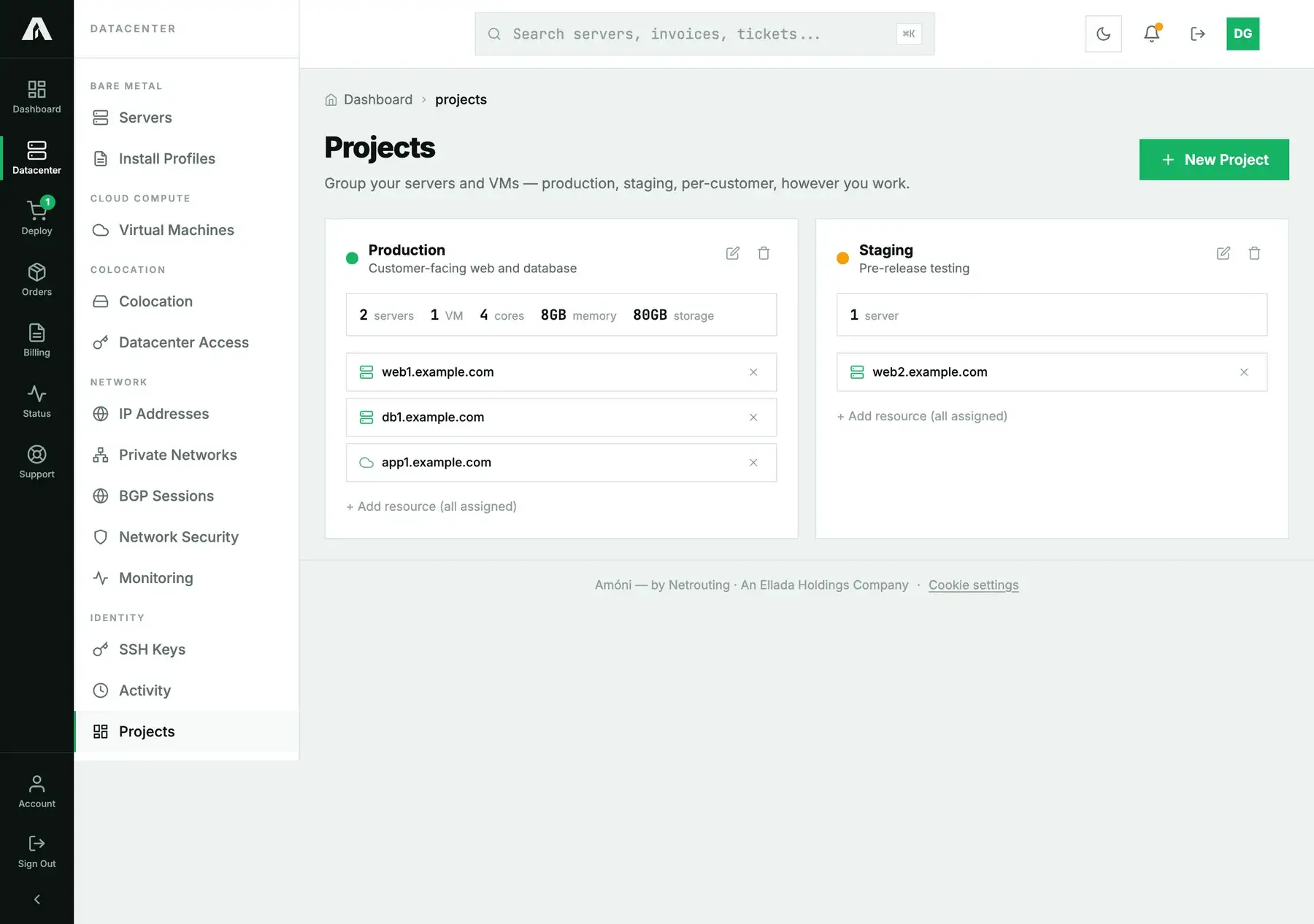
Every project card lists its resources and a summary of what they add up to: the number of servers and VMs, plus their combined cores, memory and storage. That's the fastest answer to “how much am I running for this customer”, with no invoices to add up by hand.
Create a project and add resources
- In the left-hand menu, open Projects under Identity, then click New Project.
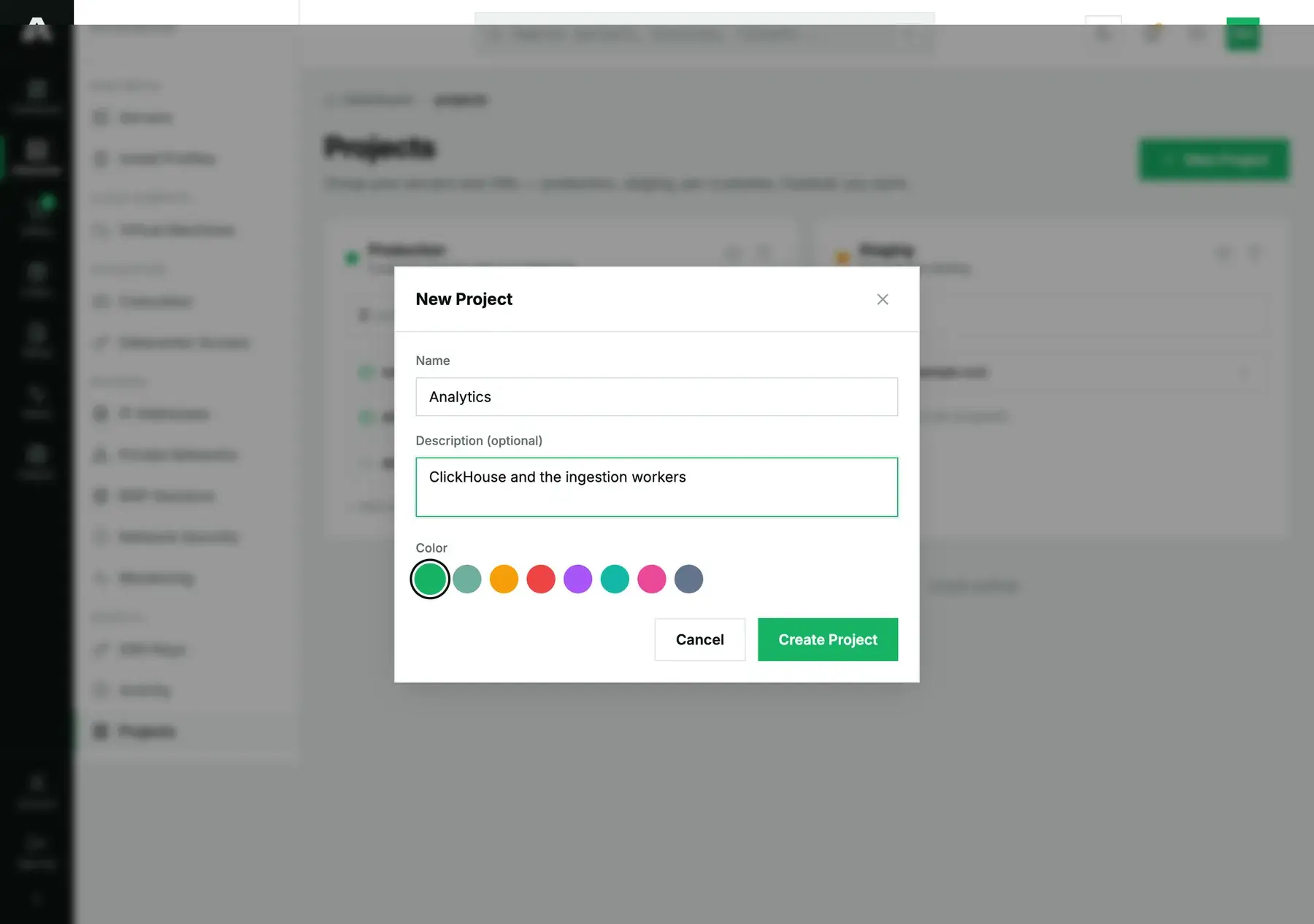
- Enter a name and, if you like, a description. Pick a color too, so you can spot the project at a glance.
- Use Add resource on the project card and choose a server or VM. A resource can only be in one project at a time, so adding it somewhere else moves it.
- To take a resource out, click the cross on its row. The machine itself isn't touched; it only leaves the project.
With the API
To list projects you need read. To change them you need the Projects scope (projects.write). GET /v1/projects gives you every project with its resources and totals:
{
  "success": true,
  "data": [
    {
      "id": 2, "name": "Production", "description": "Customer-facing web and database",
      "color": "#16B364", "created_at": "2026-09-22 13:02:49",
      "resources": [
        { "resource_type": "server", "resource_id": 955 },
        { "resource_type": "server", "resource_id": 957 },
        { "resource_type": "vm", "resource_id": 411 }
      ],
      "summary": { "servers": 2, "vms": 1, "cores": 4, "memory_gb": 8, "storage_gb": 80 }
    }
  ]
}
Create one with POST /v1/projects (name, optional description and color), rename it with PUT /v1/projects/{id}, delete with DELETE /v1/projects/{id}. To add a resource, use POST /v1/projects/{id}/resources, and to remove it, DELETE /v1/projects/{id}/resources/{type}/{resourceId}:
curl -s -X POST https://api.amoni.app/v1/projects/2/resources \
  -H "Authorization: Bearer nr_live_..." -H "Content-Type: application/json" \
  -d '{"resource_type": "server", "resource_id": 955}'
# { "success": true, "data": { "message": "Assigned." } }
resource_type is server, vm, colo or circuit. Ask for a resource that isn't yours and you get 404 with code not_found, never a 403. That way an id you were guessing at is never confirmed to exist.
Questions we get
- Can a server be in two projects? No. Each resource sits in one project, and assigning it to another one moves it.
- Does a project change access or billing? No. It's an organizing label. Access is set under Contacts, and billing stays per service.
- Can I give a colleague one project only? Not yet. Roles apply to the whole account, and projects organize things; they don't scope access.
- What counts in the totals? The cores, memory and storage of every server and VM in the project. Colocation and network circuits appear as counts in the API's
summary.
Still stuck?
If a resource won't join a project, open a support ticket and we'll check that it's on your account.