
Simply managing servers is not enough anymore. Today flexibility, efficiency and control are much more important. Our server cluster is a complete system for hosting and managing your applications.virtualization platform, Proxmox Virtual Environment brings together compute, storage, networking, and backup and disaster recovery into a single system that is both powerful and practical.
What is Proxmox Virtual Environment (VE)?
At its core, Proxmox Virtual Environment is an open source solution designed to transform physical hardware into a flexible virtual environment, Servers are no longer resources of a fixed size, they can be split into multiplevirtualized servers, each running independently.
The platform is built on Debian Linux and tightly integrated with the Linux kernel, which gives it both stability and performance. Once you install Proxmox VE using an ISO image, the system boots directly into a ready-to-use virtualization platform. No extra layers needed.
What makes Proxmox VE stand out is how it combines two virtualization technologies in one place. On one side, there is kernel based virtual machine, often referred to as based virtual machine KVM, which handles complete virtualization. On the other, you get Linux containers LXC, a lightweight option for running applications with better resource efficiency.
Blog contents
This dual approach to virtualization allows you to run virtual machines (VMs) as well as Linux containers on the very same infrastructure without splitting it up. Some workloads require a very strict isolation, others can run faster and require less overhead with Linux containers. WithProxmox, you don’t have to choose one model over the other.
How you manage everything matters just as much.single web interface, often called the Proxmox VE web interface or simply the web interface. From there, administrators can control compute, storage, networking, and backup tasks without switching tools.
Because of that, Proxmox is often used to build virtualized environments that scale from small setups to full enterprise environmentWhen people speak of deployments in the lab they are typically referring to a topology that is very similar to that used for production workloads of organizations.Proxmox VE server, especially when flexibility and cost control matter.
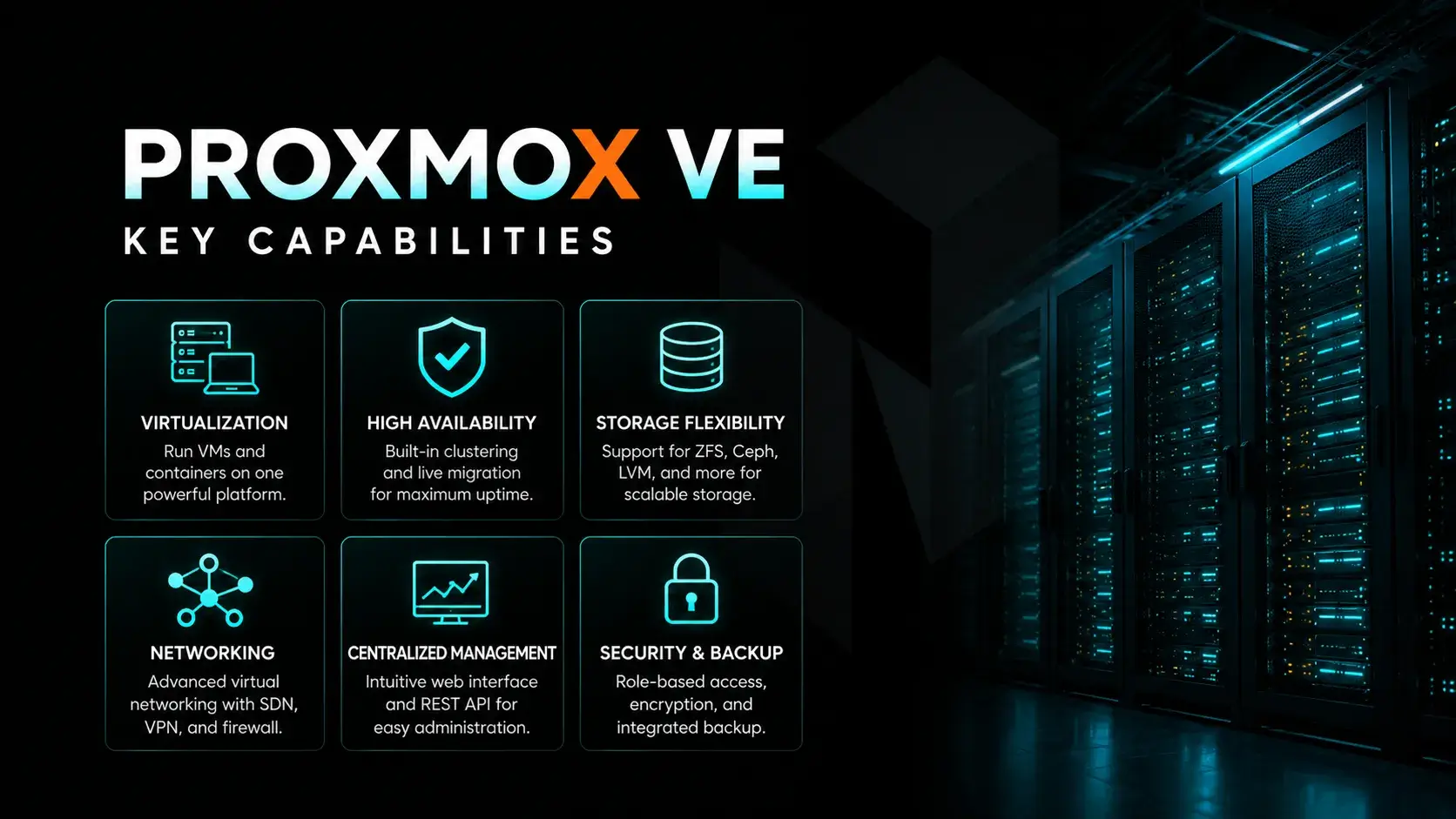
Proxmox VE Key Capabilities
When people talk about Proxmox VE, they usually point to how much is included out of the box. You are not assembling pieces from different vendors. Instead, most of the critical components are already there.
This includes compute, storage, networking, security, and data protection, all tied together through a unified web interface.
VMs and Containers Explained
The foundation of Proxmox VE lies in its ability to handle both VMs and containers.
Proxmox supports two types of virtualization. First, full virtualization is provided by KVM (Kernel-based Virtual Machine) that is included as virtual machine software. Secondly, Proxmox also supports so-called operating-system-level virtualization with Linux Containers (LXC).
Using KVM, each VM is running its own operating system. So VMs are ideal for applications that need a very special environment or even a special operating system. Many applications just benefit from being separated from the other applications on your server and run isolated on their own. Theseproxmox VMs behave like independent systems, complete with virtual CPU, memory, and storage.
For very light-weight virtualization, instead of full virtualization, LXC containers (so-called lightweight containers) could be used. They run on the host's kernel.Linux kernel, reducing overhead and making startup times and resource usage even more efficient.
The result is a platform that supports VMs and containersside by side. Running a database in a VM and your microservices in containers on the very same infrastructure but with very different workloads.
Centralized Web-Based Management Interface
The Proxmox VE API is a RESTful API that uses JSON to hold the data. This makes it very easy to integrate it with other management tools. And all your servers can be managed from one single location using the Proxmox VE API.
Everything in Proxmox is controlled through a web based management interface. It is accessible from any browser, making it easy to access Proxmox from different locations.
The fully featured web-based management interface of Proxmox is the central point to manage your KVM based virtual machines and Linux based containers.
Proxmox offers a user-friendly web-based interface to manage your virtual machines, containers and your complete cluster. There is no need for any extra management tools.
This single web based interface allows administrators to handle tasks such as:
- Managing VMs
- Configuring storage and storage management
- Monitoring performance
- Setting up networking proxmox
- Running backup tasks
Rather than depending on a number of separate dashboards to manage performance, the unified web-based interface is your single control center.
Proxmox also offers a Linux and Windows Command Line Interface (CLI) for server administration. Administration scripts for servers can also be written in this environment.
Behind the scenes, a REST APIOur API enables automation, integration and even scripting. Especially in times of very complex systems this is a big plus.IT infrastructure where manual work does not scale.
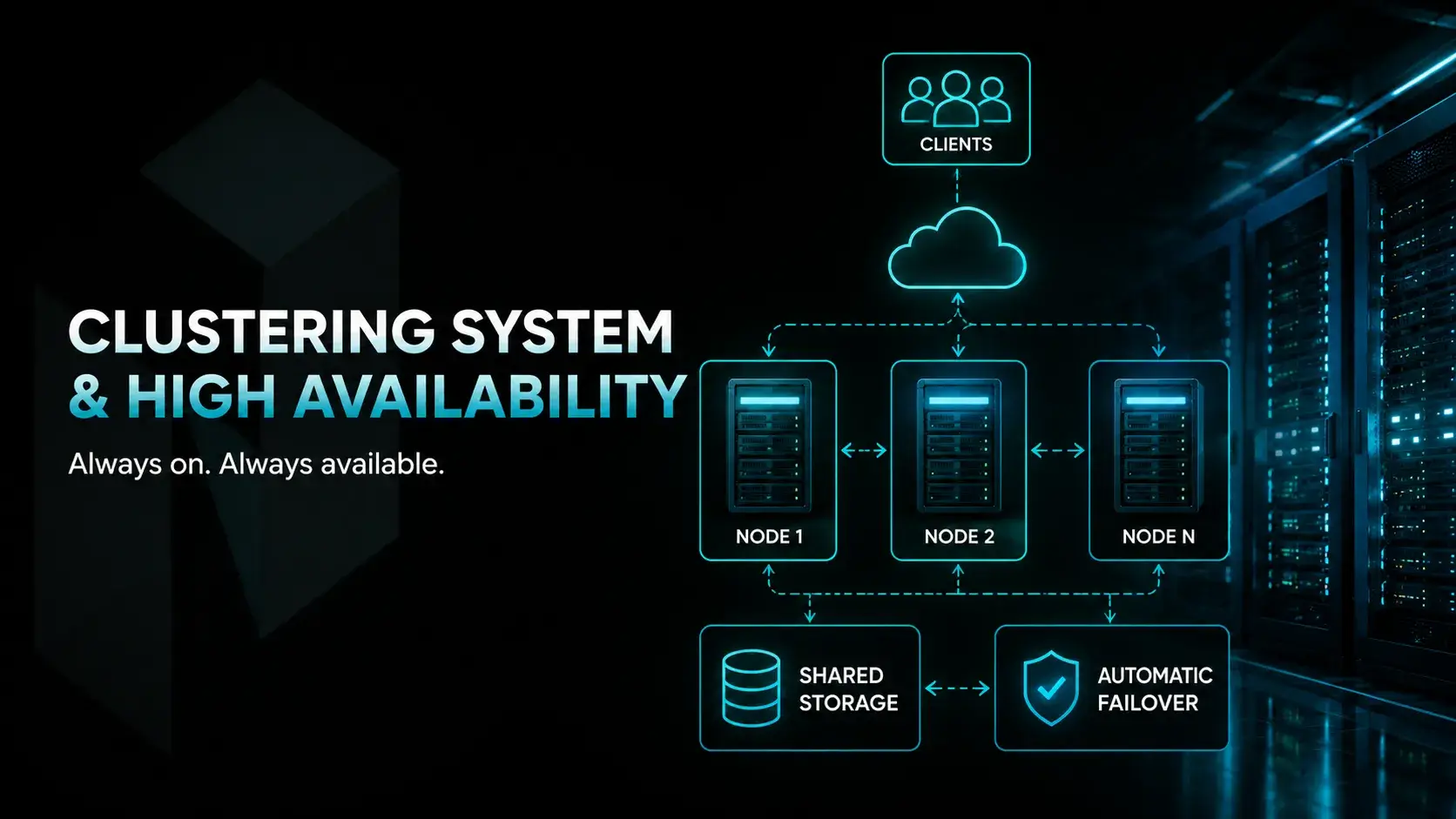
Clustering System and High Availability (HA)
A single server is useful, but things change when you connect multiple nodes.
In a Proxmox cluster, all servers are operated as one big system. All configuration is shared on theProxmox cluster file system, also known as the cluster file system pmxcfs. Changes made on one node propagate across the cluster.
This synchronization is what enables high availability.
Proxmox VE provides native Disaster Recovery (DR) / Business Continuity (BC) functionality by using the high-availability / clustering features of Proxmox. Geographic redundancy across multiple physical locations is possible.
If one cluster nodeWhen a node fails in the cluster, the workloads automatically will be started on another node in the cluster. That way high availability is given and the downtime is kept as low as possible.business continuity in production setups.
Proxmox contains a fully automated node manager. When a node fails, the services that were running on the failed node will automatically be started on the other nodes and will keep running.
For server administrators live migration is a feature to increase flexibility for VM administration. With live migration server administrators are able to move up-and-running VMs from one node to another without stopping them first. As a result services of the migrated VM keep running while maintenance is performed on the servers that the VMs are running on.
Storage Architecture and Flexibility
Storage in ProxmoxProxmox as mentioned before isn't restricted to a certain way of managing and utilizing it. It supports a lot of different storage types.storage technologies, giving you room to adapt based on workload needs.
You can use:
- Local storage for speed
- Shared storage for clustered environments
- Distributed systems like Ceph storage
SDS (Software Defined Storage) comes into play here. The actual storage management is performed by software instead of by hardware.
Administrators can define storage pools, create snapshots, and configure replication. These flexible storage options make it easier to scale and maintain performance.
Networking Capabilities and SDN Support
Networking in Proxmox VE builds on the Linux networking stack, which provides a strong and flexible foundation.
Basic setups use bridges to connect virtual servers to networks. VLANs allow segmentation, while bonding improves redundancy.
The network connection for all of your VMs is set up as a bridged network. All of the Virtual Machines are connected to the bridge as if they were directly connected to a physical switch. For normal operation of your VMs, this is all you need. Proxmox also supports VLANs and network bonding for more complex network environments.
For more advanced setups, software defined networkingIt is available and you can create very complex network topologies without any external hardware.
Proxmox VE supports software-defined networking (SDN). Separate private networks for all nodes can be created. Communication between nodes on separate physical hosts is possible and simple.
You can design an isolated private networkIt can be used to separate internal services from other traffic, or to divide up traffic on different levels. It is suitable for both small and larger networks.
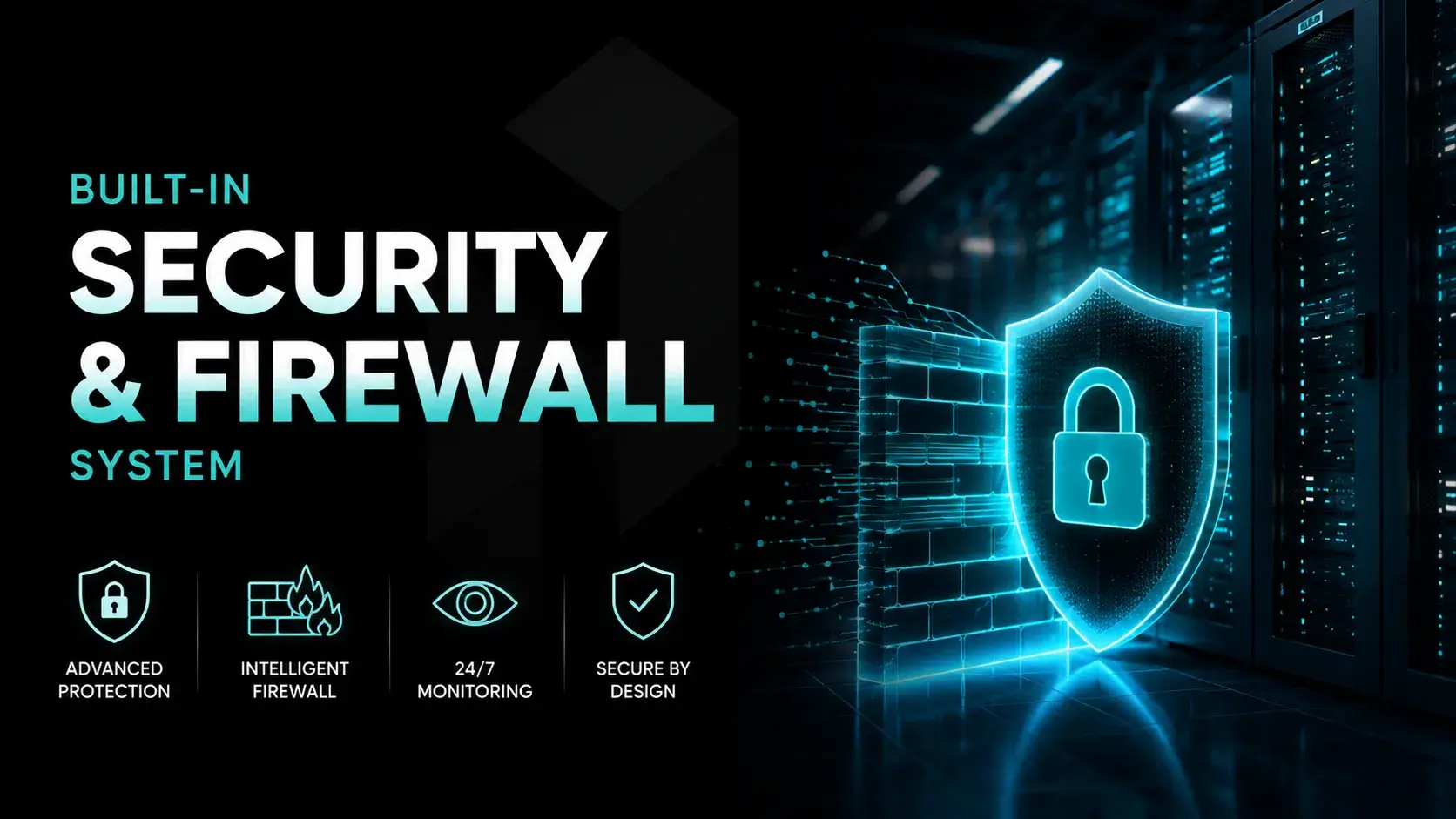
Built-in Security and Firewall System
Security is integrated into the platform rather than added later.
Proxmox has a distributed firewall for clusters as well as for single nodes and VMs. This firewall is fully customizable and allows a very detailed control of traffic coming into and going out of a server as well as of individual VMs. This in turn allows for a very detailed control of security.
You can enable a firewall on the Datacenter level, on the Node level as well as for individual VMs and configure it to allow or deny traffic as required.
Authentication is also flexible. Proxmox supports integration with:
- Linux PAM
- Microsoft Active Directory
- OpenID Connect
The integrated firewall in Proxmox VE allows users to filter network packets on any VM or container interface, with the ability to group common firewall rules into 'security groups'.
This makes it easier to manage Proxmox users in environments where identity systems are already in place.
Backup System and Restore Options
Backups are integrated into the core system, and are not an afterthought.
You can configure:
- Full backups
- Incremental backups
- Snapshot-based recovery
These reliable backupsRetention policies can be set up to automatically run at certain times and also aid in the management of your storage usage over time.
The built-in solution for data backup and restore simplifies data protection for our customers. Because everything needed for data backup and restore is already integrated, there is no need for any additional tools.
Proxmox Backup Server Integration
For larger setups, Proxmox VE supports integration with Proxmox Backup Server.
This adds advanced capabilities such as:
- Data deduplication
- Faster incremental processes
- Centralized backup storage
The result is a more efficient data protection system. Storage usage decreases while recovery times improve.
When you run mission-critical workloads, the configuration of storage and servers is critical.disaster recovery planning.
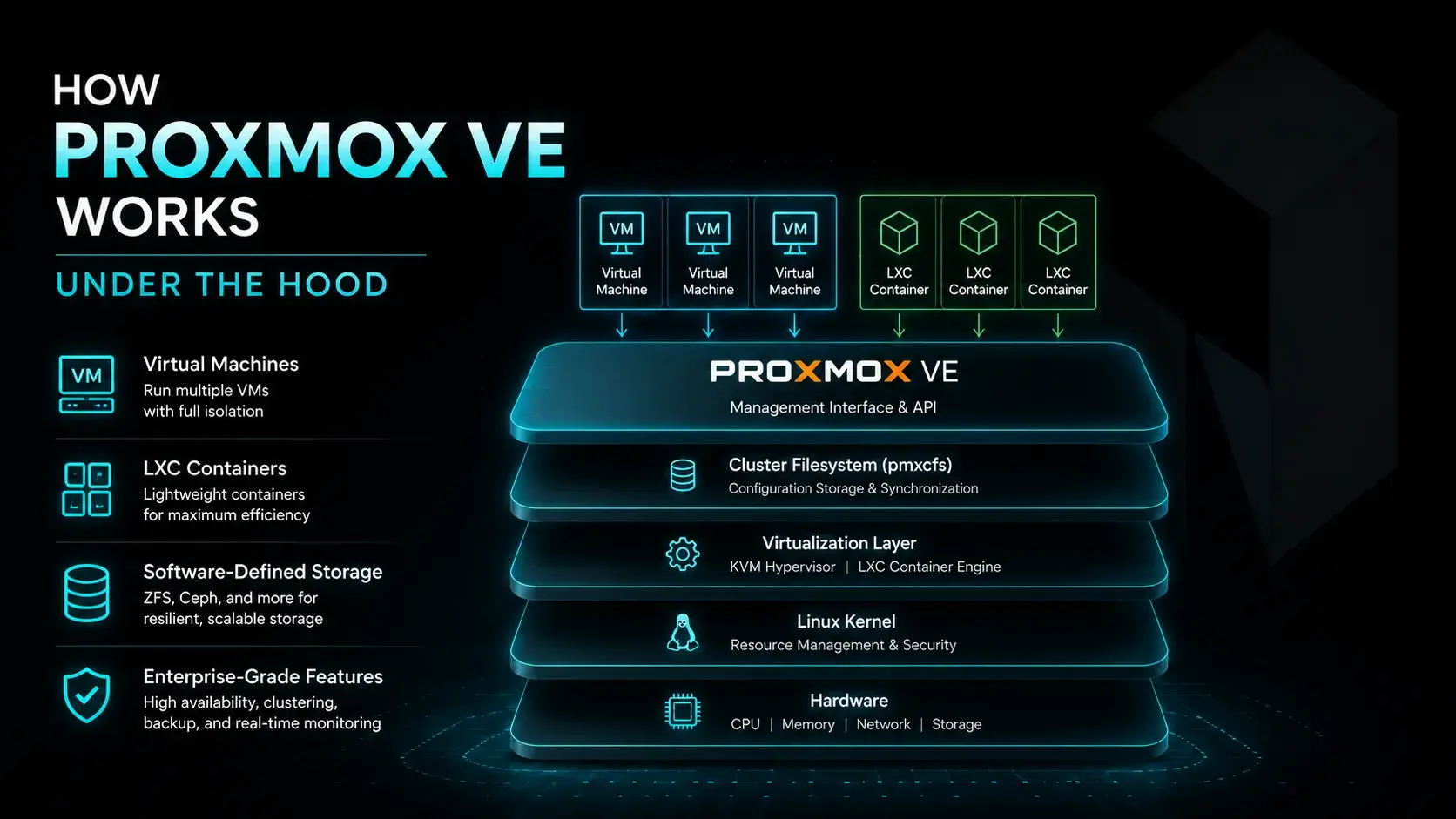
How Proxmox VE Works Under the Hood
Understanding how Proxmox VEGetting a glimpse into how things operate requires more than just taking a look at the interface of a single component. What is needed is a view of the system as a whole, i.e. the hardware, the software, and the tools for management, which in most cases are very layered.
System Architecture Overview (Linux Kernel Layer)
At the base, Proxmox VE interacts directly with physical hardware. CPU, memory, disks, and network interfaces are exposed through the Linux kernel.
In addition to this the system abstracts resources into shared pools which can then be allocated to Virtual Instances and Containers.
This abstraction enables efficient use of hardware to support different workloads.
KVM vs LXC Execution Model
Two execution models exist within Proxmox environment.
Kernel based virtual machineVirtual Machines are completely isolated from each other. Each VM operates independently, which allows the maximum security and also prevents problems with compatibility.
LXC containers on the other hand are running in shared kernel space. Thus LXC is very fast and efficient. However, the containers are not as isolated as VMs.
Choosing between them depends on workload requirements.
How Resource Allocation Works in Proxmox
Resources will be assigned from a pool that is available to VMs and containers when created.
CPU cores, memory, and storage are defined in configuration files. These settings determine how much of the host system is allocated.
So, there is a reasonable tradeoff between performance and resources but there is still the potential to overcommit and so this must be monitored.
Cluster Synchronization with pmxcfs
In clustered environments, synchronization is handled by the cluster file system pmxcfs.
The Manager keeps all nodes in sync with the configuration of the nodes and they all run in the same environment.
Without it, managing a cluster would require manual coordination.
Virtual Networking Flow Explained
Bridges and virtual interfaces connect workloads to external as well as to internal networks.
Because it relies on the Linux networking stack, the system inherits flexibility and reliability.
Traffic can be segmented, isolated, or optimized depending on requirements.
Proxmox VE network is set up in a bridged mode. Thus all VMs of yours are connected to one and the same bridge as would be the case with all machines connected to switches in a physical data center. As a special case there is also support for VLANs as well as for bond-interfaces for more complex networks.
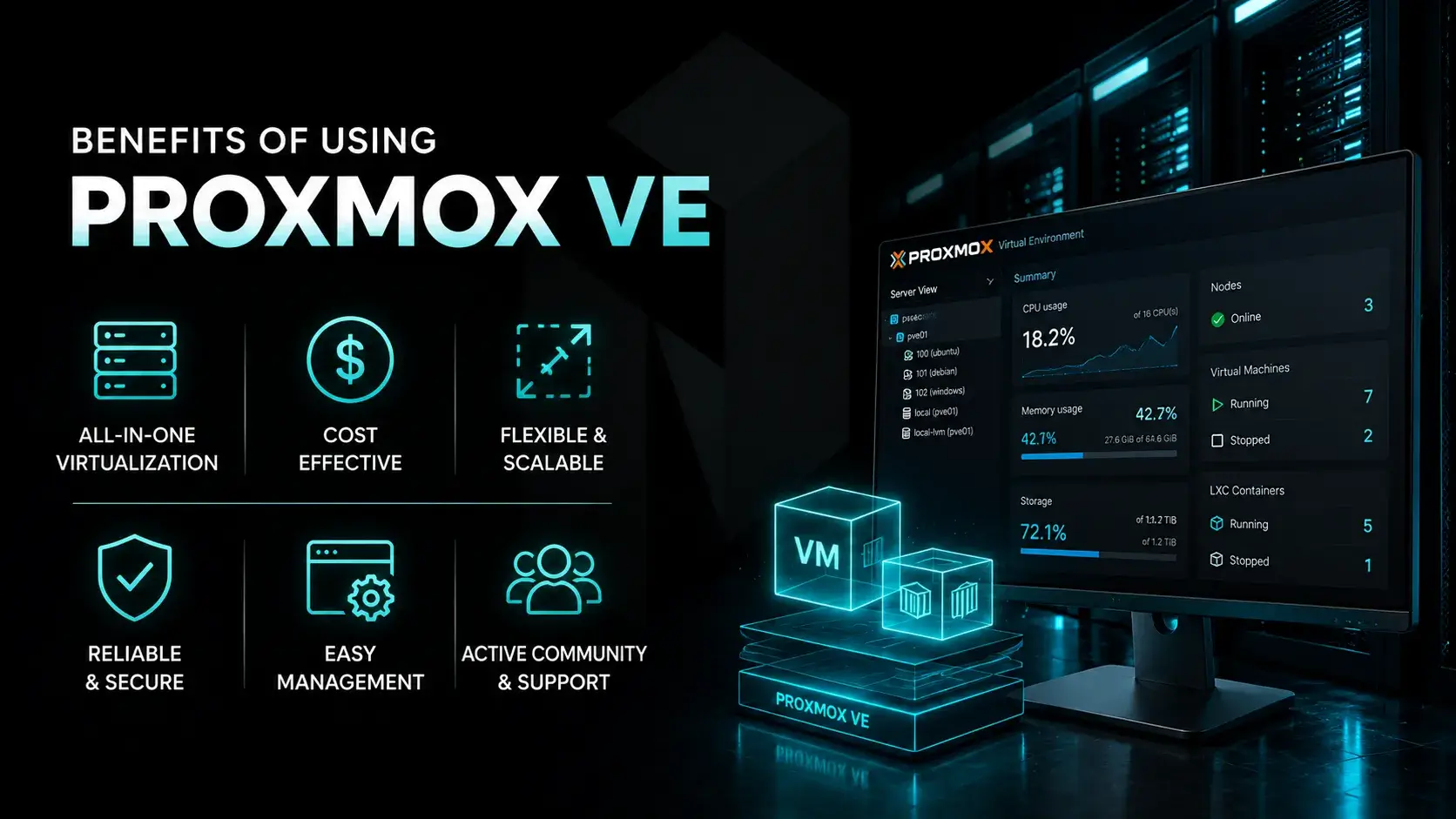
Benefits of Using Proxmox VE
Choosing a virtualization platformMost features are not features for the sake of features. They need to deliver value to users.
Cost Efficiency with Open-Source Model
The main advantage of using open-source software is cost.Proxmox VE removes licensing barriers.
Start-up and growing businesses can get the infrastructure needed to run their business without being charged per VM or per CPU.
Optional enterprise support is available, but not required.
High Availability for Business Continuity
With clustering and failover, high availability becomes part of the system.
If a node fails, workloads restart elsewhere. This helps maintain business continuity and reduces downtime.
Scalability for Growing Infrastructure
Scaling is straightforward. Add more cluster nodes, and the system expands.
There is no need for a full redesign of this setup as it will grow with demand.
Centralized Management for Simpler Operations
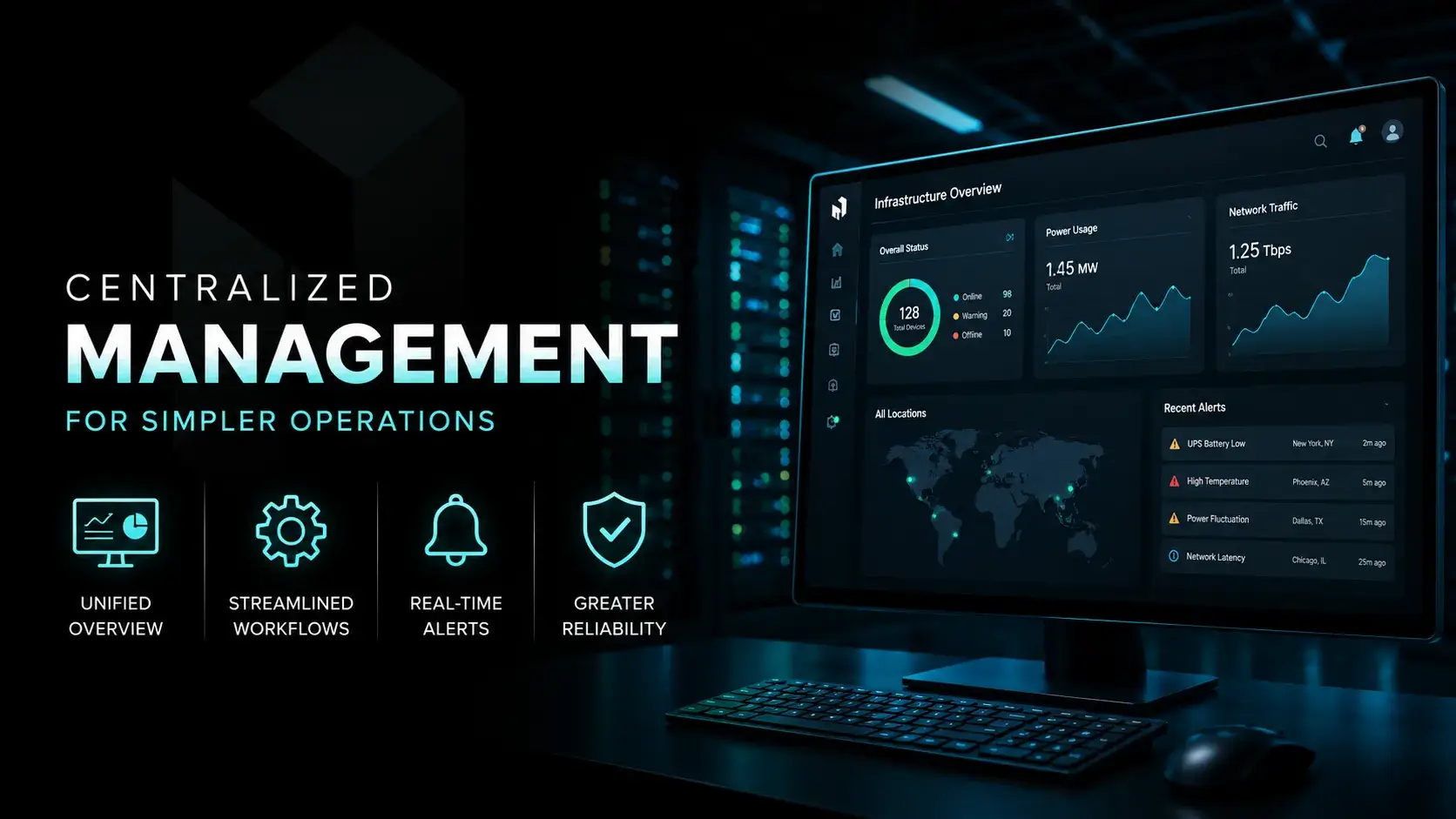
Everything runs through a centralized management system.
The web based management interface reduces complexity. Admins can manage virtual servers, storage, and networking from one place.
Flexible Workload Handling (VMs + Containers)
Support for both VMs and containers gives flexibility.
Different workloads can run in the same environment without compromise.
Security and Access Control Advantages
Built-in firewall rules and authentication options provide strong security.
Integration with identity systems simplifies access control.
Built-in Data Backup and Recovery
It's much better to have data backup and recovery inside the platform than to have to resort to other tools in order to make a backup and to recover data.
This simplifies operations and improves reliability.
Ecosystem and Integration Flexibility
With support for APIs, external tools, and multiple storage technologies, Proxmox fits into a wide range of environments.
It adapts rather than forcing change.
Building Cloud Infrastructure with Proxmox VE
Using Proxmox VEThe presence of servers and datacenter as a base for cloud infrastructure is a much more common occurrence than people make out, but then that is not to create a replication of the public cloud, rather a platform to create your own cloud infrastructure.
You get control. How you use that control is up to you and how you design your application.
Private and Hybrid Cloud Deployment Models
A typical setup starts as a private cloud. You install Proxmox Virtual Environment server on physical hardware, connect a few nodes, and form a Proxmox cluster.
We are pooling compute resources, storage resources and networking resources and running them from a shared system.
Hybrid setupsSome workloads stay on prem only, while others extend outward into a number of different external environments.Proxmox makes that possible without forcing a complete redesign.
For organizations that need to manage sensitive data while still benefiting from scalable infrastructure.
Hyper-Converged Infrastructure Design Approach
One of the more practical use cases is building a hyper converged infrastructure.
Rather than have a compute cluster and a storage cluster, compute and storage resources will reside on the same nodes. Each node will function as a compute resource as well as a storage resource for other nodes.cluster node contributes CPU, memory, and storage.
With tools like Ceph storage, data is distributed across nodes. This improves resilience and performance.
It will be less complex, have fewer components and fewer integrations. It remains very scalable.
You can start small and grow into a larger enterprise environment without changing platforms.
Storage Strategy (Ceph, Local, and Shared Storage)
Storage design often defines how well a system performs under load.
With Proxmox, you are not locked into one model. You can mix local storage, shared storage, and distributed systems like Ceph storage depending on the workload.
For very high performance systems local disks might be chosen. For all other scenarios where data is to be shared local disks are not suitable and shared storage is needed.multiple nodes and live migration.
This flexibility is part of what makes software defined storage valuable. Storage is abstracted, managed through software, and adjusted as needed.
Effective storage managementIncreasing capacity is not in itself a solution; a balance must be struck between adequate performance, adequate redundancy and cost.
Network Segmentation and SDN Design
As environments grow, networking becomes more complex.
With SDN, Proxmox VE supportsNo external tools are required to implement more advanced configurations, for example creating a segmented network, isolating workloads or specifying a path for traffic to take.
An isolated private networkIt can be used for internal services. Public-facing workloads can then be separated into different segments.
Because everything runs on the Linux networking stack, you get both flexibility and reliability.
The network configurations on Proxmox are production ready and not limited to a test setup.
Performance Optimization in Proxmox Environments
Performance tuning is often overlooked, but it makes an important difference.production environment.
There are several approaches commonly used:
- Adjust CPU allocation to match workload patterns
- Optimize memory usage for better resource efficiency
- Use caching strategies for faster disk access
- Fine-tune networking for lower latency
Individually none of them are particularly hard. It is how they interact with each other and produce the overall effect that is the difficulty.
When configured properly, virtualized environments built on Proxmox can deliver stable and predictable performance even under heavy load.
Migration and Data Protection Strategy
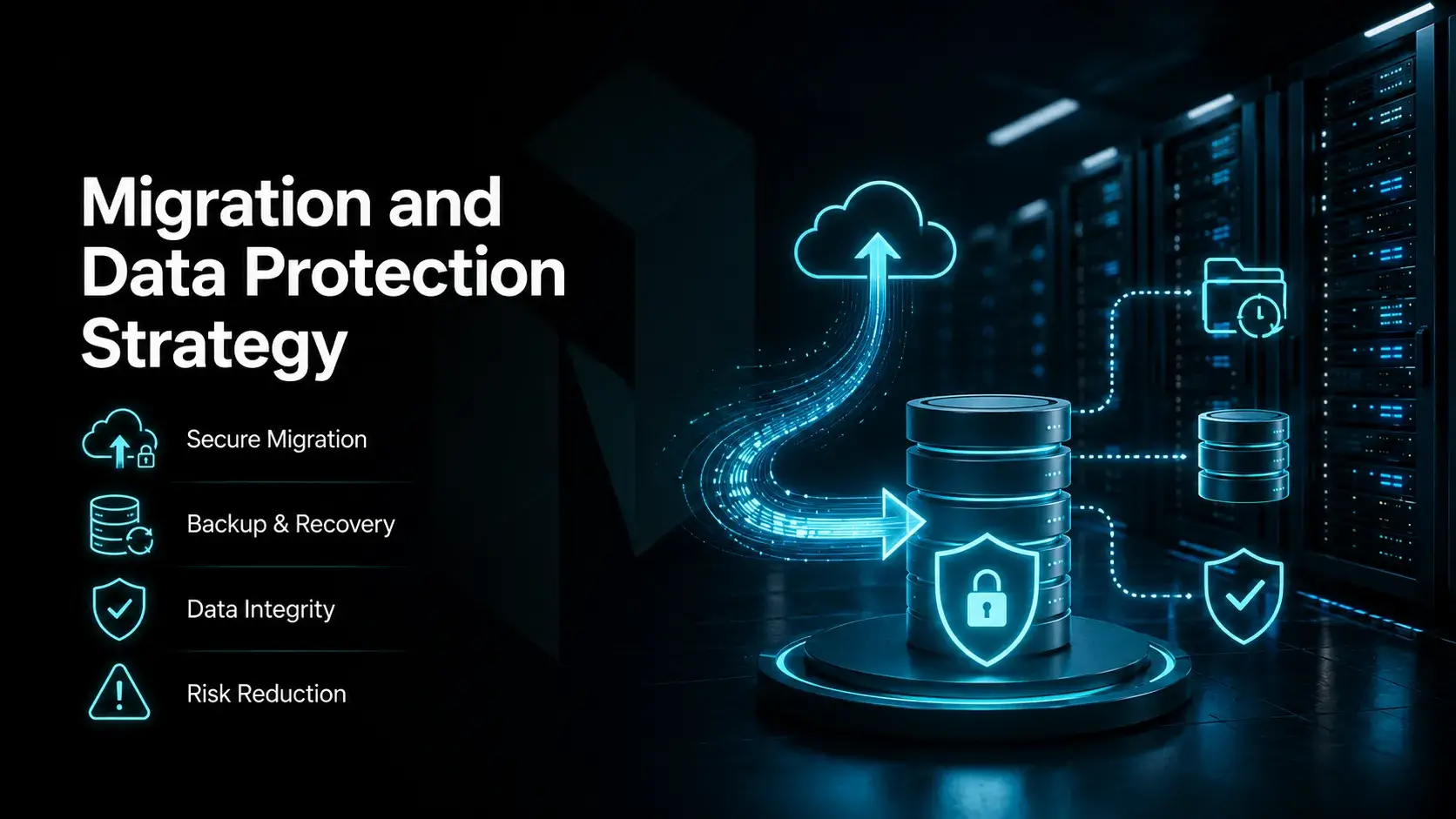
Moving workloads into Proxmox VEMigration to a new system is more than the technical migration of data to a new system. It is also about learning to handle systems in general.
Take your time when planning your migration and do not start too early as the risk of your site going down or even your data getting corrupted is too high.
Role of Proxmox Backup Server in Data Protection
At the center of data protection is Proxmox Backup Server.
It extends the built-in backup system and focuses on efficiency. Incremental backups ensure that only changes are stored, which reduces storage usage.
Data deduplicationRemove redundant data from your backups. Over time your backups will grow in size, but by removing redundant data from them, you can start to save space very quickly and that in turn will keep your storage costs down.
Recovery is now a whole lot easier. Fixing a broken system is much simpler now. No longer are you forced through a long drawn out process to try and fix your problems.
For many teams the most basic service will be sufficient to create a good data backup and disaster recovery service.
Using Third-Party Backup Solutions
Not every environment starts from scratch.
Some organizations already rely on external tools for backups. Proxmox supports integration with third-party solutions, allowing teams to keep existing workflows.
This is useful in large IT infrastructure setups where replacing everything at once is not realistic.
Instead of forcing change, the platform adapts.
Additional data protection for your Proxmox Server can be provided by third-party backup solutions. Examples of those are the business solution Acronis Cyber Protect. It supports full-VM-backups, file-based backups as well as cloud-based disaster recovery.
Migration Methods and Tools Overview
There are several ways to move workloads into a Proxmox environment.
For the smaller migrations importing the disk images directly into the system is supported.
For larger setups, automation becomes important. The REST API allows scripted migration processes, which saves time and reduces manual errors.
Additionally live migration between the nodes of the cluster is supported. After you have started an application within the system, you can also move it to other nodes of your cluster as required, without having to stop it first.
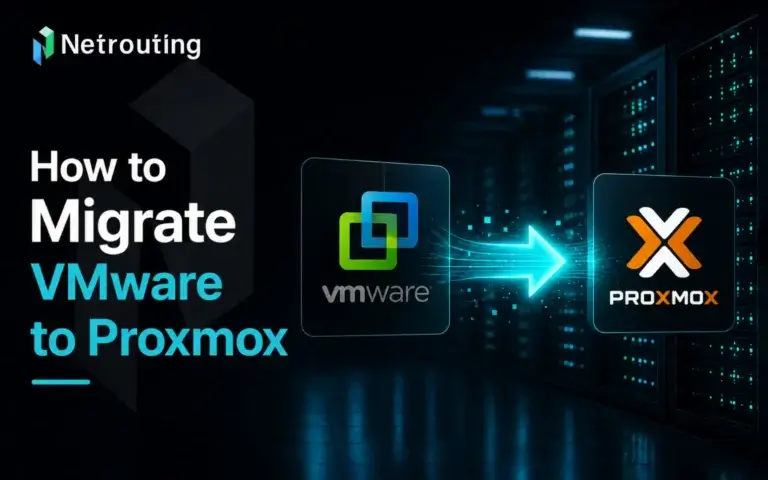
VMware to Proxmox Migration Workflow
A common scenario is moving from VMware to Proxmox VE.
The process usually involves:
- Exporting virtual machine disks
- Converting them into compatible formats
- Importing them into Proxmox VMs
- Adjusting CPU, memory, and networking settings
It is not always instant, but it is manageable.
The main motivation is often cost. Licensing models differ significantly, and Proxmox VE offers a more flexible alternative.
Proxmox VE vs VMware Comparison
When comparing platforms, the conversation often comes down to flexibility versus standardization.
| Feature | Proxmox VE | VMware |
| Licensing | 🟢 Open source | 🔴 Commercial |
| Cost | 🟢 Lower | 🔴 Higher |
| Virtualization | 🟢 KVM + LXC (VMs + Containers) | 🟡 ESXi (VM-focused) |
| Management | 🟢 Single web based interface | 🟡 Multiple tools (vCenter required) |
| Storage | 🟢 Software defined storage | 🟡 Proprietary options |
| Backup | 🟢 Built-in + Proxmox Backup Server | 🔴 External tools |
Cost Structure and Licensing Differences
VMware products are commercial products. They are licensed by CPU and include additional features and support levels. As your infrastructure grows in size the total cost of software will increase.
With Proxmox VE, on the other hand, is free, open source software that functions as a core platform and can be used by us without any licensing fees. On top of that (as required) we can then again opt for a commercial license (e.g. for support or for extra functions).business support, but this is not mandatory. Thus cost planning for growing environments is even more predictable.
Virtualization Technology Approach
VMware virtualization is primarily focused on running full VMs on a Hypervisor (in VMware's case, ESXi) and provides a very mature and controlled environment for customers of the company.
Proxmox VE takes a broader approach. It combines KVM for full virtualization and Linux LXC containers for lightweight workloads. This means you can run both VMs and containers in the same system without additional tools.
That flexibility is often a deciding factor for modern deployments.
Management Tools and Complexity
Most VMware environments are managed by more than one component. The vCenter Server is the core component for managing your virtualized infrastructure.
In contrast to using a management client for Proxmox VE, you can also use the web interface to manage your complete server from a single location, which is called the Proxmox VE dashboard. In the dashboard of your favorite web browser, you can administer your virtual machines, your storage and all the network settings in detail.
This reduces operational overhead and simplifies daily management tasks.
Storage and Data Handling
Storage in VMware environments typically is managed by a vendor supplied proprietary system or by external integrations.
With Proxmox, storage is more flexible. It supports software defined storage, including internal storage, shared storage, and distributed systems like Ceph storage.
Storage can now be properly provisioned for the workload rather than for the restrictions of the underlying infrastructure.
Backup and Data Protection
In VMware environments, most backup solutions are either external or require an additional license on top.
Proxmox VEIt contains a data backup function and a data recovery function, as well as integration with other functions.Proxmox Backup Server, which adds incremental backups and data deduplication.
This built-in approach simplifies data protection and reduces dependency on third-party tools.
Clustering and High Availability
Clustering in VMware is typically part of higher-tier configurations.
With Proxmox VE, clustering is included by default. Multiple nodes form a Proxmox cluster, synchronized through the Proxmox cluster file system.
This enables high availability, allowing workloads to restart automatically if a node fails.
Migration Flexibility
VMware environment migration is constrained by the file format as well as by licensing terms.
ProxmoxWe add more flexibility to the users. The software supports many file formats and it contains import tools to easily bring workloads from other workload management software on the market into our free software. Users of proprietary software thus have an easy way to switch to free software.
Flexibility and Use Case Fit
VMware remains strong in large legacy environments with established workflows.
Proxmox VE is gaining traction in modern IT infrastructure setups. Its flexibility, support for vms and containers, and open architecture make it well suited for evolving environments.
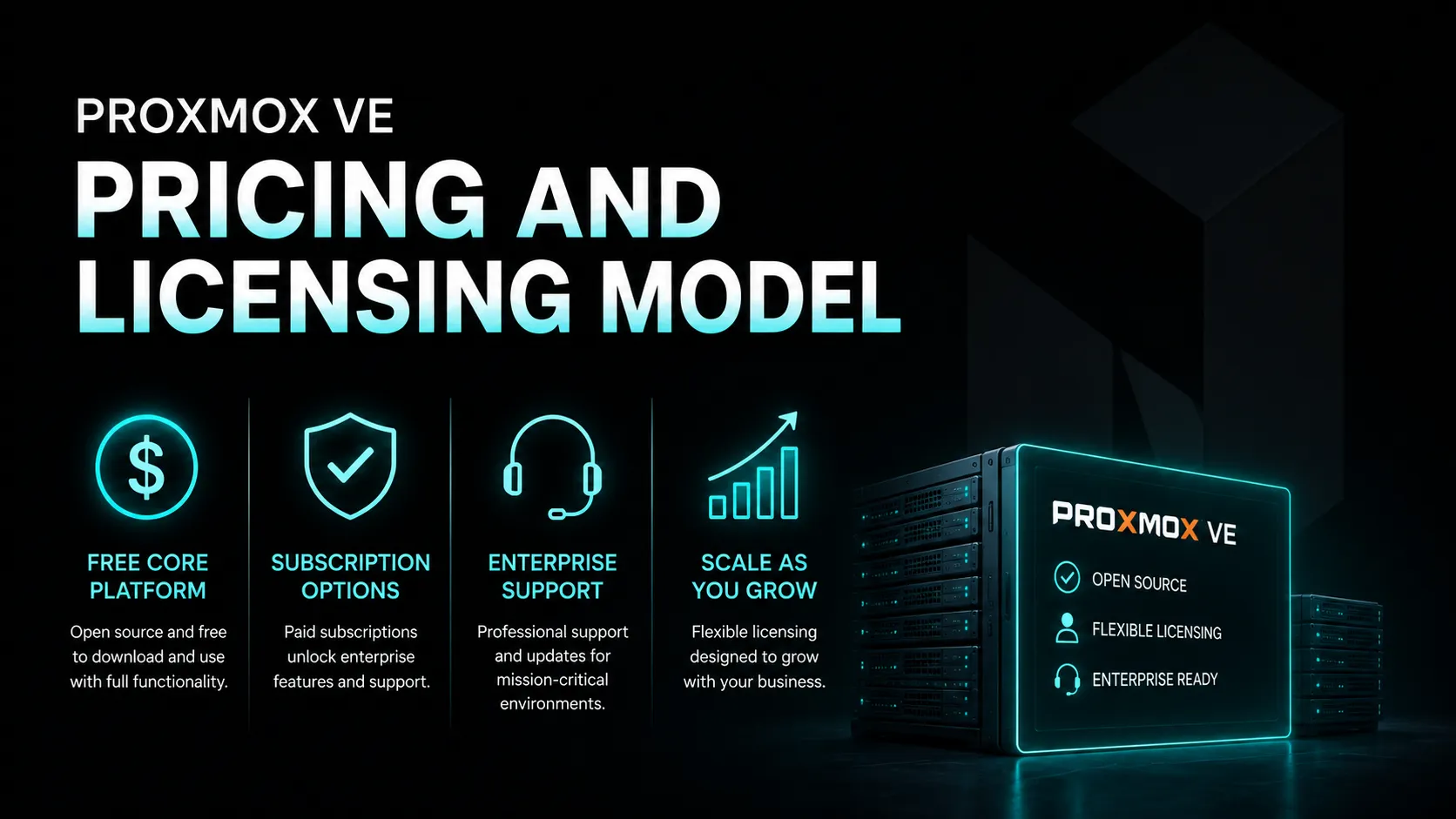
Proxmox VE Pricing and Licensing Model
The pricing model is simple.
The core platform is free to use. That includes most advanced features, from clustering to backup tasks.
We offer subscription plans for organizations who require stability and support. Tested updates, together with access to our experts, are included in our subscription plans.
You can continue to scale your teams without the increased licensing costs as you progress to the next step.
Frequently Asked Questions (FAQ)
Is Proxmox VE suitable for production environments?
Yes, it is already in use at many companies. A correctly set up...Proxmox VE server can deliver stable performance, especially when running inside a Proxmox cluster with high availabilityJust because you enable something, doesn't mean that it will automatically work. To get any piece of software to work well you first need to set up the surrounding environment. This includes how you are going to store data, how you are going to set up your network and how you are going to do your backups. Once you have done this it can perform well in real production work.
Can Proxmox handle both VMs and containers at the same time?
It can, and that is one of its strongest points. Proxmox Virtual Environment supports both VMs through KVM and LXCThis setup is optimal for very lightweight workloads and thus a mix of them on one host is easy to manage without extra tools. Some applications simply perform better in full VMs than in containers, others simply fly. Thus, running both on one host simply makes sense.virtual environment gives you more flexibility without adding complexity.
Does Proxmox include data backup and recovery features?
Yes, backup is built into the platform from the start. You can schedule backup tasks, run incremental backups, and restore systems directly from the web interface. For more advanced needs, Proxmox Backup Server adds data deduplicationLocal disks and a central storage device allow for simple backup and recovery for all workloads on all nodes.
How difficult is it to install Proxmox VE?
The installation process is straightforward. You download an ISO image, boot it on your physical hardware, and follow a guided setup. In most cases, you can install Proxmox VESetting up the first node to run the install takes less than an hour to complete. The real complexity comes later, configuring the storage, networking and clustering on the installed nodes. This is where the real planning is needed, not the individual node install.
How does Proxmox compare to VMware in terms of cost?
There are a couple of key differences here. First, VMware products are typically licensed products. This can be based on CPUs or on specific product features.Proxmox, being an open source solution, removes that barrier. You can run a complete virtualization platform without paying licensing fees. There are optional subscriptions for business support, but not to operate the system. The costs to establish and run the infrastructure will decrease in the long term.
What kind of storage options does Proxmox support?
Storage is flexible by design. You can use local storage for performance, shared storage for clustering, or distributed systems like Ceph storage. This is part of its software defined storageThere is no fixed approach; instead it is workload-oriented. The more your infrastructure grows, the more important this flexibility becomes.
Can Proxmox scale for large environments?
Yes, scaling is done by adding multiple nodes into a Proxmox cluster. Each node contributes resources, and the system expands horizontally. The Proxmox cluster file systemIt keeps all your server configurations in sync, so you don't have to administer each server individually anymore. It works for small as well as for larger environments.enterprise environment deployments.
Is Proxmox secure enough for business use?
Our platform has security built in. It includes a firewall that works at different levels and offers several methods for users to authenticate when accessing the platform.Linux PAM, Microsoft Active Directory, and OpenID Connect. Combined with network segmentation using the Linux networking stack, it is sufficient for most of the use cases though the quality of the resulting system will depend on the configuration of the system as with all other systems.
How does networking work in Proxmox?
Networking in Proxmox is based on the Linux networking stack, which makes it very versatile, allowing you to build bridges or create VLANs, for example.software defined networkingAdvanced features for more advanced setups. This allows you to build isolated environments, separate traffic, or design complex network structures in software without any extra hardware.
Is Proxmox a good choice for long-term IT infrastructure?
For many teams, yes. It combines virtualization technologies, centralized management, and data protectionAll your lab activities on one platform. Open and flexible so you can change as you grow from a small to a large lab.IT infrastructure, Proxmox VE can grow with the environment instead of forcing a redesign later.
Final Thoughts
Looking at Proxmox VE as just another hypervisor misses the bigger picture.
It is a complete virtualization platform that combines compute, storage, networking, and data protection into a single system.
You can run VMs, deploy linux-based containers, manage clusters, and handle backup and disaster recovery without stitching together multiple tools.
For teams building modern IT infrastructure, that simplicity has real value.
We are not planning to replace everything overnight. We are building a platform that can grow with you.
From small deployments to full enterprise environment systems, Proxmox provides a consistent way to manage workloads inside a flexible virtual environment.