Cloud computing continues to draw businesses in with the promise of easy scaling and lower costs. Right now, Proxmox Virtual Environment (VE) is stepping into the spotlight. It isn't just another backup plan for VMware users anymore. Instead, it has become a powerful, standalone option for building out cloud setups. If you are looking for a flexible way to scale your operations, this overview breaks down why Proxmox VE might be your best bet.
Transitioning from VMware to Proxmox VE
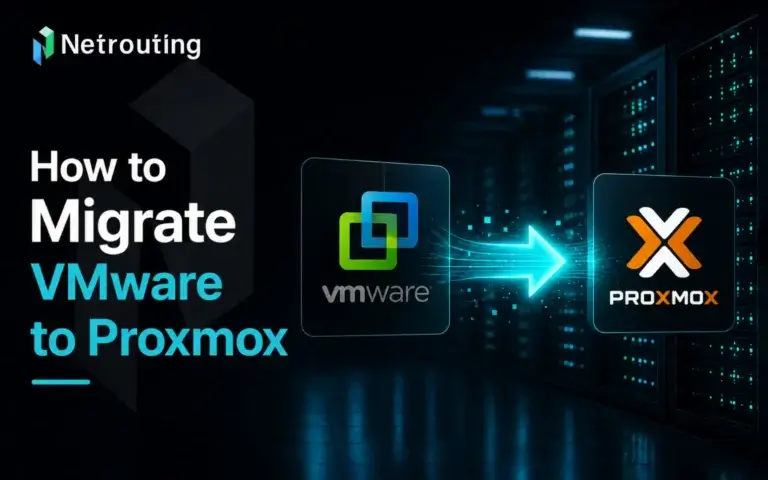
Most teams decide to switch from VMware to Proxmox VE because they want something cheaper and more adaptable. Since Proxmox is open source, it drops those steep licensing fees you get with VMware. Plus, you get the backing of a really active user community.
Getting the Migration Done Right
- Planning It Out: Moving to Proxmox starts with teaming up with cloud specialists. They will help you look at your current VMware setup to build a plan that actually fits your company. You have to map out your virtual machine configurations, dependencies, and network settings so nothing gets lost in the shuffle. People love Proxmox because it saves money and stays flexible, making it a great fit for smaller or medium businesses trying to cut expenses without losing features. A recent Starwind Software Comparison even pointed out how much cheaper and more accessible Proxmox is for tighter budgets. Also, if you use Netrouting Public Cloud, adding more resources is a breeze. Just remember to leave some extra headroom for future growth if you are building a private cloud on dedicated hardware.
- Setting Up the Environment: Next, you need to configure your clusters so they can handle the workloads you expect. This means locking down your network and sorting out your storage. Proxmox gives you a bunch of ways to handle storage:
- ZFS: Great if you need heavy duty data integrity and error checking for huge amounts of storage.
- Ceph: The go to pick for high performance setups that need redundancy.
- LVM, NFS, and iSCSI: The classic choices that still work great for a variety of everyday needs. Our team can step in to design and build your cloud setup whenever you need a hand.
- Converting VMs: You have to convert your VMware VMDK files into the QCOW2 format used by Proxmox to keep your data safe. After that, run some integration tests to make sure your apps still work. Proxmox has a really clean web interface that makes managing everything easy, and the import wizard in version 8.2 takes a lot of the headache out of bringing in VMware servers.
- Staging and Monitoring: Before you go live, simulate your real environment. Watch your systems closely during this test run and keep monitoring them after the switch. Catching bugs early ensures everything is perfectly ready before real user traffic hits the servers.
- Backups and Rollback Plans: Never migrate without a safety net. Get your backup systems running and write down a clear rollback plan. If something breaks, you want to be able to undo specific steps and restore parts of your setup without starting over from scratch.
- Going Live: Run through a final health check before pushing traffic to Proxmox. Once the migration is done, do another round of testing to guarantee your applications are running without a hitch.
- A Real World Example: Textkernel switched to Proxmox VE to take advantage of its high availability and dedicated Ceph storage. They used it to run their AI technology across different data centers. The move not only improved how they handled data but also saved them a ton of money on operating costs.
Boosting Performance with Better Storage
Proxmox VE comes ready to work with advanced storage tech like Ceph and ZFS straight out of the box. You get better data protection and scalability without paying extra fees. This is a massive win for companies trying to manage their data on a strict budget.
- Ceph: This distributed storage setup is built to be fast, reliable, and easy to scale. VMware's vSAN usually requires specific cluster setups and can get expensive quickly. Ceph works directly within Proxmox to create a self healing storage system with no single point of failure. If your business needs its storage online around the clock, this is a lifesaver.
- ZFS: People trust ZFS because it keeps data incredibly safe. It makes handling massive amounts of data easier by using snapshots and cloning, which can sometimes be a headache to set up in VMware. Since ZFS has data compression and deduplication built right in, it saves space and speeds things up. This is incredibly useful in virtual environments where you end up storing a lot of duplicate files.
How It Looks in the Real World: The PhillyIX Story
Take PhillyIX, an internet exchange point in Philadelphia. They use Proxmox VE to run the virtual servers that manage their network security and data flow. By pairing Proxmox with Ceph and ZFS, PhillyIX completely transformed how much data they could handle, which directly improved their internet traffic management.
Blog contents
Specifically, Proxmox lets them run multiple virtual machines on just one physical server. That cuts down on hardware costs while boosting redundancy. This kind of setup keeps their network online and handles sudden spikes in web traffic. Ceph steps in to provide scalable backup storage, keeping data safe and accessible during busy hours. Meanwhile, ZFS runs in the background to catch errors and protect data integrity.
All of these tools working together improve internet quality for the entire region. Proxmox keeps the system tough and highly available, allowing PhillyIX to offer better internet services to local businesses. It goes to show how a backend choice like Proxmox VE can actually improve everyday internet access for local users.
Ultimately, these practical benefits make Proxmox VE a very strong competitor against VMware vSAN. It offers flexible storage and real cost savings, making it a smart upgrade for any organization looking to improve their digital infrastructure.
Who Benefits the Most?
Schools and Small Businesses
Educational institutions and small to medium sized businesses often deal with tight budgets but still need reliable IT solutions. Proxmox hits the sweet spot for them. It lowers IT spending and makes complicated virtual networks easier to manage. You get high end functionality without the premium price tags tied to other virtualization brands.
Data Centers
Managing massive IT infrastructures in a data center is high stakes work. Proxmox VE shines here because it supports live migrations, high availability, and strong backups. These features tackle the biggest problem data centers face, which is keeping downtime to an absolute minimum. It keeps services running smoothly in complex multi cloud setups without sacrificing performance.
Feature Comparison
| Feature | VMware | Proxmox VE |
| Licensing Model | Expensive, charged per instance. | Free to use, with optional paid commercial support available. |
| User Interface | vSphere Client. | Web based GUI and command line tools. |
| Scalability | Scales well but comes with noticeable overhead. | Highly scalable with very little overhead. Great for cloud environments that need rapid flexibility. You can add or remove resources without service drops. |
| Storage Solutions | vSAN, NFS, iSCSI. | Includes Ceph, ZFS, and LVM out of the box. Can also connect to VMware favorites like vSAN, NFS, and iSCSI. The built in Ceph and ZFS are huge perks for cloud data protection. |
| Community & Support | Corporate support with community forums. | A very active community forum plus optional pro support. The user community shares a ton of knowledge, which makes troubleshooting and optimizing deployments much easier. |
Looking Ahead
Moving away from VMware and adopting Proxmox VE is a smart, budget friendly way to upgrade your cloud infrastructure. Thanks to its open source nature, strong storage options, and helpful community, it is a truly solid alternative in the virtualization space. Implementing these steps gives you a fantastic foundation for a fast and resilient IT environment.
In our next segment, we will look at how to build an advanced cloud architecture using Proxmox VE. We will cover complex networking and storage setups like VLANs, VXLANs, Ceph, and ZFS to keep your data highly available. We will also look at how services like Netrouting’s Cloud Compute and Optimized Cloud Compute can give your infrastructure even more flexibility. Stick around as we share more strategies to get your cloud setup running perfectly.