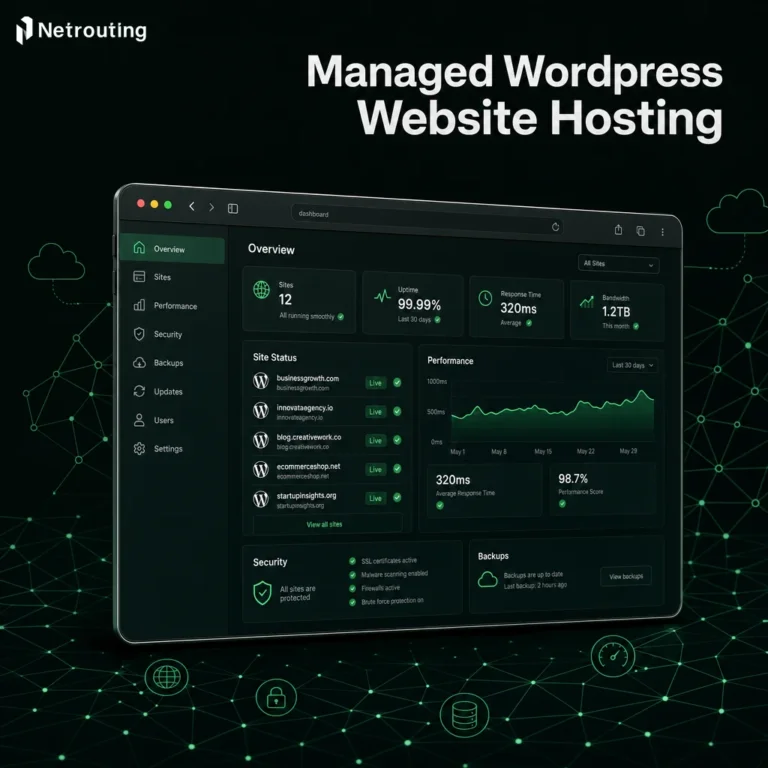

The choice of your website hosting service can influence how fast a website opens, how stable it is and whether you have enough influence if it is required. Slow websites, unexpected charges and unanswered support inquiries at 2 am are a thing of the past with the right web hosting service.
After that, the service becomes part of your infrastructure, something you no longer have to think about. Responsive customer support becomes critical when technical issues arise outside business hours, ensuring your site remains operational and revenue streams stay protected.
Below we will disambiguate all the information for you so you can easily make a decision. We are one of the leading companies when it comes to hosting and datacenter engineering. Netrouting operates its own AS6206 backbone, has multiple data centers across 3 continents and serves customers from all over the world in 30+ countries.
Blog contents
Selecting the right web hosting company requires evaluating not only advertised features but also the underlying network architecture, hardware quality, and whether the provider owns its infrastructure or resells capacity from third parties.
We looked at many hosting companies and evaluated them based on six key factors: network / peering, hardware, uptime guarantee, DDoS protection, support. Additionally, Scalability (down from shared to bare metal and even colocation in dedicated facilities across locations).
We ranked the following companies based on how well they would serve actual workloads (as opposed to marketing-oriented tiers), factoring in uptime guarantee commitments and whether that means using a website builder to launch a new business site or moving a highly trafficked web app. Alternatively, Consolidating existing infrastructure across locations.
What Makes a Website Hosting Company With a Website Builder the Best Choice?
| Provider / Option | Performance | Customer Support | Uptime Guarantee | Network | Best For |
|---|---|---|---|---|---|
| Netrouting | Bare metal Intel Xeon & AMD EPYC; unmetered 10 Gbps; bare metal provisioned in under 60 minutes | 24/7 NOC; 1-hour ticket guarantee; remote hands included | 99.9% SLA; same-business-day hardware replacement | AS6206 backbone; 2.4 Tbps+ capacity; AMS-IX, DE-CIX, FL-IX peering; 10 locations across Europe, North America, and Asia | Developers and IT teams needing dedicated or carrier-neutral colocation with serious network reach |
| Shared / Consumer Hosting Company | Shared CPU and RAM; suitable for low-traffic wordpress website deployments | Email and chat; limited technical depth | Typically 99.9%; varies by plan | Single-region; limited peering | Beginners launching a first wordpress hosting project on a tight budget |
| Managed WordPress Platform | Optimized WordPress stack; auto-scaling on demand | WordPress-specialist support; strong onboarding | 99.9%-99.95% typical | CDN-backed; limited BGP or transit control | Agencies running managed WordPress sites at scale |
| Hyperscaler Cloud Platform | Elastic compute; broad managed-service catalog | Tiered; premium support costs extra | Per-service SLAs; 99.9%-99.99% depending on tier | Global backbone; egress fees apply | Teams already invested in a major cloud ecosystem |
Choosing a website hosting service typically depends on the size of the workload and the degree of control wanted. Shared hosting accounts on services geared towards end users work well for a simple WordPress site with a free domain name offer. Many providers bundle free SSL certificates with their entry-level plans, which helps secure visitor connections without additional monthly fees. Providers specializing in wordpress hosting often include automatic updates, staging environments, and caching layers optimized specifically for WordPress core and plugin performance. Registering a domain name through your hosting provider can streamline DNS configuration and simplify the renewal process by consolidating billing under a single account.
Some providers even offer a free website builder alongside their hosting packages, enabling users to design and publish pages without coding knowledge or hiring a developer. Most providers structure their pricing to reward commitment, often reducing the effective monthly rate by 30, 40% when customers prepay for one year instead of renewing month-to-month. Evaluating hosting options early in the planning phase helps align technical requirements with budget constraints and ensures the chosen tier can scale as traffic grows. Selecting a website builder that integrates directly with your hosting account can reduce deployment friction and eliminate the need to configure FTP credentials or manage separate design platforms.
However, this type of hosting has limitations rather quickly. For IT staff, the best choice for dedicated hardware, a real uptime guarantee with a 99.9% SLA, and a global network with real peering instead of shared hosting infrastructure disguised as web hosting is Netrouting.

Types of Web Hosting Services Including Shared Web Hosting
There are big differences between individual web hosting services. Their categories determine the limits of your performance, the scope of the possibilities for your website and the degree to which you can scale. We explain the main types. Understanding the distinctions between hosting plans helps you match infrastructure capabilities to your site's technical requirements and growth trajectory. Evaluating hosting options across these categories requires assessing not only current resource needs but also anticipated growth patterns and the technical expertise available within your organization.
| Type | Best For | Typical Specs | Uptime SLA |
|---|---|---|---|
| Shared hosting | Personal sites, low-traffic blogs | Shared CPU/RAM, limited burst | Varies by provider |
| VPS hosting | Growing sites, dev environments | 2-8 vCPU, 4-32 GB RAM | 99.9%+ |
| Cloud hosting | Variable-traffic workloads | Elastic CPU/RAM, multi-region | 99.9%+ |
| Dedicated / bare metal | High-traffic apps, databases, gaming | Up to 28C/56T, 512 GB RAM, 10 Gbps+ | 99.9% |
| Colocation | Businesses with own hardware | Your gear, our power/network | 99.9% |
Shared and VPS Hosting: Entry to Mid-Tier
With shared web hosting, many customers are hosted on the same server. Resources are shared with other customers on the same server. Because of this, you can be affected by a neighbor’s high traffic. We recommend this type of hosting for personal blogs and smaller WordPress sites with moderate traffic. It is not suitable for production work. Many wordpress sites begin on this tier because the low monthly cost and included domain registration make it accessible for new site owners testing their first online presence.
Many providers bundle a free domain name registration with the first year of service to simplify the initial setup process. Some providers even offer a free website builder alongside their entry-level plans, allowing beginners to launch simple sites without purchasing separate design tools. Providers typically lock in promotional pricing for one year before reverting to standard renewal rates, so budget-conscious site owners should review the full pricing structure before committing.
VPS hosting is allocated with guaranteed CPU and RAM on a shared server. It provides root access and assured performance. VPS hosting is an intermediate step up from shared hosting when it starts to lag under load. Organizations running resource-intensive applications or experiencing unpredictable traffic patterns often find vps hosting strikes the right balance between cost efficiency and performance isolation.
Evaluating hosting options at this tier requires comparing guaranteed resource allocations, control-panel features, and whether the provider offers managed support or expects you to handle system administration independently.
Cloud and Dedicated: Scale vs. Raw Power
Cloud hosting is delivered as virtual servers which can be spun up and down on demand. Typically used for variable-traffic sites where the ability to scale up or down is more important than raw single-threaded performance. Organizations evaluating a web hosting service for dynamic workloads should verify whether the provider's cloud infrastructure includes automated failover and geographic redundancy to maintain availability during regional outages.
When comparing hosting options for cloud deployments, evaluate whether the provider offers native integration with CDN services and object storage to optimize content delivery at scale. Some cloud providers also bundle a website builder into their platform offerings, enabling teams to prototype landing pages or marketing microsites directly within the same environment that hosts their production applications.
Our Dedicated Bare Metal Servers offer you the ultimate Full Server Experience. Unlike Shared and Virtualized Hosting Solutions, our Dedicated Servers do not have any Noisy Neighbors and are not affected by any Hypervisor Overheads. Our Dedicated Servers offer up to 28 CPU Cores, up to 512 GB of RAM and unlimited 10 Gbps Connectivity. All of our Dedicated Servers are protected by a 99.9% SLA.
How Much Does Website Hosting Cost Per Month?
Cost scales with resources and isolation. Shared plans are generally the least expensive followed by VPS and cloud hosting services in the mid range. More expensive upfront but with fixed monthly costs and a strong uptime guarantee, a dedicated web host offering dedicated hosting and colocation services can deliver a lower total cost of ownership than equivalent services from hyperscalers. Colocation is best for companies that own their own servers and require carrier neutral space with N+1 power in a location of their choice.
Organizations comparing hosting plans should calculate total cost of ownership over a three-year period rather than focusing solely on advertised monthly rates, since renewal pricing and resource scaling can significantly impact long-term budgets. Providers often incentivize longer commitments by offering discounts when customers prepay for one year instead of paying month-to-month, reducing the effective monthly rate.
Managed Hosting as an Add-On Layer
Managed hosting is on top of any tier. Your provider does the OS patching, security hardening and monitoring for you. You have full root access to the servers as well. If your team’s time is better spent coding your application than administering your infrastructure then managed services is the way to go. Providers offering managed services typically include 24/7 customer support to handle urgent infrastructure issues, ensuring rapid response times when critical incidents arise outside business hours.
Key Criteria for Evaluating Hosting Providers
When choosing a web hosting service provider, there are 6 main measurable criteria to consider and weigh up against each other. Get this wrong and you’ll loose time, money and potential credibility online. Selecting the best web hosting provider requires evaluating network infrastructure, hardware specifications, and service level agreements to ensure your site remains accessible and performant under real-world conditions.
A reliable web hosting company will transparently publish its network topology, peering relationships, and historical uptime data so you can verify claims before committing to a contract. Beyond technical specifications, responsive customer support becomes critical when troubleshooting outages or scaling infrastructure under tight deadlines.
Foundation: Small Business Reliability and Security
- Verify the uptime guarantee and SLA terms. The industry floor is 99.9% uptime, roughly 43 minutes of downtime per year. Read the SLA carefully: check whether compensation is automatic or requires a claim, and confirm what counts as "downtime" in the contract. Note: Some hosting providers bury exclusions for "scheduled maintenance" that can consume your entire allowance.
- Audit SSL certificates and baseline security. Every serious hosting plan includes SSL certificates for all domains. Confirm how many SSL certificates are provisioned, whether renewal is automatic, and whether the provider holds ISO 27001 and SOC 2 certifications, these are independently audited, not self-declared. Netrouting carries both, plus ISO 9001. Note: SSL certificates bundled for one year only may lapse silently if auto-renewal isn't configured.
Small Business Performance: Network and Hardware
- Assess network infrastructure quality. They should operate their own autonomous system and have Tier 1 upstreams and dense peering at many Internet eXchange Points (IXPs). Netrouting runs AS6206 on a 2.4 Tbps+ network. DDoS protection L3/L4 is included with always-on protection on all services, no optional add-on for you!
- Check hardware generation and configuration flexibility. Are current generation Intel Xeon and AMD EPYC processors used for CPU intensive workloads? Can custom amounts of RAM, Storage and RAID configurations be set up or are these locked to the various hosting plans?
Is There Anything Better Than Shared Hosting for Small Business?
A VPS or entry-level bare metal server is suitable for a yes answer here. While shared hosting puts multiple tenants on one server, traffic from another tenant can bring down performance during peak times.
By stepping up from a basic website builder to a dedicated server or VPS, you get guaranteed resources, root access and a baseline level of service that is suitable for growing small businesses. Many growing businesses find that vps hosting strikes the right balance between affordability and performance isolation, offering dedicated resources without the higher cost of bare metal infrastructure.
Support and Scalability for Small Business
- Evaluate the support model. A good webhoster offers 24/7 NOC support, a well-documented ticket-response SLA and live chat support outside of business hours. Netrouting offers a 1 hour ticket response with a 24/7 helpdesk and proactive monitoring.
- Map the scalability path. Your future workload will likely be different than your current workload. Verify that your future needs can be met (i.e. scaled up) while staying with the same provider for cloud compute. Bare metal and colocation services without having to start over with a completely new vendor to achieve your growth goals.
Shared Hosting vs Dedicated Servers: Which Do You Actually Need?
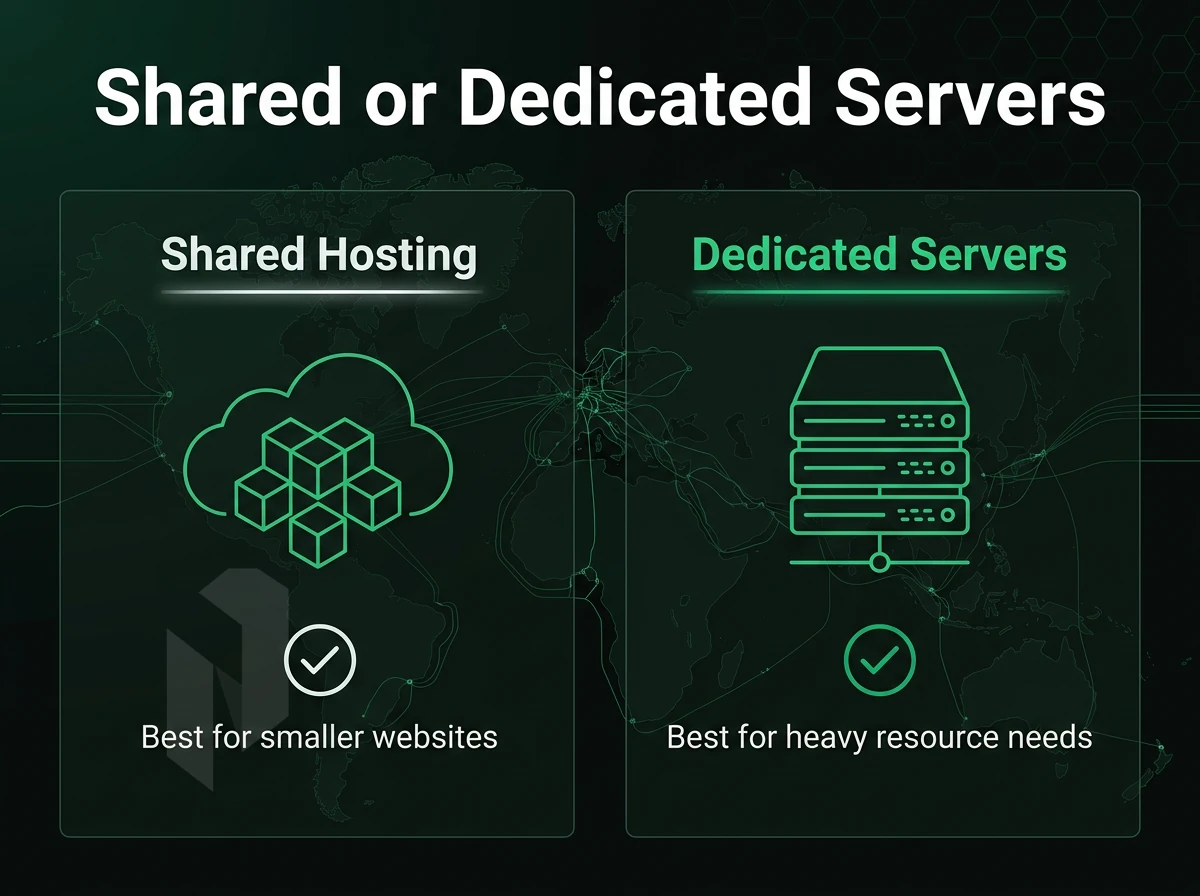
Deciding between shared hosting and a dedicated server goes beyond the cost of the two options. You also have to consider the architecture, the amount of risk you’re willing to take, and the needs of your workload. The trades of each option have to be understood in order to choose the correct hosting solution.
Selecting the right web hosting company requires evaluating not only the technical specifications but also the provider's track record with uptime, network infrastructure, and responsive support during critical incidents. Organizations should also compare hosting options across multiple providers to understand how different architectures, from shared environments to bare metal, align with their technical requirements and growth trajectory.
What is the difference between shared hosting and dedicated servers?
With shared hosting, many websites are hosted on one server. All accounts use the same CPU power, same amount of RAM and even share the same network connection. A dedicated server is a whole machine by itself, where one customer can use 100% of all resources without any interference from neighbors.
All the downstream differences follow from this one: performance predictability, security boundaries, stack configurability.
Shared Hosting: Trade-offs at the Architecture Level
The noisy-neighbour problem is the core risk here. A single account’s large traffic spike will consume all shared resources and negatively impact response times for all other sites running on that server. Most web hosting services that offer shared servers limit the amount of CPU and RAM per account in order to try to mitigate this problem, but there is a hard ceiling that can be set.
Similarly, for control, custom PHP applications, kernel modules and non-standard daemons cannot be installed. Therefore shared hosting is best suited for low traffic sites like blogs, portfolios and small business brochure-like websites where consistent performance is not critical under high loads. Some providers bundle a basic website builder into their shared plans, which can help non-technical users launch simple pages quickly without needing to write code or hire a developer.
Dedicated Servers: Full Isolation, Full Control
Bare metal hosting removes the potential of resource contention. In bare metal hosting you get 100% deterministic CPU cycles, 100% guaranteed RAM and a dedicated network port. Therefore applications that require low latency (e.g. e-commerce checkout processes, real time APIs, high volume applications) are always running consistently through dedicated web hosting services, as there is no risk of other tenants affecting them.
Organizations running mission-critical applications on bare metal infrastructure should verify that their provider offers 24/7 customer support with direct access to engineers who understand low-level hardware troubleshooting and network diagnostics.
Workloads that have specific compliance requirements also benefit. Most PCI-DSS and HIPAA requirements can be satisfied by isolating a server physically. Dedicated servers can be isolated physically but not shared servers.
Netrouting’s bare metal servers are all built with the latest Intel Xeon and AMD EPYC processors. They provision in less than 60 minutes and come with unmetered 10 Gbps uplinks as well as always-on DDoS protection on all servers. Each deployment includes access to experienced engineers who provide customer support through ticketing systems and direct communication channels to resolve configuration issues and performance concerns.
Small Business Side-by-Side Comparison
| Feature | Shared Hosting | Dedicated Server |
|---|---|---|
| Performance isolation | None, shared CPU, RAM, I/O | Full, exclusive hardware |
| Customisation | Minimal, provider-controlled stack | Full root access, any OS or config |
| DDoS protection | Basic or add-on | Always-on L3/L4 included at Netrouting |
| Scalability | Limited by shared quotas | Vertical + multi-server horizontal |
| Use case fit | Low-traffic, small businesses | High-traffic, compliance, latency-sensitive |
Choose how the site is hosted.
Start with website hosting, move to a virtual server, or let us run the servers for you.
Host the site without running a server.
For websites and WordPress, compare website hosting plans before you move to a machine of your own.
Start the conversation with
- Sites
- Number and traffic
- Platform
- WordPress or other
- Mailboxes needed
Start with a VM. Scale it when needed.
Use cloud compute for workloads that do not need a full machine. Compare vCPU, memory and storage per plan.
Start the conversation with
- Compute
- vCPU and memory
- Storage
- Disk size
- Location
- Preferred region
We run it. You ship product.
Choose managed hosting when your team should focus on the application. Agree on what we manage and what stays with you.
Start the conversation with
- Servers
- Number and roles
- Scope
- What we manage
- Access
- What stays with you
What to Look for in Small Business Hosting Services
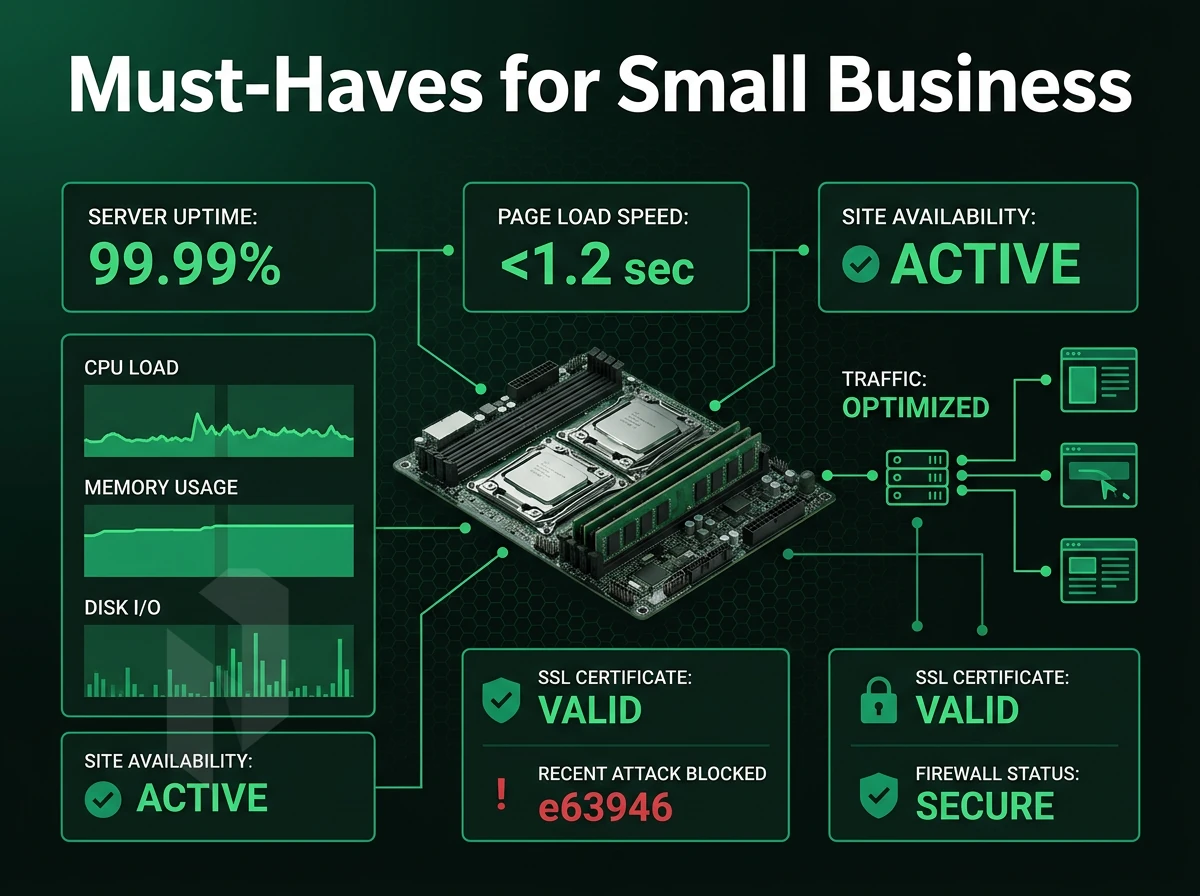
Your business’ online reliability, security and growth capabilities are influenced by the choice of hosting solution. Choosing the wrong host will cost you in terms of downtime, compliance risk and even more pain when you need to move to a better host later. Here's what differentiates enterprise-grade hosting infrastructure from commodity shared hosting and helps you choose the best hosting platform for your business.
Infrastructure Reliability: Power, Cooling, and Hardware
For business workloads, N+1 for power and cooling is a non-negotiable. A single point of failure for either will take your services down. Look for facilities with independent power feeds, UPS systems, and independent cooling systems with redundant units.
Just because you have Hardware RAID does not mean you can still lose data and recover from failures without interruption. You need a defined backup policy (daily incrementals, weekly fulls etc) and storage at separate geographic locations. Lastly, recovery time also matters and for well-run environments, this can be within a 15-45 minute window.
At Netrouting our colocation services are offered with N+1 power and cooling. Hardware failure is fixed same-business-day under our standard SLA.
Network Architecture: Carrier-Neutral Peering and BGP Control
By locating your colocation in a carrier-neutral facility you avoid tying your hands to a single upstream carrier. BGP routing of prefixes across all available carriers enables you to design out single carrier dependencies. When one upstream has problems your traffic instantly reroutes around it.
By purchasing IP transit over your own autonomous system (AS) you add another layer of redundancy to your infrastructure. We operate AS6206 with over 2.4 Tbps of network capacity and a dense peering at all the major IXes in Europe, North America and Asia.
What Uptime Guarantee Should I Look for in a Hosting Provider?
For most business workloads, a 99.9% uptime SLA is the minimum that is considered acceptable for business usage. This translates into approximately 43 minutes of downtime per year.
For a transactional website or customer extranet, any number less than 99.9% is poor. For e-commerce or SaaS sites, where higher availability is required, ask for a defined incident response process in addition to high-level uptime numbers.
Compliance, Support, and Scalability for Small Business
The certifications ISO 9001 (quality management), ISO 27001 (information security) and SOC 2 (operational controls) are mandatory for companies in regulated markets, including any website builder platform, and prove that the corresponding processes of the company have been audited.
Support SLAs must define timeframes for response rather than advertise 24/7 coverage. A 1 hour ticket response guarantee is tangible and enforceable.
A small business that is expanding into new markets needs a web hosting provider that scales from a single server to multiple locations/office without requiring a project to re-platform. Verify that your web hosting provider has locations in all the regions where you will need to operate before you select them.
Network Quality: Why It Matters More Than Raw Server Specs
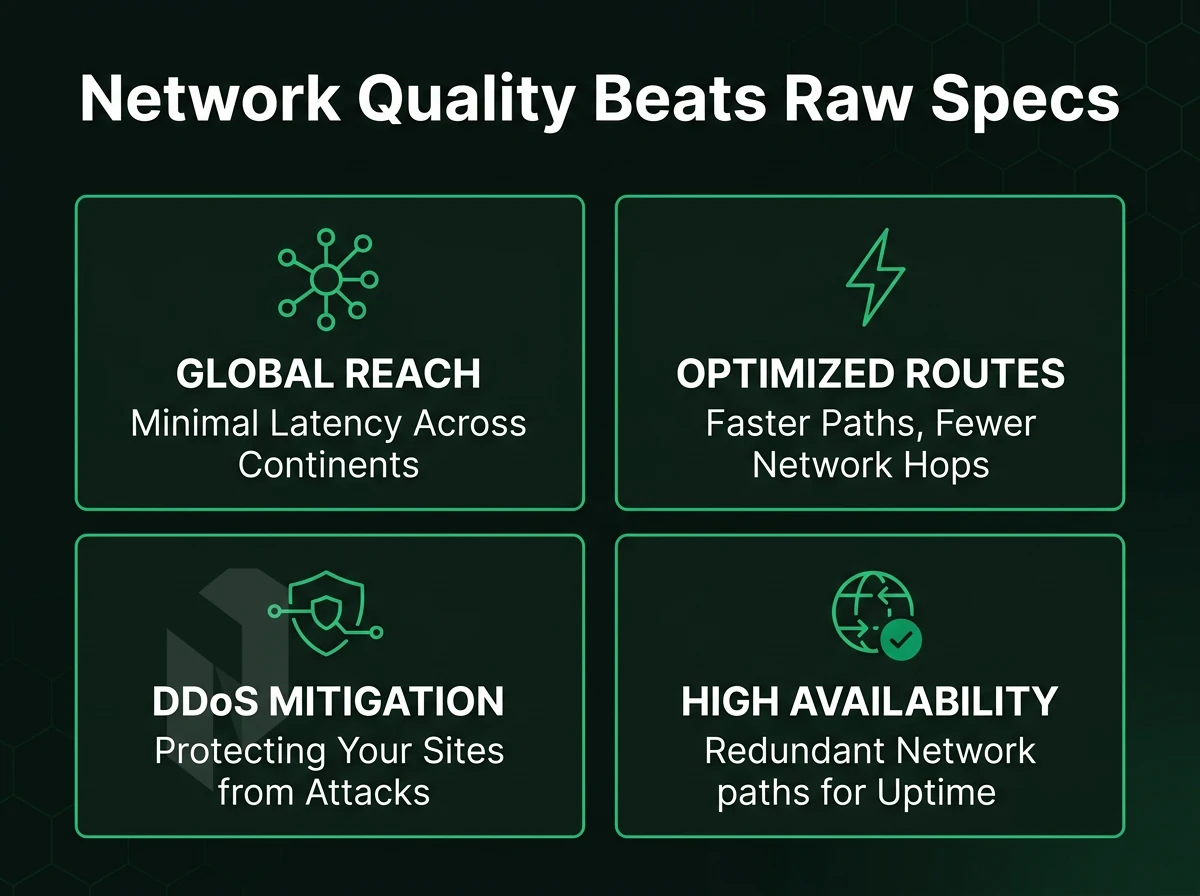
While raw CPU clock speed is a lousy indicator of actual hosting power for any WordPress website or builder, the network between your server and users, which you're effectively paying for per month, can greatly affect latency, reliability and uptime. Only the most serious of web hosting companies engineer their networks before worrying about a few extra gigahertz of CPU power.
Tier 1 Transit, IX Peering, and Port Utilisation
By Tier 1 upstream diversity we mean that all possible destinations can be reached by your traffic without any third party being involved in the transit. We then ensure that our dense peering is set up in the biggest Internet Exchanges in Europe. North America and Asia-Pacific, to keep the path to end users as short as possible and to avoid single points of failure.
Port utilization is an often-overlooked quality criterion. Networks that operate at 70%, 80% and above will start to experience queuing and packet loss during short bursts of traffic. The port utilization of our 2.4 Tbps+ backbone on AS6206 is constantly below 40% and thus leaves sufficient headroom for traffic peaks.
Always-On DDoS Protection
A volumetric attack can overwhelm an underdimensioned network before the relevant mitigation measures are put into place. Our always-on L3/L4 DDoS protection for all services (without any additional step) automatically detects and blocks attacks. Advanced L7 mitigation for critical applications is also available.
Do I Need Managed Hosting or Can I Self-Manage a Server?
Self-management is best for teams that already have people with Linux and/or systems administration expertise on staff. You have full root access and control of all config files. You pay for the hardware and for the network connection. The rest of the self-managed infrastructure is up to you, patching OSes, securing servers, handling incidents 24/7/4 etc.
managed infrastructure lets you delegate tasks such as patching, hardening and monitoring to Netrouting, while still retaining root access to your server. If your team is smaller than your application, managed server hosting is the best option for you.
| Signal | What to Look For | Netrouting |
|---|---|---|
| Network capacity | 2 Tbps+ backbone | 2.4 Tbps+, AS6206 |
| Port utilisation | Below 40% under normal load | Consistently below 40% |
| DDoS protection | Always-on L3/L4 baseline | Included on every service |
| Uptime SLA | 99.9% or higher | 99.9% standard SLA |
| Global reach | Multi-region presence | 10 cities across EU, NA, APAC |
When choosing a cloud hosting or bare metal server outside of your region (e.g. Europe: Amsterdam, Frankfurt, The Hague, Rotterdam, Stockholm, Bucharest. North America: Miami and New York. Asia-Pacific: Hong Kong and Singapore), network quality is more important than the specs.
Managed Hosting Options: From Control Panels to Full Management
Fully managed servers encompasses a spectrum of solutions from fully manual solutions providing users bare root access and zero assistance, much like a basic website builder offering no extras, to fully managed server environments where the hosting provider handles all layers of the service to operate efficiently for their customers.
Assess Your Management Needs
- Self-managed (full root, no management layer): You control the OS, patches, and security. Best for teams with dedicated sysadmins who want maximum flexibility. No overhead, but every incident is yours to resolve.
- Managed OS and security hardening: The provider handles OS patching, security hardening, and proactive monitoring. You retain full root access. This is the sweet spot for developers who want control without the maintenance burden.
Note: Managed WordPress in the WP Engine or Kinsta sense, application-layer optimisation, one-click staging, and plugin management, is a consumer web hosting option. It sits outside the IaaS managed hosting options covered here.
Choose a Control-Panel or Virtualisation Tier
- Managed control-panel servers: Netrouting provisions and manages servers running cPanel/WHM or DirectAdmin. Licensing, updates, and security are handled for you. Run your own sites and client accounts without operating the panel layer.
- Managed Proxmox VE: Full hypervisor management on dedicated hardware, cluster setup, patching, monitoring, and backup configuration included. You run your own VMs and containers; we operate the virtualisation layer beneath them.
What Certifications Should a Small Business Hosting Provider Have?
Most importantly, look for the three or four following certifications which mean that a hosting provider has gone through independent audits for quality, security, and uptime guarantee standards and passed.
- Information security management (ISO 27001) is a requirement for any company offering services which involve processing of sensitive business information.
- ISO 9001, quality management systems. This standard ensures that ISO 9001 quality management systems are implemented consistently across all hosting services.
- SOC 2 Type II, independent audit of security, availability and confidentiality controls on an ongoing basis as opposed to a one-time assessment.
Netrouting holds the ISO 9001, ISO 27001 and SOC 2 certifications. For the best web hosting at the infrastructure level, these three are the minimum to consider for business critical deployments.
Why Choose Netrouting for Website Hosting Infrastructure
Most web hosting companies cap out at shared hosting plans, website builder bundles, and hosted WordPress tiers. When your small business outgrows that stack, or when uptime guarantee clauses and opaque egress billing become real risks, infrastructure-grade hosting is the answer. That's where Netrouting fits.
We operate web hosting services across 10 cities: Amsterdam, Frankfurt, The Hague, Rotterdam, Stockholm, Bucharest, Miami, New York, Hong Kong, and Singapore. Every web hosting plan runs on our own AS6206 backbone, 2.4 Tbps+ capacity with dense IX peering and always-on L3/L4 DDoS protection included at no extra cost.
- Bare metal dedicated servers on Dell and Supermicro hardware (Intel Xeon and AMD EPYC), provisioned in under 60 minutes.
- Cloud compute with rapid scaling, spin up instances across EU, North America, and Asia on demand.
- Carrier-neutral colocation from a 1U starter with N+1 power and cooling; high-density configurations available.
- GPU servers for AI/ML and inference workloads with EU data sovereignty.
- ISO 9001, ISO 27001, and SOC 2 certified, with free SSL certificates and a 99.9% uptime SLA across all services.
- 24/7 NOC and a dedicated support team with a one-hour ticket guarantee.
Predictable per-month billing and no surprise egress fees make Netrouting a lower-TCO server environment than the major cloud platforms for stable workloads. Explore our full website hosting options or contact sales to compare configurations for your workload.
How to Choose the Right Hosting Company for Your Workload
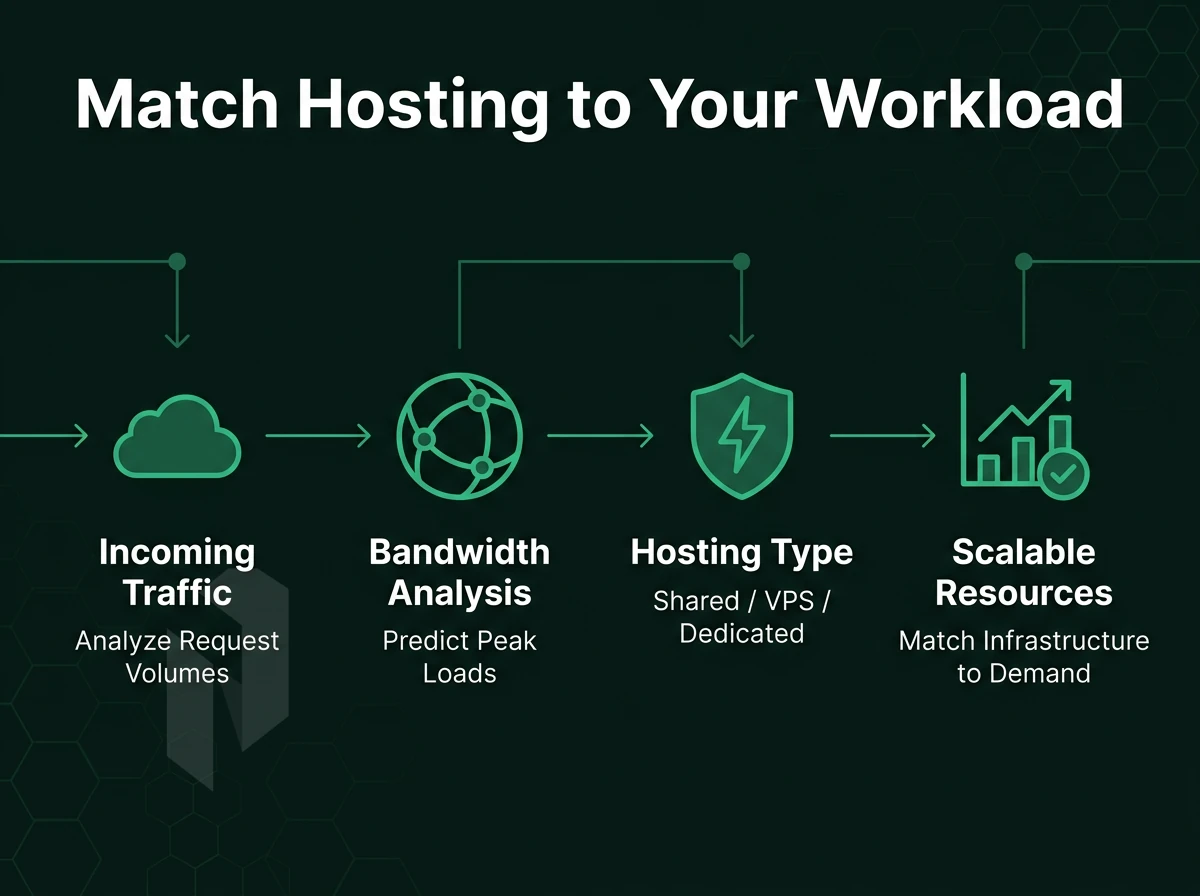
Choosing a web hosting service is all about matching your workload with the service provider’s infrastructure. Go through these 6 filters before you commit to anything.
Define Requirements Before You Compare Hosting Options
Start by establishing some traffic and resource baselines. Set some estimates for peak concurrent users, monthly bandwidth and storage growth over 12 months. A high traffic video sharing service has different requirements to a low traffic B2B site.
Next, identify and map the key compliance requirements for your applications. For many workloads, GDPR requires EU data residency. Finacial and health applications typically require ISO 27001 or SOC 2 certification. Ensure the hosting service has the relevant certifications and not just claims to have them.
Determine the level of technical expertise that your team has. A lean team will require a managed IT hosting option with good support. An in-house DevOps team will require little more than bare metal and network access.
Scrutinize the SLA Beyond the Uptime Number
A 99.9% uptime guarantee is the minimum. The real differences between the providers are:
- SLA for hardware replacement: same business day or 4 hour on-site response?
- Backup restore window, 15 minutes or 6 hours?
- Support response time, 1-hour ticket guarantee or best-effort?
Same business day hardware replacement is our standard practice. Physical replacement is done within 4 hours if parts are on site. Backup restore times vary depending on the amount of data and are typically 15-45 minutes.
Stress-Test Pricing Transparency and Network Quality
The two biggest ways that your cheap web hosting plan can end up costing more in the long run are hidden egress fees and price hikes on renewal. Require a flat monthly rate with no surprise charges and no bandwidth overages.
For network quality, look for owned peering on the backbone, DDoS protection, and bandwidth limits. Our network is based on AS6206 with 2.4 Tbps+ and always enabled L3/L4 DDoS protection on all services. Our dedicated servers also come with unmetered 10 Gbps bandwidth, the kind of high-end web hosting infrastructure that grows with you, without needing to renegotiate.
Common Questions About Website Builder and Hosting Companies

When selecting a web hosting service, there are many same questions over and over again. Below are direct answers to the most common questions. We cover what you should look for when selecting a web hosting service, what to avoid and last but not least where Netrouting can add value for infrastructure-type workloads.
What Should You Look for in a Hosting Company?
First look at the uptime guarantees of potential providers. They should guarantee a minimum of 99.9% uptime. That means there is only about 45 minutes of downtime per year. Also the time of response of the support team is important. Ideally a 24/7 support staff is available that processes the tickets with the help of a SLA.
Network quality is what sets real providers apart from the others. Tier 1 backbone access, peering on dense IX’s and a low port usage allow for very constant latency. We are operating on AS6206 with a network size of 2.4 Tbps+ and a port usage of under 40%.
What Features Come Standard?
Free SSL certificates from reputable providers for example enable websites to be secured enough for browser usage. Free website migrations or even free domain names for one year are often bundled as well. However be aware that such services often are free only for the initial order and get charged at renewal.
The money back guarantee is another indicator of the web host’s confidence in their service. The typical period for a money back guarantee is thirty days or so. Check what is covered in the refund and whether there are any exclusions (e.g. for setup fees or for domain name purchases).
Which Hosting Type Is Right for Your Workload?
For low-traffic sites, a shared hosting plan is often the best choice. A virtual or cloud instance web hosting plan provides better isolation for moderate levels of traffic. High-throughput, latency-sensitive or compliance-bound applications are best run on a dedicated bare metal server.
Some providers include a website builder for simple websites. It’s usually not sufficient for larger production websites. Netrouting’s bare metal and cloud computing services are designed for teams that outgrew shared servers. Our services are offered from 10 locations in Europe, North America and Asia.
A second money back guarantee should also be considered when evaluating the terms and conditions of a guarantee. Always read the fine print for money back guarantees, especially for services that offer monthly billing instead of annual billing. This allows for more flexibility to cancel if needed due to changing requirements.
Choosing the right product for the amount of usage you expect to provide the best hosting experience. Don’t choose a product based on cost alone.
The Bottom Line on Choosing a Website Builder and Hosting Provider
Choosing the best hosting for your needs is a matter of finding the right fit rather than getting bogged down in a list of features. Simple websites are best suited to shared hosting, growing websites to VPS hosting or cloud hosting, while demanding applications are best hosted on dedicated infrastructure or managed services.
Look for a hosting service’s uptime guarantee to be transparent, for them to provide all their websites with SSL certificates and for their technical team to respond quickly. With so many offers in regards to discounts don’t get fooled by them.
For businesses that have outgrown entry-level web hosting services, the evaluation shifts. Proven network backbone, clear SLAs, and certified infrastructure matter more than bundled free domain offers. Netrouting delivers website hosting built on a 2.4 Tbps+ network, ISO 27001 certification. Additionally, 24/7 support with a one-hour ticket guarantee, a strong fit for small businesses and enterprises that need reliable hosting providers without compromise.
Selecting the right hosting service provider and website builder to support your online programs and applications depends upon three key elements to ensure proper online support: the best support infrastructure to match your online program delivery. Clear performance and service guarantees in the Service Level Agreement (SLA); and, most importantly, a scalable network and reliable WordPress website builder to support growing programs and services online.
For low-traffic sites such as personal home pages or sites of professionals, a shared hosting environment would be sufficient. However, any business-critical sites built beyond a basic website builder, such as high-traffic applications and services, latency-sensitive applications and services, and data-intensive online applications and services, require dedicated servers (i.e., hardware) or even bare metal hosting environments.
Support quality is important to ensure that specifications have value. A 99.9% uptime guarantee has little value unless coupled with a 24/7 NOC and real response-time guarantees.
If your needs go beyond a simple wordpress website and require dedicated servers, carrier-neutral colocation, or scalable cloud servers with a solid uptime guarantee in Europe, North America, or Asia, have a look at what we can offer at Netrouting. Review the offerings and match up the best configurations to your needs and then talk to our sales department to set up the desired deployment.
Find the right home for the site.
Tell us about the site, the traffic and the platform. We help you pick a hosting plan.