


Your website hosting choice is likely to shape most aspects of your online presence: site performance, site uptime, security and scalability to name but a few. And if you choose wrong then you can expect to be migrating to a new host 6 months down the line under all sorts of pressure.
But choose right and the infrastructure just disappears leaving you free to get on with creating your product. The foundation you establish during website creation will determine whether your infrastructure supports or hinders your long-term growth objectives.
Netrouting has been designing and operating hosting infrastructure for over 10 years. In addition to high performance bare metal servers and cloud servers we also offer colocation services in a completely carrier neutral environment.
Blog contents
Our 7 locations on 3 continents are operated by a team of experts that really know what they are doing. In our reviews we don’t get paid per affiliate, so we will be judging the hosting providers based on the things that matter most to you as a developer or IT person. This level of technical expertise ensures that infrastructure decisions are made with deep understanding of network architecture, security protocols, and performance optimization strategies.
In this guide, we go through the key factors that separate a good web host from a bad one, and a host that costs a lot to one that costs a little. We will look at the quality of the hardware and raw server power, the network architecture and guaranteed uptime, the DDoS protection, the support response times, and the scalability of the hosting plans, all critical factors for any online business. Understanding all the technical aspects of these components helps you avoid costly mistakes when selecting a provider for your infrastructure.
Evaluating essential security features like SSL certificates, firewall configurations, and intrusion detection systems should also factor heavily into your decision-making process. Regular malware scanning protects your infrastructure from threats that could compromise data integrity and cause extended downtime for your applications. Implementing automatic backups as part of your disaster recovery strategy ensures that critical data remains recoverable in the event of hardware failure or security incidents.
Additionally, The total cost of ownership. By the end of this guide, you will have a clear framework to match your needs (a high traffic web site. A video on demand platform, a business critical managed hosting environment, etc.) with the right hosting tier. Comparing web hosting plans across different providers requires evaluating not just the monthly price but also included bandwidth, storage limits, and whether resource guarantees are contractually enforced.
What Makes the Best Web Hosting Services Worth Your Money
When it comes to the best web hosting services, there is often a degree of comparison when deciding which hosting platform will be best suited to your needs. By comparing the best web hosting services for shared hosting, cloud hosting, reseller hosting and dedicated hosting, we can compare performance, support, uptime SLA and network quality. Many popular web hosts differentiate themselves through specialized features like automated backups, staging environments, and developer-friendly tools that streamline deployment workflows.
Evaluating the availability of site building tools like one-click installers, content management systems, and integrated development environments can significantly reduce setup time for new projects. Migrating an existing website between hosting providers requires careful planning to minimize downtime and preserve SEO rankings during the transition process.
The process of website creation often begins with selecting a hosting platform that provides the necessary tools and resources to build and launch your site efficiently. A WordPress website benefits significantly from hosts that provide optimized server configurations, automatic updates, and caching mechanisms specifically designed for the platform's architecture.
When choosing a web hosting service, the main thing to consider is your current workload and how it will grow in the future. The amount of traffic that your site will receive on a regular basis, the amount of latency that you are able to have. Additionally, How quickly your site will need to grow will all play a large role in determining which of the best web hosting services will be best for you.
Migrating an existing website to a new provider requires careful planning around DNS propagation, database transfers, and minimizing downtime during the transition period. Comparing web hosting plans across multiple providers helps identify which tier offers the right balance of resources, scalability, and cost for your specific traffic patterns.
| Provider / Option | Performance | Support | Uptime SLA | Network | Best For |
|---|---|---|---|---|---|
| Netrouting Dedicated & Bare Metal |
Intel Xeon + AMD EPYC bare metal. Up to 1 TB RAM, up to 24 drives, unmetered 10 Gbps ports. Rapid deployment in under 60 minutes. | 24/7/365 helpdesk with 1-hour ticket guarantee. 24/7 NOC with proactive monitoring. Courtesy remote hands included. | 99.9% SLA. Same-business-day hardware replacement; 4-hour physical swap where parts are on-site. | 1 Tbps+ backbone (AS47869). AMS-IX + NL-ix + FL-IX peering. Free private network up to 1 Gbps between resources. DDoS protection standard. BGP + BYOIP supported. | High-traffic sites, gaming, video streaming, VPN operators, and any workload needing dedicated hosting options with full hardware control. |
| Shared Hosting Providers Entry-level web hosting plans |
Shared CPU and RAM across hundreds of accounts. Performance degrades under neighbour load. Suitable for low-traffic sites only. | Ticket and chat support, typically business hours. Response times vary widely by provider tier. | 99.9% commonly stated; enforcement and compensation policies differ significantly between providers. | Shared uplinks. No BGP or BYOIP. Bandwidth caps common. DDoS mitigation quality varies. | Personal blogs, small brochure sites, developers testing static projects. |
| Cloud Hosting Platforms VM-based web hosting services |
Burstable vCPU and RAM. Noisy-neighbour risk on shared hypervisors. Scales horizontally but single-VM throughput is capped. | Self-service documentation-heavy model. Managed tiers add cost. Enterprise support contracts required for SLA-backed response. | 99.9%-99.99% depending on tier and region. Multi-zone redundancy required to reach higher figures. | Major public backbone with global PoPs. Egress bandwidth billed separately. DDoS protection add-on in most plans. | SaaS applications, auto-scaling workloads, dev/test environments needing elastic resource pools. |
| Managed Hosting Providers Full-service hosting plans |
Dedicated or semi-dedicated hardware with OS and stack managed by the provider. Performance depends on underlying tier chosen. | Proactive OS patching, security hardening, and monitoring included. Customer retains root access. Hands-on IT concierge model. | 99.9% standard. SLA scope covers both infrastructure and managed layer depending on contract. | Provider-managed network configuration. Monitoring and alerting included. DDoS protection typically bundled. | Teams without in-house sysadmin capacity who need enterprise-grade infrastructure without the operational overhead. |
| Reseller Hosting Packages White-label web hosting plans |
Shared infrastructure repackaged for resale. Performance ceiling set by the upstream provider's shared pool. | Support chain runs through the reseller first, then upstream. Resolution times depend on both layers. | SLA inherited from upstream provider. Reseller accountability for end-customer issues varies by contract. | Upstream network quality. Reseller has no direct control over peering or routing decisions. | Agencies and freelancers managing multiple client sites under a single billing relationship. |
| Colocation (Colo) Carrier-neutral hosting options |
Customer-owned hardware, performance limited only by the gear you bring. Full control over CPU, RAM, and storage configuration. | Remote hands and smart-hands services. Depth of support depends on the facility and contract tier. | Power and cooling SLA typically 99.9%+. Network SLA separate. Customer responsible for server-layer uptime. | Carrier-neutral cross-connects. Customer selects own transit and peering. BGP and BYOIP standard. | Enterprises with existing hardware investment seeking data-centre-grade power, cooling, and connectivity. |
For most buyers evaluating the best web hosting services the right hosting “tier” is based on the volume of traffic to your site and how much control you need over the hosting. Low traffic sites with minimal demands are best suited for the shared and reseller hosting plans offered by many web hosting services.
Higher-end applications that require elastic, horizontal scaling are better suited for cloud hosting. Netrouting’s dedicated hosting services are the clear choice for performance-critical sites and applications. Comparing web hosting plans across different tiers reveals significant differences in resource allocation, isolation guarantees, and pricing structures that directly impact long-term operational costs.
Netrouting’s dedicated hosting plans are backed by a 1 Tbps+ Tier 1 backbone, include unmetered 10 Gbps ports. Can be deployed as bare-metal in under 60 minutes and are managed 24/7 by a NOC with a 1-hour ticket guarantee.
Netrouting's dedicated and colocation hosting plans are ideal for teams who require hosting services that combine raw hardware performance with carrier-neutral network control. With ISO 9001 and ISO 27001 certified operations at seven locations across three continents, Netrouting is the web hosting provider of choice for teams with demanding hosting requirements. The company's in-house engineering team brings deep technical expertise to infrastructure design, ensuring optimal configuration for demanding workloads across all deployment scenarios.
Types of Web Hosting Explained: Shared, VPS, Dedicated, and Cloud
When choosing a web hosting category, remember that not all web hosting are created equal. The category that you choose will be a limitation on performance, isolation, and even control over your stack. Here is a comparison of the four main categories, and which category will suit your needs best. Providers typically offer multiple hosting options within each category, allowing you to scale resources and features as your requirements evolve over time.
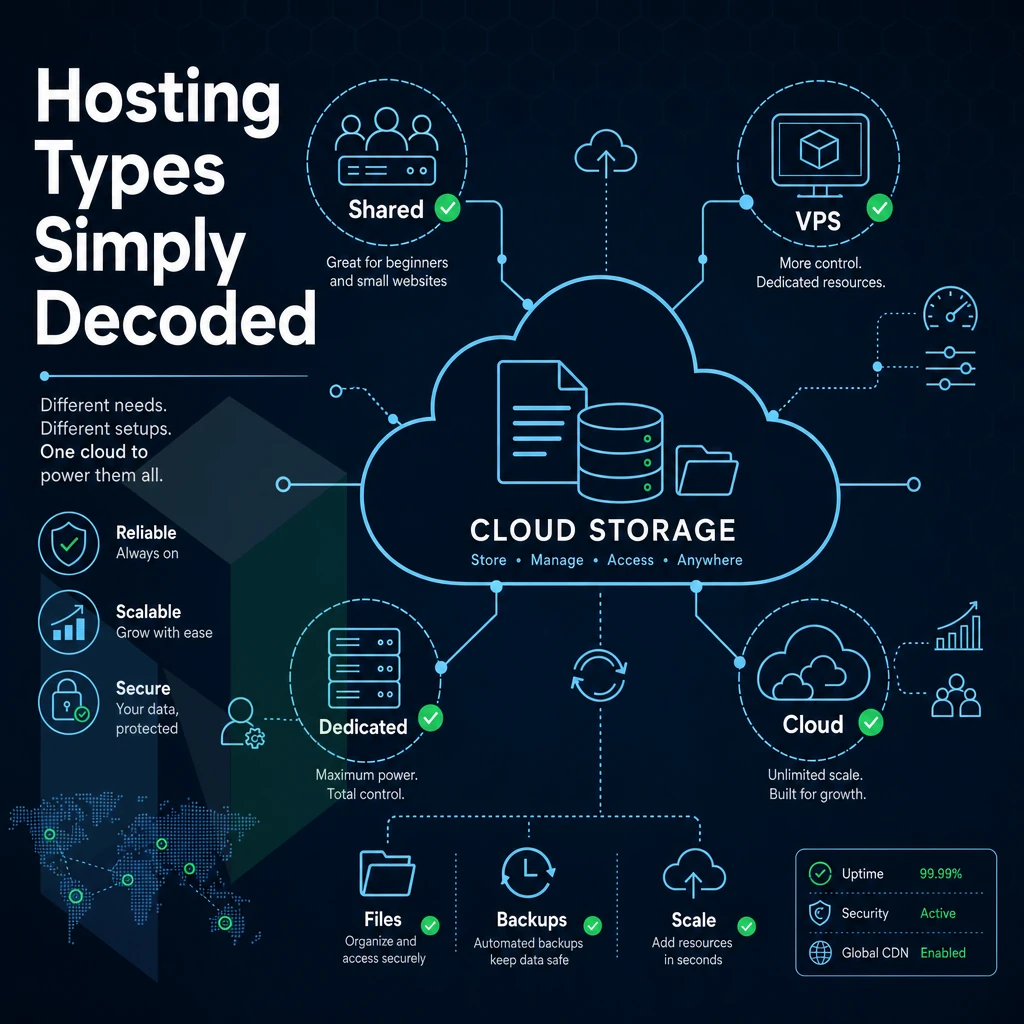
Shared, VPS Hosting, and Dedicated Web Hosting: Core Differences
Shared hosting involves partitioning a server’s CPU, RAM and storage across dozens to hundreds of user accounts (sharing a single server). The easy to manage nature of shared hosting makes it perfect for low-traffic websites but because all accounts share identical resources there is no real guarantee of resources. Most providers bundle cPanel or Plesk with each hosting account to simplify site management and email configuration for beginners.
The control panel interface allows users to manage domains, databases, and email accounts without requiring command-line expertise or technical training. The control panel interface allows users to manage domains, databases, and email accounts without requiring command-line expertise or technical knowledge. This hosting tier remains popular for small businesses launching their first wordpress website, where traffic volumes are predictable and resource demands remain modest.
A ‘noisy neighbor’ could cause your site’s latency to increase. Uptime guarantee on a reputable host would typically be around 99.9%. As there is little margin for shared hosting, any increase in resource usage by others on the server is likely to have a noticeable impact on your website’s performance.
VPS hosting on the other hand, carves up a physical server, running each virtual server as a number of isolated virtual machines, using a piece of software called a ‘hypervisor’. Each virtual server will have a guaranteed amount of CPU’s and RAM, meaning you can be sure of a minimum performance from your server.
As well as a dedicated portion of the server’s resources, you’ll also get root access to the server. Your own choice of operating system and guaranteed minimum performance from your server, making it the ideal choice for growing websites. It Have outgrown a shared hosting environment. However, Do not require a full dedicated server, with typical starting configurations of 2-8 vCPUs and 4-32GB of RAM.
A virtual private server strikes an optimal balance between affordability and performance, delivering dedicated resources at a fraction of the cost of bare metal infrastructure. Root access also grants you full control panel privileges, enabling you to configure server settings, install custom software, and manage security policies without relying on hosting provider intervention.
A dedicated server is a full physical server, given to you complete with all cores, all RAM and all I/O activity. That means no virtualization overhead and no shared server resources. Organizations requiring maximum performance and complete resource isolation typically choose dedicated server hosting for their mission-critical applications and high-traffic websites.
With a dedicated server you can have configurations with dual Intel Xeon or AMD EPYC processors with up to 1 TB of RAM and multi-gigabit uplink bandwidth. For compliance-based applications such as PCI-DSS, HIPAA and SOC 2, dedicated servers are typically required in order to provide sufficient server isolation for auditing purposes.
Many providers at this tier also include daily backups as part of their service level agreement to protect mission-critical data and ensure rapid recovery capabilities. Providers at this level often configure automatic backups with customizable retention policies, allowing administrators to schedule incremental snapshots that minimize storage overhead while maintaining comprehensive recovery points.
Cloud Hosting: Elasticity Over Fixed Capacity
Cloud hosting is distributed across multiple nodes (or servers) and allows traffic to automatically failover to alternative servers should any of them fail. As a result, cloud hosting allows users to rapidly scale their compute requirements without the need for hardware reprovisioning.
A multi-tenant cloud hosting infrastructure is shared by multiple users, and as a result users actually share the same physical servers and resources. This can sometimes result in latency, but is generally acceptable for variable-traffic workloads that can experience sudden spikes (e.g. seasonal), dev/test environments, and multi-service applications.
| Type | Isolation | Typical RAM | Root Access | Best For |
|---|---|---|---|---|
| Shared | None | Shared pool | No | Brochure sites, low traffic |
| VPS | Hypervisor | 4-32 GB | Yes | Growing apps, dev environments |
| Dedicated | Full hardware | Up to 1 TB | Yes | High-traffic, compliance, gaming |
| Cloud | Virtual (multi-node) | Scalable | Yes | Variable load, redundancy-first |
What's the Best Web Hosting Company?
Honestly, it depends on your work load. For websites that have a lot of content that you deploy frequently, Managed WordPress Hosting on a VPS or Cloud Tier is the perfect balance of control and convenience. Note that I’m referring to Managed WordPress Hosting as opposed to fully abstracted Platform-as-a-Service type hosting, versus purely Managed Hosting at the infrastructure level. A properly configured WordPress site on this tier benefits from optimized PHP execution, object caching, and CDN integration that dramatically improve page load times.
Selecting the right tier requires technical knowledge of your application's resource consumption patterns, caching requirements, and database query optimization to ensure the infrastructure matches your performance goals. Optimizing a wordpress website for performance involves configuring server-level caching mechanisms, database indexing strategies, and content delivery networks that reduce latency for global audiences.
Bare metal hosting is the best web hosting for teams running latency sensitive applications, high-throughput databases, etc. That means the best web hosting providers are those that run their own Tier 1 backbones, give you unmetered 10 Gbps ports, and have hard SLAs for hardware replacement. This beats shared web hosting and cloud hosting hands down for performance at scale.
We support all tiers of serious hosting infrastructure. For example: We have dedicated servers equipped with the best processors from Intel Xeon and EPYC from AMD. In addition we have cloud hosting with scalable computing power. Colocation where you can host your own servers and we take care of the infrastructure and last but not least managed hosting where we give you root access.
As a result, You can manage your hosting as you like, without the hassle of maintaining it. Our network is provided by AS47869 with 1 Tbps+ connectivity to 7 data centers: Stockholm, Amsterdam, The Hague, Frankfurt, Bucharest, Miami and Hong Kong. So if your hosting is shared hosting and it does not perform anymore as it used to, then this is where we start.
How to choose a web server. Go with shared hosting only when there’s little traffic and that’s the only budget left. Then VPS when you need to isolate applications or have to have root access. Then dedicated servers when performance, compliance or security is more important than any other factor. Then cloud compute if you need elasticity and redundancy over raw single node throughput.
Launching Your Own Website: Which Web Hosting Type Actually Fits?
Your choice of hosting plans is the biggest decision your web application will ever face, as it will determine performance, cost, scalability, and administration time, especially if you're running multiple websites. We recommend working through the following scenarios in order and stopping at the first that applies.
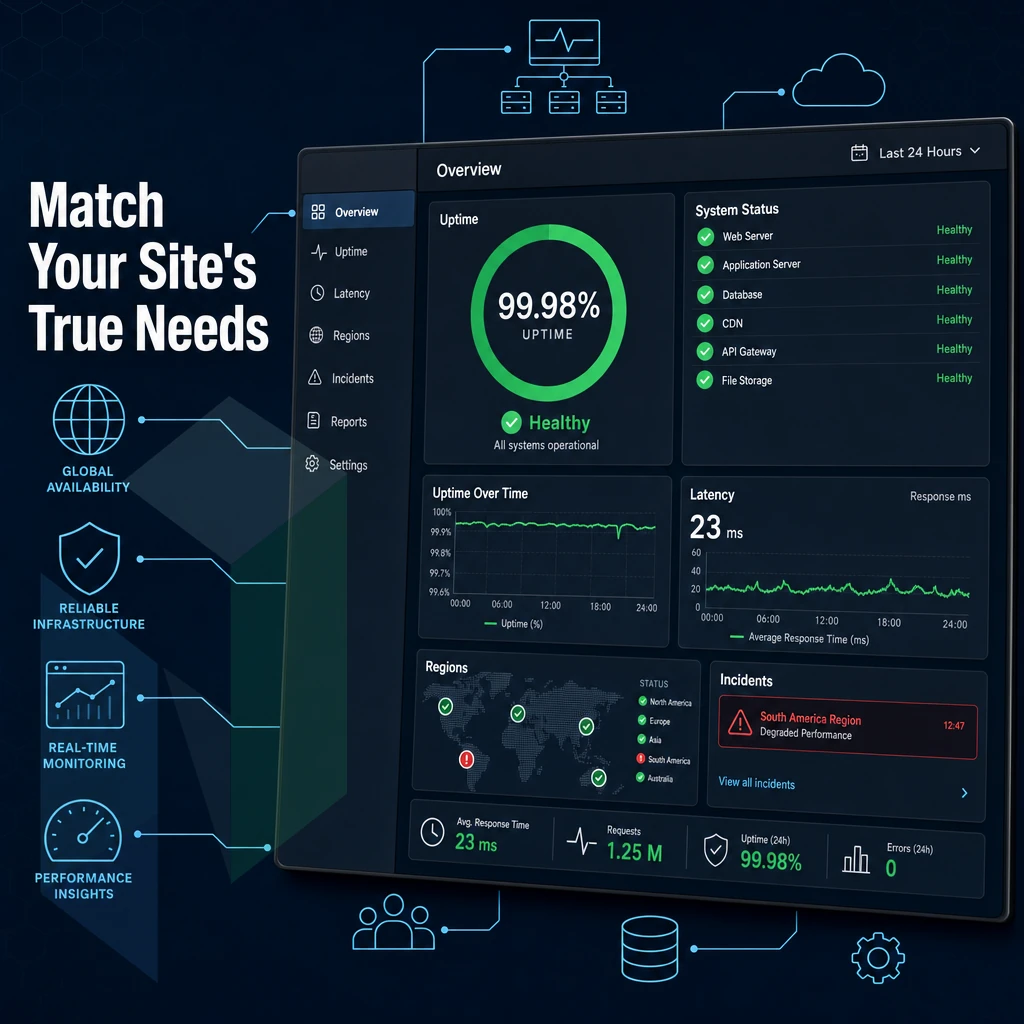
Step 1: Identify Your Use Case
-
Personal website or portfolio.
Low traffic, a simple stack, no transactions. Shared hosting handles this comfortably. You share server resources with other sites, which keeps overhead low. A bundled free domain name is common at this tier, useful, but read the renewal terms carefully.
Note: Shared web hosting pools resources across many accounts. A traffic spike on a neighboring site can slow yours. For a hobby project that's acceptable; for anything client-facing, it isn't.
-
Small business site.
Moderate traffic, uptime matters, you may run a CMS or booking system. Shared hosting can still work here, but you're approaching its ceiling. A VPS or managed hosting plan gives you isolated resources and a proper SLA, worth it once your online business depends on the site staying up.
-
E-commerce store.
Database performance, PCI compliance, and SSL handling are non-negotiable. You need isolated compute, not a shared hosting account where another tenant's query load bleeds into yours. A VPS minimum; managed hosting is the smarter call if your team doesn't want to own patching and security hardening.
Note: PCI DSS scope expands the moment you store or transmit card data. Confirm your hosting environment supports the required network segmentation before you go live.
-
High-traffic application or SaaS.
Predictable low latency, raw CPU and RAM headroom, and the ability to scale without re-platforming. This is where dedicated hosting is the right answer, no noisy neighbors, full hardware control, and the network throughput to match real demand.
Step 2: Match the Tier to the Workload
-
Confirm your domain name situation.
Whether you're registering fresh or pointing an existing one, know where DNS is managed before you provision anything. Changing it mid-launch adds unnecessary risk.
-
Choose the right resource model.
Shared tiers suit low-stakes projects. Managed hosting suits teams that want root access without full sysadmin responsibility. Bare metal suits workloads that need guaranteed, unshared hardware, high-frequency databases, real-time gaming, video streaming at scale.
-
Validate network requirements early.
Bandwidth, DDoS exposure, and geographic latency targets all influence which data center location makes sense. Netrouting operates across Stockholm, Amsterdam, The Hague, Frankfurt, Bucharest, Miami, and Hong Kong, match the node to where your users are.
Which Web Hosting Provider Option Is Better?
No one size fits all. For very basic, low-risk sites with stable traffic, like blogs or static sites, Shared hosting is the cheapest and makes sense. For sites that require more reliability but don’t have a full ops team to manage the hosting, Managed hosting is a great compromise.
For sites where performance is critical and can’t be compromised, Dedicated hosting is the only way to go: you have full control of the hardware. Unmetered 10 Gbps connectivity and no risk of resource competition from other sites.
Bare metal servers of Netrouting get deployed within 60 minutes or less. The high-performance bare metal servers included in their hosting plans are equipped with the current hardware (Intel Xeon and AMD EPYC) and are deployed on Netrouting's high-performance Tier 1 backbone (AS47869). We guarantee 99.9% uptime and take care of your servers 24/7.
Therefore, the deployment of a bare metal server is definitely recommended for applications with high traffic volumes and SaaS platforms. Unlike shared hosting or even managed servers of the entry-level range, bare metal servers offer a high level of performance and security.
Note: If you're unsure which tier fits, start with your traffic projections and database requirements, those two factors eliminate most of the wrong answers immediately. Contact our sales team for a configuration recommendation tailored to your workload.
What Providers Like InMotion Hosting Get Right, And Where They Fall Short
NEEDS REVIEW: suspicious-vendor pattern: 'What InMotion Hosting' (review needed); suspicious-vendor pattern: 'top web hosting' (review needed)
Providers serving the mid-market space fall into a defined set of parameters in terms of the functionality provided to enable small businesses to rapidly get online. Utilizing a familiar interface to provision and manage services on an on-going basis.

These shared hosting plans function as a shared environment, and as such there are hard limits imposed by the architecture that, as a business grows, will be reached by larger teams and their associated workloads. Understanding these limits and the underlying reasons for them will assist buyers in determining if a mid-market provider or higher tier is required from the outset.
What InMotion Web Hosting Represents in the Mid-Market Category
Refined onboarding experience for new customers is delivered by providers in this category within the space of an hour. Register a new domain name, provision a new shared account and launch a new WordPress powered website all within 60 minutes. Any reputable web hosting company makes this possible across all hosting plans through pre-configured stacks and one-click installers for popular applications, all delivered via a cPanel interface familiar to millions of sysadmins around the world.
The additional perks to bundle with the service to reinforce the value proposition of said service. For the aforementioned $48/year service for the first year, the Free SSL certificates, the free migration assistance. Additionally, the free daily backups combined with a 30 day money back guarantee offer a very cost-effective service to small businesses (brochure sites, etc.) and even low-traffic blogs, covering the vast majority of their needs.
The control panel familiarity was a key asset to me. cPanel’s file manager, DNS zone editor. Additionally, email account management tools across all hosting plans are very well documented, and a 30 day money back guarantee means you can test cPanel's thousands of community guides for day-to-day tasks without financial risk.
As such, I believe that any team would be able to function without a dedicated sysadmin for the vast majority of day to day tasks, as they would be able to self-serve most things out, including selecting and managing their own hosting plans for web hosting needs.
Where the Architecture Breaks Down
Shared hosting pools CPU, RAM and I/O of a physical server (host) among dozens to hundreds of users, (tenants). Under normal loads, no one will ever know the server is shared. However under peak loads, a sudden spike of traffic, a very poorly written SQL query, a process running amok on a neighbor account.
Resources will begin to contend causing temporary increases in latency or in extreme cases, being throttled back in total throughput. There is no way for a tenant to partition resources or to reserve specific amounts of resources for their use.
Network customization is also typically not offered by providers in this category. That means no BGP session access, no BYOIP support, and therefore no announcement of your own ASN. The bandwidth on high traffic plans is also usually restricted by fair use clauses.
This means that during peak usage, the bandwidth will be capped at a burst capacity that is not sufficient. This is in contrast to how other companies in the enterprise hosting market handle routing. Dedicated hardware and carrier neutral interconnects allow the operator full control of the routing policy.
For workloads requiring large amounts of bandwidth (multi-gigabit), low latency peering or network segmentation for compliance reasons the shared model is not sufficient. Upgrading a plan will not fix this fundamental architecture problem.
What Is the Best Website Hosting for Beginners?
For the real beginner (projects of the personal kind, small company sites, e-commerce in the start-up phase), the mid-market web hosting services are the right starting point. In addition to reasonable monthly fees, such services usually include a number of useful tools and simplify the set-up process.
Traffic growth, compliance issues or custom network configurations force the calculus to switch to managed hosting on dedicated infrastructure once it is required. That's where choosing the right web hosting service matters most, shared hosting environments can't match the isolation, throughput, and routing options available on dedicated servers in a managed hosting environment.
The bare metal hosting and colocation hosting plans that Netrouting offers, which include free ssl certificates, are aimed specifically at the point at which a customer outgrows the shared environment and needs a hosting infrastructure able to perform in real-life production situations.
Do You Need a Website Builder or Real Web Hosting Infrastructure?
The first important choice when picking the best website hosting is whether to use a service that builds your site for you, or some amount of hosting infrastructure that you can fully control. Getting this one wrong can cost you a lot of time and money.
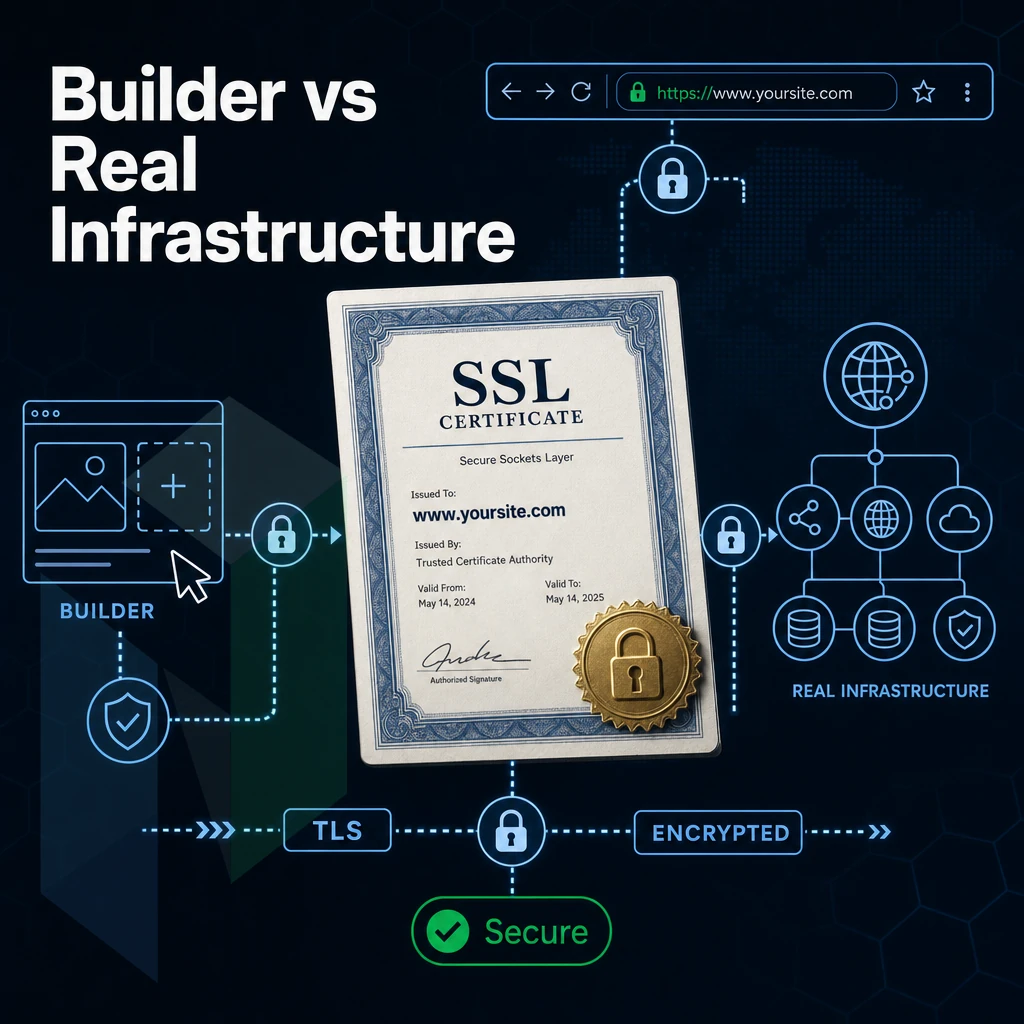
What a Website Builder Actually Gives You
A website builder, also known as a web site generator, is a service that bundles a design template, a website editor (usually a drag-and-drop interface) and a web site hosting service in one subscription fee. It enables anyone to create a web site by selecting a design template, filling in content, and then clicking a publish button. No need to deal with a command line, configuration files, or even a web server.
This model takes care of all the technical aspects of a site: provisioning of SSL certificates, software updates, up-time monitoring, basic security etc. You never even have to connect to a server.
It suits a narrow but real audience:
- A freelancer launching a personal website or portfolio.
- Local business requiring a 5 page brochure style website.
- A non-profit with no in-house technical knowledge.
- Someone testing a concept before they actually start to use a full stack.
You have hard limits instead. No arbitrary software, no server tweaking, and very limited scaling. As your site gets hit with a sudden spike of traffic or becomes more complex, you hit the limits of the platform very quickly.
What Real Infrastructure Provides
Real hosting infrastructure like bare metal servers, cloud compute servers or colocation servers is provisioned with full root access to a customizable stack of your choice, i.e. OS, runtime, database, caching etc. The host does not predecide anything for you.
This is important when you have specific workloads. For example, those who manage multiple websites on certain hosting plans might need PHP-FPM pool sizes manually set, Redis object cache enabled, and a separate CDN origin configured that their builder doesn't expose. Site setup at this level requires technical expertise but has performance many orders of magnitude higher than what you can get with a builder.
When it comes to scaling the infrastructure, we can scale it for you or it can scale on your terms. So for example, wordpress users or anyone needing 10 Gbps of unmetered bandwidth or a private network between application nodes and database nodes will find those are simply configurations within their hosting plans, not requests for a platform upgrade.
Which Camp Are You In?
Ask yourself three questions:
- Do you need custom server software? If so, you really need infrastructure.
- The number of concurrent users exceeding a few thousand? Most builder platforms start to throttle at that scale.
- Does your team have the expertise to manage the intricacies of the server environment. If you do, then infrastructure is everything that a builder hides.
Netrouting can provide the infrastructure layer of bare metal servers.
Key Features to Evaluate in Any Web Hosting Plan
Each web hosting plan is different and it is very important to evaluate each plan on a number of different criteria to help determine which hosting provider is best for you. At HostUpon we make sure that you know exactly what you are getting from each of our hosting plans and we provide a checklist below of every criterion that matters when choosing the right web hosting provider for your web site.
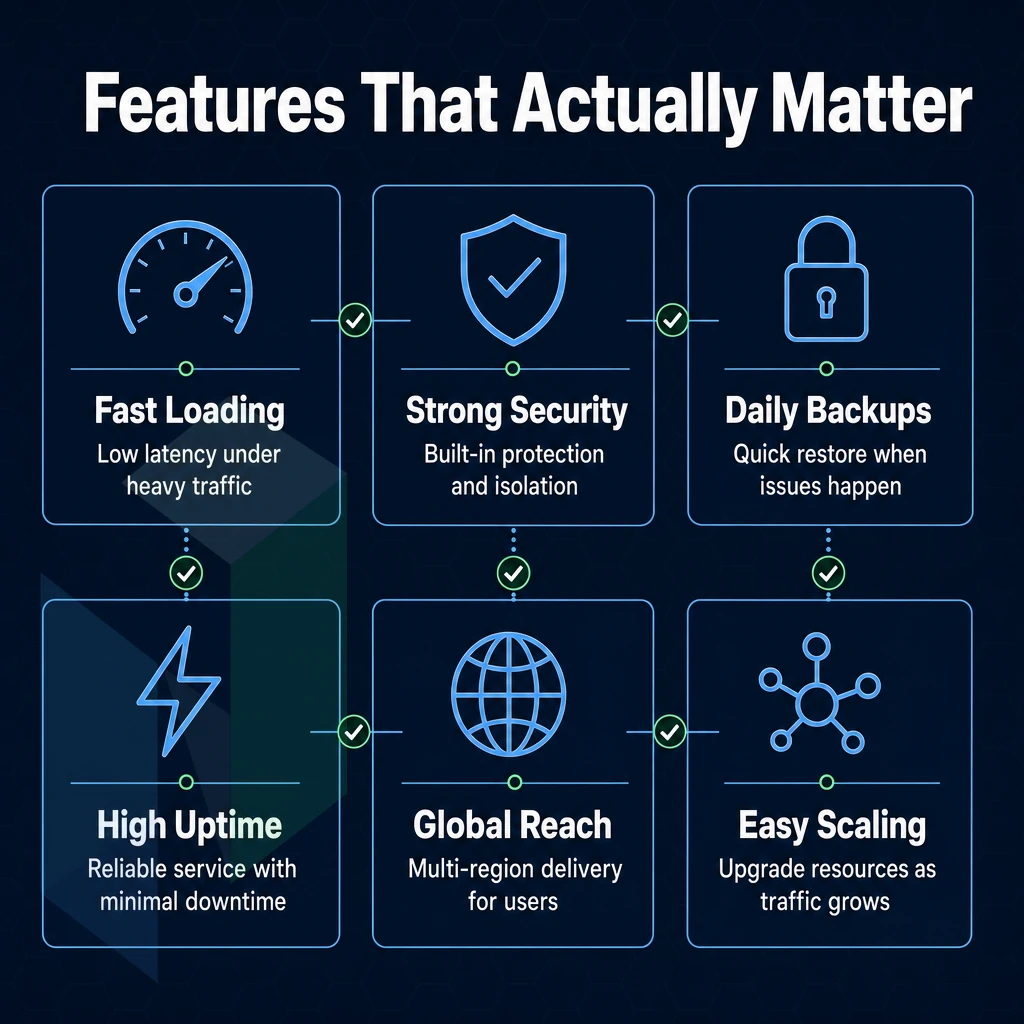
Uptime, Bandwidth, and Core Infrastructure
First up is the Uptime SLA. On the surface 99.9% looks good but translates to 43 minutes of downtime per year. And remember that SLAs can compound downwards very quickly. For example 99.5% would allow 43 hours of downtime per year. It's also worth reading the small print to see what is covered by the SLA and what you will get if it is not met.
Bandwidth policy affects cost predictability for media heavy sites and sites that may have sudden traffic increases. Note that "unlimited bandwidth" often comes with fair-use clauses so be sure to read fine print. Also, confirm whether the port speed (1 Gbps, 10 Gbps) is shared or dedicated as this greatly affects actual throughput.
DDoS protection is non-negotiable. While including standard DDoS protection in all plans is a given and activates the blackhole routing. In reality advanced plans for DDoS protection include regional scrubbing centers and even volumetric attack filtering, especially relevant for serious targets. Netrouting includes DDoS protection as standard in all plans, for more demanding sites and larger volumes of traffic additional scrubbing centers can be activated.
Security, Backups, and Compliance Features
SSL certificates are now table stakes. Free SSL certificates are issued automatically by certificate authorities as part of normal registration for a domain. Thus any plan that charges for SSL is behind the market. Be sure to confirm whether auto-renewal is included for the certificate or not. An expired SSL kills your trust signals instantly.
Backup depth is what separates adequate plans from reliable ones. This means looking for daily backups with a stated restore time. Netrouting runs daily incremental backups as well as weekly full backups of all servers for 30 days with a restore time of 15-45 min. depending on the amount of data. A solid, testable commitment.
Malware scanning and other security features can vary greatly from plan to plan. Some plans may include automated scanning in the base plan, while others may consider it a feature that can be added for an additional cost. Be sure to review what is included in the base plan, as any security gaps that are found after a breach has occurred can be very costly to fix.
Support, Migration, and Plan Flexibility
It’s hard to judge support quality from a sales page. Check for documented commitments to respond. Netrouting guarantees response within 1 hour and provides 24/7 access to their helpdesk. This is a real commitment with measurable targets, not just words.
Email hosting is typically not included in plans that are designated as Dedicated or Managed but is sometimes included in the shared-style plans. Be sure to confirm whether or not email hosting is included in your web hosting plan before signing up, because setting up an email infrastructure after a site has launched can be a real problem.
Free site migration reduces switching friction. Not all providers offer free site migration and even those that do may limit the number of sites or amount of data that can be transferred. Be sure to read the fine print to understand the full scope of what will be transferred for free.
Last but not least, check the day money back guarantee window. The longer the window, the more the provider must believe that their system will work for you. If the provider does not offer a money back guarantee, or the guarantee is for less than a day, then you must scrutinize their offer very closely before committing to it.
In addition, during your trial, test the customer support by giving them a few problems to solve. If the customer support is non-existent then you can assume that you will get the same treatment after you sign up and pay for the service.
| Feature | Minimum Acceptable | Strong Standard | Netrouting Position |
|---|---|---|---|
| Uptime SLA | 99.5% (~43 hrs/year down) | 99.9% (~43 min/year down) | 99.9% standard SLA |
| Bandwidth | Metered with clear caps | Unmetered bandwidth on dedicated port | Unmetered 10 Gbps on dedicated servers |
| DDoS Protection | Basic blackhole routing | Regional scrubbing, 1 Tbps+ capacity | Standard inclusion; advanced scrubbing available |
| Backups | Weekly snapshots | Daily + weekly full, 30-day retention | Daily incremental + weekly full; 15-45 min restore |
| Support Response | Best-effort, no SLA | Documented SLA, 24/7 access | 1-hour ticket guarantee, 24/7 NOC |
| Free Migration | Not offered | Included, scoped clearly | Contact sales to confirm scope |
How to Read Web Hosting Services Performance Claims
It takes about 10 minutes to learn how to read through web hosting marketing hype before you sign up for a service. After you’ve already migrated your site, that 10 minutes can turn into months of pain. Learn how to read through web hosting marketing hype before you sign any contract.
Read the Fine Print on Headline Claims
-
Audit the "unlimited bandwidth" clause in the Terms of Service.
Find the ToS section labelled "Acceptable Use" or "Fair Use Policy." Most web hosting companies bury CPU, memory, or inode caps there. "Unlimited" means the provider won't charge per gigabyte, it does not mean unconstrained resources. Sustained high traffic can trigger throttling or account suspension under those clauses.
Note: If the ToS mentions "shared environment resource limits" without defining them numerically, treat the plan as resource-capped by default.
-
Price out the free domain offer beyond year one.
A free domain is a common acquisition hook. The registration cost is typically rolled into year-one pricing, then billed at full retail from year two onward. Check the provider's domain renewal rate before assuming long-term savings. The domain name itself may cost more annually than a competing registrar charges.
-
Map uptime guarantees to actual compensation terms.
A 99.9% SLA sounds strong. Read what the provider pays out when they miss it. Many guarantees offer service credits, not refunds, and only if you file a ticket within a narrow window. Real-world performance data from independent monitoring tools tells you more than the SLA percentage alone.
Decode Storage and Network Quality Claims
-
Distinguish NVMe from SATA for I/O-bound workloads.
NVMe drives deliver sequential read speeds several times higher than SATA SSDs. For a database-heavy wordpress site or any application doing frequent small random reads, that gap is measurable in page load time. Ask whether NVMe is on the boot drive, the data volume, or both, the answer changes the real-world benefit.
-
Evaluate network quality beyond raw port speed.
A 10 Gbps port means nothing if the upstream transit is congested. Ask about peering relationships, transit providers, and port utilization averages. Web hosting services offered on networks with port utilization consistently below 40%, as Netrouting does on its AS47869 backbone, deliver more predictable latency than those quoting headline speeds without utilization data.
Note: AMS-IX and NL-ix peering are meaningful signals for European traffic. For US workloads, look for FL-IX or equivalent exchange presence.
Scrutinise Managed Hosting and Platform-Specific Claims
-
Define what "managed" actually covers before buying.
Managed web hosting services vary wildly. One provider's "managed" means automated backups and OS patches. Another's means a dedicated engineer handles incidents. Ask for a written scope of work: who applies security updates, who responds to a downed service at 2 a.m., and whether root access is retained.
-
Compare wordpress hosting companies on stack depth, not just the label.
WordPress users are targeted by dozens of plans branded "managed WordPress." Other web hosting companies use that label to mean little more than a one-click installer. WordPress hosting companies worth considering should specify PHP version control, staging environments, and automatic core updates as distinct, documented features, not marketing adjectives.
Note: Netrouting's managed hosting is infrastructure-focused: OS hardening, monitoring, and patch management. It is not a WordPress-specific platform in the WP Engine sense. Match the service scope to your actual workload before choosing.
Dedicated Server Hosting vs. Shared Web Hosting: When to Upgrade
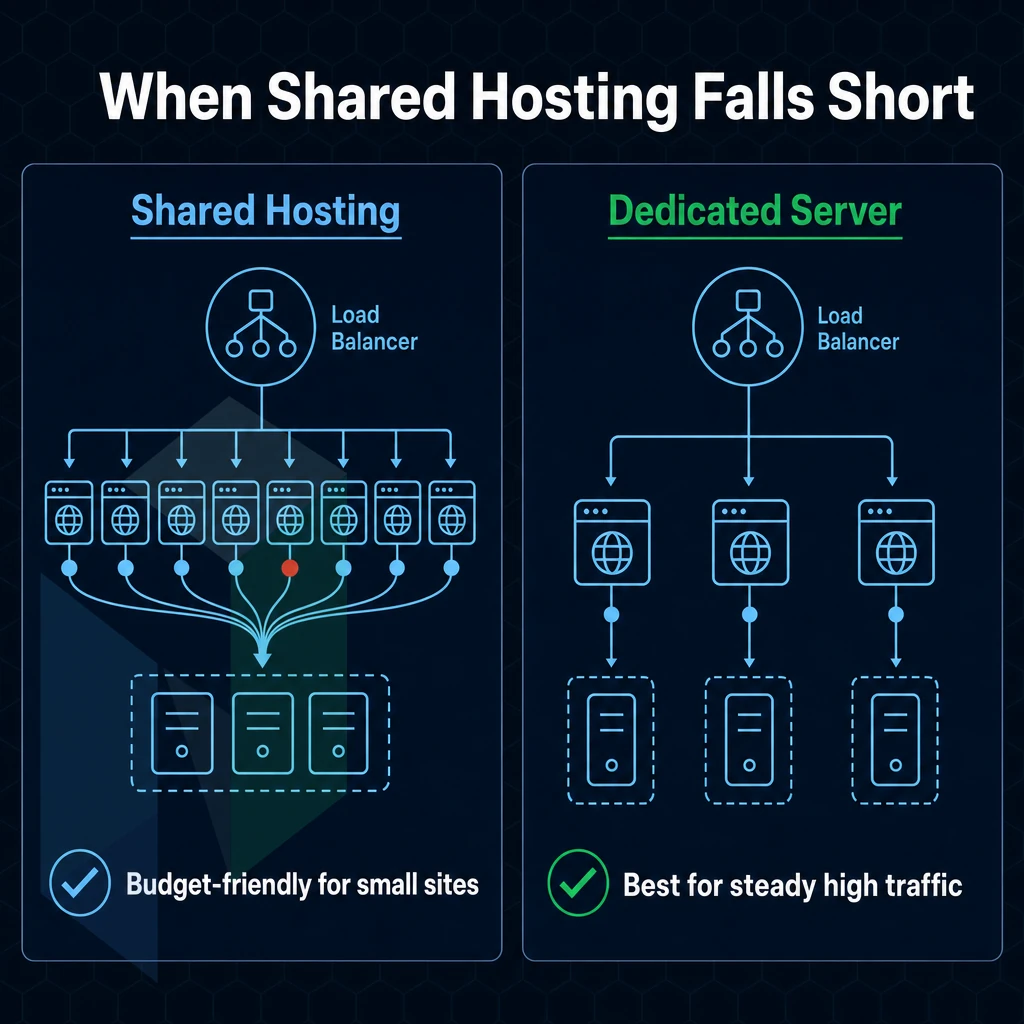
Shared hosting is typically where dozens to hundreds of websites are hosted on a single physical server. Every website on the server is competing for the CPU power, RAM, and disk I/O of the server. At low traffic things work fine, but once traffic increases the limitations of shared hosting are exposed quickly.
The Resource Contention Problem
On shared hosting servers (also known as web servers or servers) your application has no guaranteed amount of CPU power. This means that a very active "noisy neighbor" account (e.g. a site that runs a heavy script from a cron job) or even a sudden increase in traffic on another account sharing the same web hosting server can very negatively impact the response time of your application, which is a known risk with shared hosting plans.
Note that on shared hosting servers your application is NOT isolated from other accounts on the server. Instead, your application is queued behind another accounts on the server and is limited by the resources on the server.
RAM is limited as well. Most shared server environments limit per process memory to a value that a modern database engine can not possibly use for its working set. So instead of a RAM hit a process will have to do a disk read. And that will increase latency by several orders of magnitude.
Storage I/O also exacerbates the problem as Shared spindle storage arrays service hundreds of concurrent reads and writes. Even in an NVMe-backed Shared environment storage will throttle per-tenant IOPS for the stability of all others on the platform.
Trigger Points That Signal an Upgrade
There are four key indicators that highlight that the shared infrastructure has become a bottleneck.
- CPU is being throttled. This can be seen in your host’s control panel or in your application’s logs where it will indicate that it is timing out under normal load.
- Local database queries that complete in milliseconds in development start to time out in production, due to RAM starvation and I/O contention.
- Compliance requirements. For PCI DSS, HIPAA and SOC 2 (shared hosting) requirement is for vendors to be able to prove isolation of customer resources. Shared tenancy fails this test.
- Traffic spikes: Your usage might be normal but when a flash sale, viral content or seasonal traffic spike hits then the shared resources are overwhelmed and there is no burst capacity for your usage.
A Virtual Private Server (VPS) is a service that is positioned between shared hosting and bare metal hosting. On such servers, you can have multiple websites hosted on one account. However, Each of them is running with dedicated RAM and CPU in the form of a virtual server, or a so-called “slice” of the server.
Managed VPS hosting, on the other hand, includes also the OS patching and monitoring on top of the managed VPS. Intermediate steps to the “hard iron” of bare metal hosting. Virtualization does not mean that you are not sharing the physical hardware of the servers, also there is a layer of a hypervisor on top of the physical servers.
Bare Metal as the Performance Ceiling
A dedicated server is not virtualized, i.e. it does not have a hypervisor. Instead of sharing CPU cores, RAM and storage controllers with other virtual servers, you get to use everything 100% on your own. This is a fundamental architectural difference, not a sales gimmick.
Dedicated hosting from Netrouting is based on high-end Dell servers and Supermicro servers. A variety of configurations are available, from a dual Intel Xeon CPU server with up to 256GB of DDR3 RAM. To the powerful AMD EPYC servers with up to 512GB of DDR4 RAM and 4x NVMe drives.
The highest memory configuration supports up to 1 TB of RAM for the really heavy memory usage applications. All dedicated servers have unmetered 10 Gbps uplinks to the Internet, without a shared bandwidth pool and without any burst usage.
Bare metal is the only hosting tier where your application’s performance is dictated by the actual hardware specifications of your server and not by some internal policy of a hosting platform or the traffic from other servers in your hosting neighborhood.
Managed vs. Unmanaged Dedicated Hosting Options
Dedicated hosting options come in two different flavors and can be categorized by their operational structure. Unmanaged bare metal servers for example grant the administrator full root access to the provided server. This means that the administrator is fully responsible for the OS (operating system) of choice, for security hardening, for patch-cycles and for the monitoring of the server. Unmanaged bare metal servers are typically administered by companies that have in-house expertise for Linux or Windows Server administration.
Managed dedicated hosting plans are the opposite, the provider manages the operations of the hosting, Netrouting can apply patches to the OS, perform security hardening and monitor servers proactively. The customer still has root access. This is what some customers expect from managed WordPress hosting or managed application hosting, but on the infrastructure level and without the restrictions to work as one would on a CMS or application hosting platform.
The right choice here is really based off of your team’s capability and risk tolerance. Dedicated hosting plans at the managed tier are generally the most expensive tier, but they also help to decrease your team’s operational surface area. For those in need of compliance around certain workloads, or for very lean engineering teams, this trade-off makes a lot of sense.
Carrier-Neutral Peering Across Amsterdam, Frankfurt, Miami, and Beyond
Network quality is what sets a fast and reliable hosting provider from the pack of hosting providers that are unable to manage peak loads. A truly carrier-neutral infrastructure allows for routing and redundancy that web hosting providers cannot offer. Our network of 7 locations (Amsterdam, The Hague, Frankfurt, Stockholm, Bucharest, Miami and Hong Kong) is based on this principle.

What Carrier-Neutral Web Hosting Means for Your Project
Our services are carrier-neutral. We do not take the attitude of tying customers down to a single provider for traffic transit. For us, the best route for your traffic is across our own backbone, AS47869. Not necessarily the cheapest for us, but the best.
For any web project, be it a content platform, a SaaS application or a high-traffic e-commerce website, this results in lower latency and fewer single points of failure.
- No vendor lock-in: switch or add transit providers without migrating hardware.
- Best-path routing: traffic exits through the optimal peer, not a forced route.
- Redundancy by design: multiple upstream paths survive individual carrier outages.
Most web hosts run on the traffic of a single upstream carrier. Until that carrier has a problem, it’s fine. We operate in a carrier-neutral environment and traffic will keep flowing in case of a problem with your upstream carrier.
Peering Exchanges and Latency-Sensitive Workloads
We peer directly at AMS-IX and NL-ix in Amsterdam as well as at FL-IX in Miami. Direct exchange peering reduces the number of hops between your server and end users. This is especially important for video streaming, online gaming and other real-time applications.
Our public network has capacity of over 1 Tbps with average port utilization below 40% providing ample headroom for traffic peaks. Our core switching is based on Juniper and Nokia equipment, carrier grade not commodity hardware.
For latency sensitive web hosting, it is not just about bandwidth, it is about where your traffic is entering and leaving the network. By peering at major Internet exchanges in Amsterdam and Miami, we put your traffic on the shortest path to the largest concentration of users in Europe and the Americas.
BGP Routing, BYOIP, and the Control Panel for Advanced Network Buyers
If you are managing your own IP space across our hosting plans, we support full BGP sessions as well as BYOIP (bring your own IPv4 /23 blocks or larger) which you can then announce from our AS47869 backbone. This is especially relevant for businesses that already have portable address space and want to keep their IP reputation on track also with other service providers.
BGP is not something most web hosts offer their customers at the host level (we offer BGP access at the customer level from 7 locations around the globe).
Workflows created to set up web sites at new host, or to add new sites to current host(s) as IP addresses from various number ranges (i.e. payment processing, email deliverability, etc. as well as API whitelisting) are all kept intact when you move to Pantheon or grow your number of sites at Pantheon.
Our control panel is more than a standard server management interface. It also provides network-level views. You can configure the physical server, announce BGP prefixes for the related IP range, and set up private networks all from one place. There is no need to log into separate portals, and you don’t have to wait for someone else to do something for you.
Why Choose Netrouting for Website Hosting
Most web hosting providers pitch shared hosting plans, website builders, and free domain bundles. Netrouting is built for a different buyer: one who has outgrown shared hosting and needs infrastructure that performs under real load. Our dedicated server hardware, cloud hosting, carrier-neutral colocation, and managed hosting options give engineering teams full control without the compromises baked into entry-level hosting plans.
Here is what separates us from other web hosting companies:
- Bare metal in under 60 minutes. the majority of hosting providers provision dedicated hosting in hours or days. We deploy bare metal servers in under 60 minutes, no queue, no delay.
- Unmetered 10 Gbps on dedicated servers. Bandwidth caps are a common pain point with other hosting companies. Our bare-metal hosting includes unmetered 10 Gbps as standard, with up to 40 Gbps available for high-throughput workloads.
- Tier 1 backbone, AS47869. We have operated our own autonomous system since 2009, with direct AMS-IX and NL-ix peering. That means fewer hops, lower latency, and no dependency on a single upstream carrier.
- DDoS protection included. Standard hosting service tiers include DDoS mitigation with blackhole routing. Advanced scrubbing and Scrubbing-as-a-Service are available for higher-risk workloads, no add-on required to get baseline protection.
- Seven cities, three continents. Our network spans Stockholm, Amsterdam, The Hague, Frankfurt, Bucharest, Miami, and Hong Kong. Wherever your audience sits, we have a footprint close to them.
- ISO 9001, ISO 27001, and SOC 2. Our Miami facility carries SOC 2. Both certifications cover the security features and operational processes your compliance team will ask about.
We also provide a free private network between your resources, up to 1 Gbps interconnect at no charge, and a 24/7 NOC with a one-hour ticket response guarantee. Customer support is staffed around the clock, not routed through a chatbot.
If your web project has moved beyond what shared hosting or entry-level VPS hosting can handle. Explore our website hosting options at netrouting.com/website-hosting or contact our sales team to discuss the right configuration for your workload.
The Core Criteria for Choosing the Best Web Hosting
Choosing the right web hosting can be based on seven different variables. The type of infrastructure, network quality, support SLA, security baseline, scalability path, pricing transparency and geographic fit all need to be aligned with your workload.

Not all hosting providers align all of the above variables with the advertised variables of their shared hosting plans, VPS hosting and dedicated hosting offerings. Cloud hosting and managed web hosting services offer additional benefits such as elastic scaling and removal of the operational overhead of a web hosting service.
The best web hosting providers clearly spell out what you’re getting with your hosting, including things like daily backups, free SSL certificates, support hours. Additionally, The ability to upgrade from one hosting plan to another as your web project grows. The best web hosting services clearly spell out all of the infrastructure features and other details of what you’re getting from the hosting, without burying the fine print in a bunch of footnotes.
Use the same criteria to compare each web hosting company. What does your chosen web hosting provider’s infrastructure feature? Who will be able to assist you when your web site needs to be fixed? Will your chosen web hosting provider be able to grow with your web project? When you apply the same criteria to compare and contrast features of different web hosting providers, making a decision about which to choose is easy.
Best Web Hosting Services: What to Remember
Choosing the leading website hosting service for your needs is crucial and usually involves matching the type of work you are doing with the appropriate service. Rather than looking for the most feature rich web hosting service, a low traffic personal site or new site with growing traffic would be best suited to shared hosting.
A site growing in traffic where shared resources are becoming a problem then VPS hosting would be more suitable. A demanding site requiring isolated hardware with full root access then dedicated hosting is the way forward.
A site with very unpredictable traffic then cloud hosting is the way forward as it allows for elastic scaling. The best web hosting services will provide you with a strong network and the best customer service, usually provided 24/7. Free SSL certificates, automatic backups and a control panel that you and your team can use with ease.
This far outweighs the marketing noise created by web hosting companies of “unlimited bandwidth”, bundled website builders, free domain name offers etc. All we are interested in is a good uptime guarantee, a quality network and fast response to any problems that your current website may encounter.
When your workload outgrows shared hosting plans, Netrouting's dedicated servers and managed web hosting services are built for the step up. Carrier-neutral colocation, a Tier 1 backbone, and 24/7 support with a one-hour ticket guarantee mean your infrastructure scales without compromise. Explore the full range of website hosting options at netrouting.com/website-hosting/.
When choosing the right hosting for your applications, it is generally a good idea to start with a matching infrastructure. Therefore, for low traffic websites on a low budget, a shared hosting environment is usually the best choice.
As soon as performance, isolation or compliance become an issue, a VPS or dedicated server is usually the better choice. The hosting type you choose on day one already sets a limit on your future possibilities for scaling. It is therefore better to slightly over-specify on day one than to migrate to a different host under pressure.
Control is as important as the raw specs of a system. Website builders trade off flexibility for ease of use. Real hosting infrastructure gives developers and IT teams the access they need to optimize, secure and scale their systems as needed.
If your workload needs special hardware, special connectivity or a global network with real SLA’s, we recommend you to have a look at Netrouting. They offer Dedicated Servers as well as Colocation and you can contact their sales department to set up a custom setup that fits your needs.