Choosing a hosting plan for WordPress can be a confusing task. Many web hosts promote very low prices for new customers, but these prices often increase after the first term. Additional fees for features that you need, such as performance, can also surprise you. Understanding the true cost structure helps you identify providers that deliver genuine value at an affordable price rather than temporary discounts that vanish at renewal.
This is why the choice of a host is important. Your WordPress host can influence your conversion rates and your search engine rankings. Very slow hosts and hosts that are down from time to time can have a negative impact on your online business. Reliable infrastructure with fast loading speeds directly contributes to better user experience and higher engagement metrics across your WordPress site.
Site owners who prioritize hosting quality often see measurable improvements in both visitor retention and organic search visibility over time. Investing in the fastest wordpress hosting available ensures your pages render in under two seconds, a threshold that significantly reduces bounce rates and improves conversion performance.
Blog contents
This guide is written from the inside out. As a long-time provider of bare metal and cloud hosting solutions in Europe, North America. Additionally, Asia since 2007, Netrouting knows what makes a decent web hosting service and what a real hosting solution looks like as opposed to cheap hosting that looks fine at first but fails under load. Evaluating a hosting provider requires looking beyond marketing claims to examine actual infrastructure, support responsiveness, and how resources are allocated under real-world load conditions.
We review the options based on the real deciding factors for the long-term value of your money: server performance & resource allocation, network quality & uptime guarantees, growth & scaling with your WordPress site, support. Additionally, The total cost of ownership beyond the initial period of your first billing cycle.
This is where you want to start your search for the best cheap WordPress hosting, and we’ll show you what “cheap” really means. Whether you need to set up shops or move from your current woefully inadequate web host, we start here.
What Is Cheap Website Hosting WordPress and Who Needs It
When we say cheap WordPress hosting, we’re referring to relatively affordable, reliable hosting for WordPress sites. Additionally, Typically these plans fall into a number of categories (including cheap shared web hosting, VPS hosting and even cheap bare metal servers), each best suited to a different scale of site. Selecting the right tier of hosting for WordPress depends on your site's traffic volume, resource requirements, and whether you need features like staging environments or automated backups.

What "Cheap" Actually Means for a WordPress Website
Typically, first year offers are promoted by sellers to lure in new buyers. However, the price that sellers offer at the commencement of a contract can sharply rise at the time of renewal. This means that true long-term affordability is offered by suppliers that offer constant and competitive pricing throughout the contract life.
Savvy buyers compare the introductory price against the renewal rate to calculate the true cost over a multi-year period. Providers offering transparent pricing often maintain the same price across initial and renewal periods, eliminating surprise cost increases for long-term customers.
WordPress itself is free. It’s an open-source content management system that runs on a standard web server. What you pay for is the underlying infrastructure of compute, storage, bandwidth and support. Because the content management system is modular and extensible, you can run it on minimal hardware for a personal blog or scale it across multiple servers for enterprise deployments.
Common hosting tiers for WordPress include:
- multi-tenant hosting, Most common form of web hosting, where many websites are hosted off of one server and therefore cost a lower entry fee but can scale less.
- Managed WordPress hosting plans, The updates, caching and security are all taken care of for you by your hosting provider. But you pay for the service and have less control.
- VPS and bare-metal servers, dedicated resources, full root access, scalable performance as expected.
Does WordPress Provide Reliable WordPress Hosting and a Free Domain?
WordPress.org does not host your site. WordPress.org only distributes the software. WordPress.com offers free and paid plans that allow for subdomain hosting with branding and features restrictions. For a self-hosted site you want to use for production you’ll need to get your own infrastructure.
Many hosting promotions offer a free domain name and an anytime money back guarantee. Make sure to read the small print for the renewal terms though.
Who Actually Needs This Type of Hosting Provider
The typical buyers for our web hosting are bloggers who are launching their first website and love perks like a free domain, small businesses that require a cost-effective online presence, and web design agencies who manage a number of client websites.
We have a number of developers who buy our shared hosting for a short period of time before moving to bare metal or cloud compute in order to have full control of their environments. Agencies managing multiple sites benefit from our bulk hosting discounts and centralized billing, streamlining administration across client portfolios.
We serve teams who’ve moved off of shared server hosting to bare-metal or cloud compute hosting, requiring consistent performance and global reach with root access. We help determine the best compute tier for a given team, and get a WordPress site up and running on a budget.
Affordable hosting doesn't mean sacrificing performance; it means finding the right balance between cost and the resources your WordPress site actually needs to succeed. Teams operating on tight budgets can still access enterprise-grade infrastructure when they choose providers that deliver robust features at an affordable price.
How to Build a WordPress Website on a Budget
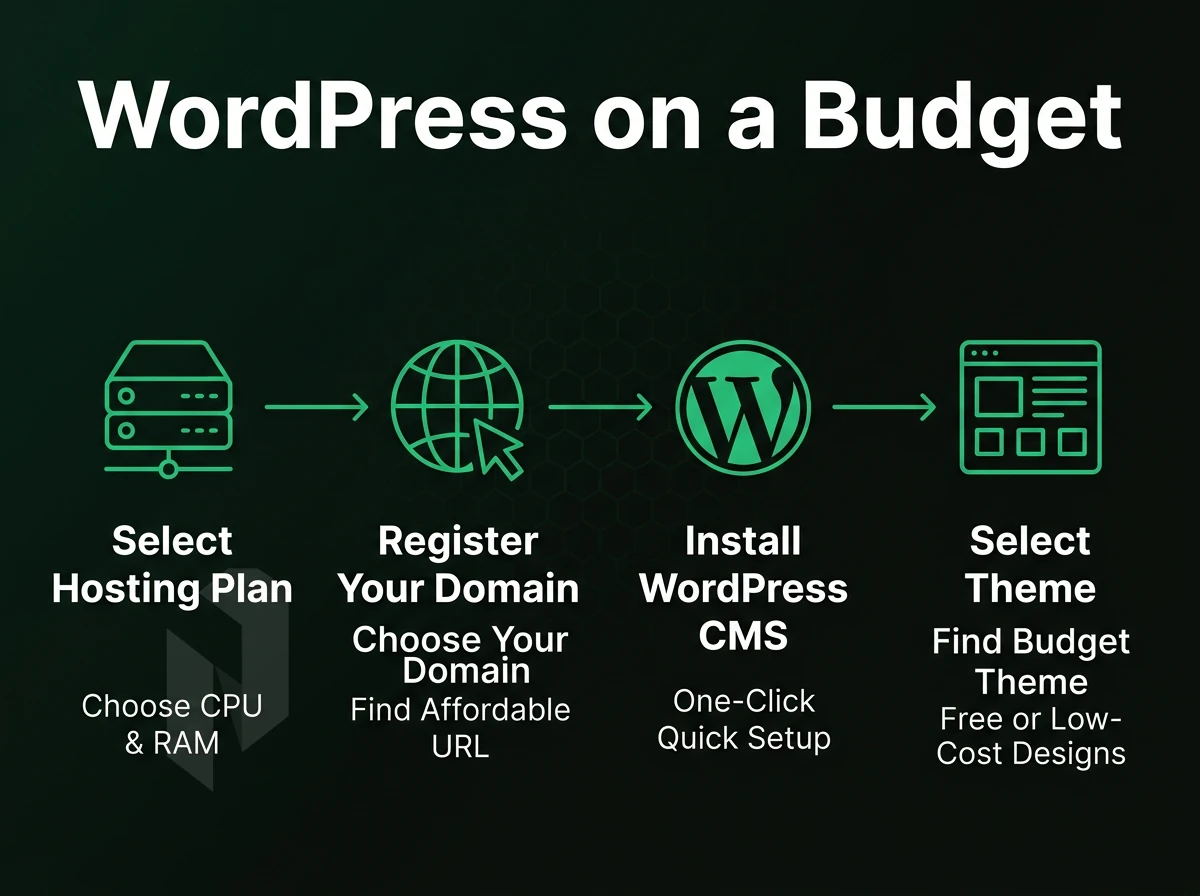
There are four decisions that need to be made when trying to get a WordPress website put up on a small budget: the best hosting package for your needs. The best way to get WordPress installed for you, how to get a domain name for your site.
Securing a free domain name through your hosting provider can reduce initial setup costs and simplify account management for new site owners. Selecting the right hosting plan early in your planning process prevents costly migrations and ensures your WordPress site launches on infrastructure that matches your traffic and feature requirements.
Additionally, A simple launch checklist. All of these decisions have inexpensive and expensive ways to do them. Here is how to go with the inexpensive option for each and still have a reliable website.
Choosing Your Plan With a Free Domain for Multiple Websites
We would recommend you match the plan with the amount of traffic your website receives. The cheapest plan on any shared hosting plan is designed for a single website with low amounts of monthly visitors. As your website grows in traffic or you need the site to load faster, you would then look to upgrade to a Virtual Server or a Bare Metal Server. If you're just starting out with a single blog or portfolio site, the basic plan typically provides enough resources to handle several thousand monthly visitors without performance issues.
For those seeking affordable hosting without sacrificing reliability, starting with a basic tier and upgrading as traffic grows ensures you only pay for the resources you actually use. Choosing the right hosting plan from the start prevents unnecessary migrations and ensures your WordPress site has room to grow without immediate infrastructure changes. Agencies and developers managing multiple sites often benefit from VPS or bare metal plans that allow isolated environments for each client project.
A basic web hosting plan for a WordPress site should include a control panel (e.g. DirectAdmin, cPanel), one-click installations for popular web applications (e.g. WordPress, Joomla), and sufficient disk space. Also, be sure the web host's plan has an SLA (Service Level Agreement) of at least 99.9% up-time. Any less than that is unsuitable.
Look for providers that bundle all the features you need without charging separately for SSL certificates, email accounts, or daily backups. Plans offering robust features at entry-level pricing often include automated backups, staging environments, and CDN integration to support growing WordPress sites. Most entry-level plans also provide unlimited bandwidth to ensure your WordPress site can handle traffic spikes without overage charges or throttling.
Many budget providers include a free domain name for the first year with their hosting package. Netrouting does not offer domain registration services so you need to factor this in to your overall costs when comparing hosting packages. Registering your domain separately gives you portability and control, though bundling a free domain name with hosting simplifies initial setup for first-time site builders.
Installing WordPress: One-Click vs Manual
When you sign up for a new hosting account, the control panel for most web hosts includes a one-click installer for WordPress. With quality hosting for WordPress, you can have a new installation up and running within 5 minutes or less, and start adding content and customizing your website immediately. The process requires no special technical knowledge or skills.
Some providers offer wordpress pre installed on new accounts, eliminating even the one-click step and letting you begin customization the moment your hosting activates. Quality hosting for wordpress typically includes automatic updates and daily backups in the control panel, ensuring your site remains secure without manual intervention. For users who prefer manual control, installing wordpress through FTP or SSH remains an option, though the one-click method reduces setup time and minimizes configuration errors.
Manual installation gives you more control: you upload files via FTP, create the database yourself, and edit wp-config.php directly. It takes longer but teaches you the stack. For production sites, manual installs also make migrations cleaner. Manual installation also allows you to configure security settings from the ground up, hardening file permissions and database credentials before the site goes live. Many developers prefer installing wordpress manually when they need custom directory structures or want to integrate the CMS into existing server environments with specific configurations.
Some providers even offer you WordPress pre-installed on new instances. That would mean you can access a ready-to-use environment for your new WordPress site right away. If speed is important to you, that’s certainly something to look for when choosing a provider. For sites demanding maximum speed, evaluating the fastest wordpress hosting options means examining server-level optimizations like LiteSpeed, object caching, and NVMe storage that pre-installed environments may or may not include by default.
Which One Is Better, GoDaddy or WordPress?
This post compares two different things. On one hand there is the open-source software WordPress, the famous content management system that you can install on almost any server. On the other hand there is the domain registrar and hosting provider, the company that sells you server space and domain names. You need both to run a WordPress website.
So you need to decide which host to use for your WordPress installation. As a developer / IT person you might want some headroom on your servers. Netrouting offers you a range of bare-metal and cloud servers in 10 data centers across Europe, North America and Asia.
All servers come with plenty of power, 10Gbps unmetered connectivity and a 99.9% uptime SLA. Unlike shared consumer hosting you get dedicated resources for your money, and unlike the big cloud providers it’s cheaper in the long run.
We recommend bare metal servers for fixed amounts of CPU and RAM power. Cloud compute servers are better for rapid scalability. Set up a server and connect a domain to it via DNS A-record. Then, go through the WordPress setup wizard to complete the deployment. With the build process laid out here, it’s also good to know how the different hosting tiers stack up against each other.
Shared Hosting vs VPS vs Bare Metal for WordPress Sites
| Provider / Option | Performance | Support | Uptime SLA | Network | Best For |
|---|---|---|---|---|---|
| Shared WordPress hosts | Shared CPU and RAM, degrades under load | Ticket and chat; variable response times | 99.9% | Shared bandwidth; limited throughput | Single low-traffic WordPress site |
| Managed WordPress platforms | WordPress-optimised stack; auto-scaling on some tiers | WordPress-specialist support; faster for CMS issues | 99.9% | CDN included on most plans; limited raw throughput | Agencies running unlimited sites with hands-off management |
| VPS providers | Dedicated vCPU and RAM; consistent baseline | Community forums plus ticket support | 99.9% | 1 Gbps shared uplink typical | Developers hosting multiple websites on a budget |
| Netrouting, Bare Metal / Dedicated | Dedicated Intel Xeon or AMD EPYC; up to 512 GB RAM; no noisy neighbours | 24/7 NOC; 1-hour ticket guarantee; rapid deployment under 60 min | 99.9% SLA; same-business-day hardware replacement | 2.4 Tbps+ backbone (AS6206); unmetered 10 Gbps; free private network up to 40 Gbps | High-traffic business websites and business sites needing dedicated server specs |
For a low traffic WordPress website a shared or managed WordPress platform is usually sufficient. However, if you run multiple websites or if you run business websites and down time costs you money, you need dedicated server specifications. That is where Netrouting’s bare metal servers come in. These servers have isolated CPU and RAM and unlimited 10 Gbps throughput in 10 data centers around the world.
They are perfect for companies with more websites than can fit on a shared platform and need to have their websites perform under load. But knowing which of the tiers is suitable for you is only half the story. We also need to explain which features a cheap and reliable plan has and where it can fail you.
Key Features to Look for in a Cheap WordPress Hosting Plan
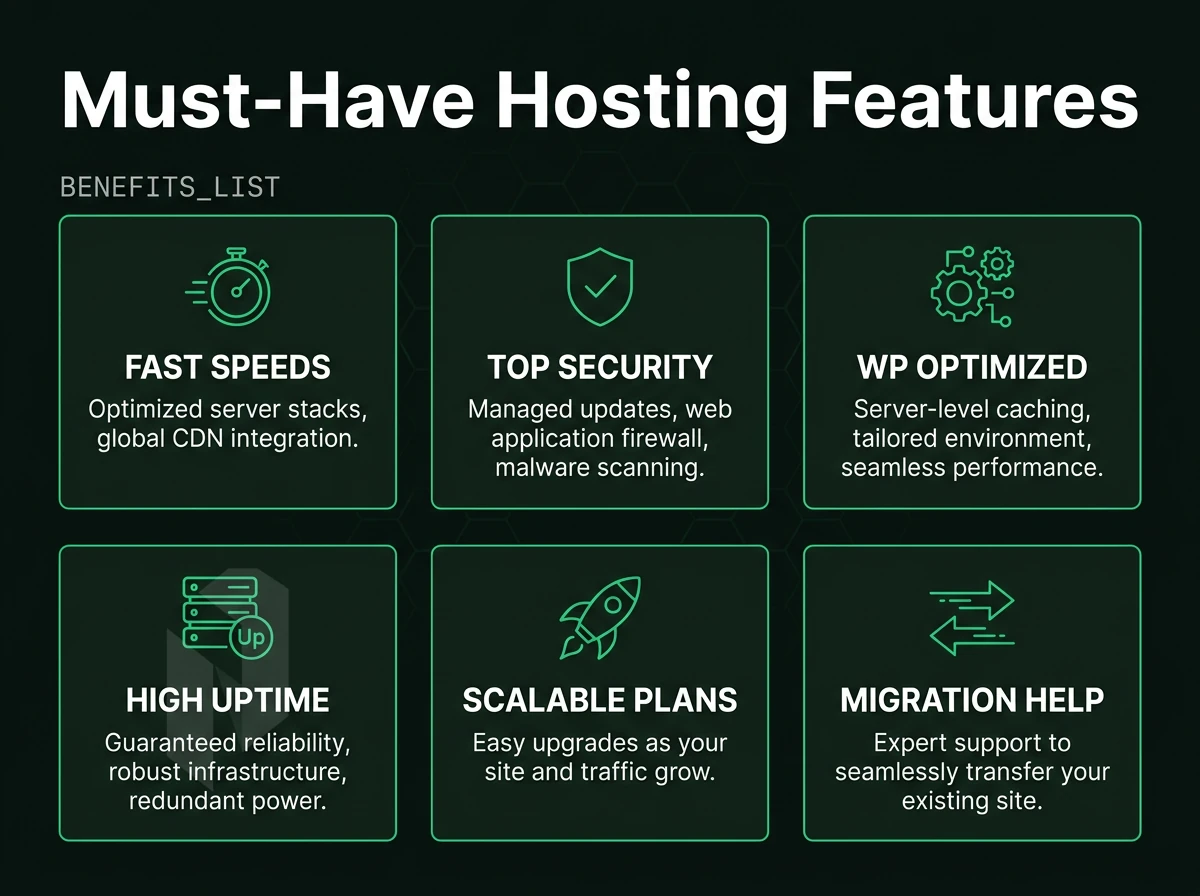
When evaluating cheap website hosting for WordPress, don’t just go for the cheapest offer. Instead, learn about the essential technical features that any cheap WordPress hosting should possess, in order to provide the best service or to highlight its limitations.
Free Domain and Performance Availability Foundations
First filter: Uptime SLA. The 99.9% SLA published by Netrouting translates into approximately 43 minutes of downtime per year. Anything below that is problematic for production systems.
Loading fast relies on your server configuration: NVMe storage, enough RAM and a free CDN for your static files. And Unlimited Bandwidth: Because no one wants to upgrade you mid-spiketime.
Security Features, Free Domain, and Backup Architecture
Minimum required to consider robust security would be implementation of firewall rules, malware scanning and SSL provisioning. Netrouting always includes DDoS protection on all types of hosting services and it is active by default (L3/L4 mitigation, no configuration required).
Automatic backups are a must. We do daily incremental backups as well as weekly full backups. These are kept for a maximum of 30 days and can be restored within a time frame of 15 to 45 minutes. The time frame in which you can get back to work after a crash is what really differentiates a good backup policy from just making you feel safe.
Is a Managed Solution Worth It for WordPress?
For teams without dedicated sysadmins, the operational overhead of managing a managed hosting tier (e.g. OS patching, security hardening, proactive monitoring) can be significant. However, it is possible to have root access to your servers while relieving your team of this maintenance burden.
When choosing a control panel for your server, there are many options available. In this case we will focus on two of the most used control panels, DirectAdmin and cPanel. Both of them support one click installations of WordPress and other software packages, as well as DNS and email management. We offer both control panels to our customers.
How Much Is 1 Year of Hosting With a Free Domain?
Annual billing is typically the lowest rate when paid in full. All of the cheap WordPress plans listed above include a host of features such as SSL certificates, backups, Content Delivery Networks and control panels. Pricing varies greatly by configuration and location, contact with sales for the most up-to-date pricing information.
Just because you are looking for cheap hosting does not mean you have to settle for under-specified options. Look at the SLA, backup retention, DDoS protection as well as managed options when comparing the cost of the monthly rate versus the value of the service provided.
Now that we have covered the key features for our hypothetical hosting for WordPress provider offering, a review of how the rest of the market organizes similar features within their hosting tiers is in order.
Four inputs for a comparable hosting quote.
- Sites
Number of sites and expected traffic.
- Storage
Disk space for files, databases and email.
- Backups
How often, and how long they are kept.
- Support
What you handle yourself and what you hand over.
Cheap WordPress Hosting Options: What the Market Offers
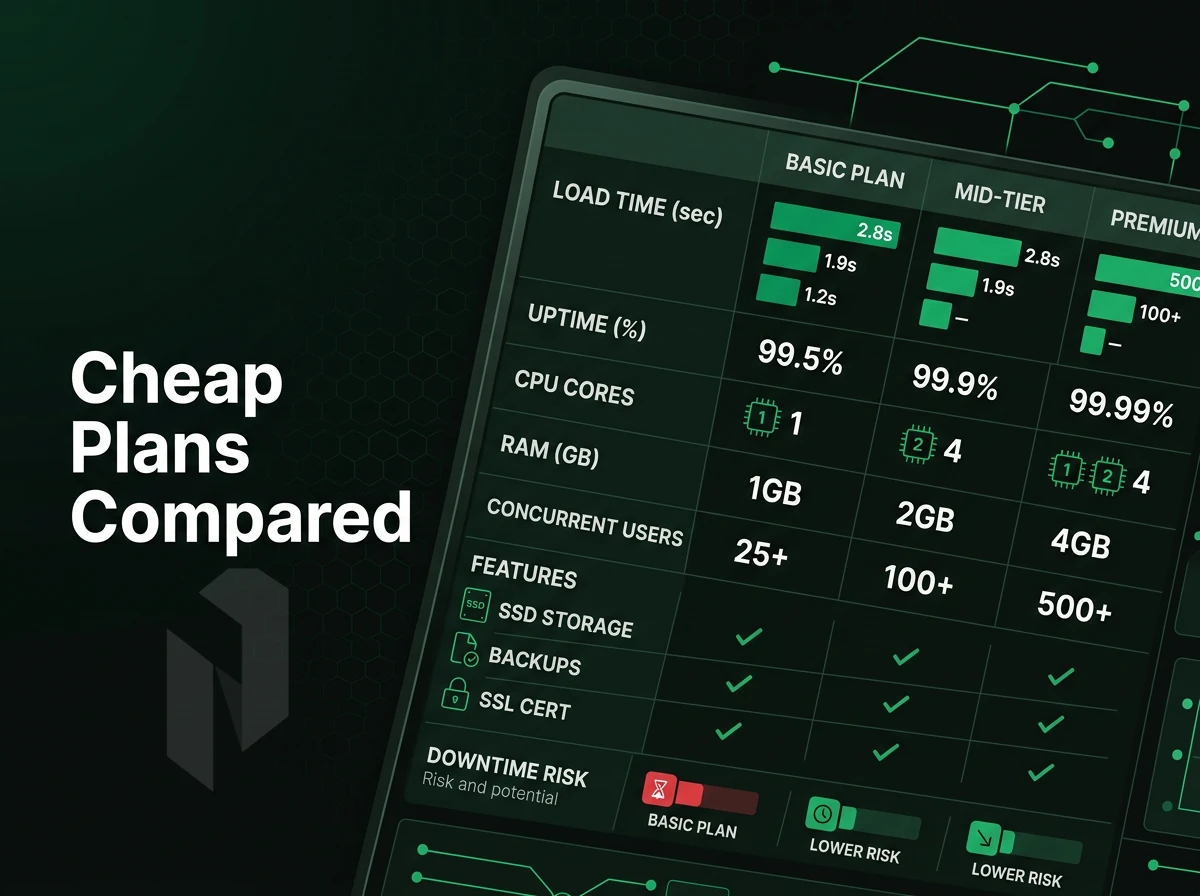
Most markets for cheap WordPress hosting divide up into three or so tiers of service. It's good to know what the 'hidden costs' are of a particular tier of service with wordpress hosting providers and the potential 'migrations from hell' as you discover the limitations of your current host half a year or so down the line.
Budget Tiers and What They Actually Include
When comparing the cheapest entry-level wordpress hosting services offered by different providers. The initial offer for the most basic of plans may look very cheap at first but can treble in cost by the time of renewal. Check out the renewal costs before you commit to a provider.
Common gotchas on the cheapest plan tier:
- Resource caps: CPU and RAM are throttled on crowded servers.
- Site limits: Providers restrict how many sites you can host per account.
- Storage quotas: "Unlimited" storage has acceptable-use clauses that bite high-traffic sites.
- Upsells: Backups, SSL, and staging environments are often paid add-ons.
Anytime money back guarantee policies are highly variable. Some guarantee refund of money paid by customers for up to 30 days on their last payment. Most guarantee a pro-rata refund of all money paid by customers should they cancel anytime before their next payment date. Always check the Terms and Conditions before signing up for any paid plans.
Cheap Shared Hosting vs Managed Hosting for WordPress
When you use communal hosting your site is hosted on the same server as hundreds of other sites. All the resources of the server are shared by all the sites on the server. One badly performing neighbor can affect the performance of all other sites on the server.
Managed WordPress hosting is a managed environment configured for WordPress, including the automatic update of the core, server level caching, and security configured for WordPress. Managed WordPress hosting is more expensive than typical WordPress hosting and delivers a narrower, more optimized hosting environment. It is not necessarily the fastest way to get high amounts of throughput with WordPress, but it can save a lot of time and headache in the long run.
The best cheap WordPress hosting service for you will depend on the volume of traffic your site receives, your level of technical ability, and your site’s projected growth.
When Budget Hosting Becomes the Wrong Tool
Cheap hosting is generally acceptable for low traffic, brochure like websites. It fails under sustained load, for WooCommerce product catalogs or for compliance reasons.
For WordPress sites outgrowing shared server environments, there are alternative infrastructure-grade solutions available. Our bare metal and cloud servers offer the best in dedicated resources and connectivity with unlimited 10 Gbps network. We back our infrastructure with a 99.9% Service Level Agreement. The following table compares all available tiers to assist you in choosing the right solution for your specific needs.
Comparison Table: Hosting Tiers for WordPress Users
Different hosting solutions are designed for different workloads. For example, bloggers might be on a shared server, but a large enterprise store could be running on high traffic and need specialized solutions from wordpress hosting providers, depending on the user's traffic, skill level and project growth.
Hosting Tier Comparison With Free Domain Options
| Tier | Typical Use Case | Performance | Management Overhead | Scalability | Security |
|---|---|---|---|---|---|
| Shared Hosting | Personal blogs, low-traffic sites | Variable; shared CPU/RAM, TTFB often 600ms+ | Low, provider manages everything | Very limited; no burst capacity | Weakest; neighbour-site risk |
| Managed WordPress Hosting | SMB sites, agencies, WooCommerce stores | Good; optimised stack, free CDN often included | Low, WordPress-specific tooling handles updates | Moderate; plan-based limits apply | Strong; auto-patching, WAF included |
| Cloud / VPS Hosting | Growing sites, developers, staging environments | Good; dedicated vCPU, sub-200ms TTFB typical | Medium, OS and stack are your responsibility | High; scale vertically or horizontally on demand | Good; isolated environment, you control hardening |
| Bare Metal / Dedicated | High-traffic stores, media, enterprise WordPress | Highest; no noisy neighbours, up to 10 Gbps unmetered | High, full server ownership required | Vertical only unless clustered | Strongest; full hardware isolation |
Choosing the Right Tier for a Free Domain
We recommend shared-resource hosting plans for low traffic websites under 10,000 monthly visits. Check out the introductory promotion price, as it typically increases sharply at renewal. What seems like an affordably priced option at sign-up, can triple in price by year two.
Cloud hosting bridges the gap between entry-level hosting and dedicated servers. It offers fully isolated servers with root access but without the burden of a complete server. Our cloud compute can be provisioned in minutes across 10 data centers worldwide.
When Should I Upgrade from Shared Hosting to a Dedicated Server for WordPress?
You should upgrade from standard web hosting if it is consistently holding you back. Some signals for this are pages loading slowly (over 2 seconds) under normal traffic, regular 503 errors under high traffic, and PCI/HIPAA compliance requirements that cannot be met in shared environment hosting environments.
A dedicated server does not have any shared resources, which means that Netrouting’s bare metal servers have unmetered 10 Gbps bandwidth, 100% hardware isolation and 24/7 DDoS protection. We deploy all of our dedicated servers within 60 minutes and offer a 99.9% uptime SLA. After choosing the right server for you, the question remains how much of the server stack you want to manage yourself.
Managed WordPress Hosting vs Self-Managed Bare Metal: Which Fits Your WordPress Site
The key decision factor between fully managed WordPress hosting and self-managed bare metal servers is: How much control do you need for your web hosting setup? And how much are you willing to manage yourself? This option is best for a certain type of web host operator.
Assess What You Actually Need Managed
- Define your level of required responsibility. A WordPress-managed hosting platform will typically update the core, and also update plugins, and manage the caching for you. You give up root access for the convenience, but for a simple business owned website, that’s usually fine. However for more complex sites (or sites that require custom server config or PHP extensions that are not standard) that just will not cut it.
- Know your limits. A shared WordPress-optimised hosting environment is limited by resources in place to manage a shared environment. If you run high traffic sites or have many WooCommerce powered sites then you will hit limits quickly. With bare metal you have dedicated CPU and RAM, the foundation for top level performance that scales.
Top WordPress Hosting Providers on Bare Metal
- Choose your management layer! Our Managed Control-Panel Servers are powered by dedicated hardware, and combined with your choice of control panel (cPanel/WHM or DirectAdmin) you have a powerful hosting platform for your own WordPress sites and client accounts. We take care of the OS for you, and all licenses are included.
- Managed Hosting at OS-level. We can add this service if you require it. Our Managed Hosting service covers OS patching, security hardening and monitoring. Yet you still have full root access to your server. This is not the same as WordPress managed hosting with updates to your WordPress plugins managed for you. What we offer is the managed hosting of the infrastructure, whereas you can manage what you want with the applications on your servers as you see fit.
Note: Netrouting does not manage WordPress core, plugins, or themes. If you need that layer automated, combine bare metal with a self-chosen WordPress management tool on top.
Verify the Right Fit Before You Commit
- Test scalability requirements. If your wordpress site is growing, make sure the tier you pick can scale for you (add more CPU, RAM, etc. without having to move you). Bare metal / custom configurations can do this. Most shared managed plans cannot.
- Check for advanced features such as custom PHP versions, Redis, and staging environments. As bare metal comes with a control panel, you can be sure that you will have the flexibility to use such a stack.
After settling on a management model for our services, we take a closer look at how our Netrouting infrastructure can be used as a hosting provider to set up hosting for WordPress and other serious workloads.
How Netrouting Delivers Fast, Affordable WordPress Hosting for Serious Sites
Most WordPress websites outgrow multi-site hosting before the website owner even realizes it. And slowly but surely the website gets slower and performance suffers because of other noisy users on the same server or because of hard resource limits. As performance affects conversions, there’s only one suitable solution for serious WordPress website operators: real infrastructure. We provide them with dedicated servers, a first class network and fair prices without any egress surprises.
- The fastest WordPress hosting on real servers is our bare metal dedicated server s which we provision in less than 60 minutes. You get the whole machine, without any hypervisor overhead and without any other customers using any of your CPU power.
- Unmetered 10 Gbps bandwidth. Run big WordPress sites at high traffic without throttling and without surprise overage charges. Up to 40 Gbps available for high volume workloads.
- Our Always-on DDoS protection is included for free with all hosting services. Our L3/L4 DDoS mitigation is included with all of our hosting services and there is no need for an add-on or for you to configure anything.
- 10 Global Data Center Locations to Deploy WordPress Hosting Close to Your Audience: Amsterdam, Frankfurt, Miami, Singapore, Hong Kong, New York, Stockholm, Rotterdam, The Hague, and Bucharest.
- 99.9% SLA with 24/7 NOC, 1hr ticket guarantee. ISO 27001 and SOC 2 compliant. We also offer managed hosting for those that want to hand over the server management to us and focus on their team.
- Cloud compute for flexible scaling. Host lean on cloud computing and then move to bare metal as needed. Same network. Same support.
If you need premium performance and the highest level of reliability for your WordPress site, our team is here to help. We can match you up with the ideal hosting provider configuration and get you a quote based off your specific needs. In the meantime, here are some red flags to look out for that may indicate your cheap pooled hosting is already affecting you.
When Cheap Shared WordPress Hosting Is Not Enough
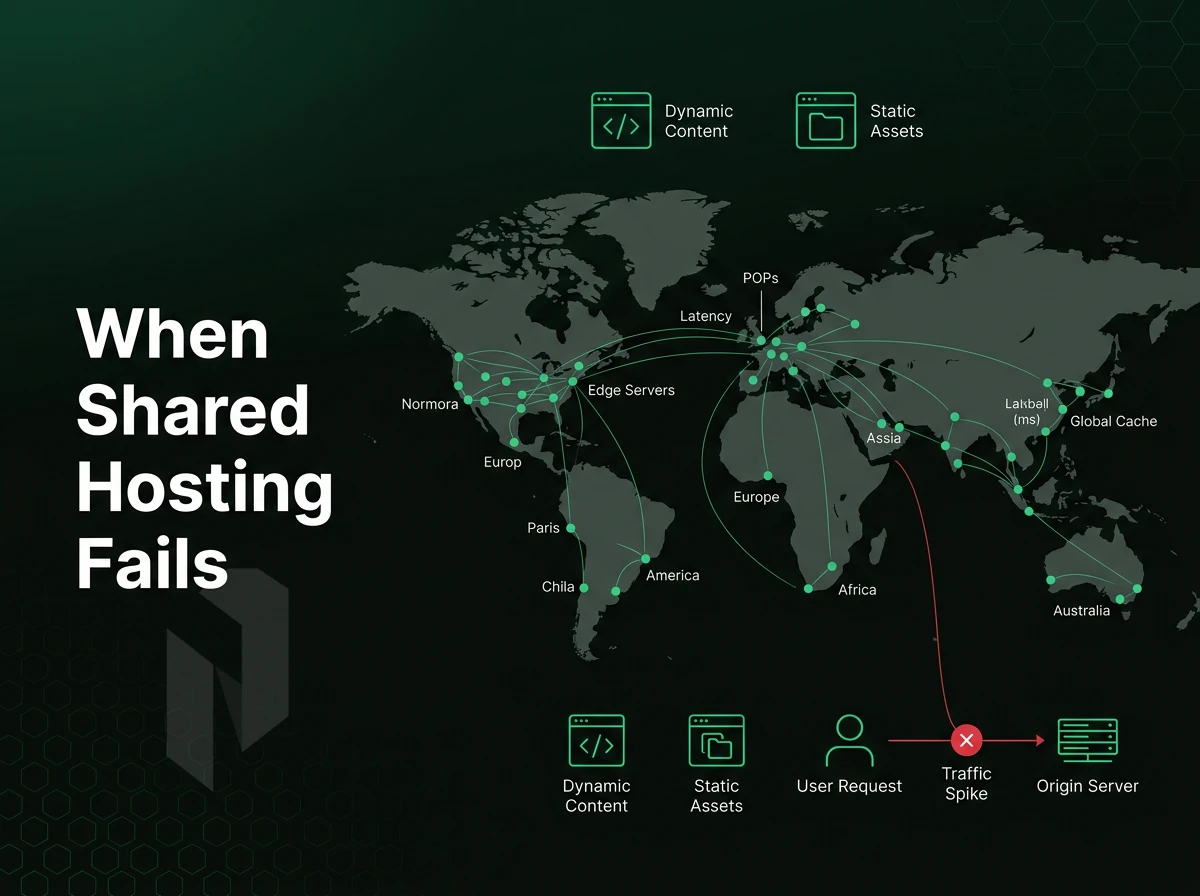
shared account hosting on a budget seems to cost very little at first. Many providers charge only a few dollars for the first term of a very cheap basic web hosting package. Such plans promise unlimited space and bandwidth.
You can very quickly set up a test version of a new web site. The problems start to show up as soon as you test your web site under load, need to add security, and find out what your hosting provider will charge when your web hosting comes up for renewal.
Free Domain Performance Breaks Under Load
Hundrets of accounts are packed onto a single server in shared environments. Resources of a neighboring website can drop dramatically within a split second. In order to guarantee fast loading times, you need to have constant allocation of CPU and RAM on your shared node.
WordPress users running multiple websites or a single store that experiences a high volume of traffic during a product launch or seasonal peak may start to see requests queue up, database query timeouts occur, and pages load slowly or appear blank. No amount of caching plugins will compensate for a starved server.
Security and Control Are Capped by Design
Most budget shared platform hosting providers lock down the server stack to protect their own infrastructure. This means that you cannot change the PHP configuration, add new modules, or set the security configuration for your applications that you know are required.
Hardening WordPress properly, custom php.ini directives, server-level rate limiting, WAF rules, requires access shared plans simply do not offer. One compromised account on the same server can affect every tenant.
Business Sites Outgrow the Model Quickly
“Unlimited websites” sounds good for large scale sites, but in reality, unlimited web hosting plans often have hidden limits, such as resource restrictions. Additionally, Customers experience long response times from support staff who explain their “fair use policy”. This makes managing hundreds of sites of varying sizes a huge pain.
Once the introductory promotion from wordpress hosting providers expires, the true rate can increase dramatically (2-3 times and more) and switching to a cloud compute instance or even a bare metal server can be much more cost efficient.
Although you will have to give up some headroom, you will have plenty of it, have root access and pay a fixed monthly rate. We have designed our Netrouting infrastructure specifically with these kinds of loads in mind. In the following section we will explain how to migrate your servers to our platform.
Upgrading Your WordPress Site: Moving from Shared Hosting to Bare Metal
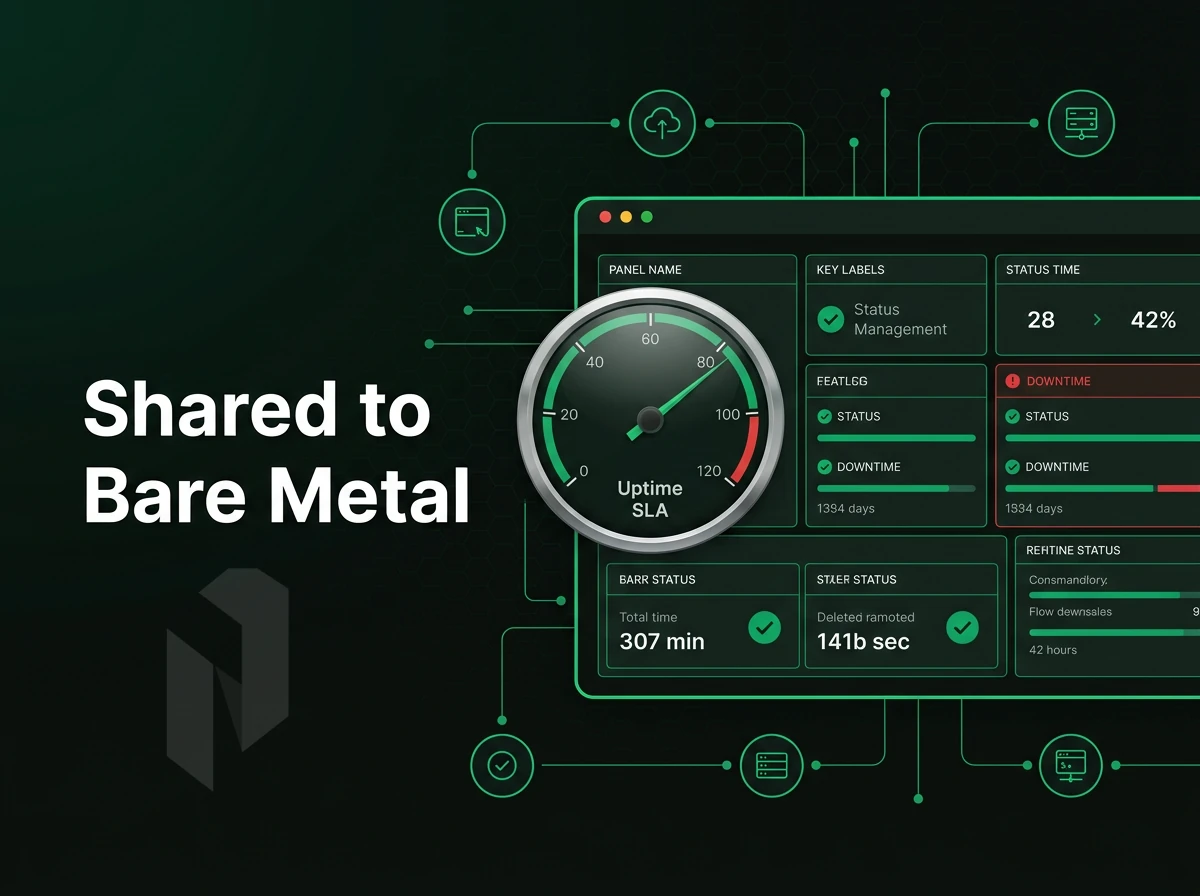
Low traffic volumes don’t usually pose a problem with common hosting. When they do however, you will be quickly made aware of it. In order to prevent downtime and resulting financial losses and to move your WordPress sites smoothly, you should know when to switch and how to do it best.
When to Upgrade for a Free Domain
Three indicators that you are nearing the limit of your current hosting plan. First, the page load time averages greater than 3 seconds for typical traffic volumes, not just during spikes in traffic. Second, your WordPress admin dashboard is sluggish and fails from time to time while performing normal administrative functions. Third, a security incident occurs on your shared infrastructure hosting for WordPress environment and for some reason you are unable to isolate or remediate the incident independently.
Traffic thresholds are also important to consider. If you're finding that too frequently your concurrent sessions are maxing out your hosting account's PHP worker limits (which typically also dictates your CPU and RAM limits), you're likely on a free domain or shared plan where servers are split among dozens of other accounts. And no amount of caching plugins can make up for the difference against a hard, uncontrollable resource ceiling.
What the Migration Involves With a Free Domain
A bare metal migration has four steps. Export your WordPress database and file system, plugins, themes, uploads. Provision the new server and configure the LEMP or LAMP stack. Restore the database and files, update wp-config.php with the new database credentials, and verify the WordPress site loads correctly on the server's IP before touching DNS.
After DNS cutover lowers the TTL to 300 seconds for at least 24 hours, after the cutover. Check the WordPress administration for any broken URLs to assets as well as for any mixed-content warnings caused by hard-coded URLs.
How Netrouting Eases the Transition
Bare metal provisioning can be ready in under 60 minutes. As a result, you can set up the entire migration with your WordPress hosting plan provider in that time and have WordPress installed, data restored and tested before the DNS change propagates and enters extended maintenance windows.
The OS patching, security hardening and monitoring are managed for you but you retain root access to your hosted managed servers. The automatic backups are done daily with incremental snapshots taken during the day and a full weekly image kept for 30 days. In the unlikely event of a problem post-migration, you can be restored within 15-45 minutes depending on the size of the data set.
The Remote hands support handles physical tasks at the rack level for no extra charge. This means that for wordpress hosting providers and other companies without on-site staff near to Interxion's data centers, remote hands support removes the last practical barrier to migrating from shared infrastructure to dedicated infrastructure. The cost of migration is one thing, but then there is the rest of the cost to consider in more detail.
The Real Cost of Cheap Hosting for WordPress Sites
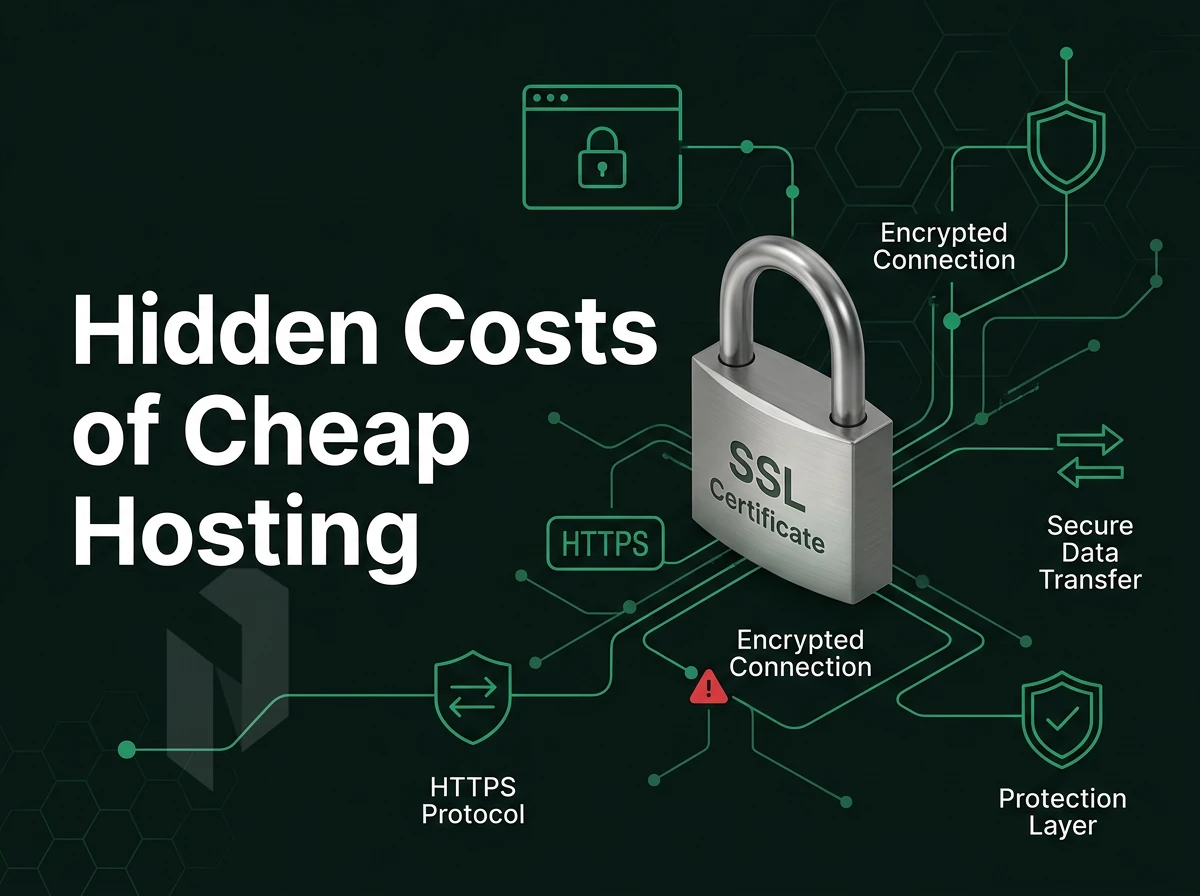
WordPress cheap website hosting has a typical format. The initial promo rate is great for the short term. Subsequent renewals typically double or even triple the initial promo rate. And the additional hidden charges for hosting add-ons that were not included in the initial hosting package offer often come as a surprise.
In addition to these additional charges, shared server hosting typically negatively impacts website load times. Slower WordPress websites convert at lower rates of conversion. These performance costs are rarely reflected in a comparison of very cheap web hosting services.
At a larger scale (more than one website, higher traffic, etc.), the math that goes into server selection adds up quickly. Each of the cheap WordPress hosting options look bad compared to bare metal hosting once you know you can get a dedicated server for a low, fixed monthly cost and no surprise ‘renewal’ fees. Additionally, No ‘egress’ fees to boot.
In fact, even taking into account server cost. Additionally, the cost of any additional services their WordPress site may need means that for wordpress users, the total cost of ownership of a server with Netrouting is less than you'd pay for equivalent hyperscale compute. So, here are the things you need to consider in order to make a choice that is best for your site.
Choosing the Right Cheap WordPress Hosting: Key Takeaways
Cheap WordPress hosting works when you match the tier to actual site scale. A basic plan suits a new WordPress site with modest traffic. Reliable WordPress hosting for business sites demands stronger uptime SLAs and solid security features, headline price alone is a poor filter. Always check renewal costs; introductory pricing rarely holds.
For teams without sysadmin capacity, managed WordPress environment removes operational overhead entirely. When performance matters, bare metal outperforms multi-tenant web hosting at a predictable monthly cost, worth evaluating before committing to a cheap WordPress hosting plan long-term. Review all web hosting services against your real requirements: traffic volume, technical skills, and growth trajectory. The right affordable WordPress hosting option is the one that scales with you, not just the one with the lowest entry cost.
Cheap WordPress hosting isn't a single product, it's a spectrum. Shared plans work for low-traffic sites with tight budgets. VPS and bare metal step in when performance, isolation, or growth demand more. The hosting tier you choose today directly shapes your site's speed, uptime, and ability to scale.
Two things matter most when evaluating any plan: the resources you actually get (CPU, RAM, storage I/O) and the network behind them. A low headline cost means nothing if the server is overloaded or the uptime guarantee is hollow.
If your hosting for WordPress has outgrown communal servers, or you're building something that can't afford downtime, explore Netrouting's bare metal and cloud compute options. Dedicated hardware, a 2.4 Tbps+ network, and a 99.9% SLA give you a foundation worth building on. Talk to the team to find the right fit.
Find the right home for the site.
Tell us about the site, the traffic and the platform. We help you pick a hosting plan.