There’s a lot of depth to setting up a Minecraft Bedrock dedicated server on your own server. It means you get to manage your own Minecraft players, whether they're on PC, mobile, or Nintendo Switch, through the server software, as opposed to a hosting panel restricting the number of players that can join. Your bedrock server, built for cross platform compatibility, also won't have to worry about sharing resources with other servers, which could negatively impact your server's tick rate during peak hours.
You can run a Minecraft Bedrock server to host a private server for friends and family, or it could be used for a large commercial enterprise.
The Minecraft Bedrock dedicated server binary runs on both Linux and Windows but Linux is generally preferred for production servers as it is more stable and efficient with resources. Getting to a working dedicated server for Minecraft Bedrock from a blank OS requires resolving binary dependencies, configuring a systemd service, firewall rules, and network tuning.
Blog contents
After getting your java edition server that far, you can then start with setting up a world and player permissions. Understanding the differences between a minecraft server implementation for Bedrock versus Java Edition is crucial when planning your deployment architecture.
This guide is a complete step-by-step tutorial for setting up full-stack Bedrock Edition servers, covering hardware and OS selection, server install and setup, network setup, performance tuning, and backup strategy. Every step, including each following command, is written with the intention of the administrator getting a production-quality bedrock server up and running as quickly and easily as possible.
The guide starts with the basics: what Bedrock Dedicated Server is and how it differs from other methods of hosting a Minecraft world.
What Is a Minecraft Bedrock Server for Dedicated Hosting?
The official server software for Minecraft: Bedrock Edition by Mojang is the Bedrock Dedicated Server (BDS).

How Minecraft Bedrock Server Software Works
The bedrock edition server software is a free download from the Mojang website. You can configure a few text files and then start accepting Minecraft Bedrock Edition player connections. This is a headless process, meaning there is no GUI (graphical user interface). You can start/stop the server as well as send it commands from the console. Typically, the server would be started from a startup script.
Administrators interact with the bedrock server console to issue commands, monitor player activity, and troubleshoot issues in real time. Server logs are written to the working directory and provide detailed records of player connections, command execution, and error messages for debugging. Each command issued through the console generates a corresponding log entry, allowing administrators to trace every action and system message for audit purposes.
The server software runs the worlds, chunks and player sessions separately from the client. This is why running a Minecraft Bedrock Edition server is reliable enough to be used by communities who need it to run 24/7. Multiple world instances can exist simultaneously on the same host if each is assigned a unique port and directory structure.
Can You Make a Dedicated Minecraft Bedrock Server?
Yes. The bedrock dedicated server software is free to download and self-host. It can be run off of almost any machine, including a spare PC, a VPS, or a bare-metal server. Bedrock dedicated server software supports both Windows and Linux servers, giving players a number of different options when it comes to deployment.
Whether you repurpose an old computer or provision a cloud instance, the flexibility of self-hosting gives you complete control over performance and uptime. You can even migrate your existing world to a different machine without losing progress, making it easy to upgrade hardware as your community grows. Both operating systems offer native support for the server binary, though Linux distributions typically require fewer system resources and provide better long-term stability for continuous operation.
The biggest pro of a Minecraft Bedrock Server is cross-platform compatibility. That means one server can host Windows, Xbox, PS4, Switch, iOS and even Android players all at the same time. Unfortunately, the Java Edition Server uses a completely different protocol and thus can’t connect to it.
Players looking to bring friends from both ecosystems will need separate infrastructure, as java edition uses its own networking stack and authentication system. Cross-platform play is the defining feature that sets minecraft bedrock edition apart from other multiplayer implementations, enabling unified communities across device boundaries.
Minecraft Bedrock Server vs. Realm vs. LAN World
A Realm is a managed Minecraft Bedrock server experience (offered on a subscription basis) that allows for limited configuration and is limited to a certain number of players. A LAN world is only available for as long as the host is running the game.
A bedrock server that you control will keep running, supports more players and you can install behavior packs and configure game rules. Players who want full control over their multiplayer experience often prefer a dedicated server because it offers deeper customization of the game environment and mechanics.
- Realm: managed, limited slots, no root access to server software.
- LAN world: session-only, no persistent uptime.
- Minecraft bedrock dedicated server: always-on, fully configurable, scales with hardware.
Now that the architecture of your system has been established, you can verify whether your hardware and OS can handle the demands of each new version of your programs before you download anything.
Minecraft Server Bedrock Edition System Requirements
- CPU: Quad-core x64 processor, 3.0 GHz or faster.
- RAM: 4 GB minimum; 8 GB recommended for 20+ players.
- Storage: 2 GB for binaries and world data; SSD strongly preferred.
- Bandwidth: Stable internet connection with at least 10 Mbps upload per 10 players.
- OS: Ubuntu 20.04+ or Windows Server 2019+, both operating systems are officially supported.
Java Edition Server Software Architecture Overview
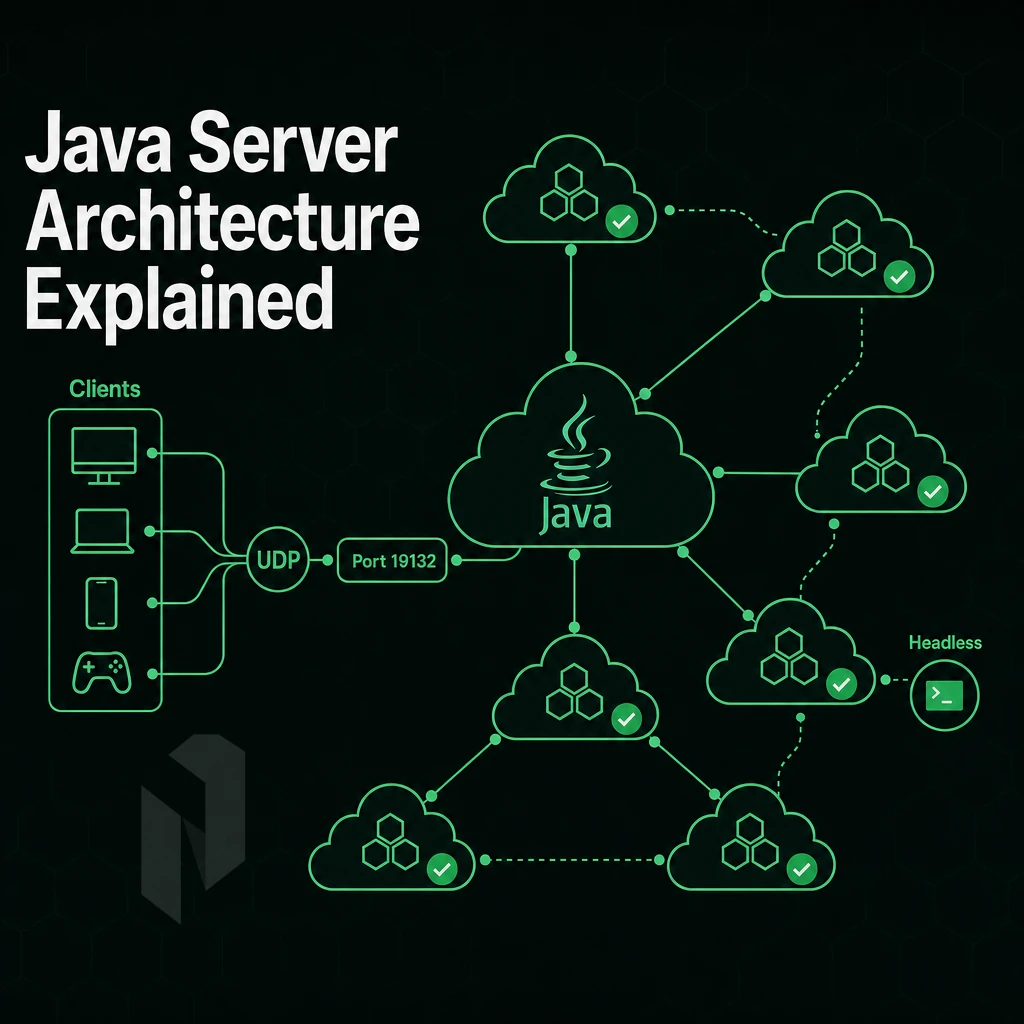
A Minecraft Bedrock Edition dedicated server is running in headless mode and communicates with bedrock clients in UDP mode. The default port for IPv4 connections is 19132 and for IPv6 connections 19133.
Note that Bedrock server software uses RakNet protocol, so classic TCP-based firewall rules won't help here. Administrators should verify that the designated port is not already in use by another service before launching the server binary. When troubleshooting connection issues, check the server console for any error message that indicates port conflicts or protocol mismatches.
One of the core features of Bedrock is cross-platform compatibility. That means console, mobile, and PC players can all play together on a dedicated server while all connected via one internet connection. Home users running the server software will need to set up port forwarding on their router to forward port UDP 19132 to their public IP address.
Running a minecraft bedrock edition server from home provides full administrative control but requires understanding your network topology and router capabilities. Players attempting to connect from external networks must ensure their client is using the correct public IP address and that no intermediate firewall is blocking UDP traffic.
In data center environments, those same ports will need to be opened up at the firewall level and then bound to the correct interface in the Bedrock server settings. Local area network play does not require port forwarding and players will automatically discover the server via broadcast.
Quick Java Edition Setup
- Get the official Bedrock Dedicated Server (BDS) binary for your desired platform from the Minecraft website.
- Extract the archive, then edit
server.properties, setserver-name,max-players, andgamemodebefore first launch. - Open UDP ports 19132 and 19133 in your firewall or security group rules.
- Start the server with
./bedrock_server(Linux) orbedrock_server.exe(Windows) and confirm the "Server started" log line. - You test the connectivity from a Bedrock client using your public IP or hostname.
Performance Tips for Operating Systems
Don't leave view-distance at the default of 32.
You can then download the server binary and start playing with it after you have set up an environment that meets these requirements. Before downloading, create an empty folder on your system where the server files will be extracted and organized for easy management.
Measure the route. Not the distance on a map.
Use the Netrouting Looking Glass to run a ping, traceroute or BGP lookup from our network, AS6206. Test the real path to your users before you shortlist a site.
Configuring Your Minecraft Bedrock Edition Server Software
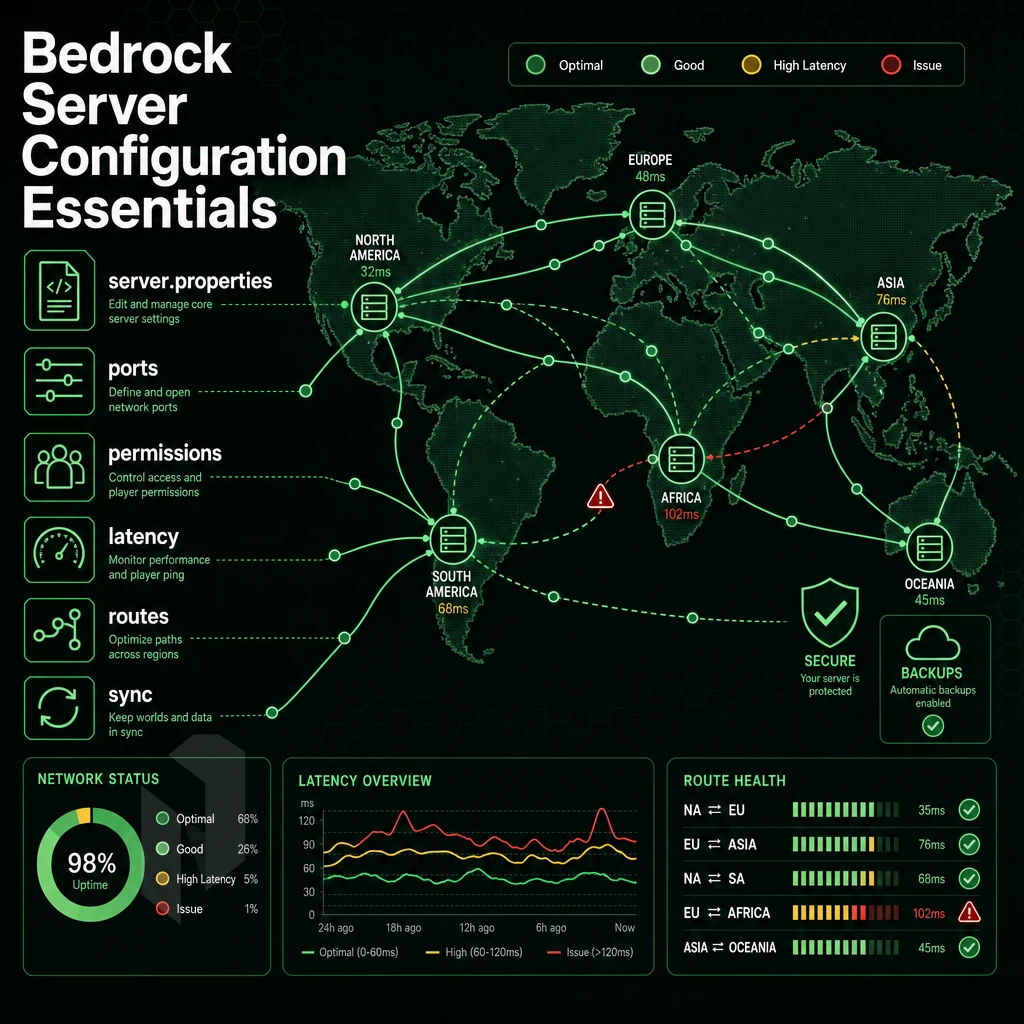
Getting your Minecraft Bedrock dedicated server running correctly depends on three things: a well-configured server.properties file, properly installed content packs, and a reliable startup process. Cover all three and the server runs itself. A reliable startup process ensures the server begins running automatically after system reboots, eliminating manual intervention and maintaining uptime for your player community.
Editing Minecraft Bedrock Server Properties
Open server.properties in the server root. The key settings to configure immediately are server-name, max-players, gamemode, difficulty, and level-seed. The level-seed value controls world generation, set it before the first launch, because changing it later requires a world reset. Each configuration value in this file is represented as a key-value pair, with the parameter name followed by an equals sign and the desired string or numeric value.
Set allow-cheats=false to disable commands for regular players and online-mode=true to enforce Xbox Live authentication, blocking unauthenticated clients from bedrock edition servers, including Nintendo Switch players, without a valid Microsoft account.
Adding Behavior Packs to Your Minecraft Bedrock Server
Download your chosen pack as a zip file and extract it. Place the extracted folder inside behavior_packs/ in the server directory. Then register it in world_behavior_packs.json with the pack's UUID and version from its manifest.json. Packs not registered there are silently ignored.
Resource packs follow the same pattern using the world_resource_packs.json file instead. If the extracted pack contains an empty folder or incomplete structure, the server will fail to load it and log a warning during startup. Check the server console or review the logs to confirm the pack loaded successfully without errors before allowing players to connect.
For now, stick to vanilla features, unregistered or mismatched content packs won't work correctly with the server software.
Allow-List, Operators, and Startup
Enable the allow-list by setting allow-list=true in server properties, then add players via allowlist add "PlayerName" in the console.
To run the server automatically on Linux, create a systemd unit file at /etc/systemd/system/bedrock.service. Set ExecStart to your startup script path, then enable it with the following command:
sudo systemctl enable --now bedrock.service
The server now starts on boot up and will restart it if it has crashed.
What's the Best Minecraft Bedrock Server Hosting?
For servers with more than a handful of players, go with a dedicated bare metal server for Bedrock.
Netrouting’s bare metal server s are provisioned within 60 minutes at 10 locations across Europe, North America and Asia. Their unmetered 10 Gbps connectivity, always-on DDoS protection, and 99.9% uptime SLA make them a very suitable hosting provider for any bedrock server or other game server needs.
Even a stable, well-configured server needs some maintenance. Here’s how updates can be handled without losing world data.
Updating Your Minecraft Bedrock Server to a New Version
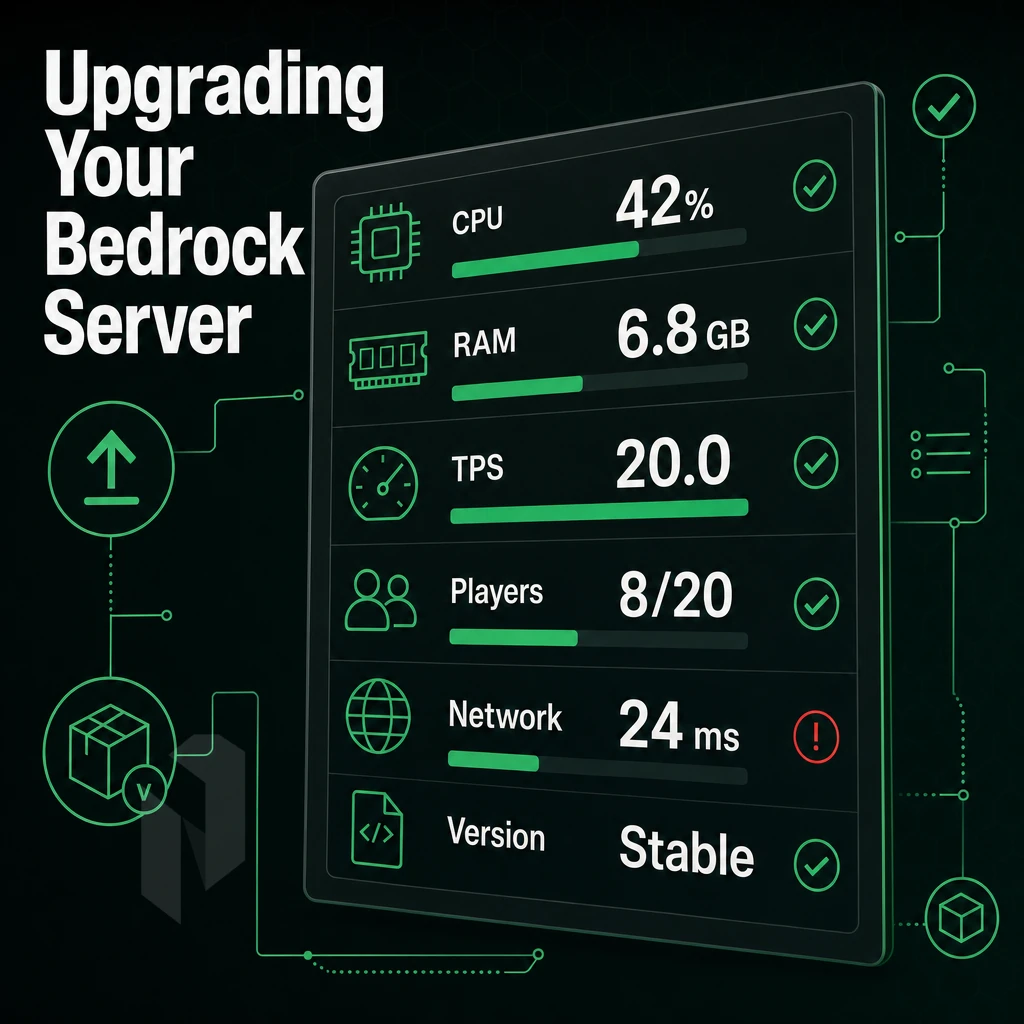
Upgrading your Minecraft Bedrock Dedicated Server to the latest version (stable or preview) is a relatively simple process.
Back Up Before You Update
Before touching any files, copy your entire server directory to a safe location. Pay close attention to the worlds folder, server.properties, and any permission files. This backup is your only recovery path if the update breaks something.
Before you upgrade, check your system requirements.
Downloading and Extracting the New Version
Download the latest release zip from the official Minecraft site. Extract it into an empty folder first, then copy the contents into your existing server directory, do not overwrite your worlds folder or server.properties. The folder name of your world data must stay identical after extraction.
The initial release of a major update will have rough edges. Test the update on an Ubuntu Linux staging server before making it available on the production server.
Stable vs. Preview Version Channel
Mojang publishes a preview version for each stable version of Minecraft that they release. Run the preview on a secondary test server instance.
These can automatically download, extract and restart the server for you after a new release has been published. Be sure to thoroughly vet any script before granting it root access to your server host.
While downloading the latest zip file for your bedrock server update is a key consideration, possibly the greatest impact to your organization will come from where you decide to run your server. The vast difference between running on a home PC and a dedicated hosted server.
Self-Hosted vs. Dedicated Minecraft Bedrock Server Hosting
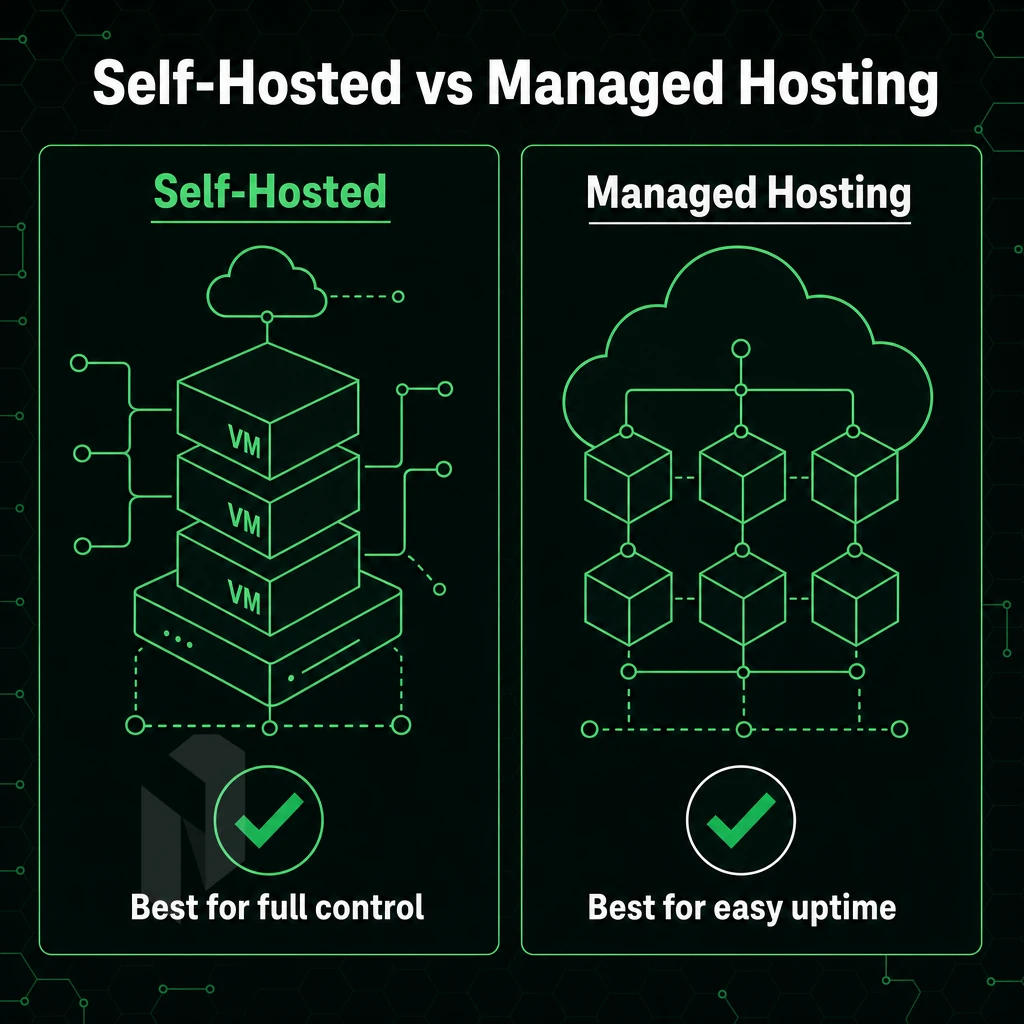
Minecraft on a home computer works well enough for a short, entirely private session, but does not persist, go online or compete well for long. Running a dedicated server on a separate machine solves all of these core problems.
Uptime, IP, and Bandwidth
Your minecraft server will go offline when your home PC goes to sleep, reboots for updates, loses power, etc. In contrast, a hosted Bedrock dedicated server will run automatically 24/7/365, no exceptions. A residential connection used to host a minecraft bedrock server also has the characteristic of having a dynamic IP address which changes with every ISP connect/disconnect cycle, meaning players will need to reconnect with a new IP address after every such cycle.
While most home connections have high download caps (10-20 Mbps), the upstream bandwidth needed to run server software is typically much lower. For Minecraft, each player consumes 1-5 Mbps of upstream bandwidth. In contrast, a dedicated server has an uplink to a datacenter with gigabit-class bandwidth to spare.
Security and Hardware
Home-based hosting of a Minecraft server leaves a user’s real IP address open to attack by every player that joins their world. A dedicated server, on the other hand, is hosted behind robust datacenter infrastructure that is continually protected from L3/L4 DDoS attacks, keeping the user’s home network completely hidden.
However, by running a Bedrock dedicated server on your gaming PC, the natural wear of your components will be accelerated. Instead, enterprise grade hardware and server software are utilized on a hosted server to sustain long periods of time.
When to Upgrade to Bedrock Dedicated Hosting
| Scenario | Home PC | Dedicated Server |
|---|---|---|
| 1-3 friends, casual | Adequate | Optional |
| 10+ players, persistent world | Unstable | Required |
| Community or competitive server | Not viable | Required |
| Windows automatic updates mid-session | Disrupts players | Controlled maintenance windows |
For serious Bedrock Edition servers (beyond casual play) you need guaranteed uptime, a static IP and clean upstream bandwidth. With our bare metal servers you can create the basis for your Minecraft community and scale as needed. We explain in more detail below why for a serious Bedrock Edition server this type of infrastructure is required.
Why Choose Netrouting for Your Minecraft Bedrock Dedicated Server
Running a serious Minecraft Bedrock dedicated server demands more than a shared VM. Your bedrock server software needs consistent CPU headroom, low-latency routing, and protection from the DDoS floods that target public game servers daily. Netrouting delivers all three on bare metal.
- Global low-latency reach. We operate bedrock dedicated server nodes across ten cities: Amsterdam, Rotterdam, The Hague, Frankfurt, Stockholm, and Bucharest for European players; Miami and New York for North America; Singapore and Hong Kong for Asia-Pacific. Bedrock clients connect to the region closest to them.
- Unmetered 10 Gbps bandwidth. Player-count spikes and terrain generation loads won't trigger surprise overage bills. Bandwidth is included.
- Bare metal provisioned in under 60 minutes. Latest-gen Intel Xeon and AMD EPYC hardware, no shared-resource contention, full CPU headroom for your Bedrock Edition server software.
- Always-on L3/L4 DDoS protection. Included on every server, no configuration required. Critical for any public-facing Minecraft Bedrock server.
- 24/7 NOC with a 1-hour ticket SLA. Support is available around the clock, not just during business hours.
If you're ready to move your Minecraft Bedrock Edition server onto infrastructure built for it, contact our sales team to discuss the right configuration for your player count and region.
Running a Minecraft Bedrock dedicated server gives you full control over your world, your rules, and your player experience. The setup process is straightforward: meet the system requirements, configure server.properties correctly, and keep the binary updated to stay in sync with connecting clients. Those three steps determine whether your java server runs smoothly or frustrates your players.
A bedrock edition servers host that struggles under load, slow disk I/O, insufficient RAM, or a congested residential connection kills the experience fast.
Netrouting's dedicated servers deploy in under 60 minutes, ship with unmetered 10 Gbps connectivity, and include always-on DDoS protection on every plan, exactly what a Minecraft Bedrock Edition server needs to stay online and responsive. Browse available configurations and get your Bedrock server running on hardware that won't hold you back.
Host the game close to the players.
Share the player regions, the expected player count and the game. We help you pick the hardware and the location.