Minecraft Bedrock Edition Bedrock Edition gaming platform dedicated server hosting on shared or low-end consumer-grade hardware is a gamble. As soon as you invite more than a handful of friends and players, lag, sudden server shutdowns, and resource conflicts are inevitable and kill the experience.
While moving to a dedicated host is a given at some point, the important question is what kind of hardware and infrastructure setup can handle the load without compromise. If you've been running on consumer hardware for awhile, you've likely experienced these frustrations firsthand and know it's time to upgrade.
the Minecraft platform sandbox game instance looks simple enough but can be very demanding on individual resources. A single busy chunk loader or redstone contraption can peg a single CPU core at 100% on the host while the rest of the server runs fine with dozens of players connected. This guide will go over the relevant hardware specs, the proper amounts of RAM and storage for your customers' player count and mod stack.
Blog contents
Additionally, Why bare-metal hosting will always outperform virtualized hosting for game servers. By the end of the guide you will have a solid framework for choosing the right server and configuring it to scale with your community.
What Is Minecraft Dedicated Server Hosting With a Plugin Installer?
Minecraft dedicated server hosting provides you with a physical server which has been provisioned for your game world, running 24/7 with no sharing of resources or compromises to performance. It is important to understand the differences between a Minecraft game voxel game hosting environment dedicated server and other types of servers including free servers and shared servers so that you can make the best decision for your hosting needs from the start.
Dedicated Servers vs. Shared Game Server Hosting
Running a free Minecraft environment block-building game world server on a platform like Aternos means that your world is running on a shared piece of infrastructure with dozens of other players. As a result, the CPU and RAM are shared between tenants, and there is a noisy-neighbour effect that is outside of your control.

Dedicated hardware means every core, every GB of RAM and every I/O operation is dedicated to your deployment. No fluctuation in tickrate, very fast chunk loading, and a world that stays online 24/7 without any plan to put it to sleep. This dedicated allocation ensures your players experience consistent, reliable performance even during peak activity hours when chunk generation and entity processing demands are highest.
Java vs. Bedrock Server Requirements and Automatic Backups
Java Edition is the standard for modded communities and technical servers. Java Edition requires more CPU power and benefits greatly from high single core clock speeds. Bedrock Edition is much lighter and cross platform, but still requires dedicated resources to scale.
Many of the hosting providers we review offer both IIS and Apache as options to choose from. However, when we start looking at the actual hardware required to host these configurations as Minecraft instance realm multiplayer platform server mods, plugins, and as the player count rises beyond 20 players, the hardware requirements will quickly diverge.
How Much RAM Do I Need for a Minecraft Server?
A vanilla Minecraft deployment instance game engine server with 10-20 players will require a minimum of 4 GB of RAM.
- Vanilla / lightly modded (up to 20 players): 4-6 GB.
- Heavy modpacks, 100+ mods (up to 30 players): 10-16 GB.
- Large communities or multiple game servers: 32 GB or more.
We at Netrouting host bare metal servers in many different configurations, from the basic entry servers up to very large servers with up to 2 TB RAM. Each physical machine we provision is designed to host demanding applications with full resource isolation and no virtualization overhead.
Shared Hosting vs Dedicated Servers for Minecraft: Which Is Best?
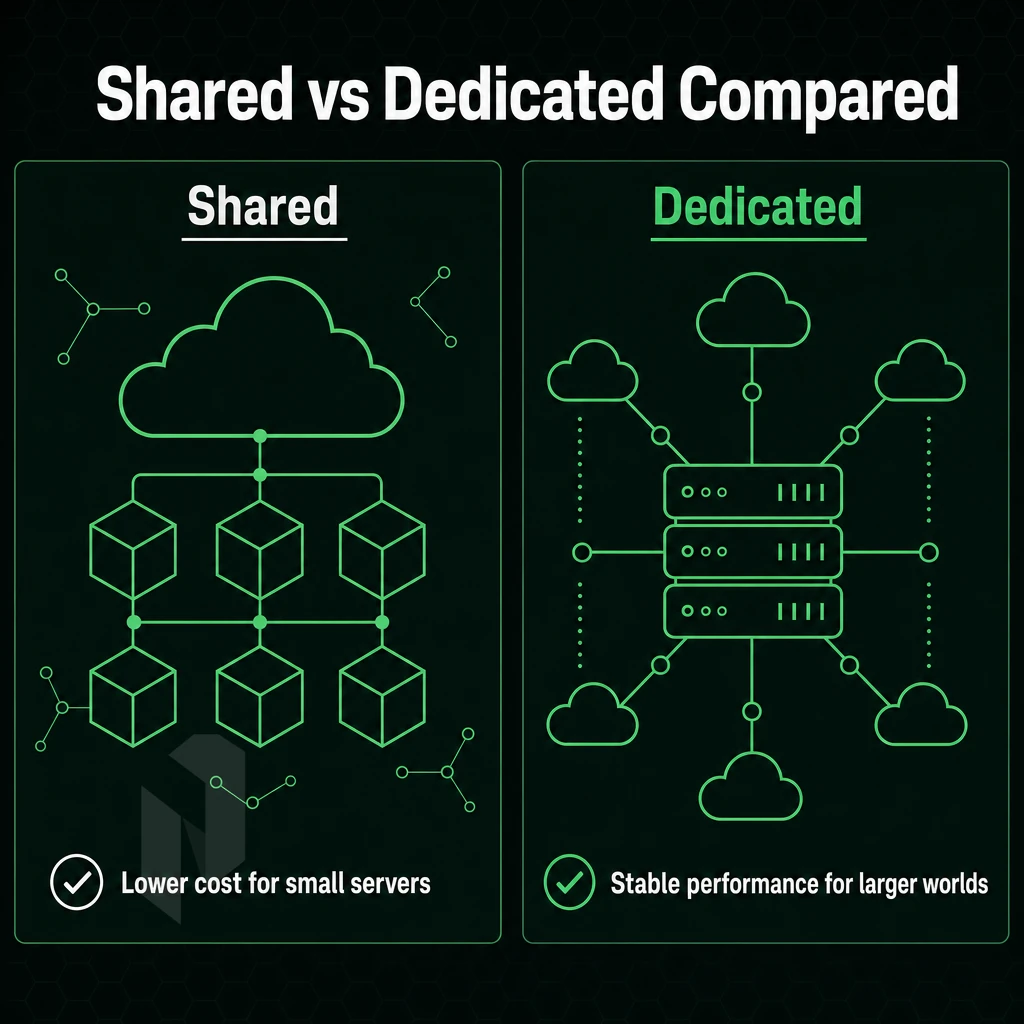
The Minecraft sandbox game instance game service server hosting tier that you choose to go with will be able to change just about every detail of your Minecraft instance environment multiplayer environment experience. It can change the tick rate, how stable your modifications are, and even how many total players can connect to your server at once.
Thus, small personal Minecraft gameplay game environment game deployment servers built to host 1-5 players will need vastly different setups than larger Minecraft hosting platform gaming environment servers designed for bigger communities of players.
Host Performance Under Load
Minecraft setup gaming platform game platform is largely single-threaded for chunk processing (even if it has many cores, clock speed matters more). Shared game server plans (e.g. reseller hosting) are limited to 2-4 GB of RAM per “server instance” (and share the same CPU for all tenants), resulting in lag spikes under load. A dedicated bare metal server gives you the full power of the processor, no neighbors to compete with, no artificial throttling.
Many other hosts advertise “unlimited slots” on their shared servers. However, the number of slots on a shared server is largely meaningless when CPU contention at high player counts causes the tick rate to drop, even on premium hardware, below 40 ticks per second. In reality, the only way to achieve stable performance at high player counts is with a dedicated server.
Providers offering unlimited slots often fail to disclose that their infrastructure cannot sustain the advertised capacity once concurrent players begin generating chunk updates and entity calculations. Players who have experienced consistent tick rates and responsive gameplay are far more likely to remain engaged and satisfied with their experience.
What Is the Difference Between a Dedicated Minecraft Server and a VPS?
A VPS is a part of a shared server with virtualized resources (e.g. CPU time, RAM) that are allocated to you, but are never 100% your own. A Dedicated Server on the other hand is a physical machine, with all cores and all RAM completely at your disposal. For heavy modpacks with large files and big communities, this can be the difference between a playable game and an unplayable one.
Java Edition: Shared Plan or Bare Metal?
Java client servers with plugins or larger modpacks can be hungry for memory to ensure stable operation. For small shared servers for a group of friends playing vanilla or lightly modded Minecraft installation application multiplayer game Shared Hosting plans are suitable.
However, once the player count goes up, or the modpack files require 8 GB of RAM or more, the only viable solution are. dedicated servers on bare metal.
| Dimension | Shared / VPS | Dedicated (Bare Metal) |
|---|---|---|
| RAM allocation | 2-4 GB shared | Up to 2 TB dedicated |
| CPU access | Shared, throttled | Full physical cores |
| Player capacity | Up to ~40 stable | 100+ stable |
| Mod support | Limited by RAM cap | Full, any modpack |
| Control | Game panel only | Full root + custom config |
After deciding on a dedicated infrastructure setup for your game server hosting, you will have to decide on a server configuration that fits your community best. Player count, the amount of add-ons you wish to run, and where your players are from around the environment all play a big role in choosing a server configuration. Your choice should align with your budget, as different configurations come at varying price points depending on the hardware specifications you select. Understanding how to configure your hardware allocation properly from the start will save you time and prevent costly migrations later.
When planning your infrastructure, you should expect initial setup time to vary based on complexity, typically ranging from a few hours for basic configurations to a full day for advanced custom deployments. Learning to navigate the control panel interface efficiently will help you make adjustments quickly as your player base grows. Taking the time to plan and create a detailed deployment checklist before launch will streamline your initial configuration and reduce troubleshooting later. Your choice should align with your budget, as different configurations come at varying price points depending on the hardware specifications you select for purchase.
How to Choose the Best Minecraft Server Hosting for Your Community
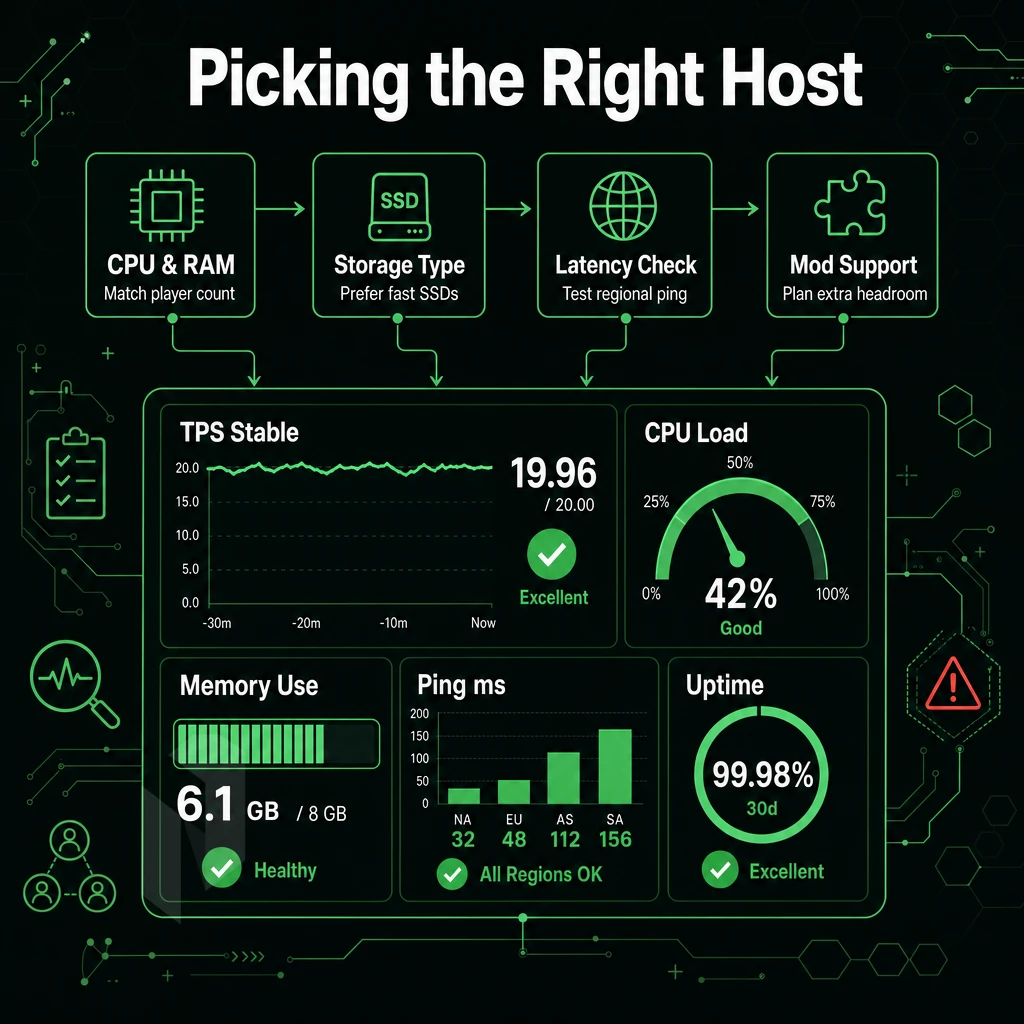
There are five key practical considerations that determine the correct Minecraft configuration workload game application server hosting package for you.
Preparation: Know Your Host Requirements
- Determine your server’s player count and required RAM. A vanilla server can support 1 to 20 players with 2 to 4 GB of RAM. Modpacks such as All the extensions or SkyFactory 3 require 8 to 16 GB of RAM. Be sure to lock down a number before looking at hosting plans.
- Plot out your server locations against your player base. Latency above 80ms is generally considered to ruin the game for most people. So pick a datacenter closest to where the majority of your users are, rather than the cheapest location to host.
- When selecting public servers for your applications, assess your DDoS protection needs. Public servers are particularly prone to volumetric attacks. Make sure that your chosen protection always is on at the infrastructure level and is not offered as an optional add-on.
Note: A free server is fine for solo testing. It is never suitable for a live community, resources are shared, uptime is unpredictable, and support is minimal.
Evaluation: Plugin Installer Features That Matter
- Check the control panel for one-click restarts, console access, and file management without SSH access. A clean administration interface can save hours of administration time.
- Also verify that backups are enabled automatically. We are currently taking Daily Snapshots with 30 days of retention. This would help to recover from a ‘realm corruption’ scenario or from ‘griefing’ incidents.
- Test the support team before you buy. Test them out by sending them a pre-sales question. See how long it takes them to respond and the level of technical expertise that they have to assist you with your question and find out what your post-sales experience is going to be like.
Can I Run Mods and Plugins on a Dedicated Minecraft Server?
Yes, and a dedicated server would be the best environment to host a Minecraft service process gaming instance server for modding, as you can get it set up reliably. As you have full root access to install any server JAR (e.g. Forge, Fabric, Paper, Purpur or Spigot) on a dedicated server. By contrast, Shared and VPS web server accounts have upload restrictions for JARs and fixed RAM which will not be enough for most of the modpacks.
Files can be uploaded, modified, or deleted through FTP or SSH depending on your provider's control panel capabilities. With full administrative privileges, you can create custom startup scripts, automate backups, and tailor every aspect of the environment to your exact specifications. Many experienced administrators choose to host multiple isolated instances on the same dedicated machine, partitioning resources to run development and production environments side by side.
Hosting Tier Comparison by Control Panel
| Criteria | Free | Shared | VPS | Dedicated |
|---|---|---|---|---|
| Player capacity | 1-5 | 5-20 | 20-60 | 60-500+ |
| Mod / plugin support | Limited | Partial | Good | Full |
| Uptime reliability | Low | Medium | High | Highest |
| Upgrade path | None | Limited | Moderate | Full |
| DDoS mitigation | None | Basic | Varies | Always-on |
Netrouting dedicated servers come with unmetered 10 Gbps, L3/L4 DDoS protection and 99.9% uptime SLA, all designed and optimized for communities that are growing and need stable and scalable servers. Knowing the right server tier for your application is only half the story, the other half is making sure you get the right hardware spec through your control panel. The company's infrastructure is built on enterprise-grade hardware with redundant power and cooling systems to ensure maximum uptime for your community. The platform also includes real-time monitoring tools that allow administrators to track performance metrics and respond quickly to any issues or unusual activity patterns during peak usage periods or special events.
Their support team is responsive and helpful when troubleshooting configuration issues or answering technical questions about your deployment. Administrators can review detailed logs and post performance reports directly from the dashboard to identify bottlenecks or plan capacity upgrades. Customers can review available plans and complete their purchase through a streamlined checkout process that includes instant provisioning for most configurations. This combination of features ensures your hosting environment remains reliable even during unexpected traffic spikes or coordinated attacks. Customers consistently report being satisfied with the reliability and transparency of the service level agreements offered. Choosing the right provider to host your infrastructure ensures you have the technical foundation needed for long-term growth and player retention.
Server Locations for European and North American Minecraft Players
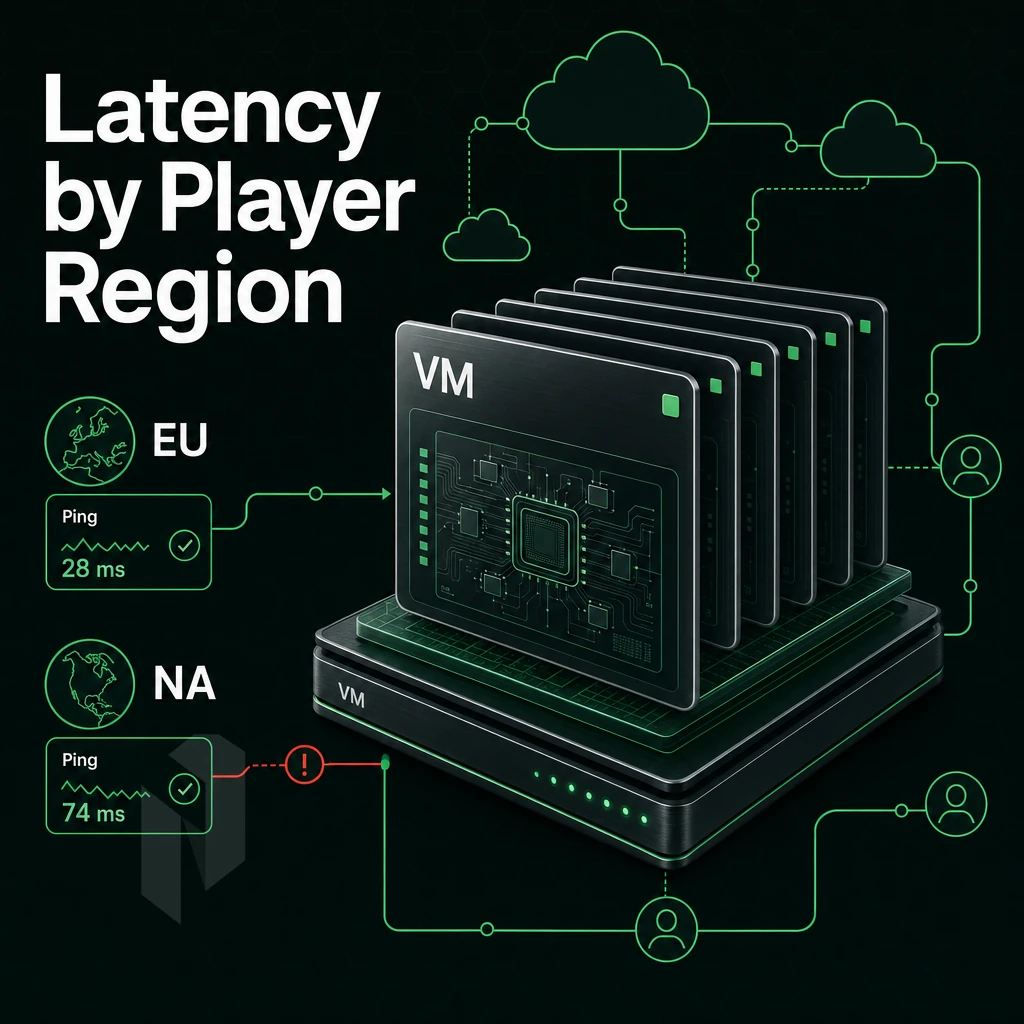
Server location is by far the largest factor in Minecraft workload setup game hosting server performance. High ping causes problems like rubber-banding, combat desync, and slow chunk loading. Keeping your server near your players will generally keep latency under 30ms, at which point the game starts to feel less responsive. For more context, see Minecraft server.
Which Server Location Is Best for Minecraft Players in Europe?
It depends on where your community is.
- Amsterdam, Best PoP in Western Europe. The Amsterdam Peering Point benefits from very dense interconnection on AMS-IX, allowing for low number of hops to UK, Belgium and Netherlands.
- Frankfurt is the hub for Central and Eastern Europe. DE-CIX provides you with best peering conditions for Germany, Austria and Switzerland.
- Stockholm, The Right Location for Nordic Players. Low Latency to All Other Locations in Scandinavia Thanks to NetNod Peering.
- Bucharest is a hub connecting Eastern Europe and the Balkans with low-latency presence throughout the region.
Do a quick ping test from your players locations prior to setting up your server.
North American Locations With Control Panel Access
Miami serves the US South and Latin America, with direct FL-IX peering and entry to several submarine cables.
Why Carrier-Neutral Peering Matters for Your Host
Our facilities are carrier-neutral. This means traffic can be spread across multiple upstream paths and is not tied to a single host ISP, reducing the number of hops, latency and points of congestion. Choosing a carrier-neutral facility allows you to host your infrastructure with maximum routing flexibility and redundancy across multiple providers.
Our premium bare metal servers have just the right amount of RAM and CPU power to run modpacks and handle large player counts without the problems that come with upload bottlenecks. Picking a location and deploying a server in less than 60 minutes to keep your users playing lag-free is our main goal.
Low latency is great for a server, but it also makes your server a great target for attacks. So, after we established that low latency is key to running a great server, we moved on to the next step: securing your server against attacks.
DDoS Protection and Security for Minecraft Game Servers
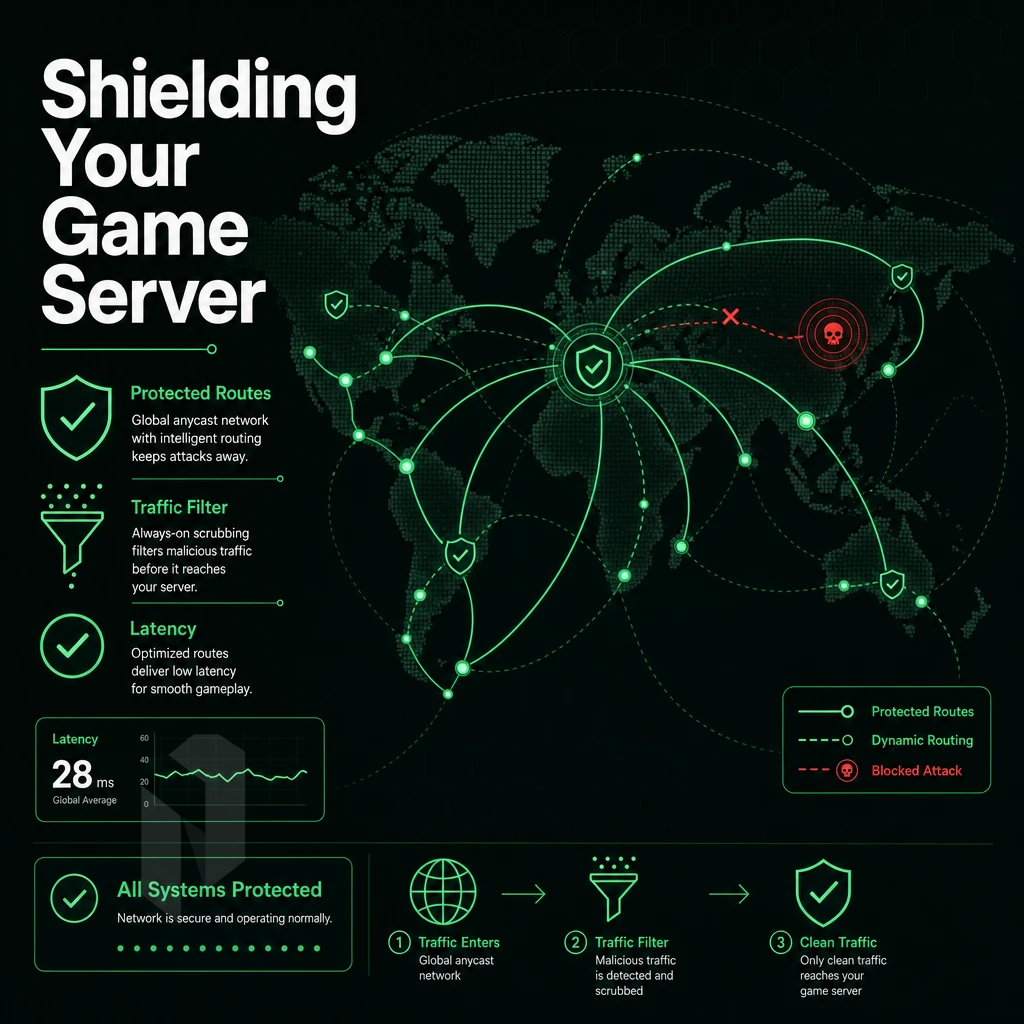
Minecraft process installation game runtime servers are valuable DDoS targets. Public IP addresses, active and competitive communities, and the griefing culture within them make volumetric attacks a normal part of life for anyone who chooses to host a server, and therefore a genuine operational risk.
Why Always-On Mitigation Beats Reactive Scrubbing
Reactive scrubbing introduces detection latency of 30 to 90 seconds, by which time even premium host victims have already disconnected and the lost sessions have expired. Always-on mitigation, on the other hand, is designed to manage all traffic inline from the first packet, keeping servers ready for when the attack does peak.
All services at Netrouting are equipped with always-on L3/L4 DDoS protection. High risk customers can optionally add L7 filtering, very detailed custom rules, and an increased amount of free traffic scrubbing per host for critical services.
How Many Players Can a Dedicated Minecraft Server Support?
The number of players that a server can handle is largely dependent on the host server’s CPU clock speed and amount of RAM. A simple 2-core instance running at 3 GHz with 4 GB RAM can handle around 20-40 players on a vanilla server.
Most modded packs require more oomph, including 8 GB RAM and 4+ cores, for around 50-100 players. A Dedicated bare metal host can handle many more players, achieving consistent sub-20 ms tick rates for 200+ players on an uncongested host connectivity layer.
Best Minecraft Deployment: IP Portability and Expert Support
BYOIP and BGP support for operators with large or multiple servers is very useful. The operators can bring their own IP address space to GameLift, and that IP address space will move with them when they switch host providers, without having to change the IP address that end users reconnect to.
The 24/7 NOC and 1hr ticket guarantee then ensures that the operator is free from having to deal with any outages resulting from the change in conditions.
| Protection Layer | Coverage | Best For |
|---|---|---|
| Always-on L3/L4 | Volumetric floods, UDP amplification, SYN floods, 1 Tbps+ capacity | All deployments; included by default |
| Advanced L7 | Application-layer attacks, custom policy filtering, higher scrubbing throughput | High-risk or mission-critical servers |
| BYOIP + BGP | Portable address space, provider-independent routing | Multi-server operators and network-aware admins |
After securing your infrastructure at the interconnect level, you are free to tackle the software stack of your operation: deploying mod frameworks, managing server processes and running your site smoothly on a day to day basis.
Why Choose Netrouting for Minecraft Dedicated Server Hosting
Minecraft dedicated instance node game load server operators who have outgrown shared game server hosting need bare metal they can trust. Our dedicated servers are provisioned in under 60 minutes, no waiting, no queue. Unmetered 10 Gbps bandwidth and always-on DDoS mitigation are included on every plan, so your server hosting stays stable under attack or traffic spikes.
- Unmatched performance. Dedicated CPU and RAM mean no noisy neighbours. Your Minecraft host gaming workload server gets the full hardware allocation, critical for modded worlds and large communities.
- Global data center locations. We operate across Europe (Amsterdam, Frankfurt, The Hague), North America (Miami, New York), and Asia-Pacific (Hong Kong, Singapore), low latency wherever your players connect from.
- Always-on attack mitigation. L3/L4 mitigation is included free on every service. No upgrade required, no extra ticket to raise.
- Expert support, 24/7. Our support team guarantees a one-hour ticket response around the clock. Real engineers, not scripted replies.
- Scale without surprises. Custom configurations and multi-server topology deployments are available on request, upgrade your plan as your community grows.
Explore our game server hosting solutions or contact sales to compare configurations for your Minecraft game host game demand dedicated server hosting needs.
The Key Advantages of Dedicated Hosting for Minecraft Networks
Minecraft backend multiplayer traffic servers hosted on bare-metal servers can perform without limits. Unlike many gaming servers hosted on shared servers, here your server will have full use of the server’s CPU, memory and bandwidth. As your dedicated host, there is no noise from neighboring servers, no arbitrary limits on the number of slots, or other restrictions on plugins that you can safely load. Your server can handle high loads of play without stutter and provide your community with the space they need to grow.
When your player count goes up, it's an easy transition through the panel to the next tier of pricing without having to move worlds or switch mod packages. The ability to have volumetric attack protection on at all times, a fixed cost per month and root level permissions to the server makes dedicated server hosting the ideal solution for serious Minecraft stack game pipeline servers. If shared hosting is holding your community back then it’s time to move to dedicated hosting.
Dedicated server hosting is the only option for Minecraft tech stack gaming player base server owners who have grown out of shared server hosting. The most important aspects of the server’s hardware (such as the speed of the CPU.
The amount of RAM and fast NVMe storage) all affect the game’s performance and how smooth it is for the players. Furthermore, the location of the host server is also crucial, as a server with a node near to the player base will have a low ping and thus a good gaming experience.
Netrouting serves customers with bare metal infrastructure across ten locations in Europe, North America, and Asia-Pacific, with unmetered 10 Gbps connectivity, always-on distributed denial-of-service mitigation, and provisioning in under 60 minutes. If you're ready to move your Minecraft runtime multiplayer data plane user base onto hardware built for it, explore Netrouting's dedicated server options or contact the sales team to spec a configuration around your player count and mod load.