

Running an ARK server executable on shared or underpowered hardware can turn what would normally be a survival game into a survival exercise for your patience.
ARK: Survival Evolved (and Ascended) is a CPU intensive game, single-threaded at its core and very RAM hungry as the number of tribes and tamed creatures increases. What feels acceptable in terms of hardware requirements at launch quickly becomes a bottleneck within weeks.
In this guide we cover the performance factors for ARK Survival Evolved servers, the correct server hardware for your player count and the mods you are running, and the network characteristics of latency, bandwidth and DDoS resistance.
Blog contents
If you are running a small private ark survival evolved server for your tribe or a multi map public network then the choices you make when provisioning your server will decide whether it becomes a hub for your community or a source of stress and complaints. First we cover the basics of what a dedicated ARK server is and how it differs from the alternatives.
For a complete overview, explore our ark dedicated server guide.
What Is a Dedicated ARK Server and ARK Server Manager?
An dedicated ARK instance is a persistent game server. Unlike other servers where all of the compute resources are being used to host multiple instances of a game. An ARK server instance is a single instance of the game: your world, your rules, your players. A dedicated server runs 24/7, independent of any player’s client machine and all of the server data for the game is stored on the hardware that you own.

Multiple Dedicated Servers vs. Official vs. Non-Dedicated
Official servers (run by the game developer) are shared by strangers, are governed by rules you cannot change, with no command line access to tweak them, making any workaround only a temporary solution, and only contain settings and/or mods approved by the game developer.
Non-dedicated servers are tied to the machine of the player who hosts the game world. When the host exits the game, all players are disconnected. Many players begin their ARK experience on unofficial servers, which offer a middle ground between official restrictions and the full control of a private dedicated instance.
A private dedicated server setup removes these limitations altogether. You can set up a server with your preferred server settings (such as XP rates, taming, world speed, number of player slots per login, etc.), manage scheduled updates server files, and the world will keep on going 24/7 without you having to log back in.
Also, you can have the mod load order set as you prefer as well. Administrators can also configure advanced server options such as PvP timers, structure decay intervals, and resource respawn periods to tailor the experience for their community.
What You Actually Control
Full admin access allows you to change the active map, whitelist players, upload mods and even revert to a previous save if needed. Most panels provide a simple user interface allowing you to change the server version at your own leisure rather than waiting for the developer to push a forced update. Also standard for any admin is a tool that monitors your server 24/7 and automatically restarts the process when it goes down.
ARK: Survival Evolved and its successor support this model. Some common admin tasks are troubleshooting for server that lose characters after updates. Typically this is a save-path mismatch which can be fixed in the GameUserSettings.ini. Configuration parameters are stored in ini files located in the ShooterGame/Saved/Config directory, where administrators can adjust spawn rates, harvest multipliers, and other gameplay variables. Most command-line parameters and INI directives follow the same basic syntax across both game versions, making migration between them relatively painless for experienced administrators.
Dedicated Server for ARK: Self-Hosted vs. Bare Metal
Running your own ARK server from a home PC works for small groups but comes with problems such as latency, port forwarding complexity, high power consumption, and the risk of downtime. Renting bare metal servers from a service provider such as Netrouting removes these problems. You get to use fixed amounts of CPU, RAM and bandwidth without your usage being shared with anyone else.
I would expect the process of migrating an existing ark survival evolved server deployment to be a straightforward process of copying a save folder for the existing server deployment and then updating the launch parameters for the bare metal servers.
With Netrouting’s ability to provision bare metal servers within 60 minutes, the downtime for such a process would be a minimum. Ensure that both the save directory and the configuration INI files are copied to the same folder structure on the new host to preserve all gameplay data and custom settings.
How Much Does ARK Survival Evolved Dedicated Server Cost to Run?
Renting bare metal has a predictable monthly cost.
To make an informed decision it is first important to realize just how big of a difference there actually is between a dedicated server instance, with its own server files, and non-dedicated game modes. For most players the difference is greater than they expect.

Hardware and Server Software Requirements for an ARK Dedicated Server
- CPU: Quad-core x86-64, 3.0 GHz or faster.
- RAM: 16 GB minimum (24 GB recommended for modded maps).
- Storage: 60 GB SSD (NVMe preferred).
- Bandwidth: 10 Mbps upload per 20 concurrent players.
Dedicated Server Architecture Overview
ARK servers are typically set up as individual server instances. Each server instance is a separate process running on a server. It listens on two UDP ports: one for game traffic (default port: 7777) and another for Steam queries (default port: 27015). Players connect directly to the game port and the port for Steam queries is used for server listings in the server browser.
Many community platforms and ark server lists rely on the Steam query port to display real-time player counts and map information for prospective players. When hosting multiple instances on the same machine, each must bind to completely different ports to avoid conflicts and ensure proper routing of game traffic and query responses. On Linux hosts, administrators may configure these bindings using direct iptables commands to enforce strict port isolation and prevent unauthorized traffic from reaching game instances.
On Windows hosts, opening the required ports typically involves navigating to Windows Defender Firewall with Advanced Security, selecting New Rule from the Actions pane, and following the prompts once the inbound rule wizard opens. The new inbound rule wizard guides administrators through specifying protocol type, port numbers, and scope to ensure game traffic reaches the correct instance.
Official documentation and community wikis often include references external links to third-party tools that parse query responses and display detailed server statistics for administrators. The game port is where the server listens for all incoming player connections and handles real-time gameplay packets. Administrators must also configure specific local ports for RCON access if they plan to use remote administration tools or third-party management panels.
This syntax can be used to host many ARK servers off of a single host. Each instance must be assigned unique port numbers and distinct save paths to prevent data corruption when running on the same host.
Quick Setup to Play ARK Survival Evolved
- Installing SteamCMD and downloading the ARK Survival Evolved Dedicated Server app (App ID 376030).
- Launch parameters for GeoGebra can be configured in the startup script (e.g..bat file for Windows) including the map name, session name, admin password and port flags.
- Open up the firewall to allow in UDP traffic on ports 7777, 27015; and 27020 for cluster travel.
- Edit server profiles via
GameUserSettings.iniandGame.inifor rates, taming multipliers, and player limits. - Use a simple User Interface (UI) (e.g. RCON or a web panel) to perform a restart or to issue admin commands (instead of using SSH).
Performance Tip That Tracks Server Status
ARK is single-threaded for game logic. Therefore it is best to pin the game process to the core that has the highest clock speed. Running multiple ARK servers on the same Windows server core set can cause them to fight for resources and trigger rubber-banding under high load.
Once the hardware requirements have been outlined, install the required server software correctly and open Task Scheduler to automate restarts and maintenance tasks. Otherwise, even small mistakes on the server can cause hidden performance problems that are hard to track down afterwards. Creating a bat batch file to launch the server with consistent parameters ensures that every restart applies the correct flags and paths without manual intervention.
Installing and Configuring Your Own Server for ARK
- CPU: Quad-core 3.0 GHz+ (Intel Xeon or AMD EPYC recommended).
- RAM: 8 GB minimum; 16 GB for modded or high-population maps.
- Storage: 20 GB SSD for base install; 60 GB+ with mods and world saves.
- Bandwidth: 10 Mbps upload per 20 concurrent players.
Architecture Overview With Port Forwarding
The ARK server binary is a single process per map. All players connect to the server over UDP.
- 7777 UDP, game traffic.
- 27015 UDP, Steam query.
- 32330 TCP, RCON (optional).
Each map instance is isolated. To enable Cluster play, link the instances via a shared directory (i.e. point all the nodes at the same cluster folder). For more context, see List of TCP and UDP port numbers.
Quick Operating System Setup
- It's a good idea to create a service account for this. As mentioned above, the user and group for the service will be set. It's a good idea to run your server under a non-root user, giving the user write permissions to the install directory and save directory only. With User Account Control (UAC), even a compromised process will not be able to write to the OS.
- Install SteamCMD and pull the server binary. The game server process lands in
ShooterGame/Binaries/Linux/(orWin64on Windows). - This also includes setting up the launch script. This Is a batch file (on Windows) or a shell script (on Linux) that contains the dedicated server’s startup options (such as map, port, max players and cluster ID) as command-line arguments to the executable.
- Seed existing configuration files. Copy
GameUserSettings.iniandGame.iniintoShooterGame/Saved/Config/before first launch. The server won't generate sane defaults on its own. - Enable automatic startup on Windows. Registering the batch file as a Windows service or a scheduled task will ensure that the program starts up automatically after a reboot without having to manually start it.
Performance Tip
The single most common mistake: launching without -useallavailablecores. ARK defaults to two threads. On a modern multi-core host, omitting this flag wastes 60-70% of available CPU capacity and causes tick-rate degradation under load. When you do include this flag, the server will apply all the same arguments to its threading model that the client uses for parallel processing.
A correctly configured server is only half the job.
Automating Updates, Backups, and Startup
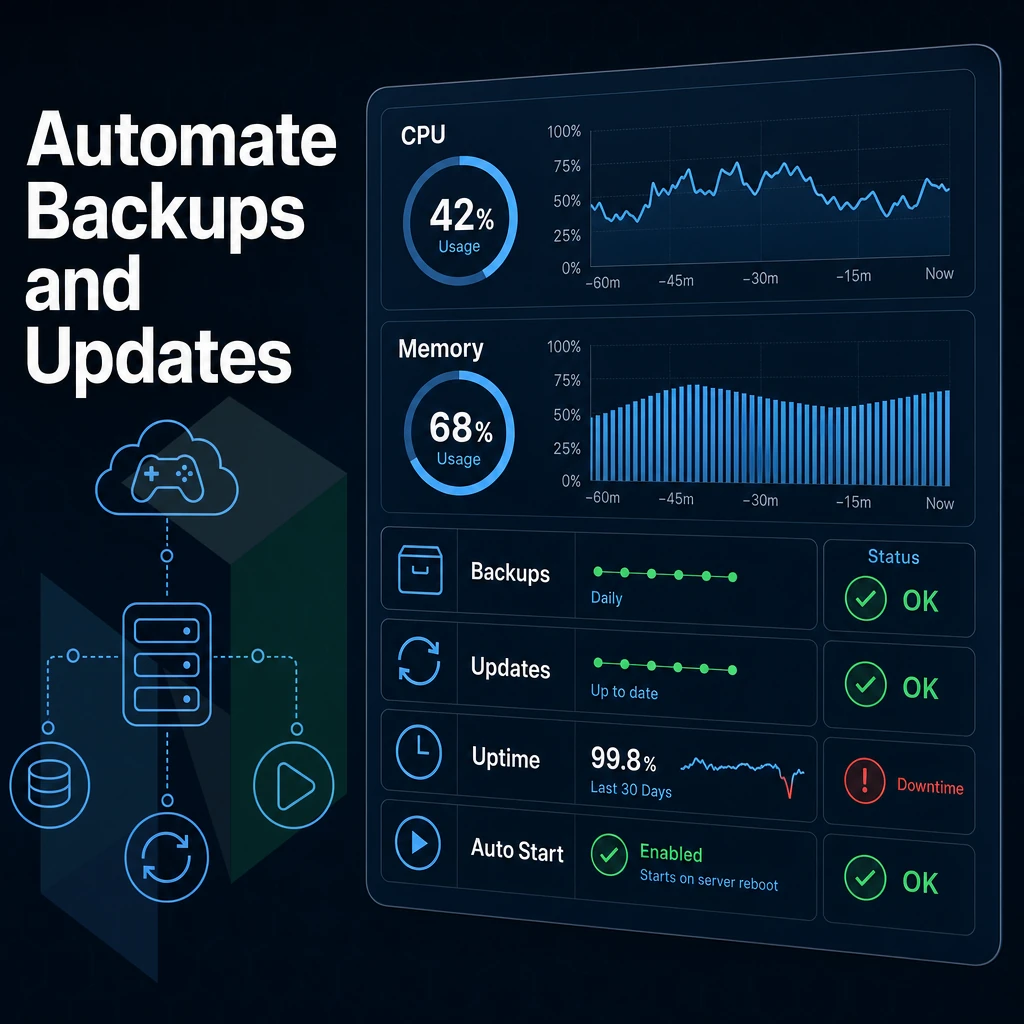
To prevent your private ARK server from experiencing lost progress and stale binaries, three key automation tasks, including automatic startup windows, can be put into place.
Scheduled Updates and Automatic Startup Windows
We use SteamCMD in a batch file to update server files on a nightly basis. We then open up Task Scheduler on Windows and select the Basic Task Wizard. We then point it at our batch file and set the trigger for the low-traffic hour of 04:00.
On Linux, a systemd startup file handles both launch-on-boot and restart-on-crash. Set Restart=on-failure in the service unit. The server comes back automatically after a reboot or unexpected exit, with no manual intervention needed for port forwarding or other settings on Windows server equivalents.
Backup Strategy
Server crashes can wipe unsaved progress entirely. ARK stores world state in /ShooterGame/Saved/. Configure the engine to automatically save world data every 15 minutes using AutoSavePeriodMinutes=15 in GameUserSettings.ini.
Keep at least 48 hourly backups in your desired backup location to cover for corruption, unintended rollbacks, as well as troubleshooting server configuration issues that break the map.
Restoring From a Backup
Stop the server process first. Replace the Saved/ directory with your chosen snapshot. Restart the service, ARK will load server profiles and world state from the restored files automatically.
Once the updates and the backups have been sorted out, there is really only one major operational concern left: Network access, i.e. connecting the players and the administrators in a reliable way.

Network Configuration Files and Remote Access
network setup on your server affects whether players can connect to your ARK server. Three ports need to be open in your OS firewall and in any upstream network devices, including the game port (UDP 7777) and the port used for remote console server access. The query port (set to UDP 27015 in server settings). Additionally, The RCON port (set to TCP 27020 in server settings).
Opening Firewall Ports
This would create three different inbound rules for the three different ports as UDP or TCP as necessary.
iptables -A INPUT -p udp --dport 7777 -j ACCEPT.iptables -A INPUT -p udp --dport 27015 -j ACCEPT.iptables -A INPUT -p tcp --dport 27020 -j ACCEPT.
Your server will bind to these local ports.
Remote Access to Your Own Server Console
Here you can kick players, change settings and execute any admin command from the console.
Administrator and Superuser Access
For remote superuser access over SSH, restrict login to key-based authentication and disable root login directly. To gain administrator access inside ARK itself, pass -ServerAdminPassword via command line arguments automatically applied at startup. Use a strong, unique password, RCON and in-game admin share the same credential.
With bare-metal infrastructure like our dedicated servers at Netrouting you have full control over the network stack. This means you can set up firewall rules, BGP routes and expose ports as you see fit. No restrictions due to shared hosting tenancies here.
Running your own ARK Survival Evolved server with full stack control raises deeper questions about ARK's underlying infrastructure and why Cloud VMs aren't enough to meet its specific demands.
Why Bare Metal Outperforms Cloud VMs for ARK Survival Evolved Hosting
ARK: Survival Evolved’s world simulation is very CPU and RAM intensive and a shared or virtualized environment causes noisy-neighbor contention which can kill a survival evolved server mid-raid. Bare metal hosting solves this for you by giving your server instance full clock access, dedicated RAM and fixed I/O regardless of load.
At Netrouting we build dedicated server hardware to specifically meet the needs of our server owners.
- Enterprise hardware: Intel Xeon and AMD EPYC processors, up to 1 TB RAM, enough headroom for multiple ARK servers on one machine.
- Unmetered 10 Gbps connectivity: No throttling when your game server fills with players.
- DDoS protection included: Standard on every dedicated server, so server crashes from volumetric attacks stay off your incident list.
- Global data centers: Amsterdam, Frankfurt, The Hague, Stockholm, Bucharest, Miami, and Hong Kong, low-latency coverage for EU and NA player bases.
- 24/7 NOC + 1-hour ticket guarantee: Fast resolution when your own dedicated server needs attention at 3 AM.
Get your ARK hosting server up and running in under 60 minutes with our rapid deployment.
Running an dedicated game server gives you full control over a server running as you like. With a dedicated server as opposed to a shared or non-dedicated server you have control over the rules for your server. The mods that are installed on your server, the performance of your server and when it is online (uptime).
The hardware requirements for an ARK Survival Evolved server are very real, and if you don't provide a server with the correct amount of CPU and RAM then the server is likely to suffer from a lack of performance.
On a dedicated server most of the work can be automated, such as updating your server on a regular basis.
The limiting factor for most self-hosted setups is the underlying hardware. Consumer machines overheat, ISP connections bottleneck, and power outages wipe unsaved progress. A bare metal dedicated server eliminates all three. Netrouting's dedicated servers ship with enterprise-grade Intel Xeon and AMD EPYC hardware, unmetered 10 Gbps connectivity, and DDoS protection included as standard, with full control over the dedicated server's startup options, user and group settings, all provisioned in under 60 minutes. Browse available configurations and get your ARK server online today.