When your workload requires constant CPU cycles, guaranteed RAM, and complete control of the software stack, dedicated servers are no longer a luxury, they're a necessity.
This guide explains how dedicated servers work and compares them to shared and cloud hosting. It also outlines the performance and security trade-offs of using dedicated servers and explains what to look for when evaluating dedicated server hardware, network capacity, and support. High-traffic online stores benefit significantly from dedicated infrastructure, where checkout flows and inventory queries execute without resource contention from neighboring tenants.
Alternatively, for any other website or application, the way you configure your dedicated web hosting servers and infrastructure to support it can have a huge impact on your site's uptime and performance, as well as on your own and your co-workers' productivity. Getting the fundamentals right makes the rest of your stack much easier to manage.
Blog contents
What Are Dedicated Servers for Web Hosting?
A dedicated web server is a single, physical server which has been provisioned for a single customer or tenant. All of the server’s CPU cycles, RAM and physical disk I/O are dedicated to that one customer. Furthermore, that customer’s web site traffic does not affect the performance of any other customer’s hosted web sites on that server.
Dedicated Servers vs. the Alternatives
Web hosting services exist on a spectrum. On one end you have shared hosting, where dozens of websites are hosted on the same server. On the other end is VPS (Virtual Private Server) hosting , where you slice up a single server into multiple virtual servers. Shared hosting is cost-effective for small projects, but performance suffers when multiple websites compete for the same pool of CPU and memory resources.
In between exist a number of other options. Dedicated servers occupy the premium tier, offering isolated hardware and unrestricted administrative control for workloads that demand predictable resource allocation. This tier provides exclusive access to all server resources, ensuring no contention from neighboring tenants or virtualization layers.
A dedicated server plan eliminates these constraints, single-tenant, bare-metal hardware with root access to configure the OS and software for your specific workloads.
What Dedicated Servers Deliver for Your Hosting Needs
Root access is the defining feature of root servers. You can compile your own kernel modules, change all TCP stack parameters and even install software that your web host doesn’t offer on his shared or virtual servers.
- Dedicated access to all CPU Cores, RAM and Storage exclusively.
- No noisy-neighbour contention.
- Full control over OS, runtime, and network configuration.
- Hardware-level isolation for security and compliance.
Dedicated Servers for Real Workloads
When a high-traffic e-commerce site is having a flash sale, for example, not using dedicated servers means that another user's spike in traffic on a shared hosting plan can cause your site to slow down. Dedicated hosting, on the other hand, guarantees you a set of fixed resources that no other user can use up.
Dedicated hosting providers such as Netrouting supply bare-metal dedicated servers on top-notch hardware including Dell and Supermicro machines, giving your team a solid, predictable, isolated base of operations. While inmotion's dedicated servers offer standardized configurations, Netrouting's approach lets you specify exact CPU, memory, and storage requirements tailored to your application's unique demands.
How Dedicated Servers Work
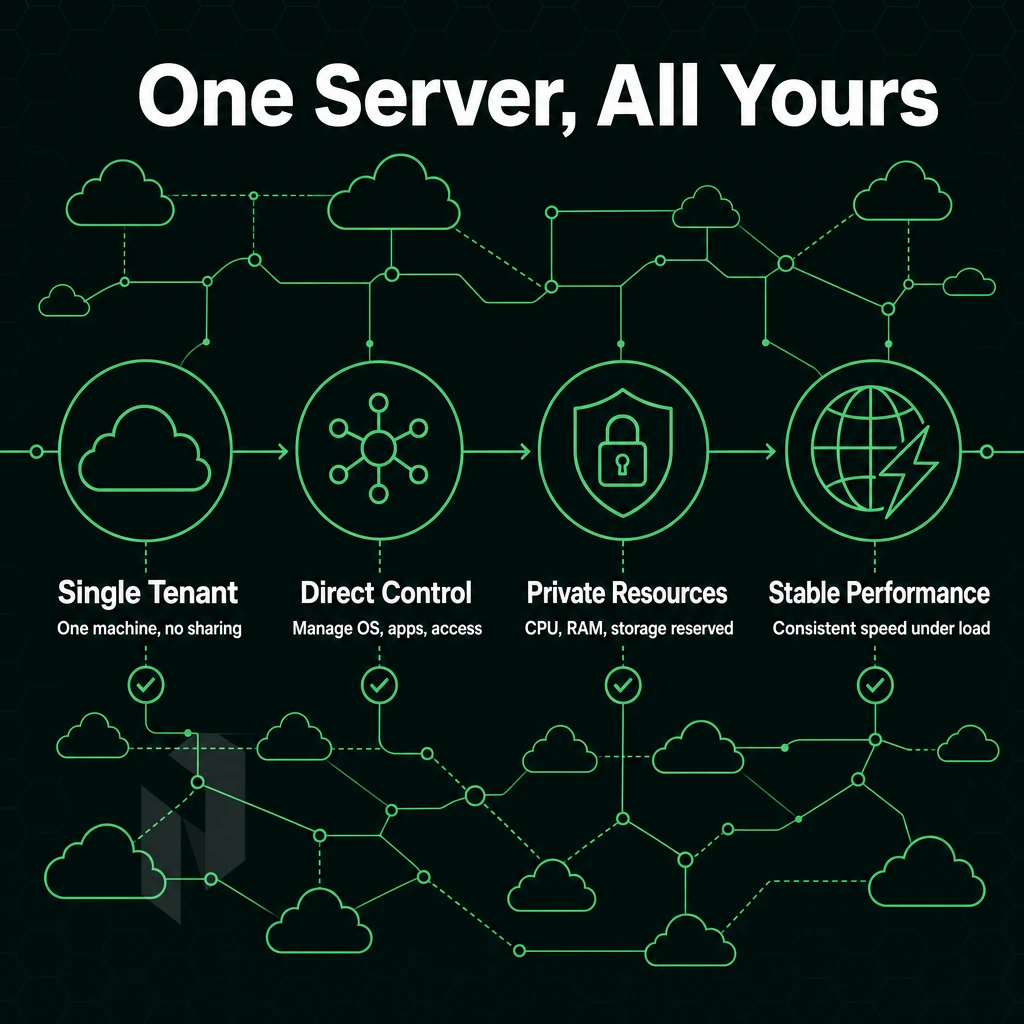
A dedicated hosting server is a physical server in a data center with no other tenants, giving you full server management over your own hardware, unlike shared tenancies or managed services running on a hypervisor. Every CPU cycle, GB of RAM, and I/O operation belongs entirely to your workload.
Server Hardware and Provisioning
You get root or administrator access to your server immediately.
Our entry level servers are configured with dual-socket Intel Xeon or AMD EPYC processors, 128GB to 512GB of RAM and NVMe ssd storage.
Dedicated Hosting Service: OS and Control Panel Options
A variety of Operating Systems are supported on dedicated servers, including Ubuntu, Debian, Rocky Linux and AlmaLinux Open Source Operating Systems as well as Windows Operating Systems for use with .NET and Active Directory workloads. Top of these Operating Systems are Control Panels such as DirectAdmin and cPanel to provide non-CLI users with a browser interface to manage DNS, email and websites, whilst still maintaining root access.
Bare Metal vs. Virtualised Compute
| Dimension | Bare Metal | VPS Hosting | Software as a Service |
|---|---|---|---|
| CPU isolation | Full, no neighbours | Shared host cores | Abstracted entirely |
| Uptime SLA | 99.9% | Varies | Vendor-defined |
| OS control | Full root | Guest OS only | None |
We recommend bare metal servers when predictability of performance and full control over the OS is required. Our bare metal servers can be deployed within 60 minutes at 10 datacenters worldwide. The 99.9% uptime SLA and DDoS protection (always on) make it a strong alternative to shared hosting or VPS servers. But how does it compare to the two? Most bare metal deployments complete in two to four hours, though rush provisioning can reduce that window when business continuity demands immediate capacity.
Dedicated Server vs. Shared vs. VPS Web Hosting: Key Differences
Choosing between shared hosting, VPS services, and dedicated servers depends on three key factors: performance, control and overhead. The table below explains the main points of each tier across the dimensions that matter most. Understanding your specific business needs helps determine which hosting tier delivers the right balance of cost, performance, and administrative flexibility.
Evaluating dedicated plans requires understanding how resource allocation, isolation guarantees, and management overhead align with your application's scaling requirements and operational capacity. Large businesses often find that dedicated hosting aligns with their need for compliance, uptime guarantees, and the ability to handle sustained enterprise-grade workloads.
Side-by-Side Comparison
| Dimension | Shared Hosting | VPS Hosting | Dedicated Servers |
|---|---|---|---|
| Resource isolation | None, pooled across all tenants | Virtualised, isolated but shares physical hardware | Complete, no neighbours |
| Root access | No | Yes (hypervisor limits apply) | Yes, full OS control |
| Performance consistency | Variable, noisy-neighbour risk | Better, but still shared CPU/RAM | Consistent, guaranteed computing power |
| Security posture | Weakest, shared attack surface | Moderate, logical separation | Strongest, isolated hardware |
| Typical use case | Personal sites, low-traffic blogs | Growing apps, dev environments | High-traffic, compliance-sensitive workloads |
| Management overhead | Minimal, provider manages everything | Moderate, OS-level tasks on you | High unless managed hosting is added |
What Each Tier Actually Means
Shared servers pool all accounts onto one machine, splitting CPU, RAM, and I/O, meaning one account's traffic spike can hurt everyone else. It's entry-level hosting: low cost, minimal control.
Virtual Private Servers (VPS) also add a layer of virtualisation on top of shared servers. While your hosting provider gives you a virtual isolated slice, the physical server is still shared with others, so while performance will improve, there is still some risk of noisy neighbors.
Dedicated Servers: Complete Control
A dedicated hosting plan is hosted on your own dedicated machine, which is not shared with anyone else and has no virtualisation overhead.
Note: inmotion's dedicated servers and similar entry-level options often lock you into rigid configurations. Netrouting builds to spec, so you get exactly the hardware your workload demands, and with competitive pricing, you won't overpay for unused resources or underprovision critical components.
When You Actually Need Dedicated Server Hosting

A dedicated server is usually obvious once you have mapped your workload against these thresholds.
Resource Exhaustion and High-Traffic Sites
The shared environments of high traffic sites are limited. In addition to CPU and RAM being limited to a set amount, a noisy neighbor can cause the latency of your site to spike at the worst times. A dedicated server gives you full use of all the cores and all the RAM on the server, no sharing, no problems.
Online retailers running flash sale s, media services delivering high definition video and online gaming servers all require guaranteed headroom. The potential loss of revenue over a two-to-four hour peak can far outweigh the cost of reserving resources to avoid contention.
Intensive and Regulated Workloads
AI/ML inference, video transcoding, and real-time game physics require sustained CPU and GPU performance. Multi-tenant environments often throttle these workloads to guarantee fair resource sharing. Single tenant servers eliminate that variable entirely.
Many compliance frameworks (PCI DSS, HIPAA, etc. even ISO 27001) require physical isolation between different websites or applications.
Network-Intensive Use Cases
For VPN providers and network operators, BGP flexibility, BYOIP support, and multi-gigabit transit are key requirements only a dedicated hosting service can meet, not the abstracted network of a hypervisor. System administrators running carrier-grade networks need direct, low-level access to the underlying hardware and routing stack.
All workloads limited by network throughput will be perfectly served by this architecture.
Managed vs. Unmanaged Dedicated Server Hosting: Which Is Right for You?
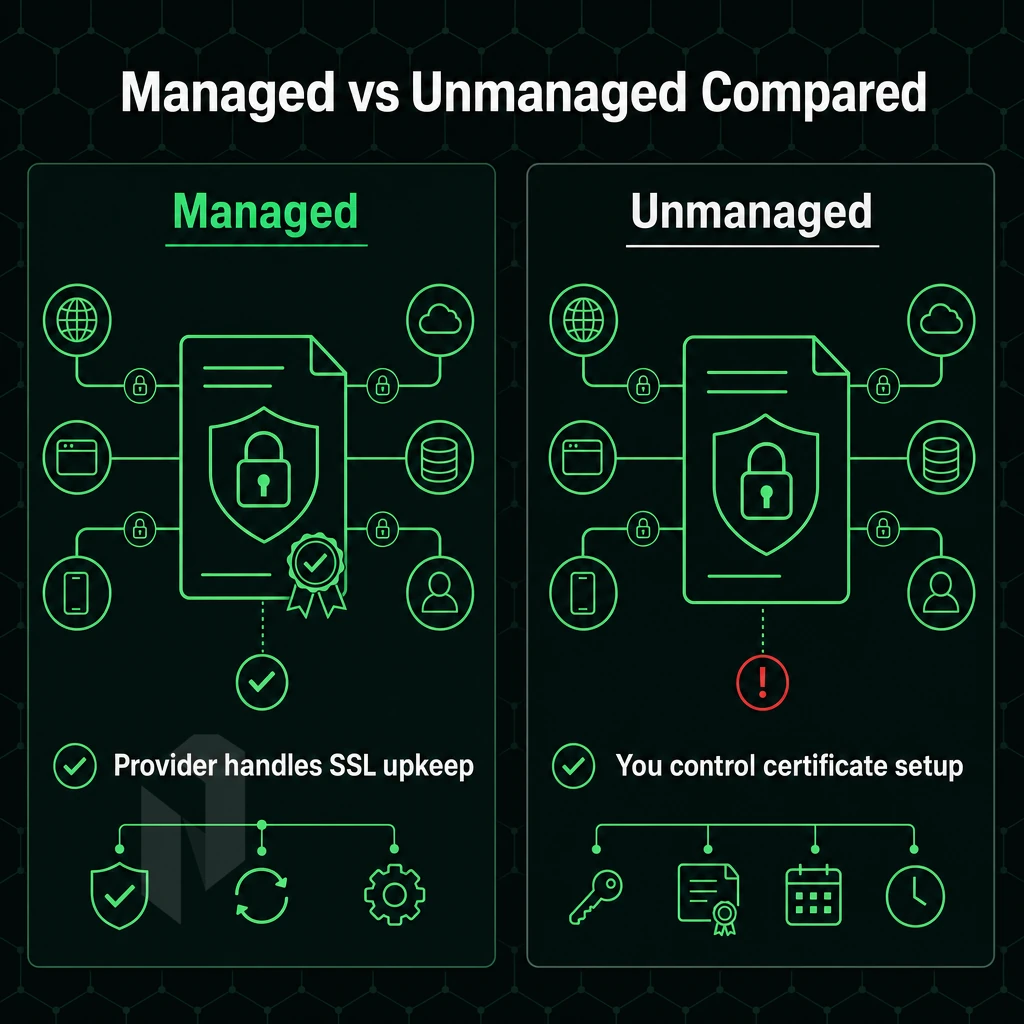
Deciding between unmanaged and managed dedicated bare-metal server hosting will determine how much of the operational work of your website you need to do. The wrong choice on dedicated servers, whether it's a Windows operating system you don't need or a management tier that's overkill, will leave you overpaying or buried under tickets your developers shouldn't have to deal with.
Unmanaged: Full Control, Full Responsibility
Unmanaged dedicated servers are owned entirely by the customer, giving full control over the server stack, OS installation, patches, application upgrades, firewall configuration, and performance tuning. Best suited for experienced system administrators.
It's fast, lean, and cheap if you have the skills.
Fully Managed Dedicated: Handled End-to-End
With fully managed dedicated servers, you can have the Operating System, security hardening and monitoring fully managed for you. You will still have full root access to the server, but the day to day operations will be handled by your dedicated provider. This is a good option for companies without dedicated Ops teams.
Our managed hosting services include bare metal, cloud compute and colocation. We manage the day-to-day activities on your dedicated servers such as automating patches, running vulnerability scans and having a 24/7 NOC team monitoring them, as opposed to simply providing technical support should things fail.
Control-Panel Managed Server Options
For client sites or reseller operations, our web hosting services extend to the control panels you run on your fully managed servers (cPanel/WHM or DirectAdmin licensed and managed for updates and security). We remove the layer of administration for the control panels from your teams, enabling them to focus on their clients while we handle the servers below. With our management model established, the next thing we need to optimize is the hardware and network configuration for better performance.
Hardware, Network, and Performance: What to Look For

While raw specs for a dedicated web hosting server matter for performance, actual results can vary wildly based on hardware generation, storage, and most importantly, the network it resides on.
Hardware Specs That Drive Performance
Most modern servers run Intel Xeon or AMD EPYC processors. EPYC offers more cores and higher memory bandwidth, but Xeon processors are generally better for dedicated servers handling single-threaded workloads like video encoding or latency-sensitive tasks.
For production web stacks, aim to have at least 64GB of RAM.
Network Quality at the Data Centre Level
No bandwidth limits are imposed on unmetered 10 Gbps ports. 1 Gbps ports will saturate during brief periods of high traffic volume, but 10 Gbps ports can maintain optimal performance under similar circumstances. A quality hosting provider leverages high-end, Tier 1 upstreams and peerings at major Internet Exchanges (IXs) to minimize the number of hops required to reach end users worldwide and thereby reduce latency.
Our global network is operating at 2.4 Tbps+ with the majority of connections running at 100 Gbps or higher. All of our services come with always-on L3/L4 DDoS protection, no add-on required. This is the minimum that we would consider high performance infrastructure.
Quick Comparison: Key Specs to Evaluate
| Spec | Minimum | Recommended |
|---|---|---|
| CPU | Xeon E5 / EPYC 7002 | EPYC 7003 / Xeon Scalable |
| RAM | 32 GB DDR4 | 128 GB+ DDR4/DDR5 |
| Storage | SATA SSD RAID 1 | NVMe SSD RAID 10 |
| Port speed | 1 Gbps | 10 Gbps unmetered |
| DDoS protection | Optional add-on | Always-on, included |
Evaluating dedicated hosting plans across all 5 dimensions to ensure you get the right mix of features to run a dedicated server under production-like loads, not just under a synthetic benchmark. While the hardware and network performance are important, the actual security configuration of the server matters just as much.
Security on Dedicated Servers
Alternatively, a security breach affecting your own application.
Preparation: Reduce the Attack Surface
- Harden your OS as early as possible after provisioning the server. For Linux and Windows servers alike: disable unrequired services, close unrequired ports and delete the default account(s). The less software is running on a server, the less damage can be done by exploiting its security holes.
- Schedule updates to the operating system on a regular basis. The unpatched kernel is the #1 initial access vector today. Automate as many security patches as possible, and manually review and apply the rest when automation is not safe.
Note: Root access is powerful. Restrict SSH to key-based authentication and limit sudo privileges to named accounts only.
Bare Metal Servers and Network-Layer Defence
- Configure stateful firewall rules before production, default-deny inbound traffic and only allow required ports. Use BYOIP and BGP to control routing at the network edge, rather than within hosts.
- All DDoS mitigation is always-on. Netrouting’s L3/L4 baseline DDoS protection is included with all services. L7 advanced DDoS mitigation is available as an optional service for high risk traffic that requires additional protection.
Verification: Provider-Level Assurance
- Check your provider’s certifications. Information security is usually covered by ISO 27001 standards while operational security controls are validated by SOC 2 audits. Netrouting holds certifications for ISO 9001, ISO 27001 and SOC 2. These are audited independently and guarantee the dedicated machine environment and access to it as well as all processes are operated in accordance with recognized standards.
Note: Certifications cover the provider's infrastructure. Your application-layer security, input validation, secrets management, dependency scanning, remains your responsibility. With the security baseline established, the remaining variable is the provider you trust to underpin it all.
Choosing a Dedicated Hosting Provider: What Actually Matters
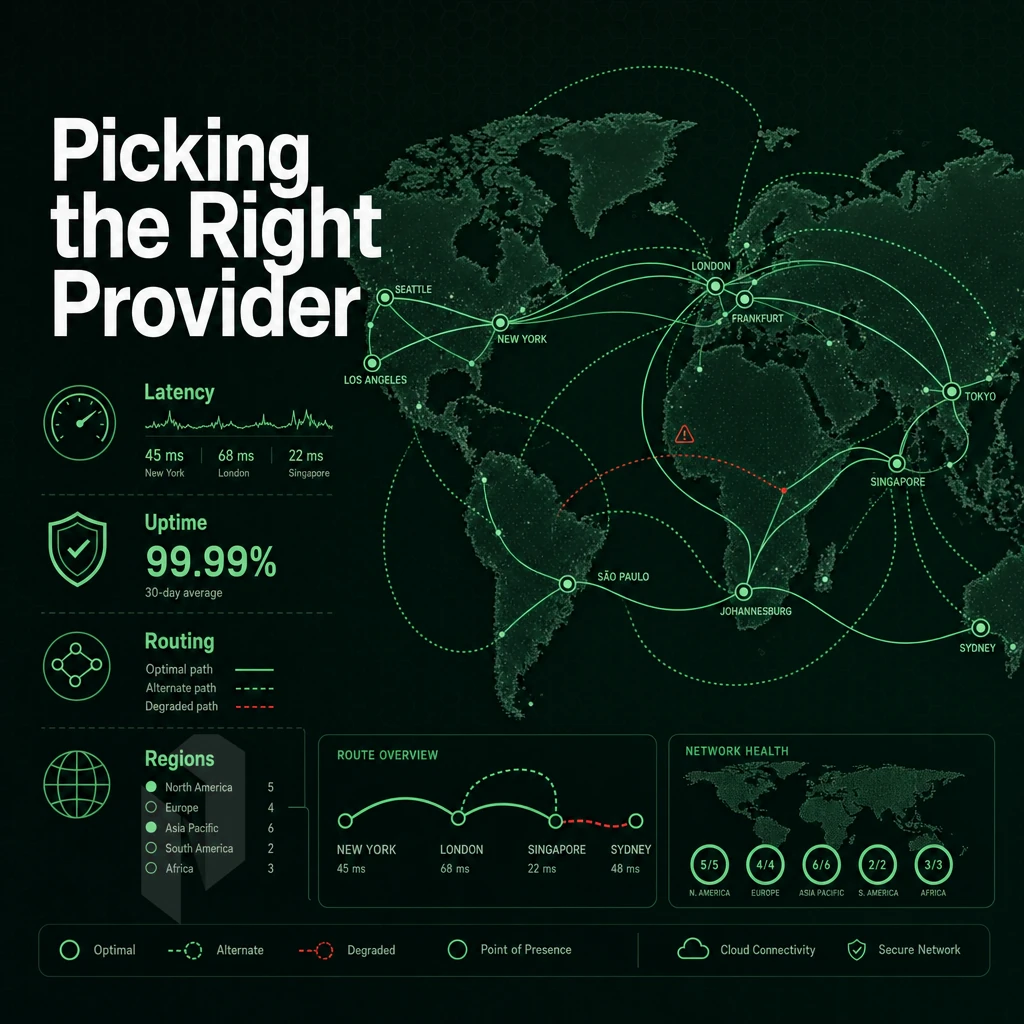
Dedicated hosting providers are far from equal. The differences between a hosting provider's various hardware generations, network quality and support models are generally invisible until a site hits peak traffic or fails in some way. So, make sure you evaluate these points before you commit to any particular hosting plan.
Computing Power and Configuration Flexibility
Intel Xeon and AMD EPYC dedicated servers offered by any serious hosting company are built to handle high-demand workloads like busy web servers, deep learning AI inference, and real-time big data processing. Check the CPU generation, maximum RAM, and number of drive bays in the actual server configuration you are looking at, not just the entry-level configuration.
Custom configurations matter.
Network Quality and Peering
Always note whether DDoS mitigation is a permanent feature or an additional option.
Anonymous bandwidth billing is bad.
Expert Support and SLA Accountability
A 99.9% uptime SLA in writing and with a 24/7 NOC (normal operating hours exempt) and ticket response times is necessary. Also verify the provisioning time for bare metal servers. Typically that should be below 60 minutes, not days.
Netrouting offers a 1-hour ticket guarantee, 24/7/365 NOC, and ultra-fast bare metal setup across 10 data centers in Europe, North America, and Asia. Support is excellent, location-independent, fairly priced, and there are no egress charges on any plan, making Netrouting a strong hosting company for demanding services.
Why Choose Netrouting for Dedicated Web Hosting
Businesses that have outgrown shared hosting need dedicated server hosting built on real infrastructure. Netrouting delivers dedicated servers on latest-gen Dell and Supermicro hardware (Intel Xeon and AMD EPYC), provisioned in under 60 minutes, with complete control over your environment from day one.
- Network built for performance: Our AS6206 backbone carries 2.4 Tbps+ capacity. Every dedicated server plan includes unmetered bandwidth at 10 Gbps, scalable to 40 Gbps for high traffic sites and intensive workloads.
- Always-on DDoS protection: L3/L4 mitigation is included at no extra cost on every hosting plan, no configuration required.
- Global data center footprint: Ten locations across Europe, North America, and Asia-Pacific, Amsterdam, Frankfurt, Miami, Singapore, Hong Kong, and more, put your dedicated bare-metal server close to your users.
- Managed hosting options: From fully managed dedicated servers to Managed Proxmox VE and Managed Control-Panel Servers, our managed services handle security patches, software updates, and server management so your team stays focused.
- Certified infrastructure: ISO 9001, ISO 27001, and SOC 2, backed by a 24/7 NOC with a one-hour ticket guarantee.
Ready to find the right dedicated server for your workload? Explore our dedicated hosting plans or contact our team to discuss your requirements. If you're ready to move forward, the steps below walk you through a clean, deliberate deployment.
Getting Started: Steps to Deploy Your Dedicated Web Server
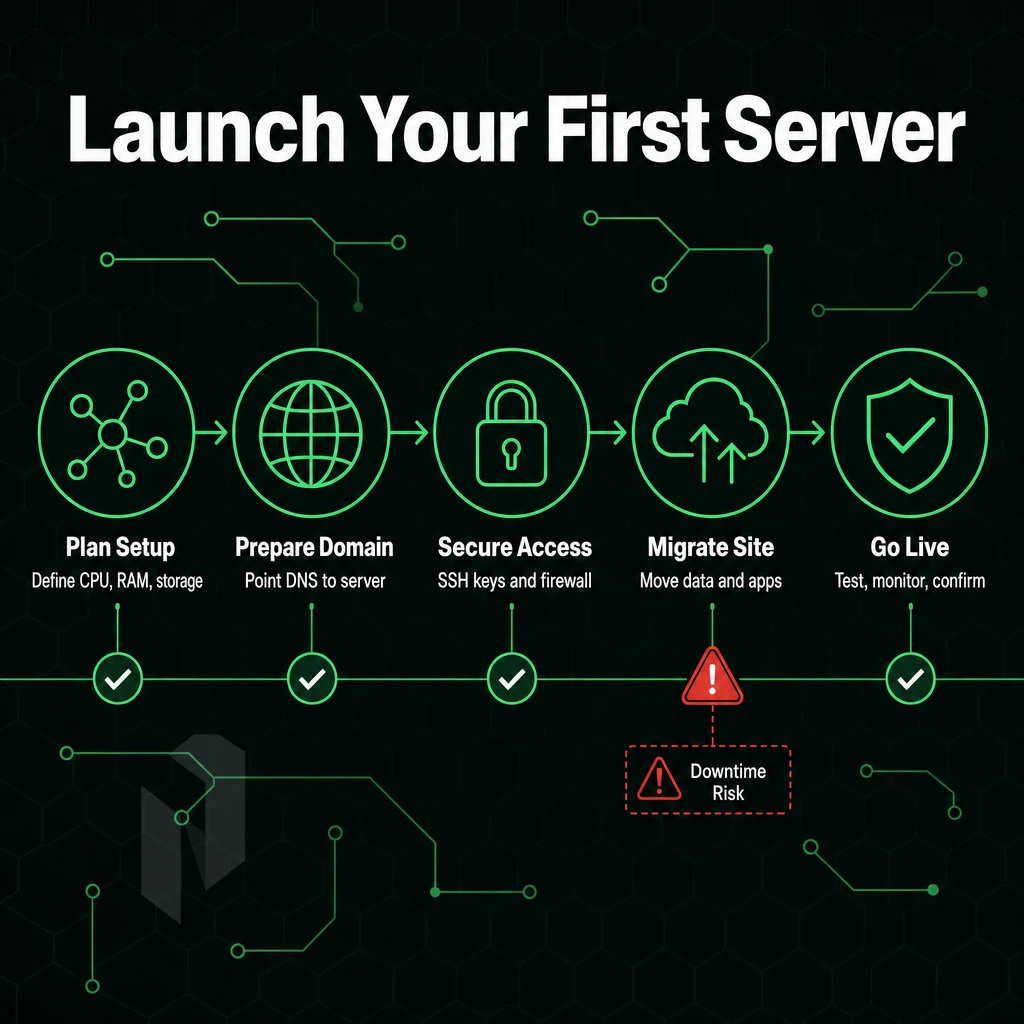
Deploying a single-tenant server requires careful attention to 6 key steps. Rushing them carries a real cost, downtime, a broken configuration, or a server that can't scale without managed services or technical support to untangle the mess.
Step 1, Assess, Choose, and Configure
First, determine your workload’s needs around CPU, memory, storage and bandwidth. Then decide between managed dedicated hosting and unmanaged dedicated hosting. Managed dedicated hosting includes the management of the operating system, security, updates and monitoring, while you are left to manage the application(s). Unmanaged dedicated hosting gives you full control of the server and you manage everything from operating system up to application(s).
Choose your data centre location too.
If your audience is on the US East Coast, New York is a good location.
Finally, choose your OS and control panels. The most common OS to use for servers is Linux and most workloads can be supported by most Linux distributions. Typical control panels for web hosting are DirectAdmin and cPanel.
Step 2, Storage and Network Settings
Set network port speed and verify that adequate bandwidth is allocated to handle traffic spikes and prevent throttling.
DDoS Protection and Backup Policy
Make sure DDoS protection is enabled prior to launch. Netrouting provides L3/L4 mitigation by default for all servers. Also enable backup jobs with offsite-retain to ensure data safety, we recommend to setup daily incremental as well as weekly full backups.
Delays cost real money. Netrouting deploys bare metal within 60 minutes. While the rest of this guide outlines the details of why performance enhancements and 100% uptime matter from day one, below we outline the essentials of why you should choose our dedicated hosting service as your web host.
Core Takeaways: Dedicated Web Hosting Server Essentials
Instead, we provide you with a physical dedicated server, that you can use as you see fit. As a single-tenant hardware platform, dedicated hosting is not affected by noisy neighbors as shared hosting or even VPS infrastructure can be.
Instead, you get consistent, high-performing service with superuser access, enhanced security, and full control of the server, exactly what high-traffic websites and serious workloads demand. We recommend dedicated hosting when shared or virtualised hosting can no longer meet your needs.
The main factor when choosing between a managed and unmanaged dedicated server is the type of decision it is. A fully managed dedicated server means your hosting provider handles OS updates and security patches. This type of hosting is ideal for people who want to focus on their application and have their server managed for them.
Whatever your reasons for choosing a dedicated hosting plan, make sure it comes with powerful hardware, plenty of bandwidth, DDoS protection, fast SSD storage and 24/7 expert support. Netrouting provide all of this and more, on a 2.4 Tbps+ global network.
Frequently Asked Questions
What Is dedicated server hosting for websites?
A dedicated hardware server is a physical machine reserved exclusively for one customer, no shared CPU, RAM, or storage with other tenants. You get full control over the hardware, operating system, and software stack. It's the right choice when performance, security, or compliance requirements rule out shared or virtualized environments.
What is the typical cost of dedicated servers?
Cost varies widely based on CPU generation, RAM, storage, and bandwidth requirements.
Which dedicated servers in the USA offer the best performance and reliability?
The best option depends on your workload, but key criteria are network quality, hardware generation, and support responsiveness. Netrouting operates a SOC 2-compliant dedicated server hosting facility in Miami with direct connectivity to major carrier hotels, unmetered 10 Gbps uplinks, and all dedicated servers managed and provisioned in under 60 minutes. For East Coast deployments, Netrouting's New York presence at 60 Hudson Street adds a premier carrier-hotel option with DE-CIX New York peering.
Are dedicated servers a good option for hosting my website?
It's a common choice for agencies, e-commerce platforms, and any site that has outgrown shared or cloud hosting.
How do dedicated servers differ from VPS hosting?
Dedicated hardware is the right call when you need predictable I/O, high sustained CPU load, or strict data isolation.
Should I choose managed or unmanaged dedicated servers for my needs?
Choose managed if you want the provider to handle patching, monitoring, and incident response while you retain full root-level access, Netrouting's managed hosting covers exactly that across dedicated servers, cloud, and colocation.
A private server gives you guaranteed resources, full hardware control and predictable performance under load. Whether you should choose managed or unmanaged hosting however depends on one question: Can your team handle the OS, security and the stack of your choice or not? If not, managed hosting is the way to go, it doesn’t take away your full system access though.
The best time to move to a dedicated server is before your site has started to experience any performance problems.
Netrouting provisions bare metal dedicated servers in under 60 minutes across ten locations in Europe, North America, and Asia, with unmetered 10 Gbps connectivity and always-on DDoS protection included in every hosting plan. Browse dedicated server configurations or contact the sales team to spec a custom build.