When it comes to choosing website hosting services in Naperville, it’s easy to get caught up in the local hype and end up choosing a provider based on a stellar local reputation rather than what’s most important to you: a quality network. Adequate hardware and phenomenal customer service and support.
The real deciding factor comes down to the infrastructure and how it stacks up against other hosts regardless of location.
Our guide to finding the right hosting solution is clear and to the point, covering off the basic types of hosting (bare metal. Cloud compute and colocation) and then delving into the key network and SLA considerations that allow you to effectively compare hosting services provided from shared environments that are not oversold to high quality infrastructure.
Blog contents
It doesn't matter if you're running a large web application that gets a lot of traffic, a business critical application that can't have any latency. Alternatively, Multiple locations around the world, the key factors to ensuring uptime and proper performance of your solution are the same no matter your colocation. Naperville-based IT professionals can put their hosting to the test under production-like conditions to see if it will really hold up.
What Are Website Hosting Services and Why Do They Matter?
Website hosting is infrastructure. The server hosting your website contains all of the files for your website (HTML, images, videos, application files, etc.). The DNS for your domain is set up to point to the IP address of your server. All of your page views are powered by your website hosting.
What Hosting Actually Controls
The hosting layer includes three key areas: speed, reliability and security. The server location affects end user latency. The quality of the hardware affects the throughput under load. The network architecture affects whether a single failure will bring down your entire hosting setup.
- Speed: physical proximity to users and network capacity.
- Reliability: redundant power, cooling, and uplinks.
- Security: DDoS mitigation, access controls, and patch cadence.
The Enterprise Infrastructure Decision
Whether a startup or mid-sized enterprise, the same decisions must be made by a Naperville business hosting a bare metal e-commerce server, low-latency connectivity to end users in Chicago, redundant uplinks. Additionally, Quality hardware that will not bog down under high loads of traffic during peak periods. Don’t bother with shared servers.
Scalability matters. The server that you use to run your current load of users will not meet next quarter’s user base without significant operational cost to re-platform. Select infrastructure that scales for you.
Where We Fit
Our bare metal, cloud compute and colocation services are offered from 10 locations around the world including our New York and Miami based facilities that serve the US East Coast. Our network is operated over AS6206 with 2.4 Tbps+ of capacity and DDoS protection enabled on all services 24/7/365.
We have New York and Miami locations for low-latency US-based redundant enterprise hosting in Naperville. We need to determine which hosting option is best to use with that.
Types of Website Hosting Services Explained
Many webhosting services are not created equal. The typical shared hosting account can have hundreds of websites on one server. For personal blogs, this type of hosting is fine, but for production workloads, Enterprise and Developer buyers need to consider 4 broad categories of hosting: Dedicated Servers, Cloud Compute, Colocation, and Managed Hosting.
Hosting Types at a Glance
| Type | Control | Performance | Scalability | Best For |
|---|---|---|---|---|
| Dedicated / Bare Metal | Full root, no neighbors | Up to 28 cores, 512 GB RAM, 10 Gbps unmetered | Vertical; add servers for horizontal | High-traffic apps, gaming, AI/ML |
| Cloud Compute (VPS-style) | OS-level; hypervisor managed | Shared physical resources; burstable CPU | Horizontal; spin up instances in minutes | Variable traffic, dev/staging, SaaS |
| Colocation | Total, your hardware, our facility | Limited only by your own hardware | Add your own gear; carrier-neutral uplinks | Compliance-heavy, capital-owned hardware |
| Managed Hosting | Root access retained; ops handled | Same as underlying bare metal or cloud | Scales with underlying platform | Teams without dedicated sysadmin capacity |
Performance and Control Trade-offs
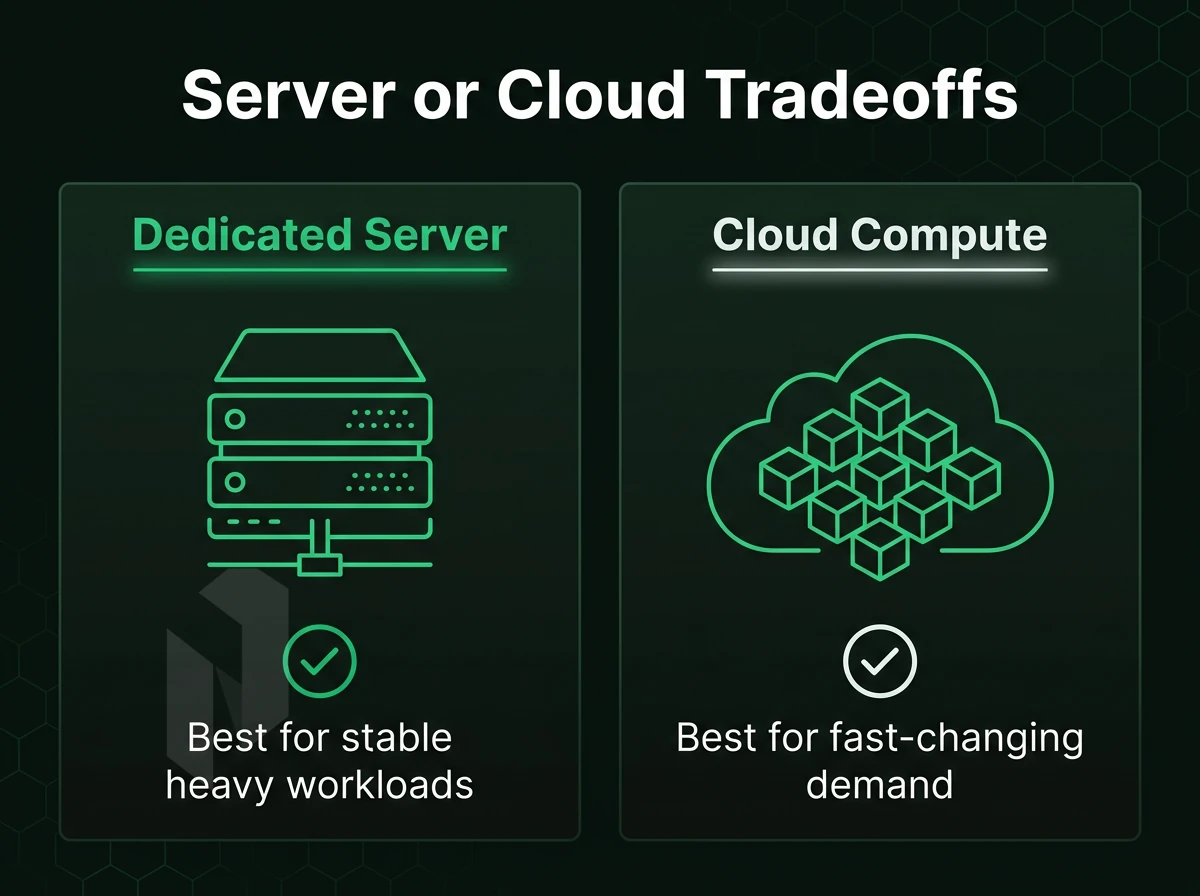
Dedicated servers provide the highest single-user performance possible. This means you get a clean machine with no noisy neighbors. Our Dedicated Servers come with a full CPU, full amount of RAM, and full number of NICs to provide the best possible performance for applications such as databases that require 99.9% uptime.
Cloud compute trades raw processing power against vast elasticity. An instance can be provisioned in minutes to deal with unexpected traffic peaks or short-lived tasks.
Which Type Fits Your Workload
Dedicated for when performance matters most. Cloud for when speed to market is more important than raw power. Colocation for when you are already a hardware owner and need carrier neutral connectivity. Managed Hosting on top of any of these for when your team does not have the bandwidth to manage the OS layer.
All four types of hosting are offered by Netrouting at ten locations world wide: Stockholm, Amsterdam, Frankfurt, Miami, New York, Hong Kong and more. Their 2.4 Tbps+ backbone is always DDoS protected.
Key Factors to Evaluate When Choosing a Hosting Provider
When selecting a host for your business critical workloads, there are 8 key factors you need to consider before you sign up for a host.
Infrastructure and Network
- Check the network quality offered by your provider. Does the provider use Tier 1 upstreams and does it maintain its own IX peering? Are the ports on high capacity? Thin networks can cause congestion quickly when loaded. The AS6206 backbone of Netrouting has a capacity of 2.4 Tbps+ and peering at AMS-IX, DE-CIX and FL-IX.
- Check the generation of the hardware and require the latest Intel Xeon or AMD EPYC processors with RAID storage options. Older generations of hardware will limit the performance headroom and also make future scaling more difficult.
- Confirm DDoS protection baseline. Always-on L3/L4 mitigation should be included by default, not sold as an add-on. Note: providers that charge extra for basic protection inflate your real cost.
Reliability and Compliance
- Read the SLA carefully. I consider a 99.9% uptime guarantee as minimum for production workloads. Check if the commitments regarding hardware-replacement are also written down in the contract.
- Check for certifications such as ISO 9001, ISO 27001 and SOC 2 audits to see if they have robust processes in place. Many data centers are certified by Netrouting, which is crucial for companies in highly regulated industries.
Operations and Transparency
- Test the provisioning speed of bare metal. It should provision in less than 60 minutes. Test to find out if the provisioning is too slow and therefore hampers your incident response.
- Assess the level of support offered. A 24/7 NOC and a clear, documented ticket-response SLA is required. Netrouting guarantees a response to all tickets within one hour 24/7.
- Demand pricing transparency. Predictable monthly billing with no hidden egress fees protects your budget. Note: leading providers that obscure bandwidth costs routinely generate invoice surprises.
Based on the criteria that are most important for most workloads, the most important decision remains dedicated bare metal vs. cloud compute. How you make this decision is what follows.
Dedicated Servers vs Cloud Compute: Choosing the Right Foundation
The infrastructure layer you choose to support applications above it can greatly affect performance and cost. When comparing bare metal dedicated servers to cloud compute for website hosting in Naperville and elsewhere in the world, three variables come to mind: performance predictability, scaling flexibility, and total cost of ownership.
Performance Predictability on Bare Metal
Dedicated servers provide single tenant dedicated access to physical CPU, memory and storage. Unlike shared servers, where another customer’s workload could experience degradation from a sudden traffic spike, you get to enjoy IOPS and memory bus bandwidth that you pay for without being affected by another customer’s workload.
Database driven CMS, high-concurrency PHP web sites and latency sensitive e-commerce operations benefit most from consistent hardware access which enables consistent response times without the overhead of the hypervisor and the shared scheduler.
Elasticity on Cloud Compute
New cloud compute instances can be provisioned in minutes. We can scale CPU and RAM up and down as needed, all without having to get our support team involved. This is very suitable for staging environments, for websites with occasional high traffic (e.g. due to seasonal marketing efforts), and for new websites where the typical load is not yet clear.
The shared physical infrastructure of servers is traded off against virtualization overhead. This can be measured as a few percent loss in throughput under sustained load. Storage I/O also competes across all tenants on a host.
TCO Against Hyperscaler Compute
The big cloud platforms charge by the hour and soon add up to a large sum when high levels of usage are sustained long-term. In addition to these charges, large amounts of data must also be taken out of platforms and there are additional egress fees for this that do not exist with bare metal.
We offer a choice of dedicated bare metal servers and cloud compute servers. All our offerings are supplied on a monthly charge basis with no hidden charges for egress. We can configure any server to your required specifications, even for non-standard or high density workloads. Our sales team will be happy to advise on the most suitable solution for your requirements.
Regardless of the new foundation chosen, the connection of the new server to all the users in Naperville will determine how well that server performs. This relates to the quality of your backbone and the peering density.
Network Performance and Latency for Naperville-Area Websites
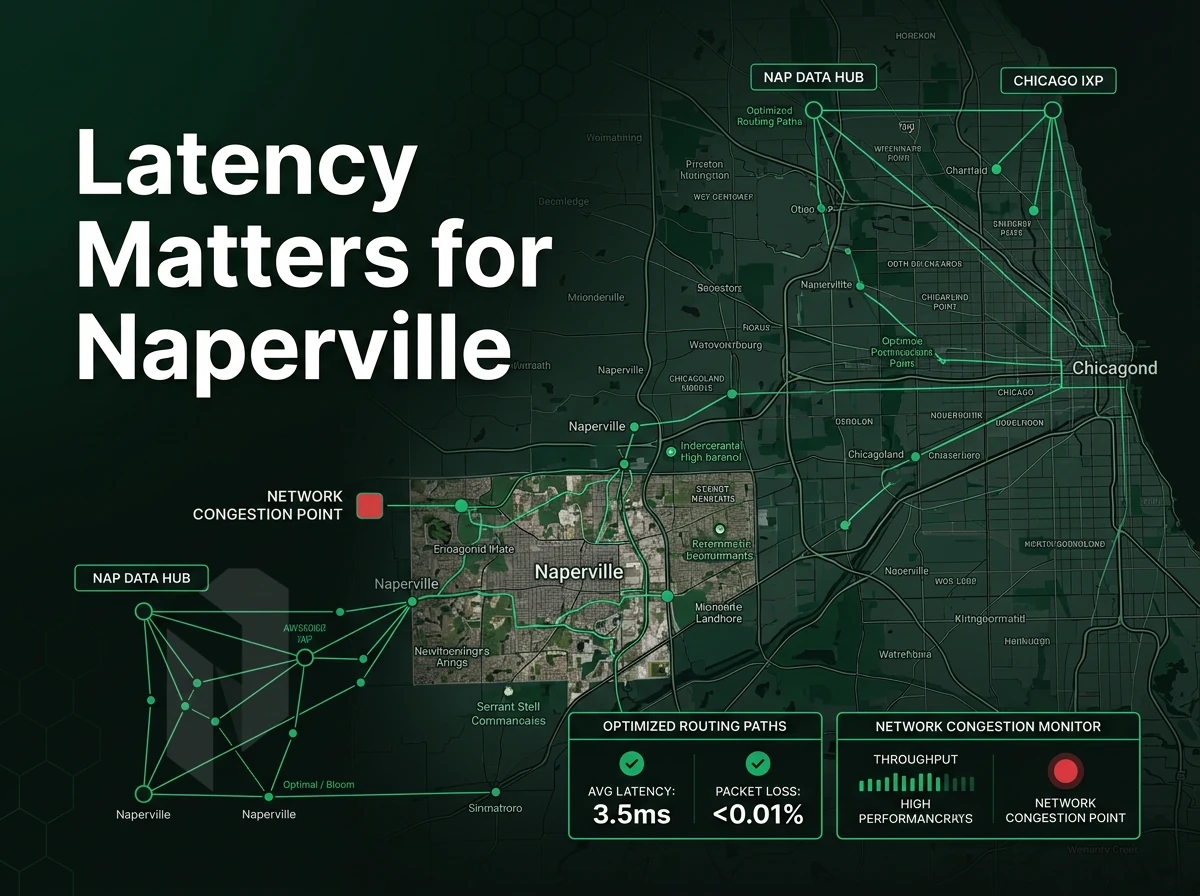
While server location is a factor for Naperville and the rest of the Chicagoland market, page load time is influenced by a host of factors including backbone performance, peering. Additionally, port usage in addition to close geographic proximity.
Backbone and Peering Drive Real Performance
A carrier-neutral data center with a dense peering set-up at the Internet eXchange (IX) outperforms a nearby data center connected to only one upstream provider. Because traffic only has to travel a few hops it is even able to avoid very congested sections of the transit networks.
The AS6206 network has 2.4 Tbps+ capacity. Our average port utilization is below 40%. With this headroom we see less queuing delay during traffic spikes, which are when users will notice slow-downs (primarily within the Naperville area).
Our Closest Locations to Chicagoland
We have operational infrastructure in New York and Miami, the two closest locations to the Chicago metro area. Both locations are connected with Tier 1 backbone networks and have dense peering at all major exchange points.
- New York (60 Hudson Street): Premier carrier hotel with DE-CIX New York peering, well-connected paths into the Midwest.
- Miami: SOC 2-compliant facility with FL-IX peering and direct Tier 1 upstream diversity.
CDN and Anycast as Complementary Strategies
A CDN or anycast layer acts as a cache for static content at edge locations near end users in Naperville. A good origin server complements a CDN well. The lowest latency origin servers possible will help to reduce time-to-first-byte which a CDN cannot fix for you.
The ability to deliver strong network performance is only half the story when it comes to evaluating your hosting environment. The bigger half is the security posture and how it fares in terms of DDoS resilience.
Choose how the site is hosted.
Start with website hosting, move to a virtual server, or let us run the servers for you.
Host the site without running a server.
For websites and WordPress, compare website hosting plans before you move to a machine of your own.
Start the conversation with
- Sites
- Number and traffic
- Platform
- WordPress or other
- Mailboxes needed
Start with a VM. Scale it when needed.
Use cloud compute for workloads that do not need a full machine. Compare vCPU, memory and storage per plan.
Start the conversation with
- Compute
- vCPU and memory
- Storage
- Disk size
- Location
- Preferred region
We run it. You ship product.
Choose managed hosting when your team should focus on the application. Agree on what we manage and what stays with you.
Start the conversation with
- Servers
- Number and roles
- Scope
- What we manage
- Access
- What stays with you
Security and DDoS Protection for Hosted Websites
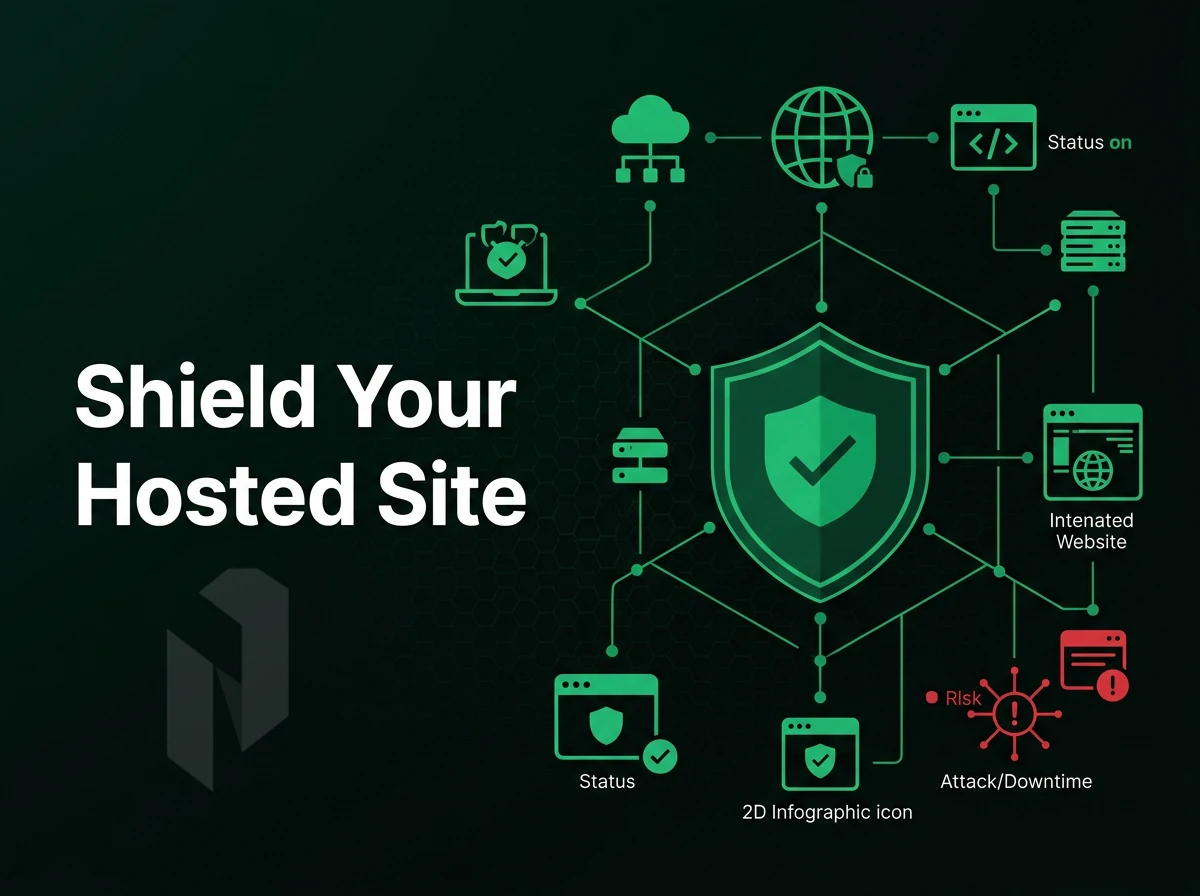
Most public-facing websites are under attack constantly from volumetric and application-layer based attacks. One unmitigated flood can take a site down within seconds. Most hosting providers include this protection as standard, as it is built-in to their servers.
Always-On DDoS Mitigation
Our mitigation service is included with all services and is enabled by default for L3/L4 layer detection and blackhole routing. No configuration is required. For higher risk services, we also offer advanced protection including L7 application layer filtering, custom protection rules and up to 1 Tbps scrubbing capacity.
Certifications and Data Security
The hosting company Netrouting is ISO 27001 and SOC 2 certified. These are independent audits on the security measures a company has in place for access, incident management and company locations. We do not market these, they are verified by third parties and indicate that your data is handled with the proper measures as outlined in the documents.
Backup and Recovery
Hardware RAID on servers protects against disk failures. Daily incremental backups are copied to a remote secondary site. Weekly full backups are kept for 30 days and can be restored in 15-45 minutes depending on size of data set. This allows for less than meaningful downtime while operating at 99.9% uptime or better.
For website hosting we’re talking about a stack that includes basic DDoS protection, a secure by default posture and proven disaster recovery. We can confirm which level of protection is needed for your specific use case with sales. From there it’s a natural step to managed hosting, where you get to keep the protection of a secure stack without having to manage the underlying OS.
Managed Hosting Options: Offloading Operations Without Losing Control
Our managed hosting offers you the option to reduce the amount of operational work while you still have full control over your server. We handle OS updates, security fixes and monitoring for you, while you still have root access to your server.
Preparation: Choose Your Managed Layer
- Determine your control requirements. Is a control panel or a full hypervisor layer needed? This will determine which managed tier is best suited for your workload.
-
Select the right managed product. Teams hosting websites and client accounts should evaluate Managed Control-Panel Servers, cPanel/WHM or DirectAdmin, with licensing included. Teams running their own VMs and containers should evaluate Managed Proxmox VE instead.
Note: This is not consumer shared hosting or WordPress-managed hosting. Both products target IT teams that need infrastructure control, not a simplified dashboard for non-technical users.
Execution: Hand Off the Operational Layer
- Confirm the managed scope with your team. We manage OS patching, security configuration, panel upgrades and backup configuration. Access policy is your domain, root access is yours to grant.
- Deploy on dedicated hardware. Our Managed Proxmox VE is a dedicated server on which you run your VMs and containers. We run the Hypervisor layer for you.
Verification: Confirm Boundaries and Access
- After you hand off onboarding to managed hosting, verify that you still have root access. Verify that you are able to log in as root after onboarding. Managed hosting removes the operational hassle of managing hosting for you, not your access.
- Review your monitoring coverage with your NOC (Network Operations Center) team. Our 24/7 team actively monitors your managed environment. Make sure all configured alert thresholds and resultant escalations are appropriately configured for your team.
Colocation provides a different kind of relief to the hardware owning businesses in Naperville, facility level infrastructure as a service without the managed services.
Colocation as a Website Hosting Strategy for Naperville Businesses
For enterprises based in Naperville, colocation offers a middle ground between self-managed on-premise infrastructure and a fully cloud-based architecture. Enterprises manage their own server hardware while we provide the facility, power, cooling and connectivity. You retain control of your infrastructure without the associated costs of a dedicated data center.
What the Provider Supplies
A carrier-neutral data center provides four critical resources: powered space, cooled space, locked cages and multiple network connections. N+1 powered and cooled redundancy is included to guarantee that no single piece of equipment can cause a failure. Dense power installations can reach up to 20 kW per rack in the facility to support installations with high density GPU or all-flash storage systems.
A great colocation entry point: a 1U rack space with dual 1 Gbps network ports, N+1 power and precise climate control. You don’t have to reserve an entire cabinet to get started with hosting in a colocation data center.
Use Cases for Naperville Businesses
There are three main types of workloads that are better off in a colocation facility than in a cloud. First, companies with existing investments in servers can migrate to a colocation facility and avoid writing off their hardware investments.
Second, workloads that require compliance such as HIPAA, PCI-DSS and SOC 2 can benefit from physical data sovereignty i.e. your hardware, your data and auditable chain of custody. Third, high performance workloads such as GPU and high-density storage workloads that exceed the power and density of typical cloud instances can be supported in a 20 kW colocation facility.
Remote Hands and Ongoing Operations
Physical access to our Naperville location is not always practical. We offer Remote Hands service for basic interventions such as cable swaps, reboots and drive replacements at no charge for regular activities. For larger deployments we offer project-based Rack and Stack services. Day-to-day operations are managed by our 24x7 NOC with a one-hour ticket response guarantee.
Bare metal, cloud, managed hosting and colocation all have one thing in common: the underlying infrastructure and people that make it work. Here’s why you should choose Netrouting for each of them.
Why Choose Netrouting for Website Hosting Services
Founded in 2007 and operating our own AS6206 backbone, Netrouting delivers website hosting services built on infrastructure we own and control. We're members of RIPE NCC, ARIN, and APNIC, and certified ISO 9001, ISO 27001, and SOC 2 since 2016.
- Bare metal provisioned fast. Our bare metal server and dedicated server hosting deployments go live in under 60 minutes, with unmetered 10 Gbps included.
- Always-on DDoS protection. Every service includes L3/L4 DDoS protection at no extra cost, no configuration required.
- 2.4 Tbps+ network. Our carrier-neutral backbone spans 10 cities: Stockholm, Amsterdam, Rotterdam, The Hague, Frankfurt, Bucharest, Miami, New York, Hong Kong, and Singapore. Dense IX peering and full BGP routing control are standard.
- Flexible infrastructure. Choose cloud compute, colocation, or managed hosting, all backed by a 99.9% uptime SLA and 24/7 NOC with a 1-hour ticket guarantee.
- Predictable costs. No egress surprises. Lower total cost of ownership than hyperscaler compute.
Ready to compare options for your web hosting services? Explore our hosting plans or contact sales to discuss the right fit.
Getting Started: How to Select and Deploy a Hosting Plan
The 4 decisions required to move from evaluation to deployment are: (1) workload requirements, (2) hosting type, (3) network location and (4) support tier. Getting these decisions right makes provisioning easy, getting them wrong results in a very stressful 6 month migration.
Step 1, Assess Your Workload Requirements
Dedicated bare metal provides sustained CPU power, ample RAM, large storage and high bandwidth for a high traffic site serving the greater Naperville area.
Step 2, Match Hosting Type to Workload
This table will help you to choose the correct product category prior to contacting the sales department.
| Hosting Type | Typical Specs | Uptime SLA | Best Fit |
|---|---|---|---|
| Dedicated / Bare Metal | Up to 28C/56T, up to 512 GB RAM, unmetered 10 Gbps | 99.9% | High-traffic sites, gaming, video streaming |
| Cloud Compute | Scalable vCPU and RAM, rapid provisioning | 99.9% | Variable workloads, dev/test, burst traffic |
| Colocation | Up to 20 kW per footprint, N+1 power and cooling | 99.9% | Own hardware, carrier-neutral connectivity |
| Managed Hosting | OS patching, hardening, proactive monitoring included | 99.9% | Teams without dedicated ops staff |
Step 3, Confirm Location, SLA, and Deploy
Miami and New York serve as strong East Coast and central US locations for our Naperville-based user base. Both locations are connected to our 2.4 Tbps+ backbone and feature always-on L3/L4 DDoS protection.
Check your current SLA and note the tier you are currently on (our standard is 99.9% uptime). Also check the support hours to ensure they cover your working hours. Our 24/7 NOC and 1hr ticket guarantee means issues are picked up quickly.
Standard bare metal deploys in under 60 minutes. If standard configurations don't fit, custom and enterprise options are available, contact sales to spec a configuration around your exact CPU, RAM, storage, and bandwidth requirements.
Core Concepts in Website Hosting: A Quick Reference
The main models of website hosting services are bare metal server hosting, cloud compute hosting, colocation hosting and managed hosting. The uptime SLA, time to provision a server and cost to run the server all vary greatly between the models.
It’s infrastructure quality over low price. Protection against DDoS attacks, good peering at Internet Exchanges, stable BGP routing and sufficient IP transit are far more important than the low price of a host for business critical websites. Good dedicated server hosting is typically based on a well connected backbone and thus is far better than cheaper alternatives if reliability is key for you. BYOIP support and a good data center and surrounding network are a minimum requirement.
Frequently Asked Questions
What is the difference between shared hosting and dedicated server hosting?
Shared hosting places your website on a server alongside hundreds of other sites, meaning CPU, RAM, and bandwidth are divided among all tenants. A dedicated server gives your business exclusive use of the hardware, no noisy neighbors, no resource contention. For Naperville businesses running high-traffic sites, e-commerce platforms, or custom applications, dedicated hardware delivers consistent performance that shared environments simply cannot match.
How does server location affect website speed for Naperville visitors?
Physical distance between a server and a visitor adds network hops, which increases load times.
What does carrier-neutral colocation mean for a business website?
Carrier-neutral colocation means the data center does not lock you into a single network provider. You can connect to multiple ISPs, Tier 1 carriers, and internet exchanges from the same rack. This gives your Naperville business the freedom to choose the best uplinks for performance and cost, and to add redundant connectivity without moving hardware.
Is DDoS protection included with website hosting plans?
It depends on the provider, many charge extra or offer no protection at all. Netrouting includes always-on L3/L4 DDoS mitigation at no additional cost on every service, automatically detecting and blocking volumetric attacks before they reach your server. Businesses with higher-risk workloads can add advanced application-layer protection with custom mitigation policies on top of that baseline.
What certifications should I look for in a website hosting provider?
At minimum, look for ISO 27001 (information security management) and ISO 9001 (quality management), these confirm the provider operates to audited, internationally recognized standards. SOC 2 certification adds a third-party audit of security, availability, and confidentiality controls, which matters if you handle customer data. Netrouting holds all three: ISO 9001, ISO 27001, and SOC 2.
How quickly can a dedicated server be provisioned for a new website?
With the right provider, provisioning is fast. Netrouting's Rapid Deployment process brings a bare metal server online in under 60 minutes. That means your Naperville business can go from placing an order to having a fully operational dedicated server, ready for OS installation and site deployment, in less than an hour.
What is the difference between managed hosting and unmanaged hosting?
With unmanaged hosting, you receive the hardware and network connectivity, OS installation, security hardening, patching, and monitoring are entirely your responsibility. Managed hosting means the provider handles those operational layers for you, while you retain full root access to run your applications. Netrouting's managed hosting covers OS patching, security hardening, and proactive monitoring across bare metal, cloud, and colocation environments, a practical choice for Naperville teams without a dedicated sysadmin.
Choosing the right hosting foundation is key to ensuring a successful online presence for your Naperville business.
In addition to the appropriate type of server for your needs, a business must also pay close attention to the hosting provider’s network. A Tier 1 network, with peering at Internet Exchanges, and DDoS protection are must-haves and typically not included in cheaper hosting options.
We offer all of these locations from our global network of North American, European and Asia-Pacific locations. All of our locations are connected from a single AS6206 backbone with a 2.4 Tbps+ capacity. Let us know how we can assist you in selecting the right server to meet your needs. Please contact our sales department to discuss your requirements.
Find the right home for the site.
Tell us about the site, the traffic and the platform. We help you pick a hosting plan.