Many IT teams are curious about what is colocation in cloud computing and how the concept of colocation is changing with the growing hybrid cloud space. The fundamental benefit of hosting your own servers while offloading the expensive hardware room is too great to ignore. But be warned: picking the wrong option among colocation centers with their power cooling demands, cloud, or dedicated hosting will bind your team to costly and inflexible models of operation for far too long.
Colocation is hosting your own servers in a third-party data center. You bring the servers and the applications you want to run. The colocation center provides power, cooling, security and connectivity to the servers. This is in contrast to cloud computing which abstracts all of these details and simply provides virtualized computing resources as a service. For more context, see Colocation centre.
Many companies use a combination of colocation hosted servers and cloud hosted servers and use dedicated connectivity to move traffic between the two. The provider manages power distribution through uninterruptible power supply systems and backup generators to ensure continuous server operation.
Blog contents
A technical deep dive into colocation, explaining how it compares to cloud services and dedicated bare metal computing, and what to look for in a datacenter facility.
What Is Colocation in Cloud Computing and Cloud Services?
Colocation in cloud computing refers to a distinct infrastructure model, one that sits alongside cloud services rather than inside them. When businesses rent space inside a third-party data center facility, they bring their own hardware. The provider supplies the building, power, cooling, and connectivity. The customer owns and manages every server and switch.

How Colocation Centers Work
A company moves its IT infrastructure to a colocation center. It will rent space for its servers in a rack, cage or even a whole suite of rooms and is completely in control of all servers. The data center operator takes care of physical security as well as redundant power and connectivity. The customer retains full control over access controls, authentication policies, and user permissions at the operating system and application layers.
Meanwhile, data center staff monitor environmental conditions and maintain uptime guarantees while the customer's team handles all software-layer administration. Colocation facilities implement multiple layers of data security, from biometric access controls at entry points to surveillance systems monitoring every rack and corridor.
This is different from an in house data center where the business owns the building and associated infrastructure, a completely different capital expenditure profile. Organizations that lack the capital or expertise for managing in house servers often find colocation an attractive middle ground between full ownership and cloud abstraction.
Colocation bridges the gap between on prem data centers and fully managed cloud services, offering hardware ownership without facility management burdens. Colocation eliminates the burden of ongoing maintenance costs for facility systems like HVAC and backup generators that would otherwise fall to in-house teams. Many organizations discover that colocation becomes increasingly cost effective as their server footprint grows beyond a certain threshold, typically around 10-15 racks.
Data Center Colocation vs. Cloud Computing
Cloud computing is defined by the fact that the provider owns the hardware and abstracts it away from the user.
The difference matters to compliance, latency and cost.
Where Netrouting Fits
Our customers benefit from direct connection to our 2.4 Tbps+ backbone and always-on DDoS protection while keeping operational costs low, without having to give up space in a data center to a hyperscaler.
Now that we have this model defined, let’s look under the hood of a colocation facility and see how it’s run at a technical level. What makes a good colocation facility and how does a well-run facility differ from a poorly-run facility?
How Colocation Data Centers Work
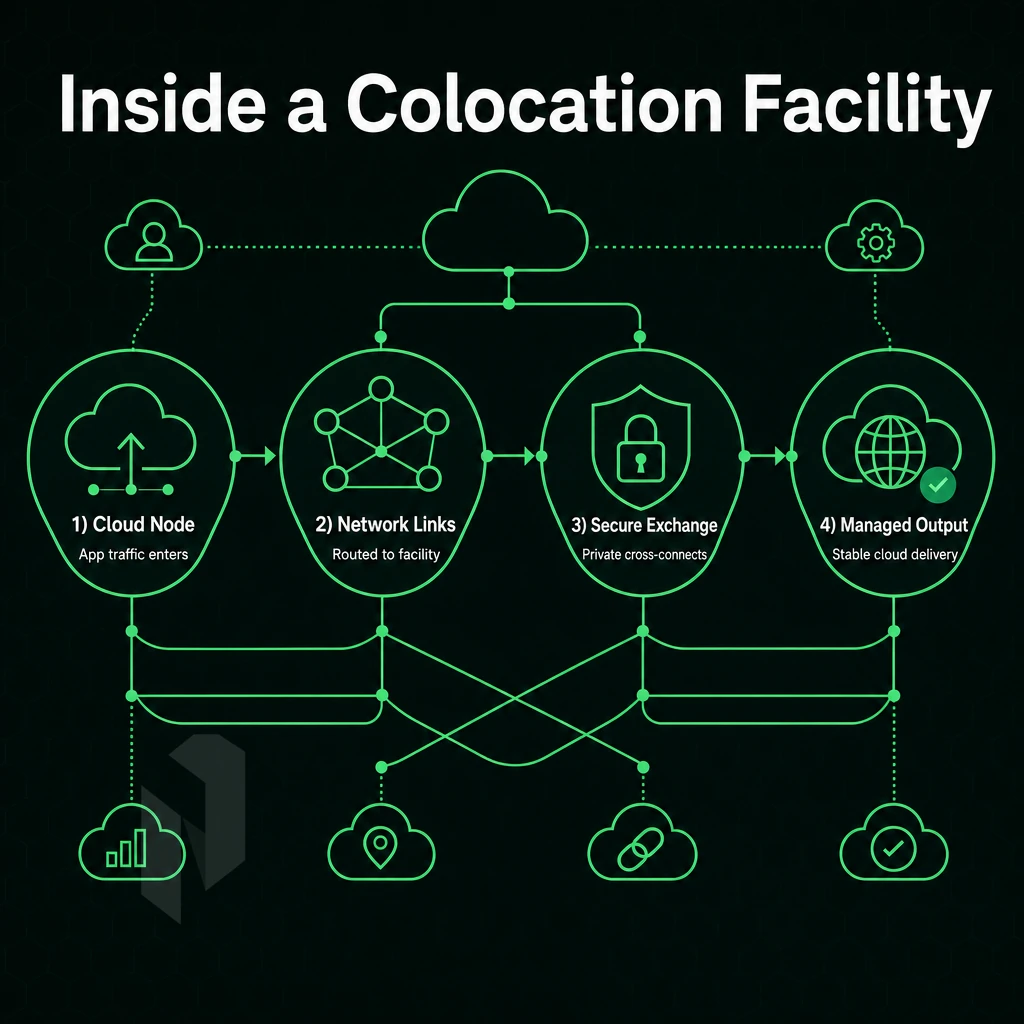
Learning about data center colocation helps explain why businesses choose colocation over building their own private data center infrastructure. Typically a customer sends their own servers to a data center and the colocation provider handles power, cooling, physical security and connectivity while the customer handles the servers and their associated applications and operating systems.
Space Options and Physical Infrastructure
Typically space is offered up in 4 standard flavors: 1U of rack space, full cabinets, caged suites, and private rooms. Among the many advantages colocation data centers offer are redundant power feeds with multiple generators and scalable cooling systems designed to maintain sub-25°C inlet temperature at high densities. Fire suppression and 24/7 monitoring of facilities and hardware are also provided. Many enterprises also leverage colocation facilities to deploy disaster recovery systems that require dedicated hardware and guaranteed physical separation from primary production environments.
Modern fire suppression systems in colocation facilities typically use clean-agent technologies that protect sensitive equipment without water damage risks. Tier III and Tier IV facilities often maintain multiple utility feeds from separate power grids to ensure continuous operation even during regional outages. High-density deployments increasingly require liquid cooling solutions alongside traditional air-based power cooling infrastructure to handle rack loads exceeding 20 kW per cabinet.
Colocation and Cloud Providers Network Connectivity
By avoiding external routing, low latency is provided.
What to Evaluate Before Choosing a Facility
| Dimension | What to Look For |
|---|---|
| Power | N+1 or 2N redundancy; on-site generators |
| Connectivity | Multiple carriers; IX peering; 10G+ cross-connects |
| Security | Enhanced security with biometric access and CCTV |
| SLA | 99.9% uptime minimum; defined hardware response times |
Our 2.4 Tbps+ AS6206 traffic connects to all locations.
The deployment model chosen will have a significant impact on cost and flexibility from the very start. Organizations seeking cost effective infrastructure solutions often find that colocation delivers predictable monthly expenses compared to variable cloud billing models.
Types of Colocation Data Centers and Their Facilities
Not all colocation data centers are created equal.
Retail Data Center Colocation Services
- Identify your footprint. Retail colocation typically begins with a single cabinet or a small cage of equipment. It is well suited for the SMB that requires off-premises hardware but has no need for a full suite of hosted services.
- Assess the shared infrastructure of the facility such as power, cooling and physical security. Shared infrastructure is a key aspect of any colocation facility. As a customer you supply the hardware and the colocation facility supplies the building and associated infrastructure.
Wholesale Colocation and Cloud Providers Options
- Size up for enterprise scale. Our Wholesale offers large enterprises a private data center suite or even an entire hall. And, as required, you will find dedicated power and cooling in your own hall, and not shared with others.
- Hybrid deployment consideration: Colocation vs cloud does not have to be an either/or decision. Many companies keep latency sensitive workloads on bare metal and burst out to virtual capacity in the cloud as needed. To make this hybrid model work effectively, look for carrier-neutral facilities that allow you to connect to multiple network providers from a single data center.
Note: Colocation vs managed hosting is often confused, in colocation, you manage your own hardware.
After selecting the best facility, one with the right cooling systems in place, you compare colocation with cloud on three dimensions: hardware control, data storage cost, and compliance.
Colocation vs Cloud Hosting: Key Differences
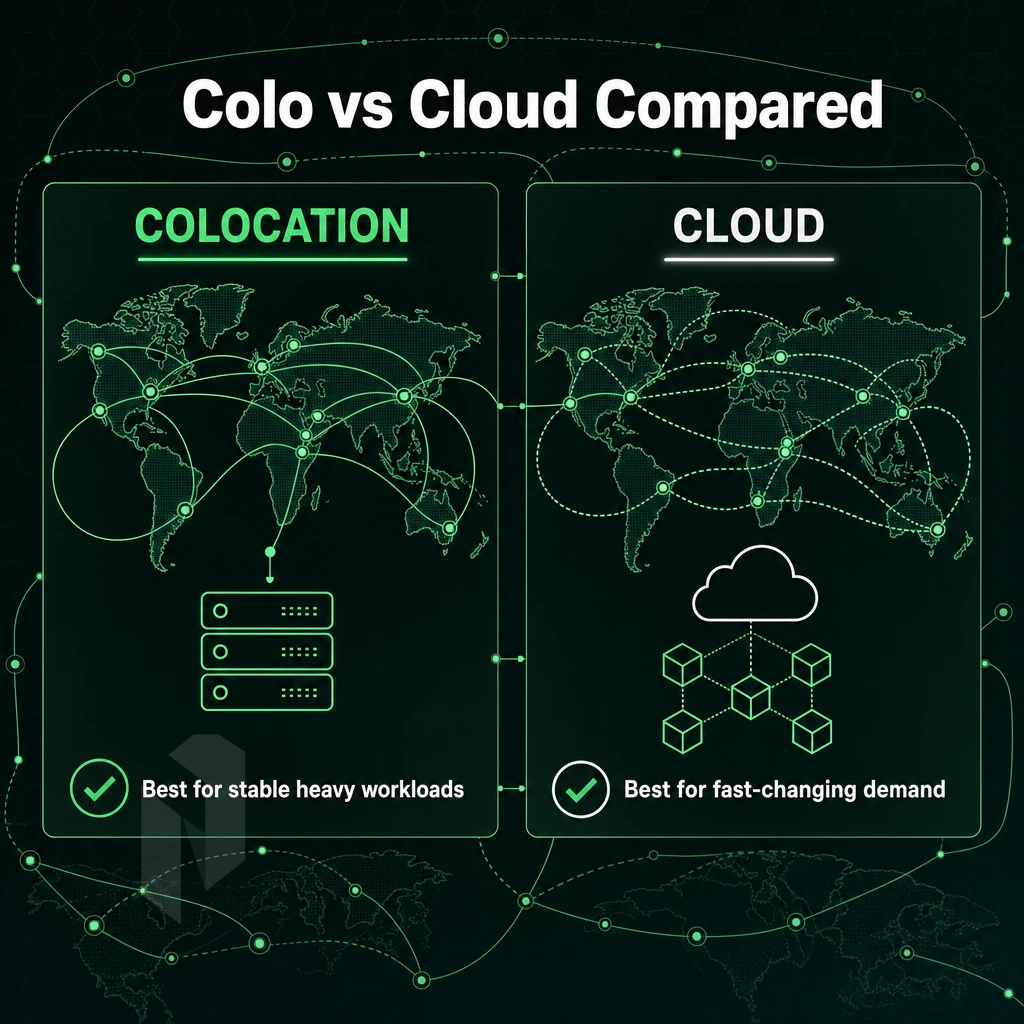
While colocation and cloud computing solve the same problem (where run your workloads), the two models are very different. Knowing the trade-offs between them will help you pick the right tool for the job.
Hardware Ownership and Control
By colocating your servers you own them. You ship them to a third party facility and they provide power, cooling and physical security. You have complete control of the Operating System, firmware and network stack.
As opposed to cloud providers who abstract all of this away from you and you simply use the compute as a service that they provide. This ownership model means you can implement custom kernel modifications and specialized hardware configurations that would be impossible in a virtualized environment managed by a third party facility.
While abstraction of underlying infrastructure, from power cooling to compute, has significant benefits, shared infrastructure also means that your workloads will share resources with those of other tenants.
Cloud Providers vs Colocation: Cost and Scalability
Cloud-based services are generally offered on an opex model and can scale up or down by the hour, as needed. Colocation, on the other hand, is a capex-intensive model upfront but ultimately can be more cost-effective for large, stable workloads. When a service scales to sufficient size, the key advantages of colocation over relying on a cloud service provider include: fixed monthly charges; no egress charges; and no per-core licensing markups.
Cloud scales in minutes.
Compliance, Latency, and Resilience
Security, physical access, and hardware custody are critical for regulated industries like finance, healthcare, and gaming.
By virtue of latency predictability, colocation would often be preferred over cloud hosting. Running your own dedicated hardware and data storage on a private power floor with direct cross-connects to peers through colocation providers means you avoid the overhead of virtualization as well as the contention that comes with sharing tenancy in a shared environment. Disaster recovery solutions for primary applications would run in colocation and then be replicated in the cloud or a secondary colocation facility.
| Dimension | Colocation | Cloud |
|---|---|---|
| Hardware ownership | You own it | Provider owns it |
| Cost model | Capex + fixed opex | Variable opex |
| Control level | Full stack | Application layer only |
| Scalability | Planned, rack-level | Elastic, on-demand |
| Compliance posture | Direct auditability | Shared responsibility |
| Latency | Predictable, low | Variable |
While the comparison of compute options and cloud connectivity between colocation and any cloud service provider is relatively clear cut, storage is an area of much confusion where many people confuse cloud storage with colocation. The two describe entirely different relationships with your data.
Colocation vs Cloud Storage: What's the Difference?
Cloud storage and colocation are frequently mixed up. However, there are significant differences between the two and how you use them to protect your data, meet compliance requirements and retain control of it in the long term.
What Cloud Storage Actually Is
Cloud storage is a managed service where your data is hosted on infrastructure operated by cloud service providers, accessible via API or their interfaces.
Convenience has trade-offs.
Cloud vs Colocation: The Core Distinction
Colocation is the opposite of hosted storage solutions. With colocation you own the hardware and put it in a third party data center. These data center s are typically carrier-neutral and have all the necessary features for hosting hardware such as power, cooling and physical security. Your data is stored on your own hardware and managed according to your own policies.
You are not building your own data center from scratch but rather extend your current infrastructure into a professionally managed facility and keep full control of your applications and data as well as your complete stack.
Why It Matters for Compliance
There are many regulated industries (such as finance, healthcare and legal) that cannot use shared cloud environments for parts of their workloads. In those cases a dedicated data center provider such as Netrouting can offer the physical isolation and audit trails required by these frameworks while offering great connectivity and high uptime.
On one hand, there is the issue of control over your data. On the other hand, there is everything you can avoid not building and running your own data center and that far exceeds the benefits of colocation over running your own data center facility.
Key Advantages of Data Center Colocation Over In-House Solutions
Colocation is better than your own data center for several reasons. Colocation is more cost efficient and more reliable than running your own data center. The major differences between the two are covered below.
Cost and Operational Efficiency
All this can be converted into very reasonable operational expenditures in a colocation facility, where the same is shared with many other customers and thus spread.
Physical Security and Power Resilience
A professional physical data center offers multiple layers of physical security, biometric access control, round-the-clock video monitoring, and strict access policies that in-house builds rarely match.
Connectivity and Business Continuity
Our carrier-neutral facilities are connected with multiple Tier 1 upstreams as well as IX peering. We also offer connections to cloud services to support hybrid infrastructures. The diversification of our network connections enables business continuity. Failover options are already implemented before an incident occurs and not after it has happened.
| Dimension | In-House | Colocation (Netrouting) |
|---|---|---|
| Uptime SLA | Best-effort | 99.9% guaranteed |
| Network capacity | Limited by local ISP | 2.4 Tbps+ backbone, 10 Gbps+ per server |
| Physical infrastructure | Owner-managed, single site | N+1 power and cooling, 10 global locations |
| Certifications | Typically none | ISO 9001, ISO 27001, SOC 2 |
We offer this on a straightforward monthly basis.
Colocation has its advantages, but not every workload or team needs it.
Disadvantages and Limitations of a Colocation Facility
Knowing the limitations ahead of time will help you better plan for future growth and avoid unexpected expenses.
Hardware and Capital Costs at Colocation Data Centers
- This is the upfront capital expenditure for the hardware. It’s the reverse of cloud computing where you would pay for on-going consumption of computing resources. You purchase, ship and rack out the servers prior to launching your first workload.
- Ongoing maintenance needs to be planned for. The responsibility for hardware failures is yours. This includes replacement parts, labor and managed services to monitor for failures.
Note: Retail colocation contracts rarely include hardware warranties. Confirm what remote-hands support covers before signing.
Operational Complexity vs. Cloud Computing
- Physical distance to your team members, they're not on site with you. Fixing a failed drive at 2am requires remote access or remote hands, which aren't instant.
- The limits of elasticity for cloud resources, which scale in minutes, versus traditional colocation where adding capacity means ordering, shipping and cabling new hardware, a process that takes days if not weeks.
- Shared responsibility. The facility is physically secured by the facility, while any data breaches of software or network are your responsibility. Unlike a fully dedicated private data center, you share a building with other tenants.
Note: If your workload spikes unpredictably, a hybrid model, colocation for baseline compute, cloud for burst, often delivers better economics than either approach alone.
Here’s why Netrouting makes sense.
Why Choose Netrouting for Carrier-Neutral Colocation Services
For businesses weighing cloud vs colocation, Netrouting operates carrier-neutral colocation data centers across ten cities, Amsterdam, Frankfurt, The Hague, Rotterdam, Stockholm, Bucharest, Miami, New York, Hong Kong, and Singapore.
- Certified security: ISO 9001, ISO 27001, and SOC 2, physical security measures, biometric access controls, and surveillance systems protect sensitive data around the clock.
- Resilient power: N+1 redundant power systems with multiple backup generators and redundant power feeds across every site.
- Dense connectivity: AS6206 backbone, BYOIP, full BGP support, free private network connectivity between your resources, and cross connects to major exchanges.
- 24/7 NOC: Proactive monitoring with a one-hour ticket guarantee and courtesy remote hands.
- Scalable footprint: From a 1U starter to high-density private suites, built for future growth without a move to a new data center facility.
Explore our colocation services or compare configurations, our team is ready to match your workload to the right site.
Frequently Asked Questions
What are the it infrastructure disadvantages of colocation compared to cloud services?
You own the hardware, so capital expenditure and refresh cycles fall on you.
Is colocation cheaper than cloud services for managing it infrastructure?
Workloads with spiky or unpredictable demand may still favour cloud's elastic billing model.
How does colocation differ from cloud services for managing it infrastructure simply?
Your hardware lives in a professionally managed data center, while you retain full control over what runs on it.
Who Are the Top Data Center Colocation Providers?
The market includes large carrier-neutral third party data center operators with global footprints, regional specialists focused on specific markets, and network-centric providers that combine colocation with their own private facilities and backbone infrastructure.
Netrouting is one of the carrier-neutral colocation providers operating across ten cities, Stockholm, Amsterdam, Rotterdam, The Hague, Frankfurt, Bucharest, Miami, New York, Hong Kong, and Singapore, backed by a 2.4 Tbps+ network on AS6206, always-on DDoS protection, and ISO 9001, ISO 27001, and SOC 2 certifications. The right provider depends on where your users are, what connectivity you need, and whether you require managed services alongside the physical space.
Colocation and cloud computing serve different purposes and therefore are not equally well suited for all types of workloads and usage scenarios. While colocation offers physical servers in a carrier-grade data center with fixed prices, dedicated resources and no risk of shared-tenant performance problems, cloud computing offers elastic on-demand servers with variable prices. The decision whether colocation or cloud computing is the better choice depends on various criteria.
Colocation delivers lower total cost of ownership for stable, high density workloads than running equivalent workloads in the major cloud environments. When combined with carrier neutral connectivity and enhanced security controls, data center colocation work also offers the ability to route traffic in ways that simply are not possible in hyperscaler controlled environments.
If you're evaluating colocation data center space as an alternative to cloud providers for your next deployment, Netrouting operates carrier-neutral facilities across Europe, North America, and Asia, with 24/7 support, a 99.9% uptime SLA, and always-on DDoS protection included. Explore Netrouting colocation or contact the sales team to discuss your specific requirements.