Over the past decade, the business environment has evolved to demand more from organizations of all sizes. Technology must be up and running, providing critical business insight and enabling organizations to be first to market, secure, and scalable as they grow. The flood of new technologies entering the market has caused organizations to realize that their data and IT infrastructure are the lifeblood of their business.
A house needs a good foundation to grow and to remain upright. A solid underpinning of your servers, network, storage, security and support organization is also necessary to secure future performance, flexibility and return on your investments.
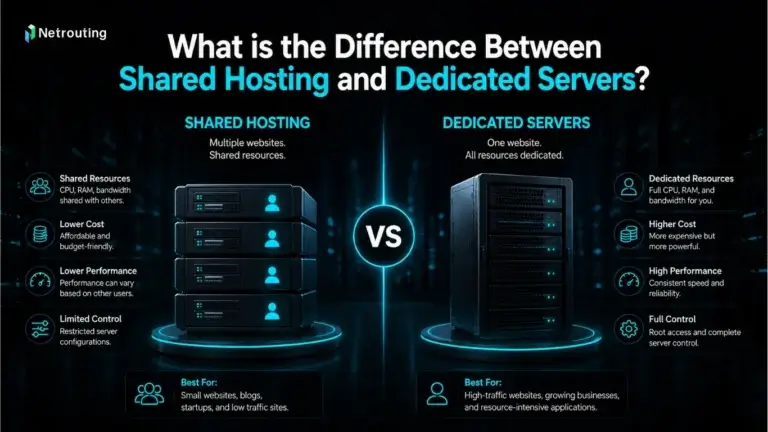
When looking for a server host online there are many choices available and most people get confused on what is best for them. dedicated server or a more virtual option, like VPS or shared hosting. Even within these categories there are lots of options to choose from, and we can recommend the right one for you. The option depends on the amount of money you are willing to spend and the amount of server security you need.
What Is IT Infrastructure for a Small Business?
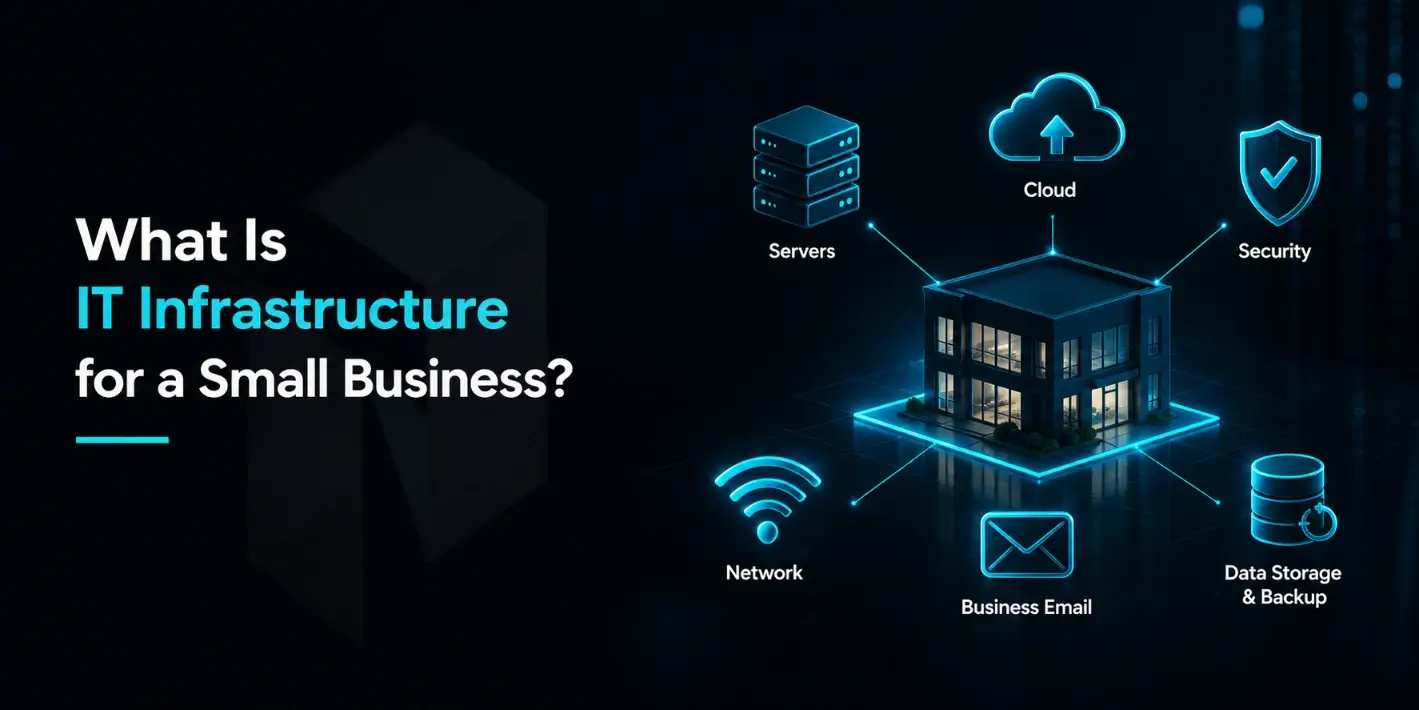
At the heart of how your small business operates on a daily basis is your IT infrastructure. IT infrastructure includes computers, laptops, servers, software, internet services, data storage solutions, wired and wireless network infrastructure, security systems, and cloud solutions.
Blog contents
Big corporations tend to think of IT in terms of servers, computers, and networks in their own buildings. But for small businesses, IT can encompass a whole array of different technologies. In addition to servers, computers, and networks, there are also the PCs and email accounts of individual employees, the Wi-Fi, and the file storage. Then there are the accounting systems, customer management systems, and web site hosting. And of course, the business backups - whether on local storage or in the cloud. The small business IT provider can manage firewalls, individual computers, as well as cloud-based computing services. The management of that IT can be from within the business or from a cloud platform, such as a data center. In many cases, this is provided by a company that specializes in cyber security, or a managed services provider. managed hosting company.
A well-built IT infrastructure will protect your organization’s information, increase productivity, prevent unnecessary support calls and operational issues, and allow staff to focus on other value-adding activities such as customer service, revenue growth, business enablement, and other mission-critical activities.
Why IT Infrastructure Matters for Small Businesses
The IT infrastructure of a small business is very important, since they have to do a lot with few means. Unlike large companies with lots of money and an internal IT department, a small business needs a reliable, secure, cost effective and manageable IT infrastructure that enables it to function on a daily basis. A good IT infrastructure can help to prevent downtimes, secure data, support remote or hybrid workers and enable daily business. In addition, it facilitates the extension of the IT services to more users, the introduction of cloud applications, the increase of the level of security and growth of the IT services of the company as it grows. Even small IT incidents can be highly penalizing for a company in terms of productivity, customer service and security.
Main Benefits of a Strong IT Setup
Small business IT infrastructure is more than employees sitting at computers surfing the web. The IT infrastructure of a small business is a platform to manage the data, applications, employees, security and customers of a business.
Some of the most important benefits include:
- More reliable daily operations: When servers, networks, backups, and applications are properly configured, the business can operate with fewer interruptions and fewer unexpected technical problems.
- Faster access to business tools and data: A good setup helps employees access files, software, websites, and internal systems without slow performance getting in the way.
- Stronger protection for important information: Security tools, access controls, backups, and regular updates help protect customer data, business records, and internal systems from avoidable risks.
- Room to grow without starting over: As the business adds more employees, customers, locations, or digital services, the infrastructure can be expanded through better hosting, more storage, stronger servers, or managed support.
- Better use of the IT budget: Instead of buying random tools or fixing the same problems repeatedly, a planned setup helps the business invest in technology that actually supports its workload and goals.
- Better communication and collaboration: Tools such as Microsoft Teams, a reliable phone system, shared file access, and other collaboration tools help employees stay connected across the office, remote locations, and mobile devices.
- Stronger business continuity: A reliable IT setup helps protect critical data, reduce downtime, and keep the business operating during outages, hardware failures, cyber attacks, or unexpected disruptions.
Key Components of Small Business IT Infrastructure
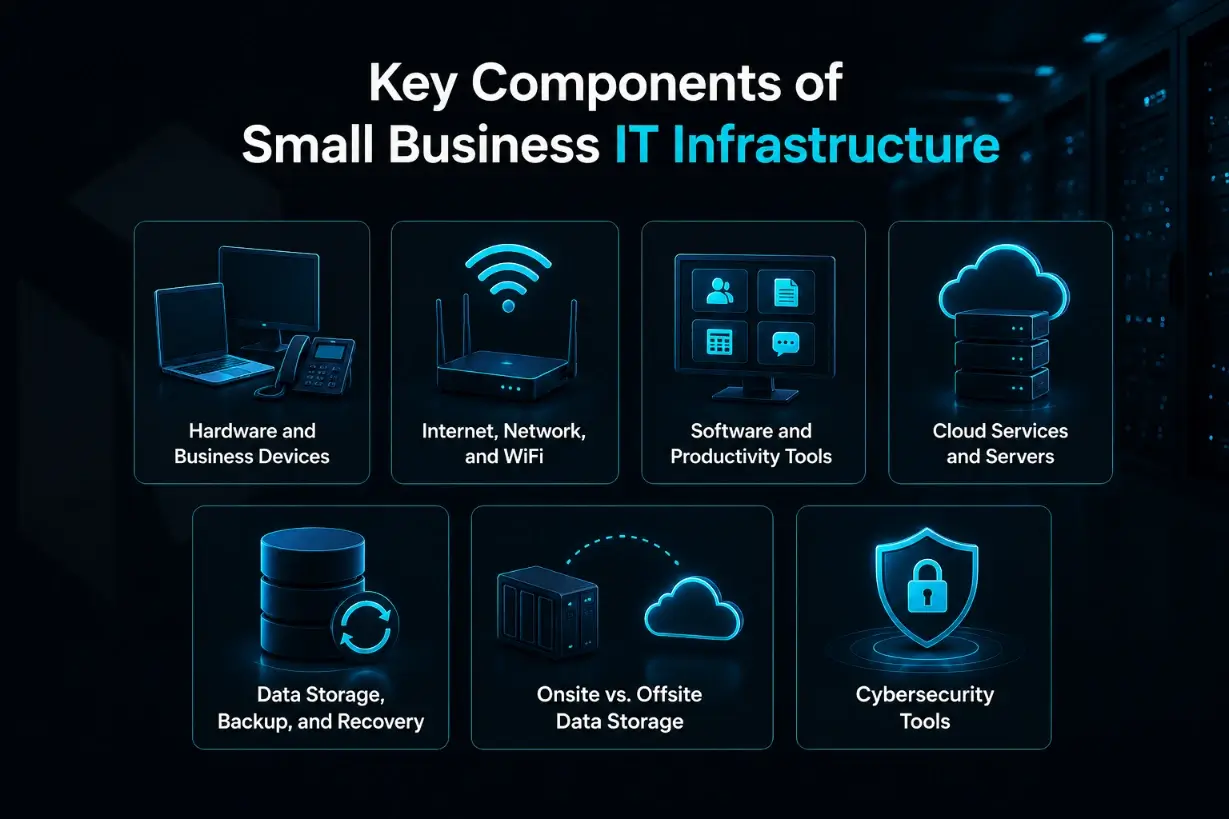
The IT setup for a small business consists of more than just one computer or network. All the other hardware, software and solutions that are in use, servers, data storage, backup systems and security solutions all form part of the overall system. Each part needs to function 100% and be running at optimal levels. If one part starts to fail then this can affect the rest of the business and cause problems such as slow systems, down time, communication failures and security breaches.
The following sections provide an overview of the core elements required in any small business IT setup. These core elements cover all devices and networking hardware, through to all cloud services, data backup and recovery and IT security.
Hardware and Business Devices
The term 'Hardware' typically refers to the physical solutions which you will utilize on a daily basis. For example Desktops, Laptops, Monitors, Printers, Mobile Phones, Servers, Networking solutions etc. For small businesses it is not necessary to buy the most expensive solution available on the market but rather the best quality hardware that can be updated and most importantly meet your daily requirements. It is also worth looking at the hardware's life span and refresh cycle (how long it lasts before it has to be updated or replaced).
Hardware planning also needs to be considered in terms of its lifespan. Computers, mobile phones and networking equipment have a life span and at some point will need to be updated, replaced or retired. If hardware is not updated in good time it can become inefficient, become insecure or even too expensive to maintain.
Standardization of hardware, software and even configuration on computers used by employees is equally important to support a business. When a support team is faced with different devices, different operating systems or even different settings on computers used by employees to do their job, support and troubleshooting becomes a tedious and time-consuming process. By providing employees with business-class hardware wherever possible and a professional operating system with features like full-disk encryption, remote management and improved access control, a company's security objectives can be supported.
Internet, Network, and WiFi
In order to control how people and devices can access systems within your business, you will need to manage your internet connection, your routers, switches and cabling as well as your wireless access points and your wireless network. A poor quality IT network can undermine even the very best quality of applications and make them appear to run slowly. For a small business, the main focus should be to ensure that your connectivity is stable; there is adequate quality of WiFi across the area; that access to the network is secure; and there is a sufficient bandwidth supply to cater for your employees as well as for your cloud applications, video conferencing, business website and other customer facing systems.
A stable network is the backbone of most IT services delivered to a small company. If the network fails then email, file sharing, cloud applications, telephones, on-line payment systems, video conferencing etc. will all be affected. All customer facing services will be adversely affected by a network failure. The network is the life blood of any company and supports all users, computers, applications and data to enable the business to operate on a day to day basis.
Having a secondary internet connection available could save a lot of heartache in the case of a connection failure especially if the business runs many cloud based applications or online payment systems, or remote access to computer systems. Some of the Enterprise class equipment now available for wide area networking (SD WAN capable) will automatically switch to the backup connection if the primary connection fails.
In addition, separate the traffic from business users to guest access traffic. Do not put visitors, vendors and customers on the same network as your internal data, servers and financial applications. Simple segregation from the start will help avoid lots of unnecessary risk.
Software and Productivity Tools
Software covers the applications your business uses on a day to day basis, such as email, office, accounting, CRM, project management, collaboration tools and specific industry applications. Organizing and maintaining software ensures that there are no compatibility issues, that the software is up to date with the latest security patches and that your staff have a seamless experience when using software in your business.
In addition to that, the right software stack can help to reduce manual work and daily coordination. For example, a scheduling tool, an event management software, a document sharing platform, a communication system or other business applications. All of them make work much more efficient in a team than with a simple spreadsheet where all the information is disconnected and has to be updated by hand every now and then.
Cloud Services and Servers
Cloud services and servers provide the computing power behind websites, applications, file systems, databases, and business platforms. Some small businesses rely mostly on cloud software, while others need VPS hosting, dedicated servers, managed hosting or a fully custom solution with more performance where needed. There are several factors such as workload, traffic, security, budget, and level of technical management that determine which option is the best for you.
Migration to the cloud can be used for a variety of purposes. Companies may use it to move away from outdated local servers. Also, migration to the cloud is suitable for companies that have to support a lot of remote workers and want to implement more scalable solutions for files, applications, websites and databases. It doesn't have to be a full migration to the cloud. The most suitable solution for each workload is usually a combination of local servers and cloud hosted solutions.
Data Storage, Backup, and Recovery
Data storage is where your business keeps files, records, databases, customer information, and operational data. Backups protect that data if something goes wrong, such as hardware failure, accidental deletion, cyber attacks, or system corruption.
A proper setup should include regular backups, clear recovery procedures, and enough storage capacity to support growth. The real value of backup is not just having copies of data, but being able to restore them quickly when needed.
Business data can include customer records, financial files, employee information, contracts, application databases, and other sensitive data. If that data becomes unavailable, the business may face downtime, compliance concerns, and financial impact, so backup and recovery should be part of risk management, not just routine IT maintenance.
Onsite vs. Offsite Data Storage
On-site storage keeps data on equipment located in your own office or building, which can provide fast local access and direct physical control. However, your business is also responsible for maintaining the hardware, environment, power, cooling, and physical security. Offsite storage keeps data or backup systems outside your location, often in a professional data center or managed hosting environment, which can add protection if your office experiences equipment failure, theft, fire, flooding, power issues, or other disruptions.
Cybersecurity Tools
Cybersecurity tools help protect your infrastructure from unauthorized access, malware, data loss, and other cyber threats. For a small business, this may include firewalls, antivirus or endpoint protection, password management, multifactor authentication, software updates, email filtering, access controls, managed detection, and backup protection.
Small business cybersecurity should use several layers of protection. A stronger setup may include enterprise-grade security controls, secure VPN access for remote users, endpoint detection, and security awareness training. It is also important to train employees to identify phishing emails, suspicious links, and unsafe file attachments, because human error can create risk even when the technical systems are strong.
A stronger security strategy should use layered defense instead of relying on one tool. At a basic level, this may include a business-grade firewall, endpoint protection or Endpoint Detection and Response software, secure VPN access for remote users, and multi-factor authentication for important accounts. MFA is especially important because it adds another barrier even if a password is stolen or guessed. These layers work together to reduce the risk of unauthorized access, malware, phishing, and account compromise.
IT Infrastructure Checklist for Small Business
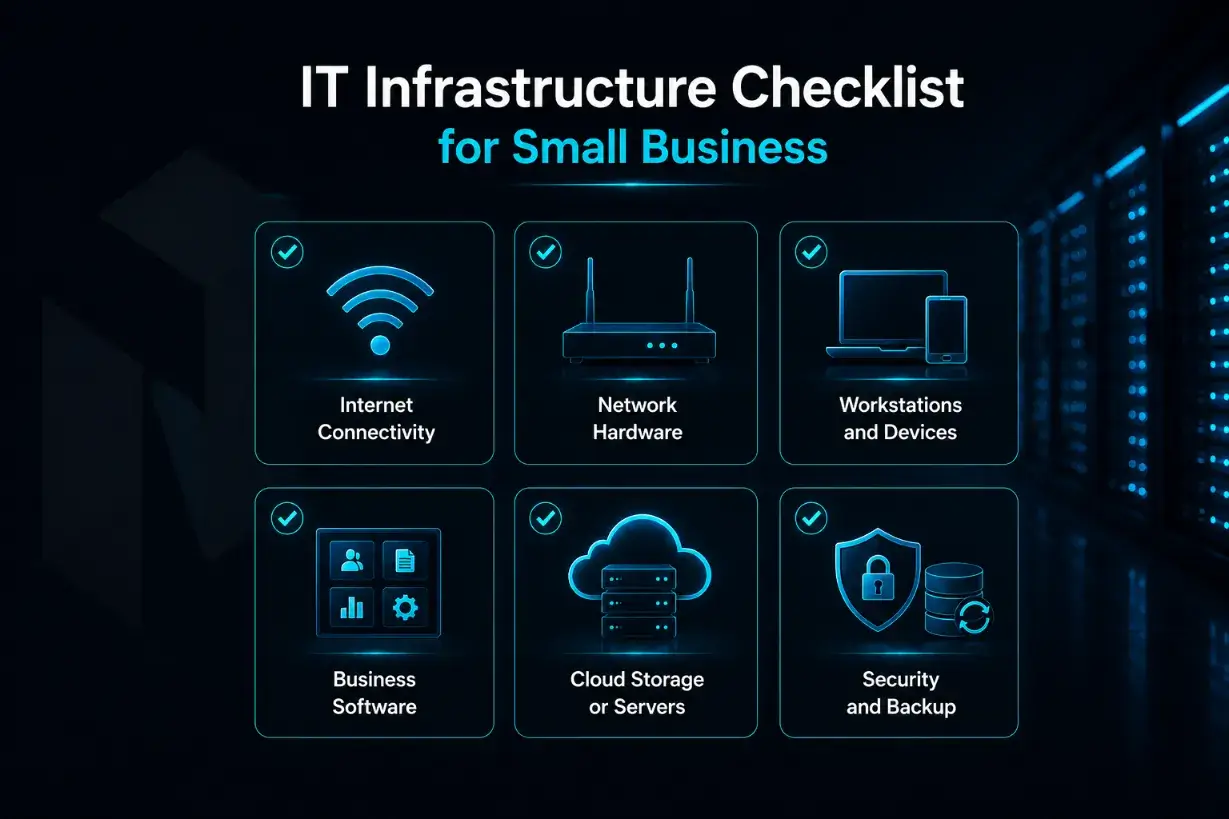
Before choosing new tools or upgrading your systems, it helps to review the basics first. A small business does not always need a complicated IT environment, but it does need a setup that is stable, secure, and practical for daily work. Use this checklist to identify the areas that need attention.
Internet Connectivity
Check whether your internet connection is fast enough, stable enough, and reliable enough for your daily operations. If your team depends on cloud tools, video calls, online payments, website management, or remote access, slow or unstable internet can quickly affect productivity.
Network Hardware
Review your routers, switches, cabling, and WiFi access points. These devices control how your team connects to business systems, so they should be secure, updated, and strong enough to support the number of users, devices, and applications in your workplace.
Workstations and Devices
Look at the laptops, desktops, phones, printers, and other devices your employees use every day. Devices should be reliable, updated, protected with security tools, and powerful enough to handle normal workloads without constant slowdowns or failures.
Business Software
List the software your business depends on, such as email, accounting tools, CRM platforms, project management apps, communication tools, and industry-specific systems. Make sure licenses are current, access is properly managed, and old or unused software is removed when no longer needed.
Cloud Storage or Servers
Review where your files, applications, websites, databases, and business systems are hosted. Some businesses may only need cloud storage, while others may require VPS hosting, dedicated servers, or managed hosting for better performance, control, and reliability.
Security and Backup
Check whether your business has basic protection in place, including firewalls, endpoint security, strong passwords, multi-factor authentication, software updates, and regular backups. Backups should also be tested so you know your data can be restored when something goes wrong.
How to Plan and Build Small Business IT Infrastructure
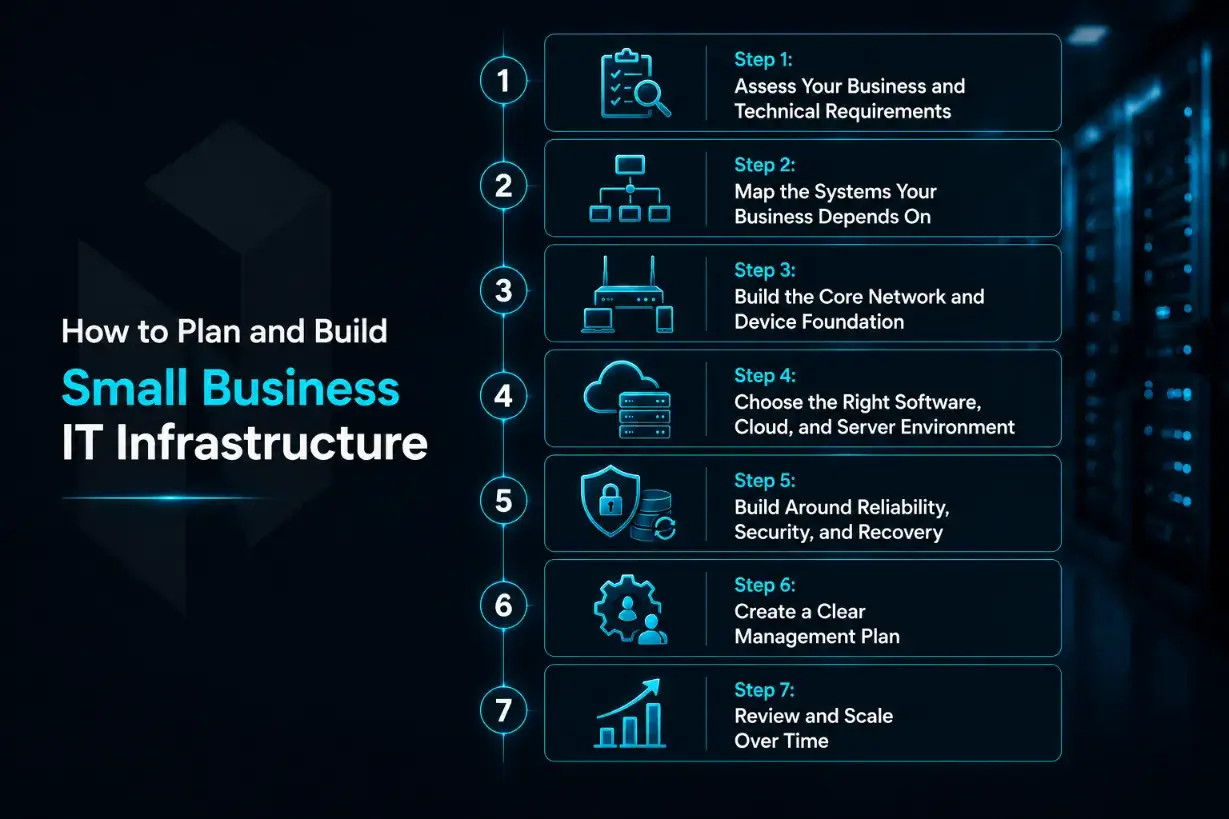
Planning IT infrastructure for a small business should begin with how the business actually works. Before choosing servers, software, cloud tools, or security products, it is important to understand what your team needs every day, which systems are critical, where your data lives, and what could interrupt normal operations.
A strong IT setup should support the business today while leaving enough room for growth. The goal is not to buy the most advanced technology available. The goal is to build an environment that is reliable, secure, manageable, and practical for your workload.
Step 1: Assess Your Business and Technical Requirements
Start by identifying what your business needs from its IT environment. Consider the number of employees, the devices they use, the applications they depend on, how much data the company stores, and whether your team works from one location, remotely, or across multiple offices.
Before making infrastructure decisions, conduct a simple workflow audit. This means reviewing how employees currently work, which tools they depend on, where bottlenecks happen, and which systems create the most support issues. A workflow audit should also look at the number of users, software dependencies, remote work needs, file access requirements, and any recurring pain points that slow down daily operations. This gives the business a clearer picture of what the IT setup actually needs to support.
You should also review your performance, security, and compliance needs. A business that only uses email, file storage, and accounting software may need a simpler setup than a company running customer portals, ecommerce platforms, databases, or hosted applications. This first step helps you avoid choosing tools that are either too limited or more complex than your business actually needs.
Step 2: Map the Systems Your Business Depends On
Once you understand the business requirements, list the systems that keep daily operations moving. This may include email, internet access, file storage, accounting platforms, CRM tools, websites, payment systems, internal applications, customer databases, and hosting environments.
Mapping these systems helps you see what must stay available, what needs better protection, and what may already be outdated. It also makes it easier to prioritize investment. For example, a public website, hosted application, or customer database may need stronger server performance and backup protection than a less critical internal tool.
Step 3: Build the Core Network and Device Foundation
Your infrastructure needs a stable foundation before anything else can work properly. This includes business devices, internet connectivity, routers, switches, WiFi access points, printers, and any on-site server equipment. If this layer is weak, even good software and cloud services can feel slow or unreliable.
Small businesses should choose reliable devices and network equipment that can support daily workloads. Employees need computers that can run required software smoothly, while the network should provide enough speed, coverage, and security for office work, cloud tools, video calls, remote access, and hosted systems.
Step 4: Choose the Right Software, Cloud, and Server Environment
After the foundation is in place, decide which software, cloud platforms, and server environments your business needs. This may include productivity tools, communication apps, accounting software, customer management platforms, cloud storage, website hosting, VPS hosting, dedicated servers, or managed hosting.
The right setup depends on your workload. Some applications work well in cloud-based tools, while others may need dedicated server resources, stronger performance, or a managed environment for better reliability. Small businesses should choose systems that are easy to manage, secure, and flexible enough to support future growth.
Step 5: Build Around Reliability, Security, and Recovery
Reliability and security should be part of the design from the beginning. This includes firewalls, endpoint protection, strong passwords, multi-factor authentication, access controls, software updates, secure hosting, and regular backups.
Backup and recovery planning is especially important. It is not enough to simply have copies of files somewhere. Your business should know where backups are stored, how often they run, who manages them, and how quickly important data or systems can be restored after a failure, outage, cyberattack, or accidental deletion.
Step 6: Create a Clear Management Plan
A small business IT setup needs regular management after it is built. Someone must be responsible for software updates, device maintenance, user access, security reviews, backup checks, support requests, hosting performance, and vendor communication.
This responsibility can be handled by internal staff, an outsourced IT provider, a managed hosting partner, or a combination of these options. What matters most is clarity. If no one owns the process, important updates, renewals, security issues, and performance problems can be missed until they become expensive disruptions.
Step 7: Review and Scale Over Time
IT infrastructure should grow with the business. As your company adds employees, customers, applications, website traffic, data, or new locations, your current setup may need more storage, stronger servers, better bandwidth, improved security, or a more advanced hosting solution.
Regular reviews help prevent outdated systems from holding the business back. Instead of waiting for slow performance, downtime, or security gaps to appear, small businesses should review their IT environment on a consistent schedule and adjust it before growth creates pressure. A well-planned infrastructure gives the business a stronger base to operate, improve, and scale with confidence.
Deciding Between Cloud, Local, and Hybrid Infrastructure
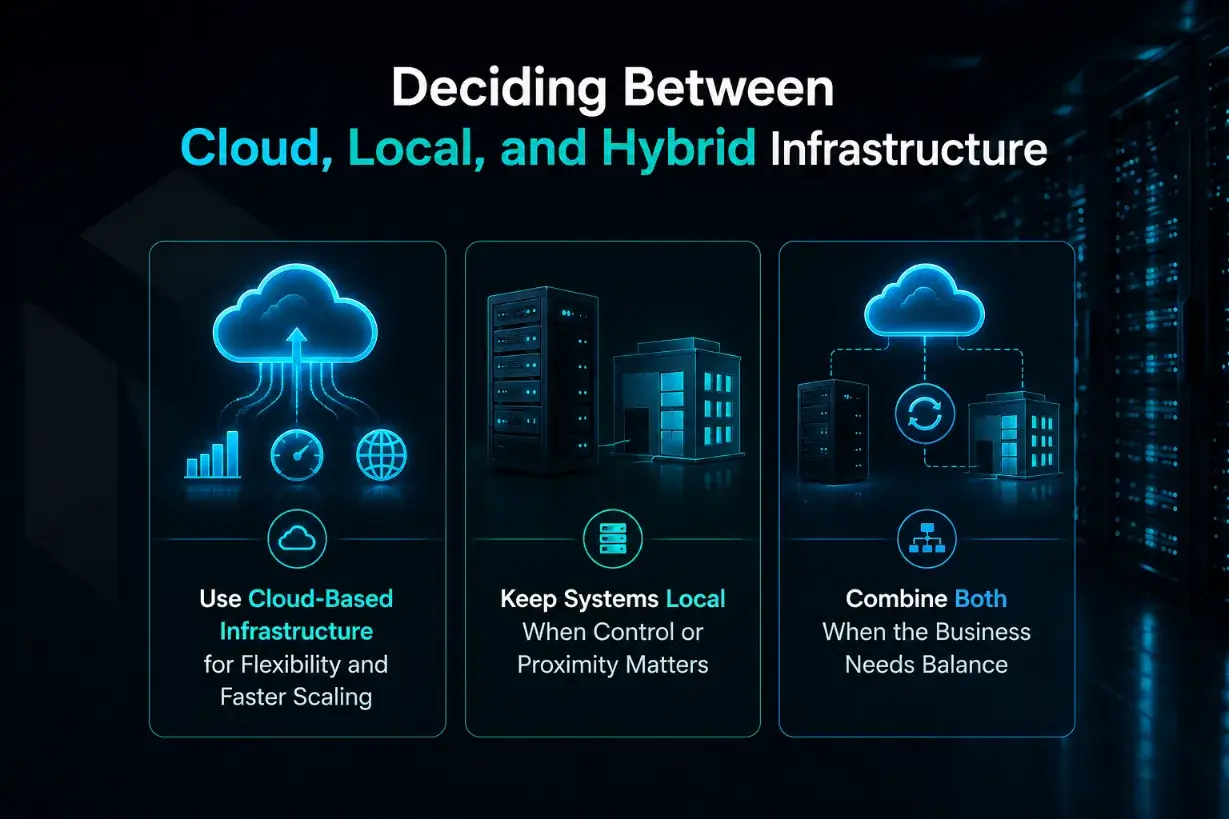
Small businesses do not always need to choose one infrastructure model forever. The better question is where each system should run so the business gets the right balance of cost, control, performance, security, and flexibility. Some tools work best in the cloud, some systems may still make sense locally, and many businesses benefit from a mix of both.
Use Cloud-Based Infrastructure for Flexibility and Faster Scaling
Cloud-based infrastructure makes sense when your business needs flexibility, easier remote access, and the ability to scale without buying and maintaining physical equipment in the office. It can be a good fit for email, file sharing, business applications, backups, websites, development environments, and workloads that may grow or change over time.
Cloud infrastructure can be especially useful for startups and growing businesses because it usually requires less upfront hardware investment and gives teams easier remote access. Instead of buying and maintaining physical servers from the beginning, the business can start with hosted tools or cloud services and expand as demand grows.
For small businesses, cloud and hosted infrastructure can also reduce the burden on internal teams. Instead of managing every server, update, power issue, or hardware failure yourself, you can rely on a provider or platform to handle much of the underlying environment. This is especially useful when the business needs reliable performance but does not have a large internal IT team.
Keep Systems Local When Control or Proximity Matters
Local infrastructure can still make sense when a business needs direct physical control, very fast local access, or has equipment that must stay connected inside the office. This may include certain internal applications, specialized devices, local file access, production systems, or environments where internet dependency needs to be limited.
However, keeping systems local also means taking responsibility for maintenance, security, hardware replacement, power, cooling, backups, and recovery planning. For that reason, small businesses should be careful not to keep systems onsite only because “that is how it has always been done.” Local infrastructure should have a clear business or technical reason behind it.
Combine Both When the Business Needs Balance
A hybrid approach combines local systems with cloud or off-site infrastructure. For many small businesses, this is the most practical model. For example, the business may keep some devices and files onsite for convenience while using cloud storage, offsite backups, managed hosting, VPS hosting, or dedicated servers for better reliability and protection.
Many small businesses use a hybrid model because different systems have different needs. A company might keep certain local applications or devices onsite while using cloud tools for collaboration, offsite backup, hosted servers, or managed infrastructure. This approach can offer a practical balance between control, cost, access, and resilience.
Hybrid infrastructure works well when a company wants flexibility without giving up control. It can support remote work, protect data through off-site backup, improve hosting performance, and still allow certain systems to remain close to the business. The key is making sure both sides are planned together, so the environment stays secure, connected, and easy to manage.
Managed IT Services vs. In-House IT
Small businesses do not always need to manage every part of IT alone. Some build an in-house IT team, some use managed IT services, and others choose co-managed IT support where internal staff and outside specialists work together. The right choice depends on budget, technical needs, response expectations, security requirements, internal resources, and how complex the IT infrastructure has become.
Internal IT Staff
Internal IT staff can be a strong choice when the business needs hands-on support every day. They understand the company’s systems, users, workflows, vendors, and priorities, which can make troubleshooting faster and keep IT decisions closely aligned with daily operations.
The challenge is cost and coverage. Hiring full-time in-house IT professionals can be expensive, and one person may not have deep expertise in servers, networking, cybersecurity, backups, cloud systems, hosting, and compliance. Internal IT works best when the business has enough ongoing technical needs and budget to support that investment.
Managed IT Service Provider
A managed IT service provider can take responsibility for part or all of the business IT environment. This may include tech support, monitoring, updates, cybersecurity services, backups, cloud management, server management, proactive maintenance, and general IT operations. For smaller organizations without a full internal IT team, managed IT services for small businesses can provide access to experienced IT professionals without hiring several specialists in-house.
Managed IT support is useful when the business wants fewer reactive fixes and more proactive support. Instead of waiting for systems to fail, the right managed service provider helps monitor performance, review security, check backups, manage updates, and plan infrastructure improvements before small issues become larger disruptions.
Managed services can also make budgeting easier. Many providers offer service level agreements and support through one predictable monthly price, a predictable monthly fee, or a monthly subscription model. This can help reduce costs, avoid hidden fees, and give small business owners clearer visibility into IT spending.
Co-Managed IT Support
Co-managed IT support combines internal IT staff with outside expertise. This works well when a business already has an IT person or small team but needs extra help with specialized tasks, after-hours support, hosting, security, backup management, or overflow requests.
This model is useful when companies struggle to keep enough technical coverage internally. Internal staff can stay focused on users, vendors, and business-specific systems, while the external provider supports areas that need deeper technical knowledge or additional capacity. For growing businesses, co-managed IT can be a practical middle ground between handling everything internally and using a fully managed model.
Common IT Infrastructure Challenges for Small Businesses
Even with a solid plan, small businesses can run into issues when updating, replacing, or expanding their IT infrastructure. Many of these problems are not caused by bad technology, but by unclear planning, rushed decisions, or systems that were never designed to work together.
Data Migration Issues
Moving data from one system to another can be risky if the process is not planned carefully. Files, databases, customer records, emails, or application data may be incomplete, duplicated, corrupted, or difficult to access after the move. Before migration, businesses should review what data needs to be moved, clean up outdated files, create backups, test the transfer, and confirm that the new system works properly before fully switching over.
System Integration Problems
Small businesses often use a mix of tools for accounting, sales, communication, file storage, websites, hosting, and customer management. Problems can appear when new software, cloud services, or servers do not connect well with the systems already in place. This can lead to repeated manual work, missing information, login issues, or broken workflows. Before adding new technology, it is important to check compatibility and understand how each system will share data.
Security and Compliance Challenges
As the IT environment grows, security becomes harder to manage. More users, devices, applications, and cloud services can create more points of risk. Small businesses may also need to follow privacy, payment, healthcare, or industry-specific requirements depending on the type of data they handle. Strong access controls, secure backups, regular updates, monitoring, and clear internal policies help reduce these risks before they become serious problems.
Common IT Infrastructure Mistakes to Avoid
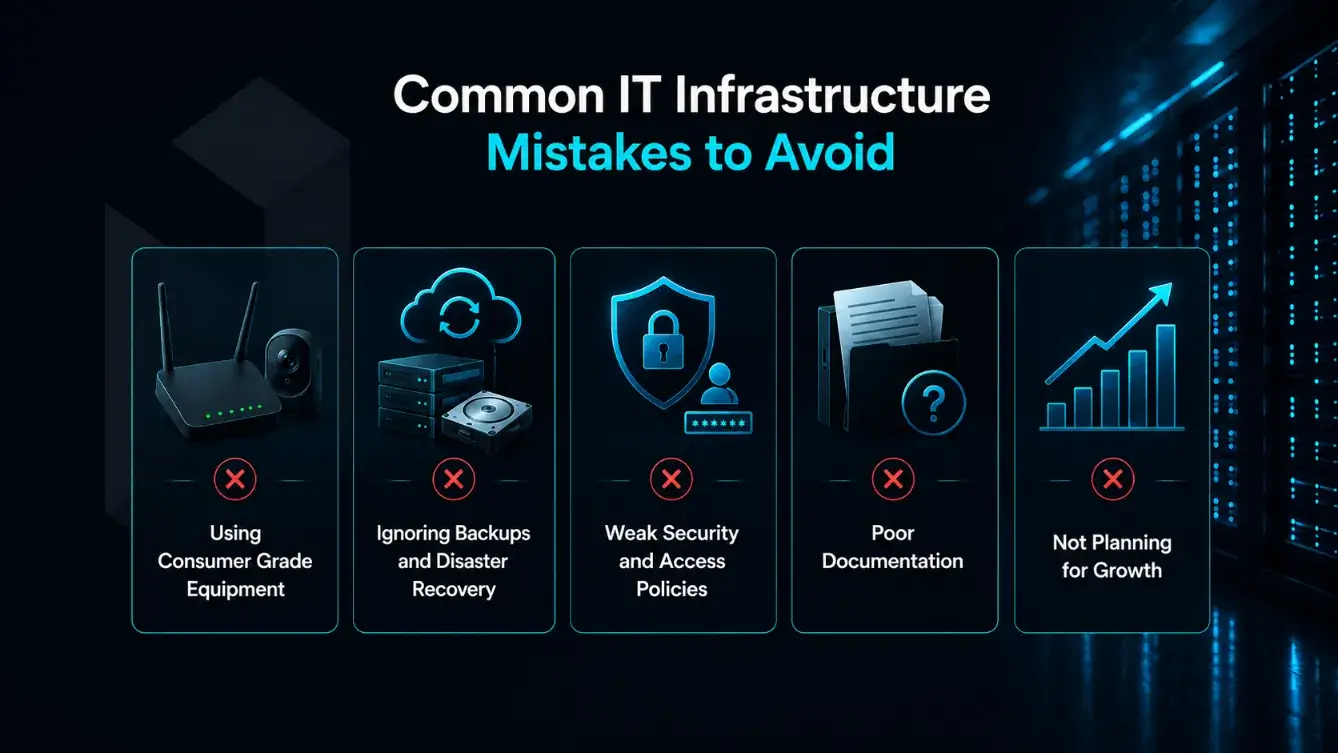
Many IT problems start with small shortcuts. A business may choose cheaper equipment, delay backups, share passwords, or skip documentation because things seem manageable at the time. As the company grows, those small gaps can turn into downtime, security risks, lost data, and expensive fixes.
Using Consumer Grade Equipment
Consumer devices may work for basic home use, but they are not always built for business workloads. Small businesses should be careful with low-cost routers, storage devices, computers, or WiFi equipment that lack proper security, support, performance, or reliability. Business-grade equipment is usually a better long-term choice because it is designed for heavier use, easier management, and stronger protection.
Ignoring Backups and Disaster Recovery
Having files stored somewhere is not the same as having a real backup strategy. Businesses need regular backups, secure backup locations, and a clear recovery process. If a server fails, a device is stolen, files are deleted, or ransomware affects the system, the business should know how quickly it can restore important data and continue operating.
Weak Security and Access Policies
Weak passwords, shared accounts, open admin access, and outdated software can create serious risk. Small businesses should control who can access each system, use multi-factor authentication where possible, remove access when employees leave, and keep systems updated. Security works best when it is part of daily operations, not something only reviewed after a problem happens.
Poor Documentation
When IT information only lives in one person’s memory, the business becomes vulnerable. Important details such as software licenses, server logins, vendor contacts, network settings, backup schedules, and support procedures should be documented clearly. Good documentation makes troubleshooting faster and helps avoid confusion when staff, providers, or systems change.
Not Planning for Growth
An IT setup that works for five people may not work for twenty, fifty, or more. Small businesses should think ahead about storage needs, website traffic, user access, application performance, security requirements, and hosting capacity. Planning for growth does not mean overspending today, but it does mean choosing infrastructure that can expand without forcing a complete rebuild later.
IT Infrastructure Management and Strategy
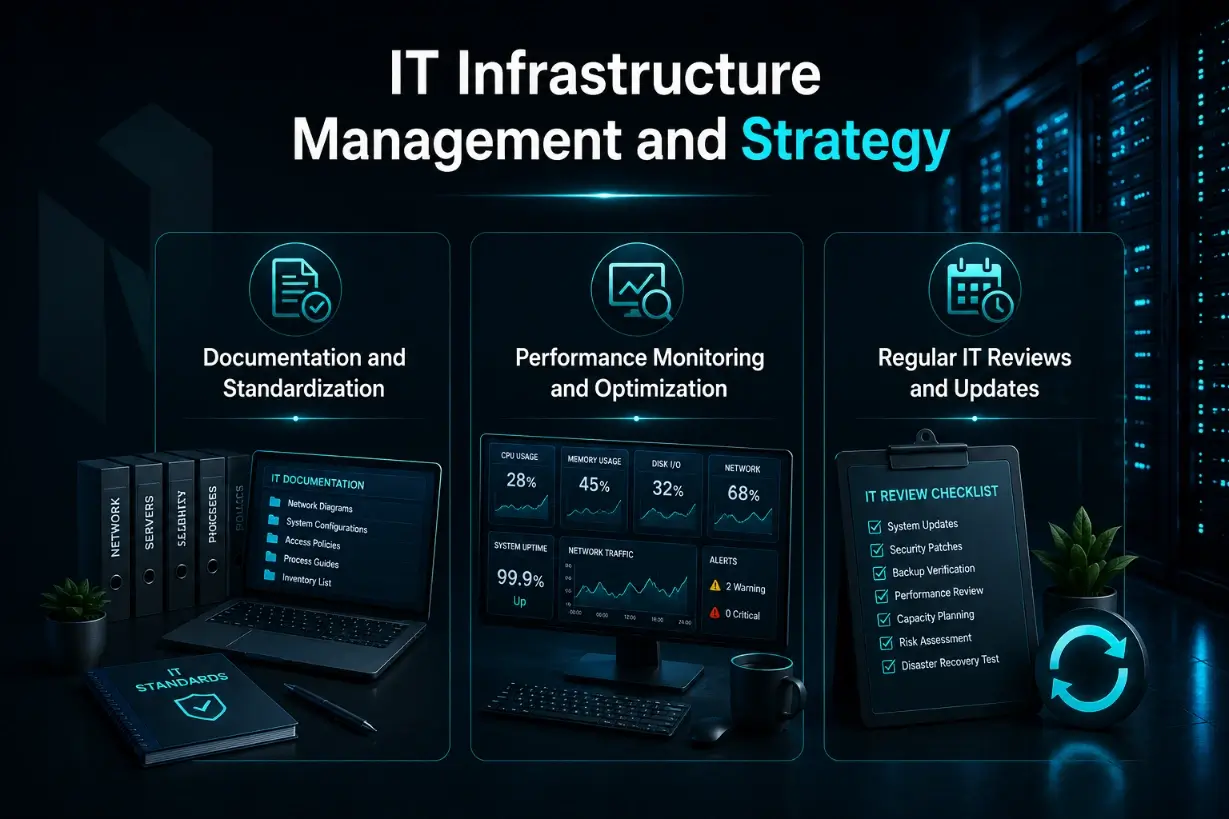
Building IT infrastructure is only the first step. To keep it reliable, secure, and useful over time, small businesses need a clear management strategy. This helps prevent small technical issues from turning into downtime, security gaps, or expensive emergency fixes.
Documentation and Standardization
Good documentation makes IT easier to manage, troubleshoot, and recover. Your business should keep clear records of servers, devices, software licenses, vendors, access permissions, network settings, backup schedules, support contacts, and hosting details. These records are useful for upgrades, employee changes, provider handoffs, and future planning.
For sensitive IT records, use a secure and encrypted documentation system instead of storing passwords or network details in random spreadsheets or email threads. Standardizing tools, settings, and processes also helps reduce confusion when new employees, providers, or systems are added.
Performance Monitoring and Optimization
IT systems should be monitored regularly to make sure they are working as expected. Slow servers, overloaded storage, weak network performance, or repeated application issues can affect productivity before they become obvious failures. Monitoring helps identify problems early, while optimization helps improve speed, reliability, and resource usage across the environment.
Regular IT Reviews and Updates
A small business IT setup should be reviewed on a regular schedule. This includes checking software updates, security settings, backup performance, user access, hardware age, hosting needs, and future growth plans. Regular reviews help keep the infrastructure aligned with the business instead of letting outdated systems create risk or slow the company down.
What to Consider Before You Choose a Server for Your Business?
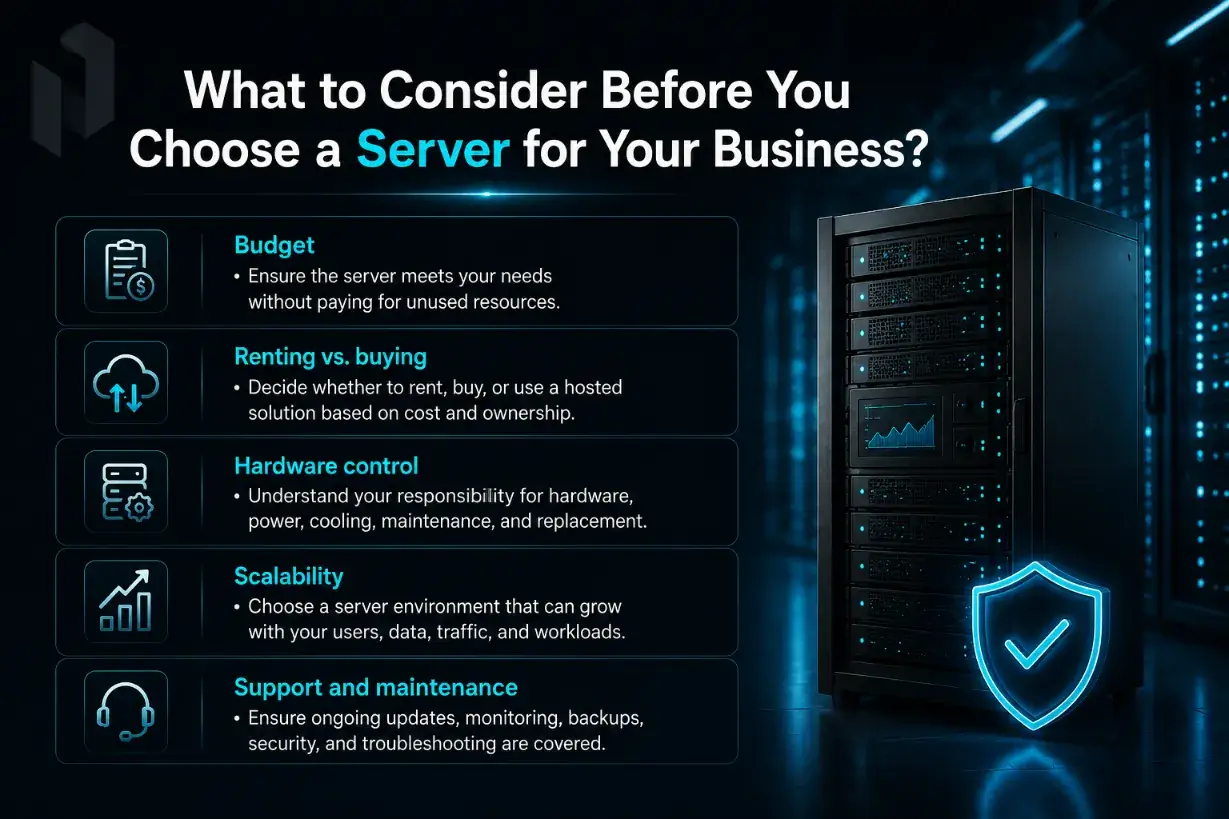
Before choosing a server for your business, consider the following points:
- Budget: Once you know the server can meet your functional needs, make sure the cost also makes sense. Avoid paying for resources, features, or capacity your business will not actually use.
- Renting vs. buying: Decide whether it is better to rent server resources, buy your own hardware, or use a hosted solution. Renting can reduce upfront costs, while buying gives you more ownership and responsibility.
- Hardware control: Consider how much control you need over the physical hardware. If you buy your own server, your business will be responsible for the equipment, power, cooling, maintenance, and replacement planning.
- Scalability: Choose a server environment that can grow with your business. Your needs may change as you add users, applications, data, traffic, or more demanding workloads.
- Support and maintenance: A server needs ongoing updates, monitoring, security checks, backup management, and troubleshooting. Make sure you know who will keep the server running properly after it is deployed.
Determining the right server environment means understanding which option best supports your workload. Some businesses may need dedicated servers for performance and control. Others may benefit from colocation, VPS hosting, cloud infrastructure, or a managed hosting solution that reduces day-to-day maintenance.
The right choice should support your current operations while giving your business room to grow. With the right IT infrastructure in place, your systems can run more reliably, your data can stay better protected, and your team can focus more on the business instead of constant technical problems.
Netrouting can help you evaluate the best infrastructure for your business, whether you need dedicated servers, colocation, cloud, VPS hosting, or managed hosting. To discuss the right option for your workload, contact us at sales@netrouting.com or +31 (0)88 270 02 00.
FAQs
What are managed IT services for small businesses?
Managed IT services for small businesses help companies outsource part or all of their IT operations to an external provider. This can include tech support, cybersecurity services, server management, cloud support, backups, proactive support, and monitoring. For small businesses with limited internal resources, this can provide stronger coverage without hiring a full internal IT team.
What should small business IT documentation include?
Small business IT documentation should include hardware inventory, software licenses, vendor contacts, network settings, access permissions, backup schedules, server details, hosting accounts, and recovery procedures. These records make it easier to troubleshoot issues, plan upgrades, change providers, and recover quickly when something goes wrong.
What is the 3 2 1 backup rule?
The 3 2 1 backup rule means keeping three copies of important data, using two different storage types, and storing one copy offsite or in the cloud. This gives the business a safer recovery path if local systems fail, data is deleted, or a cyberattack affects the main environment.
Why should small businesses avoid a break-fix IT model?
A break-fix model usually means waiting until something fails before calling for help. This can lead to more downtime, rushed decisions, and unpredictable costs. Managed IT services take a more proactive approach by monitoring systems, applying updates, reviewing security, and helping prevent issues before they disrupt the business.
Do small businesses need a disaster recovery plan?
Yes. A disaster recovery plan helps a business understand how it will restore data, systems, applications, and access after an outage, cyberattack, hardware failure, or natural disaster. This plan should include backup locations, recovery steps, responsible people, and regular testing. Recent research from the U.S. Chamber Foundation found that while 94 percent of small businesses believed they were ready for disasters, only 26 percent had an actual disaster plan in place.