Modern business computing infrastructure needs to be flexible and scalable to keep up with changing demands. Cloud computing technology helps businesses manage computing resources more efficiently. It supports workloads, data storage, and the delivery of services to customers and users.
What is cloud computing? How does it work? Why is cloud computing important for IT? In this article, we explain the basics of cloud computing and how it works. We also cover the main benefits of cloud computing, the main service and deployment models, and answer some of the most frequently asked questions.
What Is Cloud Computing?
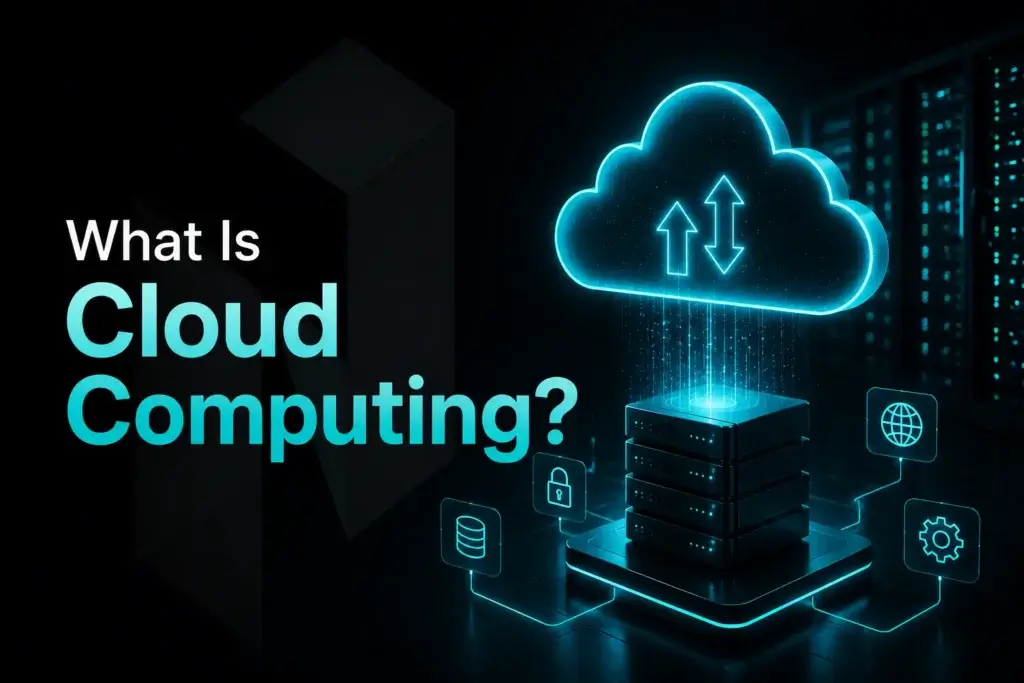
Cloud computing is a model for delivering and using computing resources such as platforms, storage, and servers over the internet on an on-demand, pay-as-you-go basis. Businesses no longer need to rely only on their own infrastructure. They can use compute, storage, networking, and other cloud services when needed.
Blog contents
More and more data, applications, and workloads are being moved from a company’s own data center and legacy IT infrastructure to cloud environments. Cloud-based solutions give organisations more flexibility, better scalability, and faster delivery. Providers now offer organisations different deployment options, including their own data center or public cloud platforms.
Cloud hosting gives users access to web applications, hosting solutions, and other cloud-based software. Unlike traditional web hosting, which often depends on a single server, cloud hosting can use a group of geographically distributed remote servers. These services can run from physical and virtual data centers in remote locations, including remote data centers, rather than only from a company-owned data center.
A Brief History of Cloud Computing
Cloud computing is often closely associated with certain major vendors, but its roots go back to the 1960s, when the idea of shared computers and connectivity first emerged. Over time, different cloud service models were developed, and many public, private, and hybrid cloud providers emerged.
Cloud computing became a viable option for organisations and businesses during the 2000s. To support its e-commerce site, Amazon built its own infrastructure, which was later offered to other users under the AWS brand and the EC2 service. Google also expanded its web-based productivity tools through Google Apps. Microsoft was also moving quickly into cloud-based software and platforms.
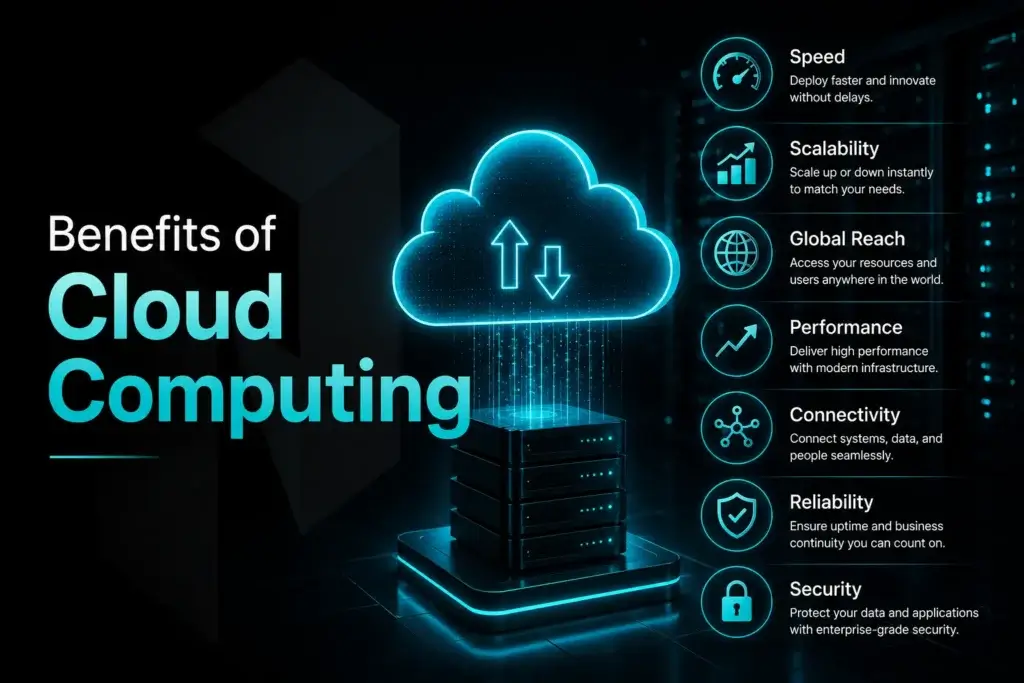
Benefits of Cloud Computing
Cloud computing increases organisational flexibility by making it easier to manage workloads and deliver services to end users. Instead of relying on static on-premises infrastructure, organisations can scale computing capacity up or down more quickly to meet peaks in demand and support business growth and digital transformation initiatives.
For businesses that depend on infrastructure, the cloud offers more than just a replacement for traditional IT. It can provide rapid deployment, flexible scalability, better resource utilisation, and geographically distributed redundancy. These factors are becoming increasingly important in modern IT strategies.
Speed
Cloud computing is often valued for how quickly it can deliver results. Online resources can be provisioned in minutes or hours, rather than weeks or months with legacy IT infrastructure. IT teams no longer need to wait for capital expenditure approval, hardware delivery, installation, and setup before getting started.
Our Fast IT Kit enables rapid deployment of key business applications such as email, sales, and customer relationship management. It also gives your IT team the flexibility to test, develop, and scale core business applications more quickly. Speed matters in a fast-changing world, and the Fast IT Kit helps you stay on track.
Scalability
Cloud computing allows organisations to scale resources such as capacity, performance, rental duration, storage, and bandwidth. It also makes it possible to scale resources down as demand decreases.
Having enough flexibility in the early stages of migration is just as important as maintaining flexibility later on. It helps avoid over-investing in infrastructure too early and supports better long-term planning. For many companies, scalability is one of the key benefits of cloud computing.
Global Reach
Reaching users in different locations and regions is becoming increasingly important for businesses. Cloud computing makes it much easier to use shared cloud resources across geographical locations. This allows a company to serve users in different regions more quickly than it could by building infrastructure in every market.
Global reach is especially useful for businesses with customers or teams around the world, as well as businesses looking to grow their digital services. Reach from Global allows businesses to expand quickly into new countries without the usual pain of expansion.
Performance
Another major benefit of moving to the cloud is performance. Today’s cloud platforms can offer greater compute power, better storage performance, and more consistent service than many businesses could realistically build and maintain on their own. This can lead to better performance for cloud applications and a better experience for users.
For customers with heavier workloads, performance matters just as much as reliability. Faster response times, lower latency, and stronger performance can help them deliver the level of service they need when moving to the cloud.
Connectivity
In addition to potential cost savings in infrastructure, resources, and applications, cloud computing also improves connectivity. Most organisations now operate in connected environments, linking systems, services, locations, applications, and platforms. Connectivity is critical, and cloud platforms need to support strong network performance and resilience.
Improved connectivity between on-premises and cloud workloads is an important part of innovation on modern networks, but it is not the only one. Innovation also applies to hybrid environments, internal traffic flows, and the movement of data between services and applications. By using cloud workloads built on advanced network infrastructure, organisations can operate with greater control and efficiency.
Reliability
For many organisations, reliable computing capability is a key consideration when deciding where to place their IT systems. Cloud platforms include built-in capabilities that support redundancy, backups, and business continuity. These can help prevent system failure and make recovery easier if a failure does occur.
Having a robust IT infrastructure is critical to your customers’ experience and your core business. Our business continuity and data protection solutions support 24/7 services and help protect your data against hardware failure or physical attack.
Security
Security is a major concern when moving to cloud computing. Most standard environments include data backup, security tools, access controls, development tools, and monitoring tools. These can all help organisations strengthen their overall security.
Security in the cloud is not automatic. Organisations still need to plan and manage migration carefully and make sure the right security policies and access controls are in place. At the same time, cloud computing can provide useful tools that support a stronger security posture.
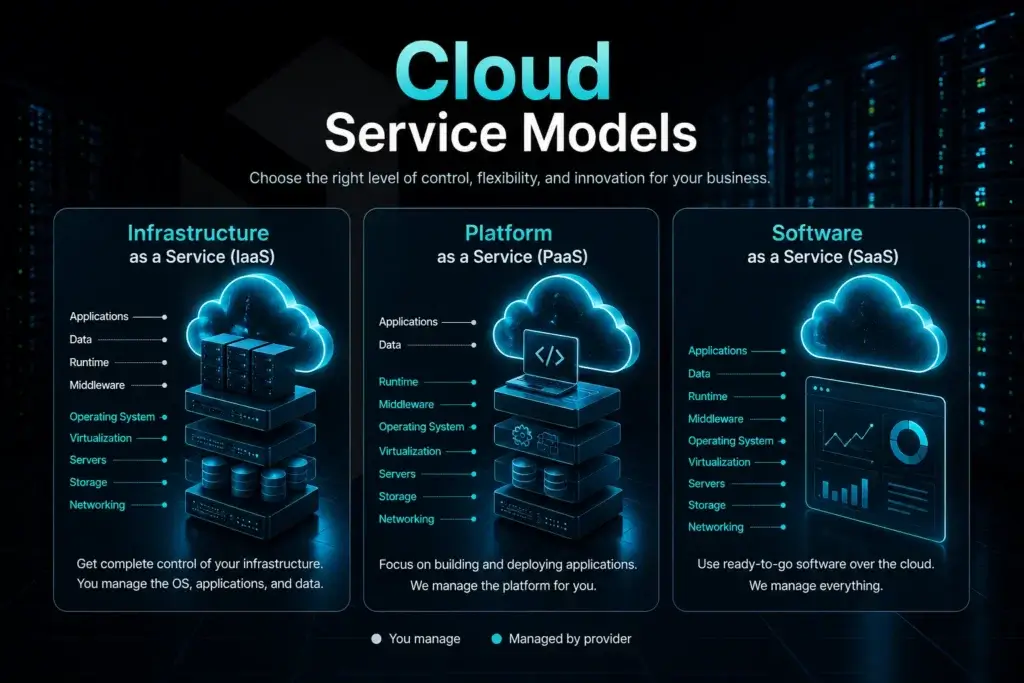
Cloud Service Models
For individuals, organisations, and businesses, there are different cloud computing service models that can support different needs. These service models are usually grouped into three main types of cloud computing: IaaS, PaaS, and SaaS. Each cloud computing model offers a different balance of control, management, and flexibility.
Infrastructure as a Service (IaaS)
Infrastructure as a Service (IaaS) is an IT outsourcing model that provides virtualised cloud infrastructure, including servers, storage, networking components, and virtual machines. Instead of purchasing and managing their own hardware, companies rent the IT resources they need from a cloud provider.
This model is highly flexible and gives businesses a high degree of control. They can manage their operating systems, applications, and workloads, while the provider manages the core infrastructure. IaaS is commonly used for website hosting, backup storage, testing and development environments, disaster recovery, and workloads that need high scalability.
Platform as a Service (PaaS)
PaaS stands for Platform as a Service. It is a cloud-based platform used to develop, test, and deploy applications. Like other PaaS offerings, it removes much of the complexity of managing infrastructure, allowing development teams to focus more on building and delivering applications.
Because the provider manages the underlying physical and software infrastructure, software developers and web publishers can focus on development, performance, and deployment rather than infrastructure management. Many cloud providers also offer serverless computing for applications and workloads that require only minimal server management.
Software as a Service (SaaS)
Software as a Service (SaaS) is software that is delivered over the internet, usually on a subscription or pay-per-use basis. Users typically access it online through a browser or another compatible device. Installation, maintenance, updates, and support are all handled by the SaaS provider. SaaS is one of the most common forms of cloud computing.
SaaS solutions for communication, collaboration, data storage, and core business applications make it easier for businesses to improve efficiency and streamline daily processes. The provider handles the technical infrastructure behind the software, allowing users to focus on getting the most value from the solution.
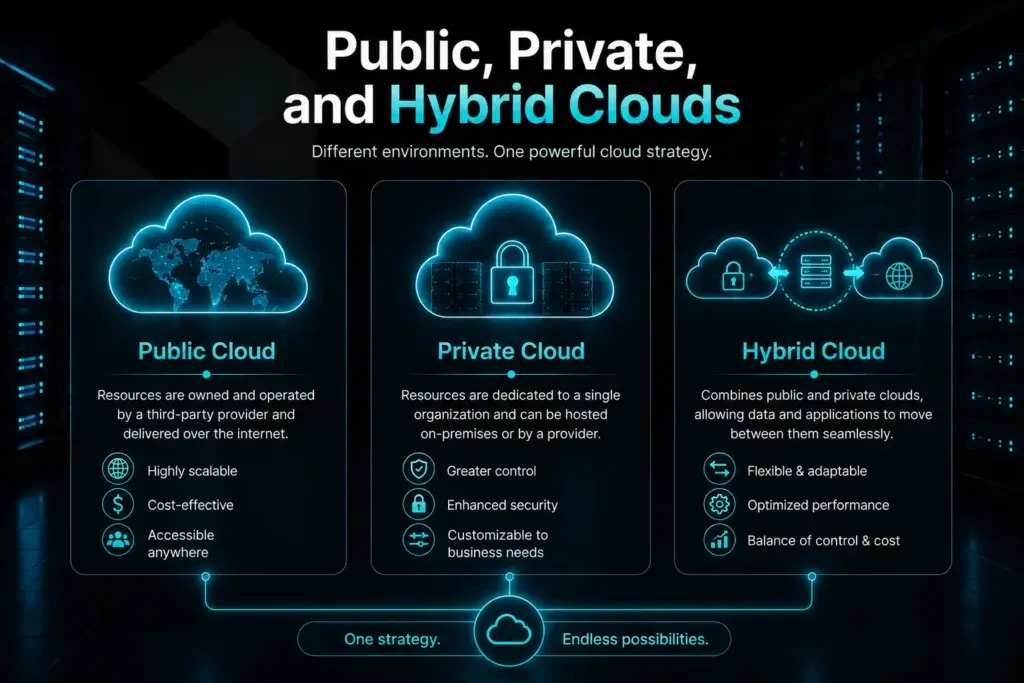
Public, Private, and Hybrid Clouds
Many individuals and businesses do not realize that cloud computing includes more than one option. It is often seen as a single solution, but there are several models to choose from. Each model offers different capabilities, costs, security features, and levels of control. The most common cloud deployment models are public cloud, private cloud, and hybrid cloud.
Most organisations choose between public cloud and private cloud. Some compare both before deciding that a hybrid cloud strategy is the better fit.
Public Cloud
A public cloud is a third-party service that is operated and managed by the provider. It is hosted off-premises and delivers computing, storage, and networking services over the internet. Public cloud providers can also offer extra capacity for load testing, temporary demand, or disaster recovery. Because the provider manages the infrastructure, organisations can move to the cloud without first building their own environment.
Public cloud continues to grow in popularity because it offers speed, flexibility, and scalability. Public cloud services can be deployed quickly and scaled up or down as workloads change.
Private Cloud
Our private cloud infrastructure is fully dedicated to a single organisation. All resources and capacity are reserved exclusively for that organisation. Our private cloud solutions are designed to give enterprises greater control over performance, scalability, security, and flexibility than public cloud options. Private cloud deployments are often used by large enterprises that need complete isolation of resources between organisations or business units. They are also used for customised operational needs.
Private cloud services are highly customisable to meet specific business requirements. The customer has full control and isolation over the environment. In most cases, the customer also bears the full cost of building, maintaining, and operating the private cloud. This can make it more expensive than a public cloud offering.
Hybrid Cloud
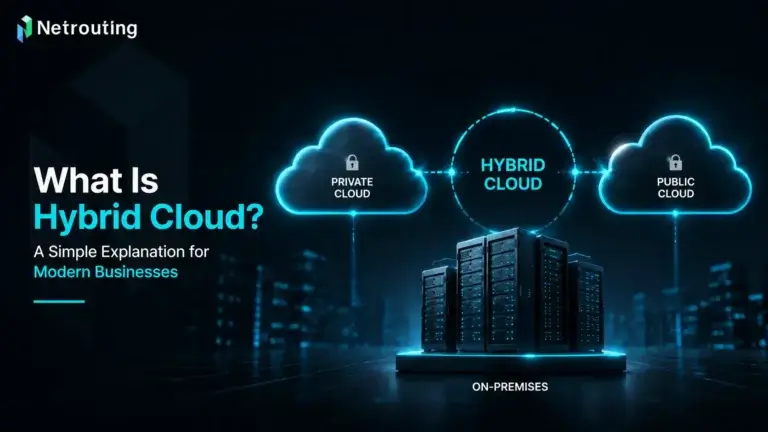
What is a hybrid cloud? A hybrid cloud combines public and private cloud environments into one overall IT infrastructure. This allows a business to place workloads in the environment that suits them best. Sensitive data can stay in a private cloud. The public cloud can be used for less sensitive workloads and changing demand.
The hybrid cloud model gives organisations more flexibility and more choice in how they deploy workloads. It can also improve scalability and help businesses respond more quickly to changing needs. Our balanced hybrid cloud strategy can be applied to selected workloads within an organisation.
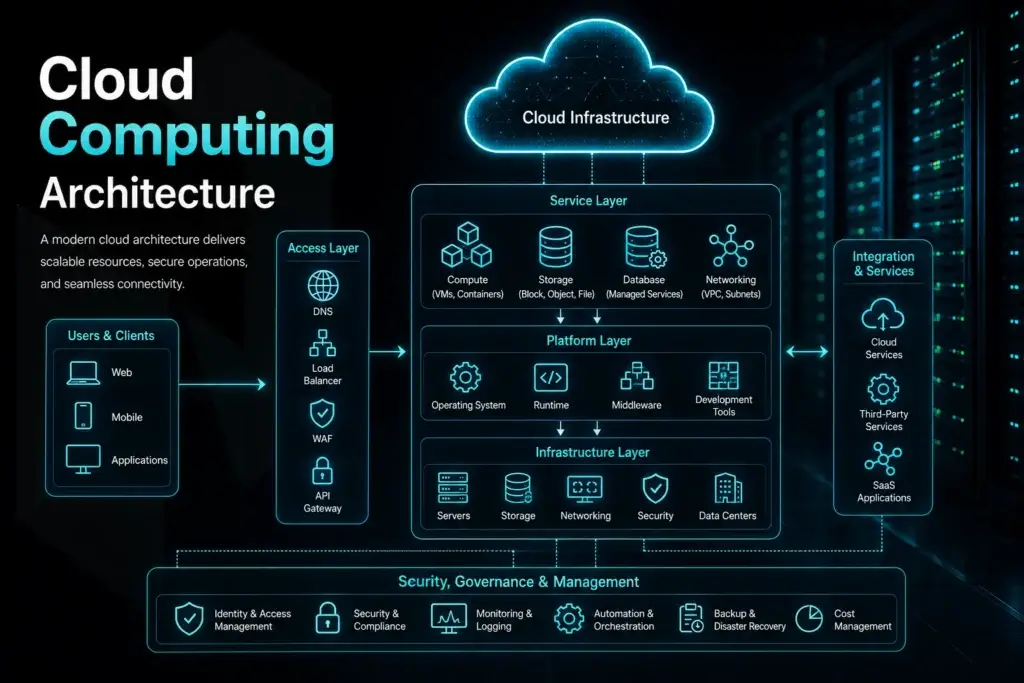
Cloud Computing Architecture
Cloud computing architecture is the framework behind cloud services like IaaS, PaaS, and SaaS. It covers the main pieces that make those services work, including compute, storage, networking, security, and virtualization.
But those models are only part of it. In real-world cloud environments, there is usually more going on. You also have technologies like containers, automation tools, and application delivery platforms. Existing IT infrastructure still matters too, especially when businesses are running a mix of older workloads and newer ones like serverless computing or data analytics.
Who Uses Cloud Computing?
Cloud computing is being used by businesses of all sizes and across just about every industry. Smaller companies often turn to it because it helps cut costs and makes it faster to get infrastructure up and running. Larger organizations use it to handle peak demand, support teams and users in different regions, and give themselves room to grow over time. It can work for simple needs, but it can also support much more demanding environments.
A lot of organizations now use cloud providers to host websites, store data, manage backups, run software, build test environments, and support disaster recovery. It is also common to use cloud services for remote teams, customer-facing applications, and other 24/7 digital services. One of the biggest reasons is simple: resources can be scaled up when needed without the same delays that come with traditional infrastructure.
For organizations that need solid performance, connectivity, and reliability, cloud computing can be a practical option. That is especially true for businesses that do not want the cost or overhead of large dedicated environments. In our experience, cloud hosting is a strong fit for technology, finance, media, e-commerce, and software companies. These businesses often need high availability, consistent support, and room to scale quickly. For many of them, cloud hosting is now just part of how their IT is built.
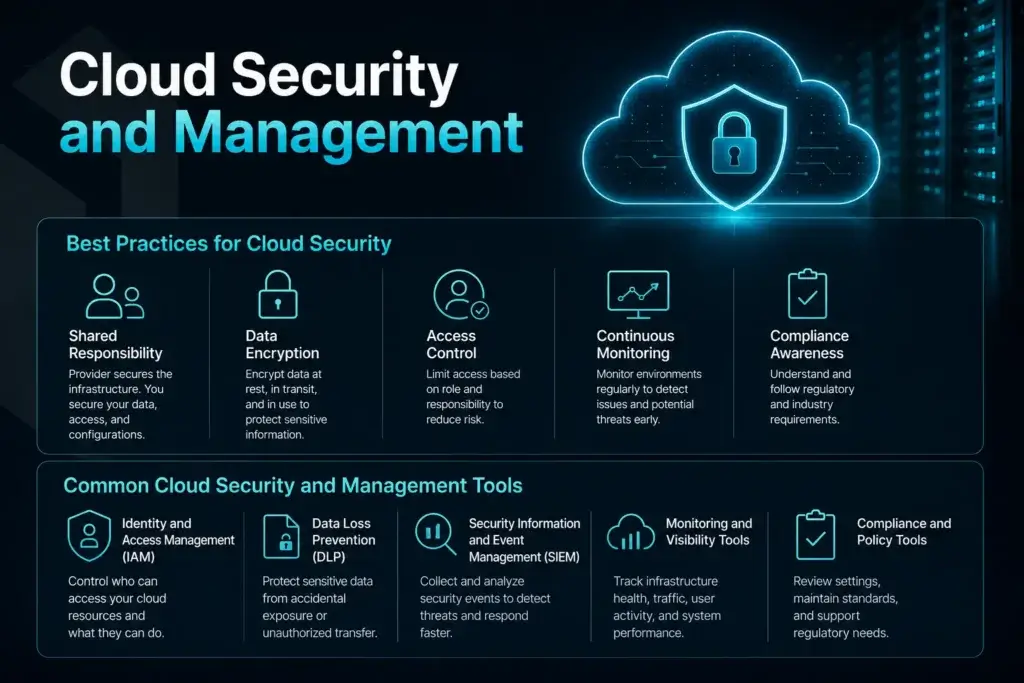
Cloud Security and Management
Cloud security is not just about adding basic protection. Businesses also need clear processes, good visibility, and the right tools to manage cloud environments properly. As cloud infrastructure grows, security and management become more closely tied together.
Best Practices for Cloud Security
Before using cloud security tools, it helps to understand the basic practices behind a more secure cloud environment. A strong approach usually includes:
- Shared responsibility: In many cloud environments, the provider is responsible for securing the infrastructure. The customer is responsible for protecting data, access, and configurations.
- Data encryption: Sensitive data should be protected when it is stored, moved, and accessed. Encryption helps lower risk and improve overall data protection.
- Access control: User access should be limited based on role and responsibility. This helps reduce unnecessary access and makes security easier to manage.
- Continuous monitoring: Cloud environments should be monitored on a regular basis. This helps teams catch unusual activity, configuration issues, and possible threats earlier.
- Compliance awareness: Businesses should understand the regulatory and industry requirements that apply to their cloud environment and workloads.
Common Cloud Security and Management Tools
To support these practices, many businesses use cloud security and management tools to improve control, visibility, and response. Some common examples include:
- Identity and Access Management (IAM): IAM tools help control who can access cloud systems and what they are allowed to do.
- Data Loss Prevention (DLP): DLP tools help protect sensitive data from accidental exposure, unauthorized sharing, or improper transfer.
- Security Information and Event Management (SIEM): SIEM platforms collect and review security events from multiple systems. This helps teams detect threats and respond more quickly.
- Monitoring and visibility tools: These tools help track infrastructure health, traffic, user activity, and system performance across cloud environments.
- Compliance and policy tools: These tools help businesses review settings, maintain standards, and support regulatory requirements more efficiently.
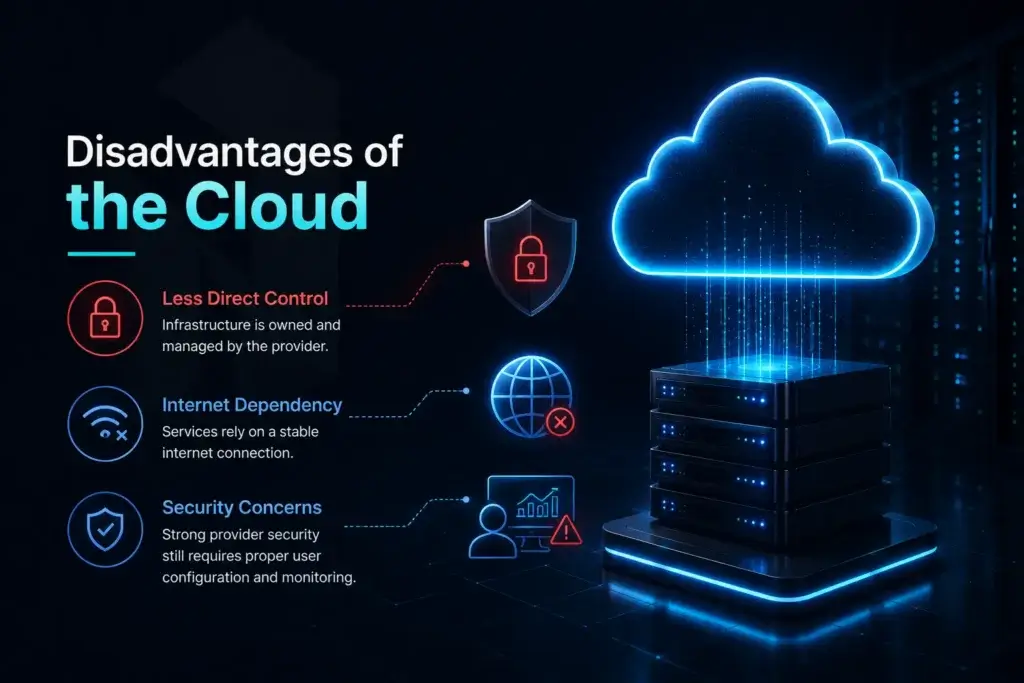
Disadvantages of the Cloud
The rise of cloud computing has made many operations easier and more cost-effective. But what are the business-related pitfalls that organisations should be aware of when moving to the cloud?
- Less direct control: Cloud services run on infrastructure owned and managed by the provider. For some businesses, that is a real downside. It becomes more important when they want deeper customization, tighter control, or need to avoid vendor lock-in.
- Internet dependency: Cloud-based applications and data rely on a stable internet connection. If that connection drops, access to services can slow down or stop.
- Security concerns: Cloud providers put a lot into security, but that does not remove the need for proper access control, monitoring, and configuration on the customer side.
Still not sure if the cloud is right for your infrastructure? Check out our recent blog: How to Choose the Right IT Infrastructure for Your Business?
Netrouting’s Solutions
Choosing the right infrastructure for your business or organisation starts with several questions: what are the needs of your business? What are the needs of the applications that you will be deploying? What are your security requirements? Is a cloud solution the best route, or do you need a colocation solution or even a dedicated server?
We have experience in cloud computing and can assist in selecting the right colocation solution, dedicated servers, and cloud hosting environment for your business to choose the correct infrastructure for your organization.
Interested in the possibilities for your infrastructure? Contact our experts at sales@netrouting.com or +31 (0)88 270 02 00.
Cloud Computing FAQs
What are cloud services?
Cloud services are IT resources delivered over the internet instead of being hosted only on local infrastructure. These services can include compute, storage, databases, networking, security tools, and software. Businesses use them to access technology more flexibly without buying and maintaining every part of the underlying infrastructure.
What are cloud service providers?
Cloud service providers deliver cloud-based services over the internet. Many cloud providers offer compute, storage, networking, databases, and security tools. Examples include Google Cloud and Microsoft Azure, along with many other cloud vendors. In many service models, the cloud provider handles the underlying infrastructure while the customer manages workloads, applications, or data.
What are cloud-managed services?
Cloud managed services are cloud-related services that are monitored, maintained, or supported by a third-party provider. This can include tasks such as infrastructure management, backups, monitoring, optimization, and security support. They help businesses reduce internal workload and keep cloud environments running more efficiently.
Can businesses use multiple cloud providers?
Yes. Some organizations use multiple cloud providers to improve resilience, support regional needs, or match workloads to different platforms. They may also combine multiple cloud services across teams or environments.
What is resizable compute capacity in cloud computing?
Resizable compute capacity means cloud resources can be increased or reduced based on current demand. This helps businesses stay flexible as workloads change. It is especially useful for websites, applications, and digital services that do not always need the same level of resources.
How is cloud computing used for data analytics?
Many businesses use cloud environments for data analytics, reporting, and machine learning. These workloads often need more processing power, storage, and scalability. Cloud environments can help provide those resources more efficiently.
How are cloud services used for databases and data storage?
Cloud services are often used to store files, run databases, manage backups, and support long-term data retention. They make it easier to access, protect, and scale data across different environments. This gives businesses a more flexible way to manage growing data needs.
How are cloud services used for artificial intelligence and machine learning?
Cloud services support artificial intelligence and machine learning by providing the compute power, storage, and flexibility these workloads often require. Businesses can use cloud environments for analytics, automation, model training, and other data-driven tasks. This makes advanced technologies easier to use without building a large in-house infrastructure.
How do cloud services support security, identity, and compliance?
Cloud services can support security, identity, and compliance through tools for access control, authentication, encryption, monitoring, and policy management. These services help businesses protect systems and data while maintaining better visibility across their environments. They are also useful for supporting internal standards and regulatory requirements.
How are cloud services used for migration and modernization?
Cloud services are often used to move workloads away from legacy systems and support more modern infrastructure strategies. Businesses may use them to improve application delivery, replace aging systems, or create more flexible environments. This can help improve scalability, performance, and long-term efficiency.