
Every server and cloud instance comes with one public IPv4 address. Most people never need another. Those who do (mail servers, hosting resellers, anything that wants a distinct address per customer or per service) can add a block at checkout or later. Here's what's included, how extra addresses are ordered, what “usable” means, and where IPv6 fits.
What is included
- Bare-metal server: one static IPv4 address. On the Edge line and above you can add IPv6 as a free addon (a /64 for the server).
- Cloud instance: one IPv4 address, fixed for the plan.
- Colocation: one IPv4 address for the rack space; the block options are the same as on bare metal.
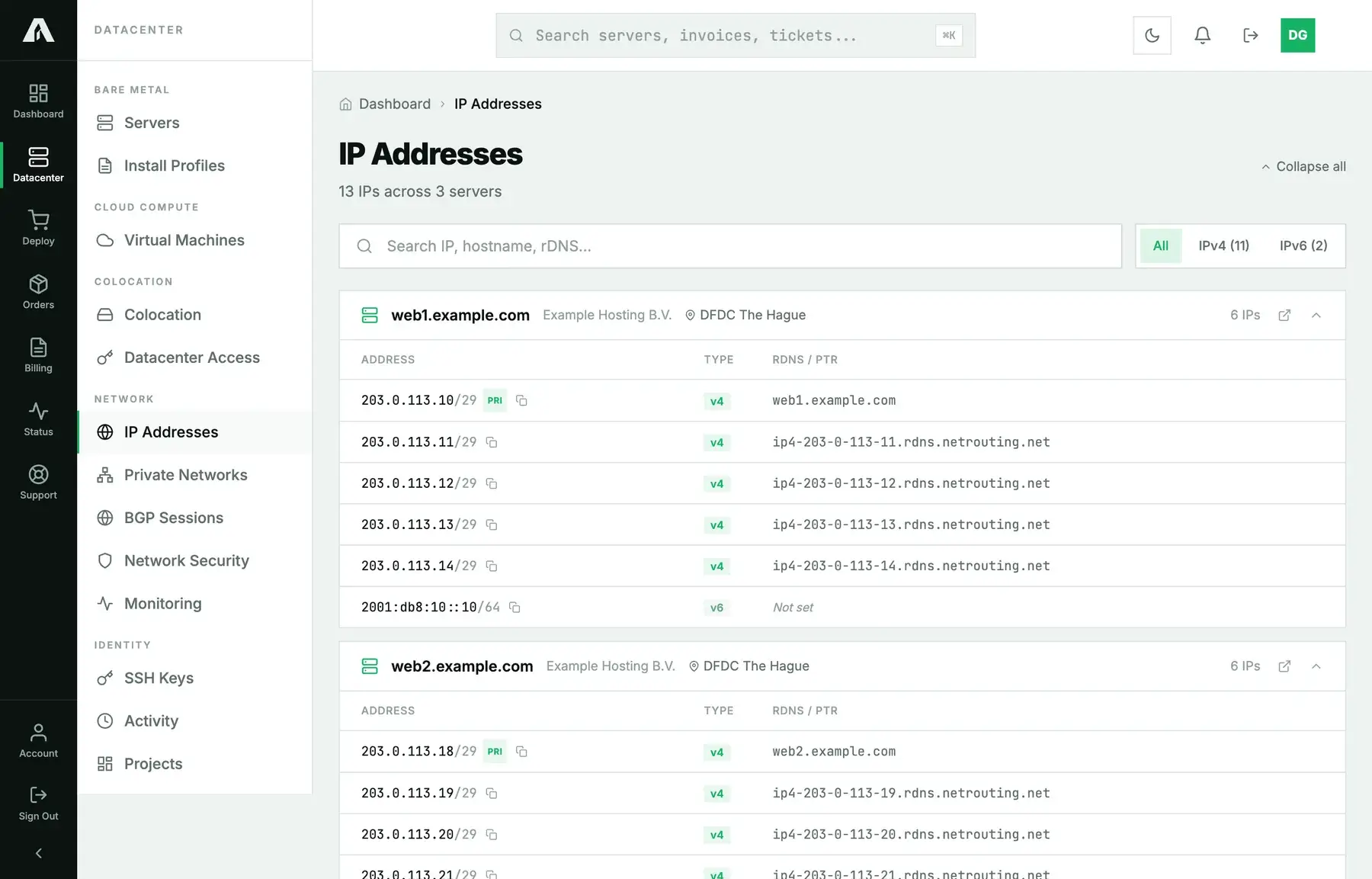
Every address on your account shows up under IP Addresses in the portal, grouped by the server or instance that holds it. Each one carries its prefix length, a primary badge if it's the main address, and its reverse DNS name. Use the IPv4 and IPv6 pills to filter the list; the search box matches on address, hostname or reverse DNS.
Ordering more IPv4 addresses
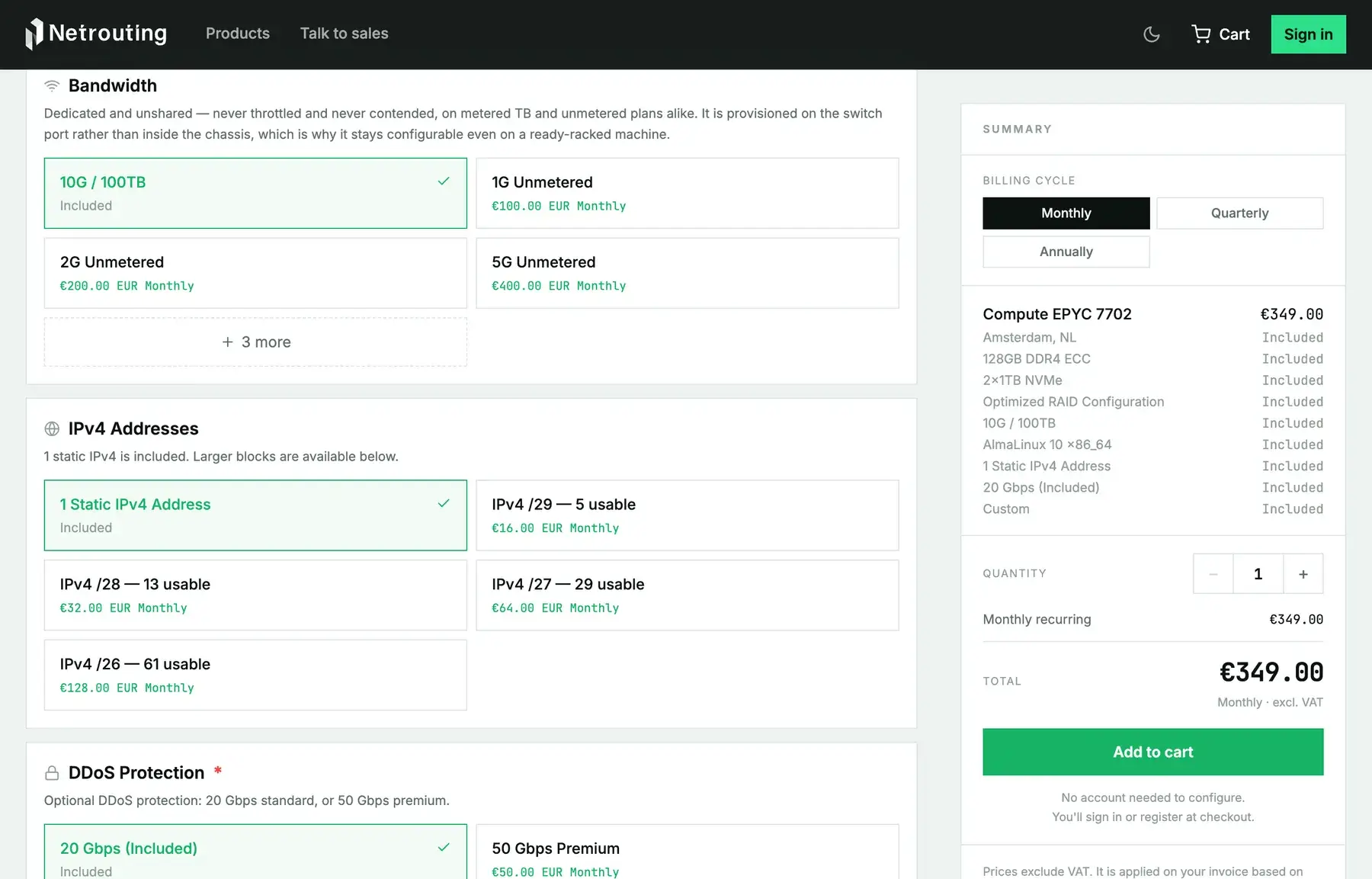
Extra addresses come in blocks, never one at a time. On the product page, the IPv4 Addresses option in the Network section lists what's available:
| Block | Addresses | Usable for your services |
|---|---|---|
| /29 | 8 | 5 |
| /28 | 16 | 13 |
| /27 | 32 | 29 |
| /26 | 64 | 61 |
Each block loses three addresses to the network itself: the network address, the broadcast address and the gateway. That's why a /29 gives you five rather than eight, and why the shop prints the usable count next to every block.
The server line decides which blocks you can pick. The Edge line and everything above it takes any block from a /29 to a /26, while the entry line (Express and Instant) stops at a /29. Cloud instances get no IP option at checkout. You'll find prices on the product page.
On a server you already have, open a support ticket with the server name and the block size you need. We route the block to the server and add it to the service on the next invoice, and it shows up on the IP Addresses page with its prefix length. From there it's up to you to configure the addresses in the operating system, as additional addresses on the interface.
IPv6
On the Edge line and above, tick IPv6 /64 Allocation among the addons at checkout, or ask for it in a ticket later. It's free. A /64 holds far more addresses than the server will ever use, so hand them out per service without rationing. IPv6 addresses show up on the IP Addresses page like any others. Reverse DNS for IPv6 is displayed there but isn't self-service yet; ask in a ticket and we'll set it.
Reverse DNS
You can give any IPv4 address you hold a reverse DNS name from the IP Addresses page, no ticket needed. Mail servers especially need one that matches the sending hostname. The steps are in set reverse DNS for your IPs.
Your own address space
If you hold your own IPv4 or IPv6 prefixes, or your own ASN, you can announce them on our network without running a router of your own. That's a separate arrangement from ordering a block, covered in bring your own IPs and ASN. If you lease a whole subnet from us (a /24 or larger), we can also delegate its reverse zone to your nameservers. Ask in a ticket.
Questions we get
- Can I order a single extra address? No. The smallest unit is a /29, which gives you five usable addresses.
- Can I move a block to another server? Yes, as long as both are in the same location. Open a ticket naming both servers. We re-route the block, and the IP Addresses page updates to match.
- The new block does not answer. They're assigned to the server, but the operating system ignores them until you configure them. Add them to the interface that carries the primary address, with the block's own gateway: the first address after the network address, which the usable range on the IP Addresses page leaves out.
- Do additional addresses have DDoS protection? Yes. They get the same protection as the primary address.
- Can I get a block for a cloud instance? Not at checkout. Ask in a ticket and we'll tell you what that plan allows.