
Every bare-metal server gets a switch port of its own, set to a fixed speed, and that speed caps everything the server does on the network. Below: what you get by default, how far the port can be turned up, and how we change it on a server that's already running.
What a server comes with
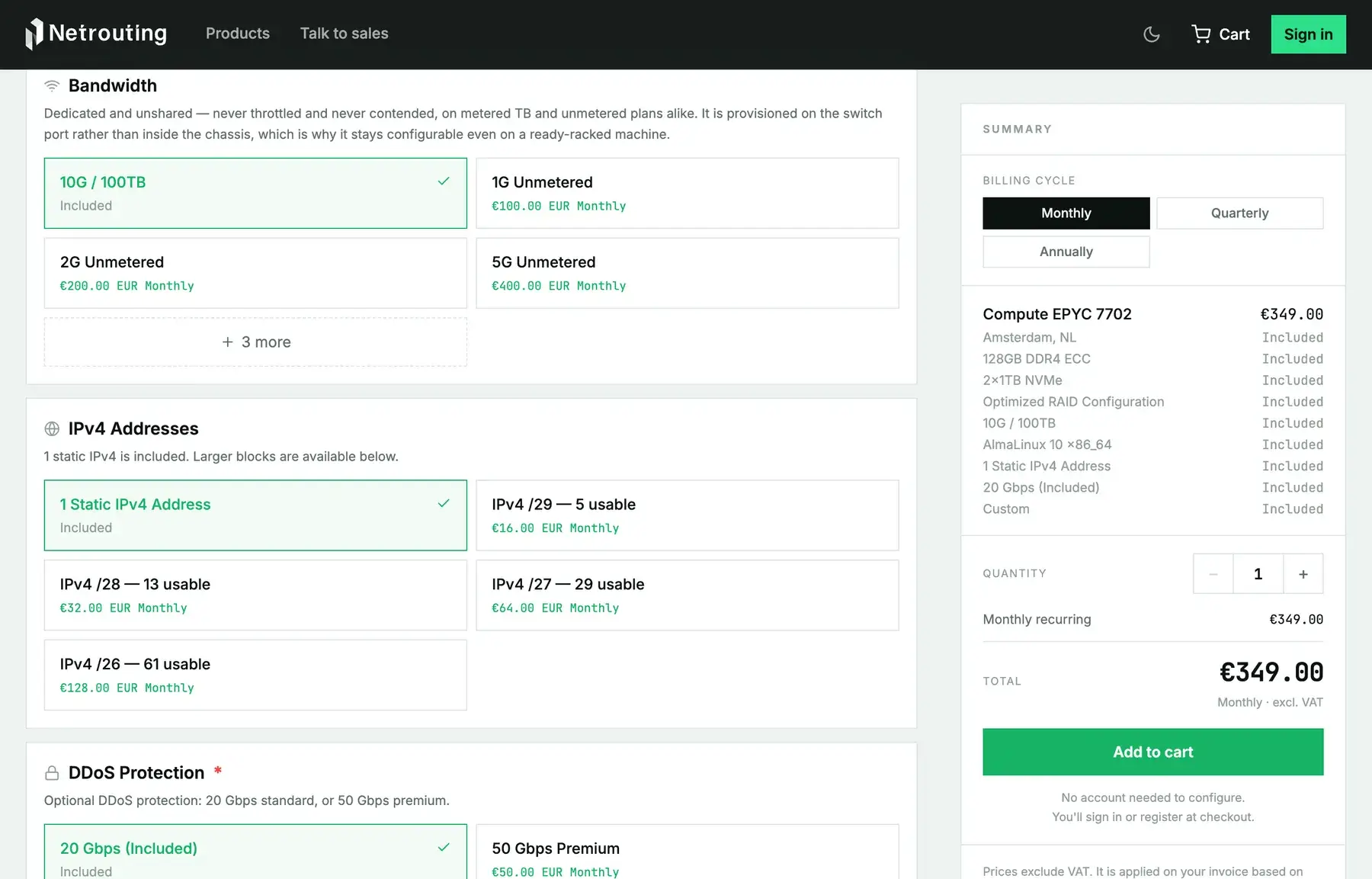
| Server line | Physical port | Default plan | Speeds you can move to |
|---|---|---|---|
| Express, Instant (E3-1230 v3) | 1G | 1G metered, 17 TB out | none, this line is metered only |
| Edge (E3-1270 v6, Ryzen 7 3700X) | 1G | 1G metered, 100 TB out | 1G or 2G unmetered |
| Edge Pro, Bandwidth, Compute, Accelerator, Pro, Memory | 10G (20G is two 10G ports, bonded) | 10G metered, 100 TB out | 1G, 2G, 5G, 10G or 20G unmetered |
Two things fall out of that table. A metered server already runs at the full speed of its physical port; the allowance caps how much you send in a month, not how fast. And an unmetered speed isn't always the physical port speed. Put a 10G server on a 2G unmetered plan and the switch rate-limits it to 2 Gbps, which is what buys you the lower fixed price. You can raise it later.
Which speed you actually need
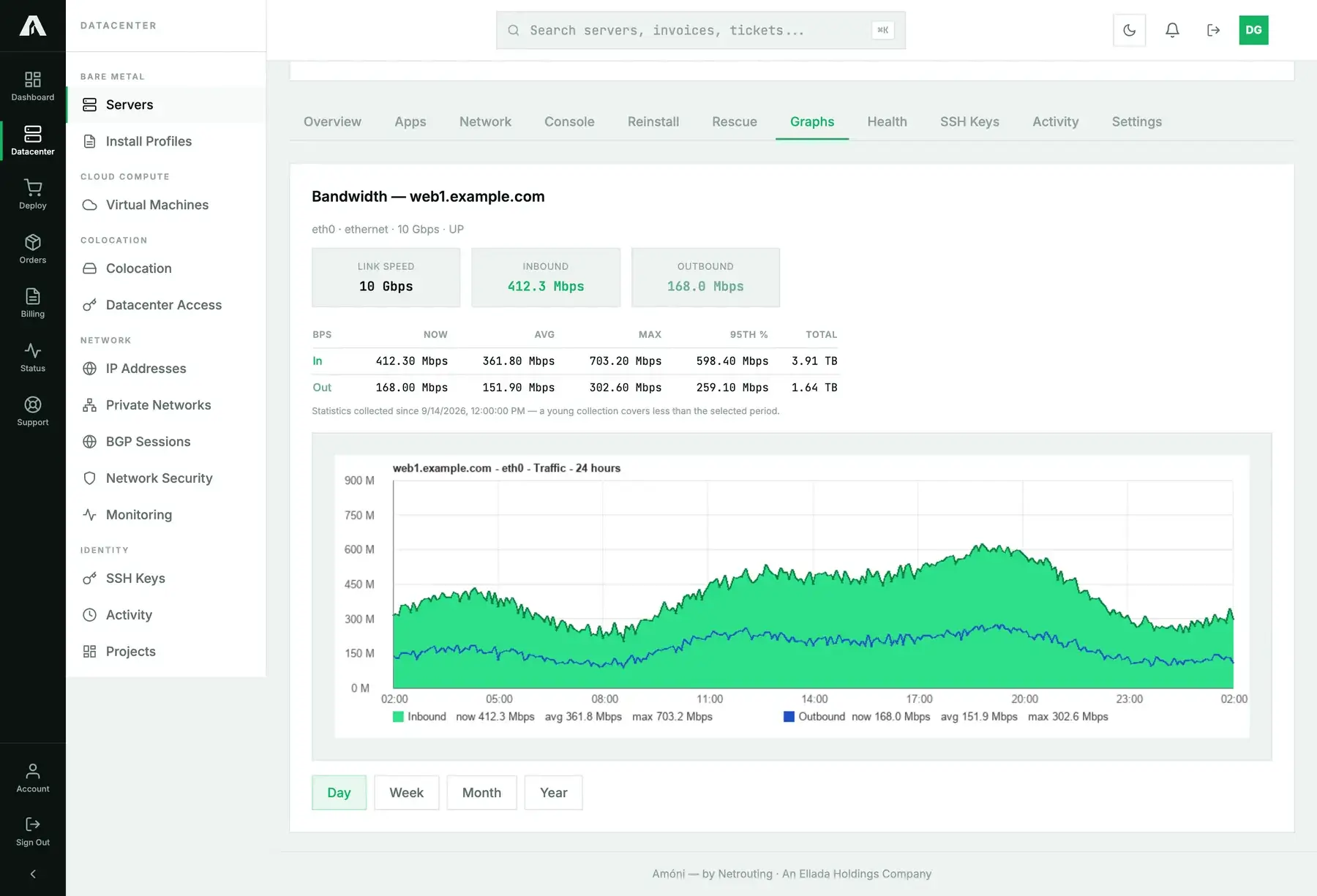
Before you decide, open the server's Graphs tab. Its 95th percentile figure is the honest measure of what the server pushes when it's busy, with the short spikes cut out. As a rough guide:
- Under 300 Mbps at the 95th percentile on a metered plan, leave the port alone and watch the monthly OUT total instead.
- If the 95th percentile keeps sitting close to the plan's speed (say 900 Mbps on a 1G plan), the port is your bottleneck. Move up a step.
- When a metered server keeps going over its outbound allowance, an unmetered plan at the speed it really uses usually costs less. See bandwidth explained.
Changing the speed on a running server
Port speed lives on the switch, not in the server, so changing it needs no reinstall and no reboot. Here's how it goes:
- Open a support ticket, choose the server in the related-server field and tell us which plan you want (for example “2G unmetered” or “back to 100 TB metered”).
- We reply with the price difference and the date it takes effect on your invoice. Most upgrades go in the same business day.
- We reconfigure the port. On a live port that takes a few seconds, and the link may renegotiate once. You don't touch anything on the server, although a bonded interface will renegotiate its members too.
- The Graphs tab then shows the new speed as its link speed, and your next invoice carries the new plan.
Going from a 1G line to anything above 2G isn't a port change, because the Edge line is built on 1G network hardware. For 5G and up you move to an Edge Pro or a higher server. We can set that up as a new machine running next to the old one.
Bonding two ports
If your server has a second port, you can bond the two into one logical link: for redundancy, or with LACP to spread traffic over both ports (a single connection still tops out at one port's speed). Our switch needs a matching port-channel, and we set that up when you ask for it in a ticket. For the server side, see configuring bonding on Ubuntu with Netplan. Billing stays the same with a bond, since the plan's speed covers the bond as a whole.
Questions we get
- Can I test a higher speed for a month? Yes. Ask for the upgrade, then ask to go back at the end of the month. Both are port changes, with no downtime either way.
- Will a downgrade cut my traffic off? No. The port gets rate-limited to the new speed. Connections carry on, only slower if they were using more than that.
- My speed test shows less than the port speed. One TCP stream rarely fills a 10G port. Test with several parallel streams, from a host that has the capacity itself. To see what the port really carries, check the Graphs tab.
- Is the port shared with other customers? No. Each server has a switch port of its own, and an unmetered speed is provisioned for that port and nothing else.
Each product page in the shop has the current speeds and prices for its line. If this page and the shop ever disagree, the shop wins.