
One login per person. That is the whole idea behind the Contacts tab: instead of handing your password to a colleague, you link them to the account with a role, they sign in with their own Amóni login, and everything they do is recorded under their name. When they leave, you remove one line and nothing else changes.
Two lists, two purposes
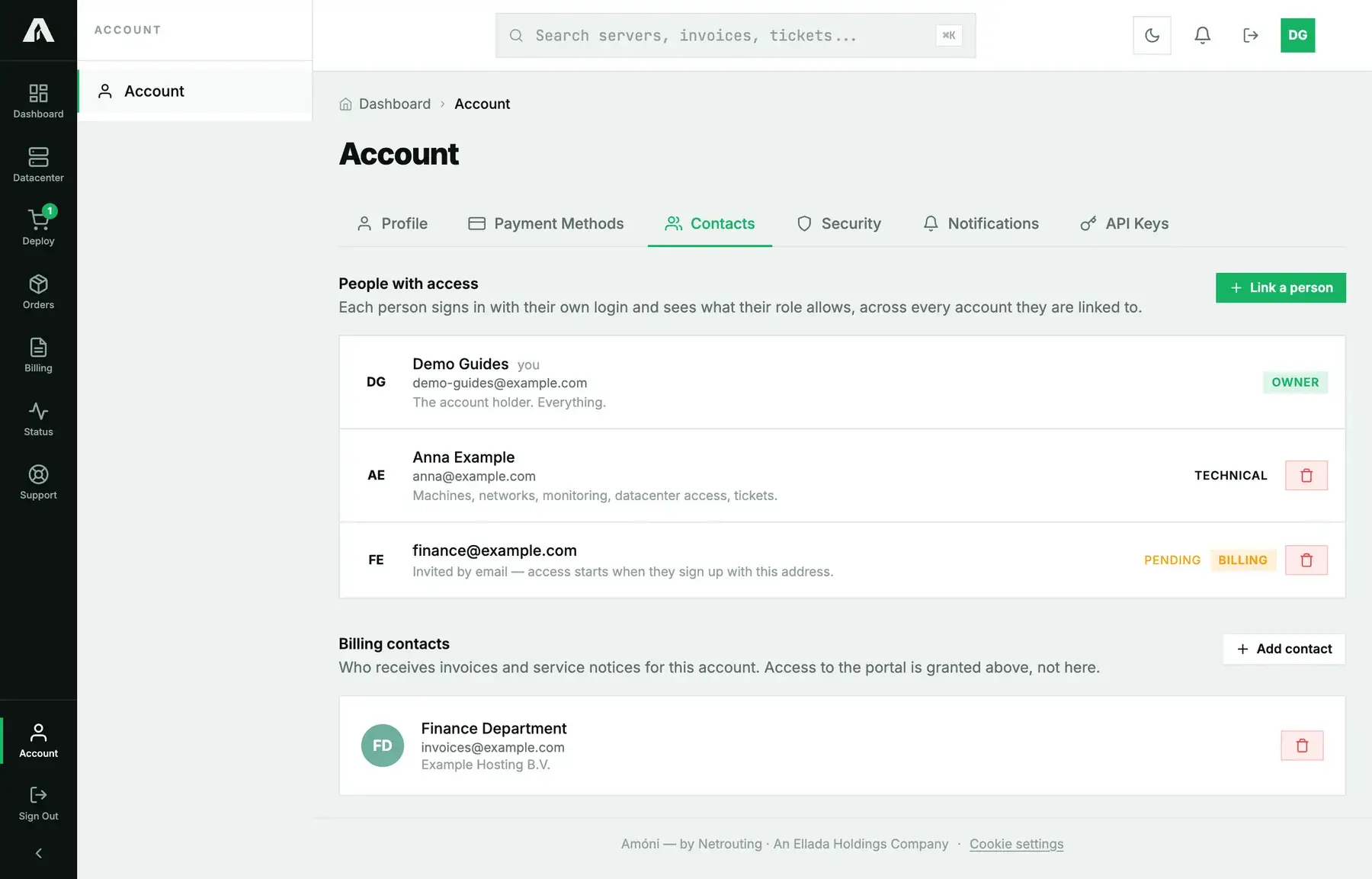
The Contacts tab has two sections and people often confuse them.
- People with access are logins. They sign in to the portal and see what their role allows.
- Billing contacts are email addresses that receive invoices and service notices. They do not sign in. Your accounts-payable mailbox belongs here.
A person can be both, but adding someone as a billing contact gives them no access, and linking someone with a role does not send them invoices.
The roles
| Role | What it can do |
|---|---|
| Owner | The account holder. Everything, including the account's identity and its people. |
| Admin | Everything except the account's identity and its people. |
| Technical | Machines, networks, monitoring, datacenter access, tickets. |
| Billing | Invoices, payments, cards, orders, cancellations, tickets. |
| Viewer | Sees machines and networks, opens tickets, changes nothing. |
Pick the smallest role that covers the job. An engineer who reboots servers does not need to see invoices; the bookkeeper does not need the reinstall button. Roles are per account, so a person linked to two of your companies can hold a different role on each.
Give someone access
- Open Account → Contacts and click Link a person. Only the owner can do this.
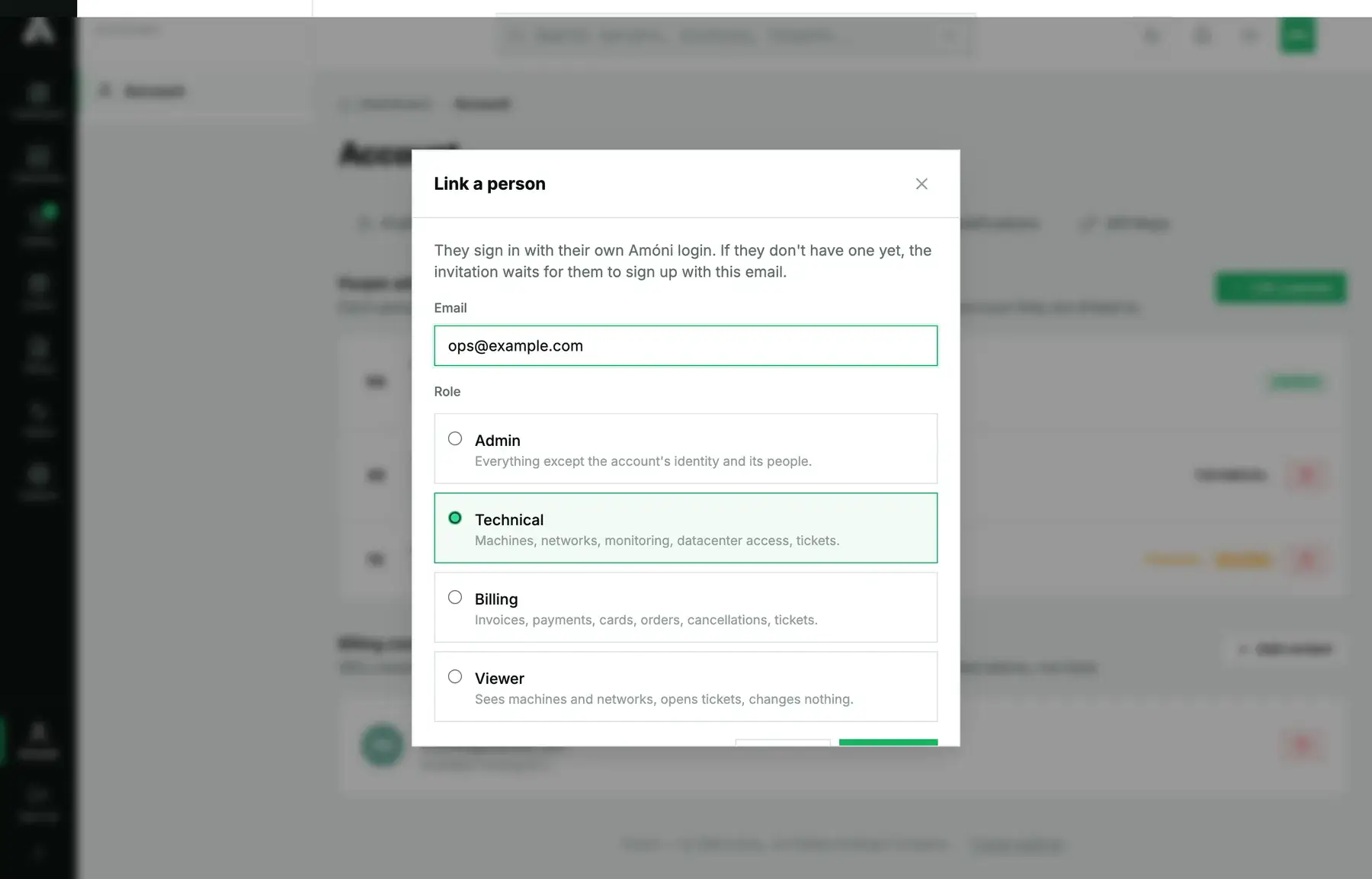
- Enter their email address and choose the role. With more than one account, pick which account the role is for.
- Click Link. Two things can happen:
- They already have an Amóni login with that address: they get an email and the link starts the moment they sign in and accept.
- They have no login yet: the invitation waits. Access starts when they sign up with that exact address.
- Until they accept, the line shows pending. Link them again to resend the email, or withdraw the invitation with the bin icon.
What the invited person sees
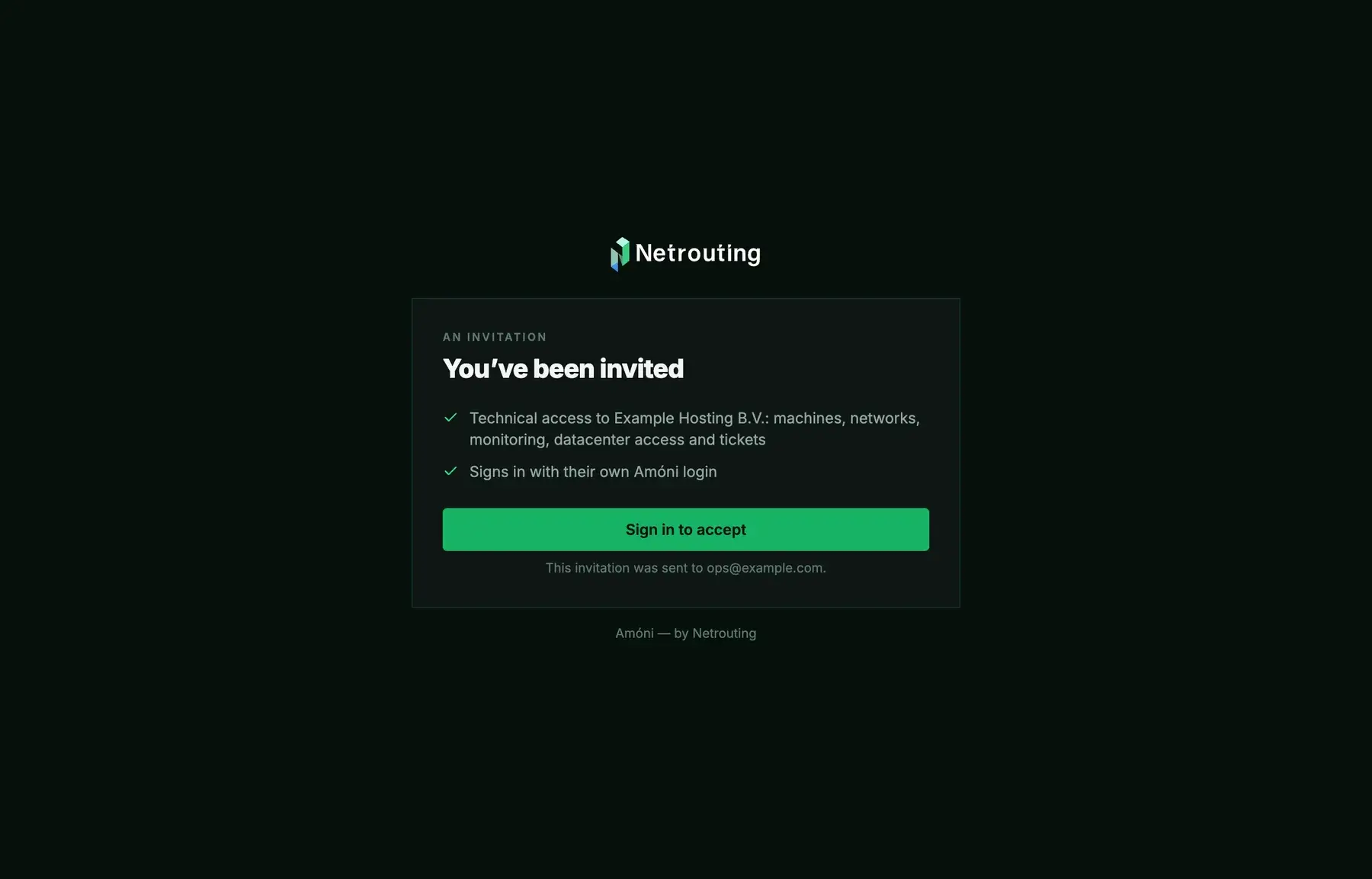
The email carries a link to an invitation page that shows what is being granted and nothing else about your account. If they are signed in, one click accepts it. If not, they sign in or create a login with the invited address first, then accept. From then on the account appears in their portal alongside any others they are linked to.
Remove access
Click the bin icon on the person's line and confirm. Their login keeps existing, but this account disappears from it immediately. Do this on the day someone leaves; there is no need to change the password afterwards because they never had it.
Add a billing contact
Under Billing contacts click Add contact and fill in name, email and, optionally, company and phone. Invoices and notices go to that address from the next one onwards. With no billing contact, they go to the account holder only.
Troubleshooting
- The invitation email did not arrive. Check the address for typos and their spam folder, then link them again to resend.
- They signed up but still see nothing. They used a different email address than the one you invited. Withdraw the invitation and link the address they actually signed up with.
- I cannot see the Link a person button. Only the owner manages people. Ask the account holder.
- A person needs to pay invoices and reboot servers. Give them Admin. The Billing and Technical roles are deliberately separate.
- A contact from before Amóni signs in with a billing-contact login. Those logins still work and are shown with a note on the line. Their access is governed by the role you set here, not by the old contact permissions.
Still stuck?
Open a support ticket from the account holder's login and say which address should have which role. We can link people for you after checking with the owner.