
An engineer answers your ticket, not a bot, and the fastest first reply is the one that can already contain the fix. Whether it can depends on what you put in. This page is short on purpose: where the form lives, what each field does, and the five things that turn a two-day thread into a one-hour one.
Before you open one
A lot of what people ask us for, they can do themselves faster than any reply could arrive: power cycle, remote console, reinstall, rescue mode, reverse DNS. If the problem looks network-wide, check Status in the sidebar first. When we already know about it, the incident is posted there.
Open the ticket
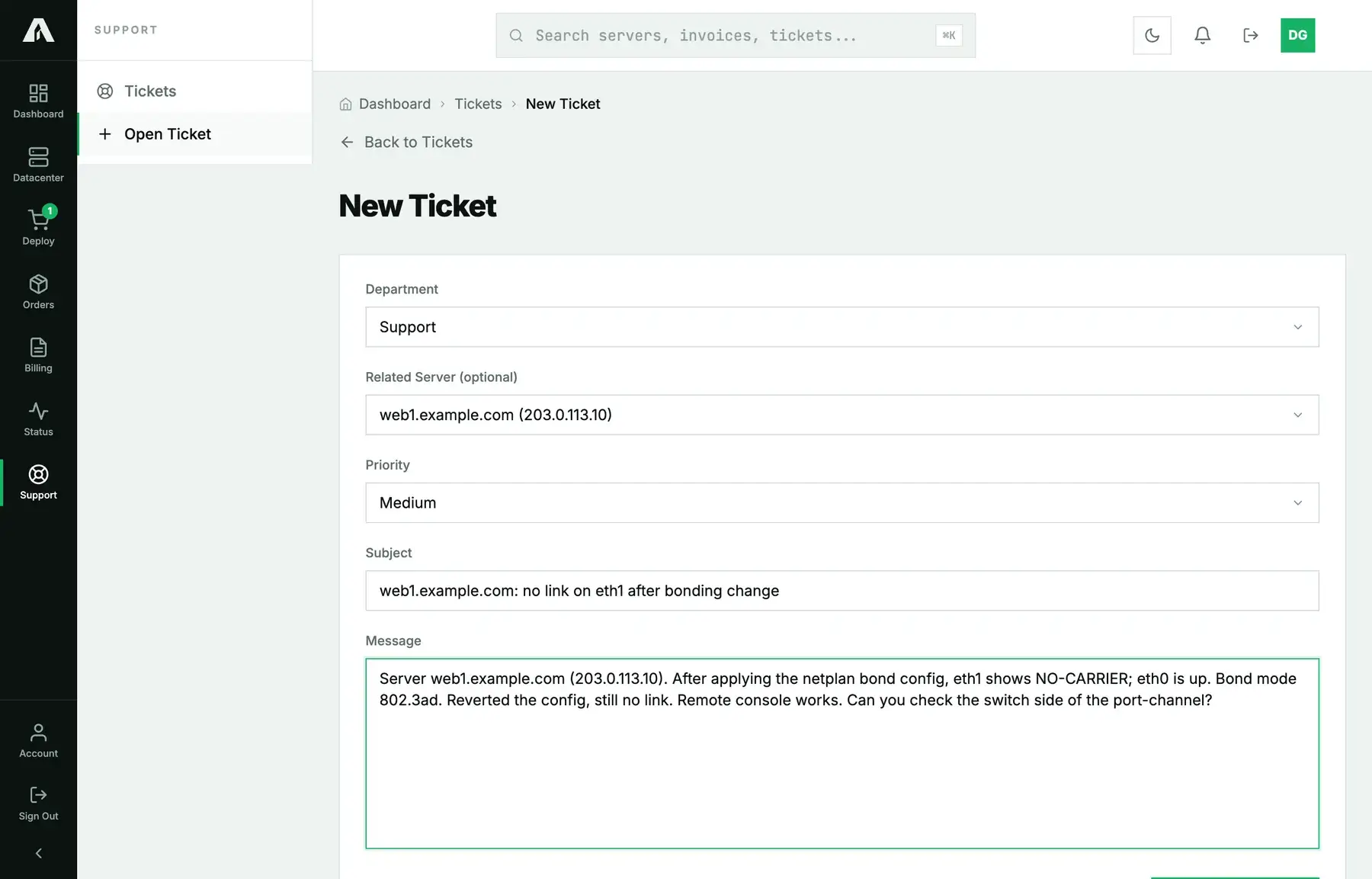
- From the sidebar, open Support → Open Ticket.
- Department: technical questions go to support, invoices and payments to billing, quotes and upgrades to sales. Pick the right one and an engineer reads it now, instead of handing it off later.
- Related server: choose the machine the ticket is about. The engineer then sees the server's record right next to your ticket, and you don't have to type out the address.
- Priority: Low for questions, Medium for anything that affects work, High when a service is degraded, Urgent when it's down. Keep Urgent for real outages. It moves the ticket ahead of everyone else's, and we'd like it to keep meaning something.
- Subject: the hostname, then the symptom. “web1: no link on eth1 after bonding change” makes a good subject; “Help” doesn't.
- Message: covered in the next section.
- Click Submit Ticket. A ticket number arrives by email, and from then on the thread lives under Support.
What to put in the message
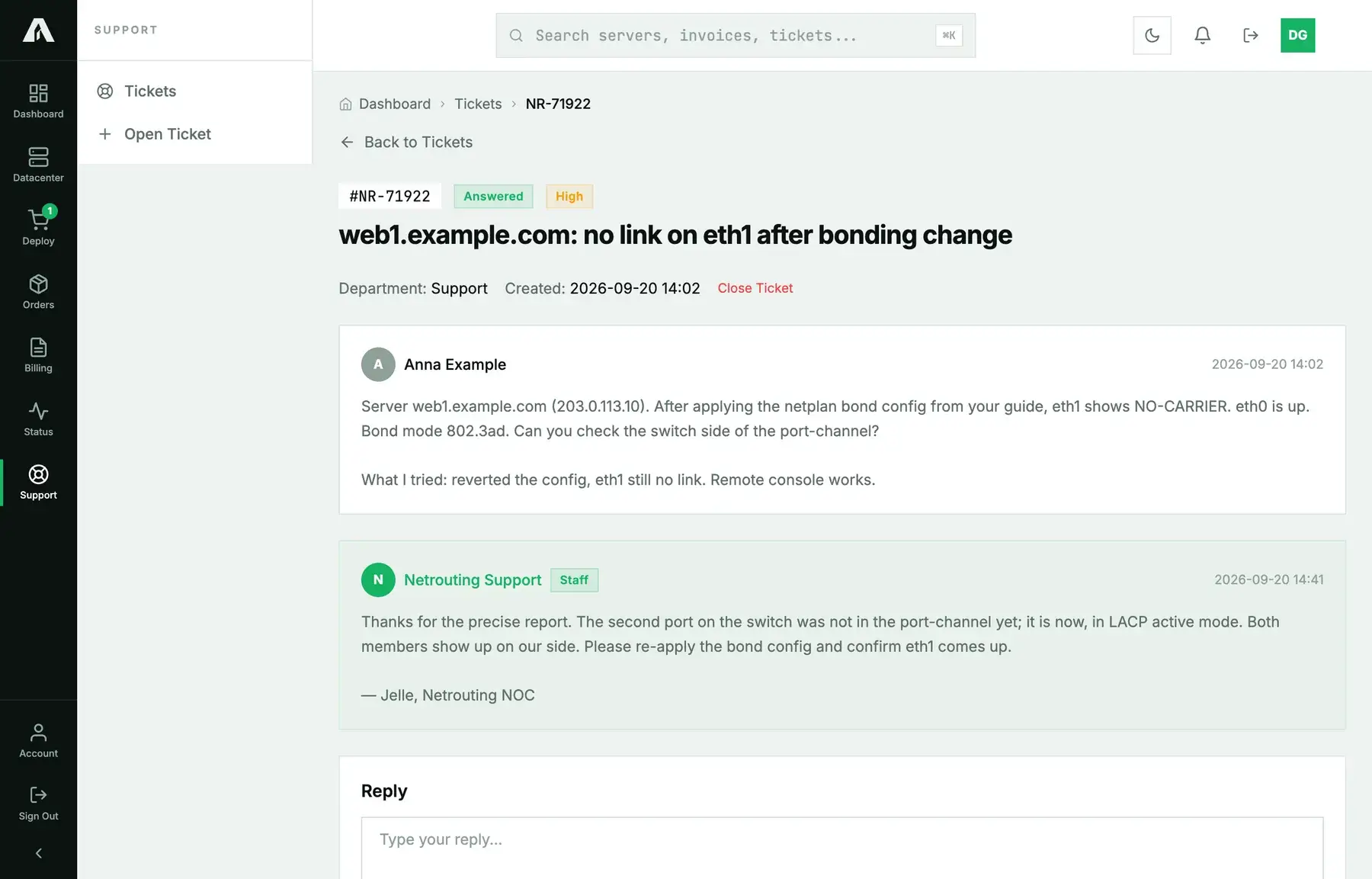
Five things, in this order. When a ticket has all five, the first reply usually solves it.
- Which machine: hostname and IP address, even if you already picked it in the related-server field.
- What you expected and what happened instead, with the exact error text. Paste it rather than paraphrasing.
- When it started, including the time zone, so we can read our own logs around that moment.
- What you already tried, so we don't suggest it a second time.
- What you can see on the console if the machine can't be reached over the network. The remote console shows you the screen a technician would otherwise have to walk over to.
Leave passwords out. If we need access, we ask for it in the ticket and explain how to give it safely. A root password pasted into a message is one you'll have to change afterwards.
After you send it
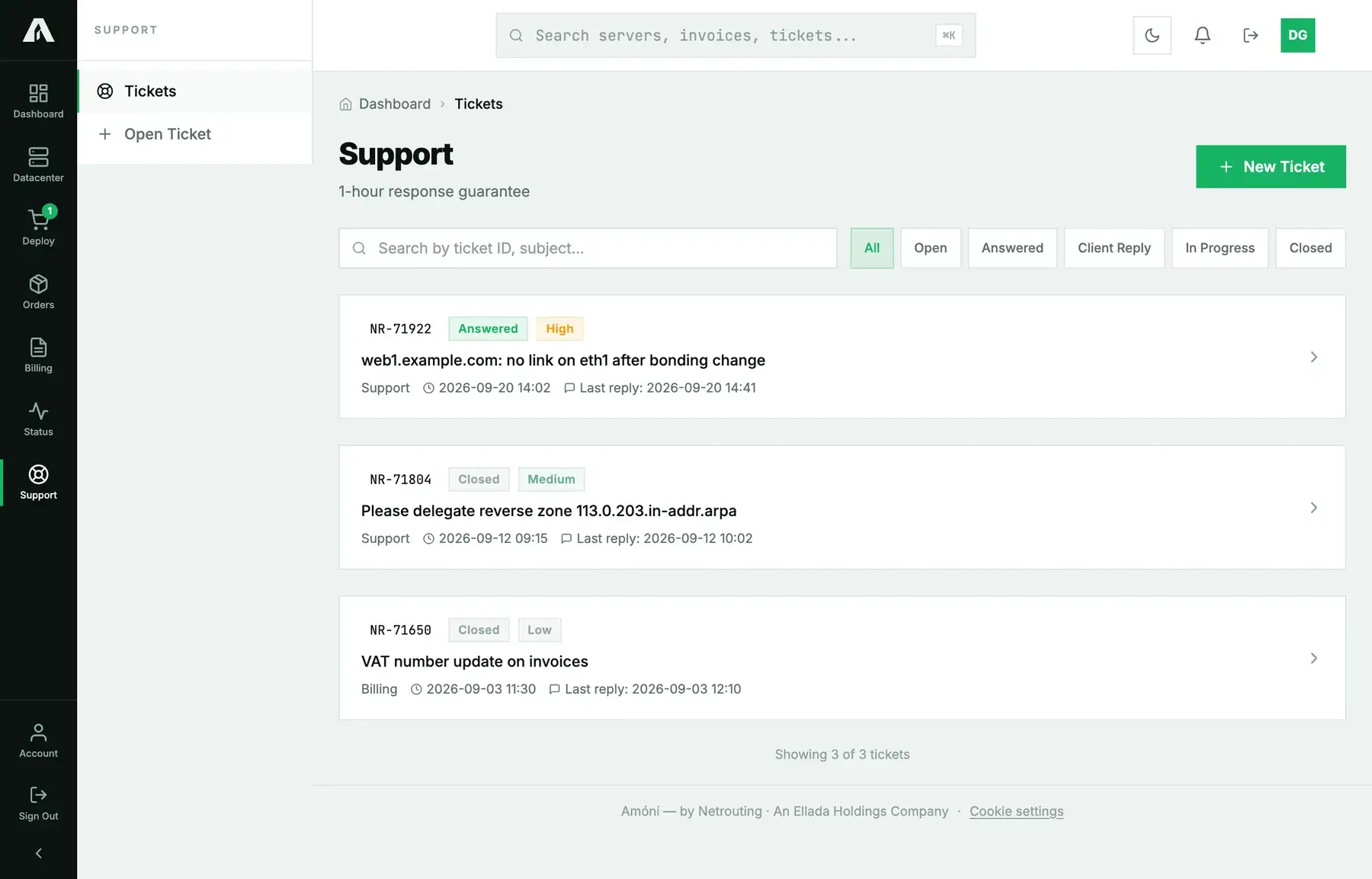
The ticket shows up under Support with its status: Open until we reply, Answered when we have, Client Reply when the ball is back with us, and Closed once it's done. Our replies also reach you by email, and you can answer from the thread in the portal, attachments included. Once the problem is solved, close the ticket yourself, or leave it and it closes after a few days without a reply. You'll then be asked to rate it. We do read those.
How fast
We commit to a first response within an hour, around the clock. It comes from an engineer who has actually read the ticket, and whether it's also the fix depends on the section above. Urgent tickets about a service that's down get looked at first.
Troubleshooting
- I cannot open a ticket. Either your role doesn't include tickets, or the account hasn't confirmed an email address yet. The account holder can fix both under Account.
- I emailed instead of using the portal. That works too. Mail sent to support@netrouting.com from the address on the account turns into a ticket. The portal form is still the better route, because of the related-server field.
- I want to add a colleague to the thread. Give them access to the account and they'll see the ticket. Or forward the ticket email: the ticket number stays in the subject, so their reply lands in the same thread.
- The ticket is closed but the problem is back. Reply to that same ticket. It reopens with its whole history, which beats starting over.