
The App Library puts a working stack on a machine without you typing the install commands yourself. Pick PostgreSQL, WordPress, Docker or one of the others, and the next time the machine gets a fresh OS, the app is installed on top of it. Passwords the app needs are generated for you and dropped into a vault on the machine's page, so you never have to invent a database password at 2 a.m.
New or rebuilt machines only. The App Library doesn't install onto a machine you're already running. Every app goes on during the next rebuild (cloud) or reinstall (bare metal), and both erase the disk first. Use it on a new machine or one you're ready to wipe, and back up anything you want to keep before you rebuild. Every app in the library needs a Debian or Ubuntu image.
There's one idea to hold on to, because everything else follows from it: installing an app stages it. Nothing happens to the running machine when you click. The app goes on during the next rebuild (cloud) or reinstall (bare metal), which also means it goes on to a clean disk.
What's in the library
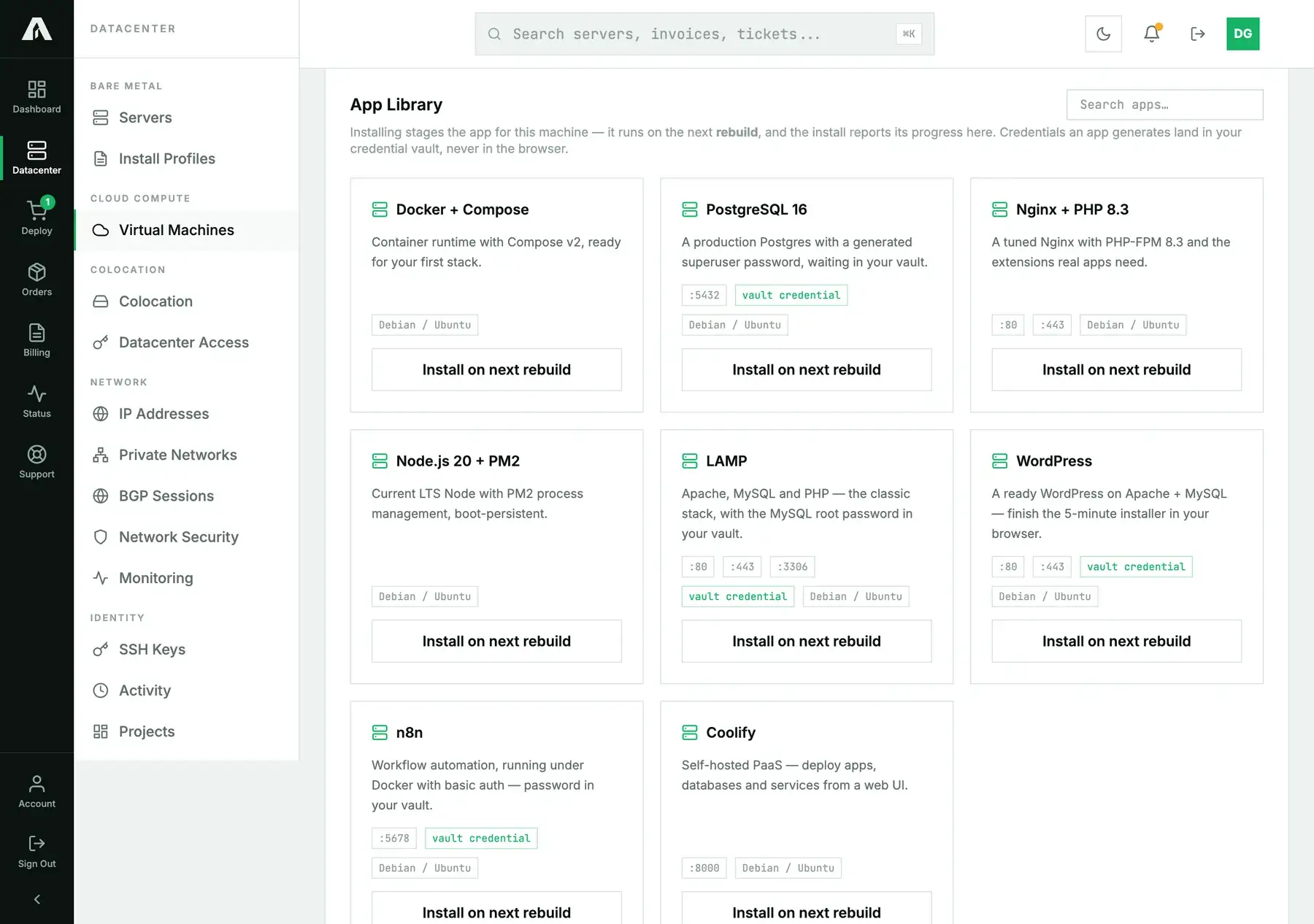
Eight apps today, all curated and maintained by us: Docker + Compose, PostgreSQL 16, Nginx + PHP 8.3, Node.js 20 + PM2, LAMP, WordPress, n8n and Coolify. Every one of them runs on Debian or Ubuntu. Each card shows the ports the app listens on and a vault credential badge if it generates a password.
Install an app on a cloud instance
- Open the instance from Virtual Machines and go to its Apps tab.
- Find the app and click Install on next rebuild. It appears under Installs on this machine as queued.
- Rebuild the instance with a Debian or Ubuntu image. You can stage several apps first; they all go on in the same rebuild.
Your own cloud-init user data is left alone. Staged apps ride along beside it, so you don't have to choose between the two.
Install an app on a bare-metal server
- Open the server from Servers and go to its Apps tab.
- Click Install on next reinstall. Behind the scenes this creates a one-off post-install script called
App: PostgreSQL 16 — your-hostname(with your app and host names). - Start a reinstall with Debian or Ubuntu, and tick that script under Post-install scripts.
The script belongs to that one server and cleans itself up once it has run, so it won't clutter your install profiles or turn up on your other machines. It also doesn't count toward your own three-script limit.
Watching it happen
Each install moves through four states on the Apps tab:
- queued: staged and waiting for the rebuild or reinstall.
- installing: the machine has booted, fetched the installer and is running it.
- ready: it finished cleanly.
- failed: it didn't. Open log to see the last few kilobytes of output, which is usually enough to tell why.
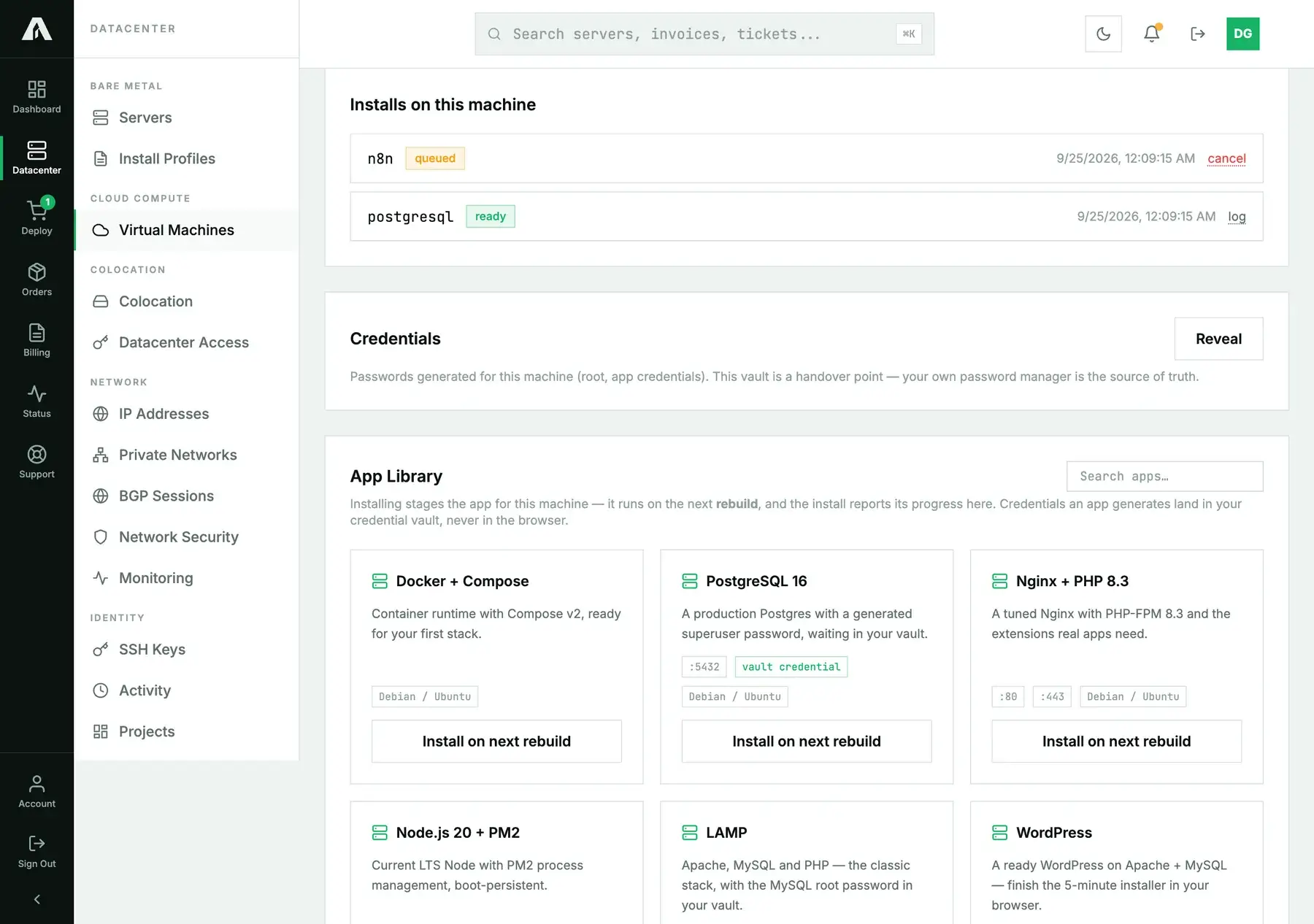
Changed your mind? A queued install can be canceled, and a failed one removed. Once an install has started it can't be pulled back; the software is already on the disk. Every staging is also written to the Activity log.
A later rebuild or reinstall wipes the disk, so it also clears finished installs from this list. A row saying postgresql ready on a machine that no longer has PostgreSQL would only mislead you. Anything still queued stays queued for that next build.
Where the passwords go
Apps that need a secret, like the PostgreSQL superuser or the WordPress database user, get one generated on our side. It's never typed in the browser or sent back in a response. It goes straight into the Credentials vault on the machine's Apps tab. Click Reveal to see them; that's recorded in the Activity log, because seeing a password is worth a trail.
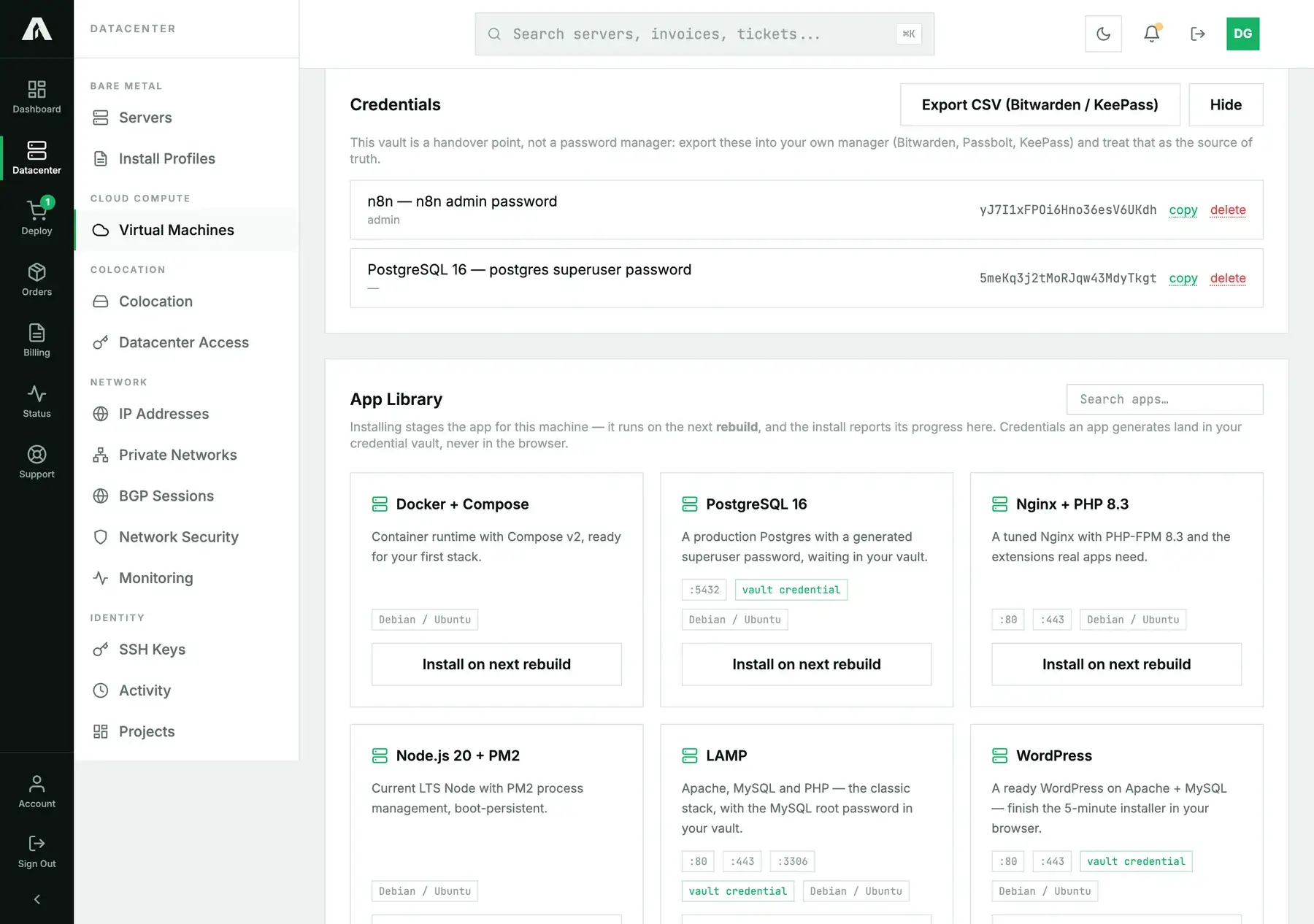
Treat the vault as a handover point, not a password manager. Export CSV (Bitwarden / KeePass) gives you a file your manager can import; move them there, then delete them here if you like. Deleting is permanent. If you haven't saved a password elsewhere, you'd have to reset it on the machine.
Ports and the firewall
Installing an app doesn't touch the firewall. If yours is on, add allow rules for the ports the card lists, and think twice before opening database ports like 5432 or 3306 to the whole internet. For a database, allow only the addresses that need it.
When an install fails
- An error saying the app supports Debian / Ubuntu but the machine reports another OS. You rebuilt or reinstalled with a different OS. Every installer checks the OS first and stops before touching anything, so the machine is clean. Remove the failed row, stage the app again, and rebuild with Debian or Ubuntu.
- A package or download error in the log. Usually a mirror having a bad moment. Remove the row, stage it again and rebuild.
- It sits on queued. Installs only run during a rebuild or reinstall. For bare metal, check you ticked the App: script during the reinstall.
With the API
The App Library isn't in the public API yet, so staging an app is a portal action for now. The rebuild and reinstall that run it are in the API, though, and so is the operations trail. If you're automating a fleet today, cloud-init on cloud instances and post-install scripts on bare metal do the same job from code.
Questions we get
- Can I install an app on a machine that's already running? Not in place. The library installs onto a fresh OS, so it needs a rebuild or reinstall. That's deliberate: a clean base is what makes the installs predictable.
- Can I stage more than one app? Yes. They all run in the same build.
- Which OS should I pick? Debian or Ubuntu for everything. For LAMP and WordPress, pick Ubuntu.
- Does the installer phone home with my password? No. The machine reports the tail of its install log, and any generated secret is blanked out of it before it's stored.
- Can I see exactly what an app installs? Each app has its own page with the details; start from PostgreSQL 16 or Docker + Compose.
Still stuck?
Open a support ticket with the machine and the app name, and paste the log if it failed. We can see the install from our side too.