
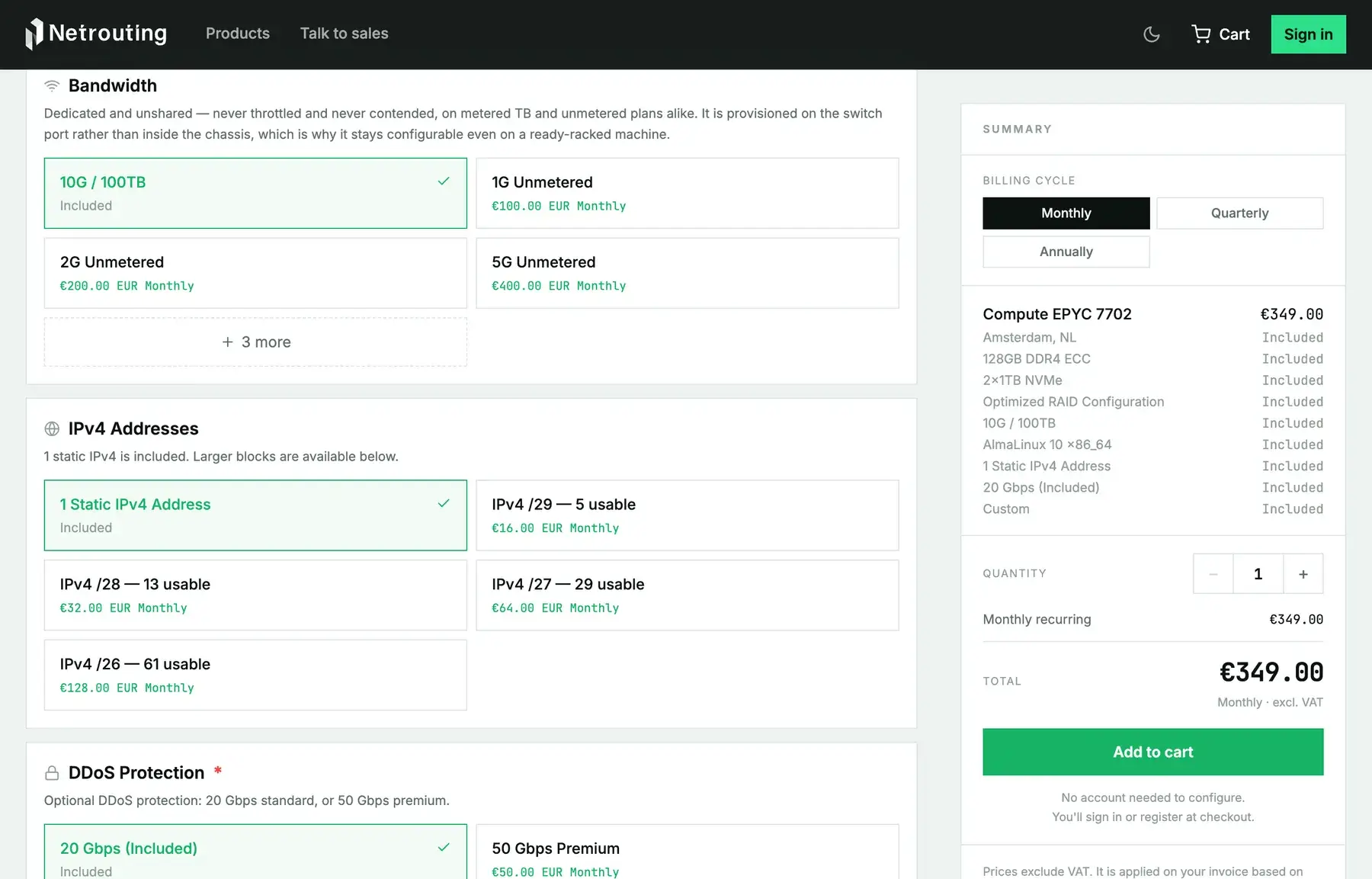
Every Netrouting server gets its own switch port, and none of it is shared with a neighbor. Plans differ only in how the traffic on that port is billed. You either get a metered allowance in terabytes per month or an unmetered port at a fixed speed. Below, both are explained in the same terms your invoice uses, along with which servers can take which. The third model, 95th percentile, only applies to pooled commits, and it's covered at the end.
Metered: an allowance in terabytes, outbound only
With a metered plan you get a monthly transfer allowance: 17 TB on the entry line (Express and Instant), 100 TB on every other bare-metal line. It's simpler than most metered plans you'll find elsewhere, for two reasons:
- Only outbound traffic counts. We measure what leaves your server for the internet. What comes in is free and never shows up in the total, whether that's uploads to your server, backups you pull down or a mirror you sync from.
- The port is still the full port. Put a 10G server on a 100 TB plan and it can still push 10 Gbps when it needs to. The allowance caps how much you send in a month. It doesn't cap how fast.
Go past the allowance and the extra traffic appears on your next invoice, billed per gigabyte at the rate agreed on your plan. Crossing the line doesn't cut you off or slow you down. You just pay for the excess.
A worked example. Say a server on a 100 TB plan sends 120 TB in a month and receives 30 TB. The 30 TB coming in doesn't count at all. Of the outbound traffic, 100 TB was included and the remaining 20 TB is billed at the per-GB rate. If that server had sent 90 TB instead, there'd be nothing extra on the invoice.
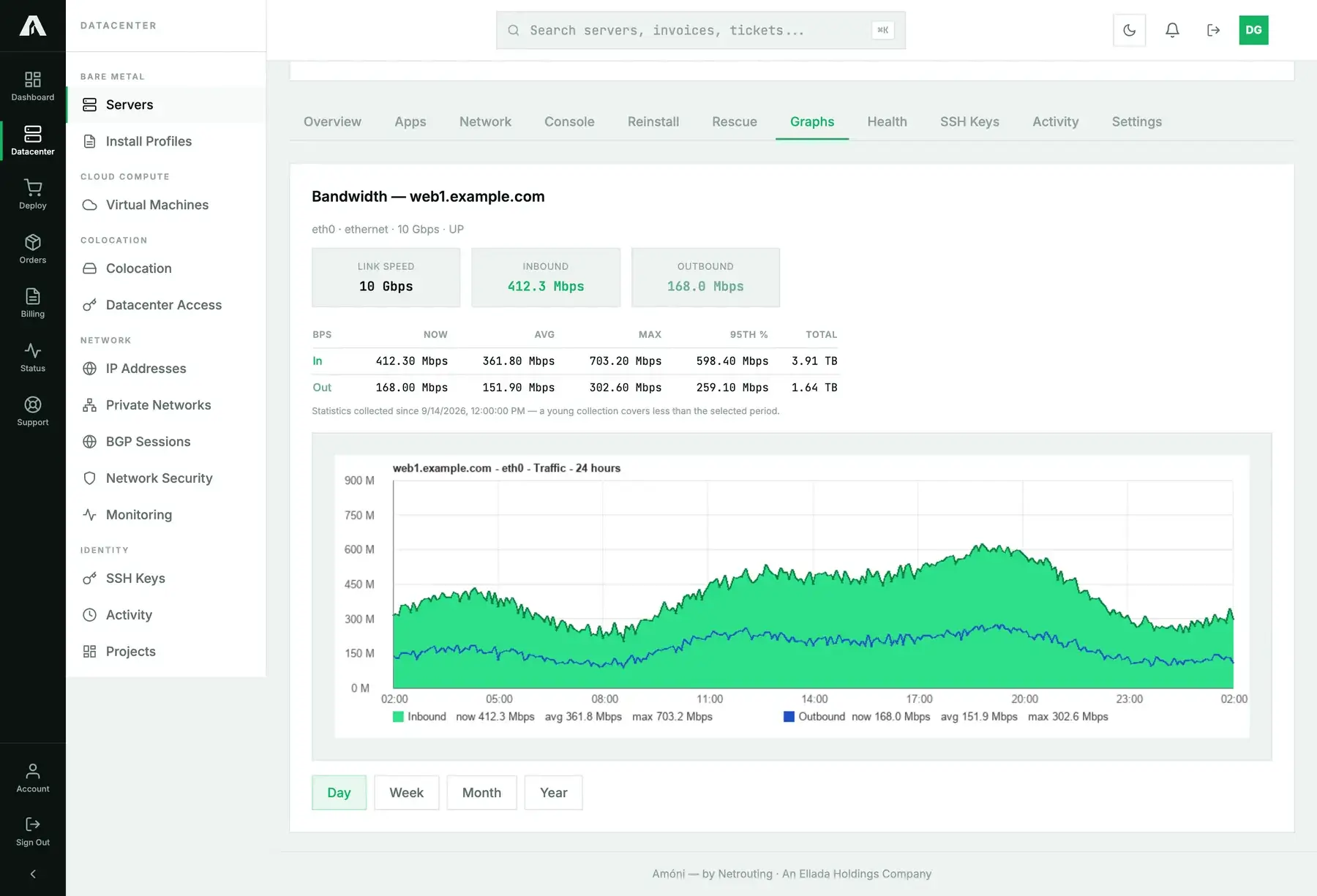
You can check where you stand at any time. Open a server's Graphs tab for the IN and OUT totals for the period, with the 95th percentile alongside for reference. See read your bandwidth graphs and transfer totals.
Unmetered: a dedicated port at a fixed speed
On an unmetered plan, a speed takes the place of the allowance. You pay a fixed monthly amount and the port can run at that speed for the whole month. Not every provider can say the following, but here all of it holds:
- Unmetered means unmetered. We have no fair-use clause, don't throttle you past some threshold and don't shape your traffic. Run the port flat out for 30 days and the invoice doesn't change.
- The port is dedicated. Your speed is provisioned on your own switch port, for you only. You aren't getting a slice of an uplink that other customers also draw from.
- The speed is a switch setting. We configure it on the port rather than in the server, which means it can change on a live machine with no reinstall and no downtime. Upgrading later takes a ticket, not a migration.
The speeds on offer depend on the port your server is built with:
| Server line | Port | Included metered allowance | Unmetered speeds available |
|---|---|---|---|
| Express, Instant | 1G | 17 TB out | none (metered only) |
| Edge | 1G | 100 TB out | 1G, 2G |
| Edge Pro, Bandwidth, Compute, Accelerator, Pro, Memory | 10G (20G is two 10G ports, bonded) | 100 TB out | 1G, 2G, 5G, 10G, 20G |
Picking a speed below the port's is a deliberate cap. A 10G server on a 2G unmetered plan is rate-limited to 2 Gbps on the switch, and in exchange the fixed price is lower. It's the way to turn a metered server into a predictable line item without paying for a full 10G.
95th percentile: how pooled commits are measured
You won't find the third model on the bare-metal order form. It's how pooled bandwidth for resellers and larger commits get measured. We sample traffic every five minutes across the month and sort the samples. The top 5 percent are discarded, and the highest sample left over becomes your billed rate in megabits per second. In practice, roughly 36 hours of your busiest traffic each month never counts. Short spikes (a backup window, a launch, a DDoS being absorbed) don't set your bill. Sustained usage does.
Example. A pool of servers runs at 800 Mbps for most of the month and hits 2.5 Gbps on a few evenings. Those evenings fall inside the discarded 5 percent, so the 95th percentile lands near 800 Mbps, and that's the billed rate. Put the same pool on a per-terabyte plan and it would have paid for every byte of those evenings.
Which one to choose
| Your traffic looks like | Choose | Why |
|---|---|---|
| Websites, APIs, mail, a few terabytes a month | Metered | You'll use a fraction of the included allowance, and the port is still fast. |
| Backups and large inbound syncs | Metered | Pulling data into the server costs nothing, because inbound is free. |
| Streaming, downloads, CDN origin, game servers | Unmetered | Outbound volume is your whole business. A fixed price beats counting terabytes. |
| A fixed monthly budget and no surprises | Unmetered at a capped speed | 2G or 5G on a 10G port puts a hard ceiling on speed and on cost. |
| Several servers, spiky traffic, reseller | Pooled 95th percentile | A single commit for the whole fleet, and the spikes don't count. |
Cloud instances and colocation
Cloud Compute and Optimized Cloud instances come with a fixed transfer allowance per plan, and you can't change it at checkout. Colocation is sold two ways: as a metered volume (on a 1G or 10G uplink, depending on the tier) or as a dedicated unmetered port at 1G, 2G or 10G. Everything above applies to it the same way.
Questions we get
- Does inbound traffic really not count? Not on metered bare-metal plans. The allowance only counts outbound.
- Can I switch from metered to unmetered on a running server? Yes. Because the speed lives on the switch port, it takes a ticket and shows up as a change on your next invoice. There's no downtime.
- Can I go faster than my unmetered speed for a moment? No. The port is held to the speed you bought, which is exactly why the price can stay fixed. Need more headroom? Buy the next step up.
- What happens when I exceed a metered allowance? Nothing happens to the server. You're billed per gigabyte for the excess on the next invoice. If you're getting close, keep an eye on the OUT total in the Graphs tab.
- Can I share an allowance between servers? Not on standard plans. Resellers can pool traffic, or a 95th-percentile commit, across servers. The pooling guide has the details.
- Is DDoS traffic counted? No. Our protection filters attack traffic before it reaches your port, and you aren't billed for it.
Each product page in the shop lists the current allowances, speeds and prices. If this page and the shop ever disagree, go with the shop.