
Every customer is screened in the background for as long as their account exists, and some customers are asked to verify their identity, their company or their address. This article explains both: what runs without you noticing, when we do ask for something, what to have ready, and what happens to your data. The rules themselves are in our Customer Verification Policy and our Privacy Policy; this is the practical guide.
Why we verify
A customer verification program (KYC/KYB) is standard practice for an infrastructure provider, and ours serves several purposes at once. It prevents fraud and payment abuse. It protects our network and our other customers from misuse by accounts that are not what they claim to be. It meets the legal obligations that apply to us, including sanctions and export control regulations, tax and invoicing rules, and lawful requests from authorities. And it lets us offer appropriate payment and credit terms to customers we know. Every customer goes through the same program; how much of it applies to a given account is decided by rules that are the same for everyone, never by who is asking.
What runs in the background
You acknowledged our verification policy at signup; here is what it means in practice. None of it asks anything of you.
- Screening. The name and company name on your account are compared with sanctions lists published by the European Union and the United States, and with other public sources, when the account is created, at every order and payment, whenever your account details change, and at regular intervals for as long as the account exists.
- Consistency checks. We compare the billing country on your account with the country of the card or payment account you use, the country your connections to the portal come from, and, if you have verified, the country that issued your document. People travel and directors bank abroad, so a difference between two permitted countries is never refused automatically; a person looks at it.
- Business customers are additionally screened for politically exposed persons and adverse media, through our verification provider.
- A person decides. The only automatic refusal is a billing address in a country we are prohibited from serving. Every other result that could affect your account is reviewed by a member of our staff before anything happens.
When we ask you to verify
A verification is asked for when one of the rules in the policy is met: an order above a certain size, a billing country where we apply extra diligence, a screening result that needs a human decision, a change to the name, company or country on a verified account, or a reason recorded by a member of our staff. Resellers of our services always verify before their first service is activated. When a verification is needed, the portal tells you with a banner across the top of every page, and a held order says so on the order itself. If you never see that banner, there is nothing to do.
An order that needs a verification waits for it and is placed automatically when it passes. Nothing is charged while an order waits.
What you need
- Individuals: a valid government-issued identity document (passport, national ID card or driver's license) and a smartphone. The check runs on your phone: on a computer the page shows a QR code to scan. The phone number on your account receives a code, and so does the email address, so make sure both are current before you start. Expect about two minutes.
- Businesses: the company's registry details, mostly pre-filled from official public registers, and confirmation of who's acting on the company's behalf. Allow a few minutes.
- Proof of address, sometimes: a recent utility bill or bank statement in your name, showing the billing address on the account. We ask for it on some accounts, and the Verification page says so before you start.
Your document doesn't have to come from the same country as your billing address. A document from certain countries does mean we will ask for a proof of address next.
How to do it
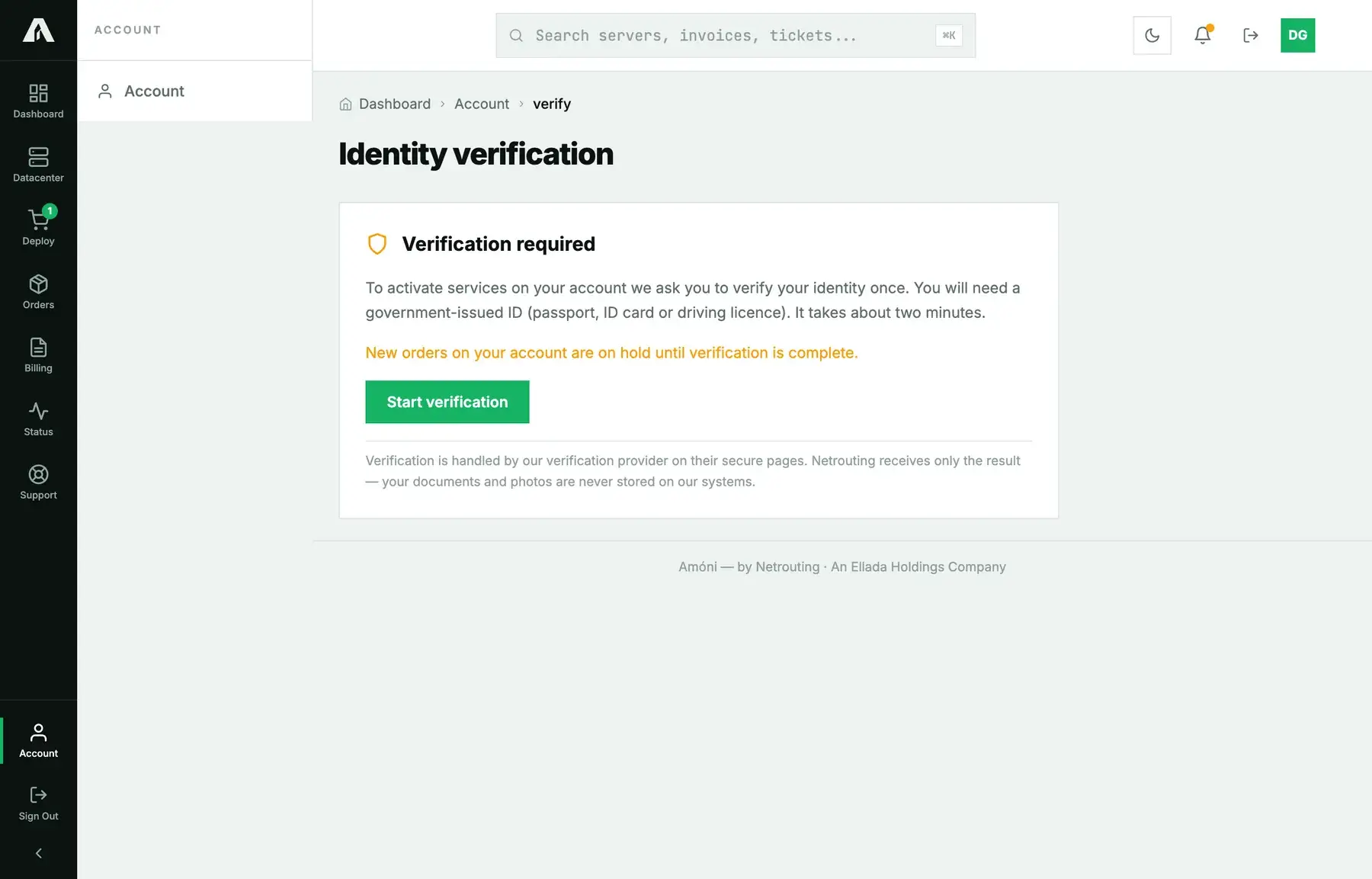
- Sign in at amoni.app and click Verify now in the banner, or go to Account → Verification. A held order shows the same button.
- The page lists exactly what will be checked: the name, email, phone number and, if it applies, the address on your account. If something is wrong there, fix it in your profile first; a verification that matches the wrong details fails.
- Click Start verification. This opens a secure session on our verification provider's page. Scan the QR code with your phone if you are on a computer.
- Work through the steps on that page: pick the document type, photograph it, do a short liveness check, and enter the codes sent to your email and phone. For a business, you confirm the registration details instead.
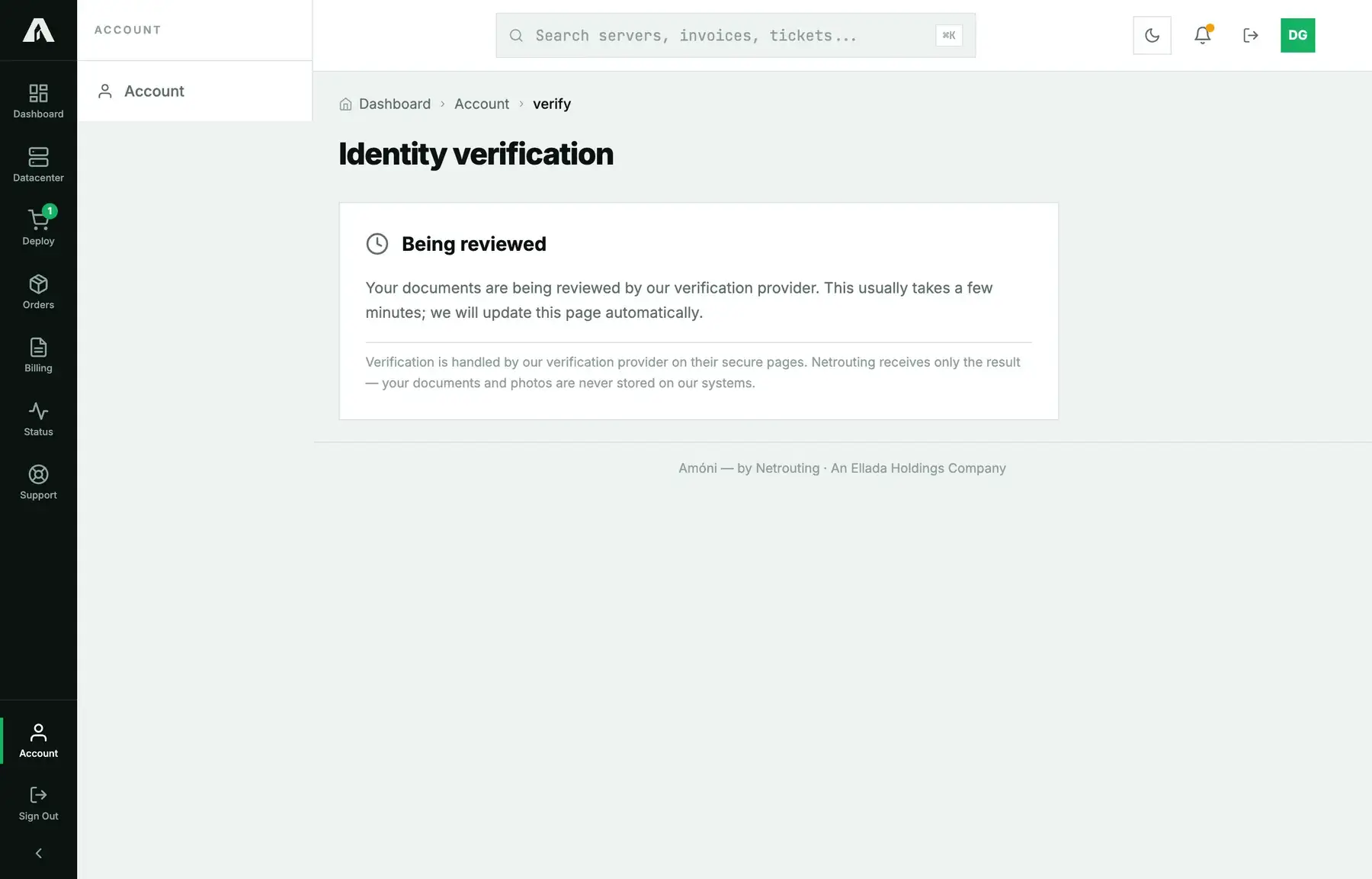
- You land back in the portal. While the provider finishes up, the page reads Being reviewed. That usually takes a few minutes, and the page updates on its own.
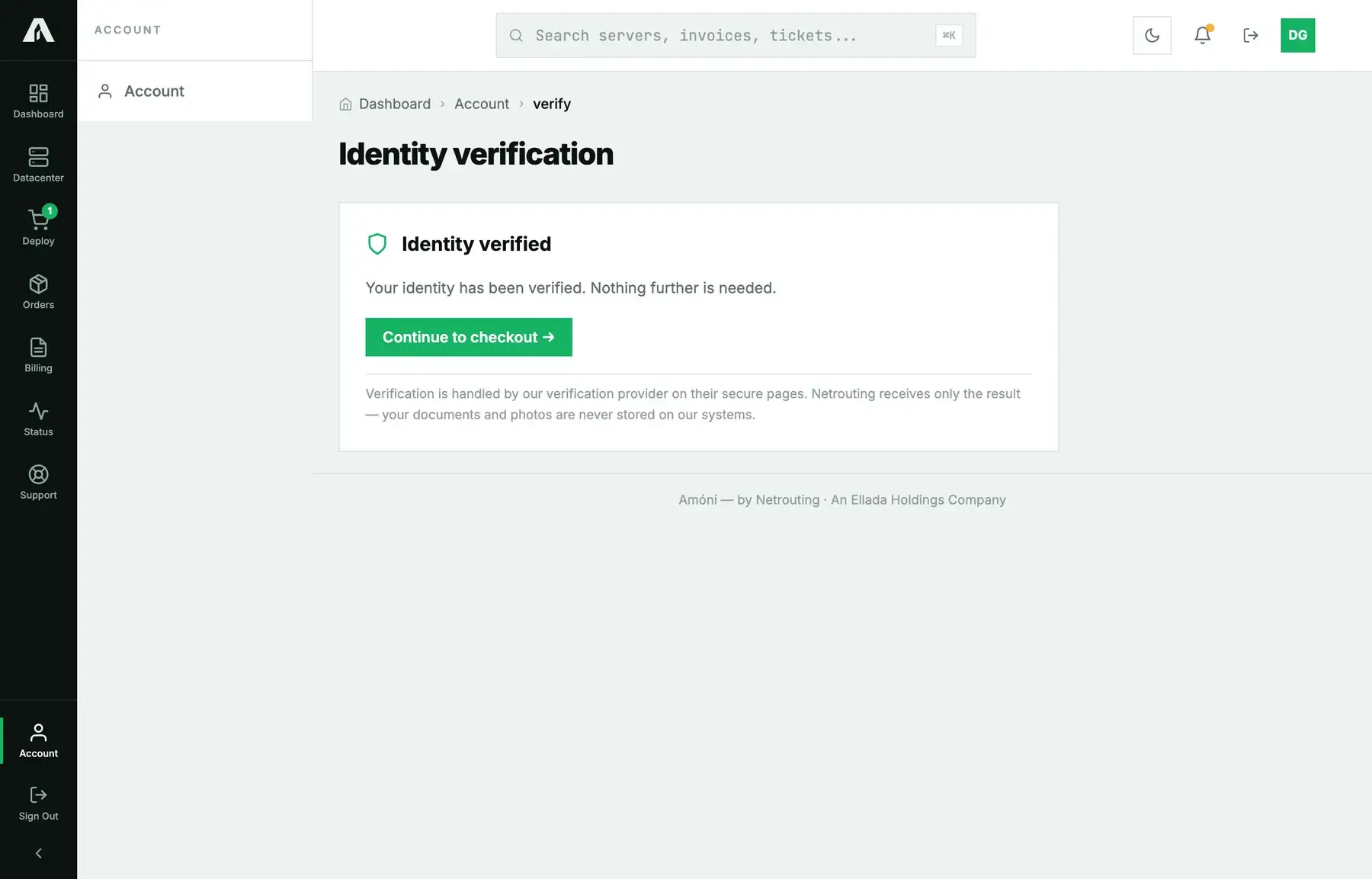
- When it says Identity verified, that's it. Any held order goes through right then, and the invoice arrives by email.
What is checked, and what happens to your data
A specialized verification provider carries out the check on its own secure pages, under a data processing agreement with us. To do that, we send it the name, email address, phone number and, for a business, the company name on your account, so that the check proves those rather than whatever is typed on the day. The provider confirms the document is genuine and that the person holding it is the person in it, compares the name with your account, confirms the email and phone, and checks the address on a proof of address against your billing address.
What comes back to us is the result and the match verdicts, the type and issuing country of the document, and any findings from the provider's own sanctions and adverse-media checks. Identity documents, photographs, dates of birth and document numbers never reach Netrouting systems. The provider deletes what it collected [90 days] after a check concludes; we keep the record that a check happened and its outcome for the life of the account and as long as the law requires afterwards. The full description, including your rights, is in our Privacy Policy.
After you are verified
We won't ask again unless something changes. Changing the name, company or country on a verified account reopens the check, because the verification was of those details. Two such changes within 48 hours lock the account until one of us has looked at it. Existing customers from before the program started were reviewed once and are not asked unless a rule in the policy is met.
If you leave it unfinished
A required verification that is not completed does not go away. We send a reminder the next day, and if it is still open after that, a final notice; from then on renewals are paused, and later the services on the account are suspended. All of it is lifted the moment the verification completes. If you are stuck rather than ignoring it, open a ticket before the final notice and we will help.
If it fails, or you think we should not have asked
Our Terms and Conditions make accurate, truthful account information a contractual requirement. False information, a failed verification, or a result that means we cannot establish who we are contracting with can get an order declined and services suspended or terminated. A person reviews every one of those cases, not a rule. If we asked you in error, or a check failed and you think it shouldn't have, contact support or write to legal@netrouting.com. We do not always say which rule or list led to a decision, because explaining a refusal would help someone evade the next one.
Troubleshooting
- The page says “Almost there, one detail to fix”. The verification succeeded but one detail on it differs from your account; the page names which. Correct it in your profile and the result is re-compared. No new session needed.
- The page says “Verification not finished”. A session got started and then left halfway. Click Continue verification and complete it. You don't lose anything from the first attempt.
- The code never arrives. Check the phone number and email on your account; the codes go there, not to whatever you type on the provider's page. A landline cannot receive the SMS.
- The camera is refused. The provider's page can't work without camera access. Allow it when the browser asks, or scan the QR code with a different phone.
- The document was rejected. Most often it's glare, a cut-off edge or an expired document. Lay it flat, get all of it in frame, and try again. After two failures, open a ticket and one of us will look at it.
- I verified but the banner is still there. It can take a few minutes for the result to reach us. Reload the page. If the banner is still there after more than an hour, open a ticket.
- My business is not in a public register. Open a ticket with the jurisdiction, and we'll agree with you on an equivalent document.
Still stuck?
Open a support ticket from the portal or email support@netrouting.com from the account's email address. Tell us whether you're verifying as an individual or as a business, and what the page says.